Table of Contents
- What Is Generative Fill vs Content-Aware Fill?
- Why Generative Fill vs Content-Aware Fill Saves Time
- Managing Credits: Generative Fill vs Content-Aware Fill Costs
- Best Generative Fill vs Content-Aware Fill Workflows
- The Future of Generative Fill vs Content-Aware Fill
- Common Mistakes with Generative Fill vs Content-Aware Fill
- Choosing Your Tool for 2025
- Listen to This Article
Here’s the thing about the generative fill vs content-aware fill debate in 2025. I remember back when we had to clone-stamp every single pixel by hand. It was like trying to fix a dented fender with a tiny hammer—it worked, but man, it took forever. This is the MVP — content proves the concept. Then Content-Aware Fill came along, and we thought that was the peak. But let’s be real, if you’re still relying 100% on that older tech, you’re basically driving a car with a carburetor in the age of fuel injection.. True story.
(See what I mean?)
All right, so today we’re going over why your Photoshop stratagy might be slowing you down. We’ve got a lot of folks asking about the real difference between generative fill vs content-aware fill and if it’s worth the credits. I’ve been testing the latest 2025 updates, and honestly, the results are wild.
Let’s go ahead and look at what’s actually happening under the hood of your software.
What Is Generative Fill vs Content-Aware Fill?
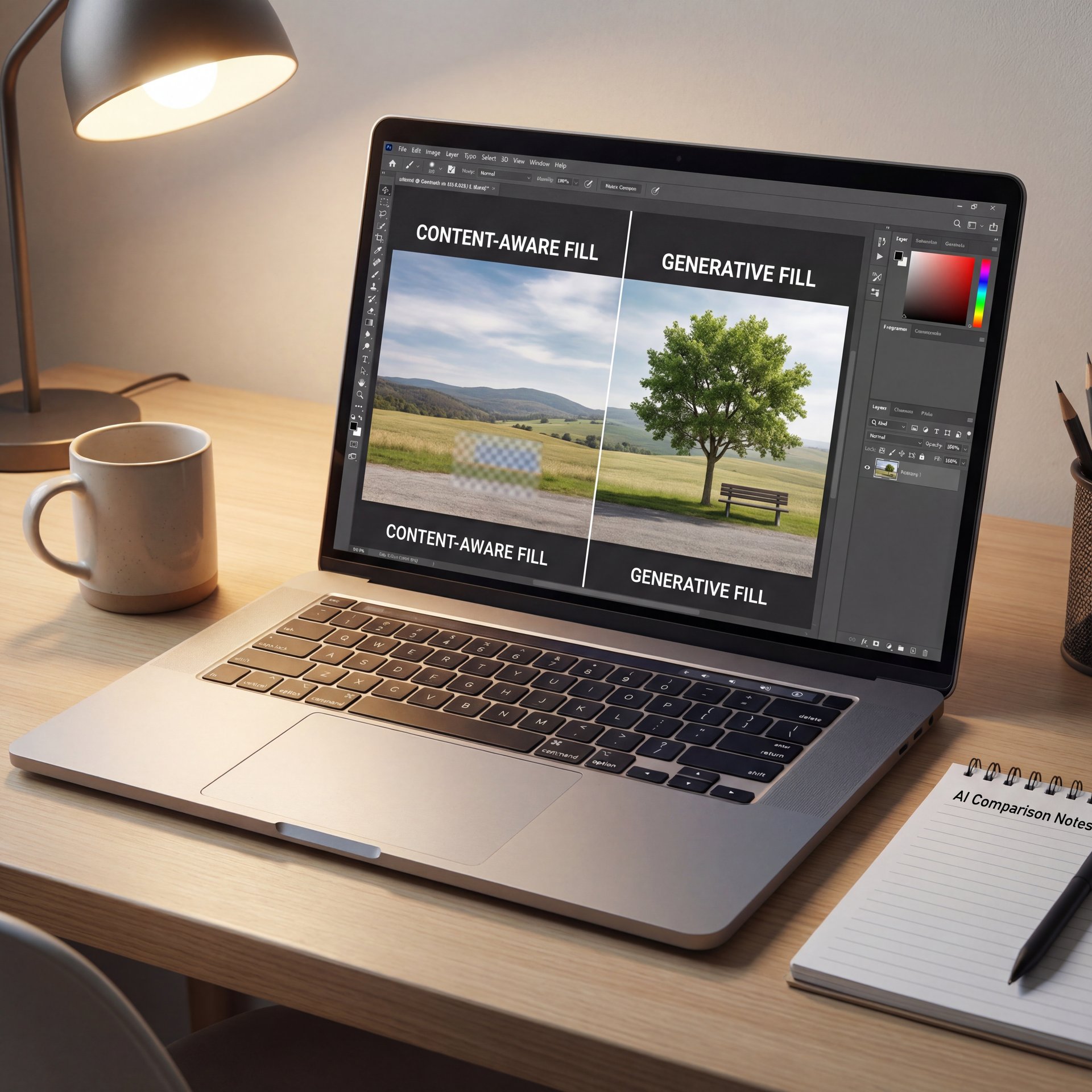
So, first thing you wanna do is understand the engine powering these tools in the generative fill vs content-aware fill comparison. They sound similar, but they work completely differently.
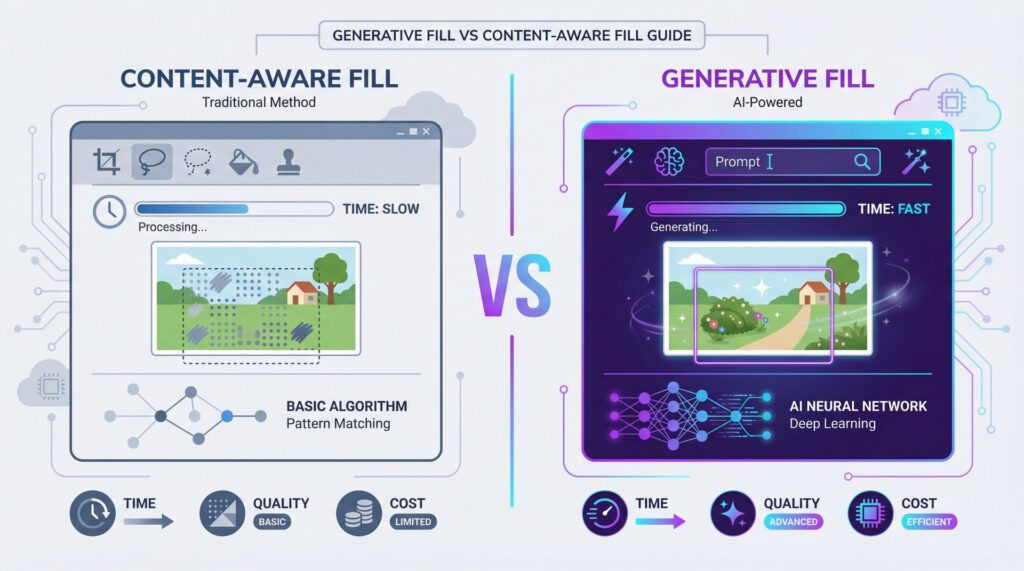
If you use Content-Aware Fill, the software looks at the pixels already in your image. It samples them. It’s like patching a hole in your jeans by cutting a piece of fabric from the leg of the same jeans. According to Adobe’s help documentation, Content-Aware Fill draws pixels from a defined sampling area within the same image. Why does this matter in the generative fill vs content-aware fill discussion? It works surprisingly good for simple textures like grass or sky.
But here’s where Generative Fill changes the game plan in the generative fill vs content-aware fill matchup. Instead of just copying pixels, it uses AI models—like Adobe Firefly or the new partner models (to create brand new pixels that usually existed before. It understands context. It’s the 80/20 rule — Generative is your 20%. If you select a hand with a missing finger, it doesn’t just paste skin texture; it draws a new finger.
This generative fill vs content-aware fill breakdown shows the key trade-offs.
(…typically.)
The Shift to Model-Based Editing
Now, here’s the thing. Think about it. We are seeing a massive shift from pixel-based editing to model-based synthesis. It’s the 80/20 rule — content is your 20%. In a March 2024 Photoshop beta survey, 73.4% of respondents used Generative Fill at least once per editing session. Compare that to only 41.2% who are still regularly using classic Content-Aware Fill. That tells me the industry is moving on.
I mean, I still use the classic tools for dust spots. You don’t need a sledgehammer to crack a nut. But for anything big? You’re gonna want to switch gears.
Why Generative Fill vs Content-Aware Fill Saves Time
Let’s talk about speed. In this business, time is money. If you’re billing flat rate or just trying to get a thumbnail done before dinner, you can’t spend an hour on background removal.
Adobe’s internal benchmarking shows that generative fill vs content-aware fill isn’t even a fair fight for complex tasks. According to the Adobe MAX Session ‘AI for Working Creatives’ 2024, Generative Fill reduces common retouching tasks from 5-ten minutes with Content-Aware Fill down to 20-40 seconds per variation. That is a 7.5x to 15x time reduction.
Real World Workflow
So, let’s say you have a product shot, but the table is too short. In the old days, you’d stretch, clone, heal, and pray the texture matched. Now? You just expand the crop and type “extend background.” i found that this is where the 2025 updates really shine. You aren’t just fixing mistakes; you’re building assets. According to the Adobe/IDC Creative Workflows Study 2024, a boutique social media agency reported a 38.6% reduction in average edit time per image and a 17.9% increase in monthly content output after implementing Generative Fill as their default tool. That’s huge.
Pro Tip: If you’re trying to speed up your social media workflow, don’t over-prompt. I see people writing novels in the prompt box. Keep it simple, noun plus adjective. and let the AI do the heavy lifting.
We actually covered some of these speed techniques in our Banana Thumbnail App Tutorial for More Clicks, where we break down how fast edits lead to better CTR.
Managing Credits: Generative Fill vs Content-Aware Fill Costs

Now, here’s, you know, the part that makes everyone nervous: the cost. I get it. You don’t want to run out of gas halfway to your destination.
With Content-Aware Fill, it runs on your machine. It costs you nothing but electricity. But Generative Fill uses cloud computing (I wish) power, which means credits. As of 2025, the credit structure has changed a bit.
The 2025 Credit Economy
If you use the standard Adobe Firefly model, Generative Fill consumes 1 credit per generation. That’s pretty standard. But if you switch to the new partner models, like Flux Context Pro or Nano Banana (running on Gemini 2.five Flash Image). those consume ten credits per generation.
Why the price hike? Because those models are heavy hitters. They handle complex lighting and text rendering way better than the base model.
🤔 Did You Know?
Partner AI models in Photoshop now cost 10x more credits than standard Firefly. If you’re doing simple background extensions, stick to the base model to save your budget.
So, if you’re just removing a telephone pole, stick to the base Adobe Firefly model or even classic Content-Aware. Save the big guns. like Nano Banana. for when you need to generate a specific person or a complex sci-fi background. Over 6.five million users tried Firefly-powered features including Generative Fill within the first 6 months of general availability in 2023, and Firefly users generated over five billion assets within the first year with Photoshop Generative Fill as one of the top three generators by usage volume.
Best Generative Fill vs Content-Aware Fill Workflows
You might be thinking, “Should I just usually use Content-Aware again?” No, not at all. That’s like throwing away your wrench because you bought an impact gun. You need both.
Here’s what I prefer to do. I use a hybrid approach.
When to Stick to Content-Aware
If I have a simple texture. like concrete, water or grass, and I just need to remove a piece of trash, I use the Spot Healing Brush or Content-Aware Fill. It’s fast, it’s local, and it doesn’t trigger those “whipped up with AI” metadata tags that some platforms are starting to flag.
In fact, 62.9% of beta users said Generative Fill significantly reduced the number of manual clone/heal steps required per image, but they didn’t say it replaced them entirely.
When to Use Generative Fill
But let’s say you need to change a person’s outfit, or add a mountain range where there was a parking lot. that’s where generative fill vs content-aware fill becomes a no-brainer. Content-Aware is for repair. Generative Fill is for creation.
💡 Quick Tip
Use the “Reference Image” feature in the 2025 update. Instead of just typing a prompt, upload a photo of the style you want. It stops the AI from guessing and wasting your credits.
The Future of Generative Fill vs Content-Aware Fill
All right, let’s look down the road a bit. The 2025 updates to Photoshop have introduced something really interesting: partner models.
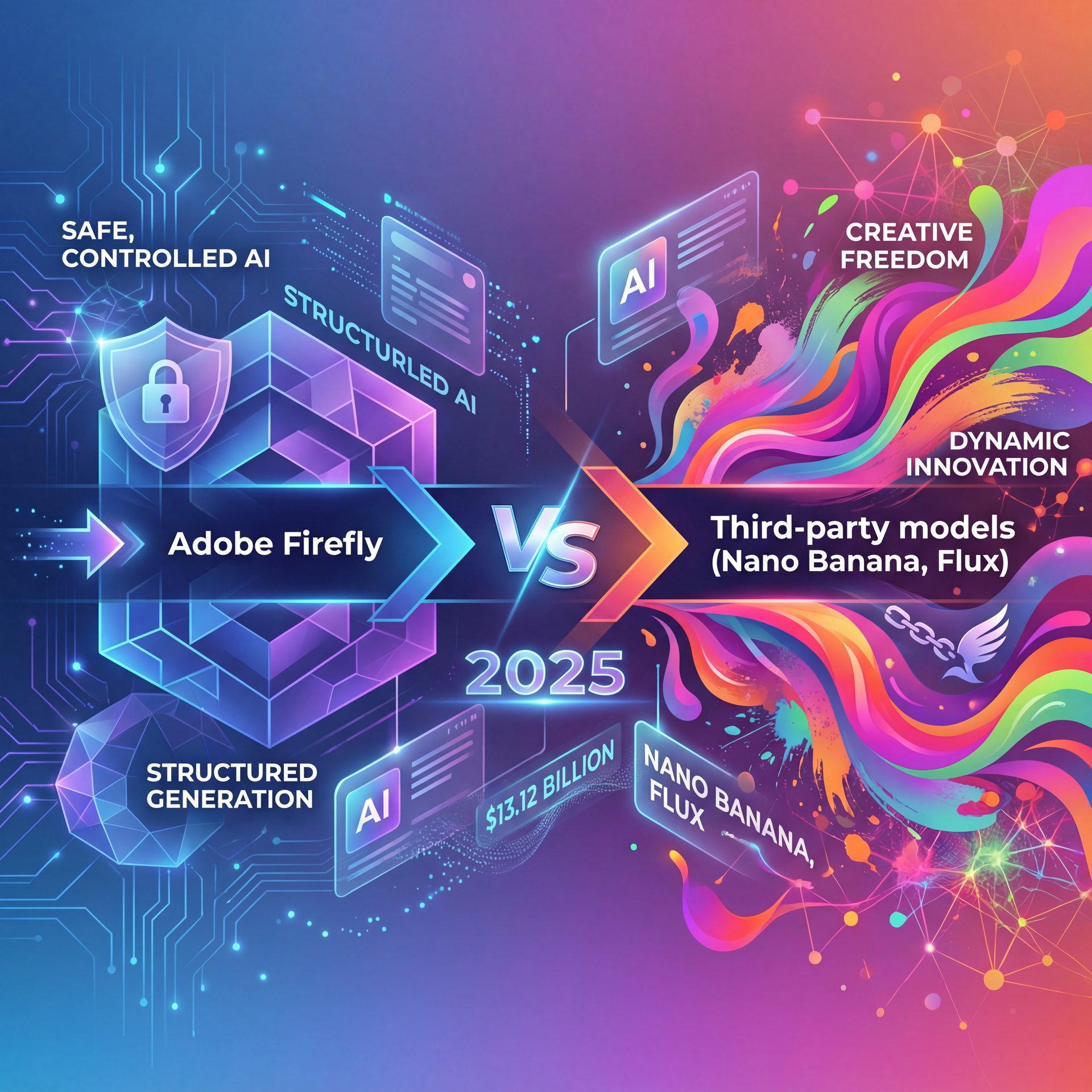
You can now choose between Adobe Firefly and third-party models directly inside the Generative Fill bar. THIS is huge because Firefly is great for safety, but sometimes it plays it too safe. Models like Nano Banana or Flux are getting better at handling text and specific artistic styles.
Market Growth and Adoption
The global generative AI in design market is projected to reach $13.12 billion by 2030. That tells me this isn’t a fad. It’s the new standard. If you look at Grand View Research, the growth curve is vertical.
(Been there?)
What surprised me was how fast this is happening. Morgan Hastie demonstrated transforming a low-quality client photo into a campaign mockup in under 6 minutes using these new tools. That used to take 45 minutes.
If you’re interested in how these tools impact social media performance specifically, check out our article on TikTok Thumbnail Hacks: Boost Your Click Rate. We talk about how using generative backgrounds can stop the scroll.
Common Mistakes with Generative Fill vs Content-Aware Fill
Now, before you go out and start generating everything, let’s talk about some symptoms of bad usage.
The “Plastic” Look
If you rely on Generative Fill for everything, your images can start looking waxy or fake. I see this a lot. The lighting doesn’t quite match, or the skin texture looks too smooth.
To fix this, I always add a noise layer on top of my generative layers. It ties the grain together.
Ignoring, you know, the Resolution Limit
Here is the thing: Generative Fill doesn’t always output at full 4K resolution. If you generate a huge extension, it might look soft compared to your original photo.
Pro Tip: Generate in smaller chunks rather than the whole background at once. You get higher resolution per square inch that way. It takes a minute longer, but the quality is way better.
⭐ Creator Spotlight
Morgan Hastie used partner models to save 30+ minutes per image on product mockups. By mixing Generative Fill with traditional masking, the results looked 100% authentic.
The “Made with AI” Trap
Also, be aware of labeling. Platforms like Meta are getting aggresive with “Made with AI” labels. If you use Generative Fill for a tiny edit, you might get tagged. Still, if you use Content-Aware Fill, you usually won’t. So if you want to keep it “organic,” stick to, you know, the classic tools for minor repairs.
Choosing Your Tool for 2025
So, if you have these symptoms (slow workflow, creative block, or just spending too much time on boring edits (that should fix this). The debate of generative fill vs content-aware fill isn’t about one killing the other. It’s about knowing which tool to grab from the toolbox.
I think we’re going to see even more integration. But for now, if you aren’t using Generative Fill for your heavy lifting, you’re working harder than you need to.
📋 Quick
(Oh, one more thing first.)
Frequently Asked Questions
How does Generative Fill compare to Content-Aware Fill about user satisfaction?
Surveys show significantly higher satisfaction with Generative Fill for complex tasks, with 73.4% of beta users adopting it daily compared to dropping usage of Content-Aware tools.
What are the main challenges users face when using Generative Fill?
The biggest challenges are the consumption of credits (costs), inconsistent resolution on large generations, and potential “Made with AI” labeling on social platforms.
Can you provide examples of sucessful projects using Generative Fill?
Creators like Morgan Hastie have reduced campaign mockup times from 45 minutes to under 6 minutes by using Generative Fill for background and prop generation.
How do the costs of Generative Fill credits compare to other AI tools?
Adobe includes monthly credits in plans, but premium partner models now cost ten credits per generation, making them more expensive than standard Firefly generations.
Quick Tips:
- Always check your credit balance before switching to partner models like Nano Banana, and – Use Content-Aware Fill for tiny blemishes to avoid AI metadata tags. – Break large background extensions into smaller overlapping sections for sharper details.
Related Videos


Listen to This Article