Table of Contents
- What Is an AI Thumbnail Generator and Why Now?
- How Does an AI Thumbnail Generator Boost CTR?
- Best AI Thumbnail Generator Settings for 2026 Trends
- Why Use an AI Thumbnail Generator Over Manual Design?
- Common AI Thumbnail Generator Mistakes to Avoid
- Will an AI Thumbnail Generator Hurt My Channel’s Trust?
- Listen to This Article
All right, so I was chatting with Riley Santos the other day—you know, the creative storyteller who usually crushes it with narrative content—and she was visibly frustrated. She had this killer video, spent weeks editing it, but the click-through rate (CTR) was sitting at a painful 2%. She looked at me and said, “I just can’t compete with these massive channels pumping out three polished thumbnails a day.” and honestly? She was right.
Here’s the thing about 2025: the game has changed completely. It used to be that you needed Photoshop skills and three hours to make something decent. Now, we’re seeing a massive shift where creators are using an AI thumbnail generator to do the heavy lifting. I mean, look at the numbers—AI video tool adoption surged 342% year-over-year recently. That’s not a small blip; that’s the whole industry pivoting.
So today, we’re going to go over why this is happening, how you can grabbed these tools without looking like a robot, and what you need to do right now to keep your channel growing in 2026.
What Is an AI Thumbnail Generator and Why Now?
So, let’s get under the hood for a second. An AI thumbnail generator isn’t just some magic button that spits out art—though it kind of feels like it. It’s software that uses machine learning to understand what makes people click.
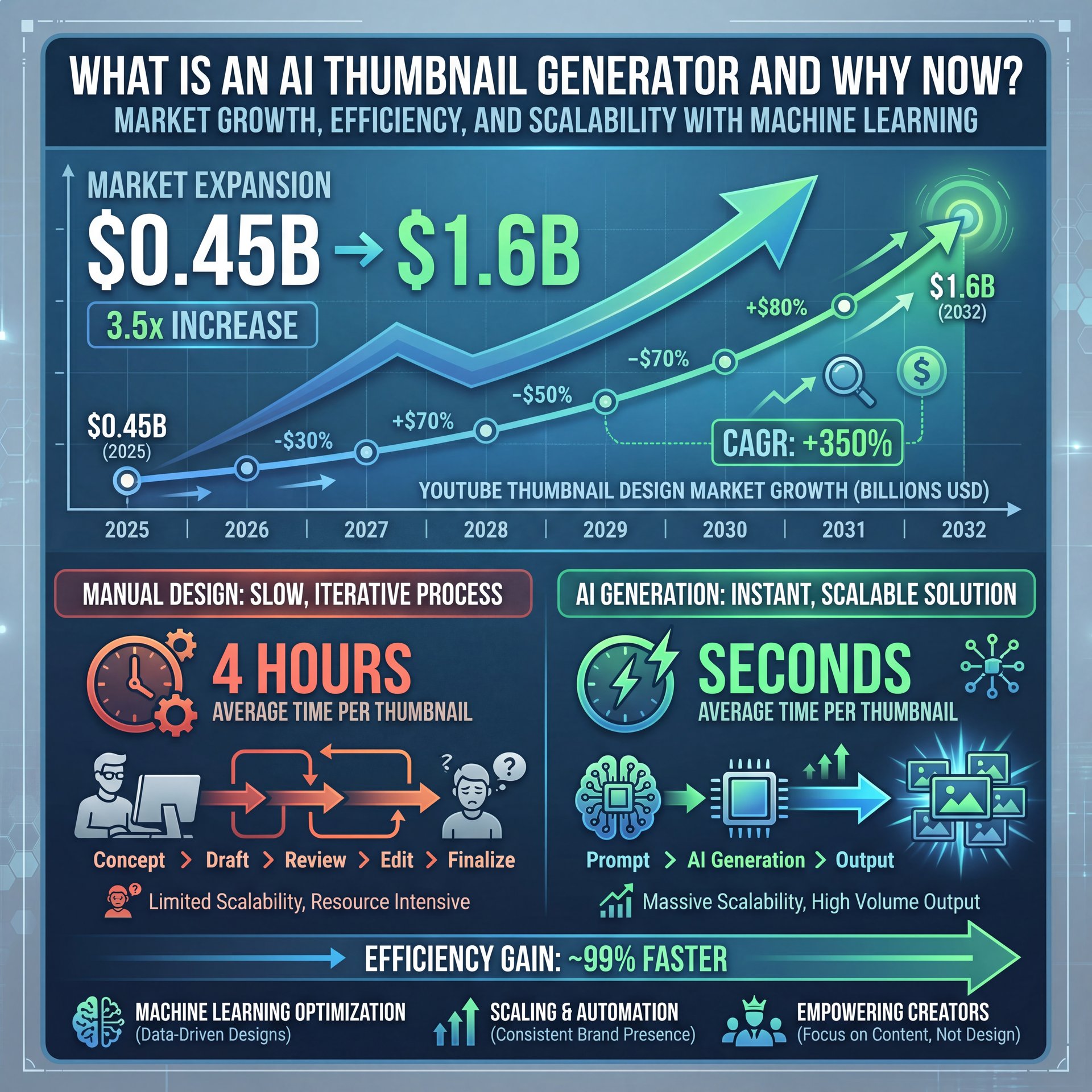
We’re seeing the YouTube thumbnail design market projected to grow from $0.45 billion in 2025 to $1.6 billion by 2032. That’s huge. Why? Because manual design is slow. If you’re trying to scale, you can’t spend four hours on one image.
The thumbnail design market is growing at a 17.18% CAGR, proving that automation is the future of creator economics.
Now, if you’ve been around the block, you know that consistency is key. But here’s what surprised me: 70% of content creators now rely on AI thumbnail makers to produce professional-quality visuals quickly. It’s become the standard, not the exception. If you’re doing it all by hand, you’re basically trying to win a drag race on a bicycle.
Tools like Canva have integrated these features heavily. You type in a prompt, and boom—you get a base to work with. It helps you get from “blank page” to “published” way faster. But you have to know how to drive it.
How Does an AI Thumbnail Generator Boost CTR?
Now, you might be thinking, “Okay, but do these things actually get clicks?”
Short answer: Yes.
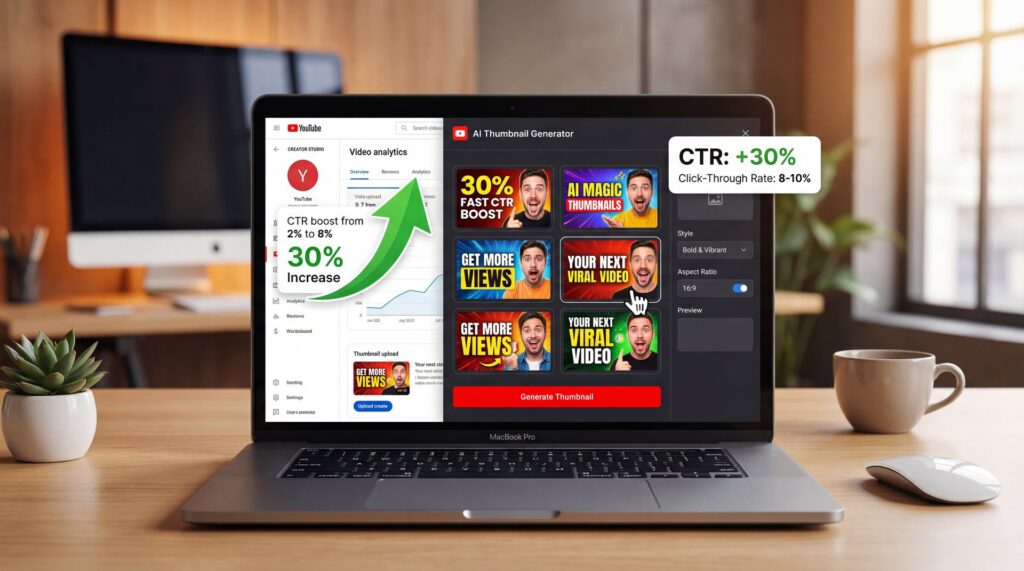
Long answer: It depends on how you use them. But the data doesn’t lie. We’re seeing that AI-generated thumbnails increase click-through rates by up to 30% compared to traditional design approaches. Some creators I’ve talked to are even seeing 40-50% jumps when they really dial in the optimization with high-contrast colors and systematic A/B testing.
Here’s why this works. The AI is trained on what grabs attention. It knows that high-contrast colors pop. It understands composition. Plus, it allows you to test things fast.
Channels that systematically A/B test thumbnail variations see 20% higher CTR than those that just slap one image up and hope for the best. If you have an AI thumbnail generator, you can make four variations in the time it used to take to make one. That means you can test a “surprised face” vs. a “serious face” or “red background” vs. “blue background” instantly.
Mobile-First Design Matters More Than Ever
Also, think about where people are watching. 80% of YouTube views now occur on mobile devices. That means your thumbnail is tiny—about 280×157 pixels on a phone screen. AI tools are getting really good at generating bold, simple images that are readable at that small size. If your design is too cluttered, people scroll right past it.
For more on the specific errors that tank your views, check out our breakdown of five YouTube thumbnail mistakes killing your CTR.
Best AI Thumbnail Generator Settings for 2026 Trends
(Here’s the kicker.)
So, let’s say you’re ready to try this. You want to set yourself up for success.
First off, you need to understand the “Authenticity Paradox.” This seems a weird trend we’re seeing in 2025 and moving into 2026. While 73% of viewers can’t distinguish AI content from human content, audiences are actually starting to value “authentic” looking images over perfectly polished 3D renders.
So, if you’re using a tool, don’t just ask for “perfect 4k shiny 3D render.” That looks fake. Instead, ask for “high contrast, expressive, photorealistic.”
Key Settings That Drive Clicks
Here’s what you want to do if you want clicks:
- **Prioritize Faces:** Even with AI, human faces (or characters) drive emotion.
- **Boost Contrast:** High contrast color palettes increase CTR by up to 30%. If your background is dark, make the subject bright.
- **Keep it Simple:** Remember that mobile stat? Don’t clutter the frame.
💡 Quick Tip
Always preview your AI-generated thumbnail at 15% zoom. Since 80% of traffic is mobile, if you can’t understand the image when it’s the size of a postage stamp, your audience won’t click it.
I found that when I stopped trying to make everything look like a movie poster and started focusing on simple, high-contrast storytelling, the numbers went up. It’s about clarity, not complexity. The best thumbnails I’ve created tell a story in a single glance—no fancy effects needed.
Why Use an AI Thumbnail Generator Over Manual Design?
Now, let’s talk about the elephant in the room: time and money.
If you’re a casual user, you might not have the budget for a pro designer. A decent thumbnail artist charges anywhere from $20 to $100 per image. If you’re posting three times a week, that adds up fast—we’re talking $3,000 to $15,000 per year just on thumbnails.
On the flip side, Canva offers a massive library with their Pro plan for around $120 a year. Adobe Express gives you 25 free AI credits monthly. Vmake.ai is specializing in video-first generation. These tools democratize design in a way that wasn’t possible even two years ago.
Speed Is the Real Game-Changer
But it’s not just about saving cash. It’s about speed.
I was working on a project last week where we needed a thumbnail for a breaking news topic. By the time a human designer could have sketched a concept, our AI thumbnail generator had produced ten variations. We picked the best one, tweaked the text, and were live in 15 minutes.
🔧 Tool Recommendation
Need to generate variations fast? Our video-to-thumbnail features let you pull the best frames and enhance them instantly, saving hours of scrubbing through footage.
(You’ll see why in a second.)
For the professionals out there, this is how Netflix achieved a 30% CTR boost through personalized thumbnails. You can’t do that manually across a library of thousands of videos. You need automation that scales without sacrificing quality.
If you want to see how these tools stack up specifically for creators, take a look at our guide on Nano Banana YouTube thumbnails.
Common AI Thumbnail Generator Mistakes to Avoid
All right, so it’s not all sunshine and rainbows. There are some pitfalls you need to watch out for.
The biggest one? Text.
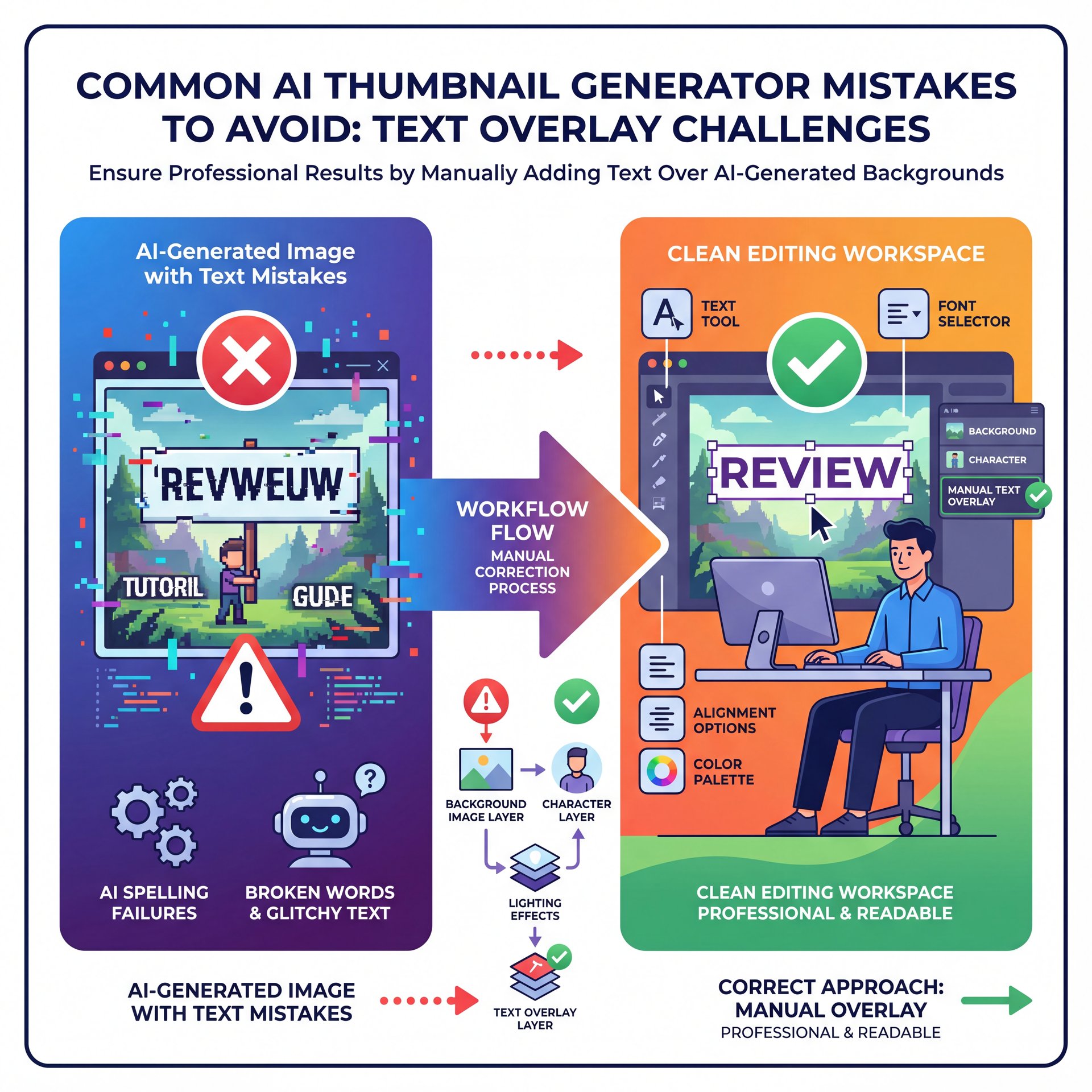
Honestly, most AI image generators are still terrible at spelling. No joke.. You ask for a sign that says “Review” and it gives you “Revweuw.” It’s getting better in 2025, but it’s still hit-or-miss.
The Text Overlay Solution
So, here’s the trick: use the AI to generate the image—the background, the character, the lighting. Then, bring that image into an editor to add your text overlay manually. don’t rely on the generator for your typography unless you want to look amateur.
Another issue is resolution. Standard YouTube specs call for 1280×720. Sometimes AI generators spit out squares (1024×1024). If you just stretch that to fit a 16:9 aspect RATIO, everyone is going to look wide and weird. You have to use “outpainting” or “generative fill” to extend the background properly.
⚠️ Common Mistake
Don’t rely on raw AI output for text. AI generators often hallucinate spelling. Always generate, you know, the visual art first, then overlay your title text using a standard editor for crisp, readable fonts.
And don’t forget the “uncanny valley.” Sometimes the AI messes up hands or eyes. Always zoom in and check the fingers. If your main character has six fingers, you’re going to get roasted in the comments.
Will an AI Thumbnail Generator Hurt My Channel’s Trust?
This is the big question I get asked alot. “If I use AI, will my audience hate me?”
(You might be thinking…)
Here’s the reality: 73% of viewers can’t even tell the difference anymore. The quality has gotten that good.
However, trust is fragile. We’re seeing a trend where top faceless YouTube channels earn $500K-5M annually by optimizing thumbnails systematically. These channels prove that if the content is good and the thumbnails are professionally executed, the audience doesn’t care if the thumbnail was made by a human or a robot.
The Clickbait Warning
But—and this is a big but—you shouldn’t mislead people. If you use an AI thumbnail generator to show something that didn’t happen in the video (like a massive explosion or a product feature that doesn’t exist), that’s clickbait. And clickbait kills retention.
The YouTube algorithm cares about “Watch Time” and “Satisfaction.” If they click because of a cool AI image but leave after 10 seconds because the video didn’t match the promise, your video dies.
🤔 Did You Know?
Thumbnails drive more than 50% of clicks on platforms like YouTube and TikTok. It’s the most important real estate you have, so treat it with the same care you’d give your video content itself.
So, grabbed the tools to make your content look professional, not to lie to your audience. According to recent data from Vmake.ai, thumbnails drive more than 50% of clicks on platforms like YouTube. It’s the most important real estate you have. Treat it with respect.
If you want to see exactly how to set this up step-by-step, check out this helpful tutorial:
Frequently Asked Questions
How can AI-generated thumbnails improve click-through rates on YouTube?
AI tools optimize for high contrast and composition, which typically boosts CTR by 30% on average according to recent studies. They also allow you to rapidly create variations for A/B testing, which helps you find the winning design faster without spending hours on manual iterations.
What are the best AI tools for creating YouTube thumbnails in 2025?
Canva and Adobe Express are leading the pack for general design, while specialized tools like Vmake.ai focus on video-to-thumbnail generation. For many creators, a combination of Midjourney for art and Canva for text overlays works best.
How does the YouTube algorithm rank videos with AI-generated thumbnails?
The algorithm doesn’t penalize AI art specifically; it tracks user behavior like click-through rate and watch time. If your AI thumbnail gets clicks and viewers stay to watch the video, the algorithm will promote it just like any other high-performing content.
How can creators ensure their AI-generated thumbnails are authentic and trustworthy?
Avoid depicting events or objects that don’t actually appear in the video to prevent high drop-off rates. Use AI to enhance the visual style or lighting, but keep the core subject matter true to your content so viewers get what they expect.
Related Videos



Related Content
• youtube
For more on this topic, check out: youtube
Listen to This Article