
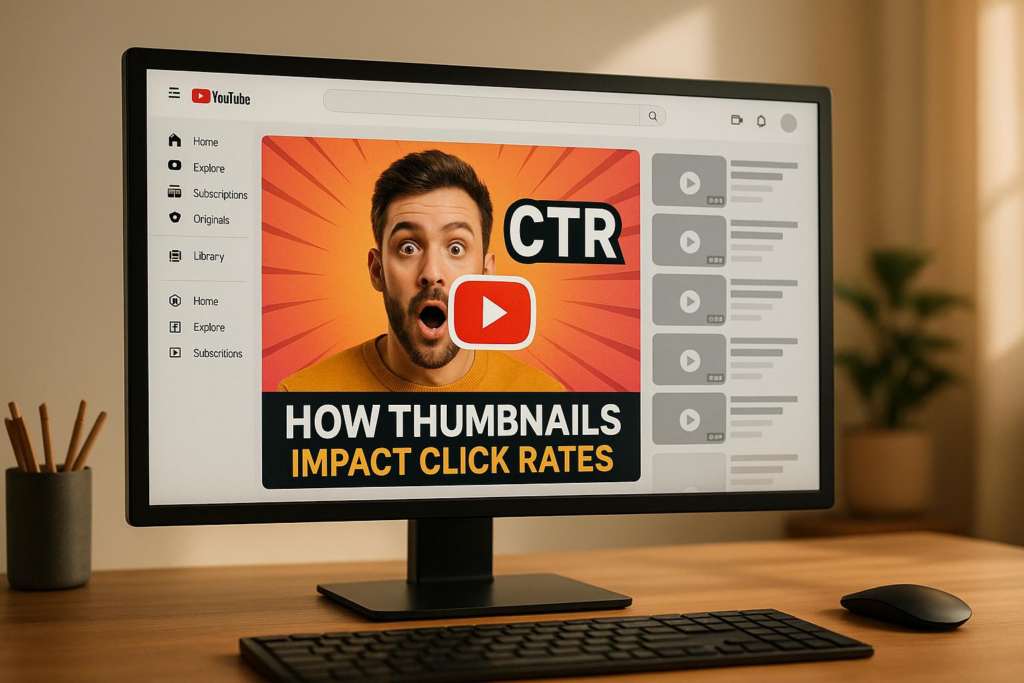
Your YouTube thumbnail is often the first thing people notice about your video. A strong thumbnail can increase your click-through rate (CTR), attract more viewers, and improve your video’s visibility on YouTube. Here’s what you need to know:
- Custom thumbnails boost CTR: Research shows they can increase CTR by 2–5% or more, which translates to thousands of extra views over time.
- Design matters: High contrast, bold colors, minimal text, and human faces grab attention. Thumbnails should clearly show what the video offers.
- Psychology works: Use curiosity, emotions, and clear value to make thumbnails irresistible.
- Consistency builds trust: A cohesive design style across thumbnails makes your channel recognizable and reliable.
Want to save time? Tools like Banana Thumbnail use AI to create optimized thumbnails quickly, applying proven design and psychology techniques.
Key takeaway: A well-designed thumbnail is a simple yet powerful way to increase views and grow your channel.
How Thumbnails Affect YouTube CTR
Thumbnails as First Impressions
On YouTube, viewers make split-second decisions about what to watch. Studies show that people form opinions about visual content almost instantly, and your thumbnail is often the first thing they notice. It’s essentially the face of your video, giving viewers a quick glimpse of its value – often before they even read the title.
Think of thumbnails as your video’s storefront. Just like a well-designed window display draws shoppers into a store, a strong thumbnail signals that your content is worth their time. This visual hook is crucial everywhere on YouTube – whether it’s in search results, the homepage, suggested videos, or your channel page.
Each thumbnail should immediately communicate what your video offers. For example, a cooking channel might use a thumbnail featuring a beautifully plated dish, signaling a recipe tutorial. Similarly, a tech review channel could include a close-up of a new gadget, instantly telling viewers what to expect.
On mobile devices, thumbnails often appear more prominently than titles, making them the primary element viewers see. This makes them a powerful tool for grabbing attention and driving clicks.
These quick visual judgments have a direct impact on engagement metrics, including click-through rates (CTR).
Data on Thumbnail Performance
The importance of thumbnails becomes clear when you look at how top creators approach them. Many of YouTube’s most-viewed videos feature custom thumbnails, highlighting how thoughtful design can lead to stronger engagement.
Channels that switch from auto-generated thumbnails to custom designs often see noticeable improvements in CTR. This boost typically results in more views, as an eye-catching thumbnail draws in a larger audience.
YouTube’s data confirms that thumbnails play a significant role in click decisions. Since the platform’s algorithm factors in CTR when promoting videos, a well-designed thumbnail doesn’t just attract viewers – it can also help your video perform better overall.
For mobile viewers, high-contrast designs and minimal text are especially effective. With mobile consumption dominating YouTube, optimizing thumbnails for smaller screens can significantly expand your reach.
This data reflects the psychological factors that influence how viewers choose videos.
Psychology Behind Clickable Thumbnails
The reasons some thumbnails get clicks while others don’t often boil down to basic human psychology. For instance, thumbnails featuring faces tend to perform better, especially when the expressions align with the video’s tone. A smile can convey excitement, while a look of surprise can spark curiosity.
Speaking of curiosity, it’s a powerful motivator. Thumbnails that hint at a story – like a partial before-and-after reveal – encourage viewers to click so they can see the full picture.
Color choices also matter. Bright, contrasting colors like red, orange, and yellow naturally catch the eye and can create a sense of urgency or excitement. Using colors that stand out against YouTube’s darker interface can make your thumbnail pop.
The layout of your thumbnail also affects how viewers process it. Many people scan thumbnails starting from the top-left corner, so placing key elements – like a face, product, or main result – in that area can help get your message across quickly.
Lastly, the scarcity principle can drive clicks. Thumbnails that suggest exclusivity or urgency, such as limited-time content, tap into the fear of missing out (FOMO), encouraging viewers to click before it’s too late.
Split Test Your YouTube Thumbnails to Boost Channel Views (when and how to split test)
Best Practices for High-CTR Thumbnail Design
Designing thumbnails that drive clicks is all about combining technical precision with proven visual strategies. When done right, your thumbnails will look polished on all devices and grab attention in crowded feeds. Let’s break down the key elements, starting with the technical standards you need to follow.
YouTube Thumbnail Technical Requirements
YouTube enforces specific technical standards to ensure thumbnails display correctly. For starters, the recommended resolution is 1,280 x 720 pixels, which keeps your thumbnails crisp, even on larger screens. This resolution prevents any pixelation that could make your content look unprofessional.
The 16:9 aspect ratio is another must. It matches YouTube’s standard player dimensions, avoiding black bars or distorted images that can turn viewers away. YouTube supports JPG, PNG, BMP, and GIF formats, though only the first frame of a GIF will show, as animations aren’t supported.
| Parameter | Specification | Notes |
|---|---|---|
| Resolution | 1,280 x 720 pixels | Ensures clarity across all devices |
| Aspect Ratio | 16:9 | Matches YouTube’s player dimensions |
| File Size | Maximum 2MB | Balances quality with upload speed |
| Minimum Width | 640 pixels | Prevents pixelation when scaled |
| File Formats | JPG, PNG, BMP, GIF | GIF animations display only the first frame |
Keep the file size under 2MB to ensure fast uploads while maintaining quality. Since YouTube compresses thumbnails during upload, starting with a high-quality image ensures it remains sharp. Always design your canvas at 1,280 x 720 pixels with a resolution of 72 DPI for the best results.
For graphics that include text or logos, use PNG files to maintain sharp edges. For photo-based thumbnails, opt for JPG files to reduce file size without sacrificing too much quality. Avoid using low-resolution screenshots from phones, as they’ll appear blurry and unprofessional.
Core Design Elements
A great thumbnail grabs attention instantly and makes your content irresistible, even at smaller sizes. High contrast is key – your thumbnail needs to pop against YouTube’s interface while competing with countless other videos.
Keep text minimal – five words or fewer is ideal for readability on mobile devices, where most YouTube viewing happens. Use bold, clear fonts and steer clear of overly decorative typefaces that can look cluttered when scaled down.
Bold, saturated colors like reds, yellows, and oranges naturally catch the eye and create a sense of urgency. These colors stand out against YouTube’s darker interface, helping your thumbnail shine in search results and recommendations.
Simplicity is your best friend. Your thumbnail only has a few seconds to convey value, so focus on one main element – whether it’s a person’s face, a product, or a key result. Avoid overcrowding the design, as too many elements can confuse viewers.
Position your most important feature – like a face or a central object – in the upper-left corner, ensuring it’s visible even on smaller screens. For text, use strong contrast against the background to make it readable. Techniques like drop shadows, outlines, or solid shapes behind text can help it stand out.
While these design elements help capture attention, maintaining consistent branding across your thumbnails builds trust and recognition.
Brand Consistency Across Thumbnails
Consistency in your thumbnail design helps viewers instantly recognize your content and builds trust in your channel. When viewers know what to expect from your videos, they’re more likely to click.
Start by developing a cohesive color palette that reflects your channel’s branding. While you don’t need to use the exact same colors in every thumbnail, sticking to two or three main colors helps create a recognizable style.
Standardize your fonts, sizes, and text placement. For example, if you always place your main text in the bottom third of your thumbnails with a specific font, viewers will quickly associate that style with your channel.
Create reusable templates for your thumbnails. These templates can include consistent elements like where your face appears, how graphics are arranged, or the spacing between text and images. This saves time while ensuring your thumbnails maintain a unified look.
Include your channel logo or watermark in the same spot on each thumbnail. Keep it subtle – small enough that it doesn’t distract from the main content, but visible enough to reinforce your brand identity.
Finally, maintaining consistent quality across all your thumbnails signals professionalism. When your thumbnails look polished and cohesive, viewers – and even YouTube’s algorithm – are more likely to trust that your video content will deliver on its promise.
Psychology Methods for Higher Engagement
To create thumbnails that truly grab attention, it’s essential to understand the psychology behind what makes people click. While design plays a big role, tapping into psychological triggers can amplify results. Viewers make split-second decisions based on visual cues, so using strategies that appeal to emotions and curiosity can make your thumbnails stand out and drive engagement.
Using Emotions and Human Faces
Human faces are incredibly powerful in building trust and connection. A face making direct eye contact – often called the "gaze effect" – can make viewers feel personally addressed. Emotional expressions like wide eyes, open mouths, dynamic gestures, or genuine smiles can communicate surprise, excitement, or trust, drawing viewers in. The key is to match these expressions to the tone of your video for authenticity.
Close-up shots of faces tend to work better than full-body images. They feel more personal and remain clear even when thumbnails are displayed on smaller screens. However, avoid exaggerated or misleading expressions, as they can erode trust over time.
Curiosity, Surprise, and Visual Stories
The "curiosity gap" is one of the most effective psychological tools for thumbnails. By giving just enough information to intrigue viewers while leaving out key details, you create a sense of mystery that encourages clicks. This taps into the Zeigarnik effect, where incomplete information leaves the brain craving resolution – think cliffhangers or teasers.
Before-and-after images are another great way to spark curiosity. A split-screen thumbnail showing a transformation – like a messy room turned spotless or a dramatic makeover – immediately communicates value while making viewers wonder about the journey in between.
Surprise is another attention-grabber. Thumbnails featuring unexpected elements, like an unusual object in a familiar setting or a striking size comparison, can make people pause mid-scroll. Just ensure these elements stay relevant to your video’s content, so the intrigue feels genuine.
Communicating Clear Value
Thumbnails that clearly communicate what the viewer will gain tend to perform better. People want to know, "What’s in it for me?" Every design choice should answer that question.
Specific numbers can make a big difference. Instead of vague claims like "Amazing Results", use concrete examples like "Lost 15 Pounds" or "Earned $2,847." Numbers add credibility and make the value more tangible.
Visual proof is equally important. If your video teaches a skill, show the final outcome. If it’s about financial success, feature an earnings snapshot. For transformation content, highlight the "before" and "after" states. These visuals reassure viewers that your video delivers on its promises.
You can also use problem-solution framing to show immediate value. A thumbnail that visually hints at a problem being solved or a solution being provided creates both relatability and hope. Adding time-sensitive cues like "New", "Updated", or the current year can further enhance appeal by signaling that your content is relevant and up-to-date.
The best thumbnails often combine multiple psychological triggers. For instance, pairing an expressive human face with a clear value proposition can create both an emotional connection and a compelling reason to click. This layered approach not only boosts engagement but also builds trust with your audience over time.
sbb-itb-2f70369
Tools and Solutions for Thumbnail Creation
Designing thumbnails that grab attention and boost click-through rates demands a mix of strong design principles and the right tools. With the rise of AI-powered solutions, creating effective thumbnails has become much simpler and faster. Let’s take a closer look at how Banana Thumbnail makes this process easier for YouTube creators.
Banana Thumbnail: AI-Powered Thumbnail Generator

Banana Thumbnail is an AI-driven tool built to create eye-catching, optimized thumbnails for YouTube. Unlike static templates, this tool tailors thumbnails by analyzing your content and audience, ensuring they’re both engaging and on-brand.
Here’s what makes it stand out:
- Channel DNA Analysis: This feature captures your channel’s unique visual identity, ensuring every thumbnail matches your style while incorporating elements that maximize engagement.
- Video Content Recognition: The tool reviews your video to suggest designs that align with its themes, making sure thumbnails accurately reflect your content.
- Viral Psychology Engine: It automatically applies proven techniques like curiosity gaps and emotional triggers to boost viewer interest.
Banana Thumbnail also offers five pre-built themes designed to drive engagement:
- Shock & Awe: Perfect for dramatic reveals.
- Curiosity Gap: Ideal for content with mystery or suspense.
- Before/After: Great for transformation videos.
- Versus Battle: For comparative content.
- Breaking News: Best for timely and urgent topics.
The tool outputs high-quality 1,280 x 720 thumbnails that meet YouTube’s technical standards. Plus, its mobile-friendly design lets you create and edit thumbnails directly from your iOS or Android device.
Pricing Options:
- Free Tokens: 25 tokens with watermarked thumbnails.
- Starter Pack: $4.99 for 45 tokens.
- Pro Pack: $9.99 for 100 tokens.
Tokens don’t expire, and premium tokens include commercial use licensing. Now, let’s see how this tool stacks up against traditional manual design methods.
AI Tools vs. Manual Design Methods
| Feature | Banana Thumbnail (AI) | Manual Design Methods |
|---|---|---|
| Ease of Setup | Ready to use with minimal learning curve | Requires time to learn design software |
| Design Speed | Quickly generates optimized thumbnails | Involves assembling and fine-tuning elements manually |
| Psychology Integration | Automatically applies engagement techniques | Relies on manual research and expertise |
| Brand Consistency | Maintains cohesive style with Channel DNA analysis | Requires ongoing effort to ensure uniformity |
| Quality Consistency | Delivers professional results every time | Quality varies based on skill and time |
| Content Analysis | Analyzes video content for relevant themes | Requires manual review to align designs |
| Variation Efficiency | Produces multiple variations in seconds | Each variation must be created individually |
| Mobile Functionality | Fully functional on mobile devices | Limited mobile capabilities |
AI tools like Banana Thumbnail excel in efficiency, saving creators from the time-consuming process of starting from scratch or tweaking templates. With just a few clicks, you can generate multiple, high-quality thumbnails that are ready to go.
While manual design tools offer more creative control, they require a solid grasp of design principles and audience psychology to produce effective results. This hands-on approach can lead to inconsistent quality, especially when time is limited. In contrast, AI solutions focus on consistently delivering designs optimized for engagement, taking much of the guesswork out of the process.
Additionally, AI tools like Banana Thumbnail continuously learn and adapt to new trends, keeping your thumbnails relevant without requiring you to stay updated on every new design technique. This allows creators to spend less time on design and more time producing great content – all while ensuring their thumbnails are primed to attract viewers.
Case Studies: Channels That Boosted CTR with Better Thumbnails
High-Performing Channel Examples
Some of the most successful creators on YouTube have seen their click-through rates (CTR) soar after rethinking their thumbnail strategies. For instance, many moved away from plain text overlays and embraced bold, dynamic designs featuring vibrant colors and expressive visuals. Others opted for split-screen layouts, showcasing both the setup and the reaction, giving viewers a sneak peek into the video’s content. While results vary from channel to channel, these adjustments have consistently led to noticeable increases in engagement. These examples highlight actionable strategies that can elevate thumbnail effectiveness.
Main Lessons from Case Studies
The lessons drawn from these case studies align closely with key psychological triggers and design principles:
- Emotional expressions: Thumbnails featuring authentic facial expressions – like surprise, curiosity, or excitement – grab attention almost instantly.
- Bold colors and contrast: High-contrast designs ensure thumbnails stand out, especially on smaller mobile screens.
- Clear visual storytelling: Formats like split-screen or before-and-after comparisons pique curiosity and encourage clicks.
- Consistent branding: Using a uniform color palette, font, and overall style helps build brand identity and recognition.
- Minimal text overlays: Keep text short and impactful to highlight value without overwhelming the design.
- Testing and adapting: Regularly tweak and test thumbnails based on audience feedback. Experimenting with different styles can reveal what resonates most with viewers.
- Mobile-friendly designs: Since most YouTube watch time happens on mobile, thumbnails need to remain sharp and engaging even at smaller sizes.
These approaches, when applied thoughtfully, can significantly influence how viewers interact with content, making thumbnails a powerful tool for boosting CTR.
Related Content
• youtube
You might also find this helpful: thumbnails
Conclusion: Boosting CTR Through Better Thumbnails
Your YouTube thumbnail is often the first impression viewers get of your content. With decisions happening in just 0.3 seconds, every detail counts. A well-designed thumbnail can boost your click-through rate (CTR) by 20-30%, making it a key component of your YouTube strategy.
The most effective creators focus on blending technical precision with visual appeal, ensuring their thumbnails are clear and mobile-friendly. High-contrast colors, distinct focal points, and emotional elements that connect with the audience all contribute to compelling designs. Simplicity is essential – uncluttered layouts perform better, especially on mobile devices, where most viewers consume content.
Consistency in branding is another cornerstone of success. When your thumbnails consistently reflect your brand – through colors, fonts, and overall style – they become instantly recognizable. This recognition builds trust and encourages clicks over time. But branding goes beyond aesthetics; it’s about aligning your visuals with the emotional tone and story your content conveys.
As covered earlier, the psychology behind effective thumbnails involves authentic facial expressions, curiosity-driven imagery, and clear value propositions. These elements tap into human instincts, driving engagement. Experimentation is key – use YouTube analytics to test and refine what resonates most with your audience.
If you’re looking to speed up the thumbnail creation process, tools like Banana Thumbnail can be game-changers. These AI-powered platforms use features like channel DNA analysis and psychology-driven design to create optimized thumbnails quickly. While manual design offers the most creative flexibility, AI tools provide a reliable way to produce consistent, high-quality results. Balancing these approaches can help you grow your channel efficiently.
Above all, your thumbnail must accurately reflect your video content. Misleading designs might draw initial clicks but can damage trust in the long run. The best strategy is to create visuals that genuinely represent the value your audience will gain.
With 2.5 billion monthly users on YouTube, standing out in a crowded feed is no small task. By applying these principles, you can significantly improve your CTR and build a recognizable, trusted brand – often within just a few uploads.
FAQs
How can I design thumbnails that increase my YouTube video’s click-through rate?
To improve your YouTube video’s click-through rate (CTR), start by focusing on thumbnails that catch the eye. Use bold, high-contrast colors paired with clear, concise text that’s easy to read, even on smaller screens. Keep your design simple and clean – an overly busy thumbnail can overwhelm viewers and distract from your message. Above all, ensure it accurately represents your video’s content.
For optimal display quality, stick to YouTube’s recommended size of 1280 x 720 pixels. Adding expressive imagery, emotional elements, or intriguing visuals can further grab attention and entice viewers to click. When you combine these techniques, you create thumbnails that not only look polished but also encourage more engagement with your videos.
How can I use psychology in my YouTube thumbnails to boost clicks?
To craft YouTube thumbnails that grab attention, lean on psychological triggers that connect with viewers. Incorporate faces making direct eye contact to establish a personal link, and aim to evoke emotions like curiosity or surprise to draw people in. Stick to high-contrast colors and clean, simple designs that instantly catch the eye. Another effective approach is creating a "curiosity gap" – teasing something intriguing in the thumbnail without revealing too much. This subtle hint can nudge viewers to click and find out more.
What tools can I use to create eye-catching YouTube thumbnails quickly?
Creating eye-catching thumbnails doesn’t have to be complicated, thanks to a variety of tools designed to make the process simple and efficient. Platforms like Canva, Adobe Express, and Pixlr provide intuitive interfaces and a wide range of templates to suit different styles and needs. Some even include AI-driven design suggestions to help you work faster. With these tools, crafting visually compelling thumbnails that can enhance your YouTube click-through rates becomes a straightforward task.