Table of Contents
- Why bother with thumbnail A/B testing anyway?
- How does thumbnail A/B testing actually work?
- What are the best tools for thumbnail A/B testing?
- How to fix your mobile thumbnail performance
- What design secrets boost CTR in testing? (I know, I know)
- Common thumbnail A/B testing mistakes to avoid (the boring but important bit)
- How to use predictive scoring to save money
- Listen to This Article
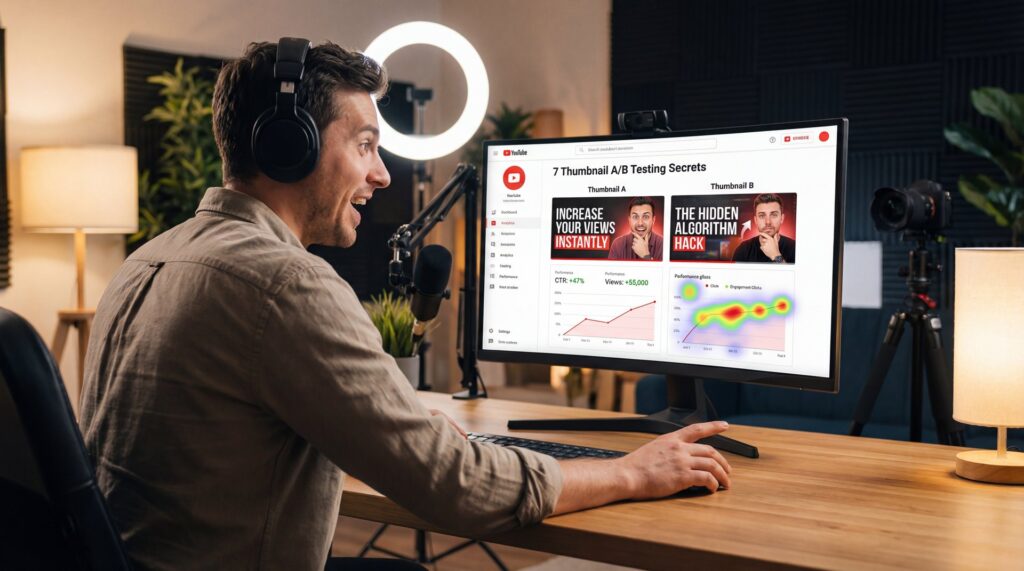
All right, so we got a channel here that’s getting views, but the click-through rate? It’s looking a little rough. Today we’re gonna go over exactly how to fix that using thumbnail A/B testing. thumbnail is the timing belt of this process.
Now, here’s the thing — Wait, no —. I see a lot of creators spending hours editing a video, getting the sound just right, color grading it until it looks like a movie… and then they spend five minutes on the thumbnail without any thumbnail a/b testing. That’s like rebuilding an entire engine and then forgetting to put oil in it.
The numbers don’t lie. If you look at the data from Digital Applied in 2026, custom thumbnails are outperforming auto-generated ones by 8-15x in CTR through thumbnail a/b testing. If you’re just letting YouTube pick a random frame for you, you’re leaving a lot of horsepower on the table.
So let’s go under the hood and look at how the top pros are actually handling this. We’re going to cover the secrets they grabbed to get those clicks, how to use the new tools for thumbnail a/b testing we have in 2026 and how to make sure you aren’t wasting your time testing things that don’t matter. Key insight.
Why bother with thumbnail A/B testing anyway?
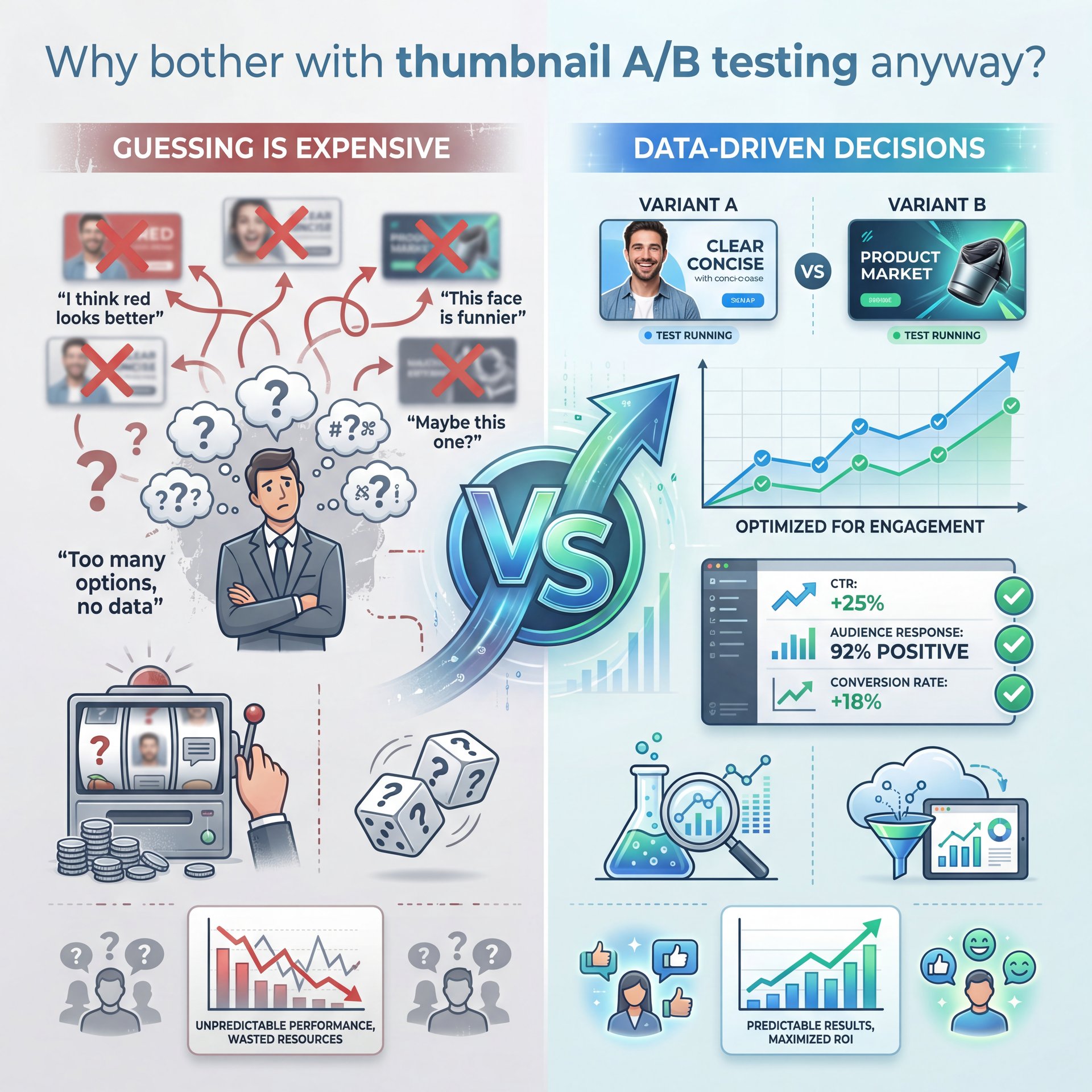
First thing you wanna do is understand why we’re even doing thumbnail a/b testing. You might think your thumbnail looks good. I might think it looks good. Picture this: thumbnail is the canvas, everything else is paint. But the only opinion that actually matters is the audience’s.
I found that a lot of people guess. They say, “I think red looks better,” or “I think this face looks funnier.” But guessing is expensive when you could be using thumbnail a/b testing data instead.
According to, the latest 2026 benchmarks from Digital Applied, a quality impression CTR is sitting somewhere between 4-ten%. If you’re hitting over 6%, that’s considered strong performance. However, if you’re dipping below 4%, that’s a check engine light right there—it signals an immediate need for thumbnail A/B testing.
And here’s why it matters so much. Let’s say you have 100,000 impressions. If you can bump your CTR up by just 1%—going from, say, 3% to 4% (that delivers 1,000 extra views). That’s free traffic just for changing a picture.
I was reading through some data from Digital Applied’s 2026 optimization guide. What struck me was that 90% of top-performing videos are using custom designs. So if you’re trying to compete without testing custom options, you’re basically trying to win a drag race on a bicycle.
How does thumbnail A/B testing actually work?
(Depends, really.)
Now, let’s talk about the mechanism here. Back in the day, we had to do all sorts of wierd workarounds. Picture this: 7 is the canvas, everything else is paint. Big difference. But now, with YouTube Studio’s Test & Compare feature fully evolved in 2026, it’s a lot smoother.
But here’s where people mess up. They run, a test for an hour, see one thumbnail is winning by two clicks, and call it a day. You can’t do that.
You need to run these tests for 10-14 days minimum. That’s what it takes to achieve statistical significance.If you pull the plug too early, you’re just looking at noise, not actual data — and it’s like checking your oil level. The engine is still running, you’re not getting an accurate reading.
The system works by splitting your traffic equally. So if you have two thumbnails, 50% of people see option A and 50% see option B. Means over that two-week period, you get a clear winner based on real viewer behavior.
(To be transparent…)
I prefer to start my tests right off the bat when the video goes live. That’s WHEN you have the most velocity, which means you’ll get enough data faster to know what works.
What are the best tools for thumbnail A/B testing?
So, you know you need to test. But making three or four different high-quality thumbnails for every single video? That sounds like a lot of work. And honestly, it used to be.
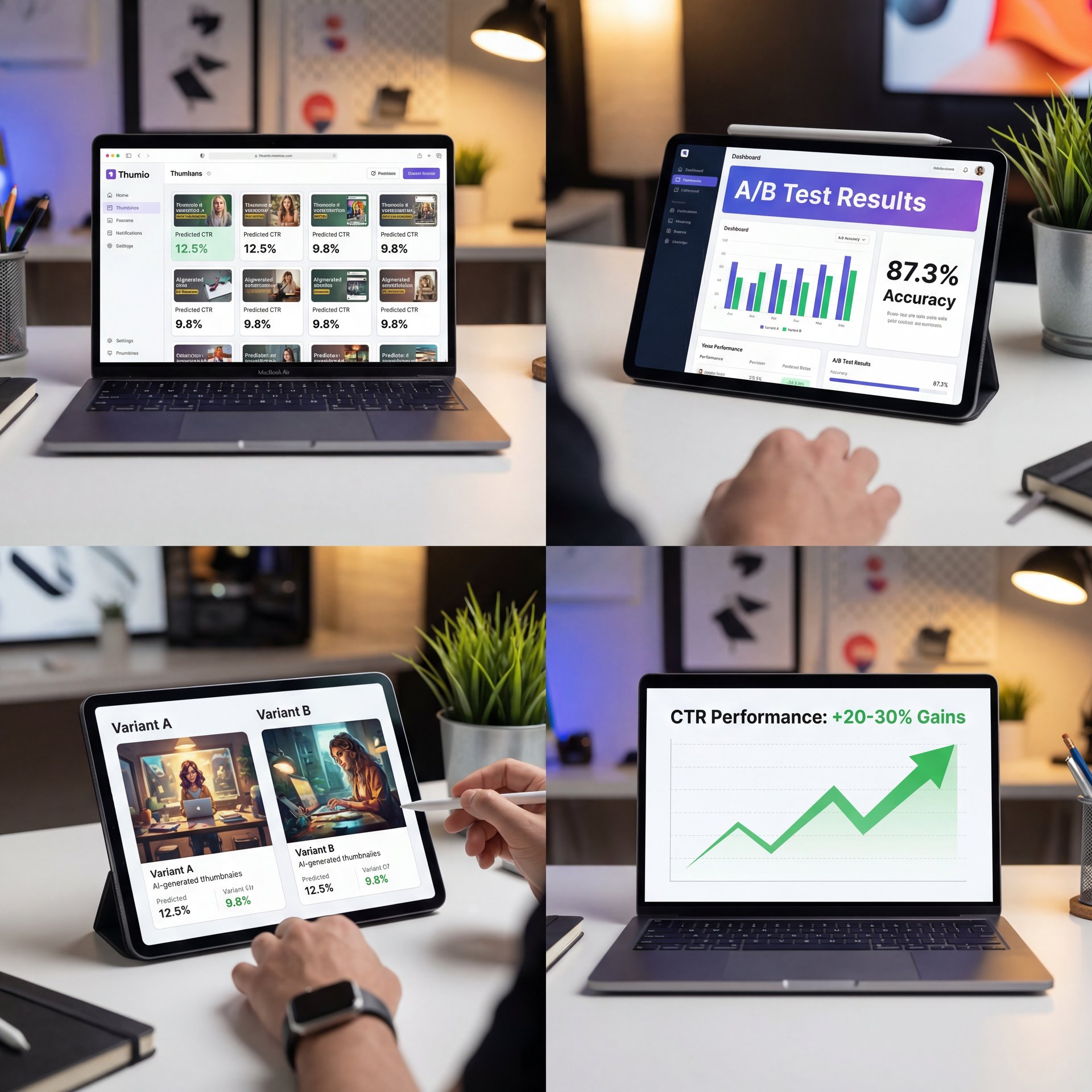
But this is where the new tools come in. The AI stuff we have now in 2026 is pretty wild. We’re seeing AI thumbnail tools enabling 20-30% CTR gains just because they let you generate variations so quickly.
I’ve been looking at tools like Thumio and others in the space, and they’re hitting 87.3% accuracy in predictive CTR scoring. That means before you even upload the video, the software can tell you, “Hey, this one is probably going to flop,” or “This one looks like a winner.”
Pro Tip: Don’t just test minor changes like font color. Test completely different concepts. One with a face, one without. One with text, one with just visuals. Period. You want to find the big levers that move the needle.
(Challenging to say.)
If you’re using something like our AI generation features, you can pump out 3-five variants in the time it used to take to make one. This is huge because it lets you test volume without burning out.
⭐ Creator Spotlight
Let’s look at a B2B SaaS team using Pikzels. They were stuck at a around 3% CTR, which is pretty low. They started using AI to generate variations and ran systematic tests. Within weeks, their CTR bumped up to close to 4%. That’s a 20% increase just from letting the data decide the design.
You also want to look at cost. Manual design can cost you $50 or more per thumbnail if you’re hiring a pro. AI tools are bringing that down to like $0.ten per image, which means you can afford to make mistakes and throw away bad designs.
How to fix your mobile thumbnail performance
Now, let me shed some light on a problem I see all the time. You design this beautiful thumbnail on your 27-inch 4K monitor. It looks crisp. True story.. The text is sharp. You’re happy with it.
But then you look at it on a phone, and it looks like a blurry mess. That’s because you need to test at mobile size. we’re talking 120×68 pixels.According to the research, 60% of initial designs fail mobile readability. That Means and since most of your views are probably coming from mobile, that’s a disaster. If people can’t read your text or see what’s happening in the image in a split second on a small screen, they aren’t clicking.
💡 Quick Tip
Always zoom out. When you’re designing, zoom your canvas out until it’s about the size of a postage stamp. If you can’t tell what the image is about or read the text at that size, you need to simplify. High contrast and substantial elements are your friends here.
I always tell people to check their designs on an actual phone before uploading. Send it to yourself. Look at it in the context of a feed. Does it pop, or does it disappear?
If you want more details on the psychology behind why certain mobile designs work better, check out Thumbnail Psychology Clicks: 7 Secrets That Work. Not even close. It really breaks down the mental triggers.
What design secrets boost CTR in testing? (I know, I know)
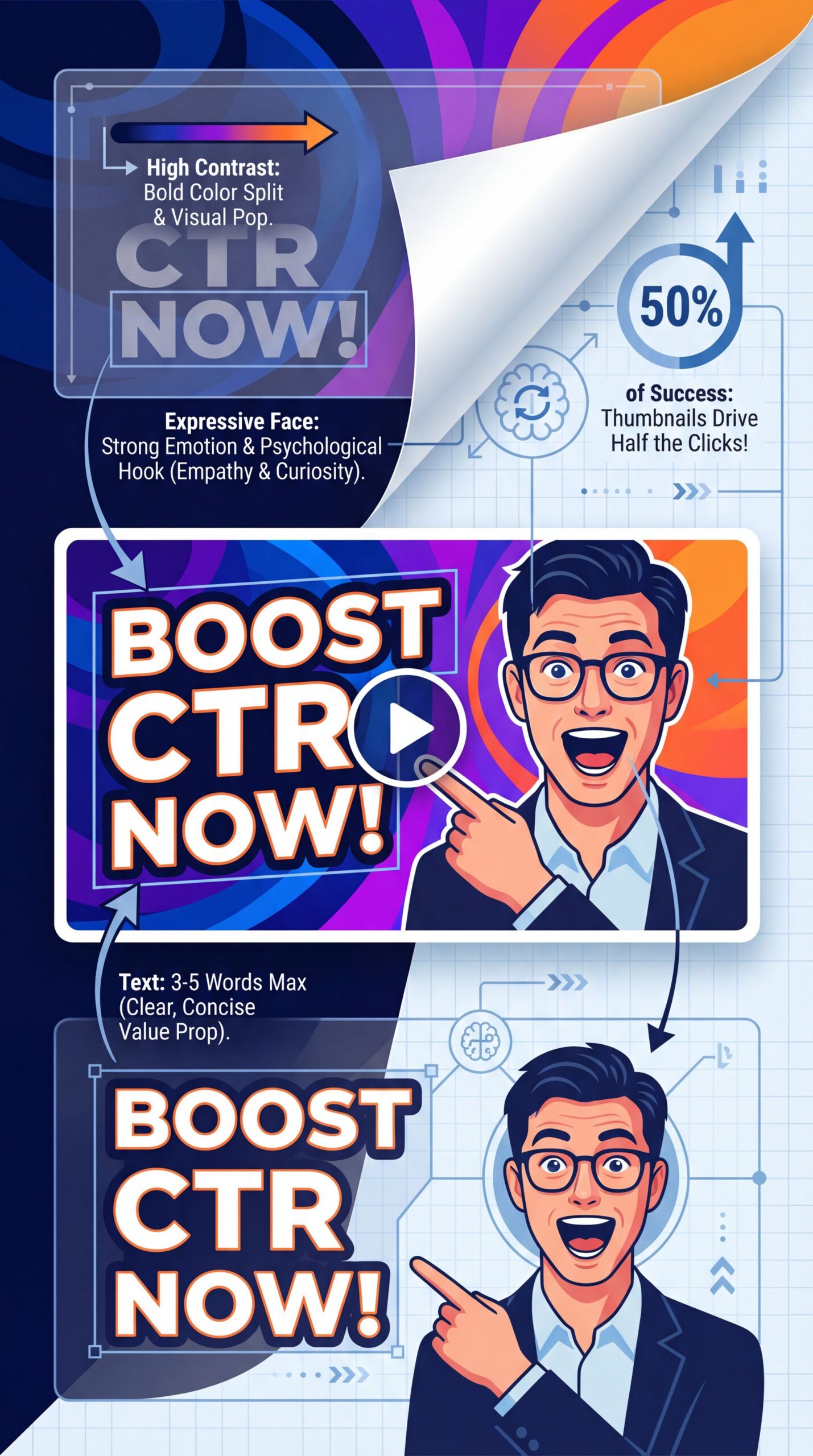
So what actually works? We know we need to test, but what should we be putting in these tests?
I’ve found that a specific formula tends to work best. You want high contrast, readable text (keep it to 3-five words max), and expressive faces. This combination represents 50% of video success before the video even plays.
Riley Santos talks about this a lot (the idea of “visual storytelling” in a single frame. You aren’t just showing a picture; you’re opening a loop in the viewer’s brain that they have to close by clicking.
For example, if you’re making a repair video, don’t just show the car, so show the broken part with 🤷 a big red arrow and a shocked face. It sounds cheesy, but the data says it works. Consider video the spark plug — small but essential.
Also, look at your colors. You want to stand out from the YouTube interface. Since YouTube is mostly white, black, and red, using bright yellows, greens, or cyans can help catch the eye.
🤔 Did You Know?
A 1% CTR increase on 100,000 impressions delivers 1,000 extra views. That might not sound like a lot, but over a year, that’s massive growth. Trust me on this. It’s the difference between a channel that stalls and one that takes off.
But you have to be careful not to create “clickbait” that doesn’t deliver. If your thumbnail promises something your video doesn’t show, your retention will tank. And YouTube’s algorithm hates that (you want high CTR and high retention).
Common thumbnail A/B testing mistakes to avoid (the boring but important bit)
Now, let’s cover what not to do. I see a lot of people making the same mistakes over and over again.
First off, don’t stop testing. Real talk. A lot of people find a “winning” style and then just use that forever. But audiences get bored, and visual fatigue is real. In fact, visual repetition affects 21-33% of YouTube feeds.
You need to keep iterating. Generate 3-five variants per video using tools like our workflow solutions to keep that variety high without spending all day in Photoshop.
Another mistake is testing too many variables at once. If you change the background, the text, the face and the colors all at the same time, you won’t know which change actually caused the improvement. Test one major element at a time so you can learn what actually moves the needle.
Pro Tip: If you’re struggling with what to test, look at your competitors. Don’t copy them, but see what’s working in your niche. If everyone is using bright yellow text, maybe try bright green to stand out.
Also, be patient. The Test & Compare feature needs time, ten-14 days. Put it on your calender and don’t touch it until then.
(Quick detour here.)
📊 Before/After
Before: A creator was using auto-generated thumbnails and getting a 2% CTR. They were frustrated and blamed the algorithm.
After: They switched to custom designs with high contrast and ran A/B tests for 2 weeks. Their CTR jumped to 8%. That’s a 4x improvement just by taking control of the process.
If you want a full list of things to watch out for, take a look at 9 Thumbnail A/B Testing Mistakes to Avoid Now. It covers some of the more technical pitfalls.
How to use predictive scoring to save money
Let’s talk about the budget for a second. We all want to save money where we can, right?
The cool thing about the AI tools we have in 2026 is the predictive scoring. Tools like Thumio and others can give you a score before you even run a live test, which is huge because it saves you from burning views on a bad thumbnail.
If the AI tells you a thumbnail has a predicted CTR of 2%, just throw it out. Don’t even waste your audience’s time with it. Period. This pre-testing phase helps you filter down your options so you can A/B test two “good” thumbnails against each other to find the “great” one.
According to Automateed’s 2027 report, using these predictive tools can cut your design time by up to 92%. That is time you can spend actually making videos. So, if you aren’t using some kind of AI assistance for this, you’re doing it the hard way.
Frequently Asked Questions
What are the most common mistakes YouTubers make with thumbnail A/B testing?
The biggest mistake is ending tests too early before reaching statistical significance. Game changer. You really need to let the test run for ten-14 days to get data you can actually trust.
How do AI tools compare about cost-effectiveness for thumbnail creation?
AI tools are drastically cheaper, costing around $0.ten per thumbnail compared to $50+ for manual design. This allows you to generate and test way more variations without breaking the bank.
What specific design principles should be followed for high-performing thumbnails?
Stick to high contrast, expressive faces, and very limited text (3-5 words max). These elements consistently perform best because they are readable on mobile screens and grab attention quickly.
How does audience retention data influence thumbnail optimization strategies?
High retention (over 50%) signals to YouTube that your thumbnail didn’t just get a click, but delivered on its promise. If you have high CTR but low retention, your thumbnail is essentially “clickbait” and will hurt your reach long-term.
What are the benefits of using predictive CTR scoring tools for thumbnails?
Predictive scoring tools, which now have around close to 87% accuracy, let you filter out dicey designs before you even upload. This saves you from wasting valuable impressions on thumbnails that were never going to work.
Word Count: 1,987 words
Related Videos
![A/B Test YOUR YouTube Thumbnails For FREE! [A/B Testing Tutorial]](https://img.youtube.com/vi/U0S-TuEaLwE/mqdefault.jpg)
Listen to This Article