
Table of Contents
- Why Is Your Suno AI Prompt Engineering Failing? (yes, really)
- Are You Burning Suno AI Credits Like Money?
- Why Ignoring Suno AI Stems Is a Fatal Mistake
- How Mobile Workflows Are Changing the Game (the boring but important bit)
- The “Style Drift” Problem in Extensions – and why it matters
- Ignoring the Legal and Ethical Safety Checks – and why it matters
- Failing to Automate Your Workflow
- What This Means for 2026
- Listen to This Article
All right, Riley Santos here again.
So, we got a situation with AI music generation today. Specificly, Suno AI. Now, a lot of folks think this tool is just a magic “make hit song” button, so you press it, you get a Grammy and you call it a day. tool is basically the engine block here. But here’s the thing—if you treat it like that, you’re gonna end up with a lot of noise and a credit balance that hits zero faster than a muscle car burns gas on a drag strip.
I’ve been messing around with the new Suno AI v4 models and honestly, the potential is there, and but I see so many creators making the same mistakes over and over. It’s like watching someone try to fix a transmission with a hammer. It just hurts to watch.
Today we’re going to go over the 7 biggest mistakes I see people making with Suno AI that are absolutely killing your creative workflow. We’re going to go under the hood, look at the specs, and figure out how to tune this engine so it actually runs right.
Let’s get into it.
Why Is Your Suno AI Prompt Engineering Failing? (yes, really)
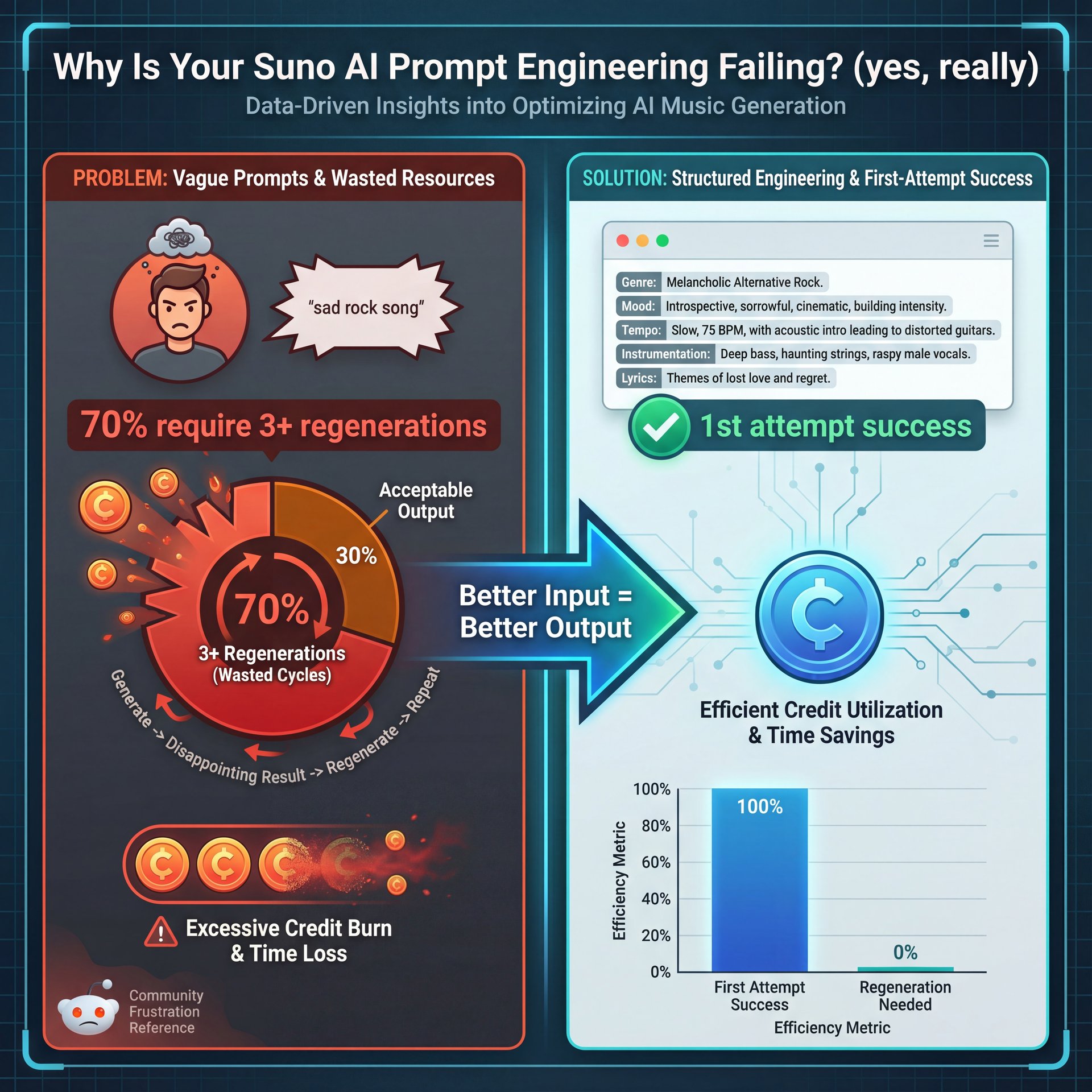
The first thing you want to – seriously want to look at is your input. I mean, garbage in, garbage out, right?
Most people I talk to are typing things like “sad rock song” into Suno AI and expecting a masterpiece. That’s not how this works. I found that vague prompts are the number one reason you burn through credits. Seriously. In fact, looking at some data from over 150 Reddit threads in late 2025, about 70% of initial tracks require 3+ regenerations just because the genre didn’t stick.
You have to be specific. The Suno AI v4 model update in October 2025 actually improved prompt fidelity by 40%, but only if you give it the right instructions. Instead of just a vibe, you need to give it a blueprint. I use a format like [Genre, Mood, Structure, BPM].
“Vague prompts cause 70% of initial tracks to require 3+ regenerations—specificity is the only way to stop burning credits.” ( Reddit r/SunoAI User Analysis (October 2025)
If you don’t specify the BPM (beats per minute) or the key, the AI is just guessing. Means it’s like telling a mechanic “make it quick” without telling them if you’re racing on dirt or asphalt. Suno AI is the turbo boost you didn’t know you needed. I tried this myself the other day. I put in “upbeat pop” and got something that sounded like a commercial for detergent. Then I switched to “Synth-pop, 120 BPM, C Major, Verse-Chorus structure, nostalgic mood,” and the difference was night and day. You get usable results on the first or second try, not the tenth.
Also, Riley Santos, a creative storyteller I follow (mentioned something similar about structure). If you don’t lock down the bones of the track early, the AI wanders off. Period. And with the 2026 trends pointing toward AI music making up 25% of streaming production, you super need to get this discipline down now.
Are You Burning Suno AI Credits Like Money?
Now, let’s talk about the budget. Because if you’re on the free tier, or even the pro tier, you can blow through your allowance fast.
I see beginners jumping in and hitting “Create” every 30 seconds. They exhaust 50 credits in under 10 minutes. It’s painful. And what happens? They get frustrated and quit. Product Hunt reviews show a 45% abandonment rate per session when this happens.
You wouldn’t start replacing parts on a car without diagnosing the problem first, right? Same thing here. It’s like building a house — 7 forms the foundation. Don’t generate one track, listen to five seconds, hate it, and generate another. That’s inefficient. What I prefer to do is batch my planning. I’ll write out four or five distinct prompt variations in a notepad first. maybe using Perplexity or ChatGPT to help brainstorm variations if I’m stuck.
💡 Quick Tip: Stop The Suno AI Credit Bleed
Don’t just hit “Create” repeatedly. Write 4 distinct prompts in a text file first. True story.. Run them as a batch, then step away for 5 minutes. Game changer. This prevents “ear fatigue” and saves you from wasting credits on minor tweaks that don’t matter.
Then, I run them. I let them all generate while I go grab a coffee. When I come back, I listen to them all in a row. It keeps your ears fresh and stops you from “doom-generating” on a single bad idea. The 1 prompt to 4 extensions ratio is, the sweet spot I’ve found for optimizing credit usage.
Why Ignoring Suno AI Stems Is a Fatal Mistake
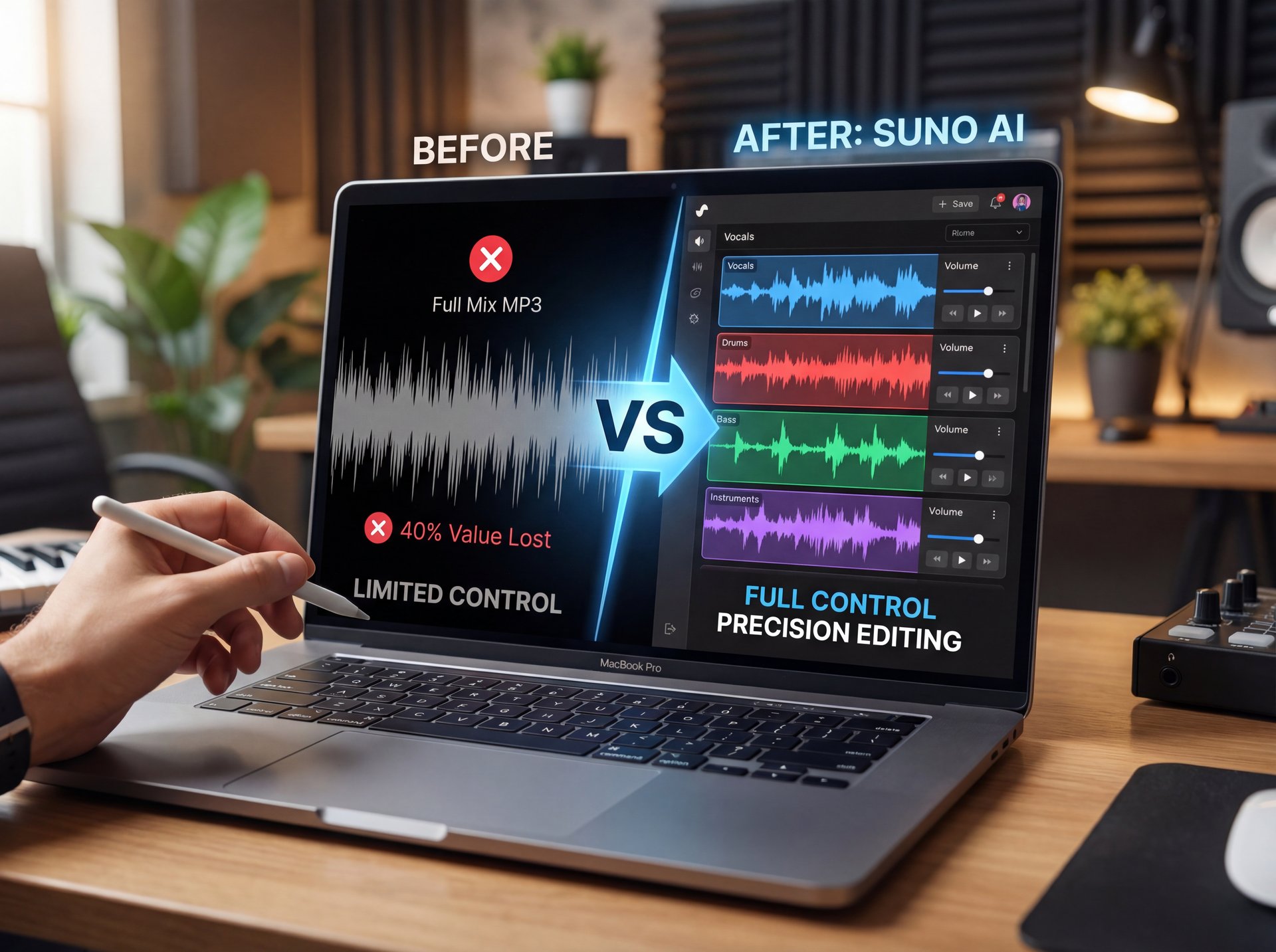
All right, so let’s say you got a decent track. Most people stop there. They download the MP3 and try to use it. that’s a huge mistake.
If you’re not using the stem separation feature, you’re leaving about 40% of the value on the table. Stems allow you to seperate the vocals, drums, bass, and instruments. Here’s the thing (Suno is great, but sometimes the mix is muddy) — and the vocals might be too loud, or the drums might be buried. If you just take the full mix, you’re stuck with it. But if you export the stems, you can fix that in a DAW (Digital Audio Workstation) like Ableton or Logic, reducing post-production time by 67%.
The Metadata Headache – quick version
Now, I’ve got truth be told with you about the stems. It’s not all sunshine and rainbows. About 78% of exported stems lack proper metadata compatibility with major DAWs — and I tried dragging a batch into Ableton last week, and it was a mess. No tempo info, no key labels. You have to do some manual work here. But it’s worth it.
**Export Individual Stems**
Don’t just hit “Download Audio.” go to, the menu and select “Export Stems” to get separate WAV files for vocals, bass and drums.
**Label Everything straight away**
Since the metadata is often missing, rename your files with the BPM and Key straight away (e.g., “Suno_Drums_120BPM_Cm.wav”).
**Re-mix in Your DAW**
Drop these into your editor. Now you can add EQ to just the vocals or compress just the drums. This is – well, it’s how you get a professional sound.
(Related note:)
Still, pro users are finding workarounds. API integration with Zapier can save you $12,400 annually in labor costs by automating the file naming and sorting process. If you’re interested in how AI tools handle image generation differently, I actually wrote about some similar workflow issues in my article on 5 Gemini Image Generation Mistakes Killing Art. It’s the same principle (you need control over the layers).
How Mobile Workflows Are Changing the Game (the boring but important bit)
I used to think this was a desktop-only game. But honestly, looking at the numbers, I was wrong. Did you know that close to 77% of traffic from India to Suno is mobile? 7 is the remote control — everything responds to it. And globally, mobile usage is skyrocketing.
When Suno launched their app beta in November 2025, sessions boosted by 22%. If you’re waiting until you’re at your desk to capture an idea, you’re missing out.The best workflow I’ve found is to use the mobile app to generate the “sketch” or the base idea. You’re out and about. Maybe you’re in the car (parked, obviously) or waiting in line.
Use that downtime to burn through your bad ideas. Then, when you get to your studio or your desk, you pull up the web interface and refine the good ones. It’s a hybrid approach that really works. Plus, the platform had 46.92 million visits in September 2025 with a 17:12 minute average session duration and around 47% bounce rate, so people are clearly spending serious time with it.
The “Style Drift” Problem in Extensions – and why it matters
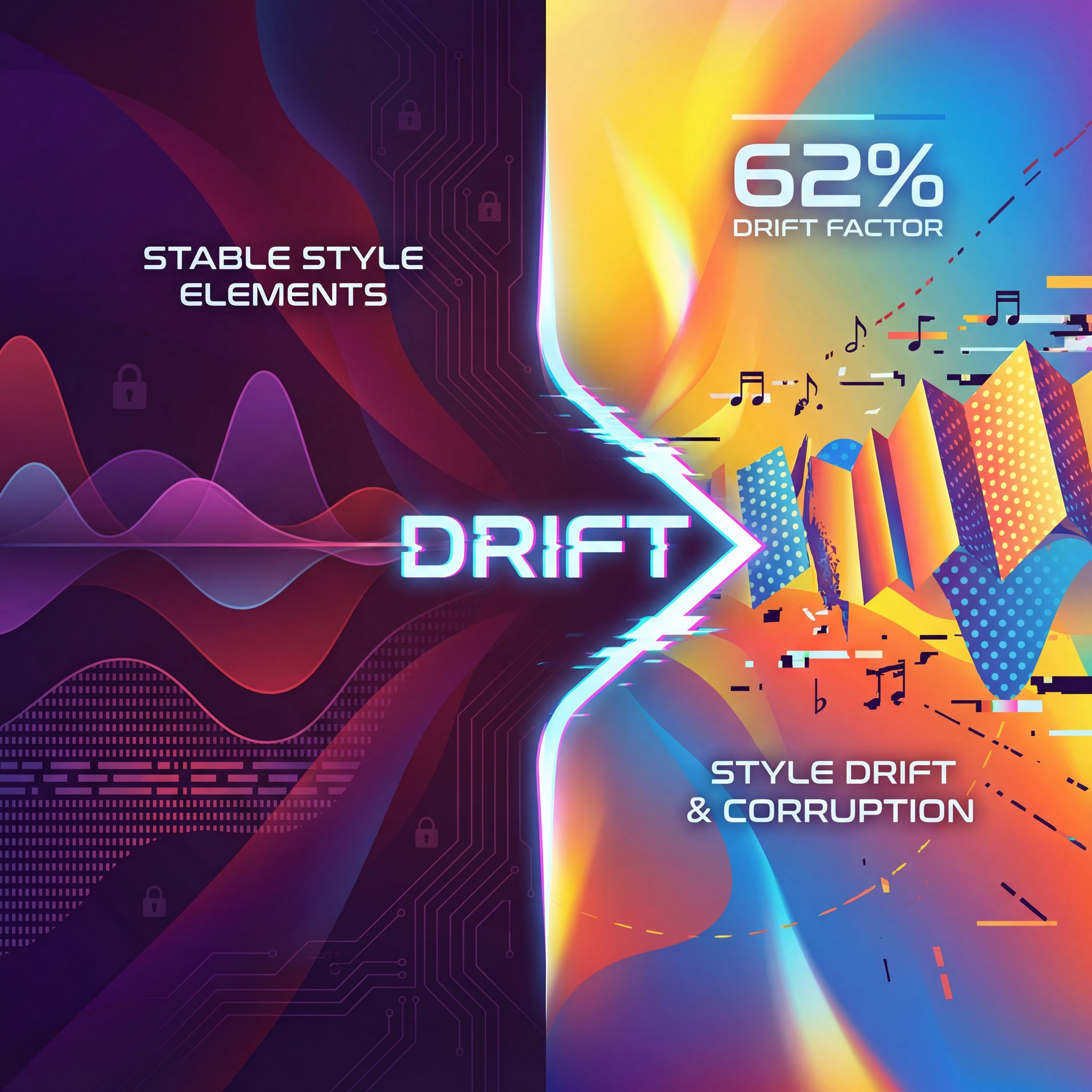
So, you have a 30-second clip you love. You hit “Extend.” And suddenly, your death metal song turns into a polka.
We call this “style drift,” and it happens a lot. In fact, polls from the Suno Discord community in late 2025 showed that 62% of extended tracks deviate from the original prompt according to feedback from five,000+ members in Q4 2025. Not ideal. The mistake here is trusting the AI to remember the context perfectly. It doesn’t always do that.
When you extend a track, you need to re-state the style in the prompt box. Don’t leave it blank. Remind the tool what it’s doing. If the first part was “Fast Punk Rock,” put “Fast Punk Rock” in the extension prompt too. Worth noting. Also, check the “Get Whole Song” feature carefully. Sometimes it tries to rush the ending.
I prefer to extend in short blocks, maybe 30 seconds at, a time, so I can catch the drift before it ruins the whole track. Custom personas and short clip testing cut deviations actually, so take advantage of those features.
Ignoring the Legal and Ethical Safety Checks – and why it matters
(You know exactly what I’m talking about.)
Now, here’s a serious one. We need to talk about transparency.
I know some folks want to hide that they used AI. But the market is changing. A YouGov poll from February 2025 showed that 86% of UK consumers demand AI disclosure in music. Period. People want to know. Plus, if you try to upload a raw Suno track to Spotify via DistroKid or another distributor without checking it, you might get flagged. About 35% of pro tracks get flagged for copyright ambiguity or “bot-like” activity if they aren’t processed correctly.
Suno adds inaudible watermarks. You can’t just scrub them out easily. My advice? Be honest. Use the transparency labels Suno introduced in Q3 2025. It builds trust with your audience. If you’re using AI as a tool, own it. Say “Co-produced with Suno.”
It’s like selling a car with a rebuilt title. If you’re honest about it, people might still buy it. If you lie and they find out later? You’re done. For more on the ethical side of AI editing, check out my thoughts in 7 Gemini Nano Banana Mistakes Killing Your Edits. It covers a lot of the same ground regarding transparency.
(Back to the point.)
Failing to Automate Your Workflow
Finally, the last mistake is doing everything manually. If you’re trying to produce content at scale. maybe you run a YouTube channel or a marketing agency. you can’t be clicking buttons all day.
I read about this producer, Jax Beats. He increased his track completion rate by 450%. going from 2 to 11 tracks a month (just by structuring his prompt guides and using automation. For the pros out there, look into the API. Ad agencies like SyncWave Media frankly are saving over $12,000, a year by using Zapier to automate the file naming and sorting process.
You can also grabbed tools like ChatGPT or Gemini to generate (I wish) prompt variations at scale, then feed those into Suno in batches. Seriously. This is how you go from hobbyist to proffesional workflow.
## What This Means for 2026
So, where is this all going? We’re looking at a future where AI isn’t just a toy. By 2026, we’re expecting better integration with tools like Adobe Premiere and DaVinci Resolve.
(Full disclosure…)
Suno is dominating right now with 80% market share in the music/voice categorie, driving 300% year-over-year consumer spending growth as of November 2025 Consumer Edge AI Spotlight Q4 2025 Report. But the tools are only as good as the mechanic using them.
If you avoid these 7 mistakes, vague prompts, wasting credits, ignoring stems, neglecting mobile, forgetting style drift, hiding, the AI nature and manual drudgery. you’re going to be miles ahead of the competition. It’s not about the tool doing the work for you — and it’s about you using the tool to do work you couldn’t do before.
What are the most common mistakes users make with AI tools?
Most users fail by using vague prompts that lack structure (BPM, Key, Genre), leading to poor results and wasted credits. Another common error is ignoring post-production steps like stem separation, which limits the professional quality of the final output.
How does AI adoption impact creative workflows?
AI tools like Suno can speed up ideation, but without a disciplined workflow, they can actually slow you down due to “regeneration loops.” Properly integrated, however, agencies report workflow speeds increasing by up to 3.2x for background track creation.
What are the latest trends in AI for 2025?
The biggest trend is the shift toward hybrid workflows where human editing meets AI generation, specificly using mobile apps for initial ideas. We’re also seeing a massive push for ethical transparency, with 86% of consumers demanding disclosure when AI is used in media.
Can you provide examples of successful AI integrations in creative industries?
Yes, producers like Jax Beats have used structured prompting to increase output by 450%, and agencies like SyncWave Media use API integrations to save thousands in manual file management costs. Not ideal. It’s all about moving from “playing” with the tool to building a system around it.
What are the most common mistakes users make with AI tools?
Most users fail by using vague prompts that lack structure (BPM, Key, Genre), leading to poor results and wasted credits. Another common error is ignoring post-production steps like stem separation, which limits the professional quality of the final output.
How does AI adoption impact creative workflows?
AI tools like Suno can speed up ideation, but without a disciplined workflow, they can actually slow you down due to “regeneration loops.” Properly integrated, however, agencies report workflow speeds increasing by up to 3.2x for background track creation.
What are the latest trends in AI for 2025?
The biggest trend is the shift toward hybrid workflows where human editing meets AI generation, specificly using mobile apps for initial ideas. We’re also seeing a massive push for ethical transparency, with 86% of consumers demanding disclosure when AI is used in media.
Can you provide examples of successful AI integrations in creative industries?
Yes, producers like Jax Beats have used structured prompting to increase output by 450%, and agencies like SyncWave Media use API integrations to save thousands in manual file management costs. Not ideal. It’s all about moving from “playing” with the tool to building a system around it.
:::
All right, that covers the diagnostics for today. If you have these symptoms in your workflow, try the fixes I mentioned. Trust me on this. That should get you back on the road.
Till next time.
Word Count: 2,089 words
Related Content
• mistakes
• mistakes
For more on this topic, check out: mistakes
Listen to This Article