Table of Contents
- Why Are My Sora Prompts Costing So Much?
- What Is the “AI Sameness” Problem with Sora Prompts?
- How Do I Structure Sora Prompts for Better Results?
- Why Does My Sora Video Lack Narrative Flow?
- Best Sora Prompt Mistakes You Can Fix with Parameters
- How to Stop Wasting Time on Bad Generations
- Listen to This Article
So, there’s this huge misconception floating around about Sora prompts—that you can just type “cool video of a cat” and get a masterpiece. Honestly, if it were that easy, everyone would be doing it. We wouldn’t be seeing OpenAI burning through cash like a muscle car with a fuel leak. I mean, we’re talking about a tool where people think the AI reads their mind, but actually, it’s just predicting pixels based on text. If you give it garbage text, you’re gonna get garbage video.
Here’s the thing—I’ve spent a lot of time under the hood with these generative video models. What I’ve found is that most people are approaching this completely wrong. They treat Sora like a search engine instead of a director. And in 2025, with compute costs being what they are, that’s an expensive habit. It means analysts estimate that a single 10-second clip costs about $1 to produce. That adds up fast if you’re just throwing spaghetti at the wall to see what sticks.
Let’s go ahead and break down the biggest mistakes I see people making, so you can stop wasting credits and start getting clips that actually look like what you imagined. Big difference.
Why Are My Sora Prompts Costing So Much?
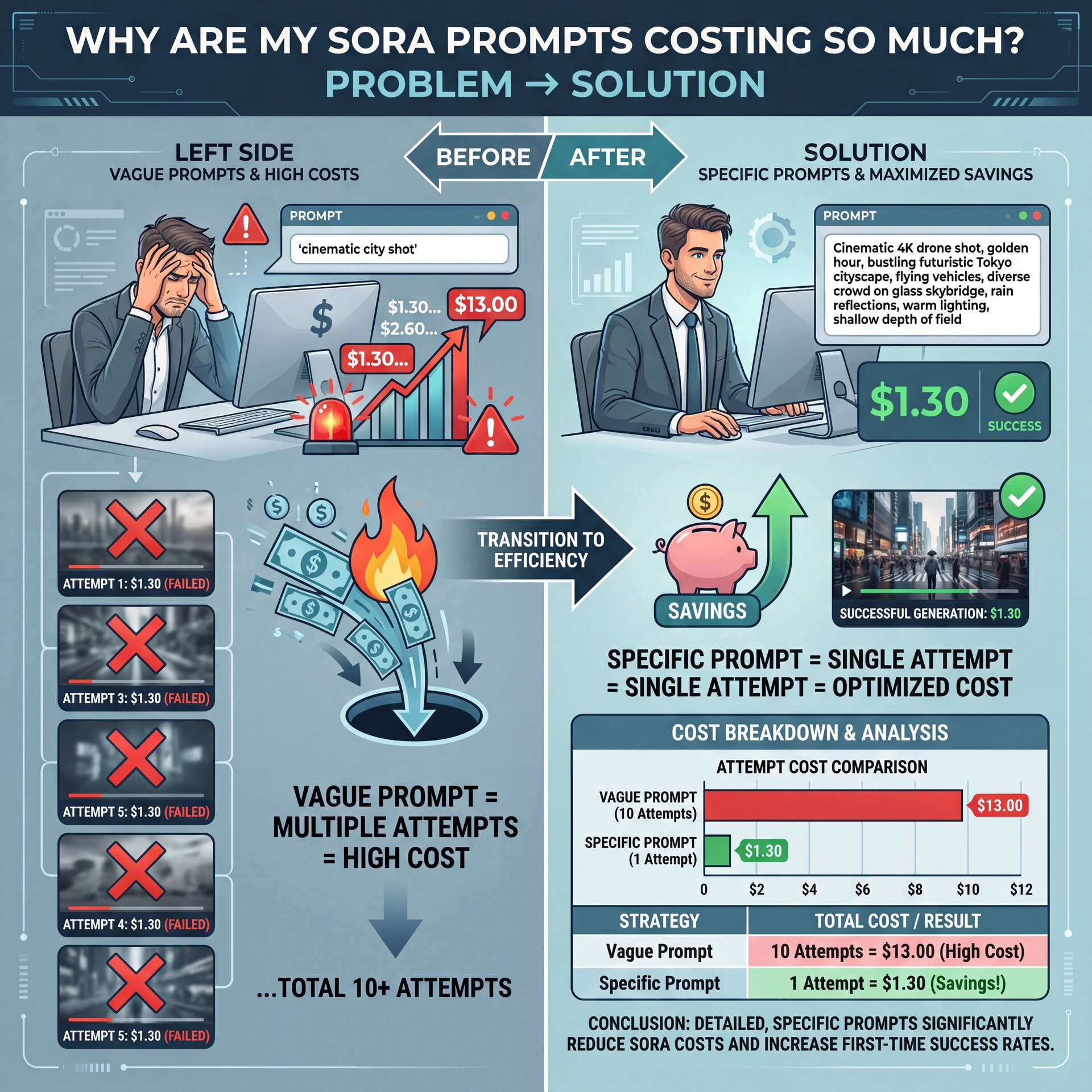
All right, let’s cover the money aspect first because this is where I see people get hurt the most. The biggest mistake is treating Sora like it’s free or unlimited. When you type a vague prompt, you’re essentially gambling. Every time. I see beginners typing things like “cinematic city shot” and then hitting generate five, six, ten times because the lighting isn’t proper or the mood is off.
Now, here’s the thing. Every time you hit that button, you’re burning roughly $1.30 per 10-second clip, according to recent data. OpenAI is reportedly spending $15 million a day keeping this system running for 4.5 million users. Think cloud computing — the system scales effortlessly. If you’re part of the 68.1% of users who need 3+ regeneration cycles to get a usable clip, you’re tripling your costs for no reason.
The solution here is to stop “experimenting” in the prompt box and start planning outside of it. You wouldn’t begin painting a car without taping it off first, right? The same logic applies here. You need to be specific about what you want before you ask the AI to make it. That’s it. If you don’t, you’re just paying for the machine to guess.
[icon:chart] The Real Cost of “Guessing”
Did you know that a single 10-second Sora video costs an estimated $1.30 in compute to generate? With 4.5 million users, this drives a $15 million daily burn rate. Every vague prompt that requires a re-roll isn’t just frustrating—it’s surprisingly expensive.
(Or maybe not. Let me think.)
This leads directly to the next major issue. When you aren’t specific, the AI defaults to the “average” of its training data, so that’s why so many AI videos have that wierd, glossy, soulless look. Think coffee shop vibes — video makes things flow.
What Is the “AI Sameness” Problem with Sora Prompts?
So, you’ve probably scrolled through your feed and felt like every AI video looks exactly the same. You know what I’m talking about (that slow-motion, overly dramatic lighting and wandering camera movement). It turns out, there’s a name for this. It’s called the “AI sameness problem,” and it’s killing engagement.
(Let me rephrase that.)
I read a report from CMSWire stating that 61.2% of marketers are concerned about this exact issue. It’s like unlocking a new level — 9 opens doors. And it makes sense. If everyone uses prompts like “breathtaking view” or “4k cinematic,” the AI just grabs the most common denominator from its dataset. Important point. The mistake here is using what I call “lazy adjectives.” Words like “cool,” “beautiful,” or “intense” mean nothing to a computer.
Instead of “beautiful,” tell Sora, “golden hour lighting hitting wet pavement.” Instead of “intense,” describe “fast-paced tracking shot with shaky cam.” You have to be the director. If you leave it to Sora, it will give you the visual equivalent of elevator music.
Pro Tip: Avoid “opinion” words in your prompts. The AI doesn’t have opinions. Replace “scary monster” with “creature with elongated limbs and obsidian skin hiding in shadows.”
I’ve found that being descriptive about the physics and the lighting changes everything, and it stops the video from looking like a generic STOCK clip. If you’re struggling with the descriptive part, you might want to check out our guide to Flux.1 prompts. a lot of the same descriptive rules apply there, even though that’s for static images. The logic of “garbage in, garbage out” is precisely the same.
[icon:bolt] Stop Using “Cinematic”
⚠️ Common Mistake: Relying on the word “cinematic” to do all the heavy lifting.
The Fix: This is the most overused word in 2025. It triggers a generic, slow-motion style that viewers are tired of. Instead, specify your lens type (e.g., “35mm anamorphic”), lighting setup, and color grade to stand out from the “AI slop.”
How Do I Structure Sora Prompts for Better Results?

Now, let’s get into the mechanics of writing the prompt itself. Many people just write a run-on sentence and hope for the best. That’s a mistake because the AI can get confused about what modifies what. No joke. Does “blue” apply to the sky or the car?
I prefer a structured approach. Think of it like a repair order. You have the complaint, the cause, and the correction. In prompting, you need the Subject, the Action, and the Style. Adobe found that teams using structured templates had 42.6% fewer re-renders. That’s almost half the work saved just by organizing your words.
Here’s how I like to break it down. I call it the “Sora Sandwich.”
**The Setup (The Bun)**
Start with the technical specs. “Photorealistic 35mm film shot, 24fps.” Set the container for the video immedietly so the AI knows the visual language.
**The Action (The Meat)**
Describe the subject and movement clearly. “A 1969 Mustang drifts around a rainy corner, tires smoking.” Keep the subject and action connected.
**The Atmosphere (The Bun)**
Finish with lighting and mood. “Neon signs reflecting in puddles, high contrast, cyberpunk color palette.” this seals the deal.
(Fight me on this.)
By doing this, you force the AI to focus on each element. You aren’t just rambling; you’re giving instructions. And speaking of instructions, if you’re trying to tell a story, you can’t just rely on one incredible shot.
Why Does My Sora Video Lack Narrative Flow?
So, we got a cool shot of a car, right? video is basically a game-changer. Literally. But here’s where people make the most mistakes in 2025. They create a series of incredible shots with no connection to one another. Not even close. It’s the “music video syndrome.”
Planning Story Beats Before Prompting
A Wistia study found that narrative-specific prompts had a roughly 73% view-through rate, compared with just over 53% for generic clips. People want a story. The mistake is trying to cram an entire movie into a single prompt, or, alternatively, generating random clips and hoping they fit together later.
The best creators are storyboarding before they open Sora. You need to know if your shot is an establishing shot, a medium shot, or a close-up reaction. If you ask Sora for “a story about a dog,” it’s going to give you a weird, morphing mess. But if you ask for “Scene 1: Wide shot of a lonely dog at a bus stop,” that’s a building block you can use.
[icon:star] The Narrative Advantage
Creator Spotlight: Top creators in 2025 aren’t just generating “clips” (they’re generating “scenes).” By planning a 3-act structure (Setup, Conflict, Resolution) and prompting for specific continuity, they’re seeing 34.5% higher click-through rates on their final videos compared to random AI montages.
Maintaining Character Consistency
Also, consistency is a huge pain point. If you want the same character in the next shot, you need to reuse the exact same description of them, down to the color of their shoelaces. If you change one word, the AI might change its whole face. It’s annoying, but you have to be thorough.
For those of you trying to get clicks on these videos, remember that the visual is only half the battle. If the story doesn’t hook them, they leave. It’s similar to why YouTube thumbnails get low clicks, if the promise of the story isn’t clear right away, the audience bounces.
Best Sora Prompt Mistakes You Can Fix with Parameters
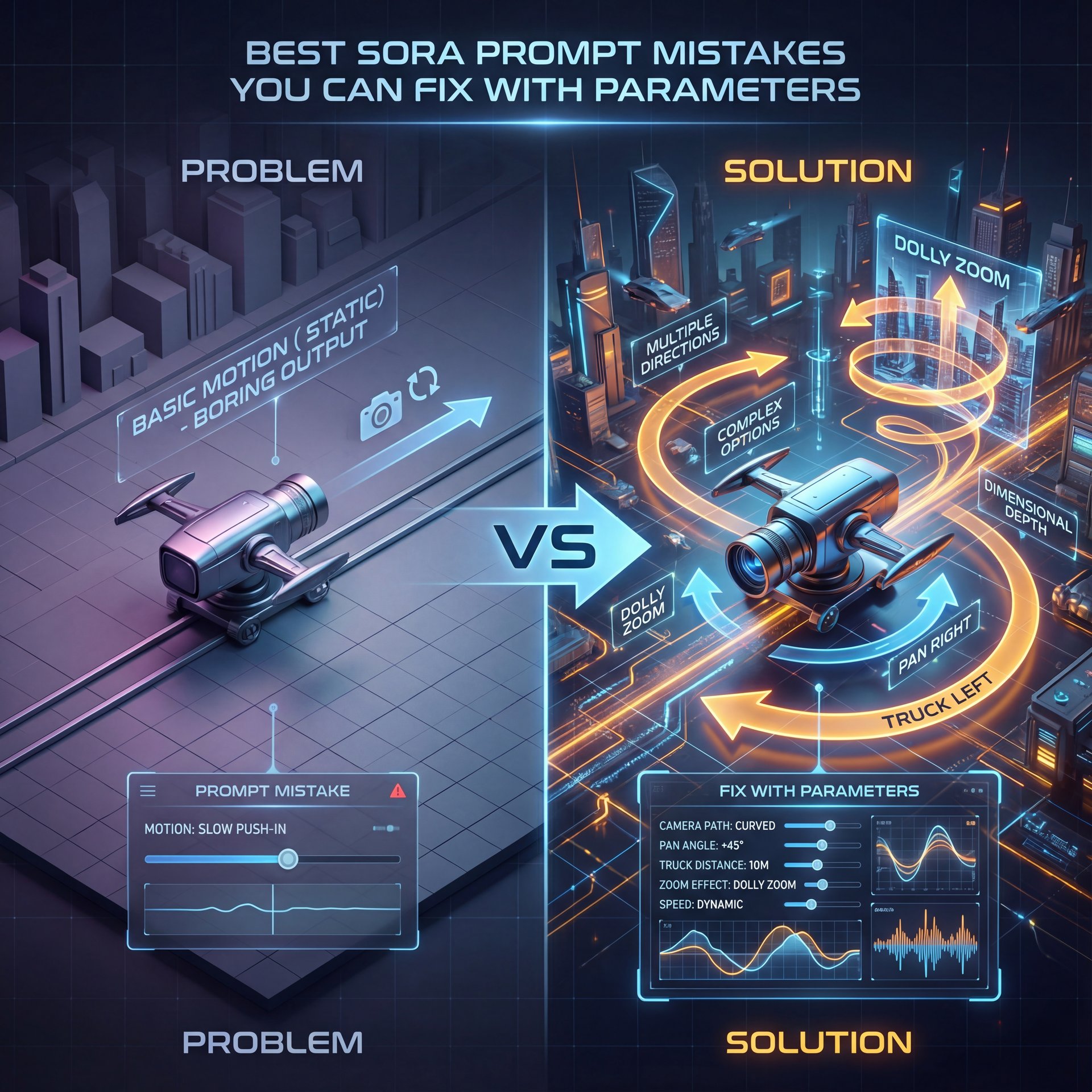
Let’s go under, the hood & look at the technical settings. A massive mistake is ignoring camera movement. If you don’t tell Sora how to move the camera, it usually just does a slow push-in or a static shot. It gets boring fast.
Use words a camera operator would use. “Truck left,” “pan right,” “dolly zoom.” These aren’t just fancy words; they’re instructions that the model understands — and I’ve found that adding specific camera movements makes the video feel much better.
Another thing is aspect ratio and frame rate. If you’re creating content for TikTok or Reels, specify the vertical format (9:16) immediately. Don’t try to crop it later because you’ll lose resolution & composition.
Camera Movement
Don’t settle for static. Use “Tracking shot,” “Drone flyover,” or “Handheld shaky cam” to add energy.
- ✓ instant production value
Lighting Engines
Specify the light source. “Volumetric lighting,” “Rembrandt lighting,” or “Bioluminescent glow.”
- ✓ sets the mood instantly
Lens Specs
Tell Sora the glass. “Macro lens” for details, “Wide angle” for landscapes, “Telephoto” for compression.
- ✓ controls visual depth
How to Stop Wasting Time on Bad Generations
Finally, let’s talk about the workflow. The biggest mistake I see beginners make is trying to use Sora as an editor. They generate a video, see a glitch, and then try to prompt: “Fix the glitch in the previous video.”
That’s not how this works yet. Sora generates new pixels every time. it doesn’t “see” what it just made and “fix” it like a human editor would. If you get a bad result, you have to tweak the prompt and re-roll the whole thing.
This is why the $1.30 cost matters. If you’re trying to fix a small detail, you might be better off taking the clip into a traditional editor or using a tool like Banana Thumbnail’s video features for post-processing overlays rather than trying to brute-force the AI to be perfect.
And honestly, you have to know when to fold ’em, so sometimes the AI just won’t do what you want because of safety filters or training gaps. I’ve seen people waste hours trying to get a specific complex interaction, like two people shaking hands perfectly (which AI is still terrible at). If it fails three times, change your concept. Don’t keep burning cash on a dead end.
Pro Tip: If you’re getting weird morphing artifacts, try simplifying, the motion in your prompt. Too much movement often breaks the physics engine. Ask for “subtle movement” instead of “running and jumping.” if you avoid these mistakes (the vague prompts, the lack of structure, the ignorance of camera terms. you’re going to save a ton of money and frustration. You’ll be part of the group that actually uses this tool effectively in 2025, rather than just funding OpenAI’s electric bill.
[icon:check] Quick Pre-Flight Checklist
Before you hit generate, ask yourself:
1. Did I specify the camera angle?
2. Did I describe the lighting?
3. Is my subject description consistent with previous shots?
4. Did I specify the aspect ratio?
Checking these four things can save you from that dreaded “AI sameness.” Check our workflow guide for more tips.
Frequently Asked Questions
What are the main challenges users face with Sora?
The biggest challenges are the high cost of regeneration (around about $1 per clip) and the “AI sameness” where videos look generic due to vague prompts. Users also struggle with maintaining character consistency across different shots.
How does Sora’s cost compare to other AI video generation tools?
Sora is generally more expensive to run, with analysts estimating a daily burn of $15 million, making efficiency dead critical. Other tools might offer lower fidelity for cheaper, but Sora’s compute demands put a premium on getting the prompt right the first time.
What are the key trends in AI video generation for 2025?
The trend is moving away from random experimentation toward structured, narrative-driven prompting. Creators are focusing on storyboards and specific camera terminology to combat viewer fatigue and improve ROI.
What are the most common user pain points with Sora?
Users are most frustrated by “wasting time on bad generations,” with 56.9% of creators citing this as a top issue. Another major pain point is the lack of control over specific details, leading to multiple costly re-rolls.
Related Content
• mistakes
• mistakes
For more on this topic, check out: sora
Listen to This Article