Table of Contents
- What Are Nano Banana Pro prompts for YouTube & Shorts?
- How to write Nano Banana Pro prompts with, you know, the SLCT framework
- Best Nano Banana Pro prompts for CTR
- Nano Banana Pro prompts for reference image blending
- Multilingual Nano Banana Pro prompts for global campaigns
- Getting started: workflow, testing and pitfalls
- Listen to This Article
The YouTube thumbnail design market is expanding at a 17.18% CAGR from $0.45 billion in 2025 to $1.6 billion by 2032. AI-assisted tools are driving this growth because they streamline creation while maintaining quality. Meanwhile, creators using AI thumbnail generators report CTR improvements ranging from 22% to 65% within their first 30 days. A solid thumbnail CTR starts around 0.65%. YouTube connects 2.85 billion users globally, and U.S. users spend 37 minutes daily on the platform by the end of 2025. So the importance of thumbnail optimization becomes clear.
In the U.S., YouTube Shorts are now pulling in more revenue per watch hour than traditional videos. Plus, 51% of teen boys report making purchases after seeing ads in those Shorts. That shift highlights how attention and buying decisions are evolving rapidly. Nano Banana Pro prompts offer a smart way to tap into that potential, particularily when you craft them thoughtfully using proven frameworks.
What Are Nano Banana Pro prompts for YouTube & Shorts?
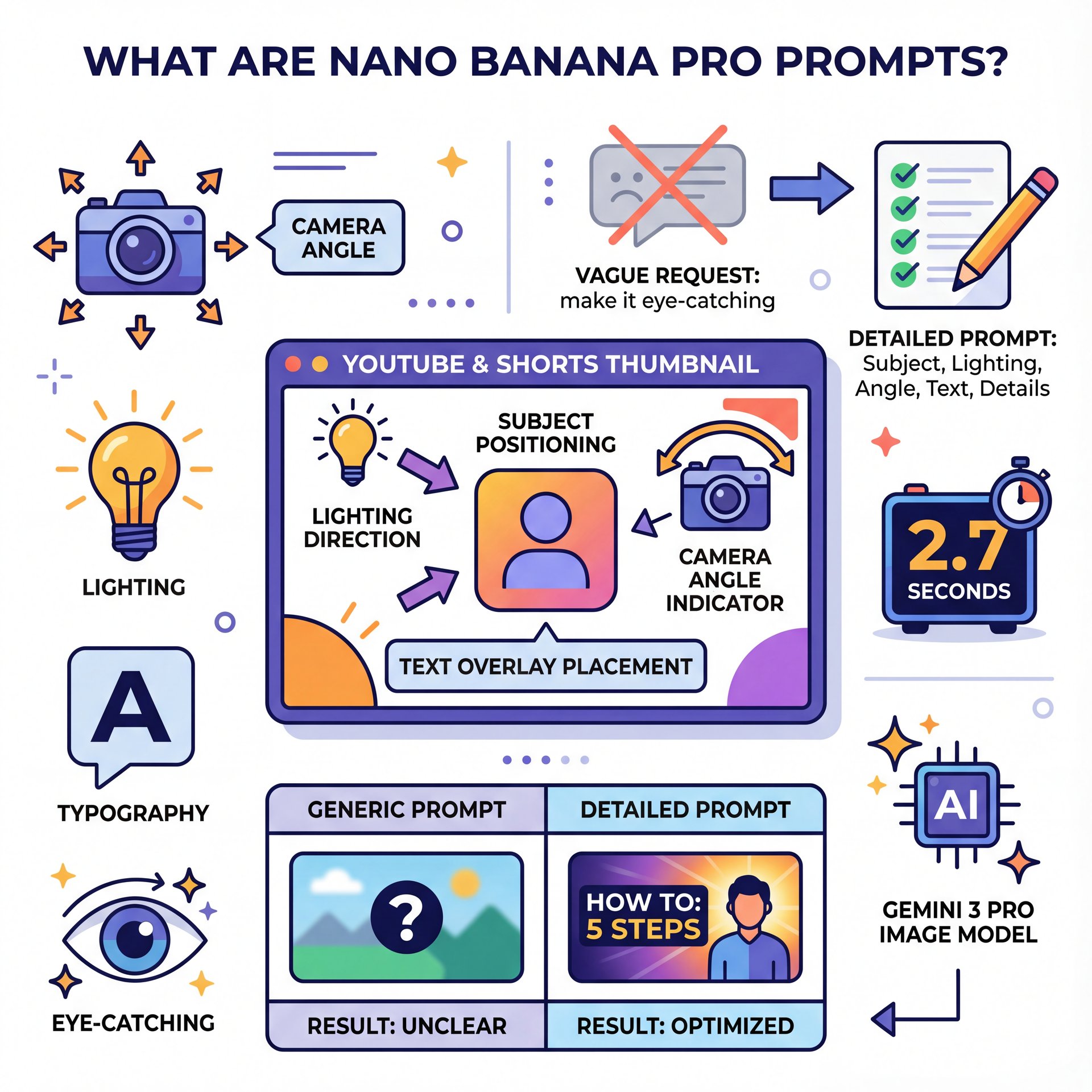
Nano Banana Pro prompts are detailed guidelines for Google’s Gemini 3 Pro Image model, designed to help you produce or refine thumbnails for your specific needs. Rather than using vague requests like “make it eye-catching,” these prompts break down key elements such as subject, lighting, camera angle, text, and other finer details. This ensures you receive consistent and engaging results that align with your channel’s style.
Here’s the reality: thumbnails are marketing in 2.7 seconds. Viewers scan, judge, and decide. When your prompt guides the model like an AI Creative Director—clear subject, strong lighting, intentional lens choice, and minimal, high-contrast text—you get images that stop scrolls. Vague prompts, however, give you generic pictures that blend into the feed and sink your CTR.
Model capabilities
Nano Banana Pro supports native 4K resolution, which downscales crisply to 1280×720. It accepts up to 14 reference images at once. Plus, it maintains consistency across 5 distinct individuals in a single composition. That matters for channels featuring a host plus guests, product-plus-influencer layouts, or recurring series with consistent faces. It also renders multilingual text correctly in over 100 languages, making it valuable for international campaigns.
Why prompts matter for CTR
Small changes compound quickly. Creators who commit to systematic thumbnail optimization see 22–65% CTR improvements within 30 days, according to independent benchmarking. Kyle’s Prayer & Sleep Channel demonstrates this: consistent thumbnail iteration took the channel from 1.4K to 16.6K subscribers in five months—a 1,086% increase. CTR rose from 0.8% to 2.1%. Thumbnails didn’t do all the work, but they absolutely opened the door.
(Here’s the kicker.)
How to write Nano Banana Pro prompts with, you know, the SLCT framework
Most people type what they feel: “Make a bright, clickable thumbnail of me shocked about the iPhone.” The model tries, but the result is mediocre. The SLCT framework fixes that by structuring your prompt into four parts—Subject, Lighting, Camera, Text/Details. It achieves a 90% successful generation rate compared to 30–40% for unstructured prompts.
Building your first SLCT prompt
For a Shorts thumbnail featuring a face and product, structure it this way:
- **SUBJECT**: Close-up of host with brown skin, short curls, yellow hoodie, holding iPhone box angled toward camera
- **LIGHTING**: Hard rim from left, soft frontal key light, high contrast, vivid colors without skin tone shifts
- **CAMERA**: 50mm lens effect, shallow depth of field, direct eye line, 3/4 crop in native 4K
- **TEXT/DETAILS**: “iPhone Price Shock” in bold condensed sans-serif, black on yellow stroke; clean teal gradient background; white banana icon in corner
You can combine these into one flowing paragraph. However, labeling them clearly—SUBJECT:, LIGHTING:, CAMERA:, TEXT:—helps the model process instructions effectively.
Draft your SLCT
Write Subject, Lighting, Camera, and Text/Details as four short lines. Prioritize one focal point and one action.
Add constraints
Limit palette to 2–3 colors, set text length, call out “no clutter” and “clean background” to reduce model overhelping.
Generate and prune
Produce 8–12 variations. Eliminate 80% quickly. Keep 2–3 candidates and iterate tiny changes like pose, crop, or headline contrast.
What to tweak when results miss
If faces look plastic, add “natural skin texture, no over-smoothing.” when text appears busy, specify “one headline only, 3–4 words, remove all other text.” If the subject feels too small, tell the model “crop closer; head touches top edge; eyes 1/3 from top.”
🤔 Did You Know? SLCT saves hours
SLCT prompts cut guesswork by forcing you to decide, you know, the story before the model draws. Combined with Nano Banana Pro’s 4K output and 14-reference support, you’ll reduce rework and get to testing faster.
Pro Tip: Write your text last. Lock the image first, then adjust your 3–4 word headline to match the emotion on the face. You’ll avoid the “caption fights the picture” mistake.
Best Nano Banana Pro prompts for CTR
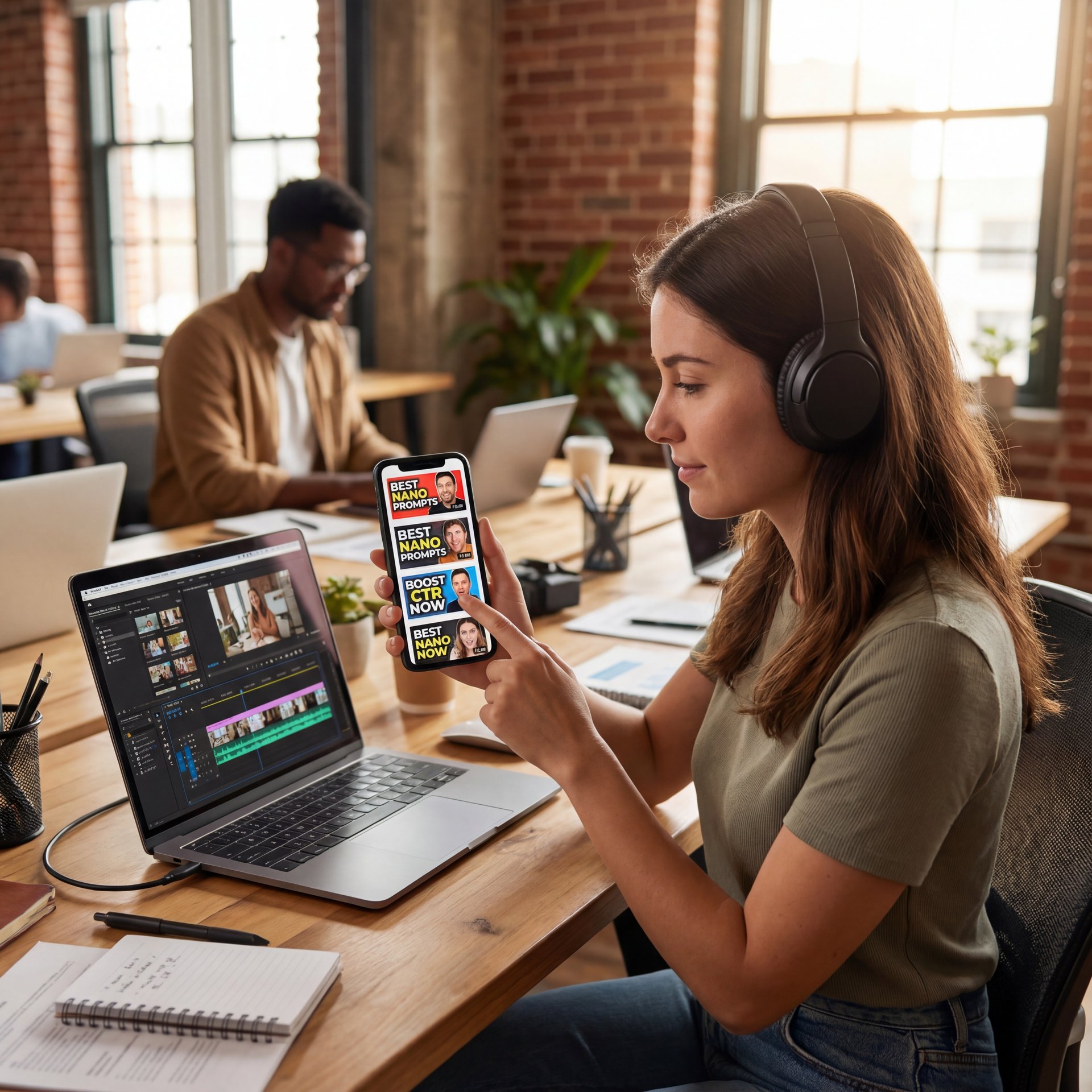
Let’s examine practical examples you can adapt directly. These prompts stick to the SLCT structure and emphasize elements that work well at small scales. That’s crucial because most people encounter thumbnails on mobile devices.
Face reaction (education/tech)
- **SUBJECT**: “Host, female, medium-brown skin, short curly hair, intense eyebrow raise, pointing at camera; tight 3/4 crop”
- **LIGHTING**: “Hard backlight, soft key, vivid contrast; clean background magenta-to-dark gradient”
- **CAMERA**: “35mm lens look, slight low angle, eyes to lens, native 4K”
- **TEXT/DETAILS**: “3 words: ‘This Setting Matters’ condensed bold sans, white text with black stroke; add small app icon lower-left; no extra text”
What to watch for: If the finger blocks the face, ask for “hand lower, face unobstructed.” Keep the headline short—your audience reads feelings first, words second.
Product promise (consumer/ecom)
- **SUBJECT**: “Product center, angled 30 degrees, clean shadows; hand entering frame for scale”
- **LIGHTING**: “Studio key light, controlled reflections, product logo visible”
- **CAMERA**: “70mm lens look, tight crop, native 4K”
- **TEXT/DETAILS**: “2–3 words: ‘Noise Destroyed’ heavy sans, neon green on black stroke; add price tag icon only; no small text”
For a deeper prompt-by-prompt walkthrough, this builds on ideas covered in Nano Banana YouTube Thumbnails: Complete Guide.
Explainer (charts/data)
- **SUBJECT**: “Simple bar chart, 3 bars rising left to right; clean background”
- **LIGHTING**: “Flat, even; no shadows on chart area”
- **CAMERA**: “Straight-on; chart fills 70% of frame”
- **TEXT/DETAILS**: “‘Revenue Up 62%’ bold condensed; add upward red arrow line; minimal grid; no extra elements”
What to watch for: Resist adding a second headline. Your arrow already communicates growth.
Shorts hook (ultra-fast recognition)
- **SUBJECT**: “Extreme close-up of eyes wide open; hands framing face”
- **LIGHTING**: “Harsh, punchy, saturated”
- **CAMERA**: “24mm wide look; slight distortion for energy; native 4K”
- **TEXT/DETAILS**: “2 words only: ‘Don’t Blink’ heavy italic; white on black stroke; vertical-safe margins (centered)”
Nano Banana Pro prompts for reference image blending
(Where was I?)
Many creators struggle with producing 4–6 thumbnails weekly while maintaining consistent faces, on-brand props and signature colors. Nano Banana Pro’s ability to handle 14 references at once addresses this directly. You can input host photos from various angles, logos, color samples, and successful past thumbnails.
How to set up reference blending
Select five–8 core references that capture your style: host headshot, background gradient, logo, and a top-performing thumbnail. Then add 2–3 specific ones for the video, such as a product image or key prop. In the prompt, specify “Preserve likeness of [Host Name]; match brand yellow #FFD400; use logo from reference; maintain gradient from reference; avoid new fonts.”
This approach supports consistency for up to 5 people in a single composition. That proves valuable for collaborations. If something veers off—like a guest’s shirt color or background—rerun with limits such as “no blue clothing; use yellow hoodie; background clean teal gradient only.”
🔧 Tool Recommendation: Test faster with one workspace
Run SLCT prompts, swap reference faces, and compare crops without jumping apps. The AI thumbnail generation tools workspace keeps your variants organized so you can ship two testable winners per video.
Batch production workflow
📋 Quick Reference: Weekly thumbnail workflow
- Monday: Gather 3–five references per video (host, prop, past win)
- Tuesday: Generate 8–12 outputs per video; cut to top 2–3
- Wednesday: Run color-contrast passes; prep A/B tests
Use our step-by-step workflow guide to keep the pipeline smooth.
With AI-assisted workflows, editors report cutting production time by 80–90%. They shorten 20–50 hours to 3–4 hours per video. You reclaim days per month for strategic thinking rather than clicking.
Pro Tip: Create a “brand grammar” reference card with three yeses (colors, type, subject scale) and three nos (busy backgrounds, thin fonts, long headlines). Paste it at the top of every prompt for consistency across the team.
Multilingual Nano Banana Pro prompts for global campaigns
(Okay, so.)
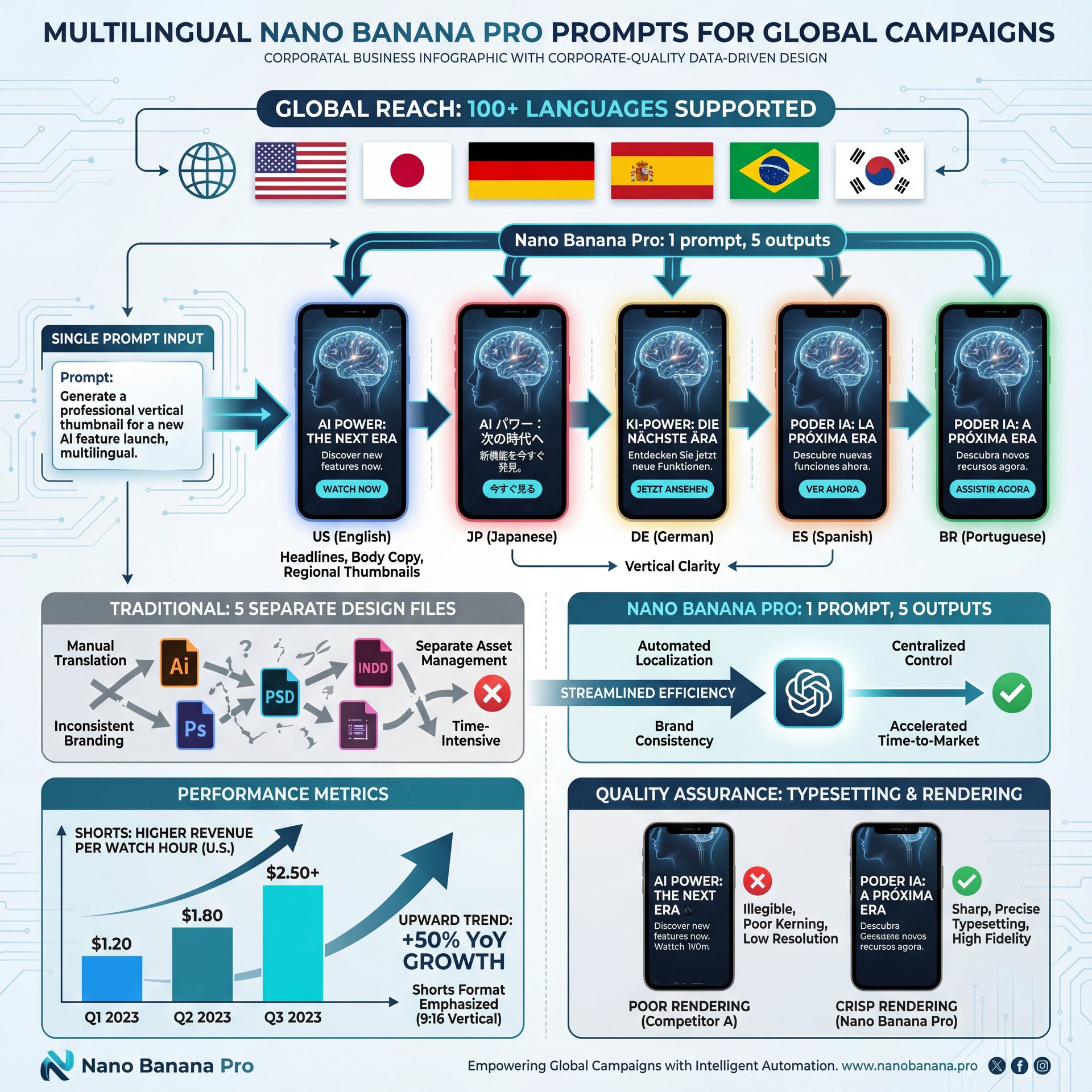
One advantage in 2025 is Nano Banana Pro’s multilingual text rendering. It correctly typesets over 100 languages—headlines, not just body copy. So you can run a single prompt and swap languages for regional thumbnails without having to redo design files. That’s particularily valuable for Shorts, where you might ship one vertical & five language variants in a day.
How to prompt for multilingual text
- **TEXT/DETAILS**: “Headline in [Language: Japanese], 3–4 words, bold condensed sans with correct typography; no transliteration; keep line breaks; vertical-safe margins”
- Add: “Keep Latin brand name in English; localize the rest”
- If you’re concerned about font appearance, specify: “Modern humanist sans; no script; high legibility at 120 px height”
Shorts-specific optimization
Shorts are beating long-form on revenue per watch hour in the U.S., so tailor your prompt for vertical clarity first. Then adapt to 16:9. Request “centered text; safe within central 60% of frame” and “subject fills vertical thirds.” Keep copy even tighter—often two words outperforms three on a phone moving at thumb speed.
💡 Quick Tip: International A/B plan
Ship one “global look” and one “regionalized look” per language, then compare 48-hour CTR. Start with 2–3 markets, not 12. When you find a winning format, scale using the same prompt scaffold from our workflow examples.
Getting started: workflow, testing, and pitfalls
You don’t need to overhaul everything. Start with one video, two thumbnails, and a 7-day test. Write two SLCT prompts that tell different stories of the same idea—one face-first, one object-first. Keep the headline to 3–4 words and the palette to two colors plus white/black. Then let data talk.
Common pitfalls to avoid
- Over-explaining in the headline—if you need six words, the picture isn’t doing enough work
- Too many elements—each extra sticker or emoji steals attention from your focal point
- Letting lighting get muddy—ask for “hard rim + soft key” to keep faces crisp and dimensional
- Forgetting crop—”head touches top edge; eyes 1/3 from top” reads bigger at small sizes
When you’re ready to go deeper on testing routines and pattern libraries, we show a practical loop in Banana Thumbnail App Tutorial for More Clicks.
Pro Tip: Name your prompts with outcome labels, not artsy names—e.g., “Face_Shock_Teal_BG_3w” and “Object_Box_Green_Rim_2w.” you’ll learn faster when your test history reads like cause-and-effect.
Riley Santos, our resident Creative Storyteller, swears by “the 3-word rule” and a 15-minute cap per thumbnail iteration. It forces clarity. And clarity, more than cleverness, is what wins the scroll.
📋 Quick Reference: Prompt QA checklist
- 1 focal point? Check
- 3–4 word headline? Check
- High-contrast type vs background? Check
- Crop big at phone size? Check
When in doubt, run this before you hit publish.
And because we’re honest about limits: complex hair, transparent objects like glass, and hyper-busy scenes can still trip the model. Call out “clean background” and “no small objects” in your SLCT. If needed, do a quick manual cleanup after. AI isn’t perfect—it’s just fast enough and good enough to make you dangerous.
For market context: the thumbnail design market’s growth trajectory is DOCUMENTED in OpenPR’s forecast. Creator-side CTR lifts are aggregated by 1of10’s 2025 roundup. Shorts monetization shifts are tracked by NetInfluencer’s reporting.
Frequently Asked Questions
What are Nano Banana Pro prompts?
They’re structured instructions for Gemini 3 Pro Image that define subject, lighting, camera, and text to generate high-CTR thumbnails.
What’s a good YouTube thumbnail CTR right now?
Aim for 0.65% as a starting “good” benchmark; above 2% in your niche is strong if traffic is comparable.
How many reference images can Nano Banana Pro use?
Up to 14 reference images at once, while keeping up to five distinct people consistent.
Does Nano Banana Pro support multilingual text?
Yes—over 100 languages with correct typography, so you can run single-prompt international campaigns.
How does the SLCT framework help?
It boosts success rates to about 90% by removing ambiguity versus 30–40% with vague prompts.
Are Nano Banana Pro prompts good for Shorts?
Absolutely—optimize for central cropping, keep text to 1–3 words, and prioritize face or object clarity.
Related Videos
Related Content
• youtube
• prompts
For more on this topic, check out: nano
Listen to This Article