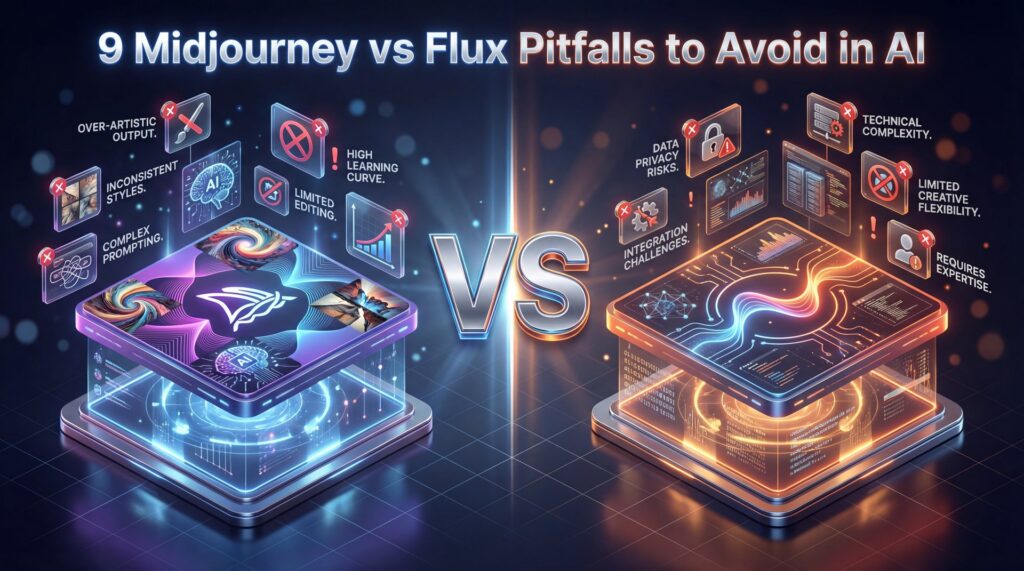
Table of Contents
- What Is the Real Difference Between Midjourney vs Flux in 2025?
- Why Midjourney vs Flux Consistency Matters for Creators – and why it matters
- How to Avoid Common Midjourney vs Flux Setup Failures
- Is Midjourney vs Flux Cheaper for Professional Workflows? (the boring but important bit)
- Which Tool Handles High-Res Printing Better? (seriously)
- Best Midjourney vs Flux Strategies for Text Rendering (I know, I know)
- Why Use Midjourney vs Flux for Stylized Art?
- Midjourney vs Flux Tips That Matter for 2025
- Listen to This Article
All right, so I was talking to Curtis, our founder here at Banana Thumbnail, just last week. We were looking at a project file and honestly, the frustration was real. He was stuck in what we call the “remix loop of death”—trying to get a specific character to look the same in two different shots. You know the feeling. You get a perfect image, but then you need that character to turn left, and suddenly they look like a completely different person. This is one of the key differences when comparing midjourney vs flux.
It’s a common headache. And with the massive shifts we’ve seen in 2025, especially with hardware moving from standard GPUs to those new Google TPUs, the area has changed. I’ve spent the last few months really digging into the nuts and bolts of both Midjourney and the new Flux updates. Here is the thing: most people are using these tools like it’s still 2024. They’re falling into traps that cost time and money. So today, we’re going over the biggest pitfalls I see people hitting when they try to decide between Midjourney vs Flux and exactly how you can fix them.
What Is the Real Difference Between Midjourney vs Flux in 2025?
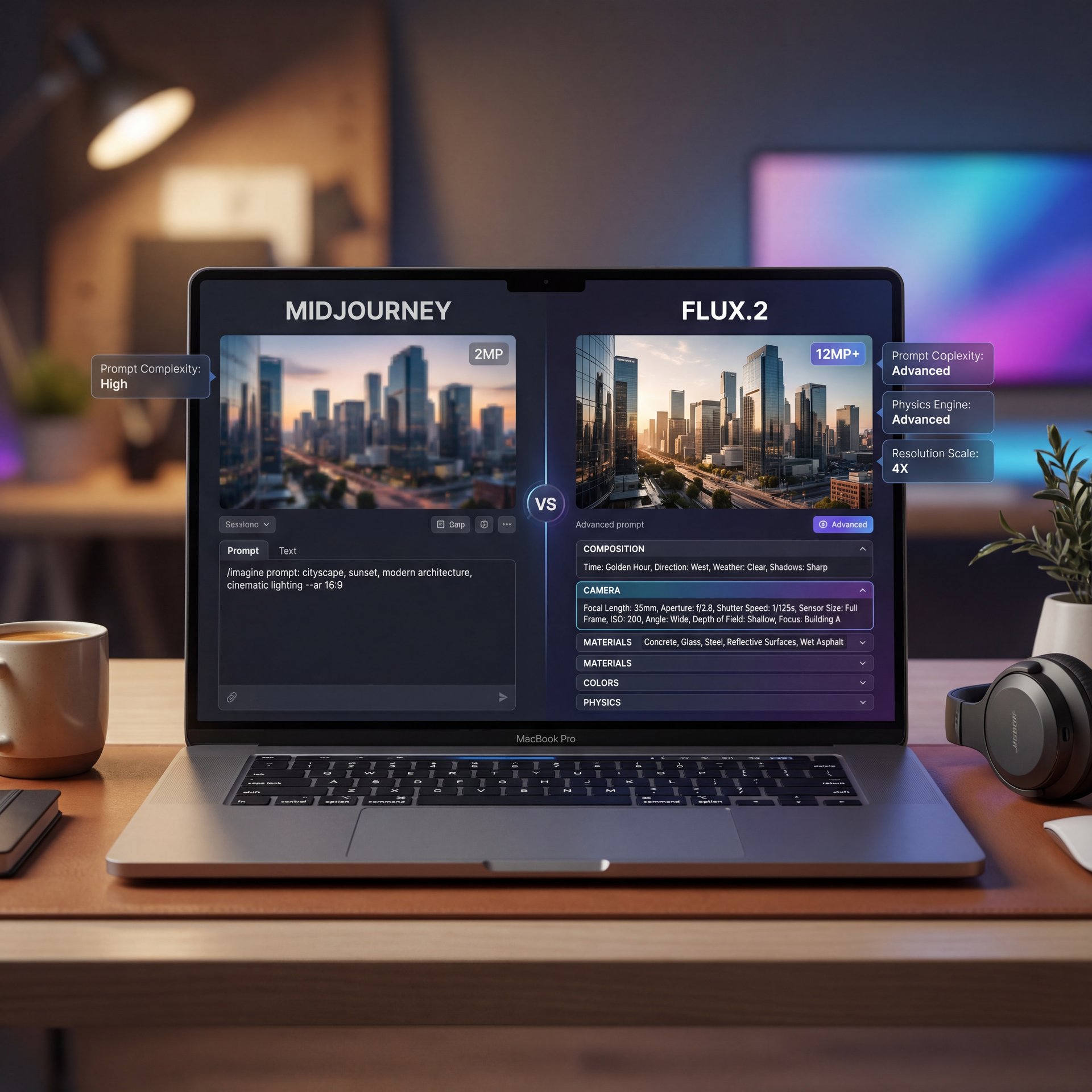
Midjourney maxes out at around 2 megapixels. Higher native resolution means sharper details and no loss of quality from upscaling. Consider workflow the workhorse. Advanced Prompt Following: FLUX.2 understands complex, multi-part instructions. You can specify composition, lighting, camera angles, materials, colors, and style all in one prompt, and FLUX.2 will nail it. So fewer failed generations and less time wasted. Real-World Physics and Lighting: The lighting, shadows, reflections and depth perception in generated images look genuinely photorealistic. Worth noting. That “AI look” where things feel off is noticeably reduced. FLUX.2 images look like they were photographed, not generated. Unified Image Editing: FLUX.2 combines everything into one architecture. You can generate from text, edit with reference images, do inpainting, outpainting, and style transfer—all within the same model. This streamlines workflows massively. So how does FLUX.2 stack up against Midjourney and DALL-E? FLUX.2 versus Midjourney: When evaluating midjourney vs flux, Midjourney is a black box with no control over the model and no ability to run locally. You’re locked into a subscription starting at $ten per month. FLUX.2 Dev is open-weight and FREE for non-commercial use. You can run it on your own RTX 4090, no subscription required. You might also find Gemini vs Midjourney: What Pros Actually Use helpful.
Midjourney is like a walled garden. It’s polished, it’s pretty, but you don’t get to touch the engine. Flux, However, is like a project car you can tune yourself — and the biggest pitfall I see when people debate midjourney vs flux is assuming they work the same way.
Now, here is a crazy stat I found while looking at the backend tech. In Q2 of 2025, Midjourney actually moved a huge chunk of their processing power. Means they switched from those expensive Nvidia H100 chips over to Google Cloud TPU v6e pods. Why does that matter to you in the midjourney vs flux debate? Because it dropped their monthly bill from $2.1 million down to under $700,000. That seems a (hear me out) 65% cost reduction.
For commercial work, FLUX.2 Pro costs less per image than Midjourney while generating faster. about quality, FLUX.2 matches or exceeds Midjourney V6. The impact of content is measurable. Where FLUX.2 absolutely CRUSHES Midjourney in the midjourney vs flux comparison is text rendering, multi-reference support and resolution. Midjourney still can’t reliably generate readable text. FLUX.2 does it perfectly. FLUX.2 versus DALL-E 3: DALL-E 3 is completely locked behind OpenAI’s API. You can’t run it locally, can’t fine-tune it, and you’re subject to OpenAI’s content policies and rate limits. FLUX.2 Dev gives you complete freedom. No restrictive content filters, no rate limits, no dependence on external APIs. Quality-wise, FLUX.2 produces more photorealistic results with better lighting and spatial coherence — and fLUX.2 versus Stable Diffusion: Stable Diffusion XL and SD 3 are great, but they’ve been surpassed. FLUX.2 Dev is the new gold standard for open-weight image models. The FLUX.2 architecture with the integrated vision-language model puts it in a different league entirely. The Bottom Line: If you want the BEST image quality, the most control, the option to run locally. The flexibility of open weights (FLUX).2 is the clear winner in 2025. So how do you start using FLUX.2 today?
But here is the catch. While Midjourney is optimizing for their costs, Flux is optimizing for your control. If you treat Flux like Midjourney. just typing in a vague prompt and hoping for the best, you are gonna have a bad time. Midjourney has a “style” heavily baked in. Flux is raw. Trust me on this. It listens to you, sometimes to a fault.
Midjourney achieved a 65% cost reduction by migrating from Nvidia A100/H100 to Google Cloud TPU v6e pods in Q2 2025, dropping monthly spend from $2.1 million to under $700,000. . AINewsHub, September 2024
I think a lot of beginners get discouraged because Flux doesn’t give them that “instant art” look right out of the gate. But if you learn to drive it, the horsepower is there.
Why Midjourney vs Flux Consistency Matters for Creators – and why it matters
Midjourney maxes out at around 2 megapixels. Higher native resolution means sharper details and no loss of quality from upscaling. Advanced Prompt Following: FLUX.2 understands complex, multi-part instructions. You can specify composition, lighting, camera angles, materials, colors, and style all in one prompt and FLUX.2 will nail it. So fewer failed generations and less time wasted. Real-World Physics and Lighting: The lighting, shadows, reflections, and depth perception in generated images look genuinely photorealistic, and that “AI look” where things feel off is dramatically reduced. FLUX.2 images look like they were photographed, not generated. Unified Image Editing: FLUX.2 combines everything into one architecture. You can generate from text, edit with reference images, do inpainting, outpainting, and style transfer. all within the same model. This streamlines workflows massively. So how does FLUX.2 stack up against Midjourney and DALL-E? FLUX.2 versus Midjourney: Midjourney is a black box with no control over the model and no ability to run locally. You’re locked into a subscription starting at $10 per month. FLUX.2 Dev is open-weight and FREE for non-commercial use. You can run it on your own RTX 4090, no subscription required.
In my experience, Midjourney v6 is still struggling here. The data backs this up. It maintains character identity in only about 35% of multi-shot sequences. That means if you generate ten images of “Space Captain Bob,” six or seven of them are going to look like “Space Captain Steve.”
Flux 2 Dev, however, is a different beast. Think of Avoid as the infrastructure. It’s hitting consistency rates of 90% or higher. So, if you’re trying to build a brand or a recurring character, relying on Midjourney is going to burn a lot of your time. I’ve seen creators spend 45 minutes just remixing and rerolling, trying to get the hair color right again.
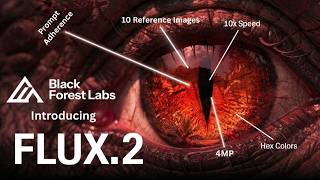
The vision-language model gives FLUX.2 real-world understanding. it knows how light works, how physics works, how objects should look in 3D space. This is fundamentally different from Midjourney and DALL-E. Those models predict what pixels should go where based on training data. FLUX.2 actually UNDERSTANDS the scene before it renders it. That’s why it’s better at handling complex prompts, realistic lighting, and spatial relationships. Now let’s talk about the game-changing features. Multi-Reference Support: FLUX.2 can take up to TEN reference images and blend them together while maintaining consistency. Want a character wearing a specific outfit, with a particular hairstyle, in a certain art style? Just feed in your references. Midjourney’s multi-reference is limited and inconsistent. FLUX.2 does this natively and reliably. Perfect Text Rendering: Text generation has been the Achilles’ heel of AI image models for YEARS. Midjourney still produces garbled text. DALL-E gets it wrong half the time. FLUX.2 SOLVES this. It generates complex typography, infographics, poster designs, UI mockups, all with legible, accurate text. Why does this matter? This makes FLUX.2 viable for real commercial work like graphic design and marketing materials. 4-Megapixel Resolution: FLUX.2 supports generation and editing at resolutions up to 4 megapixels. That’s around 2560 by 1600 pixels or higher.
⚠️ Common Mistake: Ignoring VRAM Limits
Don’t try to run Flux locally on a standard laptop, and 62% of beginners report setup failures because they lack the 12GB+ VRAM required. If you don’t have a high-end rig, stick to cloud-based workflows or optimized cloud tools. :::
With Flux, once you have the seed and the prompt structure locked, it just listens. For a deeper dive on how to structure those prompts so they actually work, check out our guide on five Flux.1 Prompts Mistakes Killing Your AI Art. It breaks down the syntax you need to get that 90% succes rate.
How to Avoid Common Midjourney vs Flux Setup Failures
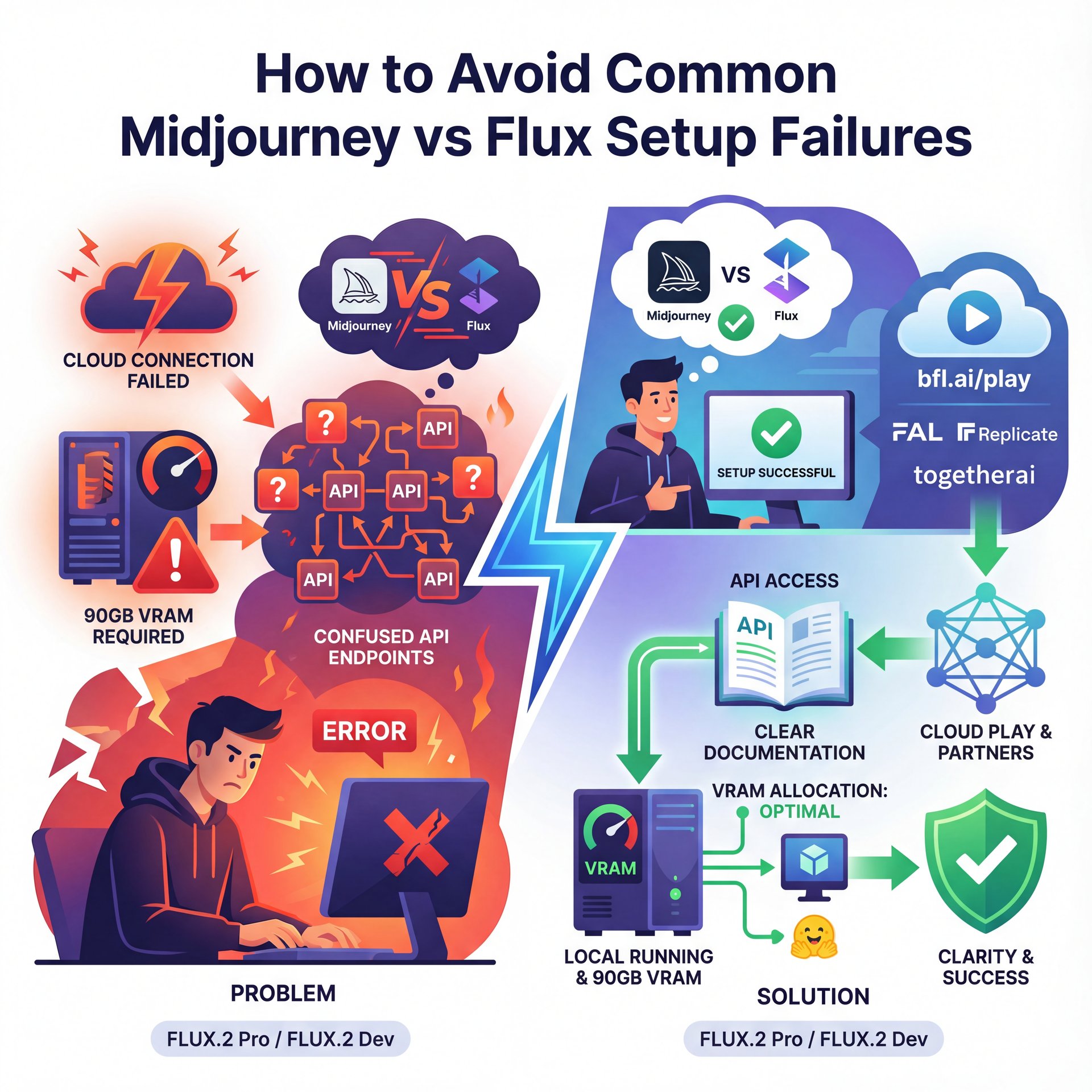
For API and Cloud Access: FLUX.2 Pro and Flex are available right now through Black Forest Labs playground at bfl.ai/play, their API at docs.bfl.ai or through launch partners like FAL, Replicate, Together AI and others. Pricing is competitive (less per image than Midjourney with faster generation. For Local Running: FLUX.2 Dev is available on Hugging Face right now. Free download for research or non-commercial projects. The full model needs about 90GB of VRAM. BUT, Black Forest Labs partnered with NVIDIA to create an optimized FP8 quantized version that reduces memory usage by 40%. This means you can run FLUX.2 Dev on a single RTX 4090 with 24GB of VRAM. The optimized version is available through ComfyUI with native FLUX.2 support. For commercial use of FLUX.2 Dev, you’ll need to obtain a lisence from Black Forest Labs. If you don’t have high-end hardware, wait for FLUX.2 Klein.It’s coming soon as a smaller model that will run on consumer GPUs. Maintaining much of FLUX.2’s capability. Fully open-source under Apache 2.0. Alright, let’s wrap this up. FLUX.2 represents a massive leap forward in AI image generation. It combines the quality of paid closed-source models like Midjourney with the flexibility and transparency of open-source.
I was reading through the Hugging Face forums recently and I saw that 62% of Flux beginners report setup failures. That is a massive number. Usually, it’s a CUDA or TPU error. Here is the thing: Flux is solid, but it’s heavy. If you try to run it on a standard consumer GPU, like an older RTX card with 8GB of VRAM, it’s going to crash.
If you don’t have a dedicated rig with at least 12GB (preferably 24GB) of VRAM, don’t try to run the full Flux Dev model locally. You are just setting yourself up for a headache. Real talk.. Use a cloud provider or a service that hosts it for you.
Also, keep in mind that the industry is shifting. Real talk. A lot of startups are moving away from Nvidia GPUs to those Google TPUs I mentioned earlier because of the cost. Important point. A Series C startup in San Francisco actually cut their monthly bill from $340,000 down to $89,000 by switching hardware. that’s a 74% cut. So, if you’re technically inclined, learning how to run inference on TPUs might be a smart move for 2025.
Is Midjourney vs Flux Cheaper for Professional Workflows? (the boring but important bit)
Midjourney maxes out at around 2 megapixels. Higher native resolution means sharper details and no loss of quality from upscaling. Advanced Prompt Following: FLUX.2 understands complex, multi-part instructions. You can specify composition, lighting, camera angles, materials, colors, and style all in one prompt, and FLUX.2 will nail it. This creates fewer failed generations and less time wasted. Real-World Physics and Lighting: The lighting, shadows, reflections and depth perception in generated images look genuinely photorealistic. That “AI look” where things feel off is dramatically reduced. FLUX.2 images look like they were photographed, not generated. Unified Image Editing: FLUX.2 combines everything into one architecture. You can generate from text, edit with reference images, do inpainting, outpainting, and style transfer, all within the same model. This streamlines workflows massively. So how does FLUX.2 stack up against Midjourney and DALL-E? FLUX.2 versus Midjourney: Midjourney is a black box with no control over the model and no ability to run locally. You’re locked into a subscription starting at $10 per month. FLUX.2 Dev is open-weight and FREE for non-commercial use. You can run it on your own RTX 4090, no subscription required.
Midjourney is a subscription. You pay your monthly fee, you get your fast hours. But if you are a power user. say, a professional agency making thousands of images. that cost scales up fast. Plus, during peak hours, the queues are brutal. I’m talking about 12-minute wait times for a batch of images on Midjourney.
For commercial work, FLUX.2 Pro costs less per image than Midjourney while generating faster. for quality, FLUX.2 matches or exceeds Midjourney V6. Where FLUX.2 absolutely CRUSHES Midjourney is text rendering, multi-reference support, and resolution. Midjourney still can’t reliably generate readable text. FLUX.2 does it perfectly. FLUX.2 versus DALL-E 3: DALL-E 3 is completely locked behind OpenAI’s API. You can’t run it locally, can’t fine-tune it, and you’re subject to OpenAI’s content policies and rate limits. FLUX.2 Dev gives you complete freedom.No restrictive content filters, no rate limits, no dependence on external APIs. This Means quality-wise, FLUX.2 produces more photorealistic results with better lighting and spatial coherence. FLUX.2 versus Stable Diffusion: Stable Diffusion XL and SD 3 are great, but they’ve been surpassed. FLUX.2 Dev is the new gold standard for open-weight image models. The FLUX.2 architecture with the integrated vision-language model puts it in a different league entirely. The Bottom Line: If you want the BEST image quality, the most control, the option to run locally and the flexibility of open weights, FLUX.2 is the clear winner in 2025. So how do you start using FLUX.2 today?
**Resolution Power**
Flux hits 4MP natively
- ✓ Midjourney caps at 2K
**Speed**
Flux local: 45s/image
- ✓ Midjourney: 2-12 mins queue
**Consistency**
Flux: 90%+ success
- ✓ Midjourney: 35% succes
So, if you’re just playing around, Midjourney’s $10 or $30 plan is fine. But if you are doing production work, that wait time and the lack of control might actually cost you more in lost productivity. In fact, 85% of marketers using AI tools report saving at least 4 hours a week, but that’s only if the tool isn’t making you wait in a queue.
Which Tool Handles High-Res Printing Better? (seriously)
Midjourney maxes out at around 2 megapixels. Higher native resolution means sharper details and no loss of quality from upscaling. Advanced Prompt Following: FLUX.2 understands complex, multi-part instructions. You can specify composition, lighting, camera angles, materials, colors, and style all in one prompt, and FLUX.2 will nail it. This creates fewer failed generations and less time wasted. Real-World Physics and Lighting: The lighting, shadows, reflections, and depth perception in generated images look genuinely photorealistic. Bottom line. That “AI look” where things feel off is dramatically reduced. FLUX.2 images look like they were photographed, not generated. Unified Image Editing: FLUX.2 combines everything into one architecture. You can generate from text, edit with reference images, do inpainting, outpainting, and style transfer, all within the same model. This streamlines workflows massively. So how does FLUX.2 stack up against Midjourney and DALL-E? FLUX.2 versus Midjourney: Midjourney is a black box with no control over the model and no ability to run locally. You’re locked into a subscription starting at $10 per month. FLUX.2 Dev is open-weight and FREE for non-commercial use. You can run it on your own RTX 4090, no subscription required.
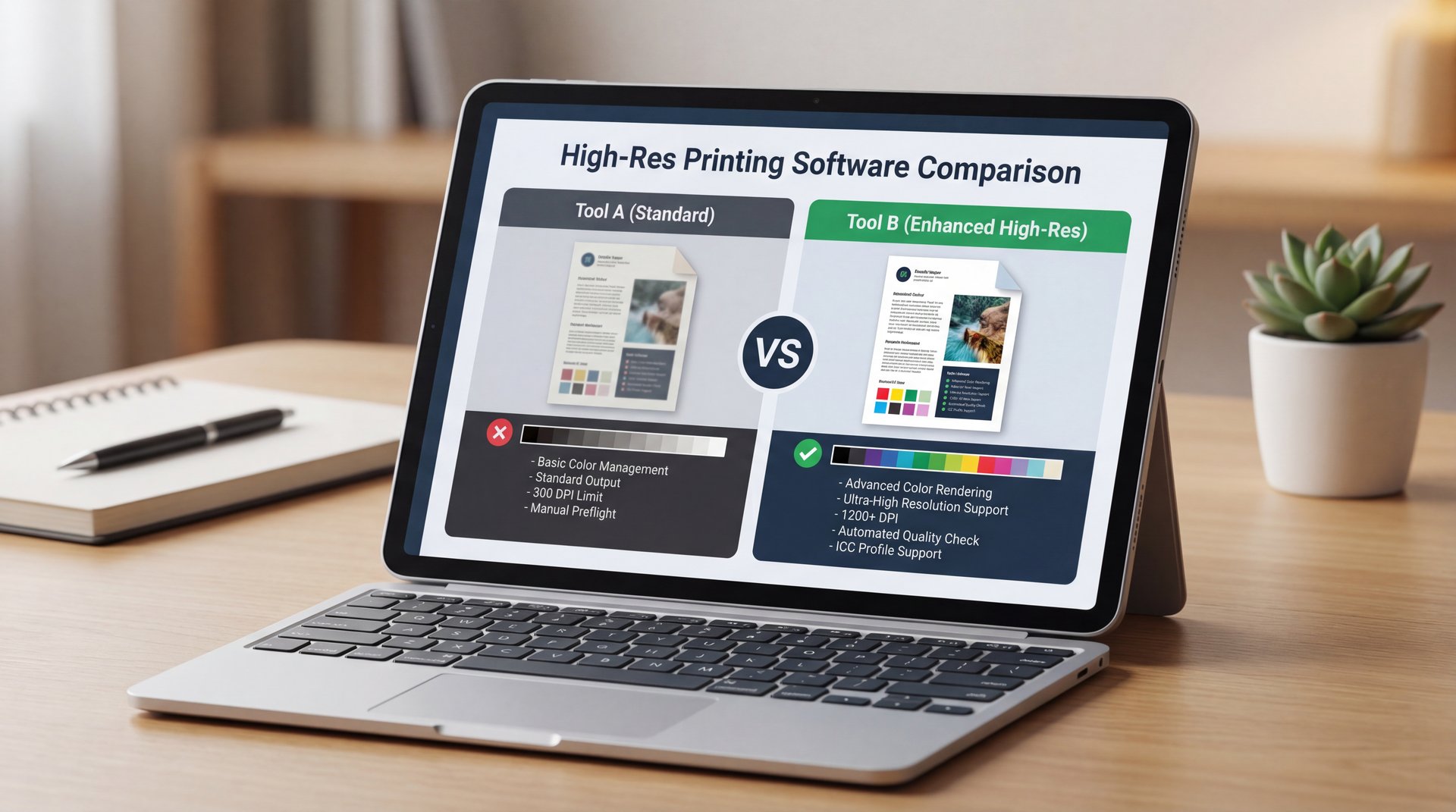
Midjourney is great, but it caps out at a stylized 2K resolution. It relies heavily on upscalers to go bigger and sometimes those upscalers add wierd artifacts or “hallucinations” to the details. Flux 2 Dev, however, supports native resolutions up to 4 megapixels. that’s huge. The photorealism benchmarks for 2025 show Flux outperforming Stable Diffusion XL, which typically tops out around 2MP.
If your goal is high-end print work or commercial advertising, Flux is the clear winner here, so you get crisp details without that “AI smear” that happens when you push Midjourney too far. We actually compared how different models handle high-resolution output in our breakdown of Gemini vs Midjourney: What Pros Actually Use.
Best Midjourney vs Flux Strategies for Text Rendering (I know, I know)
The vision-language model gives FLUX.2 real-world understanding, it knows how light works, how physics works, how objects should look in 3D space. This is fundamentally different from Midjourney and DALL-E. Those models predict what pixels should go where based on training data. FLUX.2 actually UNDERSTANDS the scene before it renders it. That’s why it’s better at handling complex prompts, realistic lighting and spatial relationships. Now let’s talk about the helpful features. Multi-Reference Support: FLUX.2 can take up to TEN reference images and blend them together while maintaining consistency — and want a character wearing a specific outfit, with a particular hairstyle, in a certain art style? Just feed in your references. Midjourney’s multi-reference is limited and inconsistent. FLUX.2 does this natively and reliably. Perfect Text Rendering: Text generation has been the Achilles’ heel of AI image models for YEARS. Midjourney still produces garbled text. DALL-E gets it wrong half the time. FLUX.2 SOLVES this. It generates complex typography, infographics, poster designs, UI mockups (all with legible, accurate text). This makes FLUX.2 viable for real commercial work like graphic design and marketing materials. 4-Megapixel Resolution: FLUX.2 supports generation and editing at resolutions up to 4 megapixels. That’s around 2560 by 1600 pixels or higher.
In 2025, it’s getting better, but it’s still a major pitfall. Midjourney still garbles about 80% of text prompts. It focuses so much on the artistic vibe that it forgets how to spell. tool handles the complexity. If you need a specific logo or text on a shirt, you’re going to be fighting the tool.
Flux has improved this seriously. It’s hitting about 55% accuracy on text. Now, I know 55% doesn’t sound perfect, but compared to 20%, it’s a massive improvement. What I usually do is use Flux to get the structure of the text right, and then if there are tiny artifacts, I fix them in post-production.
Midjourney maxes out at around 2 megapixels. Higher native resolution means sharper details and no loss of quality from upscaling. Advanced Prompt Following: FLUX.2 understands complex, multi-part instructions. You can specify composition, lighting, camera angles, materials, colors and style all in one prompt and FLUX.2 will nail it. This creates fewer failed generations and less time wasted.Real-World Physics and Lighting: The lighting, shadows, reflections. Depth perception in generated images look genuinely photorealistic. Real talk. That “AI look” where things feel off is dramatically reduced. FLUX.2 images look like they were photographed, not generated. Unified Image Editing: FLUX.2 combines everything into one architecture. You can generate from text, edit with reference images, do inpainting, outpainting, and style transfer. all within the same model. This streamlines workflows massively. So how does FLUX.2 stack up against Midjourney and DALL-E? FLUX.2 versus Midjourney: Midjourney is a black box with no control over the model and no ability to run locally. You’re locked into a subscription starting at $10 per month. FLUX.2 Dev is open-weight and FREE for non-commercial use. You can run it on your own RTX 4090, no subscription required.
(…at least.)
💡 Quick Tip: Fix Garbled Text
If niether tool gets the spelling right, generate the image without text first, which means then, use an external editor 🔥 like Banana Thumbnail’s editor to overlay clean, custom text. It’s faster than re-rolling prompts 50 times. :::
With Midjourney, I usually just give up and do the text entirely in post. For complex text work, sometimes using something like Canva afterward is honestly the smartest move.
Why Use Midjourney vs Flux for Stylized Art?
Midjourney maxes out at around 2 megapixels. Higher native resolution means sharper details and no loss of quality from upscaling. Advanced Prompt Following: FLUX.2 understands complex, multi-part instructions. You can specify composition, lighting, camera angles, materials, colors, and style all in one prompt and FLUX.2 will nail it. Bottom line. So fewer failed generations and less time wasted. Real-World Physics and Lighting: The lighting, shadows, reflections, and depth perception in generated images look genuinely photorealistic. That “AI look” where things feel off is dramatically reduced. FLUX.2 images look like they were photographed, not generated. Unified Image Editing: FLUX.2 combines everything into one architecture. You can generate from text, edit with reference images, do inpainting, outpainting and style transfer, all within the same model. This streamlines workflows massively. So how does FLUX.2 stack up against Midjourney and DALL-E? FLUX.2 versus Midjourney: Midjourney is a black box with no control over the model and no ability to run locally. You’re locked into a subscription starting at $ten per month. FLUX.2 Dev is open-weight and FREE for non-commercial use. You can run it on your own RTX 4090, no subscription required.
The pitfall here is trying to force Flux to be “creative” when you don’t have a creative prompt. Flux is literal. If you tell it “a dog,” you get a photo of a dog. If you tell Midjourney “a dog,” you get a cinematic, backlit, dramatic portrait of a dog looking into the soul of the universe.
The vision-language model gives FLUX.2 real-world understanding. it knows how light works, how physics works, how objects should look in 3D space. This seems fundamentally different from Midjourney and DALL-E. Those models predict what pixels should go where based on training data. FLUX.2 actually UNDERSTANDS the scene before it renders it. That’s why it’s better at handling complex prompts, realistic lighting and spatial relationships. Now let’s talk about the game-changing features. Multi-Reference Support: FLUX.2 can take up to TEN reference images and blend them together. Maintaining consistency. Simple as that. Want a character wearing a specific outfit, with a particular hairstyle, in a certain art style? Just feed in your references. Midjourney’s multi-reference is limited and inconsistent. FLUX.2 does this natively and reliably. Perfect Text Rendering: Text generation has been the Achilles’ heel of AI image models for YEARS. Midjourney still produces garbled text. DALL-E gets it wrong half the time. FLUX.2 SOLVES this. It generates complex typography, infographics, poster designs, UI mockups, all with legible, accurate text. This makes FLUX.2 viable for real commercial work like graphic design and marketing materials. 4-Megapixel Resolution: FLUX.2 supports generation and editing at resolutions up to 4 megapixels. That’s around 2560 by 1600 pixels or higher.
I think it comes down to what you value more: the surprise or the plan. Midjourney surprises you. Flux executes your plan. Big difference. Both have their place depending on what you’re creating.
Midjourney vs Flux Tips That Matter for 2025
So, how do we wrap our heads around this for the rest of the year? The trends are moving fast. We are seeing more “industry-led” models. Trust me on this. In fact, nearly 90% of notable AI models in 2024 and 2025 came from private industry, not academia.
(Anyone else?)
If you are a professional, you need to be looking at workflow speed. Google Cloud’s AI revenue grew 2.1x faster than Azure’s recently shows that everyone is moving toward these high-speed, low-cost TPU workflows. No joke. My advice? Don’t marry one tool. Use Midjourney for brainstorming and concept art because it’s great for generating ideas you hadn’t thought of.
🔧 Tool Recommendation: Banana Thumbnail
Need to turn those AI images into clickable thumbnails? Banana Thumbnail uses advanced AI to analyze your video content and generate high-CTR thumbnails instantly, saving you from the “remix loop.”
Then, take those concepts into Flux when you need to build the final, high-resolution assets with consistent characters and readable text. Also, keep an eye on the hardware requirements. As these models get bigger, your old laptop isn’t going to cut it. But with cloud inference costs dropping, you might not need to upgrade your PC. Game changer. just your subscription.
Pro Tip: If you are struggling with Flux prompts, try using a “meta-prompting” technique. Ask a text-based AI like GPT-4 to write a detailed, technical description of the image you want and then feed *that* into Flux. It helps bridge the gap between your idea and Flux’s literal brain.
In the end, avoiding these pitfalls comes down to using the right tool for the job. Don’t use a hammer to drive a screw and don’t use Midjourney when you need a blueprint. Understanding the difference between these tools will save you hours of frustration and help you create better work faster.
Frequently Asked Questions
What are the main challenges users face when switching from Nvidia to Google TPUs?
The biggest challenge is software compatibility, as users often need to adapt code from CUDA (Nvidia) to JAX (Google). However, the 65% cost reduction makes this learning curve worth it for many high-volume setups.
How does Midjourney’s 65% cost reduction impact its market position?
It allows Midjourney to keep subscription prices stable. Improving backend speed and quality. This helps them stay competitive against open-source alternatives like Flux that run on cheaper local hardware.
What are the key differences between Midjourney and Flux for image quality and control?
Midjourney excels at artistic style and ease of use but ignores 70% of detailed descriptors. Seriously. Flux offers superior photorealism, 4MP resolution and 90% character consistency but requires precise technical prompting.
How do user demographics influence the adoption of AI image generation tools?
Casual users prefer Midjourney for its simplicity and browser access. Professionals and developers lean toward Flux for its API capabilities, local hosting options and control over fine details.
What are the most significant trends in AI image generation for 2025?
The massive shift toward inference-optimized hardware like ASICs and TPUs is the big story. We’re also seeing a focus on character consistency and native high-resolution outputs for commercial work.
If you found this helpful, or if you’ve run into other weird glitches with these tools, let me know. We’re all figuring this out together.
Related Videos

Related Content
For more on this topic, check out: midjourney
Listen to This Article