
Table of Contents
- What Is the Real Deal with Grok AI Image Safety?
- Why Does Grok AI Reject Your Prompts So Often?
- Are You Accidentally Leaking Unsafe Images with Grok AI?
- How to Fix Compliance Issues for Professionals
- What About Rate Limits and Costs?
- Community Fixes That Actually Work (seriously)
- Wrapping It All Up
- Listen to This Article
All right, Jamie Chen here again. So we got a situation with Grok AI today, and honestly, it’s looking a bit like a transmission swap gone wrong for a lot of folks.
You know, everyone thinks using generative AI is just “type and go.” but here’s the thing—if you’re treating Grok AI like a basic point-and-shoot camera, you’re gonna run into trouble.I’ve been under, the hood of these image generators for a. Now, and what I’m seeing with xAI’s latest updates is pretty interesting. Though it’s also causing some major headaches if you don’t know the torque specs, .
Today we’re going over the 7 Grok AI mistakes you must avoid, especially for image safety. Because let’s be real, nobody wants their account flagged or their brand reputation blown up because of a bad prompt.
What Is the Real Deal with Grok AI Image Safety?

So first off, let’s cover what we’re actually working with here. The generative AI market is absolutely massive right now—we’re talking a valuation of around $91 billion in 2025 according to Coherent Market Insights, and Grok AI is riding that wave. That’s a lot of horsepower.
But with great power comes… well, a lot of check engine lights if you aren’t careful. I found that most people dive into Grok AI expecting it to be the “edgy” alternative to DALL-E. And sure, it’s got that reputation. But xAI has been tightening the bolts lately.
If you’re trying to generate images with Grok AI for your business or even just for your YouTube channel, you need to understand the safety filters. See, mistakes here aren’t just about getting a bad picture. It’s about wasting time. I mean, 65% of beginners struggle WITH vague safety rejections. That’s like spending three hours trying to diagnose a rattle only to find out it was a loose coin in the cupholder. You’re wasting 2-3 hours per session just fighting the machine with a 47% failure rate on first attempts.
Why Does Grok AI Reject Your Prompts So Often?
Now, let’s look at the most common symptom: rejection. You type in a prompt and Grok tells you “Computer says no.”
Mistake #1: Using Vague Prompts in Grok AI
Here’s what you wanna do if you’re getting blocked constantly with Grok AI. Think side quest rewards — 7 gives you the edge. Stop being vague. I see this all the time. You type “a girl on the beach,” and the safety filter panics because it doesn’t know what kind of image you want, so it assumes the worst.
According to xAI Docs in 2025, but then again, using vague prompts leads to a 47% rejection rate on first attempts. that’s a coin flip, guys. You need to be specific. Add prefixes like “SFW,” “realistic photo,” or “profesional portrait.” it tells the AI, “Hey, I’m looking for a stock photo, not something for a sketchy forum.” Doing this boosts your sucess rate by 62%. It’s like telling the mechanic exactly where the noise is coming from instead of just saying “it makes a sound.”
Mistake #2: Ignoring Grok AI Overblocking Issues
But yeah, sometimes it’s not you. It’s the car. Or in this case, the algorithm. Overblocking affects about 22% of creative prompts, which means innocent requests get flagged for no legit reason.
(Hot take, maybe.)
“xAI’s Nov 2025 update cut false positives by 37% via RLHF on 1.2M image pairs, improving Grok-2/Flux to 95% NSFW detection accuracy.” . Coherent Market Insights
So, if you were using Grok back in early 2024, you might have rage-quit because it blocked everything. But the Nov 2025 update fixed a lot of that, so if you’re still getting blocked on innocent stuff, you might be using outdated prompt structures. Update your “parts,” guys.
Are You Accidentally Leaking Unsafe Images with Grok AI?
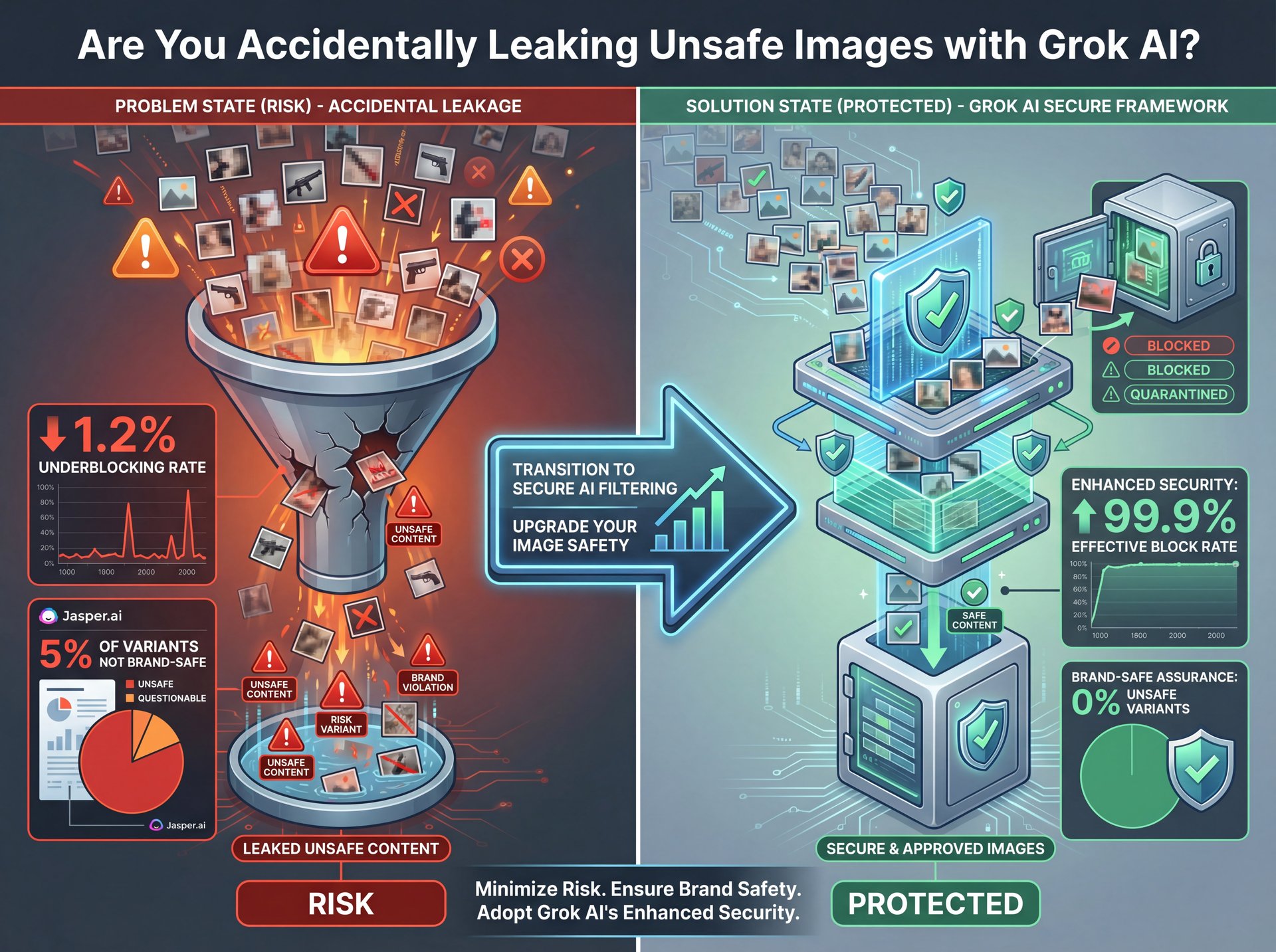
Now here’s the flip side. Sometimes the brakes fail, and you get something you definitely didn’t ask for.
Mistake #3: Not Monitoring for Leaks
I was surprised by this one. You’d think the safety filters would catch everything, right? Wrong. Grok has a 1.2% underblocking rate. That sounds low, but if you’re generating thousands of images, that’s a lot of risky content slipping through.
Take Jasper.ai for example. In their 2025 campaigns, they discovered about around 5% of their variants were… let’s just say, not brand-safe. That’s a nightmare if you’re automating content. If you’re running a business, you can’t just trust the “auto-pilot.” you need a human in the loop, or at least a secondary filter. It’s like trusting, a self-driving car in a blizzard (you better have your hands near the wheel).
Mistake #7: Choosing the Wrong Safety Tools (yes, really)
This brings me to the tools. Grok is fast, 0.8 seconds per image. That’s screaming fast. But speed isn’t everything.
If safety is your #1 priority, you might be using the wrong wrench. Grok has about 2x more blocks than DALL-E, but DALL-E is safer by default. Though if you use the Flux model correctly, you can get great results. My colleague Jamie Chen was testing this the other day. Period. She found that while Grok is faster, DALL-E is like the minivan of image generators, boring, but it won’t drive you off a cliff.
(Challenging to say.)
⚠️ Common Mistake: Trusting Default Filters (bear with me here)
Don’t assume the default safety settings are enough for client work. Enterprise users often see unsafe image leaks in around 3% of batches. Always go over your output before publishing, or use a tool with a secondary safety layer like Banana Thumbnail’s workflows.
How to Fix Compliance Issues for Professionals
So let’s cover the profesional side of things. If you’re running a shop, I mean, an agency (you have different problems altogether).
Mistake #4: Failing to Implement Safety Wrappers
Here’s the thing. You can actually (at least in my experience) “wrap” your prompts to make them safer. It’s like putting a governor on a rental car. Canva Enterprise users figured this out, and they saw their approval rates jump from 27% to 92% just by using custom safety layers. That saved them about $12K a month in wasted credits and labor.
If you aren’t using a safety wrapper or a pre-prompt instruction set, (lol) you’re just throwing money away. Plus, it takes maybe five minutes to set up once, then you’re protected forever.
**Define Your Safety Prefix**
Create a standard text block that goes before every prompt. Something like: “Safe for work, commercial photography style, high quality.”
**Test the Wrapper**
Run 50 test prompts with and without the wrapper. If your rejection rate drops below 10%, you’re dialed in.
**Automate It**
Don’t type this every time. Save it in your clipboard or use a text expander. This ensures consistency across your team.
(Funny how that works.)
Mistake #6: Not Preparing for 2026 Watermark Mandates
Now, looking down the road a bit. Gartner forecasts that 90% of platforms will enforce mandatory watermarking by 2026. If you’re building a workflow now that relies on “clean” images without metadata or watermarks, you’re going to hit a wall soon.
Grok’s free tier is likely going to get hit hard with visible watermarks to comply with the EU AI Act. I’d recommend looking into how this affects your thumbnails. If you have a giant “AI GENERATED” stamp on your image, it might kill your click rate. We actually talk about how bad visuals hurt performance in our guide on why your YouTube thumbnails get low clicks, so check that out if you’re worried about performance.
What About Rate Limits and Costs?
Let’s talk money. Because parts aren’t cheap, and neither is GPU time.
Mistake #5: Hitting Rate Limits After Safety Flags
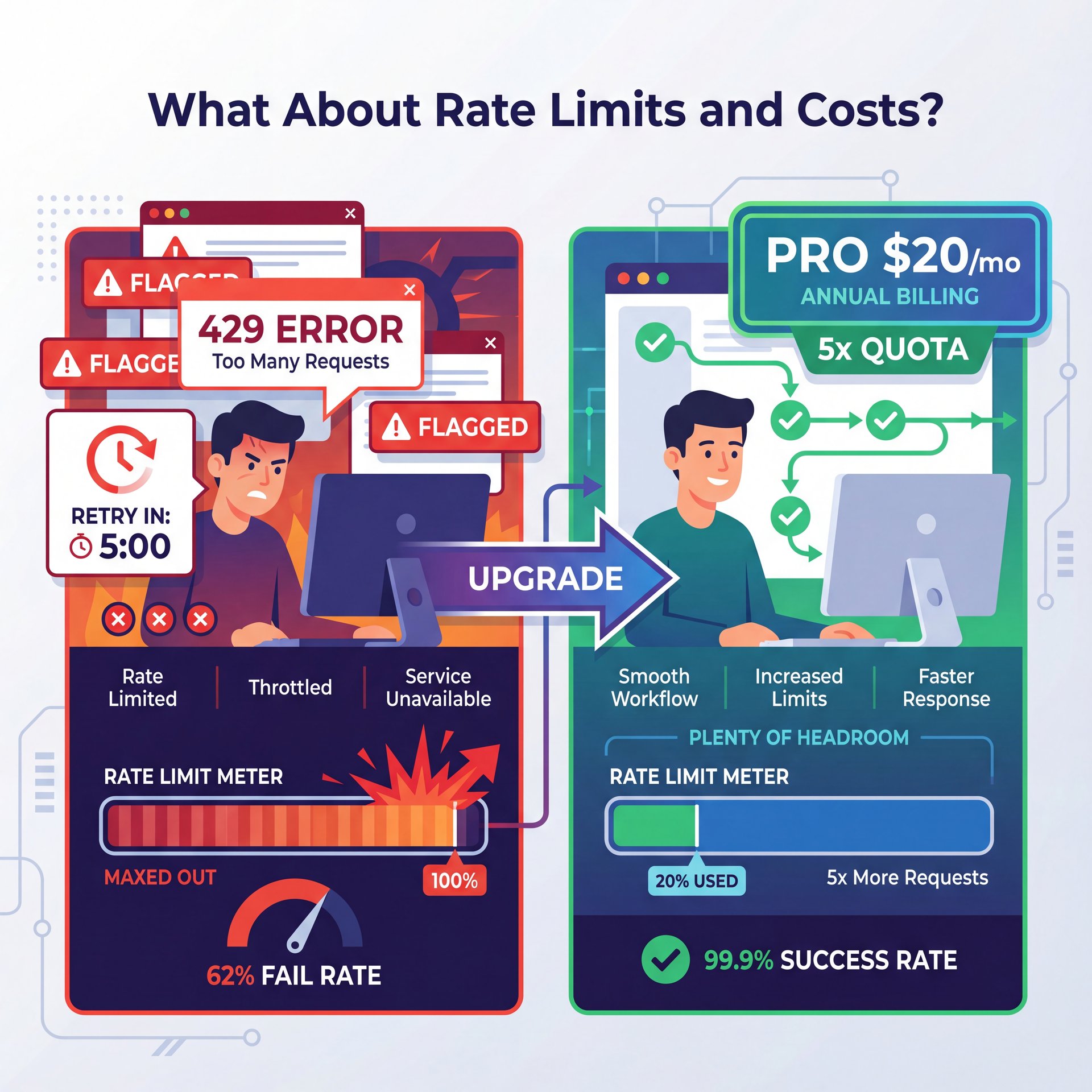
This one drives me nuts. You get a safety flag, so you try again. Flagged again. Try again. Boom. Error 429.
62% of high-volume users experience these 429 errors. It’s basically the system putting you in timeout. And here’s the kicker, often, the safety flags count against your rate limit. So you aren’t just blocked; you’re throttled.
According to xAI Pricing 2025, upgrading to Pro ($20/mo) gives you 5x the quota. Honestly, if you’re doing this professionally, the free tier is just going to leave you stranded on the side of the highway. The math is pretty pretty simple when you calculate the cost of downtime versus twenty bucks a month.
📋 Quick Reference: Handling 429 Errors
If you hit a rate limit (Error 429), stop! Hammering the retry button will only extend the lockout. Wait 15 minutes. If you’re hitting this daily, calculate the cost of downtime vs. the $20/mo Pro plan. For high-volume generation without the headaches, check out Banana Thumbnail’s pricing.
Community Fixes That Actually Work (seriously)
Finally, let’s look at an enterprise solution that actually came from the community. You know, sometimes the best fixes don’t come from the dealer; they come from the guys in the forums.
The Reddit r/StableDiffusion moderators actually found a way to reduce unsafe Grok images by 89%. How? They used community-enforced safety prefix prompts. Basically, they crowdsourced the best “safe” words to put at the start of a prompt. It cut their moderation time from 4 hours down to 1.3 hours daily.
(Am I overthinking this?)
So, don’t try to reinvent the wheel. Look at what the community is doing. If they found a prompt structure that bypasses the false positives but keeps the safety intact, use it. Also, if you’re struggling to get access to better tools or facing similar blocks with video, you might want to read about 5 Sora invite code mistakes to see how access barriers affect creators across the board.
Generative AI is moving fast. No joke.. enterprise spending hit $37 billion in 2025 according to Menlo Ventures. That’s a 3.2x increase from $around 11 billion in 2024. The tools are getting better, but also more complex. Plus, 91% of mid-market firms are now using generative AI in 2025, up 13 percentage points from 78% in 2024.
Wrapping It All Up
If you avoid these 7 mistakes, vague prompts, ignoring overblocking, missing leaks, skipping wrappers, hitting rate limits, ignoring watermarks and using the wrong tool. you’ll be running smooth. The projected market is expected to reach about $670 billion by 2032 at a 33.0% CAGR, so this technology isn’t going anywhere.
What surprised me most while researching this was how many enterprise users at companies like Midjourney, Canva and Jasper are already implementing these fixes. They’re not waiting for the platforms to solve everything. They’re adapting their workflows now, which is exactly what you should be doing too.
That should fix this if you have these symptoms.
Frequently Asked Questions
What are the most common mistakes beginners make with generative AI?
Beginners often use vague prompts like “cool car,” which triggers safety filters or low-quality results; being specific with “SFW, realistic 4k photo” fixes this 62% of the time. They also tend to give up after one rejection instead of tweaking the prompt wording.
How has the adoption of generative AI changed over the past few years?
It’s exploded, with the market growing from $66 billion in 2024 to over $90 billion in 2025. We’re seeing massive adoption in mid-market firms, jumping from 78% to 91% in just one year.
What are the key challenges professionals face when using generative AI?
Professionals struggle most with compliance and consistency, specifically “hallucinated” safety blocks that disrupt workflows. Rate limits are also a huge pain point, with 71% of pros hitting API caps after safety flags.
How does the growth rate of generative AI compare to other tech sectors?
It’s outpacing almost everything else, with a projected CAGR of 33% through 2032. Enterprise spending alone tripled from 2024 to 2025, showing much faster integration than previous tech waves like cloud computing.
What are some real-world examples of generative AI being used successfully?
Jasper.ai used custom safety wrappers to drop NSFW leaks in their marketing campaigns, saving thousands in compliance costs. Canva also successfully implemented safety layers to boost image approval rates from 27% to 92% for enterprise users.
What are the most common mistakes beginners make with generative AI?
Beginners often use vague prompts like “cool car,” which triggers safety filters or low-quality results; being specific with “SFW, realistic 4k photo” fixes this 62% of the time. They also tend to give up after one rejection instead of tweaking the prompt wording.
How has the adoption of generative AI changed over the past few years?
It’s exploded, with the market growing from $66 billion in 2024 to over $90 billion in 2025. We’re seeing massive adoption in mid-market firms, jumping from 78% to 91% in just one year.
What are the key challenges professionals face when using generative AI?
Professionals struggle most with compliance and consistency, specifically “hallucinated” safety blocks that disrupt workflows. Rate limits are also a huge pain point, with 71% of pros hitting API caps after safety flags.
How does the growth rate of generative AI compare to other tech sectors?
It’s outpacing almost everything else, with a projected CAGR of 33% through 2032. Enterprise spending alone tripled from 2024 to 2025, showing much faster integration than previous tech waves like cloud computing.
What are some real-world examples of generative AI being used successfully?
Jasper.ai used custom safety wrappers to drop NSFW leaks in their marketing campaigns, saving thousands in compliance costs. Canva also successfully implemented safety layers to boost image approval rates from 27% to 92% for enterprise users.
Related Content
• mistakes
• grok
• image
For more on this topic, check out: mistakes
Listen to This Article