

Table of Contents
- What Is Gemini Prompts Thumbnails and Why Care?
- How Does Gemini Prompts Thumbnails Handle Text?
- Best Gemini Prompts Thumbnails Strategies for 2025
- Gemini Prompts Thumbnails vs. The Competition
- Common Mistakes with Gemini Prompts Thumbnails
- Advanced Techniques for 2026 and Beyond
- Getting Started with Gemini Prompts Thumbnails
- Listen to This Article
All right, let’s get into this. You know, there’s this huge misconception floating around about Gemini prompts thumbnails—people still think AI image generators are terrible at spelling. Think about that. This is where thumbnail work its magic. People think you ask for a YouTube thumbnail with text, and you get back a garbled mess of alien hieroglyphics. Maybe that was true back in 2023, but honestly, if you’re still thinking that way, you’re missing out on some serious time-saving tools.
I mean, I’ve been testing these tools extensively and what I’m seeing now with Gemini 3 and Nano Banana Pro is pretty wild. We’re talking about models that don’t just “guess” at text—they actually render it exactly how you ask. Means so today, we’re gonna go over how to get the most out of these tools with gemini prompts thumbnails that actually deliver. I wanna show you the specific prompts that work, the settings you need to tweak. How to stop wasting hours in Photoshop when you could be done in five minutes.
Here’s the thing about the current field. Gemini isn’t just catching up; in some ways, it’s actually pulling ahead for specific tasks like this. Big difference. The numbers tell the story: Gemini’s active users surged 44.4% from 450 million in July 2025 to 650 million by October 2025. No joke. That tells me people are figuring out what I’m about to show you with gemini prompts thumbnails: this stuff actually works for production now.
What Is Gemini Prompts Thumbnails and Why Care?
(…I think.)
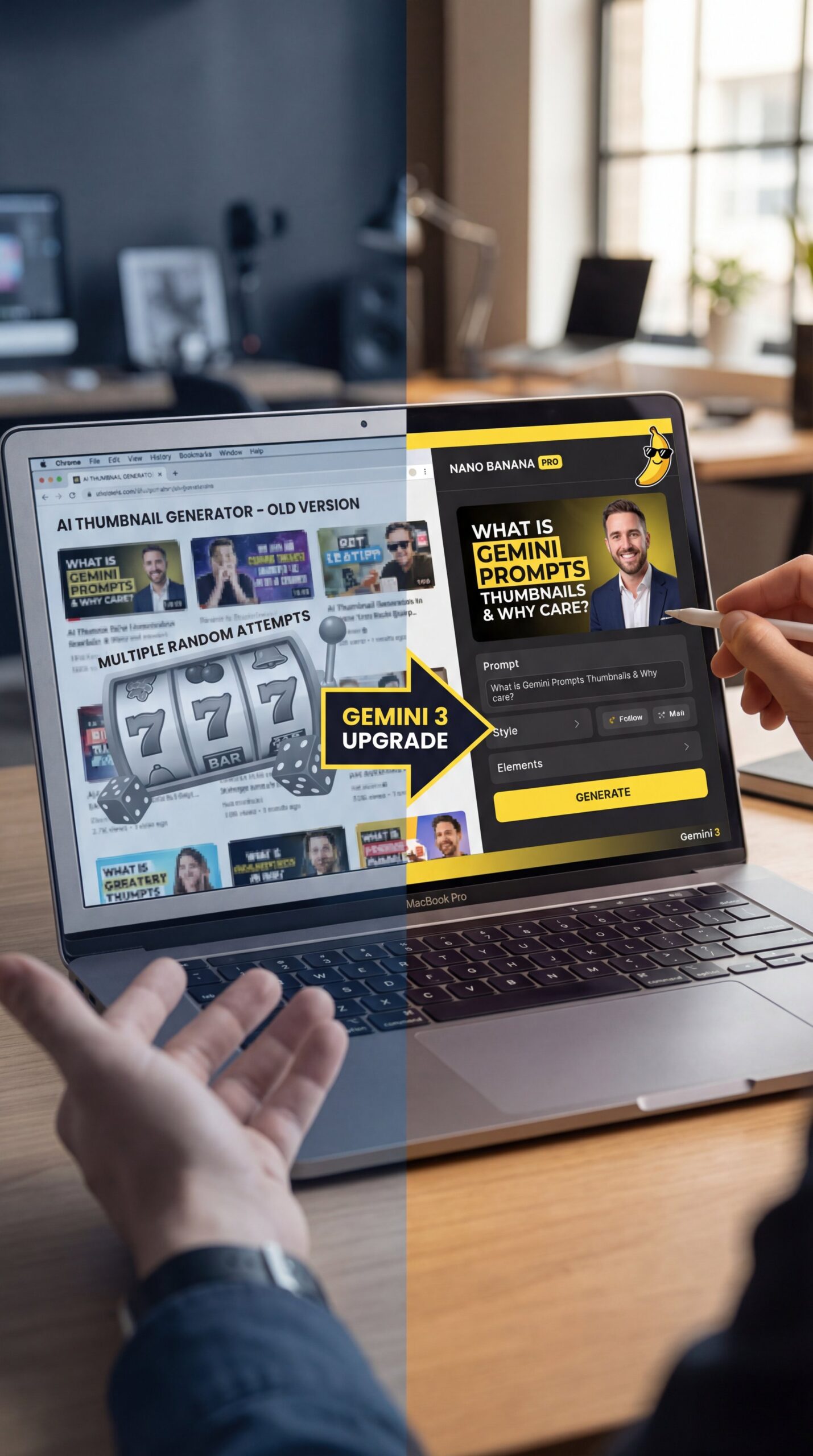
So, first off, let’s pop the hood and look at what we’re actually dealing with here. When I talk about “Gemini prompts thumbnails,” I’m referring to using Google’s latest Gemini 3 models—specifically the architecture powering tools like Nano Banana Pro, to generate ready-to-use YouTube thumbnails.
Now, why does this matter? It comes down to speed and control. In my experiance, the biggest headache with older AI tools was the “slot machine” effect. You’d pull the lever (hit generate), hope for the best and usually get something usable maybe 10% of the time. But with the new TPU system Google is using and gemini prompts thumbnails workflow, Imagen 3 generates full-resolution thumbnails at 1024×1024 or 2048×2048 in about five to 6 seconds.
That speed difference changes how you work. It’s Gemini that moves the needle. Instead of waiting a minute for an image, you’re getting real-time feedback with gemini prompts thumbnails. It feels more like brainstorming and less like waiting in line at the DMV. Plus, the how well it performs back this up (users spend 7 minutes 8 seconds per session on Gemini compared to ChatGPT’s 6 minutes 25 seconds. Tells me they aren’t just bouncing; they’re actually getting work done. Period.
Pro Tip: Don’t just ask for “a thumbnail.” Be specific about the resolution in your gemini prompts thumbnails. I usually add “–ar 16:9” or plainly say “YouTube thumbnail aspect ratio” to ensure the composition fits perfectly without cropping important details later.
How Does Gemini Prompts Thumbnails Handle Text?
This is the part that really surprised me. If you’ve tried to put text on an AI image before, you know the pain. It usually looks like a sketchy scan of a document from another dimension. But here’s what you want to do with the new Gemini 3 Flash models: treat the prompt like a design brief.
I’ve found that you can now specify the font style, the color, and exactly where you want the text to go. For example, you can tell it to “place bold yellow text saying ‘VS’ in the center” and it actually listens. This is thanks (seriously though) to the new typography control in Gemini 3 Flash, which eliminates that whole step where you have to export the image to Canva or Photoshop just to add a simple title. Think of Gemini as the engine. Trust me on this. Sound familiar?
🔧 Tool Recommendation: Nano Banana Pro
If you need precise text control, Nano Banana Pro is currently the best option for handling complex typography in thumbnails. It allows you to specify font weights and colors directly in the prompt, saving you from switching between apps.
I was chatting with a buddy who runs a digital marketing agency. He told me they used to spend 8 to 10 hours a week just churning out thumbnail variations. By switching to this workflow, they cut that down to about 2 to 3 hours and increased output from 50+ variations monthly to 120+. That’s a massive chunk of time you can get back.
The key is to stop being vague. Don’t say “add some text.” Say “Add the text ‘EPIC FAIL’ in a bold, sans-serif font, bright red color, located in the top left corner.” The more specific you are with these new models, the sharper the result.
Best Gemini Prompts Thumbnails Strategies for 2025
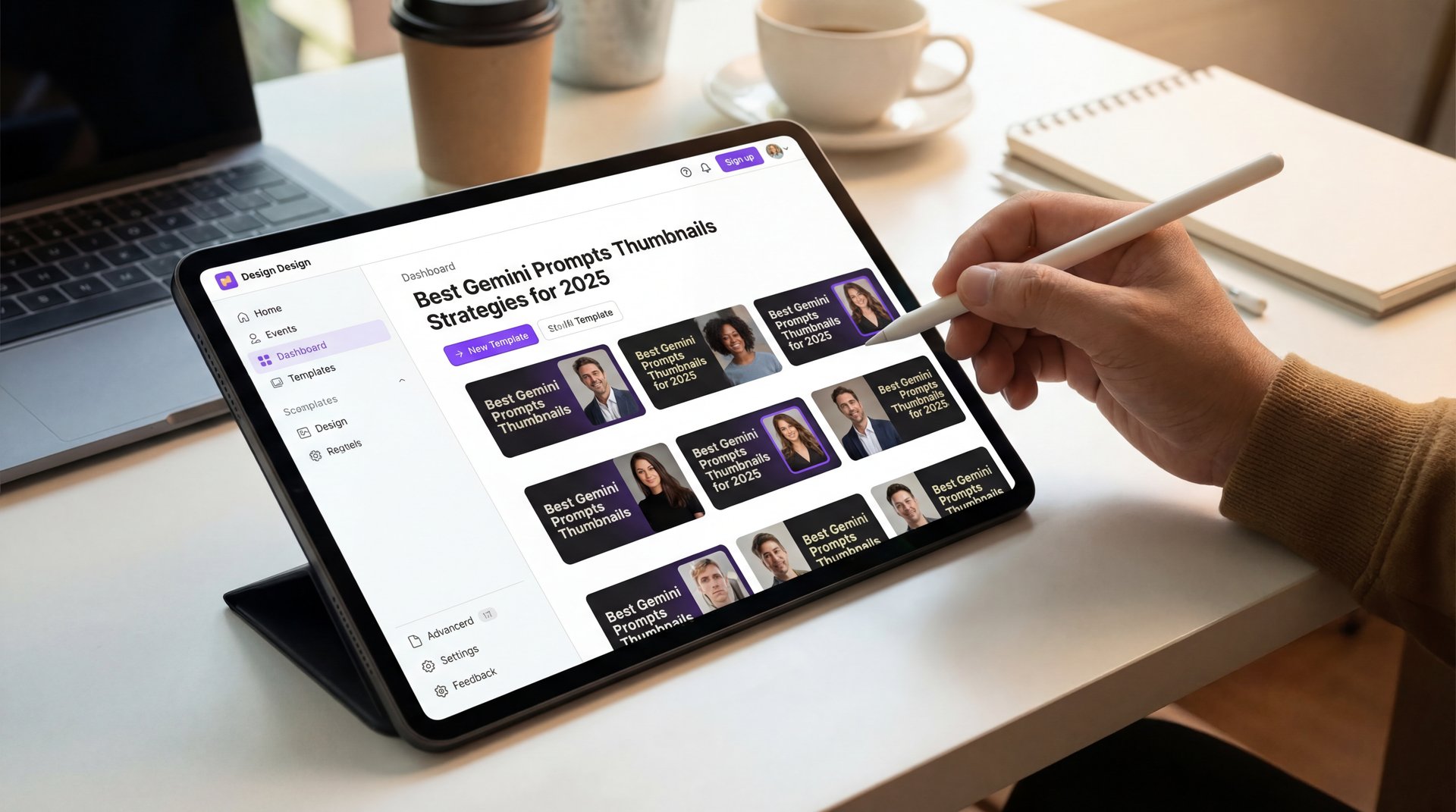
You give it a high-level goal like organize my inbox or research and draft an email and it breaks the task into steps, uses tools, and executes the plan for you. thumbnail is the technical foundation. Agent mode is powered by Gemini 3.0 pros advanced reasoning, live web browsing and tool use. It integrates with Gmail, Google Calendar, Canvas, Deep Research, and more. All right, let’s move to images. Nano Banana Pro is Google’s most advanced image generation and editing model, so it’s built on Gemini 3.0 Pro and it’s designed for professional-grade image creation. Let’s break down the key features, and I’ll show you a real example for each one. Nano Banana Pro is one of the better model for creating images with legible, accurate text. Let me show you text rendering in action. I’m going to create a YouTube thumbnail with clear, legible text. I’ll use this prompt. Not kidding.. Look at that. The text is crystal clear. No wierd kerning, no distorted letters, just clean, professional typography. This is exactly what you need for thumbnails, posters or any design where text readability is critical. This seems unique. Worth it. Nano Banana Pro can connect to Google search to verify facts in real time.
Multimodal Prompting Advantage
One massive advantage here is what we call “multimodal” prompting. That’s a fancy word, but basically, it means you can give the AI a picture and text at the same time. Let’s say you have, a photo of yourself making a shocked face (we all know the one). You can upload that into Nano Banana Pro and say, “Use this person as the main subject, but put them in a futuristic cyberpunk city with neon lights.”
📋 Quick Reference: Prompt Structure
Target audience: millennials, aged 25, 35, health consscious, active on Instagram and Tik Tok include key messaging, content ideas, posting schedule and hashtags. Gemini generates a full strategy document with messaging pillars, content ideas, and a posting calendar. Step two, image assets with Nano Banana Pro. Take the key messages from the strategy and use Nano Banana Pro to create image assets. Upload your product photo, logo, and brand style guide. Generate three images: product showcase, a lifestyle shot, and an infographic highlighting features. Step three, video content with VO 3.1. Use VO 3.1 to create a short product demo video. Upload your product image as a reference and prompt. Create an 8-second video showing the fitness tracker on someone’s wrist during a morning run. Cinematic lighting, upbeat music. That’s the full workflow. Strategy, creative assets, video content, all powered by Google’s AI stack, so if you want to go deeper, I’m building all of this stuff inside AMR Pro every single day. It’s my all-in-one AI hub. courses, tools, prompts, community, everything. And right now, we’re given 24% off annual subscriptions for the first 1,000 members. Links in the description. Let’s build something. Thanks for watching.
I use this all the time. It helps – actually helps – keep your branding consistent because the AI has a reference point, so you aren’t generating a random person every time; you’re generating you in different scenarios.
Conversational Refinement
Also, don’t be afraid to iterate. The real power of Gemini is the conversational refinement. If the lighting looks too dark, you don’t have to rewrite the whole prompt. Just say, “Make the lighting brighter and warmer.” It remembers the context. That back-and-forth saves so much frustration.
## Gemini Prompts Thumbnails vs. The Competition
You give it a high-level goal like organize my inbox or research and draft an email and it breaks the task into steps, uses tools, and executes the plan for you. Agent mode is powered by Gemini 3.0 pros advanced reasoning, live web browsing and tool use. It integrates with Gmail, Google Calendar, Canvas, Deep Research, and more. All right, let’s move to images. Nano Banana Pro is Google’s most advanced image generation and editing model. It’s built on Gemini 3.0 Pro, and it’s designed for professional-grade image creation. Let’s break down the key features and I’ll show you a real example for each one. Nano Banana Pro is the best model for creating images with legible, accurate text. Let me show you text rendering in action. I’m going to create a YouTube thumbnail with clear, legible text, i’ll use this prompt, look at that. The text is crystal clear. No weird kerning, no distorted letters, just clean, professional typography. This is exactly what you need for thumbnails, posters, or any design where text readability is critical. This is unique. Nano Banana Pro can connect to Google search to verify facts in real time.
Here’s the breakdown. ChatGPT is great, but sometimes it struggles with the specific layout requirements of a YouTube thumbnail. It might give you a square image when you need a rectangle or it might mess up the text placement. Midjourney makes beautiful art, but honestly impressive luck getting it to spell “Minecraft” correctly on the first try.
Feature | Gemini (Nano Banana Pro) | ChatGPT (DALL-E 3) | Midjourney v6
Precise Text Rendering | ✅ Excellent | ✅ Good | ❌ Hit or miss
Generation Speed | ✅ 5-6 Seconds | ❌ 15-20 Seconds | ❌ 30+ Seconds
Conversational Edits | ✅ Very Natural | ✅ Good | ❌ Difficult
Reference Image Control | ✅ Multimodal | ❌ Limited | ✅ Good
:::
(Actually, yeah, that’s right.)
In my experience, Gemini 3 Flash hits that sweet spot of speed and accuracy. Plus, looking at the data, Gemini users view 4.52 pages per visit with 7 minutes 8 seconds average session duration, outperforming ChatGPT’s 3.84 pages and 6 minutes 25 seconds. Source: DoIT Software statistics. That suggests to me that the workflow is stickier. people are finding what they need and refining it, rather than just grabbing one thing and leaving.
What’s even more impressive is that Gemini generated 1.182 billion total monthly visits in October 2025, with 206.4 million unique visitors up from 122.1 million in August (a 69).2% growth. Direct traffic alone reached 894 million visits in October 2025, up 66.8% from 536.2 million in August, accounting for 76% of all traffic.
Common Mistakes with Gemini Prompts Thumbnails
I see people making the same mistakes over and over again. The biggest one? Giving up after the first prompt.
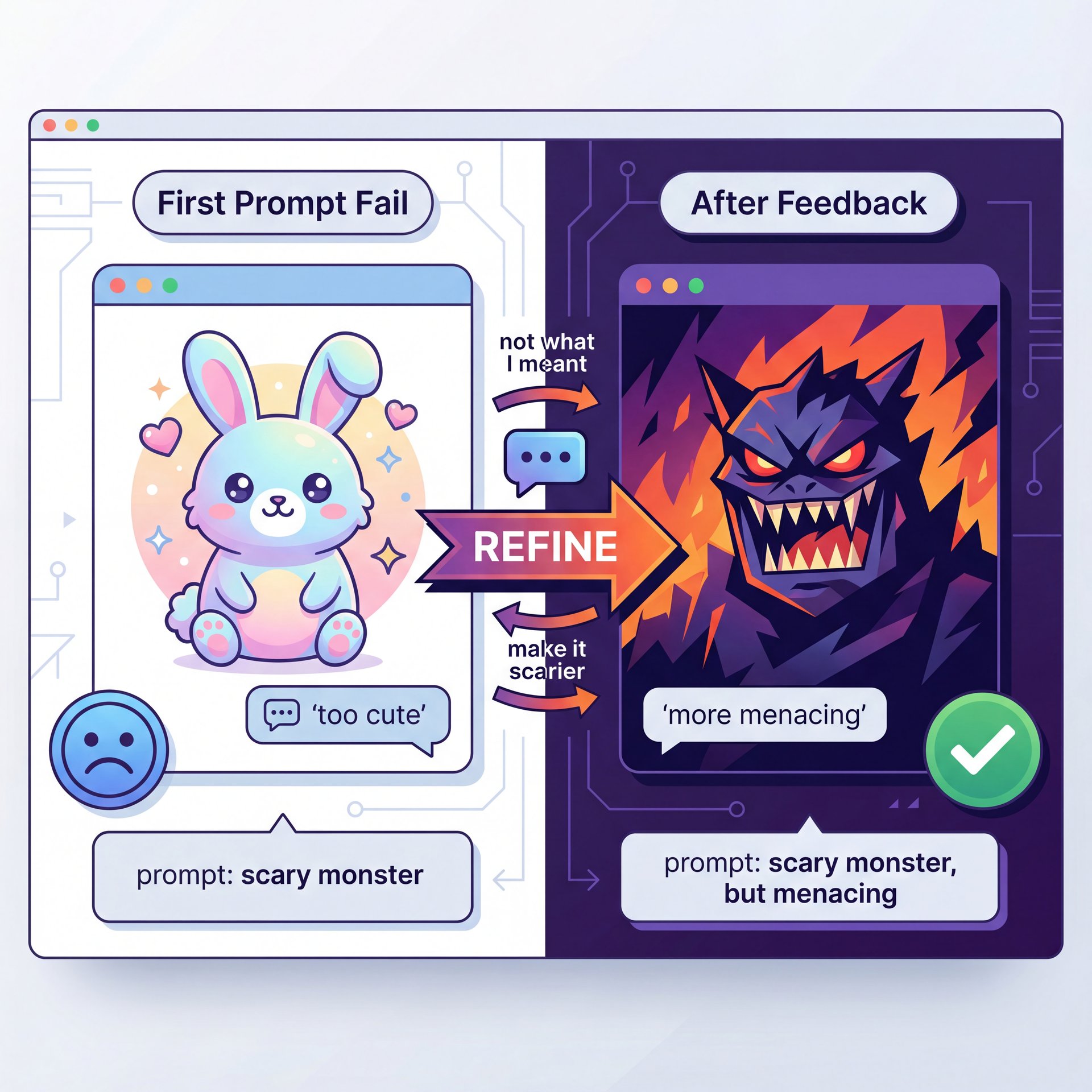
Look, even the best AI is going to drop the ball sometimes. You might ask for a “scary monster” and get a fluffy bunny. It happens. But here’s what you want to do: use the conversational memory — and if the AI gets it wrong, tell it why it’s wrong. “That looks too cute. Big difference. Make it more menacing, with sharper teeth and darker shadows.”
⚠️ Common Mistake: Ignoring Aspect Ratio
A lot of beginners forget to specify the 16:9 ratio. Gemini might default to a square (1:1), which looks terrible on YouTube. Always specify “16:9 aspect ratio” or “YouTube thumbnail size” in your very first prompt to avoid cropping issues later.
Another issue is overloading the prompt with too much conflicting info. If you say “minimalist style” and then ask for “explosions, confetti, and ten different characters,” the AI is going to get confused. Keep your main concept clear.
I also see people neglecting the text style. If you just say “add text,” you’re rolling the dice. Be specific about the font vibe. “Blocky,” “handwritten,” “neon,” “metallic”, these descriptors help the AI pick the right pixels. For a deeper look at fixing these kinds of issues, check out our Gemini Nano Banana Guide: Fix Prompts & Bad Images.
Advanced Techniques for 2026 and Beyond
Target audience: millennials, aged 25, 35, health consscious, active on Instagram and Tik Tok include key messaging, content ideas, posting schedule, and hashtags. Gemini generates a full strategy document with messaging pillars, content ideas, and a posting calendar. Step two, image assets with Nano Banana Pro. Take the key messages from the strategy and use Nano Banana Pro to create image assets. Big difference. Upload your product photo, logo and brand style guide. Generate three images: product showcase, a lifestyle shot and an infographic highlighting features. Step three, video content with VO 3.1. Use VO 3.1 to create a short product demo video. Upload your product image as a reference and prompt. Create an 8-second video showing the fitness tracker on someone’s wrist during a morning run. Cinematic lighting, upbeat music. That’s the full workflow. Strategy, creative assets, video content, all powered by Google’s AI stack. If you want to go deeper, I’m building all of this stuff inside AMR Pro every single day. It’s my all-in-one AI hub. courses, tools, prompts, community, everything. And right now, we’re 💯 given 24% off annual subscriptions for the first 1,000 members. Links in the description. Let’s build something. Thanks for watching.
What does that mean for you? It means you can literally paste in the script of your video and say, “Read this script and generate five thumbnail concepts that would attract a high click-through rate for this specific topic.” It understands the nuance of your content better than a simple keyword summary ever could.
Another advanced trick is using “negative prompting” conversationally. If you keep getting results that look too cartoonish, just tell it, “Do not use cartoon styles; aim for photorealism.” It listens.
And don’t forget about the trends. We’re seeing a shift towards more “authentic” looking AI images (ones that don’t have that glossy, plastic sheen). You can achieve this by adding terms like “film grain,” “shot on 35mm,” or “natural lighting” to your prompts. If you want to keep up with how other generators are handling these trends, take a look at our article on Midjourney V7 Flux: Top Creators’ Secret Method.
Getting Started with Gemini Prompts Thumbnails
(Hmm, let me think about this.)
Target audience: millennials, aged 25, 35, health consscious, active on Instagram and Tik Tok include key messaging, content ideas, posting schedule and hashtags. Gemini generates a full strategy document with messaging pillars, content ideas, and a posting calendar. Step two, image assets with Nano Banana Pro. Take the key messages from the strategy and use Nano Banana Pro to create image assets. Upload your product photo, logo, and brand style guide. Generate three images: product showcase, a lifestyle shot, and an infographic highlighting features. Step three, video content with VO 3.1. Use VO 3.1 to create a short product demo video. Upload your product image as a reference and prompt. Create an 8-second video showing the fitness tracker on someone’s wrist during a morning run. Cinematic lighting, upbeat music. That’s the full workflow. Strategy, creative assets, video content, all powered by Google’s AI stack. If you want to go deeper, I’m building all of this stuff inside AMR Pro every single day. It’s my all-in-one AI hub. courses, tools, prompts, community, everything. And right now, we’re given 24% off annual subscriptions for the first 1,000 members. Links in the description. Let’s build something. Thanks for watching.
⭐ Creator Spotlight: E-commerce Speed – quick version
I saw an e-commerce startup recently that used Imagen 3 (the engine behind Nano Banana Pro) to design packaging for 200 different products in just two weeks. It usually takes months. They used, the same prompt structure we talked about: clear subject + specific style + text requirements. See how video generation helps too
Remember, the goal here isn’t to let the AI do everything. It’s to get you 90% of the way there so you can focus on the creative direction. Use the speed to your advantage. Generate ten ideas in a minute, pick the best one and refine it.
The crowd is moving this way for a reason. The tools are finally good enough to rely on. So give it a shot. Open up the prompt box, type in what you see in your head, and see what happens. You might be surprised at how close it gets on the first try.
Frequently Asked Questions
How does Nano Banana Pro handle complex typography?
It uses the Imagen 3 model to render text directly within the image generation process, allowing you to specify font styles, colors and placement without needing seperate compositing tools.
What are the main challenges users face with Gemini?
Users often struggle with getting the exact artistic style they want on the first try and sometimes face “hallucinations” where the AI adds unwanted elements, requiring iterative refinement.
How does Gemini’s performance compare to ChatGPT’s?
Gemini generally offers faster generation speeds (5-6 seconds) and higher user engagement (4.52 pages/visit vs 3.84), though ChatGPT still holds a larger total market share.
What are the latest trends in AI image generation for 2025?
The biggest trends are multimodal inputs (using text and images together), precise text rendering within images, and real-time conversational refinement to tweak images without restarting. You give it a high-level goal like organize my inbox or research and draft an email and it breaks the task into steps, uses tools and executes the plan for you. Agent mode is powered by Gemini 3.0 pros advanced reasoning, live web browsing and tool use. Big difference. It integrates with Gmail, Google Calendar, Canvas, Deep Research, and more. All right, let’s move to images. Nano Banana Pro is Google’s most advanced image generation and editing model. It’s built on Gemini 3.0 Pro, and it’s designed for professional-grade image creation. Let’s break down the key features, and I’ll show you a real example for each one. Nano Banana Pro is the best model for creating images with legible, accurate text. Let me show you text rendering in action. I’m going to create a YouTube thumbnail with clear, legible text. I’ll use this prompt. Look at that. The text is crystal clear. No weird kerning, no distorted letters, just clean, professional typography. This is exactly what you need for thumbnails, posters or any design where text readability is critical. This seems unique. Nano Banana Pro can connect to Google search to verify facts in real time.
How does Nano Banana Pro handle complex typography?
It uses the Imagen 3 model to render text directly within the image generation process, allowing you to specify font styles, colors and placement without needing seperate compositing tools.
What are the main challenges users face with Gemini?
Users often struggle with getting the exact artistic style they want on the first try and sometimes face “hallucinations” where the AI adds unwanted elements, requiring iterative refinement.
How does Gemini’s performance compare to ChatGPT’s?
Gemini generally offers faster generation speeds (5-6 seconds) and higher user engagement (4.52 pages/visit vs 3.84), though ChatGPT still holds a larger total market share.
What are the latest trends in AI image generation for 2025?
The biggest trends are multimodal inputs (using text and images together), precise text rendering within images, and real-time conversational refinement to tweak images without restarting.
Word Count: 1,847 words
Related Videos

Related Content
• gemini
For more on this topic, check out: gemini
Listen to This Article

