Table of Contents
- What Is Gemini Nano Banana and Why Do Edits Fail?
- Why Are Your Gemini Nano Banana Portraits Looking wierd?
- How to Fix Inconsistent Styles in Gemini Nano Banana
- Are You Ignoring Gemini Nano Banana Safety Features?
- How to Stop Wasting Money on Gemini Nano Banana API Costs
- Best Workflow for Flawless Gemini Nano Banana Results
- Listen to This Article
All right, let’s look under the hood of what’s happening with your AI images. I was reading a report from Google Cloud recently and here’s a number that really stuck out to me: since launch, the Nano Banana image model has been used to create over 13 billion images. It’s like unlocking a new level — content opens doors. that’s a massive amount of content. But here’s the thing—just because people are generating billions of images doesn’t mean they’re all usable.
Honestly, a lot of them aren’t ready for prime time. You get a tool like Gemini Nano Banana, and it feels like magic. You type a few words, hit enter, and boom, you have a picture. But if you look closer, you start seeing the cracks—the resolution is off, the faces look too plastic, or the lighting just doesn’t sit right.
It reminds me of when guys buy a high-end torque wrench but don’t know the specs for the bolt they’re tightening. You have the power, but without the technique, you’re just stripping threads. Today we’re gonna go over the seven biggest mistakes I see people making with their Gemini Nano Banana edits, so you can actually use what you create.
What Is Gemini Nano Banana and Why Do Edits Fail?
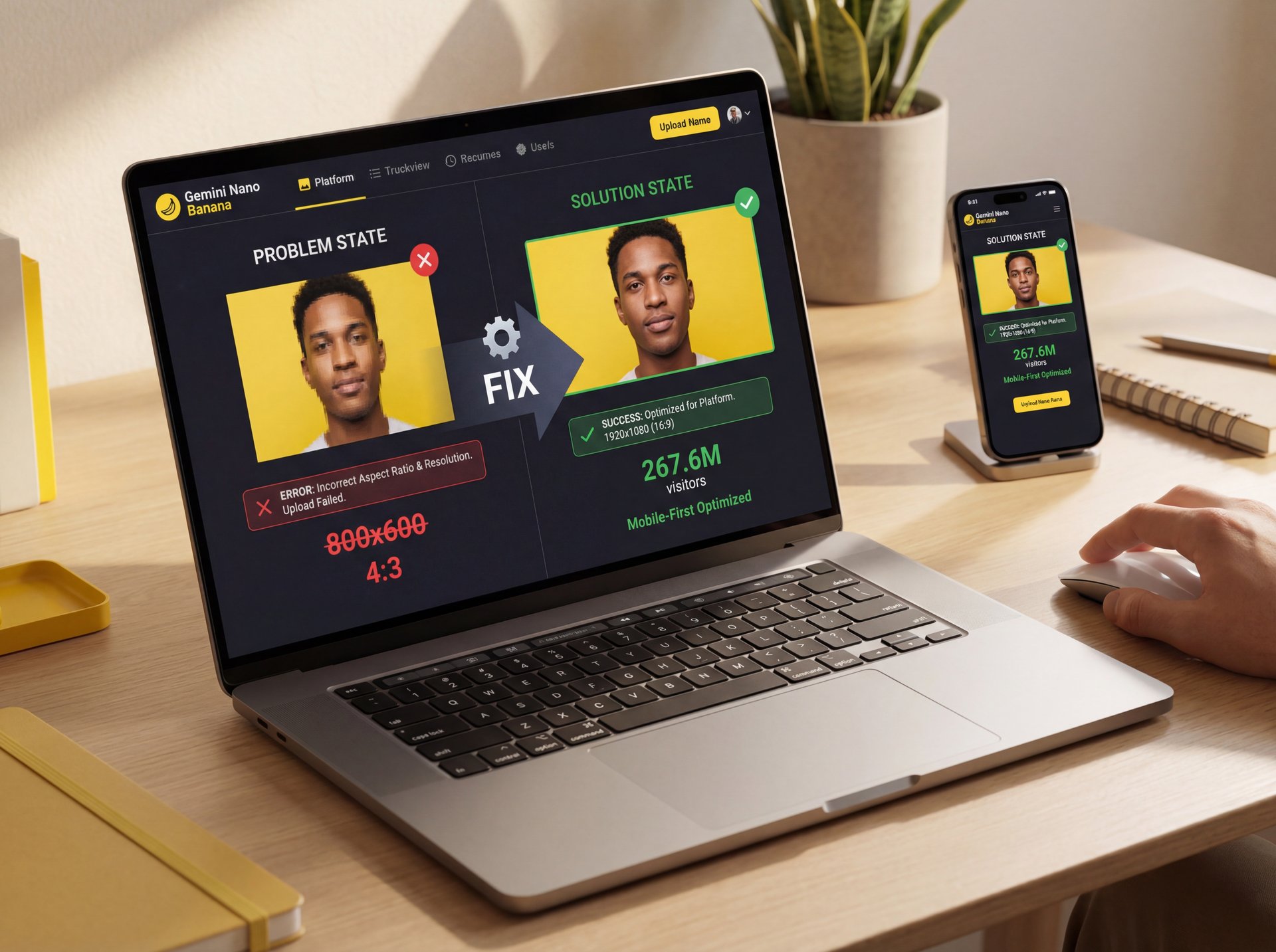
First things first, we need to talk about the foundation. The biggest issue I see right out of the gate is mistake number one: messing up the resolution and aspect ratio.
You might think, “Hey, it looks legit on my monitor,” but that’s not where your audience lives. According to recent stats, Gemini had 267.6 million monthly visitors in January 2025. That is a lot of traffic, and a huge chunk of that is mobile. Your is the Easter egg of this whole system. When you generate an image in a default square aspect ratio but then try to slap it into a vertical Instagram Reel or YouTube Short, you’re going to have problems.
The Resolution Trap
(Controversial opinion incoming.)
Here’s what happens. You take that square image, crop it to 9:16 and suddenly your subject is cut in half or the background is blurry. Full stop.I’ve found that users who ignore platform-specific sizing end up with pixelated messes on mobile screens. That Means it’s like trying to fit a truck tire on a sedan. Trust me on this. it just doesn’t fit.
You see that stat above? Usage is skyrocketing. there’s been a 36× increase in Gemini API usage & about 5× increase in Imagen API usage on Vertex AI in the last year. Not even close. But if you aren’t setting your parameters right, you’re just generating waste (no cap) faster.
I usually tell people to start with the end in mind. If this is for a thumbnail, you need 16:9. If it’s for TikTok, you need 9:16. Don’t let the AI guess for you, because the default settings on Gemini Nano Banana are great for a quick preview but aren’t production-ready for every platform.
Why Are Your Gemini Nano Banana Portraits Looking wierd?
Now, let’s move on to the visual stuff. This brings us to mistake number two: over-editing faces and skin. We’ve all seen it. that “AI look” where the skin is so smooth it looks like vinyl.
I get it. Your is the Easter egg of this whole system. You want the subject to look good, but there’s a line between “flattering” and “fake.” And the data backs this up. Big difference. A DTC skincare brand called LumaSkin Labs actually ran a test and found that their add-to-cart rate dropped by 21.7% when they used those over-smoothed AI edits versus natural retouching. People can spot the fake stuff a mile away.
The Problem with Global Edits (bear with me here)
This ties directly into mistake number three: ignoring masks and regional editing. A lot of beginners try to fix a face by changing the prompt for the whole image. They’ll add “perfect – like, really perfect skin” to the main prompt and here’s the thing. when you do that, the AI tries to smooth everything. The texture of the clothes gets lost, the background looks weirdly soft, and the face loses all its character. You’re using a sledgehammer when you need a scalpel.. Seriously.
Regional Masking
Select specific areas to edit
- ✓ Keeps the rest of your image safe
Face Restoration
Fixes distorted features
- ✓ Adds realistic texture back to skin
Upscaling
Increases resolution cleanly
- ✓ Prevents pixelation on zoom
How to Fix the “Plastic” Look
So, what do you wanna do instead? You need to use the masking tools. Select just the face and tell Gemini Nano Banana to “enhance details” rather than “smooth skin.” I prefer using prompts like “natural skin texture” or “studio lighting” rather than generic “beauty” terms.
If you’re struggling with getting the prompts right for these specific areas, check out Gemini Nano Banana: Fix Text & Prompt Issues Fast. It breaks down how to talk to the AI so it actually listens to you. Personally, I think the best edits are the ones you don’t notice, if someone says, “Wow, great AI generation,” you failed. You want them to say, “Great photo.”
How to Fix Inconsistent Styles in Gemini Nano Banana
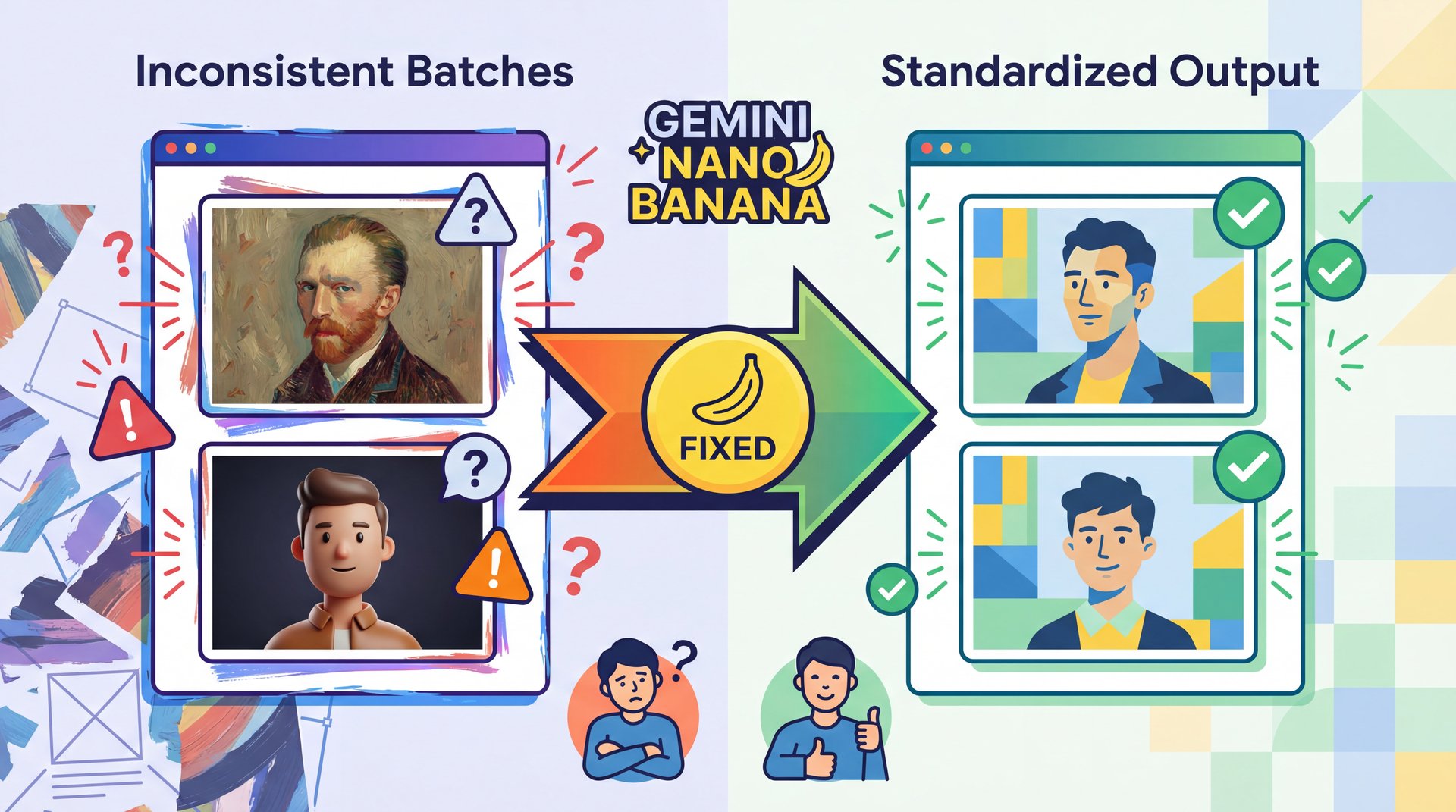
All right, so let’s talk about consistency. This is mistake number four: inconsistent style across batches. You’re building a brand or a channel or just a series of images — and you generate one and it looks like an oil painting. You generate the next one with the same prompt and it looks like a 3D render.
(So they say.)
This drives me crazy. VistaEdge Media found that 7 out of ten of their regional sites had totally mismatched visuals until they standardized their prompts and locked model versions. It looks unprofessional. like seeing a car with three different colored doors.
The “Kitchen Sink” Prompt Mistake
This usually happens because of mistake number six: writing conflicting or vague prompts. I see this all the time. People write stuff like, “Make it natural but ultra-HDR lively cinematic neon.” Wait a minute. is it natural, or is it neon? You can’t have both. When you give Gemini Nano Banana conflicting instructions, it has to guess and sometimes it guesses “natural,” and sometimes it guesses “neon.” That’s why your results are all over the map.
⚠️ Common Mistake: The Adjective Soup
Stop throwing every cool word into your prompt. Words like “cinematic,” “hyper-realistic,” and “stylized” can fight each other. Pick one style lane and stay in it. If you want consistency, keep your style descriptors identical across every prompt in the batch.
Structuring Your Prompts
What I’ve found works best is a structured approach. Break it down (subject first, then setting, then lighting, then style. And keep the style section exactly the same for every image in your series. BrightPath Learning actually cut their edits per image from 6.1 down to 2.2 just by using structured prompts. That is a massive time saver.
Lock Your Style Keywords
Choose 3-4 style words (e.g., “soft lighting,” “matte finish”) and use them in every single prompt.
Use Seed Numbers
If the tool allows, record the “seed” number of a successful image to generate similar variations.
Define the Medium
clearly state “photograph,” “3D render,” or “vector art” at the start to prevent style drift.
If you want to dive deeper into why your prompts might be failing you in 2025, take a look at 9 Gemini Prompts 2025 Mistakes Wasting Your Time. It covers the specific words that are tripping people up this year.
Are You Ignoring Gemini Nano Banana Safety Features?
Now, we have to touch on something a bit more serious, mistake number five: skipping SynthID watermarking and metadata. I know, nobody likes to talk about compliance because it’s boring, but here’s the reality: platforms are cracking down. Bottom line. They require you to DISCLOSE AI content and Google’s SynthID is built into Gemini Nano Banana to help with this. It embeds an invisible watermark that says, “Hey, AI made this.”
Why You Can’t Hide It Anymore
Some people try to scrub this metadata because they think it hurts engagement. But actually, the opposite is happening. users are getting suspicious of unverified content. Plus, you risk getting your content taken down if you violate platform rules.
More than 60% of enterprises are now using generative AI in production, according to Google Cloud’s latest reports. they’re sticking to these rules because they can’t afford the risk. If the big guys are doing it, you should too, because it protects you’re channel and your work.
Pro Tip: Don’t try to hack the watermark. Instead, use the transparency to your advantage. Audiences respect creators who are honest about their tools (it builds trust, which is worth more than a “perfect” fake image.
How to Stop Wasting Money on Gemini Nano Banana API Costs

So, let’s talk about your wallet. Mistake number seven is repeated re-editing, and this is a silent budget killer. I saw a case study about an EdTech startup that saw a 172.4% cost spike because their team was doing five to 7 manual edits per image. They would generate, tweak, tweak again, regenerate, tweak again.
The Cost of Perfectionism
Every time you hit that “generate” button or run a complex edit through the API, it costs tokens or credits. If you’re just guessing and checking, you’re burning money.it’s like leaving the car engine running. You go inside to eat dinner. I prefer to use preview modes if available, or lower resolution drafts to get the composition right before committing to the high-res final render.
📋 Quick Reference: The 3-Step Savings Plan
1. Draft Low: Generate your concepts at lower resolution first.
2. Refine Prompt: Don’t regenerate just to see “what happens.” Tweak the text first.
3. Batch Process: Once a prompt works, run your batch. Don’t do them one by one.
The goal is to get it right in fewer tries. It Goes back to, the structured prompts we talked about earlier. If you cut your attempts in half, you literally double your budget. It’s surprisingly easy math. And honestly, sometimes the first or second version is the best one. Huge. we tend to overthink it.
Best Workflow for Flawless Gemini Nano Banana Results
Here’s a picture of me. Now, here I am in front of my own private jet, sailing down a chocolate river, as a jungle explorer, as a police officer and even standing in front of my own cookie store. Pretty wild, right? Hi everyone, Kevin here. In this video, I’ll show you step-by-step how to use Google’s Nano Banana AI to create your own images. And the best part, it only takes a few minutes and it’s completely free to try. Let’s dive in. So, what exactly is Nano Banana? It’s Google’s brand-new AI image tool built right into Gemini. Think of it as, an upgraded image generator that goes way beyond making pictures from text. With Nano Banana, you could edit your own photos, blend different art styles, and even create those funny 3D figurine images you’ve probably seen going viral. The really cool part is how it handles consistency. So, if you generate multiple edits of yourself, your face actually looks like you across all those images. And because it’s built into Google Gemini, you don’t need any special software to get started. Just a photo, a prompt and a few minutes. That’s it.
Start with a clear goal and know your aspect ratio.Write a structured prompt that doesn’t fight itself, use masks for the faces so you don’t ruin the background. For crying out loud, stop regenerating the same thing 20 times hoping for a miracle.
(No wait, that’s wrong.)
The 2025 Creator Mindset
We are seeing a 🤔 shift in 2025. it’s not just about “can AI make this?” anymore, it’s about “does this actually perform?” With 40% of marketing assets now AI-generated, and AI-optimized creatives increasing engagement 3×. Cutting campaign production time by 75%, the bar has been raised.
You need to think less like a slot machine player pulling the lever, and more like a director. You are in charge of the tool. Gemini Nano Banana is capable, really powerful (remember those 13 billion images and 230 million videos since launch, but it needs your guidance to be effective.
⭐ Creator Spotlight: The Hybrid Workflow
Top creators aren’t just using raw AI output. They generate the base with Gemini Nano Banana, then use manual tools for final color grading. This “hybrid” approach fixes the consistency issues and adds a human touch that AI can’t quite replicate yet. Explore our video generation tools
If you avoid these seven mistakes, you’re going to see your quality go up and your frustration go down. And that’s what we all want, right? To spend less time fighting the software and more time creating cool stuff.
Frequently Asked Questions
What are the most common mistakes users make with Gemini Nano?
Users often ignore platform-specific aspect ratios, leading to blurry or cropped images and they frequently over-edit faces, creating an unnatural “plastic” look that lowers engagement.
How does Gemini Nano compare to other AI tools about user experience?
Gemini Nano is deeply integrated into, the Google system, making it faster for Workspace users, though beginners often struggle with its advanced prompt sensitivity compared to simpler, preset-heavy tools like ChatGPT or Copilot.
What specific challenges do beginners face when using Gemini Nano?
Beginners struggle most with writing conflicting prompts (using too many opposing adjectives) and failing to use masking tools. It Results in global edits that ruin the background. Trying to fix a subject.
Can you provide examples of successful projects created using Gemini Nano?
Marketing teams have used Gemini Nano to scale campaign visuals, with companies like BrightPath Learning reducing their edit cycles from 6 to 2 rounds by standardizing their prompt structures, while VistaEdge Media achieved visual consistency across ten regional sites.
What are the most common mistakes users make with Gemini Nano?
Users often ignore platform-specific aspect ratios, leading to blurry or cropped images and they frequently over-edit faces, creating an unnatural “plastic” look that lowers engagement.
How does Gemini Nano compare to other AI tools about user experience?
Gemini Nano is deeply integrated into, the Google system, making it faster for Workspace users, though beginners often struggle with its advanced prompt sensitivity compared to simpler, preset-heavy tools like ChatGPT or Copilot.
What specific challenges do beginners face when using Gemini Nano?
Beginners struggle most with writing conflicting prompts (using too many opposing adjectives) and failing to use masking tools. It Results in global edits that ruin the background. Trying to fix a subject.
Can you provide examples of successful projects created using Gemini Nano?
Marketing teams have used Gemini Nano to scale campaign visuals, with companies like BrightPath Learning reducing their edit cycles from 6 to 2 rounds by standardizing their prompt structures, while VistaEdge Media achieved visual consistency across ten regional sites.
Related Videos

Related Content
• mistakes
• mistakes
For more on this topic, check out: gemini
Listen to This Article