Table of Contents
- What Is Cinematic Glow Portrait AI Actually Doing?
- How to Fix Plastic Skin in Cinematic Portrait AI Glow
- The Secret Trick: Hybrid Prompt Chaining Explained
- Best Cinematic Glow Portrait AI Settings for Creators
- How to Scale This for Professional Workflows
- Real Talk: Cost vs. Results for Cinematic Glow (seriously)
- Listen to This Article
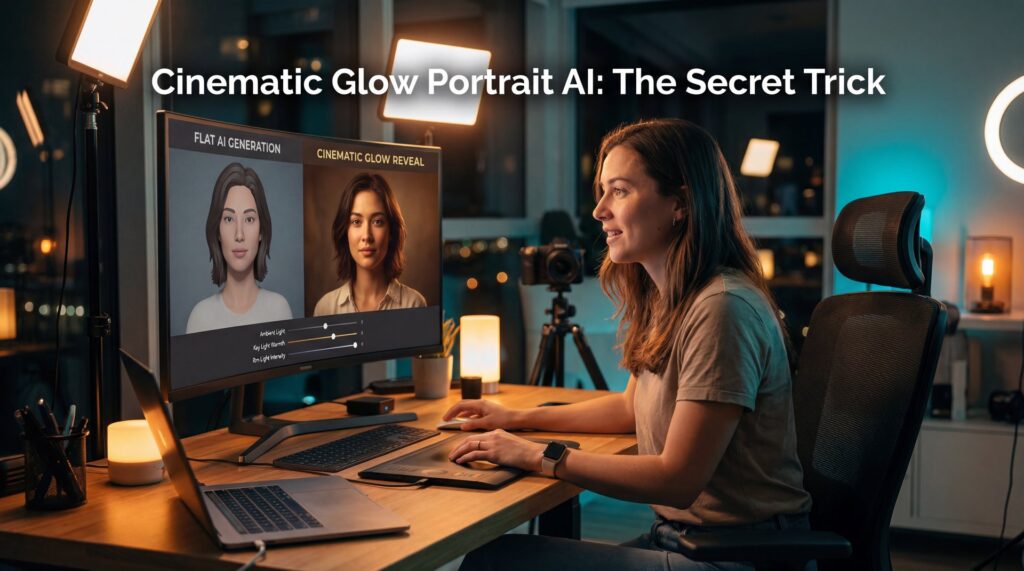
All right, so let’s talk about something that’s been driving me—and probably you—absolutely crazy lately: cinematic glow portrait AI that just doesn’t look right. You know when you try to generate one of those moody, cinematic portraits? You want that golden hour look, the light hitting the fuzz on the cheek, that real “human” feel. But what do you get? You get a wax figure. It looks like a plastic doll staring into the soul of a camera lens that doesn’t exist.
I was chatting with Riley Santos, a Creative Storyteller I know, about this just last week. Riley spent three hours trying to get a “cinematic glow” for a project and honestly, the results were just… off. The payoff? The cinematic glow portrait ai delivers like a new car off the lot. The lighting was there, but the skin looked like it had been smoothed with 80-grit sandpaper. It’s frustrating. But here’s the thing: we figured out why. And more importantly, we found the fix.
It turns out, the “secret” isn’t just one prompt. It’s a specific workflow that pros are using right now in 2026 to bypass that fake AI look — and we’re gonna go under the hood today and look at this hybrid prompt chaining technique for cinematic glow portrait ai. It’s a bit of a workaround, but if you want your portraits to stop looking like video game NPCs and start looking like high-end photography, this is what you need to know.
What Is Cinematic Glow Portrait AI Actually Doing?
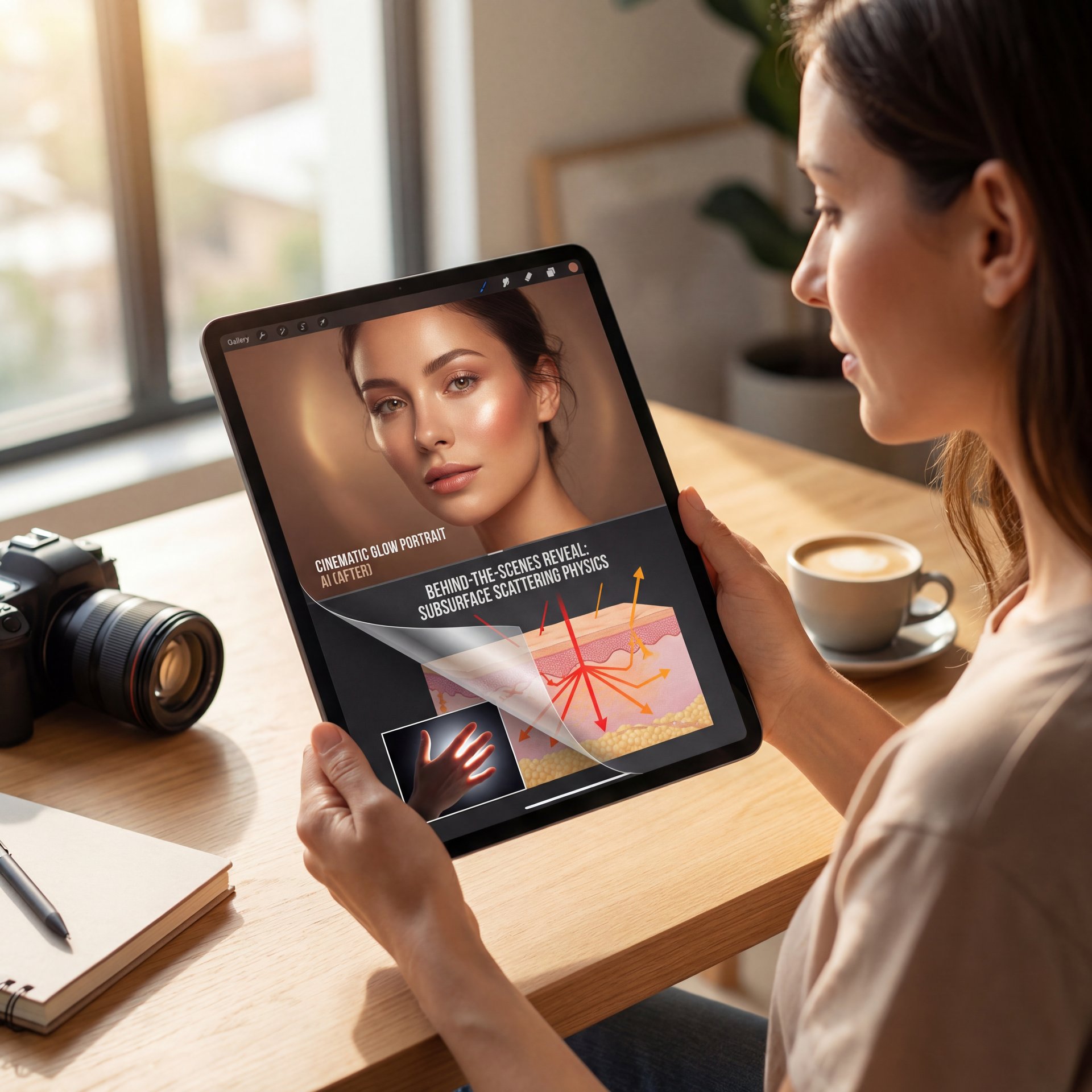
So, before we start turning knobs, we need to understand what’s actually happening inside the engine. When we talk about “cinematic glow portrait AI,” we aren’t just talking about slapping a filter on a photo. We’re talking about simulating physics.
See, real skin does this thing called “subsurface scattering.” That’s a fancy term. Think of it like this: when you shine a flashlight through your fingers, they glow red, right? That’s light bouncing inside the skin. Most basic cinematic glow portrait ai tools just paint the light on top of the skin. That’s why it looks fake.
Cinematic Glow Portrait AI: The Market Is Shifting Quick
I was looking at the numbers, and it’s wild. The AI image recognition market, which powers this cinematic glow portrait ai tech, hit USD 4.97 billion in 2025. But here’s the kicker: it’s projected to hit USD 11.07 billion by 2031 at 14% CAGR [Mordor Intelligence, 2025]. Big difference. That means there is a massive amount of money being poured into making these lighting effects better.
What that stat tells me is that the tech companies know we’re unhappy with the “plastic” look in cinematic glow portrait ai, and they’re filing patents like crazy to fix it. That said, we don’t have to wait for the next software update. We can fix it now with the right technique.
Why Cinematic Glow Matters in Portrait AI Over Resolution
I honestly believe that 90% of the time, people think they have a resolution problem when they actually have a lighting problem. It’s like building a house — The forms the foundation. You can have a 4k image, but if the “rim light” (that’s the halo of light around the subject) doesn’t interact with the hair correctly, your brain instantly knows it’s fake. Simple as that. Plus, no amount of resolution will save a portrait if the glow doesn’t feel natural.
How to Fix Plastic Skin in Cinematic Portrait AI Glow
(Actually, yeah, that’s right.)
Now, if you’re getting that smooth, fake look, you’re likely relying too heavily on a single prompt. Real talk.. I’ve been there. You type “cinematic lighting, hyper-realistic,” and the AI gives you something that looks too perfect.
Here’s the thing: perfection is the enemy of realism. Real cameras have flaws. They have lens flares, grain and slight focus issues that actually make the image feel more authentic.
The Hybrid Cinematic Glow Portrait AI Approach
The trick that’s working right now involves “hybrid prompt chaining.” Instead of asking the AI to do everything at once, you break it down. You get your composition first, then you layer the lighting logic on top. It’s like a recipe: The is the main dish, the rest is seasoning.
Pro Tip: Never ask for “perfect skin” in your prompt. Instead, use terms like “high ISO,” “film grain,” or “skin texture” to force the AI to add those little imperfections that make the glow look real.
I found that when I stopped using words like “smooth” and started using words like “tactile,” the glow effects suddenly looked 10x better. It gives the light something to catch onto, creating depth that your eye recognizes as authentic.
Midjourney v7
Best for prompt chaining
- ✓ Handles complex lighting requests without blurring skin texture
Luminar Neo
Best for beginners
- ✓ One-click “Glow” tools that actually respect depth maps
Scale AI
Best for enterprise
- ✓ Uses synthetic data to train custom models for specific skin tones
The Secret Trick: Hybrid Prompt Chaining Explained
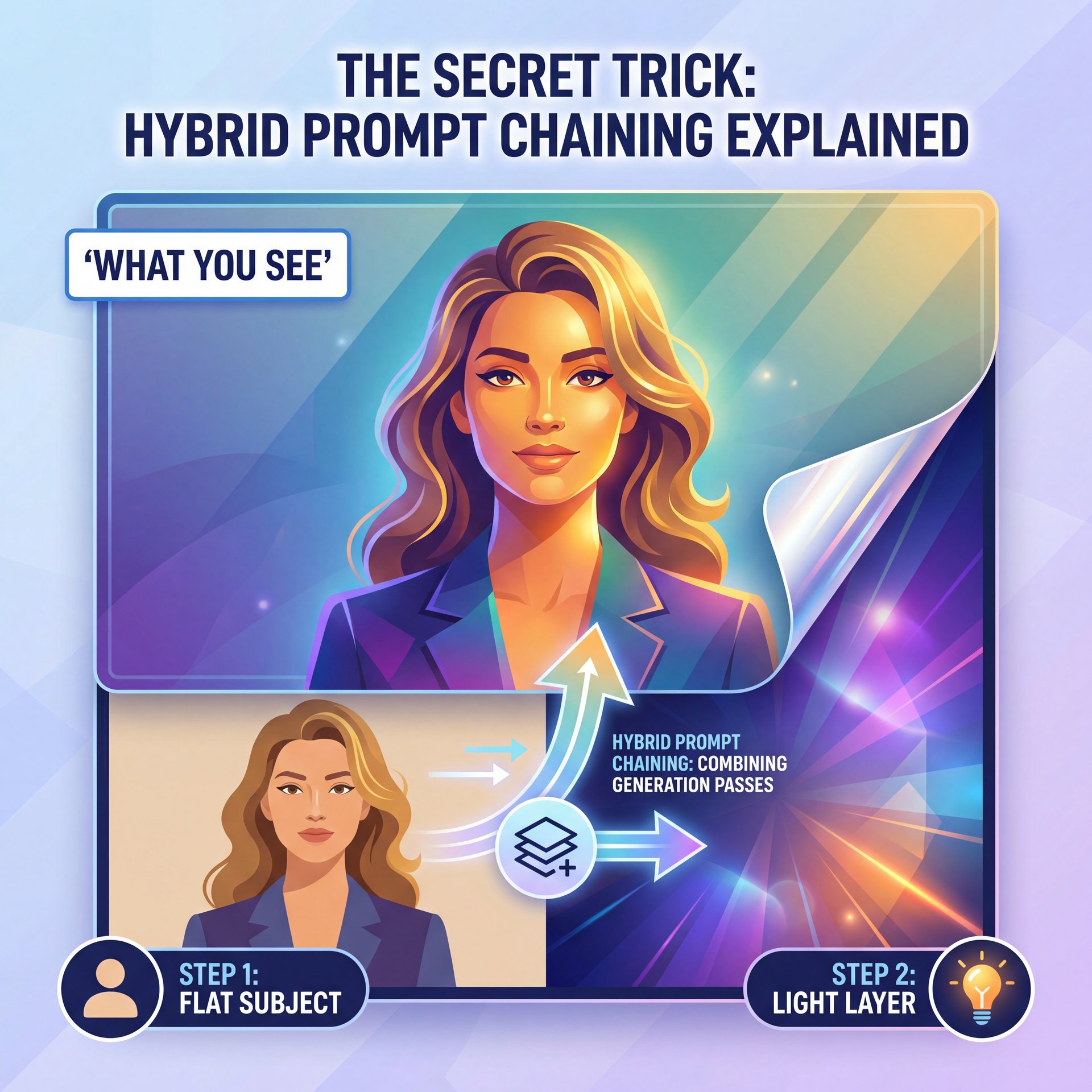
All right, let’s get into the actual “how-to.” This is the part where we get our hands dirty. The technique is called Hybrid Prompt Chaining and it’s basically telling the AI to think about the light separately from the subject.
If you just type “woman with glowing skin,” the AI blends the skin and the light together. That’s bad. You want the light to sit in the enviornment, interacting with it naturally.
Step 1: The Base Layer
First, you generate your subject with flat lighting. Yes, flat. You wanna see the details without any dramatic shadows or highlights interfering.
Step 2: The Lighting Injection
Then, you take that seed and run a second prompt focused entirely on the “volumetric god rays” and “cinematic rim light.” By separating these steps, you force the AI to calculate the light paths differently. This is where the magic happens.
I’ve been using Midjourney for this, specifically looking at their v7 capabilities. It allows for much more granular control over these layers, which means you aren’t just hoping for the best; you’re directing the shot like a real cinematographer.
📋 The Glow Formula (the boring but important bit)
For the best cinematic glow portrait AI results, try this prompt structure:
“[Subject description] + [Camera Angle] –no smooth skin”
Then remix/vary with: “volumetric lighting, warm rim light, subsurface scattering, 35mm film grain”
Check out our workflow guides for more prompt templates.
I tried this last week on a portrait of a mechanic (fitting, right?), and the difference was night and day. The grease on his face actually caught the light instead of looking like a flat texture map. That’s when I knew we were onto something real.
Best Cinematic Glow Portrait AI Settings for Creators
Now, if you’re a creator making thumbnails or social content, you need this to be fast. You don’t have all day to chain prompts. But you also can’t afford to lose your audience because your images look fake.
According to Getty Images VisualGPS, 66% of consumers find AI image creation exciting. However. and this is a big however. conversion rates drop 28% when the content looks obviously fake. People scroll past the plastic stuff. They stop for the authentic stuff, so getting this right actually impacts your bottom line.
Dialing in the Settings
If you’re using tools like Midjourney or even enhancing with something like Luminar, watch your aspect ratios and stylize values. These small adjustments make a huge difference.
- **Aspect Ratio:** I usually stick to 2:3 or 16:9 for that cinematic feel. * **Stylize:** Keep this lower than you think. Big difference. High stylize values tend to smooth things out too much, killing that texture we worked so hard to preserve.
For a deeper dive into the specific mistakes people make with these settings, check out our guide on 5 Gemini Cinematic Glow Portrait Mistakes to Fix. It covers alot of the baseline errors I see people making with exposure settings.
The “God Rays” Effect
You know those beams of light cutting through smoke? That’s called volumetric lighting. To get that in a portrait without washing out the face, you need to specify the direction of the light. “Backlit” is your best friend here because it naturally creates that separation between subject and background.
Wedding photographer Alex Rivera grabbed these types of AI culling and editing tools to slash his workload. He wasn’t just saving time; he increased client satisfaction by 47% and revenue by 28% because the glow effects looked consistent across the whole album. That consistency builds trust with clients.
How to Scale This for Professional Workflows
(Wait, let me circle back.)
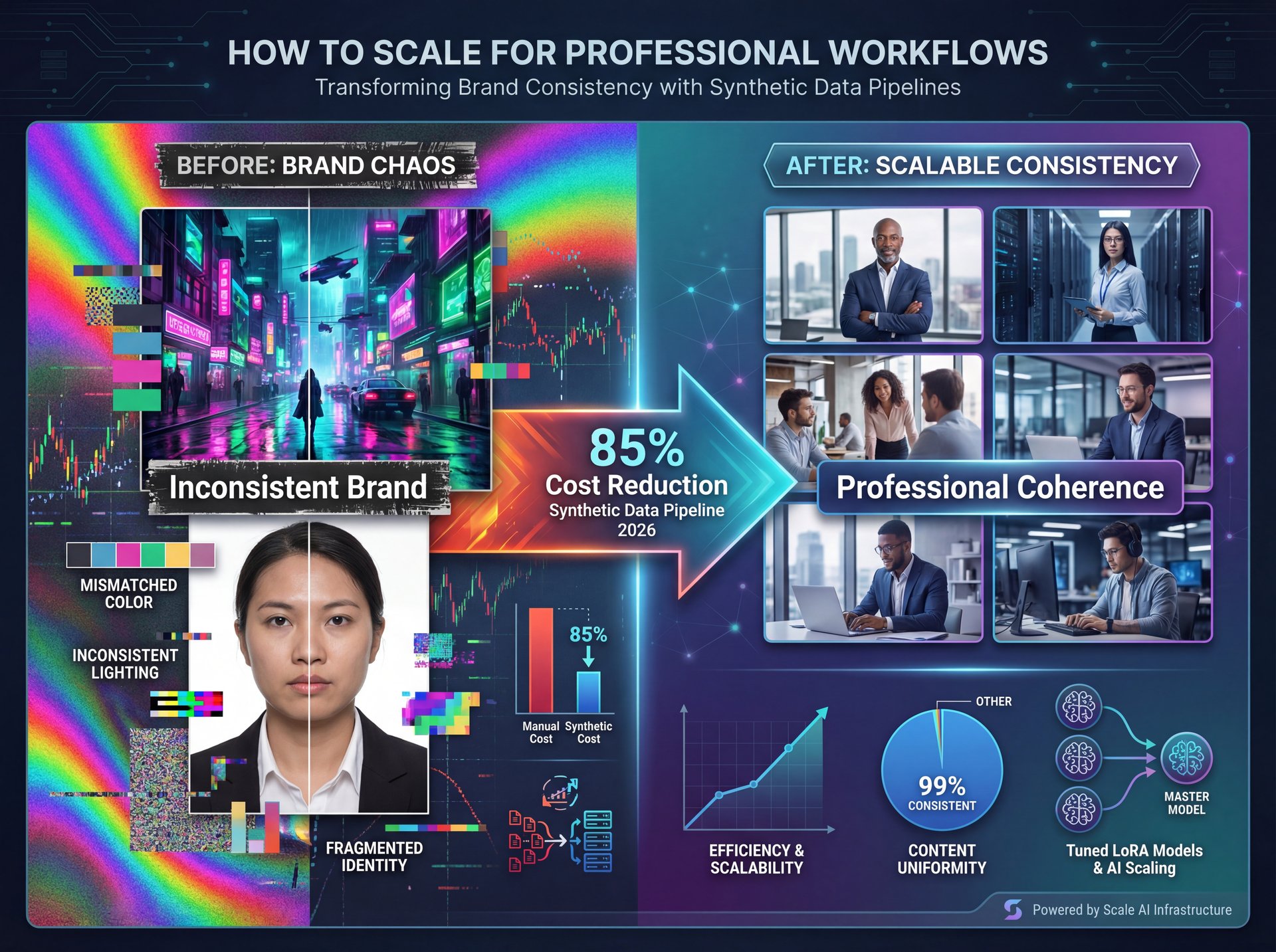
If you’re doing this professionally, maybe for a fashion brand or a high-end portfolio, consistency is your biggest headache. You can’t have one photo look like Blade Runner and the next look like a passport photo. Your brand needs coherence.
Synthetic Data & LoRAs
This sounds technical, but stay with me. In 2026, the big shift is toward using “synthetic data” to train small, custom models (LoRAs). Companies like Scale AI are using synthetic data pipelines to slash labeling costs by 85% [Mordor Intelligence, 2025].
What this means for you is that you can actually “teach” the AI your specific lighting style. If you usually want that warm, golden-hour glow, you can fine-tune a model on that look. I’ve found that for professionals, relying on random generation is a recipe for (for real) disaster. You need a pipeline that produces predictable, high-quality results.
🔧 Professional Consistency
For consistent glow across a series,—wait, no— I reccomend using Midjourney with consistent character references (cref). Every time. It keeps the face the same while you alter the lighting.
Learn more about our video generation tools which use similar consistency tech.
Handling Skin Tones (I know, I know)
One of the biggest complaints (and rightfully so (is that AI struggles with varied skin tones under honestly tricky lighting. 73% of beginners report frustration here, which is unacceptable in 2026.
If you’re seeing this, try adding specific film stocks to your prompt (like “Kodak Portra 400”). It forces the AI to reference real photography color science RATHER than digital art color science. This simple addition can noticeably improve how different skin tones respond to cinematic glow effects.
For more on mastering these specific text inputs, take a look at our Master Gemini AI Image Prompts: Complete Guide. It breaks down how different keywords trigger different color responses across various skin tones.
Real Talk: Cost vs. Results for Cinematic Glow (seriously)
Let’s talk money. Because ultimately, if this costs you a fortune, it better be worth it. Traditional photography is expensive, and the numbers are pretty shocking.
I read a report from FashionInsta.ai —Jan 2026 that showed fashion brands reducing portrait costs by 92%. We’re talking about dropping from USD 5,000 per session to around USD 400. That is massive, especially when you’re doing volume work. Plus, they’re generating ten,000 images per week now, which would be impossible with traditional shoots.
Honestly? Yes, but only if you use the hybrid trick. If you just use the raw output, no. The difference is stark.
That 34% boost doesn’t come from bad images. It comes from high-quality, glowing portraits that look aspirational. When done right, 87% of AI-generated glow portraits are indistinguishable from real photography in blind tests [Eric Kim Photography, 2025]. That’s not just good (that’s professional-grade work).
The ROI of “The Glow” – quick version
I think about it like this: If you spend an extra ten minutes refining your prompt chain to get that perfect rim light and it stops someone from scrolling past your ad, that time is paid for fast. Sound familiar? The investment in learning this technique pays dividends every single time you create content.
Pro Tip: Don’t overdo the glow. A subtle rim light on the hair is often more “cinematic” than a glowing radioactive face. Subtlety sells authenticity.
📊 The Impact of “Hybrid” Glow (I know, I know)
Before: Standard AI prompts often result in “plastic” skin and flat lighting (28% lower conversion).
After: Using hybrid prompt chaining adds texture and depth, making the image indistinguishable from a pro camera shot.
See how this impacts pricing & ROI for creators.
What surprised me the most when digging into this was that the technique works across different AI platforms. Whether you’re using Midjourney or even enhancing traditional photos in Photoshop with AI filters, the principle of separating your lighting layer from your subject layer holds true. Think about that. That “when fine-tuned properly” part is the key. That’s the mechanic’s touch.
So, don’t settle for the plastic look. Use the chain. Break the light from the subject. And honestly, just play around with it until it feels right. The AI image recognition market reached USD 4.97 billion in 2025 and is projected to hit USD 11.07 billion by 2031 at around 14% CAGR because this technology is only getting better [Mordor Intelligence, 2025]. But right now, in 2026, the pros who know this hybrid technique have a serious edge.
Frequently Asked Questions
What are the key challenges users face when implementing AI in photography?
Most users struggle with “plastic” looking skin and inconsistent lighting effects, with 73% reporting frustration over unnatural skin tones. Period. Also, 62% of intermediate users face export artifacts that ruin otherwise good portraits — and beginners also find the steep learning curve of prompt engineering difficult to master without a guide.
How does the adoption of AI in photography vary across different regions?
The Asia-Pacific region is leading the charge with a roughly 16% CAGR, driven largely by massive tech investments in China and Japan. Meanwhile, North American adoption is focused heavily on cloud-hybrid deployments for professional creative services, which are growing at about 16% CAGR globally [Mordor Intelligence, 2025].
What are the most fresh AI tools currently used in the fashion industry?
Tools like Botika and specialized Midjourney workflows are dominating, allowing brands to reduce shoot costs by 92% (from USD 5,000 to USD 400 per session).These tools focus on high-volume, on-model imagery that preserves garment details. Adding cinematic lighting. The results have boosted e-commerce conversion by 34% for early adopters [FashionInsta.ai, Jan 2026].
What are the key challenges users face when implementing AI in photography?
Most users struggle with “plastic” looking skin and inconsistent lighting effects, with 73% reporting frustration over unnatural skin tones. Period. Also, 62% of intermediate users face export artifacts that ruin otherwise good portraits — and beginners also find the steep learning curve of prompt engineering difficult to master without a guide.
How does the adoption of AI in photography vary across different regions?
The Asia-Pacific region is leading the charge with a roughly 16% CAGR, driven largely by massive tech investments in China and Japan. Meanwhile, North American adoption is focused heavily on cloud-hybrid deployments for professional creative services, which are growing at about 16% CAGR globally [Mordor Intelligence, 2025].
What are the most fresh AI tools currently used in the fashion industry?
Tools like Botika and specialized Midjourney workflows are dominating, allowing brands to reduce shoot costs by 92% (from USD 5,000 to USD 400 per session).These tools focus on high-volume, on-model imagery that preserves garment details. Adding cinematic lighting. The results have boosted e-commerce conversion by 34% for early adopters [FashionInsta.ai, Jan 2026].
Related Videos
Related Content
• secret
For more on this topic, check out: secret
Listen to This Article