Table of Contents
- What Is ChatGPT Images Actually Doing Under the Hood?
- Why Are Your ChatGPT Images Prompts Failing?
- ChatGPT Images Iteration Trap: When Edits Ruin the Shot
- Text Rendering Glitches That Scream “AI Amateur” (the boring but important bit)
- Ignoring the Nano Banana Pro and Gemini Competition – quick version
- How to Fix Your Workflow and Stop Wasting Credits
- Getting Back to Work
- Listen to This Article
So, does it feel like you’re wrestling with a grease-covered octopus every time you try to get a decent image out of ChatGPT? It’s the difference between a sketch and a finished painting — thumbnail makes it real. You type in a prompt, you wait and what pops out looks absolutely nothing like what you had in your head. Honestly, I’ve been there.You just want a simple graphic for your thumbnail or blog. Suddenly you’re forty-five minutes deep into a battle with an AI that thinks “cinematic lighting” means “set the whole room on fire. No joke.”
Here’s the thing. I’ve spent the last year digging into the nuts and bolts of these tools and I’ve noticed a pattern. Most people aren’t hitting, a wall because the tech is dicey—though, let’s be real, it has its quirks. They’re hitting a wall because they’re making the same five mistakes over and over again.
I was looking at the data recently, and it blew my mind. A top 1% creator generated 20,000 images in 2025, and do you know how many were actually good enough to publish? Only close to 8%. That’s 1,500 usable shots out of 20,000 tries. If a mechanic fixed 20,000 cars and only 1,500 of them drove off the lot, they’d be out of business.
Today we’re gonna go over the five biggest mistakes killing your flow with ChatGPT Images, and more importantly, how to fix them so you can get back to creating.
What Is ChatGPT Images Actually Doing Under the Hood?
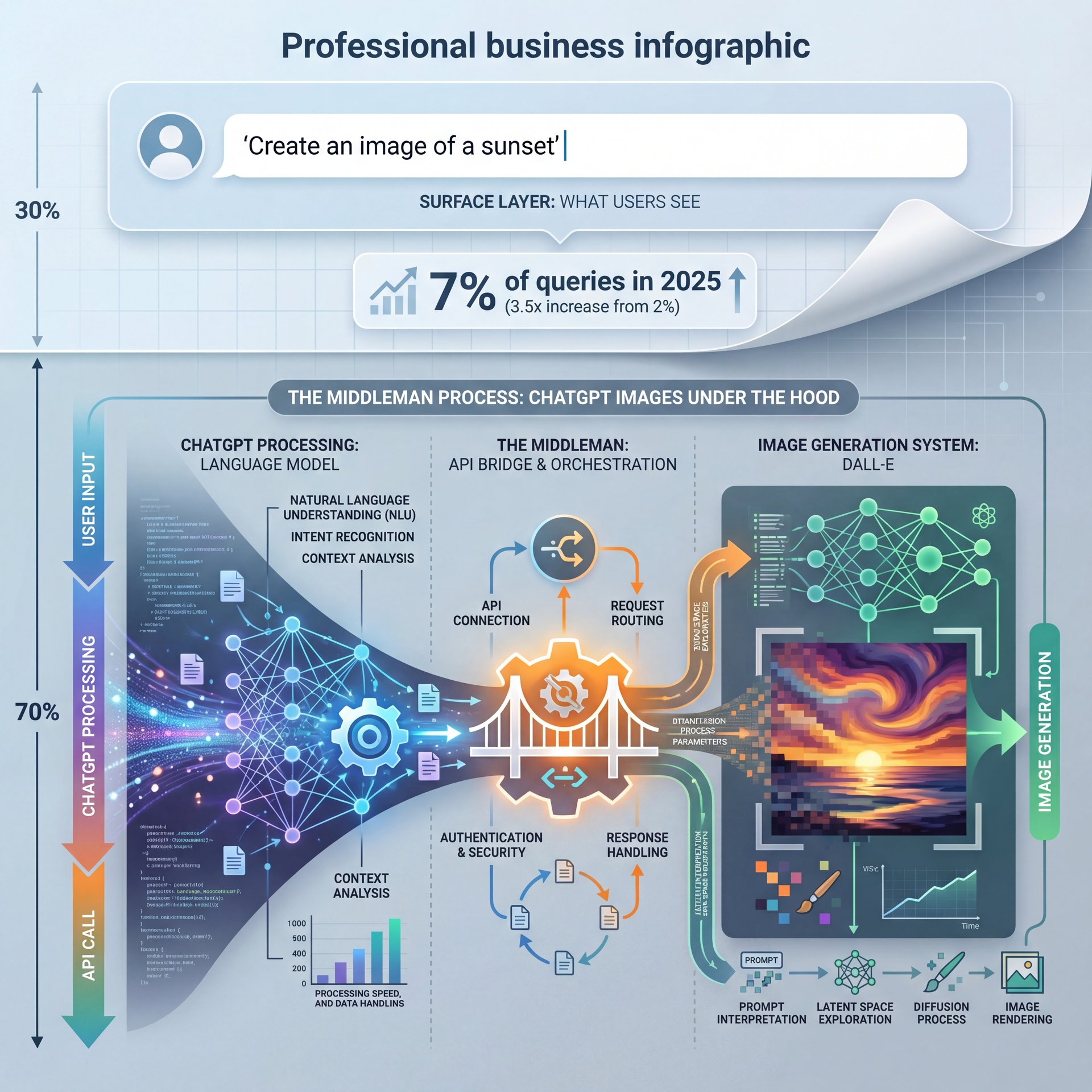
Before we start tearing apart the problems, let’s look at what we’re working with. ChatGPT isn’t just a chatbot anymore. Between July 2024 and July 2025, multimedia queries—that’s people asking for images and analysis, jumped from 2% to 7%. That’s a 3.5x increase. Period. Everyone and their grandmother is trying to use this thing for visuals now.
But here’s what consider understand. When you ask for an image, or maybe I’m overthinking it, ChatGPT is acting like a middleman. You tell it what you want, it translates that into a prompt it thinks the image model wants and then the model generates the pixels. Not even close. That translation layer is where things often go sideways.
I think a lot of us treat it like a search engine. We think if we just say “cool car,” it’ll 😬 know which cool car we mean. But it’s more like instructing a painter who has usually seen a car before and only has a description to work off of. If you aren’t precise, you get a mess.
(Anyway, moving on.)
(Classic, right?)
With the GPT-Image-1.5 update that dropped in December 2025, things got faster, about like 4x faster, actually. Plus, it maintains 95% visual consistency across edits now. But speed doesn’t matter if you’re driving in the wrong direction — and let’s look at the first big mistake that sends people off a cliff.
Why Are Your ChatGPT Images Prompts Failing?
The biggest issue I see, especially with folks just starting out, is trusting the AI to fill in the blanks. You give a vague prompt and ChatGPT hallucinates the rest.
I remember trying to generate a simple background for a project. I typed “office background, modern.” The result? It looked like a spaceship cafeteria. Why? Because I didn’t tell it the camera angle, the lighting style, or the color palette. I left the door open, and the AI walked right through with its own wierd ideas.
Research shows that vague prompts are the culprit behind 70% of failures for novice users.If you don’t specify the style, the AI defaults to whatever it was trained on most heavily. This Usually looks like generic, plasticky digital art.
How to Fix Vague Prompting for ChatGPT Images
Here is what you wanna do instead. You need to act like a director. Don’t just say “a dog.” Say “a golden retriever sitting on a porch, shot on 35mm film, golden hour lighting, shallow depth of field.”
⚠️ The “Do It For Me” Trap with ChatGPT Images
Don’t let ChatGPT write the image prompt for you without checking it. When you type, a short request, ChatGPT expands it into a long, flowery paragraph that often adds elements you didn’t want. Always ask to “see the exact prompt” it used so you can strip out the junk.
I found that when I started controlling the variables, lighting, composition, aspect ratio. my “trash rate” dropped actually. It’s not about being a poet; it’s about being a technical manual for the machine. If you want to see how this compares to other tools, check out our breakdown of 7 Gemini Nano Banana Mistakes Killing Your Edits to see how prompt sensitivity varies across platforms.
ChatGPT Images Iteration Trap: When Edits Ruin the Shot
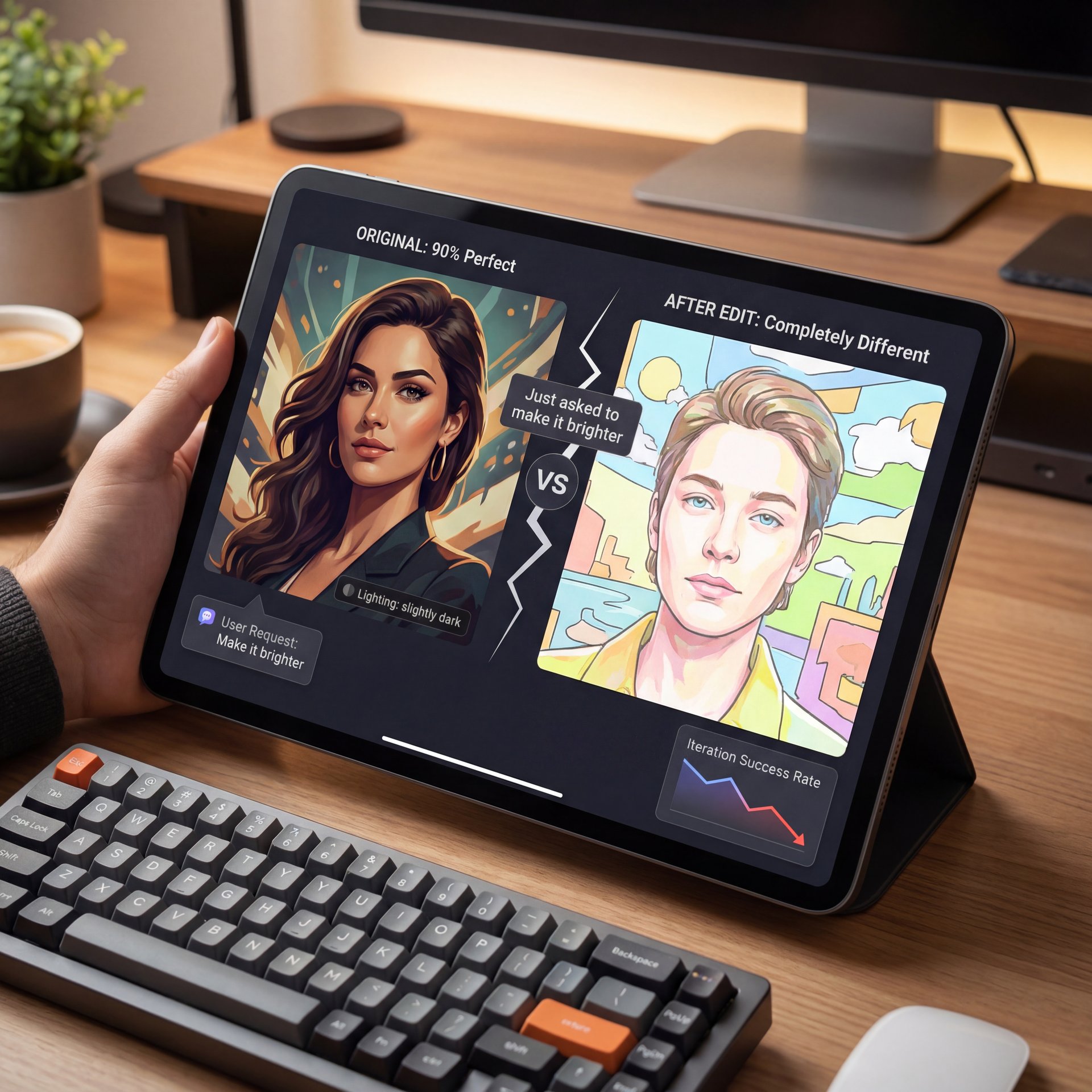
Now, here’s the thing that drives me absolutely crazy. You get an image that’s 90% perfect. The character looks great, the background is solid, but maybe the lighting is a bit too dark. So you say, “Make it brighter.”
And what happens? The AI generates a completely new image. Different face, different background, different vibe. It is like asking a contractor to paint the living room and they decide to demolish the house and build a new one next door.
This is the iteration trap. Data shows that 60% of edit attempts result in a complete reinterpretation of the image. You can lose hours,—wait, no— I’ve lost 2+ hours on a single project, trying to get that one detail back while fixing another.
Breaking Free from the Iteration Loop (seriously)
My advice? Stop trying to fix everything inside ChatGPT. Get the base image right, then take it into a dedicated editor. It’s like trying to do bodywork with a sledgehammer. Sometimes you need a scalpel. The new GPT-Image-around 1 update claims to maintain 95% visual consistency, but in my experience, you still need to be intentional about how you request changes.
Text Rendering Glitches That Scream “AI Amateur” (the boring but important bit)
If you’re trying to make infographics or thumbnails with text inside the image generation, you are playing a dangerous game. Even with the updates in late 2025, text rendering is still the Achilles’ heel of these models.
I saw a designer on a forum complaining that their speech bubbles were garbled 90% of the time. They had to retry 15 times just to get one usable infographic. That is not (seriously though) a workflow; that is gambling.
The tech is getting better at rendering single words, like a neon sign that says “OPEN.” But if you ask for a complex layout with a headline and bullet points, you’re going to get alien hieroglyphics.
The Smart Way to Handle Text
(Fight me on this.)
I honestly think you should never generate text inside the image if you can avoid it. Generate the clean background, and then add your text in Photoshop, Canva, or Banana Thumbnail. It looks sharper, it’s editable, and you won’t have to walk through to your boss why the company slogan is spelled “Bannanana.” also, Riley Santos mentioned this in a recent stream, nothing kills the professional vibe faster than AI-garbled text. Trust me on this. It screams “I didn’t check my work.”
Ignoring the Nano Banana Pro and Gemini Competition – quick version
Look, I know we’re talking about ChatGPT here, but you can’t fix a car if you ignore that better parts might be available at the shop down the street. One of the biggest mistakes people make is blind brand loyalty.
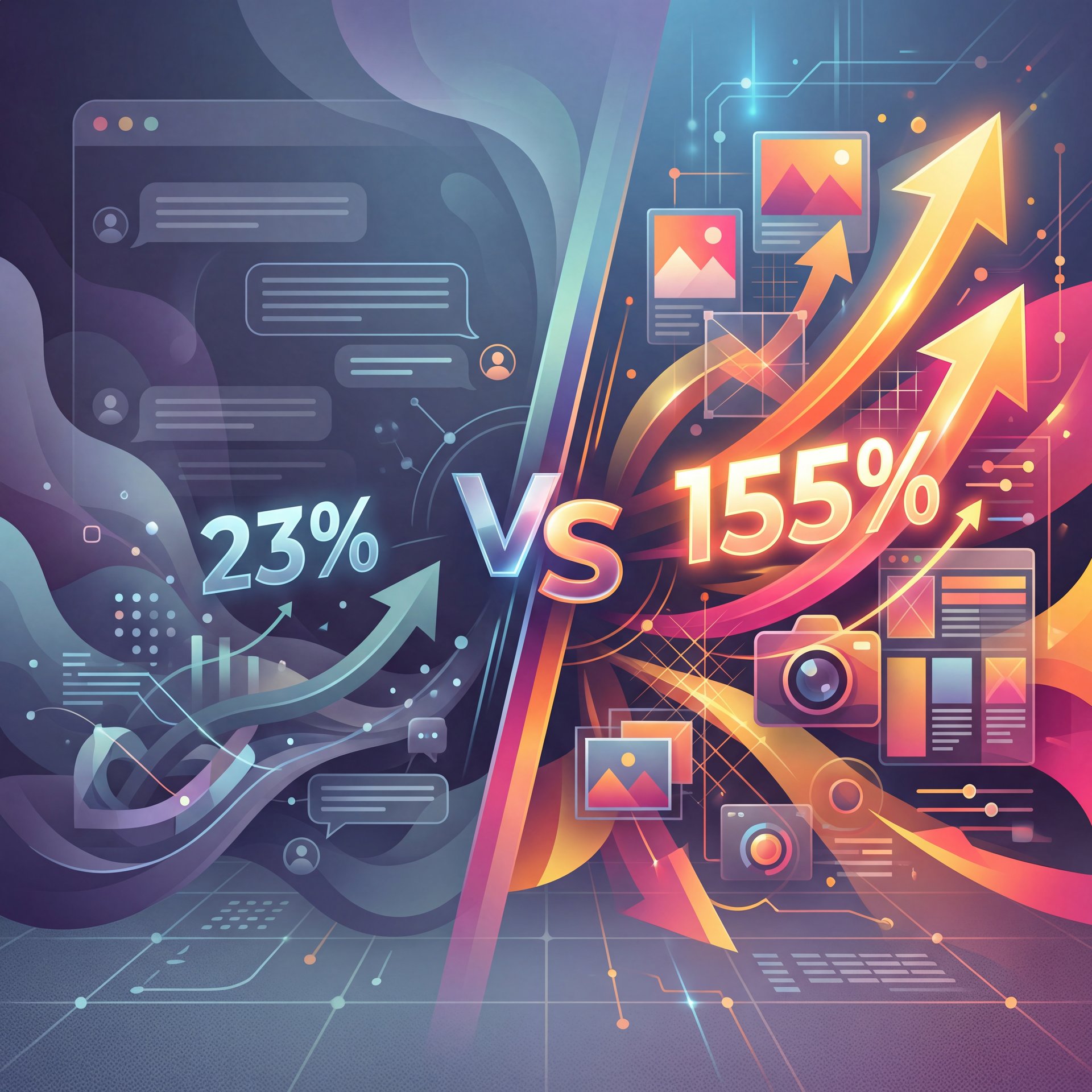
By late 2025, Gemini’s desktop usage grew 155% year-over-year, largely driven by its image tools. Why? Because tools like Nano Banana Pro started integrating better with complex layouts. Meanwhile, ChatGPT’s growth was around 23%.
I’ve played around with both, and here’s what I found — and chatGPT is great for conversational brainstorming and getting a quick concept. But for high-fidelity, complex scenes where object relationships matter (like “a cat sitting on a TV which is under a table”), competitors are catching up fast.
🔧 Don’t Limit Your Toolbox (I know, I know)
If ChatGPT is struggling with a specific layout, try generating the elements seperately. Or, use a tool like Banana Thumbnail’s features to composite images together. Sometimes the best AI workflow involves more than one AI.
If you’re banging your head against the wall trying to get ChatGPT to do something it clearly hates doing, look around. It’s okay to swap tools for specific tasks. We covered some of these comparative struggles in our article on 7 Suno AI Mistakes Killing Your Music Workflow. The principle is the same: use the right tool for the job.
How to Fix Your Workflow and Stop Wasting Credits
So, we’ve covered the problems. Now let’s talk solutions. How do we take that around 8% success rate and bump it up to something that doesn’t make you want to throw your computer out the window?
You need a refined workflow. The average user needs about 13 attempts to get a usable image. But with the right process, I’ve got that down to 3-5.
Here is the step-by-step process I use when I need a specific result:
**The Skeleton Prompt**
Start with just the subject and composition. “A cybernetic mechanic fixing a robot arm, medium shot.” Don’t add style yet. Get the pose right first.
**The Style Layer**
Once the composition works, add your style modifiers. “Cyberpunk aesthetic, neon blue and orange lighting, highly detailed, 8k resolution.”
**The Seed Lock**
If you find a generation you like, ask ChatGPT for the “seed number” of that image. Use that seed in your next prompt to keep the randomness in check.
**The External Polish**
Don’t try to force the AI to fix small glitches. Take the image into an editor to fix eyes, hands, or text. Big difference. It’s faster than regenerating 20 times.
(If you’ll humor me…)
Understanding Future Improvements
What struck me was how much time this saves. Instead of fighting the RNG (random number generator), you’re building the image in layers. Also, keep an eye on the 2026 trends. No joke. Hallucinations persist in 30-40% of outputs with pre-2026 models, but we’re expecting rates to drop by another 50%+ with the upcoming GPT-Image-2 release.
⭐ The 1% Mindset
Top creators don’t expect a “one-shot” miracle. They treat AI generation as “gathering raw materials.” They generate 10 variations, pick the best parts of each, and composite them. It’s digital collage, not magic.
📊 The Impact of “Seed” Control
Before: You ask for a “slight change” and the entire character changes ethnicity and clothing style.
After: By referencing, the specific seed number (e.g., –seed 48239), the AI keeps the core noise pattern, meaning your edits actually apply to that image.
Getting Back to Work
All right, so let’s wrap this up. ChatGPT Images is a powerful tool, but it’s like a high-preformance impact wrench (if you don’t hold it straight, you’re going to strip the bolt.
You need to stop being vague, stop expecting perfect text, and stop trying to iterate your WAY out of a bad base image. Trust me on this. Treat it like a creative partner that needs very, very specific instructions.
If you can avoid these five mistakes, you’ll find that your creative flow actually flows, instead of stalling out every five minutes. And hey, if you think this was helpful, maybe check out some of the other guides we have on the site.
Frequently Asked Questions
What are the most common mistakes users make with ChatGPT Images?
The biggest mistakes are using vague prompts, trying to generate complex text inside the image, and expecting consistent edits without using seed numbers.
How does the new GPT-Image-around 1 improve the creative flow?
It offers like 4x faster generation speeds and better editing consistency, allowing for quicker iterations, though it still requires precise prompting.
What are the key differences between ChatGPT Images and Gemini’s Nano Banana?
Gemini’s tools often handle honestly tricky object relationships and layouts better, while ChatGPT excels at conversational ideation and quick concepts.
How has, the user adoption of ChatGPT Images changed over the past year?
Multimedia queries, including images, grew from 2% to 7% between July 2024 and July 2025, showing a massive shift towards visual creation on the platform.
What are the main challenges professionals face when using ChatGPT Images?
Professionals struggle most with brand consistency, specific color matching, and text rendering errors that require external editing software to fix. (…anyway.)
Quick Tips:
- Always ask for the “seed number” of a good generation so you can recreate the style later.
- Use a 16:9 aspect ratio for thumbnails; the default square often cuts off important details when cropped.
- Check out our workflow guide for specific prompt templates that save time. Huge.
- If the AI keeps messing up a hand or face, crop the image! Sometimes a tighter frame is one of the better solution.
That should fix your workflow if you have these symptoms. Till next time.
Related Content
• mistakes
• mistakes
For more on this topic, check out: mistakes
Listen to This Article