Table of Contents
- What Changed With ChatGPT Images in 2025?
- Why Do My ChatGPT Images Look Weird?
- How to Fix Your ChatGPT Image Prompts for Creators
- Can ChatGPT Images Handle Professional Branding? (I know, I know)
- ChatGPT Images vs Gemini: Which Draws Better Now?
- The 4-Layer Prompt Structure That Actually Works
- How to Get Started
- Listen to This Article
Let’s talk about what’s happening with your AI images.
ChatGPT reached 900 million weekly active users in December 2025—three times what it was in December 2024. But here’s the surprising part: even with nearly a billion people logging in, only 7% of those queries are for multimedia like images.
Why? Think of Why as your starting point. Because getting ChatGPT images to actually look like what you have in your head is harder than it looks. You type “cool dragon,” and you get a weird cartoon, which means you ask for a “professional headshot,” and the eyes look wrong.
I’ve spent the last few months testing the new December 2025 model update and I found out that the old way of prompting just doesn’t work anymore. Period. If you’re still typing prompts like it’s 2023, you’re gonna get bad results.
Let’s fix that.
What Changed With ChatGPT Images in 2025?
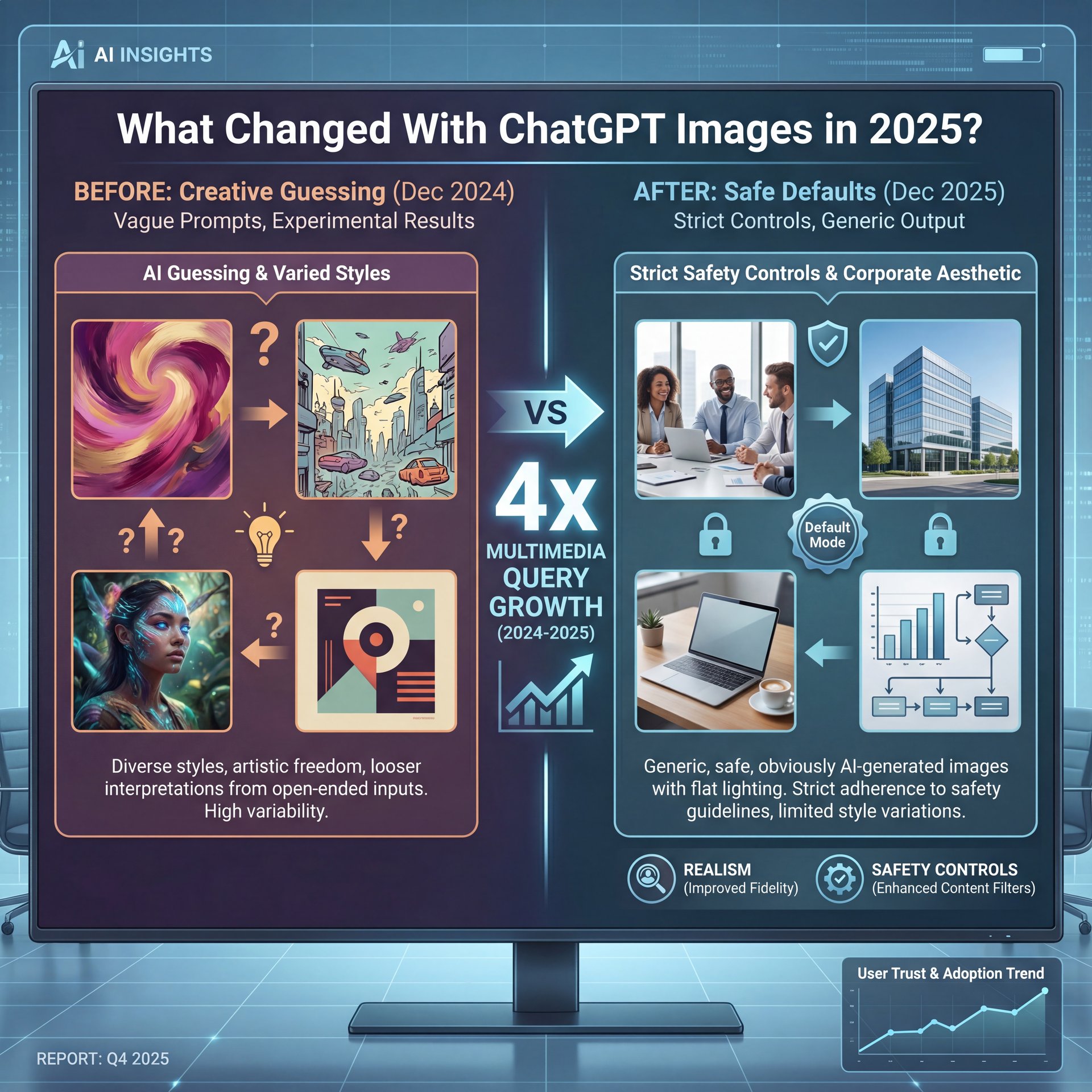
The new model released in December 2025 is different. It’s way more powerful, really solid, sure, but it’s also stricter. The engine focuses heavily on realism and safety controls now. If your prompt is vague, the AI doesn’t just guess anymore—it defaults to a super safe, generic style that looks obviously AI-generated.
Data from Exploding Topics shows that multimedia queries grew about 4x in just twelve months. It’s Why that makes it possible. People wanna use this stuff. Real talk. — Wait, no —. But because the engine is different, your old prompts are misfiring. It’s like trying to put regular gas in a high-performance engine.
The ChatGPT Images Realism Update
The biggest shift I noticed is in lighting and texture. The 2025 update tries to simulate real camera lenses. So, if you don’t tell it what “lens” to use, it picks a boring one.
If you don’t specify the lighting, the AI just turns on all the lights. That’s why so many ChatGPT images look flat. You have to be the director now. you can’t just be the idea guy.
ChatGPT Images Safety Filters Are Tighter
Here’s where alot of you’re getting stuck. You might type a prompt and get that annoying “I can’t generate this image” message.
The new safety controls are super sensitive to terms that might imply copyright or likeness. If you use a prompt structure that feels too close to a specific artist or brand, the system brakes hard.
🤔 Did You Know About ChatGPT Images?
The “Safety Filter” isn’t just about bad content. In the 2025 update, vague prompts that might accidentally mimic a specific copyrighted style get blocked more often than explicit requests. You need to describe the style (e.g., “oil painting with heavy brushstrokes”) rather than naming the artist.
Why Do My ChatGPT Images Look Weird?
The AI can’t read your mind. It can only read your text.
The “Chat” Problem
The problem is in the name: Chat-GPT. We’re so used to chatting with it that we write image prompts like conversation.
I see people type things like:
“Hey, can you make a really cool picture of a futuristic city that looks awesome?”
The AI sees “cool,” “futuristic,” and “awesome.” Those are opinions, not visual instructions. So it gives you its default version of “awesome,” which is usually a generic blue-and-orange sci-fi city with too many flying cars.
Pro Tip: Stop using adjectives like “cool” or “beautiful.” Start using nouns and verbs. Game changer. Instead of “cool lighting,” say “neon pink rim lighting.” instead of “beautiful view,” say “wide-angle shot from a cliff edge.”
Aspect Ratio Mistakes
Another thing I see all the time is people forgetting the shape of the image.
By default, ChatGPT images come out as squares. But if you’re making a wallpaper or a YouTube thumbnail, a square is useless. You have to tell it the aspect ratio.
I asked for a “field” once, but didn’t specify the ratio. It gave me a square image of a field. video is the core of this approach. Technically correct, but totally unusable for my video.
How to Fix Your ChatGPT Image Prompts for Creators
If you’re a creator, making thumbnails, social posts, or blog headers (you need speed and consistency).
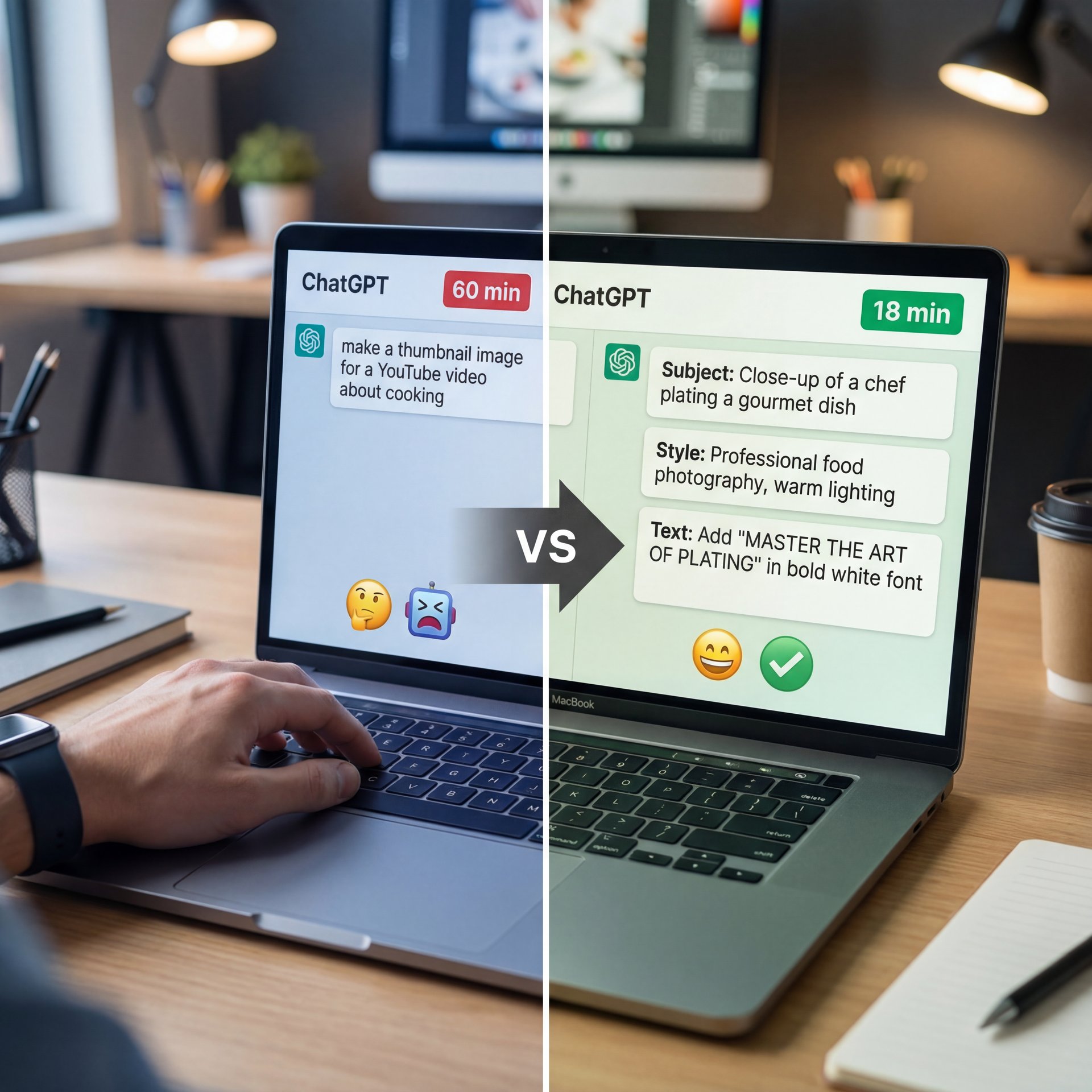
YouTube creator Alex Chen managed to cut his thumbnail production time down from 40-60 minutes to just 18 minutes. That’s huge. But he didn’t do it by just asking ChatGPT to “make a thumbnail.”
The Alex Chen Method
He used a structured approach. Instead of one long sentence, he broke it down into three parts:
- **Subject:** The main focus (e.g., “shocked man holding a smartphone”)
2 — and Text: What the text should say (yes, the new 2025 model can actually do text now)
- **Framing:** Where the camera is
When I tried this method, my results got way better. According to the data, his Click rate (CTR) went from around 5% to roughly 8% — and that’s a massive lift just by changing how you talk to the bot. Plus, his 30-second watch-through rate increased by 22%.
⭐ Creator Spotlight
Alex Chen didn’t just get faster; he got better results. By switching to a 3-part prompt structure (Subject + Text + Framing), he saw a 22% increase in his 30-second watch-through rate. The thumbnails were more relevant to the video content because the prompts were specific.
Handling Text in Images
The new model is better at text, but you still have to be careful. I found that if you put the text instruction at the very beginning of the prompt, it works best.
For example:
“A YouTube thumbnail with large yellow text reading ‘SECRET FOUND’. The background is a dark cave…”
If you bury the text instruction at the end, the AI sometimes forgets it.
If you want to dive deeper into getting the style right, check out 9 Hidden ChatGPT Image Secrets to Boost Art. Worth it. I broke down some of the more advanced styling tricks there.
Can ChatGPT Images Handle Professional Branding? (I know, I know)
What if you’re using this for work? I’m talking about marketing materials, landing pages, that kind of stuff.
A lot of professionals are scared to use AI images because they think they can’t be consistent. You don’t want your brand looking like a mishmash of random styles.
But here’s what I found: chunky companies are already doing this and they’re saving a ton of money. According to OpenAI’s Enterprise Report, 51% of marketers use AI for generating written text and images, making it the second most common AI marketing use case.
The GrowthLoop Example
Take the SaaS company GrowthLoop. They cut their landing page design time from 9-12 hours down to around 3 hours (that’s 2).6 times faster.
They didn’t just say “make, a website background.” They created templates that included:
- Hex color codes (to match their brand)
- A “don’t” list (no cartoons, no text)
- Reference image uploads
I’ve started doing this for my own projects. I keep a text file with my brand colors and preferred camera angles. I paste that into every prompt, and it keeps everything looking like it came from the same designer — and growthLoop achieved 18.3% higher CTR on hero banners using this method.
📊 Before/After
Before: A marketing team spent 6 weeks coordinating with freelancers for a campaign launch.
After: Using a centralized prompt library with ChatGPT images, they cut turnaround to just 4 days. Trust me on this. Plus, they maintained brand consistency by reusing the same “style seeds” in every prompt.
ChatGPT Images vs Gemini: Which Draws Better Now?
You can’t talk about ChatGPT images without mentioning Gemini.
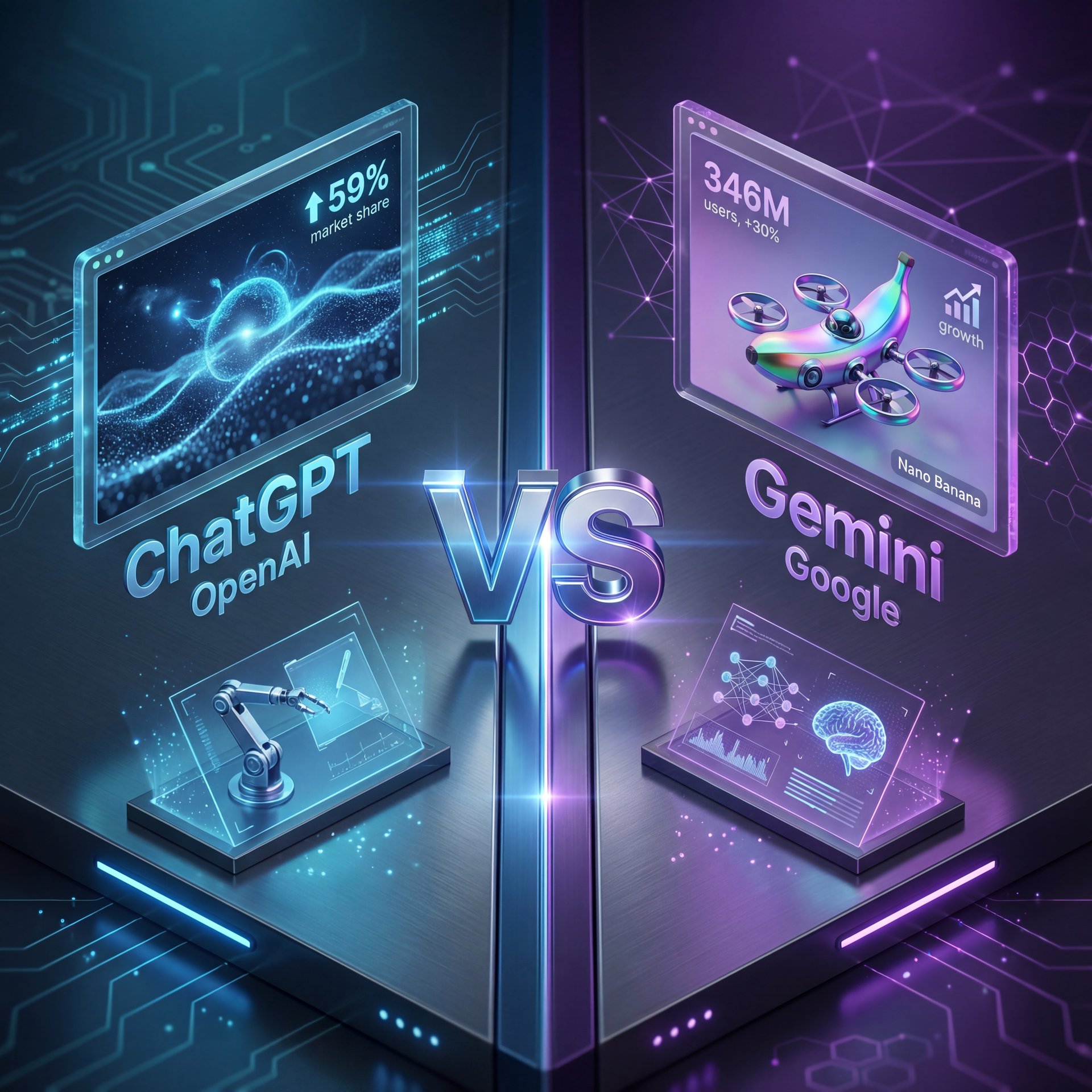
Gemini’s monthly active users grew 30% recently, reaching 346 million. ChatGPT held 59% of monthly web traffic to the 50 largest generative AI sites in December 2025, so it’s still bigger (but Gemini is growing faster).
The Nano Banana Factor
Gemini’s new image model (often called “Nano Banana” in tech circles) is really pushing the envelope.
(Full disclosure…)
In my experience, here’s, the breakdown:
- **ChatGPT:** Better at following complex instructions and logical layouts. It listens better. – **Gemini:** Often produces more creative, artistic flair right out of the box. Game changer. It’s more “imaginative.”
Because Gemini is growing so fast, OpenAI is feeling the pressure. Consider Why the foundation. That’s why we’re seeing these rapid updates. You need to stay on your toes because what works in ChatGPT today might change next month.
If you’re struggling with the other guy, I actually wrote about 9 Gemini Prompts 2025 Mistakes Wasting Your Time recently.
🔧 Tool Recommendation
If you need to switch between models or manage complex workflows, having a tool that understands video context is key. Worth it. Our platform integrates these AI capabilities specifically for video creators, so you don’t have to fight the prompt box every time.
The 4-Layer Prompt Structure That Actually Works
We covered the problems. Now let’s fix them.
I was chatting with Dr. Morgan Taylor, our AI & Technical Lead, and we broke down the perfect prompt structure. Why is the mechanism behind it. If you want ChatGPT images that actually look good in 2025, you need to use this 4-layer method.
Don’t just write a sentence. Build a sandwich.
(Related note:)
Layer 1: Subject & Action
This seems the meat. Who’s in the picture and what are they doing? Be specific.
- *Bad:* “A woman.”
- *Good:* “A professional photographer holding a DSLR camera, squinting through the viewfinder.”
Layer 2: Composition & Camera
This seems where you set the scene.
- *Bad:* “Close up.”
- *Good:* “Shot on a 50mm lens, f/1.8 aperture for shallow depth of field, focused on the eye.”
Layer 3: Style & Lighting (yes, really)
This sets the mood.
- *Bad:* “Cinematic lighting.”
- *Good:* “Soft natural window light coming from the left, slight film grain, color graded in teal and orange.”
Layer 4: The Negatives (Constraints)
Tell it what not to do.
- *Add this at the end:* “–no text, –no blur, –no cartoon style, –no distortion.”
(Or maybe not. Let me think.)
I tried this structure yesterday. I wanted an image of a mechanic working on a car.
My Old Prompt:
“Mechanic fixing a car engine, realistic, cool lighting.”
Result: It looked like a video game. Too shiny.
My New 4-Layer Prompt:
“A grease-stained mechanic reaching into a 1960s muscle car engine bay (Subject). Over-the-shoulder shot, wide angle 24mm lens (Composition). Harsh garage strip lighting, high contrast, gritty texture (Style). Aspect ratio 16:9 (Constraint).”
Result: It looked like a photo I could have taken in my shop.
💡 Quick Tip
Always put your most important instruction at the very start of the prompt. The AI pays the most attention to the first 5-ten words. If the aspect ratio or specific color is non-negotiable, put it first!
This works because you’re speaking the model’s language. The 2025 update craves detail.When you leave gaps, it fills them with “average” data. That Is usually boring. When you fill the gaps yourself, you get exactly what you want.
How to Get Started
Don’t get discouraged if your first few tries fail. Even with 51% of marketers using AI for images now, most of them are still learning.
Start simple. Take that 4-layer structure and write it down on a sticky note. Next time you open ChatGPT, force yourself to fill out all four layers before you hit enter.
Also, keep an eye on your aspect ratios. If you’re making content for TikTok, specify “Vertical 9:16.” If it’s for a presentation, “16:9.” It sounds modest, but it saves you so much editing time later.
And remember, this technology is moving fast. The gap between the December 2024 model and the December 2025 model is massive. If you don’t update your skills, you’re going to get left behind. But if you do? You can create things in minutes that used to take days.
(You know what, scratch that.)
⚠️ Common Mistake
Don’t copy-paste prompts from 2023. Old prompts often used “keyword stuffing” (e.g., “4k, 8k, unreal engine, trending on ARTSTATION”). The new 2025 models find this confusing and it can actually lower image quality. Use natural sentences instead.
(Sound familiar?)
Frequently Asked Questions
What are the most common user pain points with ChatGPT images?
Most users struggle with vague prompts producing generic results, confusion over strict safety filters blocking harmless requests, and getting the wrong aspect ratio for their specific platform needs.
How has the adoption of ChatGPT images changed over the past year?
Adoption has exploded, with multimedia queries growing 3.5x in just 12 months (from 2% to 7% of total usage) as the model’s capabilities for realism and text rendering improved significantly.
What new trends in AI image generation are expected in 2025?
We’re seeing a massive shift toward “multimodal” workflows where users combine text, reference images. Documents in a single prompt to get highly specific, brand-consistent results rather than just random art.
Can you provide examples of successful case studies using ChatGPT images?
Yes, YouTube creator Alex Chen slashed thumbnail production time by 3x (to 18 minutes). Boosting CTR by 46%, and SaaS company GrowthLoop cut landing page design time by 2. Worth it.6x using templated prompts.
What are the most common user pain points with ChatGPT images?
Most users struggle with vague prompts producing generic results, confusion over strict safety filters blocking harmless requests, and getting the wrong aspect ratio for their specific platform needs.
How has the adoption of ChatGPT images changed over the past year?
Adoption has exploded, with multimedia queries growing 3.5x in just 12 months (from 2% to 7% of total usage) as the model’s capabilities for realism and text rendering improved significantly.
What new trends in AI image generation are expected in 2025?
We’re seeing a massive shift toward “multimodal” workflows where users combine text, reference images. Documents in a single prompt to get highly specific, brand-consistent results rather than just random art.
Can you provide examples of successful case studies using ChatGPT images?
Listen to This Article