Table of Contents
- What is an AI hair color changer and how does it actually work?
- Why is 2025 the tipping point for virtual hairstyle tools?
- How do you try a new hair color with AI (and trust the result)?
- Which AI hairstyle app looks the most realistic?
- From casual to pro: workflows that actually stick
- Is AI hair transformation ready for every skin tone and texture?
- Listen to This Article
What if you could try copper, caramel, and cool ash—plus a shag cut—over your lunch break and actually trust the preview?
This technology is gaining real traction in 2025 and the numbers back it up. The hair color market reached USD 30.8 billion in 2024. It’s expected to grow to USD 63.8 billion by 2033 at, you know, an 8.3% CAGR (Market Growth Reports). Meanwhile, the AI image editing market is valued at USD 88.7 billion in 2025. Projections show it’ll hit USD 229.6 billion by 2035 at a ten% CAGR (Photoroom). When the tools for editing and previewing outpace the growth of the products themselves, it encourages habits like trying before you commit to dyeing. Search queries for “AI skin analysis” have surged 1,071% since 2020, with a 201.5% increase just in the past 12 months (Exploding Topics). Although that’s a different area, it highlights the same underlying desire for tailored, forward-looking previews in beauty.
What is an AI hair color changer and how does it actually work?
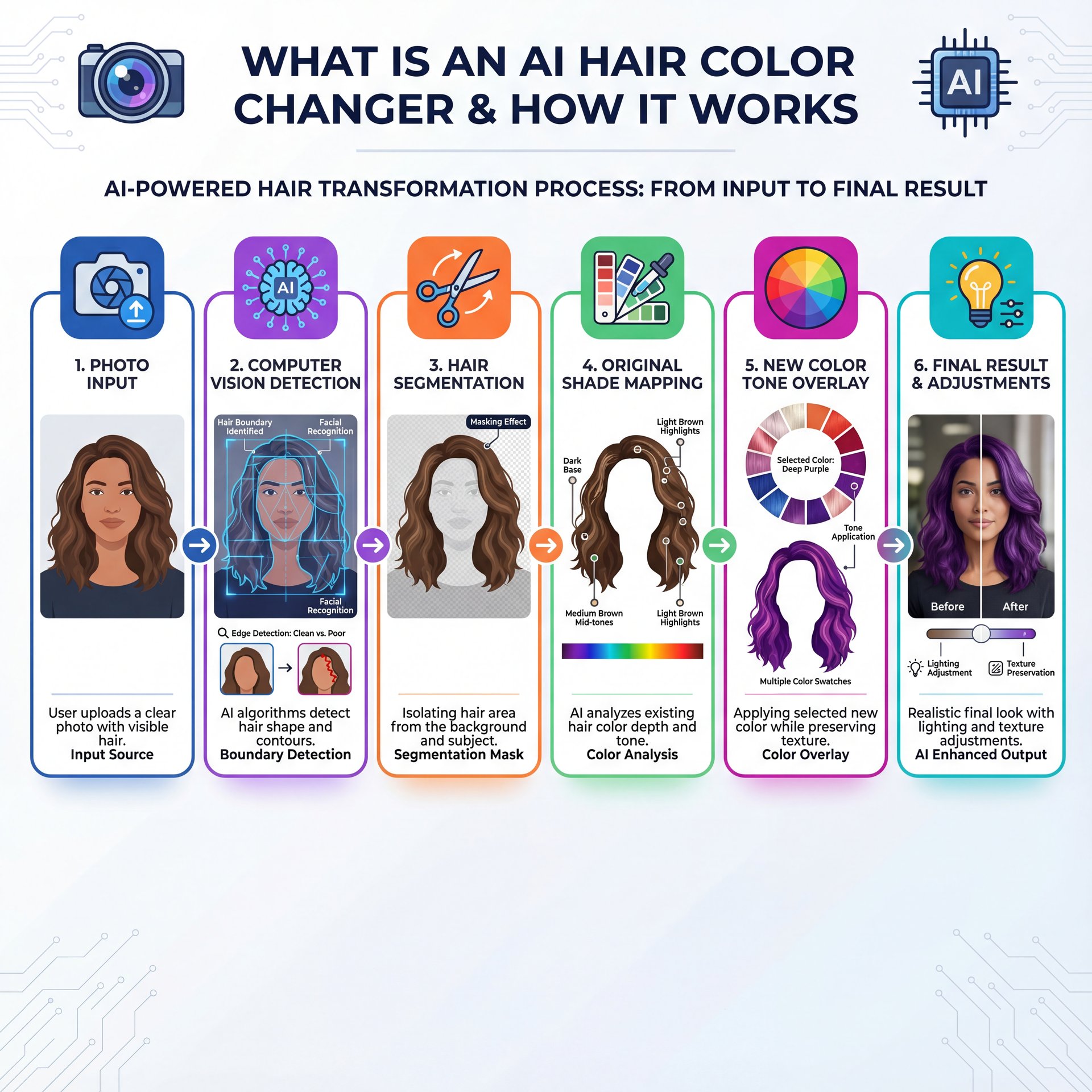
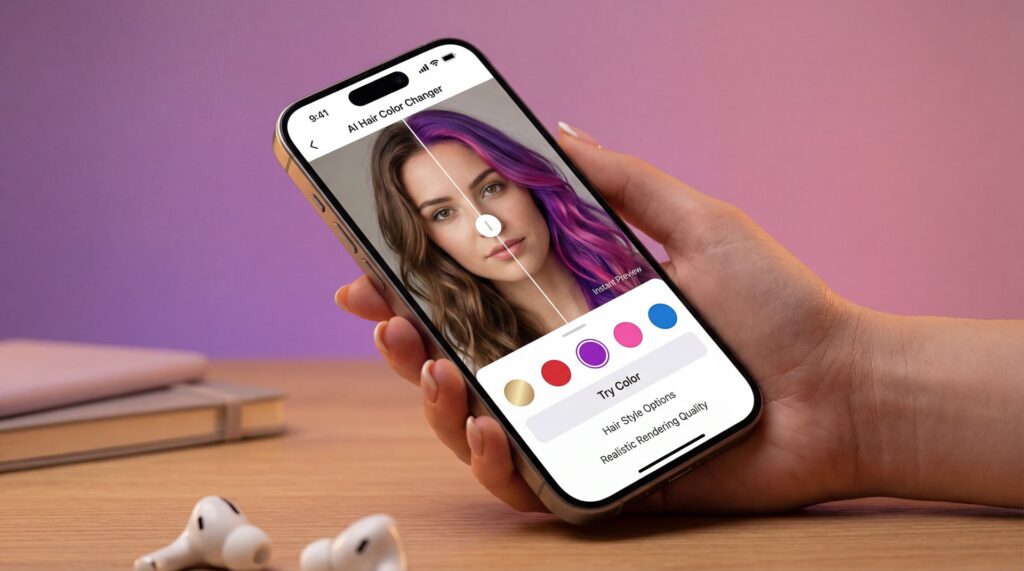
An AI hair color changer uses computer vision to identify hair boundaries in your photo. It then applies realistic color transformations while preserving texture and highlights. The engine segments hair from background, maps your original shade, and overlays new tones with lighting that (trust me) matches your photo’s enviroment. Related reading: Free vs Paid AI Image Tools: Full Comparison.
Why segmentation accuracy makes or breaks realism
Poor edge detection creates the dreaded “pasted-on” look. Premium tools like YouCam Makeup invest heavily in strand-aware masks that follow individual wisps and flyaways. This seems where 85–90% visual accuracy for well-lit photos comes from. The algorithm respects your hair’s actual structure rather than painting over it (Perfect Corp).
When previews are reliable—and when to be skeptical
AI previews excel with forward-facing portraits in even, natural light. However, they struggle with mixed lighting, profiles, or images where hair blends into dark backgrounds. If your original photo has warm indoor bulbs competing with cool window light, the algorithm guesses at your true undertone and often misses.
Pro Tip: Shoot two headshots—one in bright window light, one in shaded daylight—and test the same color in both. If a tone looks great in both images, it’s a safer bet.
(Stay with me.)
The market signal behind all this experimentation
Consumer behavior is reacting to the new try-on norm. L’Oréal’s AI-assisted Colorsonic recorded 1.5 million units sold in the first six months. This triggered a 33% surge in DIY kit sales (Market Growth Reports). When at-home tech looks dependable, people buy—not because it’s cheap, but because it feels predictable.
Why is 2025 the tipping point for virtual hairstyle tools?
Three forces converge right now. First, 65% of consumers prefer chemical-free hair color alternatives, driving a 45% surge in plant-based dyes. Under-35s show 58% adoption of organic options (Market Growth Reports). Second, AI-powered personalization isn’t optional anymore. 71% of shoppers expect it, and they’re 58% more likely to buy when brands offer personalized recommendation quizzes (Exploding Topics). Third, the tech itself 🙃 is accessible. Free tools like Kaze AI and Pixelcut let you try endless transformations without subscriptions. Premium apps like YouCam Makeup typically run USD 6.99–12.99 per month.
Here’s what the innovation looks like
(Worth mentioning.)
Innovations like Schwarzkopf’s ammonia-free products highlight that trend toward cleaner color. Meanwhile, L’Oréal Colorsonic’s sales numbers show consumers trust AI-guided, at-home processes. On a global scale, China’s beauty-tech market alone is valued at USD five.64 billion in 2024. It’s projected to reach USD 18.39 billion by 2030, growing at 22.4% CAGR (China Briefing).
YouCam Makeup
60+ hairstyles, 100+ hair colors, face-shape analysis
- ✓ High visual accuracy for portraits
Kaze AI
Free, unlimited transformations on web
- ✓ Fast color/style testing without subscriptions
Pixelcut
Mobile-first edits, quick color remaps
- ✓ Speedy try-ons for social content
Two things stand out: the previews are getting faster, and batch comparison is improving. Creators and stylists can compare six shades side by side in minutes rather than hours.
71% of consumers expect personalized experiences; 58% are more likely to purchase when brands offer AI-powered recommendations.
However, “free” isn’t always the right choice. If you’re evaluating hair for a paid shoot or client, you want tools with the tightest segmentation and controllable lighting simulation. That’s usually where paid tier features pull ahead.
How do you try a new hair color with AI (and trust the result)?
Start with a photo the model can read
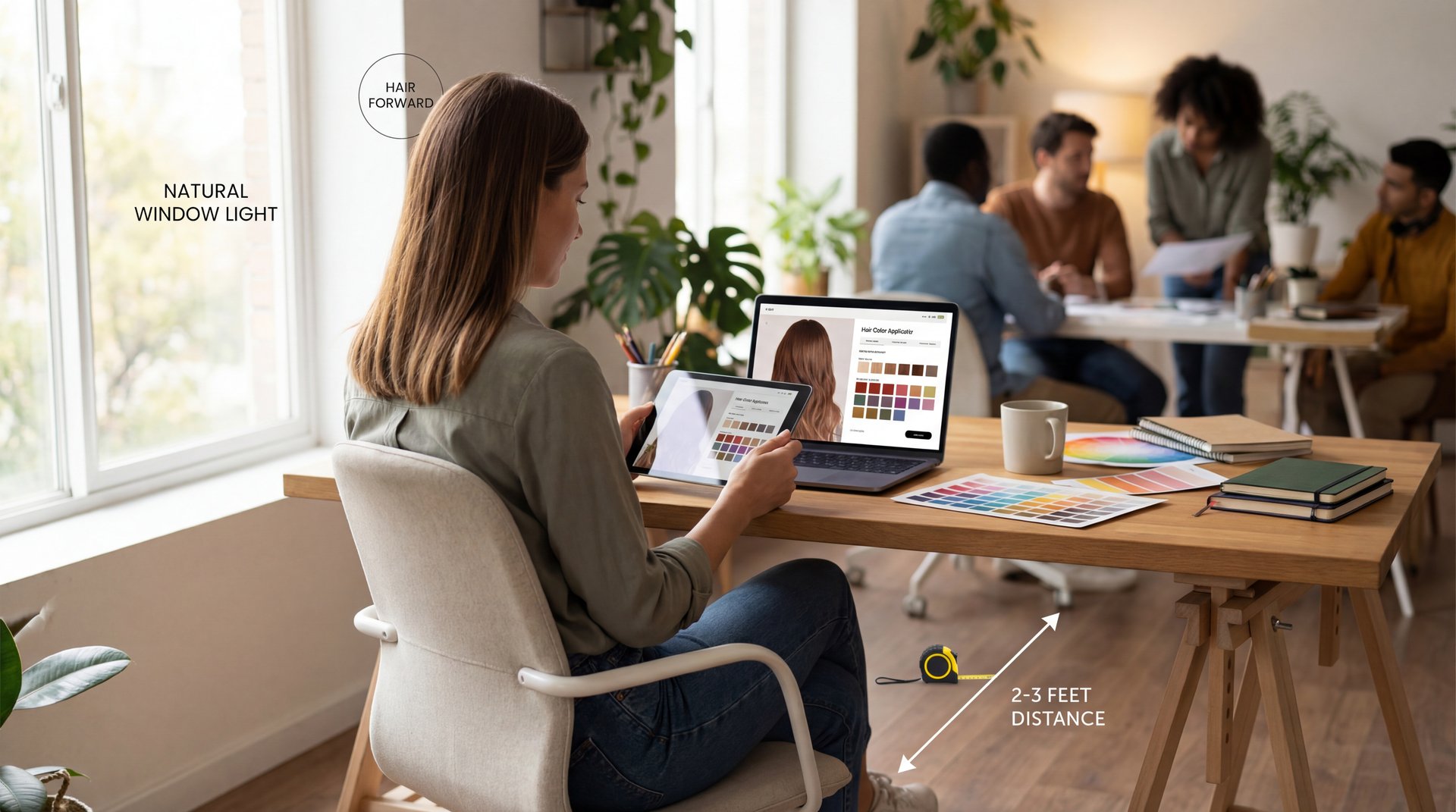
If you only do one thing, fix the light. Position your face toward a window and step back 2–3 feet. Avoid mixed lighting like a warm lamp combined with cool daylight. Pull your hair forward so its outline is clear. Skip hats or dark hoods that tangle hair edges.
🔧 Try-on + Compare x6 (Fast)
Creators: test six colors in parallel and label each look with the exact hex and lighting NOTES. For a visual workflow to keep comparisons consistent, see AI thumbnail generation tools. :::
Validate with a second app
Different AI models can give different results, so cross-check in at least two apps. For example, if YouCam suggests “cool ash” and Kaze AI agrees on both tone and depth, the chances you’ll like it in real life go up. If the previews don’t match, though, revisit the lighting in your original photo first.
⚠️ Lighting Mismatch = Fake-Looking Color
Most “pasted-on” results come from warm bathroom lighting. Re-shoot in window light and re-run your test. For a simple capture-and-compare checklist, try our step-by-step workflow guide.
:::
When to get a pro opinion
For major transformations, like lightening several shades or working with damaged hair, take your AI-generated previews to a colorist. Not kidding.. They can adapt the digital shade into practical steps. This includes the right developer, timing and aftercare. While AI eliminates alot of uncertainty, it doesn’t replace expertise needed for healthy, long-lasting results.
Which AI hairstyle app looks the most realistic?
The quick read for accuracy and controls
When evaluating realism, look for three features: tone control (warm/cool sliders), intensity/depth sliders, and lighting simulation that adjusts highlights and shadow density.
YouCam Makeup is the current fan favorite for still photos. That’s mostly because of its smart, strand-aware masks and wide shade variety. FaceApp also looks great, but sometimes it over-smooths texture. Pixelcut is fast on mobile for quick color changes. Its realism, however, depends on your original lighting. For professional retouchers, Photoshop is still best for precise manual refinements. The point here is speed: AI gets you 80–90% there in seconds, while manual finishing handles that last 10–20%.
For a detailed look at this tradeoff, see Photoshop vs AI Image Editors: Which to Choose?
So what about darker skin tones?
(You’ll see why in a second.)
Realism isn’t one-size-fits-all. Darker skin tones are often underrepresented in training datasets. This can lead to skewed color suggestions or wash out undertones. Many apps perform better on lighter complexions. If you have deeper skin, cross-check with tools that specifically mention diverse training data for various hair textures and skin tone ranges.
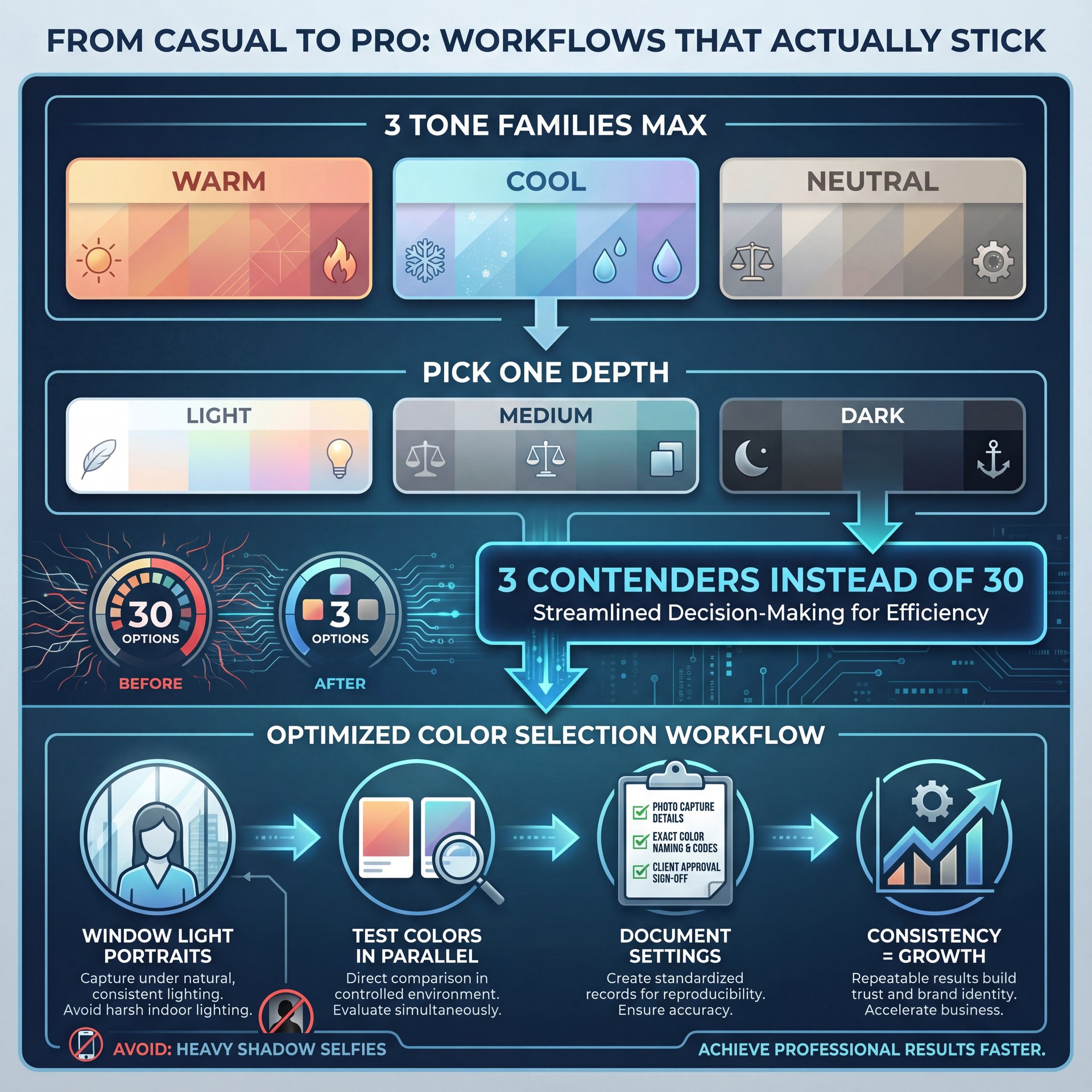
From casual to pro: workflows that actually stick
Casual users: “I’m overwhelmed by options”
You’re not alone. Hundreds of shades and styles make decision paralysis real. Start with three tone families max (warm, cool, neutral). Then pick one depth (light/medium/dark). That gives you three serious contenders instead of thirty. Also, stick to portraits in window light. Avoid selfies with heavy shadows.
Creators: “I need batch compare and consistency”
Test colors in parallel and document your photo capture settings, color naming and client approval process. Consistency is crucial for growth. Also, consider expanding regionally. China’s beauty-tech market is growing at 22.4% CAGR toward USD 18.39 billion by 2030 (China Briefing). This signals how AI-driven personalization is becoming standard everywhere.
Professionals: “How do I set client expectations?”
In professional settings, treat AI previews as conversation starters rather than firm commitments. Select options that honestly are feasible based on the client’s hair background and current condition. Link them to practical products. Since 65% prefer chemical-free choices and there’s been a 45% surge in plant-based dyes (Market Growth Reports), map their desired look to ammonia-free or low-tox solutions. With 71% of consumers expecting personalization, incorporate a quick preference survey before showing previews.
🤔 Did You Know?
Searches for “AI skin analysis” are up 1,071% since 2020, mirroring broader demand for personalized beauty tech. That appetite spills directly into hair color try-ons and style recommendations.
Is AI hair transformation ready for every skin tone and texture?
The honest answer—and how to navigate it
Unfortunately, darker skin tones and textured hair remain underrepresented in many training datasets. Therefore, results can skew toward lighter complexions and straighter hair. Untill datasets broaden, cross-validate across multiple tools. Always test in neutral light.
Practical settings for better results
First, shoot in neutral light—north-facing window or open shade—so your skin undertone and hair highlights render correctly. Second, search for tones by undertone words (golden, caramel, mahogany) rather than just “brown” or “red.” Third, dial intensity down one notch from your first instinct. Most previews look slightly more saturated on mobile than in real life.
If you’re shopping online, lean on brand quizzes and shade finders. 58% of shoppers are more likely to purchase when recommendations are personalized (Exploding Topics). That reduces trial-and-error and keeps expectations grounded.
Here’s the bigger picture
This market is expanding fast. The AI image editing market is tracking to USD 229.6 billion by 2035 (Photoroom). Hair color alone is heading toward USD 63.8 billion by 2033 (Market Growth Reports). As training data broadens, expect more accurate matches across the full spectrum of skin tones and hair types. Until then, cross-check previews and use an AI hair color changer as a guide—not a guarantee.
⚠️ Quick reminder on data, you know, and privacy
When you upload face photos to any AI beauty app, read their privacy policy. Avoid tools that store your images indefinitely or use them for training without giving you an opt-out option. When in doubt, stick to local or web apps that delete your images right after processing.
Related Videos
Related Content
For more on this topic, check out: styles
Listen to This Article