
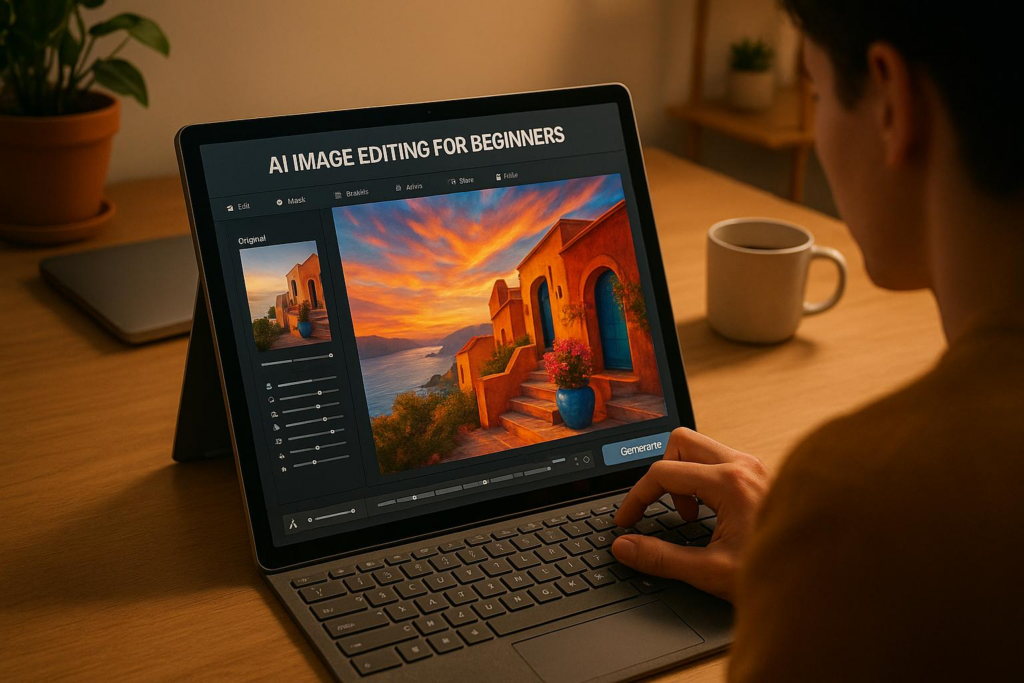
AI image editing has transformed how creators design visuals. In 2025, tools like Bananathumbnail.com make professional-quality editing fast, affordable, and simple for beginners. Here’s what you need to know:
- What It Does: AI tools handle tasks like background removal, outfit changes, and thumbnail creation in seconds – no design skills needed.
- Why It Matters: Save time and money while boosting engagement. For example, creators have reported up to 65% more views and 40% higher click-through rates with AI-generated designs.
- Key Features: Platforms like Bananathumbnail.com offer 71 editing tools, platform-specific formats (e.g., YouTube, TikTok), and CTR-optimized themes.
- Cost: Pricing starts at $0.10 per edit or $10/month for unlimited use, making it accessible for individuals and small businesses.
Bananathumbnail.com, launching January 1, 2026, simplifies editing with features like an AI Creative Director, batch processing, and free trial tokens for new users. Whether you’re a content creator or a small business owner, AI tools can save you hours while delivering polished visuals tailored to your needs.
I Tested Every AI Image Editor. This is the Best
Getting Started with Bananathumbnail.com

Curious about AI-powered image editing? Bananathumbnail.com makes it easy to jump in, even if you’re new to AI tools. Designed with beginners in mind, the platform offers a simple setup process and flexible pricing plans to suit various needs.
How to Create an Account and Access Tools
As of October 30, 2025, Bananathumbnail.com is in limited beta, with its official launch set for January 1, 2026, at 12:00 AM EST. To join, head to Bananathumbnail.com and look for the "Join Beta" or "Get Early Access" buttons. Sign up with your email and create a password – no credit card required – and you’ll instantly receive 25 free tokens.
Be sure to save your login details. Once the app officially launches, you’ll get an email notification. At that point, you can download the app from the iOS App Store or Google Play Store. Log in using your registered email and password, and your 25 free tokens will already be in your account, ready for you to explore AI image editing without spending a dime.
After that, take a moment to review the pricing options and pick the plan that works best for your needs.
Understanding Pricing and Plans
Bananathumbnail.com offers pricing options that cater to different budgets and usage levels, ensuring there’s something for everyone.
- Free Trial: Perfect for testing the waters, this option includes 25 free tokens and access to core features like background removal, creative transformations, and thumbnail generation. The free beta tokens fall under this category, giving you a no-cost way to explore the platform.
- Pay-Per-Use: Ranging from $0.10 to $0.50 per edit, this flexible option is great for occasional users who want to try out specific features without committing to a monthly plan.
- Subscription Plans: Designed for frequent users, these plans cost between $10 and $30 per month. They include unlimited edits, batch processing, and advanced customization, making them a better fit for high-volume creators.
| Plan Type | Price Range | Best For | Key Benefits |
|---|---|---|---|
| Free Trial | Free | Testing features | 25 free tokens, core editing tools |
| Pay-Per-Use | $0.10-$0.50/edit | Occasional users | No monthly commitment |
| Subscription | $10-$30/month | Regular creators | Unlimited edits, batch processing, advanced features |
Uploading and Preparing Your Images
Once you’re registered and have chosen your plan, uploading and preparing your images is simple. Bananathumbnail.com uses a three-step process to get your images ready for editing.
You can upload an image from your device, take a new photo, or extract a frame from a YouTube video. The platform’s AI Creative Director analyzes multiple inputs to bring your vision to life. It takes into account your background image, overlay elements (like people, logos, or graphics), custom text for headlines, and even YouTube metadata such as titles, descriptions, and tags when using the YouTube mode.
Key AI Editing Features
Bananathumbnail.com brings 71 AI-powered editing tools to the table, capable of transforming your images in just 30 seconds. These tools are neatly organized into categories, so you can quickly find what you need without wading through confusing technical terms. Let’s dive into what these features offer and how they can adapt to your creative projects.
Core Editing Features
The platform is built around nine main categories of editing tools designed for professional-quality photo enhancements. Highlights include background removal, which lets you isolate subjects from busy settings in an instant, and outfit changes, enabling you to experiment with new clothing styles without scheduling a photoshoot. You’ll also find a variety of effects to adjust lighting, add drama, and infuse creativity into your images. Each tool is applied with just one click, eliminating the need for advanced editing skills.
To make your projects even more dynamic, the platform offers access to over 50 free community backgrounds. These backgrounds give you plenty of options to experiment with different settings, moods, and visual styles. But the creative possibilities don’t stop there – Bananathumbnail.com also offers five unique generation modes to align these tools with your workflow.
Generation Modes for Different Needs
Bananathumbnail.com’s editing tools are complemented by five generation modes, each tailored to specific creative workflows. Whether you’re enhancing existing photos or starting from scratch, there’s a mode for you.
- Upload Mode: Perfect for enhancing your current images with a simple drag-and-drop interface.
- Camera Mode: Capture and edit visuals in real-time, ideal for creators who need quick, polished results.
- YouTube Metadata Mode: Automatically generates thumbnails that match your video’s theme by analyzing titles, descriptions, and tags.
- Text Prompt Mode: Bring your ideas to life by describing your vision, and watch as the platform generates visuals from your input.
- Video Generation Mode: Currently in beta, this mode extends the platform’s capabilities to animated content, giving motion visuals a creative edge.
| Generation Mode | Best For | Key Advantage |
|---|---|---|
| Upload | Existing photos | Quick enhancement of current images |
| Camera | Real-time creation | Instant capture and edit workflow |
| YouTube Metadata | Video creators | Content-matched thumbnail generation |
| Text Prompt | Creative concepts | Building visuals from ideas |
| Video Generation | Motion content | Animated visuals (Beta feature) |
Using the AI Creative Director
The AI Creative Director is the platform’s standout feature, designed to take the guesswork out of your design process. It analyzes elements like your background, overlays, text, and YouTube metadata to understand your creative vision, then generates tailored prompts to bring it to life. For instance, it might suggest: "Create a thumbnail with dramatic lighting that matches the intensity of the video title while keeping the person’s face prominent and the logo visible in the corner."
To make your designs even more effective, the AI Creative Director offers eight themes optimized for click-through rates (CTR), based on psychology research. These include Shock & Awe, Curiosity Gap, Before/After, Versus Battle, Breaking News, Challenge, Glamorous, and Transformation.
Additionally, the system ensures your visuals fit perfectly across platforms by supporting true aspect ratio regeneration for 10 formats, from ultra-wide 21:9 to vertical 9:16. This means your designs will look their best whether you’re posting on YouTube, Instagram, TikTok, or LinkedIn. With its context-aware approach, the AI Creative Director ensures your final image is not only visually striking but also purpose-built for its platform.
sbb-itb-1e876b2
Step-by-Step Tutorials for Beginners
Now that you’re familiar with the main features, let’s dive into three practical tutorials. These step-by-step guides show how to use Bananathumbnail.com’s simple 3-step AI-driven process to turn any image into professional-quality visuals.
Creating Professional Marketing Graphics
Crafting marketing graphics doesn’t have to be time-consuming or expensive. With Bananathumbnail.com’s AI Creative Director, you can create polished promotional materials by combining your images, overlay elements, and custom text.
Step 1: Upload your base image. Start by selecting an image from your device. The AI analyzes it, along with any overlay elements and text you plan to add.
Step 2: Use one-click tools to refine your image. Choose from 71 tools, like background removal, to isolate your subject. Experiment with effects while the AI Creative Director suggests designs tailored to your marketing goals.
Step 3: Pick a theme and download. Choose from 8 themes optimized to drive clicks, based on psychology research. For example, "Shock & Awe" is great for product launches, while "Before/After" works well for transformation services. Select the right aspect ratio – 1:1 for Instagram or 16:9 for Facebook ads – and download your finished graphic.
"The ROI is insane. At $0.10 per thumbnail vs $50-200 from freelancers, I’ve saved thousands. Plus the viral themes actually work – my average views jumped 65%."
– James Rodriguez, Gaming Creator, 890K subs
Improving Photos for Social Media
The same tools that create marketing graphics can also elevate your everyday social media photos. Bananathumbnail.com’s intuitive process makes it easy to optimize images for platforms like Instagram and TikTok.
Upload and let the AI analyze. Select a photo from your camera roll or snap one directly in the app. The AI processes your image, taking into account any text or overlays.
Enhance with AI tools. Features like background removal and style adjustments let you tweak your image effortlessly. You can even try outfit changes without needing a new photoshoot. The AI also generates viral prompts tailored to your image and message.
Customize for platform performance. Choose themes like "Glamorous" for lifestyle posts or "Curiosity Gap" for educational content. Adjust the aspect ratio to 9:16 for TikTok and Instagram Stories or 1:1 for Instagram posts. The AI ensures your image is perfectly composed for each platform.
"As a full-time creator, consistency is key. The AI understands my channel’s vibe perfectly. Every thumbnail feels authentically ‘me’ while staying fresh and clickable."
– Sarah Martinez, Lifestyle Vlogger, 340K subs
Adapting Visuals for YouTube and TikTok

Once you’ve refined your images, adapting them for specific platforms like YouTube and TikTok is a breeze. With Bananathumbnail.com, you can ensure your visuals meet platform standards without sacrificing quality.
Start with any image. Upload your base image, and the AI immediately understands your creative intent.
Enhance for specific platforms. For YouTube, use the YouTube Metadata Mode, which analyzes your video titles, descriptions, and tags to create thumbnails that match your content. For TikTok, try bold themes like "Breaking News" or "Challenge" to grab attention.
Perfect the composition. Choose 16:9 for YouTube thumbnails or 9:16 for TikTok content. The AI regenerates your image, ensuring every detail is optimized for the platform while maintaining quality.
If you’re working with video, the beta Video Generation Mode extends these capabilities to animated visuals, giving creators a professional edge across both static and motion content.
"Banana Thumbnail literally saved me 10+ hours per week. I used to spend forever in Photoshop, now I get perfect thumbnails in seconds. My CTR improved by 40%!"
– Michael Chen, Tech YouTuber, 125K subs
These tutorials highlight how Bananathumbnail.com’s AI-powered tools take the guesswork out of design, delivering visuals that fit your message and platform effortlessly.
Practical Strategies and Applications
Building on the editing features and tutorials mentioned earlier, these strategies can help you make the most of AI-powered tools in everyday scenarios. Whether you’re a content creator or a small business owner, these approaches can elevate your visuals and boost engagement.
Strategies for Content Creators
Consistency is key to recognition. Stick to a signature style by using the same color schemes, fonts, and design elements across your thumbnails and social media posts. A unified look helps your audience instantly identify your content.
Experiment and refine using analytics. Test different design themes optimized for click-through rates (CTR) and use platform analytics to see what resonates most with your audience. Small tweaks can make a big difference.
Batch editing saves time. Upload multiple images at once and experiment with various themes and aspect ratios. This approach not only speeds up the process but also ensures a consistent look across your visuals.
Tailor your designs to each platform. Different platforms have unique needs. For example, YouTube thumbnails perform better with bold text and high-contrast colors, while TikTok thrives on vertical (9:16) layouts optimized for mobile viewing. Customizing your visuals for each platform can significantly boost engagement.
Plan for cross-platform use. Start by designing for your main platform, then use AI tools to adapt your visuals for other channels. This method helps you expand your reach without doubling your workload.
These strategies naturally extend into marketing, where visuals play a crucial role in capturing customer attention.
Marketing Tips for Small Businesses
For small businesses, these strategies can be adapted to meet marketing goals and enhance brand visibility.
Use visuals to solve problems. Design graphics that clearly show how your product or service addresses a specific need. A well-crafted visual can instantly highlight benefits and draw attention.
Optimize for mobile users. Ensure your designs have clear, readable text and uncluttered layouts to make them effective for smartphone screens, where most users consume content.
Refresh designs for seasonal campaigns. Update elements like backgrounds, colors, and text overlays for seasonal promotions, but keep your core branding consistent to maintain recognition.
Build a library of templates. Save your most successful designs as templates for future use. This ensures consistency and makes creating new visuals faster and easier.
Monitor performance and adjust. Keep an eye on engagement metrics like click-through rates and conversions to understand what works best. Use this data to refine your visual strategy over time.
Case Studies: Success Stories with Bananathumbnail.com
The impact of AI editing tools is best illustrated through real-world examples. Bananathumbnail.com showcases how AI-enhanced visuals can dramatically improve engagement and visibility across different platforms.
Conclusion and Key Takeaways
AI-powered image editing has become an accessible tool for everyone, and this guide has walked you through everything from setting up your account to applying advanced strategies for creating polished visuals using Bananathumbnail.com.
Highlights of Key Features
Bananathumbnail.com offers a suite of tools designed to simplify and elevate your design process. With 71 editing tools across 9 categories, 5 generation modes, 10 aspect ratios, and 8 CTR-optimized themes, the platform delivers professional-quality visuals in just 30 seconds. At the heart of it is the AI Creative Director, which seamlessly analyzes your background images, overlay elements, custom text, and YouTube metadata to craft designs that would otherwise take hours of manual effort.
Tips for Getting Started
If you’re new to the platform, here are a few tips to help you hit the ground running:
- Start with simple designs and gradually explore the various themes.
- Use batch editing to save time when creating multiple visuals.
- Keep an eye on analytics to see what resonates with your audience.
- Stick to consistent color palettes and design elements to establish a recognizable brand identity.
"Banana Thumbnail literally saved me 10+ hours per week. I used to spend forever in Photoshop, now I get perfect thumbnails in seconds. My CTR improved by 40%!"
– Michael Chen, Tech YouTuber, 125K subs
With these strategies, you can maximize the platform’s potential and achieve professional results effortlessly.
Ready to Dive In? Start with Bananathumbnail.com
Bananathumbnail.com offers flexible pricing options to fit your needs, starting with a free trial and scaling to affordable subscription plans ranging from $10 to $30 per month. These plans unlock unlimited transformations and batch processing, making it easy to grow your content without breaking the bank.
All thumbnails generated with purchased tokens are watermark-free and come with full commercial licensing, so you can use them immediately for business purposes without restrictions. The platform is designed to be intuitive, with minimal learning curve, and the AI Creative Studio Blog provides additional tutorials, advanced techniques, and inspiration to help you refine your skills.
Your journey into AI-driven image editing starts now. Upload your first image, experiment with the tools, and watch your engagement soar with visuals that are not only professional but also tailored to stand out in today’s competitive digital world.
FAQs
Is Bananathumbnail.com easier to use for beginners compared to traditional image editing software?
Bananathumbnail.com caters to beginners by providing a user-friendly interface and AI-driven tools that take the hassle out of complex editing tasks. Unlike traditional image editing programs, which often demand technical expertise and involve a steep learning curve, Bananathumbnail.com streamlines the process, making it approachable for everyone – even those without any prior experience.
Key features like drag-and-drop functionality, ready-made templates, and one-click enhancements allow users to produce professional-grade visuals in no time. It’s an excellent option for anyone who wants to edit images efficiently without getting bogged down by the intricacies of conventional software.
What are the advantages of using the AI Creative Director feature on Bananathumbnail.com, and how does it simplify the design process?
The AI Creative Director feature on Bananathumbnail.com takes the hassle out of design by automating tricky tasks and providing smart, tailored suggestions for your projects. Whether you’re a total beginner or a seasoned designer, it helps you craft professional, polished visuals with ease.
Here’s what makes it stand out:
- Save time with automation: Say goodbye to tedious work like resizing, tweaking colors, and perfecting layouts – the AI handles it all, so you can focus on the fun, creative side of things.
- Smart design suggestions: It recommends fonts, colors, and other design elements based on your content, helping you achieve a cohesive and eye-catching look.
- Easy-to-use tools: The simple, intuitive interface makes experimenting with ideas a breeze, even for those new to image editing.
With these tools at your fingertips, the AI Creative Director helps you create stunning visuals for platforms like YouTube and TikTok, all while making the design process smoother and more enjoyable.
Can I use Bananathumbnail.com for professional marketing campaigns, and what features make it effective for businesses?
Bananathumbnail.com is a standout tool for professional marketing campaigns, particularly when it comes to crafting eye-catching visuals for platforms like YouTube. One of its standout features is the channel DNA analysis, which ensures your thumbnails stay true to your brand by matching your channel’s unique style and resonating with your audience’s preferences.
The platform also leverages video content recognition, allowing it to automatically create thumbnails that align seamlessly with your video’s theme and message. This means less guesswork and more time saved.
To drive engagement, Bananathumbnail.com utilizes a viral psychology engine designed to optimize thumbnails for higher click-through rates. It even offers creative themes like Shock & Awe and Curiosity Gap to capture attention and deliver a stronger impact. For businesses aiming to elevate their visual marketing game, this tool is packed with features to make a real difference.
Related Blog Posts
• guide
• image
• guide
One Response