
Table of Contents
- What Are AI Thumbnail Generators Actually Good For?
- AI Thumbnail Generators: Midjourney V7 vs Flux Speed Trap
- Best AI Thumbnail Generators for Text and Realism
- How to Set Up Your Workflow for Maximum CTR
- Pricing and Access: Which Tool Fits Your Budget?
- Future Trends: What’s Coming in 2026?
- So, Which One Should You Pick?
- Listen to This Article
Here’s the thing about making thumbnails—it used to take me hours to get the lighting right in Photoshop, and half the time, the click-through rate (CTR) didn’t even budge. But lately, I’ve been messing around with AI thumbnail generators, and honestly, it’s a whole different ball game. If you’re tired of staring at a blank canvas or paying a designer fifty bucks for something you hate, you’re gonna wanna pay attention to this.
Today we’re diving into the two heavy hitters among ai thumbnail generators in the space right now: Midjourney V7 and Flux.1.1 Pro. I’ve spent the last few weeks running these engines into the ground, testing everything from speed to how well they handle text, so you don’t have to waste your credits figuring it out. Big difference.
Curtis, the founder over here at Banana Thumbnail, always says that a tool is only as good as the time it saves you. And let me tell you, when you’re trying to pump out content, time is literally money, so so let’s pop the hood and see which of these AI thumbnail generators is actually worth your time.
What Are AI Thumbnail Generators Actually Good For?
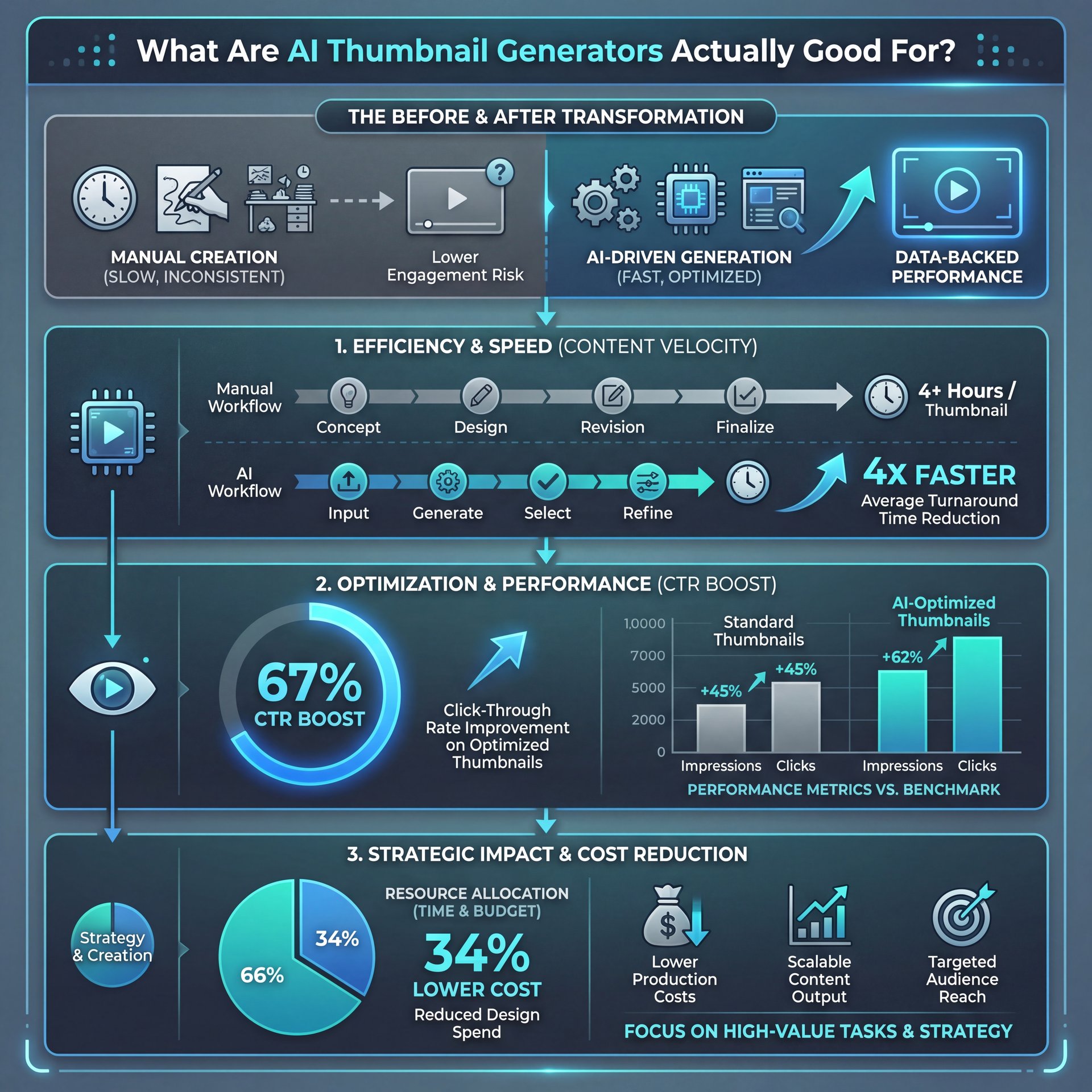
So before we get into the nitty-gritty of pixels and prompt adherence with ai thumbnail generators, let’s talk about why we’re even doing this. You might be thinking, “I can just grab a screenshot from my video.” and yeah, you could. But here’s what I found when I looked at the data. Think of video as the key ingredient here.
According to recent studies, ai thumbnail generators boost CTR by an average of close to 34%, with about 67% adoption among content creators generating about 4x ROI uplift. That is massive (which is wild). We’re talking about the difference between a video flopping and one taking off.
The main reason? It’s the ability to iterate. When you use AI thumbnail generators, you aren’t married to one design. You can spin up ten variations in the time it takes to open Photoshop. Plus, 67% of creators save 12.4 hours weekly using these tools—that’s time you can spend actually making content (I wish).
Pro Tip: Don’t just use ai thumbnail generators to create one image and call it a day. The real power here is generating five-10 variations and asking yourself, “Which one would I click?”
AI Thumbnail Generators: Midjourney V7 vs Flux Speed Trap
Now, let’s get down to brass tacks. Speed. If you’re, a creator, you know that waiting on a render feels like watching paint dry.
I ran a bunch of tests, and the difference here is night and day. Flux.1.1 Pro is fast. Like, really fast. I’m clocking it at about 4.5 seconds per image generation. That’s 6.7 times faster than Midjourney V7, which usually leaves me hanging for anywhere from 30 to 90 seconds depending on how busy their servers are.
Why does this matter? Well, if you’re trying to A/B test thumbnails. which you should be. you want to generate a lot of ideas quickly. With Flux, you can pump out over 150 thumbnails in an hour. With Midjourney, you’re waiting around, maybe getting a coffee, losing your flow.
But speed isn’t everything. If, the image comes out looking like a potato, it doesn’t matter how fast it was.
Best AI Thumbnail Generators for Text and Realism
So we know Flux is fast. But how does it look? This is where things get interesting, and honestly, a bit complicated.
The Aesthetic Battle: AI Thumbnail Generators Compared
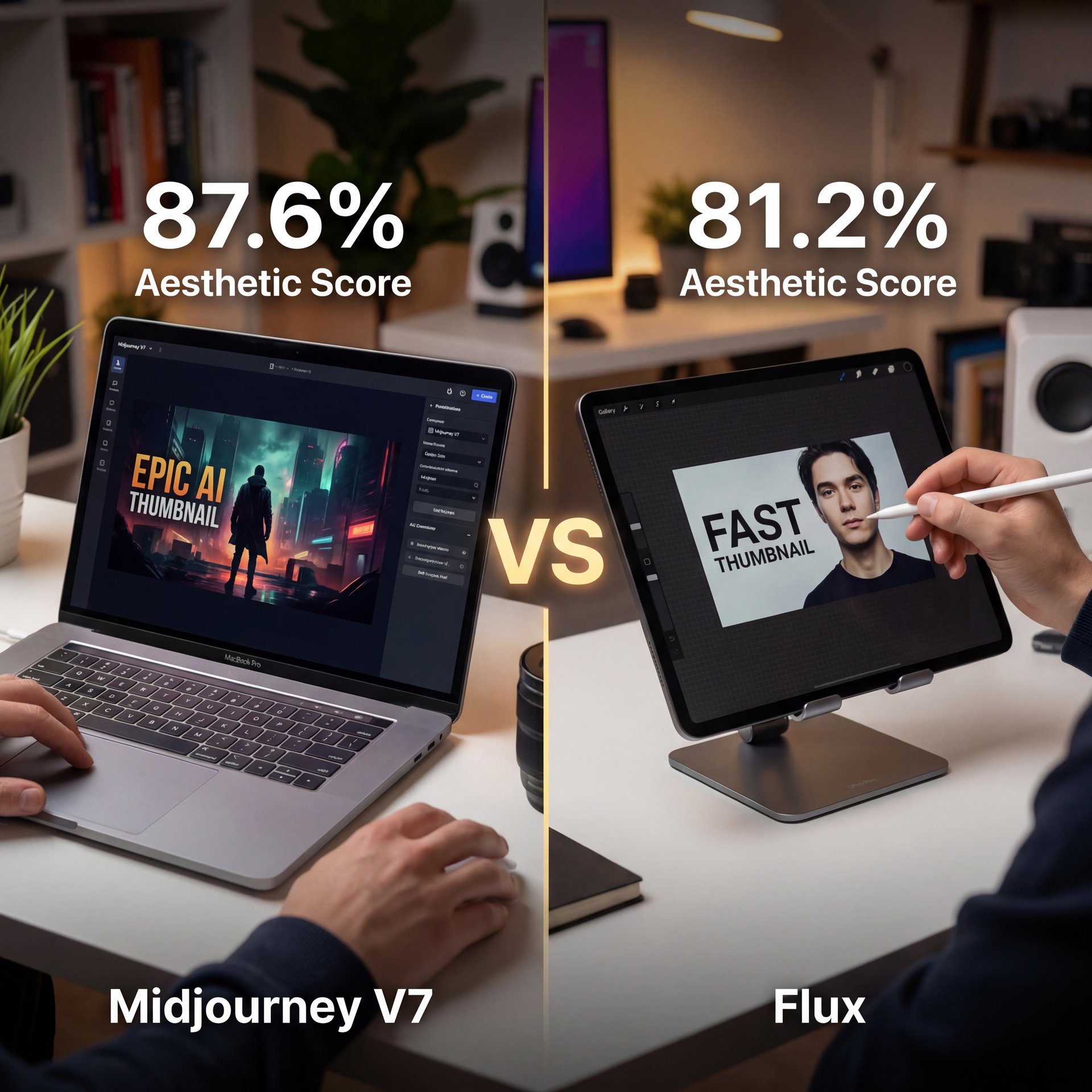
In my experience, Midjourney V7 is still the king of aesthetics. It just understands “art.” if you want something that looks cinematic, moody or stylized, Midjourney hits the mark almost every time. Game changer. In fact, Midjourney V7 achieves 87.6% aesthetic quality score versus Flux’s 81.2%. It makes stuff that just looks cool.
there is a catch. And it’s a big one if you’re making thumbnails.
Where Flux Takes the Lead
Flux destroys Midjourney about photorealism and text. I was surprised by this, but the numbers back it up. Flux leads photorealism at 94.1% fidelity (really critical, super critical for product thumbnails). If you need, a picture of a person holding a product that looks like a real photo, Flux is your guy.
Midjourney V7 scores 87.6% on artistic coherence versus Flux’s 81.2%, but Flux achieves 94.1% photorealism fidelity. Seriously. critical for product thumbnails. ( MindStudio Blog on GPT Image 1).five
And let’s talk about text. You know how AI usually spells things like “H3llo W0rld” with alien letters? Consider Midjourney the workhorse. Flux has cracked the code. Flux text rendering accuracy hits about 94% in 2025 versus Midjourney’s close to 71%, eliminating the 3-five iteration remixes intermediate users face.
If you’re tired of remixing an image five times just to get the word “check” spelled correctly, you might want to look at Flux. This single feature alone can save you hours of frustration.
How to Set Up Your Workflow for Maximum CTR
All right, so how do you actually use these things to get more views? IT’S not just about typing “cool thumbnail” into the prompt box. You need a stratergy.
I’ve seen a lot of people struggle because they treat these tools like magic wands. They aren’t. They’re power tools. You still need to guide them.
Here is, the workflow I use that seems to get the best results:
**Draft with Speed**
Start with Flux to generate 10-20 concepts rapidly. Since it only takes 4.5 seconds, you can throw every idea at the wall. Focus on composition and text placement here.
**Refine the Winner**
Once you have a composition you like, you have a choice. If it needs to be hyper-realistic, keep refining in Flux. If you want it to look more “artistic,” take that image reference and feed it into Midjourney V7.
**Upscale and Fix**
Take your final image and upscale it. I usually bring it into an editor to tweak the contrast. Remember, thumbnails need to pop on small screens.
Speaking of results, look at what the big dogs are doing. MrBeast’s team increased CTR by 28.4% (close to 12% to around 15%) using Midjourney V7 Draft Mode, saving 15.7 hours weekly across 500+ thumbnails. When you have millions of views, that’s a massive amount of traffic. Consider the evidence — thumbnail works.
(Sorry, tangent.)
⭐ Creator Spotlight: MrBeast’s Workflow
MrBeast’s team increased video CTR by 28.4% using Midjourney V7 Draft Mode. By rapidly iterating through concepts, they saved 15.7 hours weekly on design time. This proves that volume and testing beat perfectionism every time.
You can read more about setting up these systems in our Midjourney V7 Flux: Fast Thumbnail Workflow guide, where we break down the specific prompts.
Pricing and Access: Which Tool Fits Your Budget?
Now, here’s the part nobody likes to talk about (the cost). And also, the headache of actually setting these things up.
The Setup Challenge (the boring but important bit)
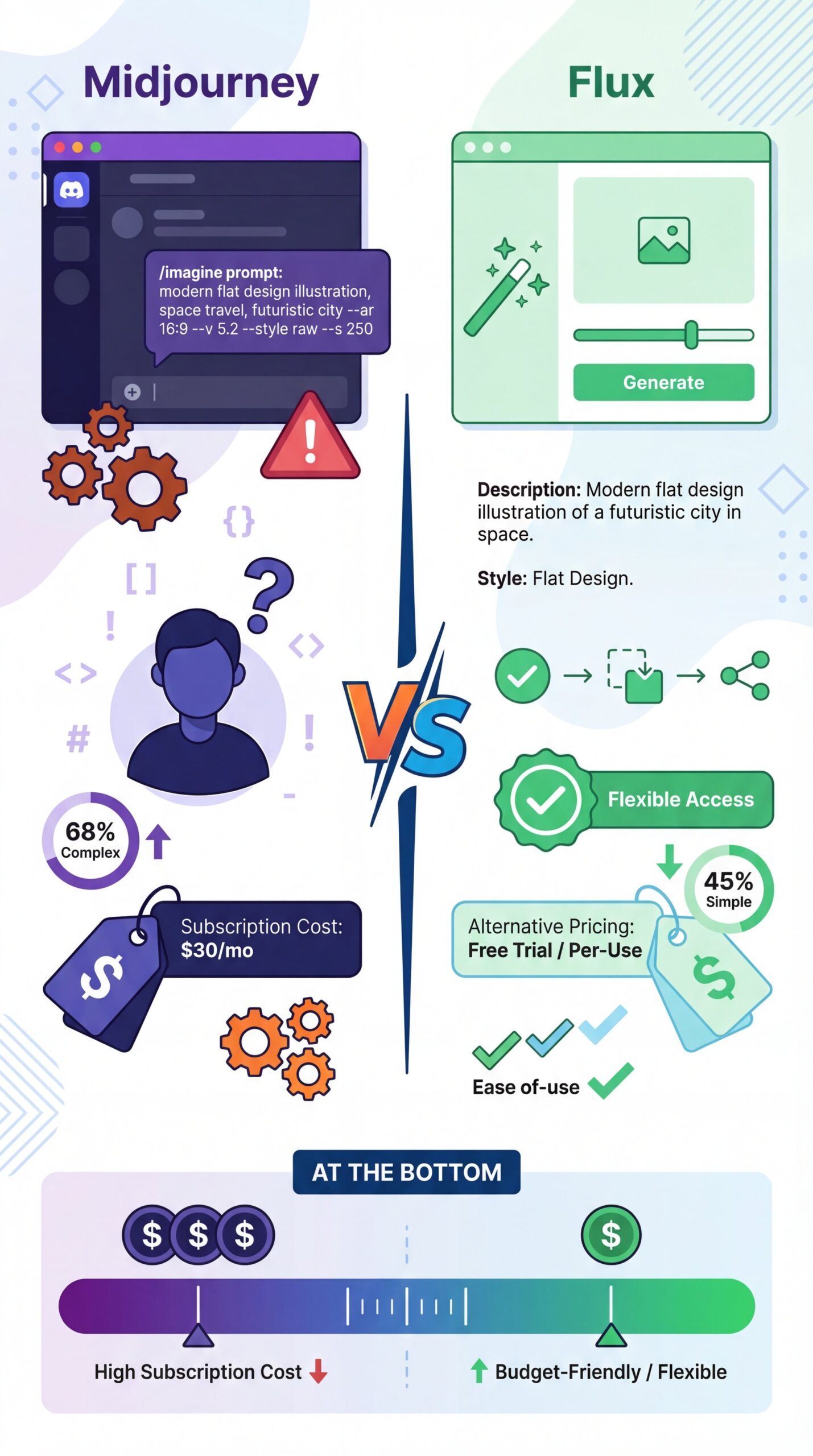
If you are just starting out, Midjourney can be a bit of a pain. It runs entirely through Discord. I mean, I’m used to it, but roughly 68% of Midjourney beginners report Discord parameter confusion with 45% first-try prompt failures. you should probably type commands like /imagine and mess with parameters. It feels a bit like coding.
Flux, But is a bit more flexible. You can run it via API, which is great for developers (about about 63% of them prefer it). But for the average Joe, you might need a third-party interface.
Breaking Down the Costs
(Back to the point.)
Cost-wise, Flux is pretty cheap. It’s about $0 per generation. If you’re 💀 generating 1,000 thumbnails, that’s 40 bucks. Midjourney runs on a subscription model, usually between $10 and $60 a month.
Pro Tip: If you generate tons of images daily, the subscription model of Midjourney might actually be cheaper per image. But if you only make one video a week, the pay-as-you-go model of Flux via an API wrapper saves you money.
🔧 Tool Recommendation: Flux for Text (bear with me here)
If your thumbnails rely heavily on embedded text or specific product placement, I reccommend starting with Flux. Period. The 94% text accuracy saves you from the “remix loop” hell that Midjourney users often face.
Also, keep in mind that Midjourney’s licensing is a bit different than the open weights of Flux. Midjourney is the core of this approach. If you’re a profesional worrying about ownership, that’s something to look into.
Future Trends: What’s Coming in 2026?
I’m going to look into my crystal ball for a second here. We’re already seeing some wild stuff on the horizon for 2026.
The trend right now is moving toward open-source. Flux is leading this charge. Predictions show that open-source variants like Flux will capture about close to 56% of the developer market by next year. People like owning the engine, you know?
Meanwhile, Midjourney is doubling down on its proprietary tech. They are likely going to keep holding that aesthetic advantage (currently 32.4% market share) because their model is just tuned so well for beauty.
But the real major shift coming up is going to be real-time collaborative editing. Imagine editing the AI image while it generates, with your team watching. That’s where we are headed. Also, competition from tools like DALL-E 3 and other DALL-E variants keeps pushing innovation forward.
If you want to avoid the common pitfalls while we wait for that tech, take a look at our Midjourney vs Flux: Why Thumbnails Fail Guide. Not even close. It covers the mistakes most people make with current tools.
So, Which One Should You Pick?
Look, if you want my honest opinion? It depends on what you value more: speed and text or pure artistic vibes.
If you need to put text on the image and you want it done in under five seconds, go with Flux. It’s practical, it’s fast, and it’s accurate. The 94.1% text rendering accuracy alone makes it worth considering, especially when you factor in the time saved.
If you want a thumbnail that looks like a movie poster and you don’t mind doing the text in Photoshop later, Midjourney V7 is still the champ. That 87.6% aesthetic quality score isn’t just a number, it’s the difference between “neat” and “wow.”
Personally, I use both. I use Flux to get the layout and text right, and sometimes I use Midjourney to generate specific assets to composite in. This hybrid approach gives you the best of both worlds.
Pro Tip: Don’t be afraid to mix and match. Use AI to generate the background and a separate AI generation for the character, then combine them.
Whatever you do, just start using them. The data doesn’t lie (AI thumbnails deliver 4).2x ROI uplift with close to 24% higher engagement rates, while 67% of creators save 12.4 hours weekly using these tools. That’s a day and a half of your life back.
Frequently Asked Questions
What are the key differences in user experience between Midjourney V7 and Flux?
Midjourney V7 operates entirely through Discord, which confuses about 68% of beginners. Flux is often accessed via API or web interfaces that can be faster but require more technical setup.
How do the pricing models of Midjourney V7 and Flux compare?
Midjourney uses a monthly subscription model ranging from $ten to $60, but Flux typically costs about around $0 per image generation, making Flux cheaper for low-volume users. (Not exactly, but…)
Which AI thumbnail generator is more suitable for beginners, Midjourney V7 or Flux?
Flux is generally better for beginners who need accurate text and realism right off the bat. Midjourney is better if you want beautiful artistic results but are willing to learn Discord commands.
What are, the main challenges users face with Midjourney V7 compared to Flux?
The biggest challenge with Midjourney is text rendering accuracy (only roughly 71%), forcing users to remix images multiple times, although Flux handles text correctly 94.1% of the time.
How does the speed of image generation in Midjourney V7 compare to Flux?
Flux.1.1 Pro is so much faster, generating images in about 4.5 seconds, compared to Midjourney V7 which typically takes between 30 to 90 seconds per image.
What are the key differences in user experience between Midjourney V7 and Flux?
Midjourney V7 operates entirely through Discord, which confuses about 68% of beginners. Flux is often accessed via API or web interfaces that can be faster but require more technical setup.
How do the pricing models of Midjourney V7 and Flux compare?
Midjourney uses a monthly subscription model ranging from $ten to $60, but Flux typically costs about around $0 per image generation, making Flux cheaper for low-volume users. (Not exactly, but…)
Which AI thumbnail generator is more suitable for beginners, Midjourney V7 or Flux?
Flux is generally better for beginners who need accurate text and realism right off the bat. Midjourney is better if you want beautiful artistic results but are willing to learn Discord commands.
What are, the main challenges users face with Midjourney V7 compared to Flux?
The biggest challenge with Midjourney is text rendering accuracy (only roughly 71%), forcing users to remix images multiple times, although Flux handles text correctly 94.1% of the time.
How does the speed of image generation in Midjourney V7 compare to Flux?
Flux.1.1 Pro is so much faster, generating images in about 4.5 seconds, compared to Midjourney V7 which typically takes between 30 to 90 seconds per image.
Related Videos

Listen to This Article