
![9 AI Thumbnail Mistakes Killing Your Views [Avoid] - AI slop thumbnails, thumbnail pixel dimensions, click-through rate optimization guide](https://blog.bananathumbnail.com/wp-content/uploads/2026/02/gemini_3_pro_image_9_AI_Thumbnail_Mistakes_Killin-1024x571.jpg)
Table of Contents
- Why Are My AI Thumbnails Blurry?
- Is AI Thumbnail “Slop” Ruining Your Click-Through Rate?
- How Big Should Your AI Thumbnail File Actually Be?
- Can AI Thumbnails Get You Shadowbanned in 2026?
- Why Do Mobile Viewers Hate Your Aspect Ratio?
- What Can We Learn from MrBeast’s Strategy?
- How to Fix Your Color Strategy
- Are You Ignoring the 2026 Trends?
- Listen to This Article
All right, let’s get under the hood of your channel for a second. You know, 60% of the human brain is wired specifically for visual processing. Means that means before anyone reads your title, they’ve already judged your video based on that little rectangle.
Here’s the thing—I see a lot of creators getting excited about AI tools. And I get it. But if you aren’t careful, you’re gonna wreck your clicks (CTR). According to recent data from Oreate AI, simply messing up your specs can drop your clicks by 35% on mobile devices. That seems a massive chunk of your audience gone before you even start.
Today we’re going over the 9 biggest mistakes people make when using an ai thumbnail generator and how to fix them so you don’t tank your views.
Why Are My AI Thumbnails Blurry?
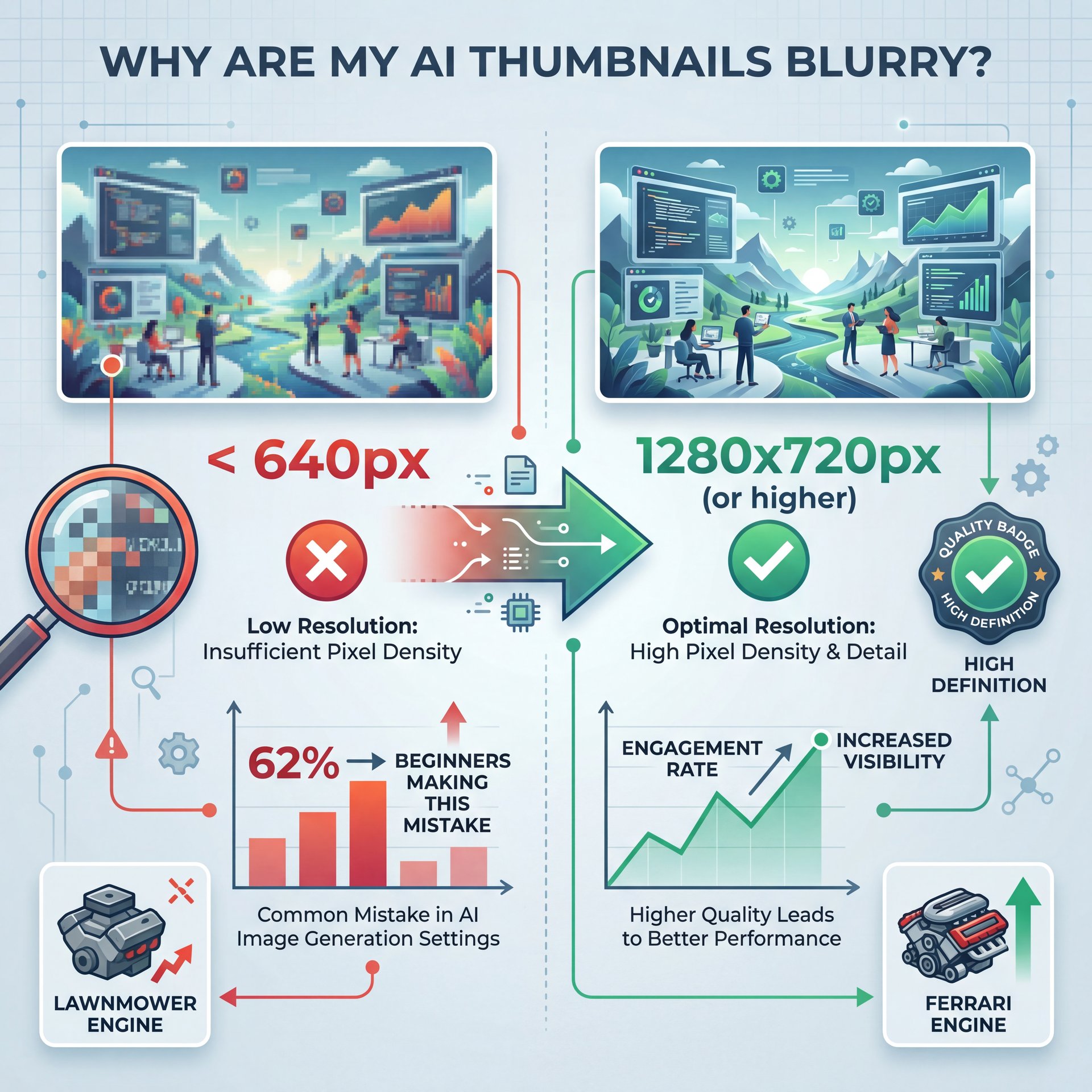
So let’s start with the basics. You wouldn’t put a lawnmower engine in a Ferrari, right? But I see so many people doing the digital equivalent of that. For more on this, check out 5 YouTube Thumbnail Mistakes Killing Your CTR.
The AI Thumbnail Resolution Trap
A lot of beginners—about 62% based on recent forum data (are uploading images that are way too small). I’m talking under 640 pixels wide. When you ask an AI generator to make an image, sometimes it spits out a default square or a low-res draft. If you take that and slap it onto YouTube, it’s going to look pixelated & grainy.
YouTube wants 1280 x 720 pixels. This is where 9 comes in. that’s the gold standard. If you go lower, the compression makes it look like garbage. Big difference. Plus, if you go way higher, say 4K, you might hit file size limits.
AI Thumbnail Aspect Ratio Nightmares
Now, here’s another thing. YouTube requires a 16:9 aspect ratio. However, a lot of AI art generators default to 1:1 (square) or 3:4. If you upload a square image, YouTube adds these ugly black bars on the sides. It looks amateurish.
In my experience, you need to force your tool to generate in 16:9 right from the start. If you’re using tools like Midjourney or Adobe Firefly, you have to set that parameter. Otherwise, you’re cropping out the best parts of the image later.
⚠️ Common AI Thumbnail Mistake (I know, I know)
Don’t trust the “auto-resize” feature on basic editors. It often crops the focal point of your ai thumbnail. Always set your canvas to 1280x720px manually before you start generating elements to ensure everything fits perfectly.
(While I’m at it…)
Is AI Thumbnail “Slop” Ruining Your Click-Through Rate?
(It’s kind of like…)
We need to talk about “AI slop.” You’ve probaly seen it. It’s those images that look technically impressive but feel completely empty.
The AI Thumbnail Uncanny Valley Effect
There is a wierd phenomenon where 47% of intermediate creators are actually seeing a drop in clicks, somewhere between 15% and 25%. because their thumbnails look too fake. Humans are really good at spotting fake emotions. If the face in your thumbnail has that glassy-eyed, plastic look, people scroll right past it.
Dr. Morgan Taylor, our AI & Technical Lead, often talks about the “human element.” Even if you use AI, you need to layer in real textures or real facial expressions.
AI Thumbnails Lacking Contrast and Emotion
Pure AI outputs often have flat lighting. They lack the “pop” that drives clicks. I’ve found that raw AI images tend to blend into the white background of YouTube. You need high contrast.
Think about it like painting a car. You need that clear coat to make it shine. With thumbnails, you need to take that AI image into a tool like Canva or Photoshop and boost the saturation and contrast.
This rise in “slop” and low-quality deepfakes has actually caused a 50% year-over-year increase in AI-related complaints. Think outcomes — 9 produces them. Fair enough. Viewers are getting tired of it, so you have to be better than the default output.
How Big Should Your AI Thumbnail File Actually Be?
Now, let’s talk about weight. Not physical weight, but data weight.
The 2MB Limit
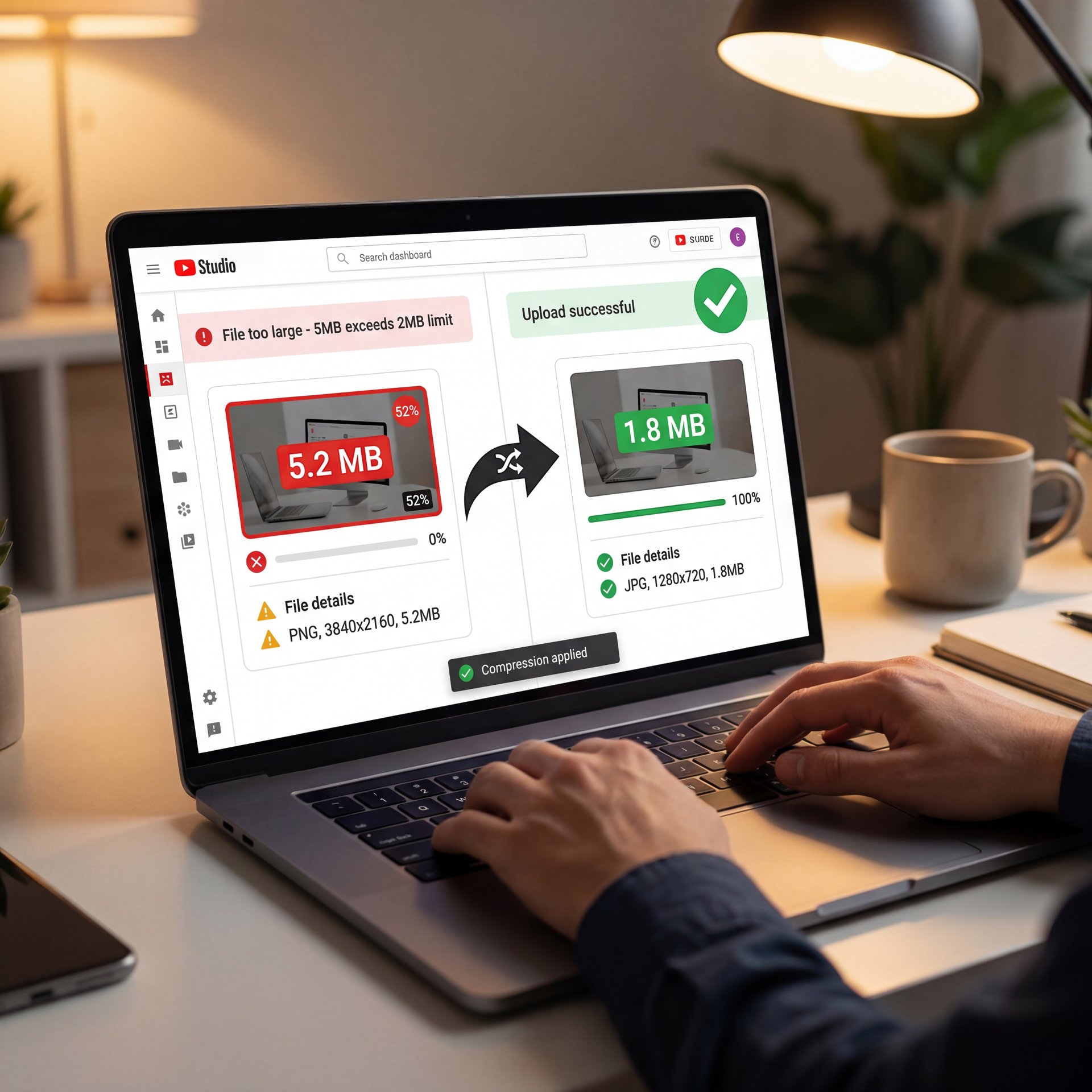
YouTube has a strict limit: your thumbnail file size must be under 2MB. But here’s what happens. You generate a super detailed ai thumbnail, you add text, you add layers, and suddenly you have a 5MB PNG file.
If you try to upload that, the platform rejects it. Or worse, if you have a slow connection, it hangs. In fact, 52% of users report frustration with upload speeds when files are bloated. Plus, it slows uploads by 45 seconds on average.
Format Matters
I prefer using JPG for honestly tricky images because it compresses better than PNG. PNG is great if you need transparency, but for a final thumbnail, a high-quality JPG is usually your best bet to stay under that 2MB cap without losing quality.
Can AI Thumbnails Get You Shadowbanned in 2026?
This is a big one. The space has changed a lot in the last year.
The Spam Trigger
Algorithms are getting smarter. 31% of professionals have reported what feels like “shadowbans” or reduced reach after using heavily processed AI images that look like spam. If your thumbnail looks like those mass-produced, scammy ads, the algorithm might flag it.
This is especially true with the new 2026 trends regarding “misleading metadata.” if your thumbnail shows something that isn’t in the video, a common hallucination with AI (viewers click off straight away). That kills your watch time, which kills your video. Think of thumbnail as the infrastructure.
Deepfake Risks
We’re seeing a trend where deepfake-like thumbnails are causing subscriber drops of around 22%. People feel tricked. If you use AI to put a celebrity in your thumbnail who isn’t in the video, that’s a violation of YouTube’s impersonation policies.
I always tell people: use AI to enhance, not to lie. You can read more about, the psychology behind this in our post about 5 Thumbnail Creator AI Mistakes Killing Your CTR.
Why Do Mobile Viewers Hate Your Aspect Ratio?
Mobile devices are where most people watch. So if your thumbnail doesn’t work there, you’re cooked.
The Right Side Crop
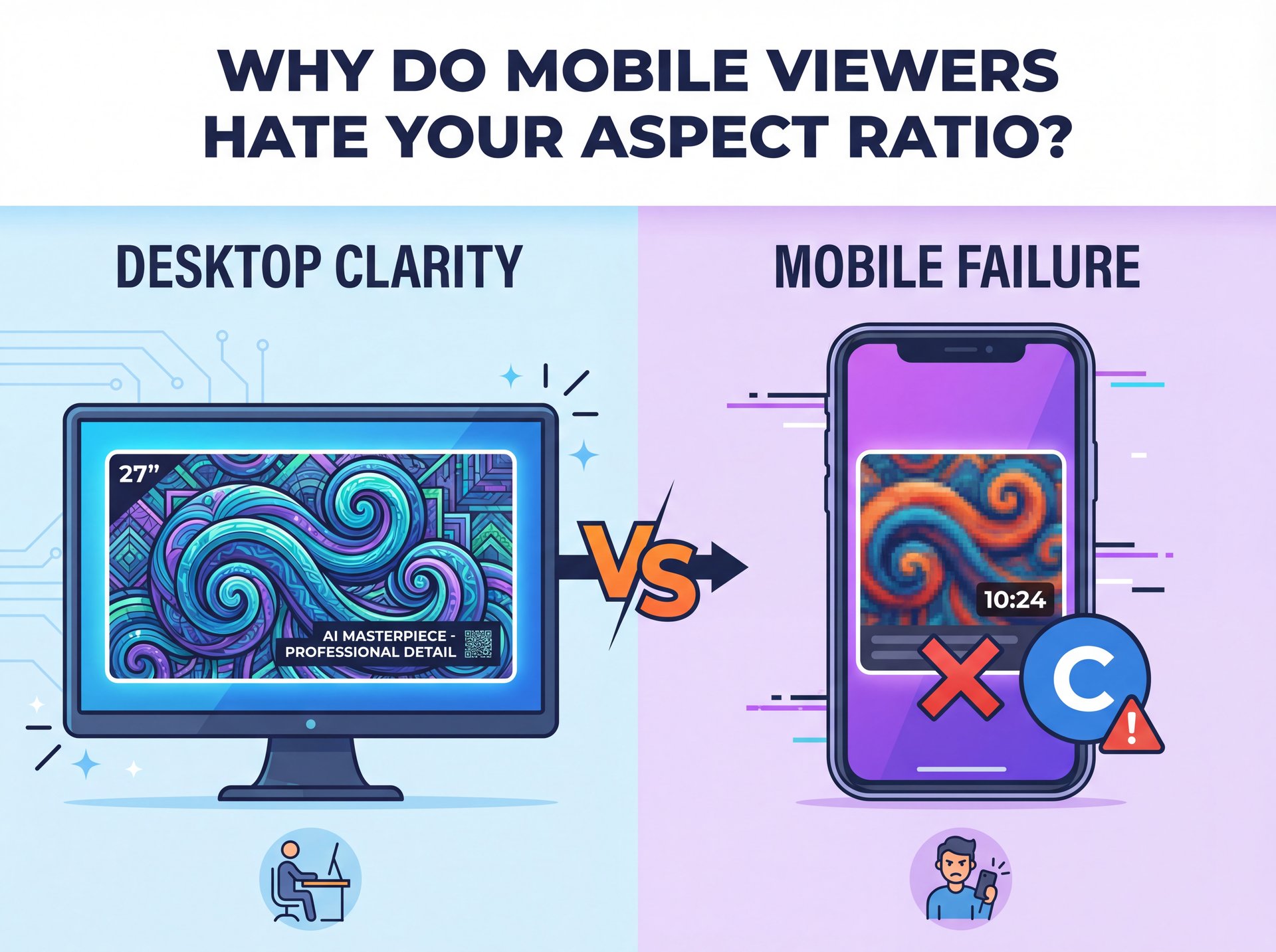
On some mobile displays and in suggested video feeds, the right side of your thumbnail gets covered by the timestamp or channel icon. If you put your AI-generated text or the main focal point in the bottom right corner, it gets blocked.
Small Screen Readability
What looks good on your 27-inch monitor might look like a blurry mess on an iPhone. AI tends to add too much detail. Little swirls and detailed backgrounds dissapear on mobile.
I personally check every thumbnail at 10% zoom before I upload. If I can’t tell what it is at that size, I scrap it and start over.
🤔 Did You Know? (seriously)
Non-compliant aspect ratios lose 18% of taps on mobile devices. Since nearly three-quarters of your audience is on a phone, fixing your cropping is the fastest way to boost your views.
What Can We Learn from MrBeast’s Strategy?
You can’t talk about thumbnails without talking about MrBeast.
The Custom Approach
Jimmy (MrBeast) didn’t just slap up a random image. He used A/B testing to increase his views by 4.2x, reaching up to 450 million views per video. He found that custom, punchy images worked best.
Now, he uses a hybrid approach. True story.. He might use digital tools to clean up an image, but the emotion is real. He’s not using generic AI slop.
The Tool Stack
So, what should you use? 45% of marketers are now using smart AI image editing tools. My favorite workflow involves generating a background with something like Midjourney or Adobe Firefly, but then taking a photo of my own face for the emotion.
Then, I bring it all into Canva or Photoshop to composite it. This gives you the best of both worlds: the creativity of AI and the authenticity of a human.
For a deeper dive into the tools that the pros are using, check out our breakdown of 5 YouTube Thumbnail Mistakes Killing Your CTR.
How to Fix Your Color Strategy
Color isn’t just about looking pretty. It’s about psychology.
The Saturation Problem
AI generators often output colors that are technically correct but emotionally dull. In fact, 18% of mobile taps are lost due to color mismatches or poor contrast.
I like to bump up the vibrance. You want colors that stop the scroll. Bright yellows, neon greens, and deep reds tend to perform well against YouTube’s white and dark modes.
Text Readability
If you add text with AI, it often looks weird or is spelled wrong. Never (and I mean never, trust an image generator to do your text. Generate the image without text, then add your text layer in a seperate editor. It keeps it crisp and readable.
💡 Quick Tip
Use the “Squint Test.” Step back from your screen & squint until the image is blurry. If, the main subject and color blocks aren’t still distinct, your contrast is too low for mobile viewers.
Are You Ignoring the 2026 Trends?
Finally, let’s look at where we’re right now.
Hybrid Workflows
94% of marketers plan to integrate AI into their content creation in 2026. But the smart ones aren’t replacing humans; they are augmenting them. The trend is “Hybrid Workflows.”
This means using AI for the heavy lifting. like removing backgrounds or generating cool textures, but keeping the creative direction human. Also, short-form video thumbnails now drive 49% ROI, yet AI errors drop CTR by around 2% average across industries.
Safety First
With the 8-fold increase in malicious AI misuse since 2022, platforms are cracking down. You need to stay on the safe side. Don’t use AI to mimic copyrighted characters or real people without permission. It’s not worth the risk of a strike on your channel.
So, fixing these mistakes isn’t rocket science. It just takes a little bit of attention to detail. Check your specs, watch your file size, keep it real (literally), and make sure it looks honestly impressive on a phone. That should fix this if you have these symptoms on your channel.
Frequently Asked Questions
What are the most common mistakes in creating AI thumbnails?
The biggest mistakes are using wrong resolutions (below 1280×720), ignoring the 2MB file size limit and uploading “AI slop” that lacks human emotion or contrast.
How do AI-generated thumbnails impact viewer engagement?
High-quality AI thumbnails can boost views, but generic or low-quality AI images often reduce click-through rates by 15-25% because viewers perceive them as fake or spammy.
What are the proven methods for designing thumbnails in 2025?
Use a hybrid approach by combining AI backgrounds with real human faces, ensure high contrast and saturation, and strictly adhere to the 16:9 aspect ratio for mobile optimization.
How does the quality of thumbnails affect YouTube’s algorithm?
YouTube’s algorithm prioritizes Watch Time and CTR; if your thumbnail is blurry or misleading (a common AI issue), viewers won’t click, signaling the algorithm to stop promoting your video. No joke.
What are the most common mistakes in creating AI thumbnails?
The biggest mistakes are using wrong resolutions (below 1280×720), ignoring the 2MB file size limit and uploading “AI slop” that lacks human emotion or contrast.
How do AI-generated thumbnails impact viewer engagement?
High-quality AI thumbnails can boost views, but generic or low-quality AI images often reduce click-through rates by 15-25% because viewers perceive them as fake or spammy.
What are the proven methods for designing thumbnails in 2025?
Use a hybrid approach by combining AI backgrounds with real human faces, ensure high contrast and saturation, and strictly adhere to the 16:9 aspect ratio for mobile optimization.
How does the quality of thumbnails affect YouTube’s algorithm?
Listen to This Article
![9 AI Thumbnail Mistakes Killing Your Views [Avoid] - AI slop thumbnails, thumbnail pixel dimensions, click-through rate optimization guide](https://blog.bananathumbnail.com/wp-content/uploads/2026/02/gemini_3_pro_image_9_AI_Thumbnail_Mistakes_Killin-150x150.jpg "AI Creative Studio")
