Table of Contents
Let’s be honest for a second. The term “prompt engineering” sounds intimidating. It sounds like something you need a computer science degree to understand, or at least a few years of coding experience under your belt.
I used to feel the same way. The language around this topic is usually full of jargon that most of us just don’t use in our daily lives. But here’s the thing: prompt engineering isn’t about code. It’s just about organizing your thoughts.
In my work as the Founder here at Banana Thumbnail, I talk to a lot of creators who are scared of these tools. They think it’s too technical. But if you can order a complicated coffee or explain a task to a new employee, you can engineer a prompt. It’s a formula. Everything we do is a formula. A sentence is just a formula of words. Math is a formula of numbers.
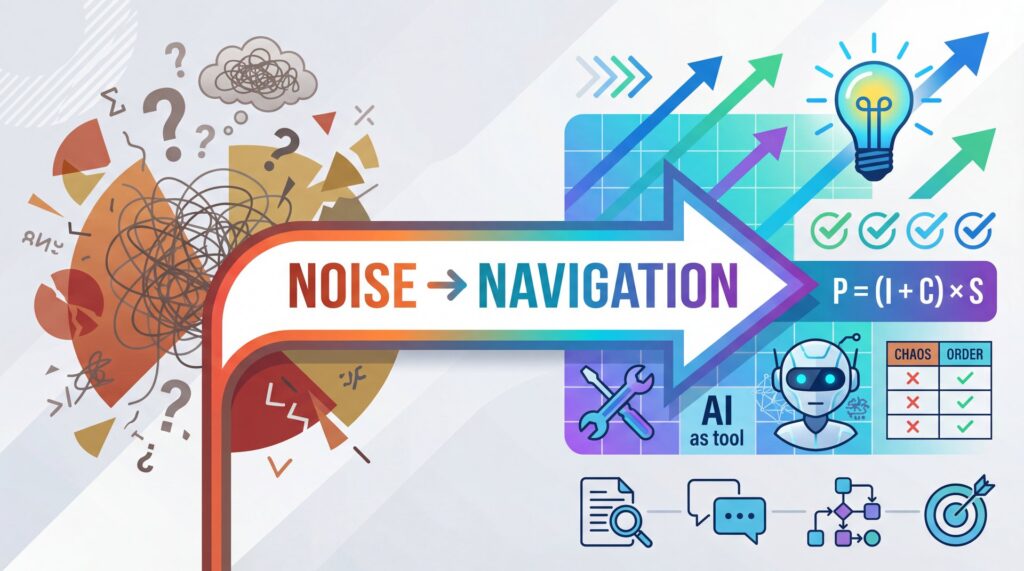
What I want to share with you today is how to move from “Noise”—that overwhelming amount of data and information we deal with daily—to “Navigation,” where you actually know where you’re going. I’m going to walk you through how I use tools like ChatGPT to break down massive documents and get clear, actionable answers.
The Formula That Changes Everything
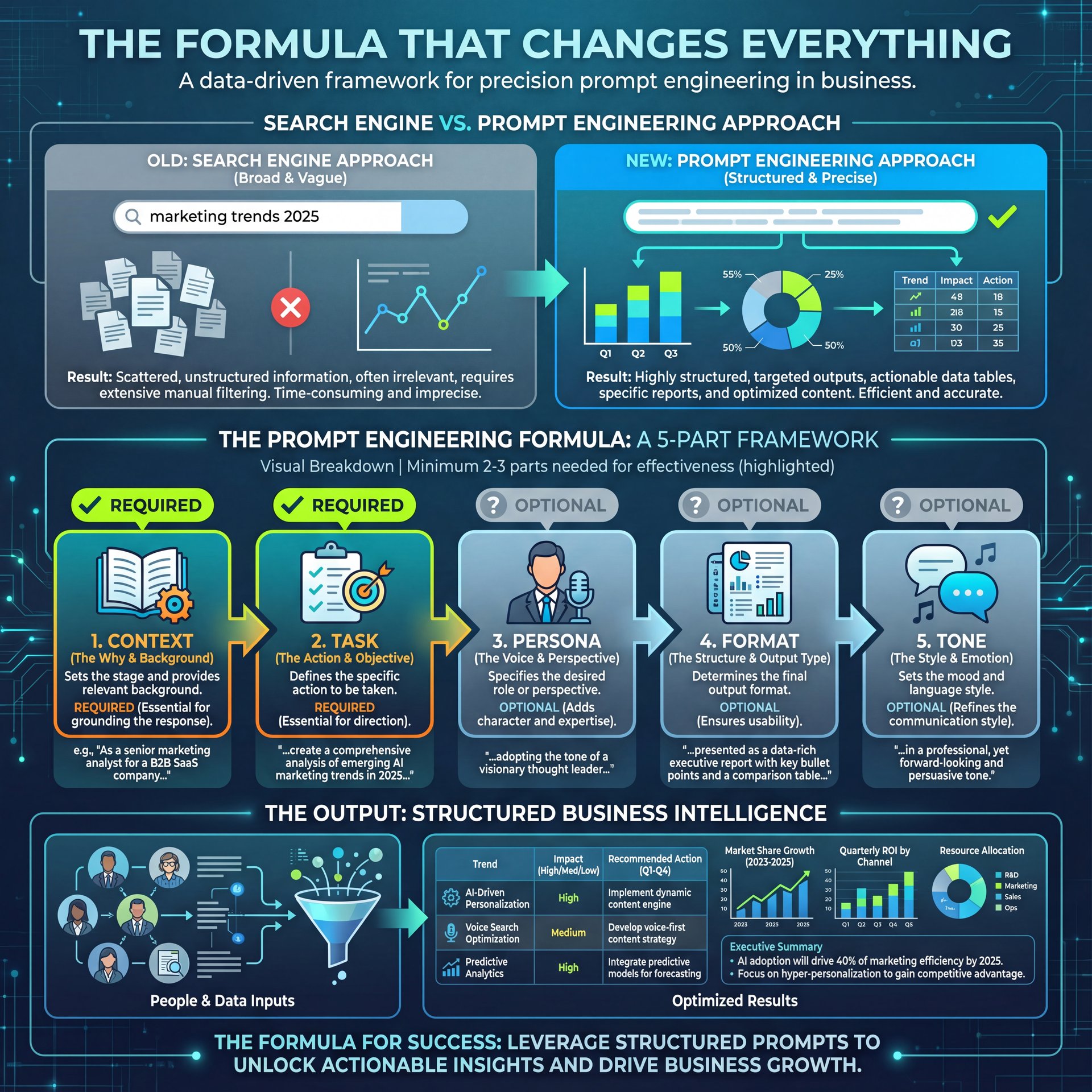
When I started really digging into how to get better answers from AI, I realized I was just talking to it like a search engine. I was typing “marketing trends 2025” and hoping for the best. That’s not prompt engineering; that’s just Googling with a robot.
If you look at the guidance from places like OpenAI, the formula is actually pretty simple, but very few people use all the parts.
Here’s the formula I stick to:
Task + Context + Persona + Exemplar + Format/Tone
You don’t always need all five, but you usually need at least two or three to get something decent.
1. The Task
This is the “what.” What do you actually want the AI to do? Summarize? Write? Analyze? Compare? You have to be specific. If you just say “help me with this,” you’re going to get a vague answer.
2. The Context
This is the piece most people miss. You have to tell the AI who you are and what the situation is. Are you a teacher? A real estate agent? A YouTuber? The AI doesn’t know you.
I found that when I tell ChatGPT, “I am a creative director looking for visual trends,” the output is completely different than if I just ask for “trends.” Over time, sure, it learns a little bit about you. But for a specific project, you need to set the stage immediately.
3. The Persona
Who do you want the AI to be? Do you want it to act like a strict editor? A friendly coach? A data analyst? Giving the AI a “role” helps it narrow down the vocabulary it uses.
4. The Exemplar (Example)
Sometimes the best way to get what you want is to show the AI what good looks like. This could be pasting in a previous blog post you wrote so it mimics your style, or it could be uploading a document.
5. The Format
Do you want a paragraph? A list? A table? I personally love tables (I’ll get to that in a minute). If you don’t specify the format, the AI will just give you a wall of text.
Moving From Noise to Navigation
To show you how this works in the real world, I want to walk you through a specific example. I recently found this massive PDF from the National Education Association (NEA). The document is the “Rankings of the States 2023 and Estimates of School Statistics 2024.”
It’s a 72-page beast of a document.
Now, normally, if I wanted to understand the data in there—maybe to see where the best states for teacher salaries are, or how school funding works—I would have to read all 72 pages. That’s the “Noise.” Valuable information, yes, but it’s buried.
Here’s how I used the formula to turn that noise into navigation.
Step 1: Upload and Dictate
I’m a big fan of dictation. I can talk way faster than I can type. So, I uploaded the PDF to ChatGPT (you can do this in the standard chat window now), and I just spoke to it.
My prompt looked something like this:
“Using this document I just gave you by the NEA, I want you to tell me about the document. I am a current educator in the state of California, but this is a national report. Give me the breakdown in markdowns. Tell me what this document is really telling us.”
Notice what I did there?
- **Task:** Tell me about the document.
- **Context:** I am an educator in California.
- **Format:** Markdowns (this just means make it look nice with headers and bold text so I can scan it).
Step 2: The Initial Scan
Once the little black arrow stopped spinning, ChatGPT spit out a summary. The AI told me the purpose of the document was to provide factual state-by-state data on funding and staffing.
It even pulled out “California Insights” specifically because I told it I was in California. The summary noted that while salaries are high here, the cost of living is a major factor. Plus, it gave me a quick snapshot of revenue and national trends.
This is great, but it’s still just a summary. I wanted to dig deeper and see the data side-by-side.
Step 3: Refining the Prompt
The first answer is rarely the final answer. I noticed the AI tried to give me some image summaries, but they were broken links (more on that later). So I decided to pivot.
I wanted to compare specific states. I didn’t want to read the whole list of 50 states; I just cared about the big players to see how they stacked up against each other.
So, I followed up with this prompt:
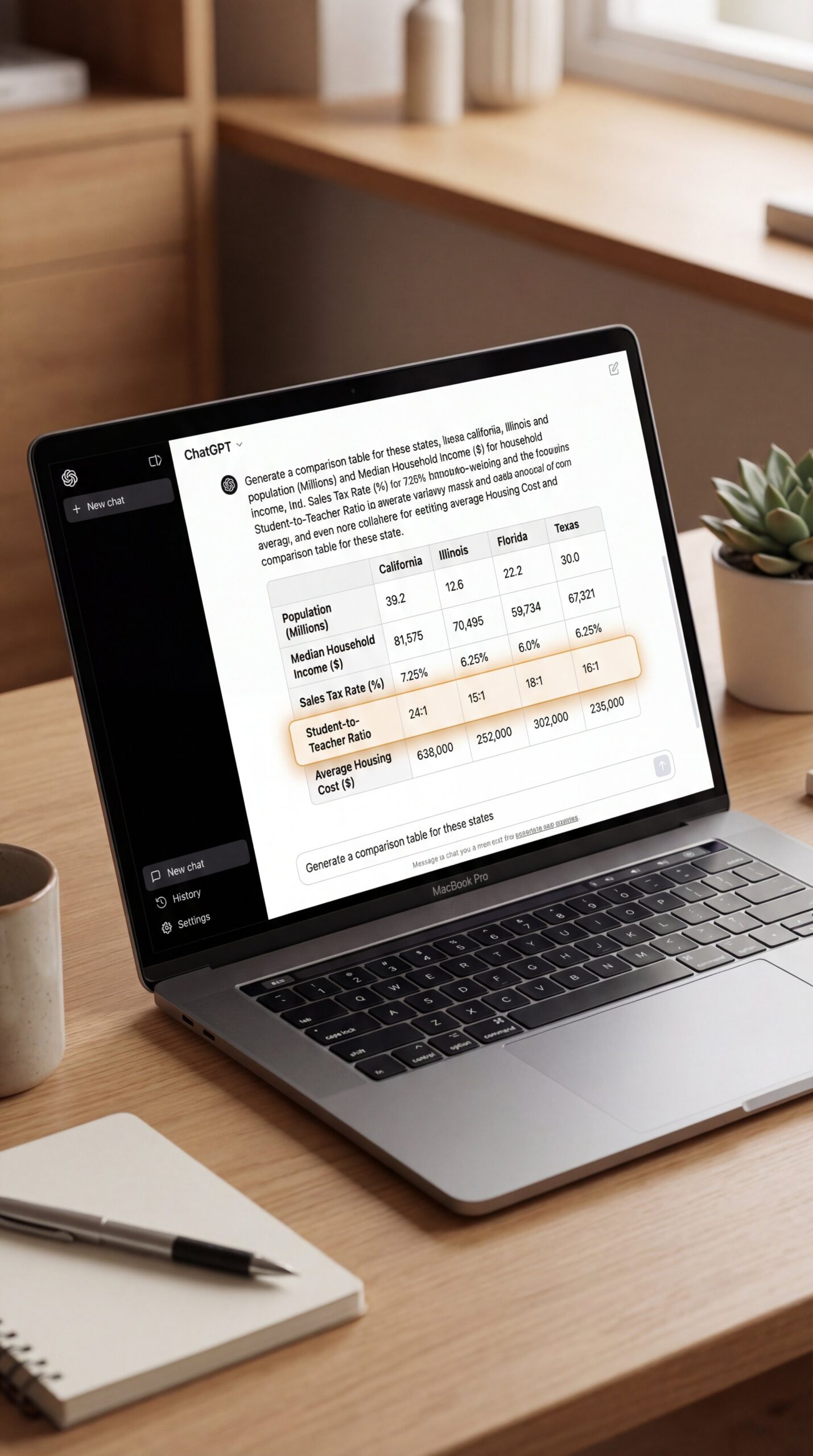
“Could you really focus on the state of California, the state of Illinois, the state of Florida, and the state of Texas? Put all of their data in a table just so that I can see it and understand every piece of data you have in this document.”
This is where the magic happens.
The Power of the Comparison Table
If you take nothing else away from this post, let it be this: Ask for tables.
When I asked for that comparison, ChatGPT stripped away all the fluff. The result was a clean grid comparing California, Illinois, Florida, and Texas across multiple categories.
Here’s what surprised me when I looked at the data side-by-side:
- **Total Public Schools:** Texas is right up there with California.
- **Average Daily Attendance:** I learned that in California, funding is often tied to students actually showing up. If they aren’t in the seat, the school doesn’t get the money. Seeing the attendance numbers next to the funding numbers made that connection click for me.
- **Teacher Counts:** The table showed the number of teachers in each state. I immediately had questions about the data for Florida and Texas because the numbers seemed high compared to the number of schools.
This is the “Navigation” part. I wasn’t just reading a PDF anymore; I was analyzing data. I could see that California has the highest student-to-teacher ratio of the group. That’s a huge insight if you’re a teacher looking for a job, or a parent deciding where to move.
If you’re a real estate agent, imagine having this data in your pocket. You could create a simple pamphlet for your clients showing how the local schools compare to other states. You don’t need to make them read the 72-page report—you just give them the navigation.
AI Is Not Your Friend (It’s a Tool)
I have to be clear about something, though. While I love these tools, I approach them with a healthy dose of skepticism.
Artificial Intelligence is not your friend. It’s not your therapist. It’s not your doctor.
During my experiment with the NEA document, the AI tried to give me “image markdown summaries” that were just broken links. The task failed completely. I had to tell it, “Hey, your images didn’t work.”
You have to treat AI like a very smart, very fast intern who sometimes makes things up or gets confused. You have to verify the information.
When I saw the teacher numbers for Texas, my first thought wasn’t “Wow, that’s a fact.” My first thought was, “I need to check that.” I asked the AI to tell me which page number that data came from so I could go look at the original PDF myself. That verification step is crucial, especially when you’re making decisions based on this information.
If you’re using this for work—whether you’re creating content for Banana Thumbnail or writing a report for your boss—you cannot just copy and paste. You have to be the human in the loop.
Practical Applications for You

You might be thinking, “Curtis, I don’t care about school statistics.” That’s fair. But this process applies to almost anything.
For Real Estate Agents
Take a market report for your city. Upload it. Tell the AI: “I am a real estate agent helping a young family buy their first home. Summarize the three biggest risks in this market report and put them in a bulleted list I can email to them.”
For Content Creators
Take a transcript of your latest video (like I did for this post!). Upload it. Tell the AI: “I am a YouTuber. Turn this transcript into a LinkedIn post that highlights the top three takeaways. Keep the tone punchy and professional.”
For Entrepreneurs
Take a 50-page contract or a competitor’s annual report. Upload it. Tell the AI: “Create a table comparing their revenue growth to their marketing spend over the last five years.”
Why “Noise to Navigation” Matters
We’re living in a time where access to information isn’t the problem. The problem is that there’s too much of it. We’re drowning in PDFs, emails, reports, and data.
Prompt engineering is just the skill of cutting through that noise. It’s about getting to what matters without wading through everything that doesn’t.
When I looked at that table comparing teacher salaries across four states, I saw that California was ranked high for pay, but Florida was much lower. That’s a story. That’s a decision-making tool. That’s navigation.
So, the next time you open ChatGPT or Perplexity or Gemini, don’t just type a question and hope for the best.
- **Give it a role.**
- **Tell it who you are.**
- **Upload the “noise” (the document).**
- **Ask for the “navigation” (the specific format you need).**
It’s not about being a tech wizard. It’s about knowing what you want and asking for it clearly.
I challenge you to try this this week. Find one document you’ve been avoiding because it’s too long. Upload it. Ask for a table. See if it doesn’t change the way you look at your work.
And if you need help making your content look as good as your new research, you know where to find us at Banana Thumbnail. We’re all about helping you navigate the noise of YouTube to get those clicks.
Related Videos

Related Content
• prompt
For more on this topic, check out: prompt
Listen to This Article