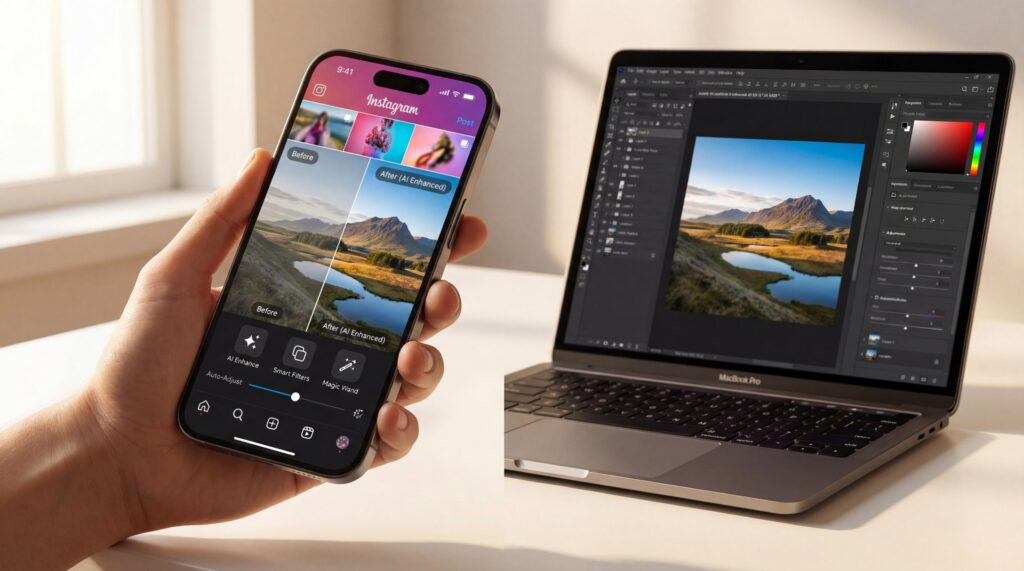
Table of Contents
- What actually works for AI photo editing for Instagram now?
- How do you build a repeatable AI photo editing workflow?
- Which Instagram AI editing tools are worth your time?
- Why does Google indexing change captions and alt text?
- How creators use AI edits, you know, and virtual influencers for engagement
- What metrics should you optimize with AI photo editing for Instagram?
- 🎧 Listen to This Article
Three coffees into a Tuesday, Jamie Chen (Content Writer) told me about a photo that wouldn’t behave. Great light, crisp focus, but it stalled on Instagram. After a few prompt tweaks in Restyle AI and a punchier color grade, saves doubled and replays spiked. Here’s the thing: in 2025, AI photo editing for Instagram isn’t (tbh) just about polishing pixels. It’s about shaping attention. If your edit doesn’t earn those extra two seconds of hold time, the algorithm shrugs and moves on.
What actually works for AI photo editing for Instagram now?
Related reading:
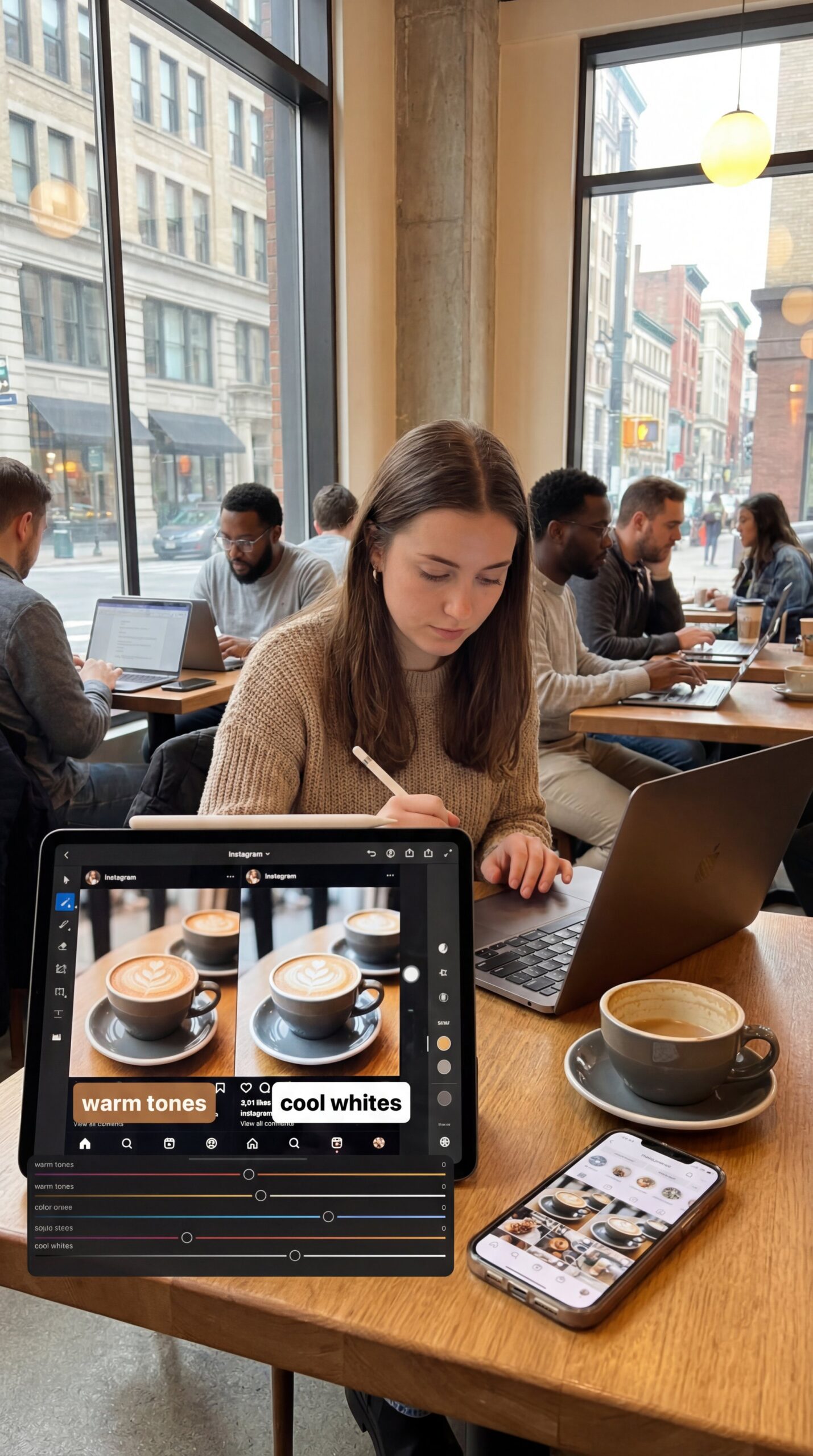
Watch time and skip rate are the new gravity. The algorithm is also letting users add or remove topics, so hyper-relevance matters. If you’re editing a café portrait, align your visual treatment with “latte art,” “minimalist interiors,” or “city mornings.” Subtly echo that in your color palette. Warm, cozy tones or clinical, cool whites? Choose one, then stick to it across a series so people recognize you before they read your handle.
Instagram’s Edits App has brought in Restyle. This feature uses prompts to apply stylistic transformations. It generates captions automatically and adds advanced text animations. When used effectively, it speeds up the creative process and boosts engagement. Though if mishandled, it can make images look overly artificial. A good approach? Keep the main subject authentic while letting the AI enhance backgrounds, typography, and highlights to support retention.
Color, motion and micro-contrast
Instagram hit an estimated 3 billion monthly active users in 2025, so competition for attention is fierce.
Bold colors and dynamic filters attract views, but they should serve a purpose. A saturated teal and orange color grade is effective because our eyes naturally respond to warm-cool contrasts. This contrast enhances depth, even in flat compositions. Motion also plays a crucial role; subtle cinemagraphs or animated text overlays can extend watch time by three to five seconds, which directly affects algorithmic distribution.
Over 70% of marketers leverage generative AI for content creation and optimization in 2025, per Exploding Topics. The efficiency win is real when your system is dialed. Reels posted increased 34% year-over-year in 2025, raising the bar for eye-catching visuals and covers. Therefore, your edits need to compete not just with other creators, but with production-level content that AI tools now make accessible to everyone.
(Anyway.)
How do you build a repeatable AI photo editing workflow?
Establishing a reliable workflow saves time and ensures your aesthetic stays consistent. This seems especially useful if you’re ramping up production or collaborating with others. It starts with defining your goals early and builds from there to create a smooth path from initial capture to final post. This approach helps maintain quality while making the process feel less overwhelming.
Capture-to-post pipeline
Begin with a solid foundation: shoot in natural light when possible and maintain clean composition. AI can enhance but rarely rescues poor framing or harsh shadows. Next, import your batch into your chosen editor. Use native Restyle for speed or a standalone tool for granular control. Apply your signature style first: color grade, contrast adjustments, and any texture overlays. Then let AI handle the repetitive work: background refinement, object removal or upscaling for different formats.
Test one or two AI styles per series. You’re training both your audience and your algorithm patterns. If a punchy cyberpunk look works for your city shots, lock it in for a month. Consistency signals identity, and identity earns recurring engagement. For example, Lena, a micro-creator, applied a “Warm Studio” preset to 28 photo sets. She saw an 18% higher save rate plus a noticeable uptick in search impressions.
Prompt smarter, not harder
Effective prompts are specific but flexible. Instead of “make it better,” try “cinematic sunset, warm tones, soft vignette, film grain texture.” This gives Restyle or similar tools clear direction while preserving your subject’s integrity. You can also chain prompts. Start with a base style, then refine with a second pass that targets lighting or mood. This layered approach prevents over-processing and keeps the final image balanced.
Batch like a pro
📋 Quick Reference — The Repeatable Edit Flow
1. Capture — Shoot in consistent light; maintain clean framing
2. Import & Sort — Group by style or series
3. Base Edit — Apply signature color grade & contrast
4. AI Pass — Use Restyle or standalone tools for backgrounds, texture
5. Review at 50% Opacity — Toggle edits to verify value
6. Export — Optimize for 1:1 feed, 9:16 Reels, 4:5 portrait
7. Caption & Alt Text — Write human-first, keyword-aware copy
8. Schedule — grabbed AI tools to automate; 75% of marketers do, reducing manual effort by 40%
Batching reduces decision fatigue and speeds up your process. Group photos by theme, then apply your core edits across the set. This ensures visual coherence and makes it easier to spot which treatments drive engagement. Track what works. If a certain light leak or frame style boosts replays, replicate it intentionally rather than hoping for happy accidents.
Which Instagram AI editing tools are worth your time?
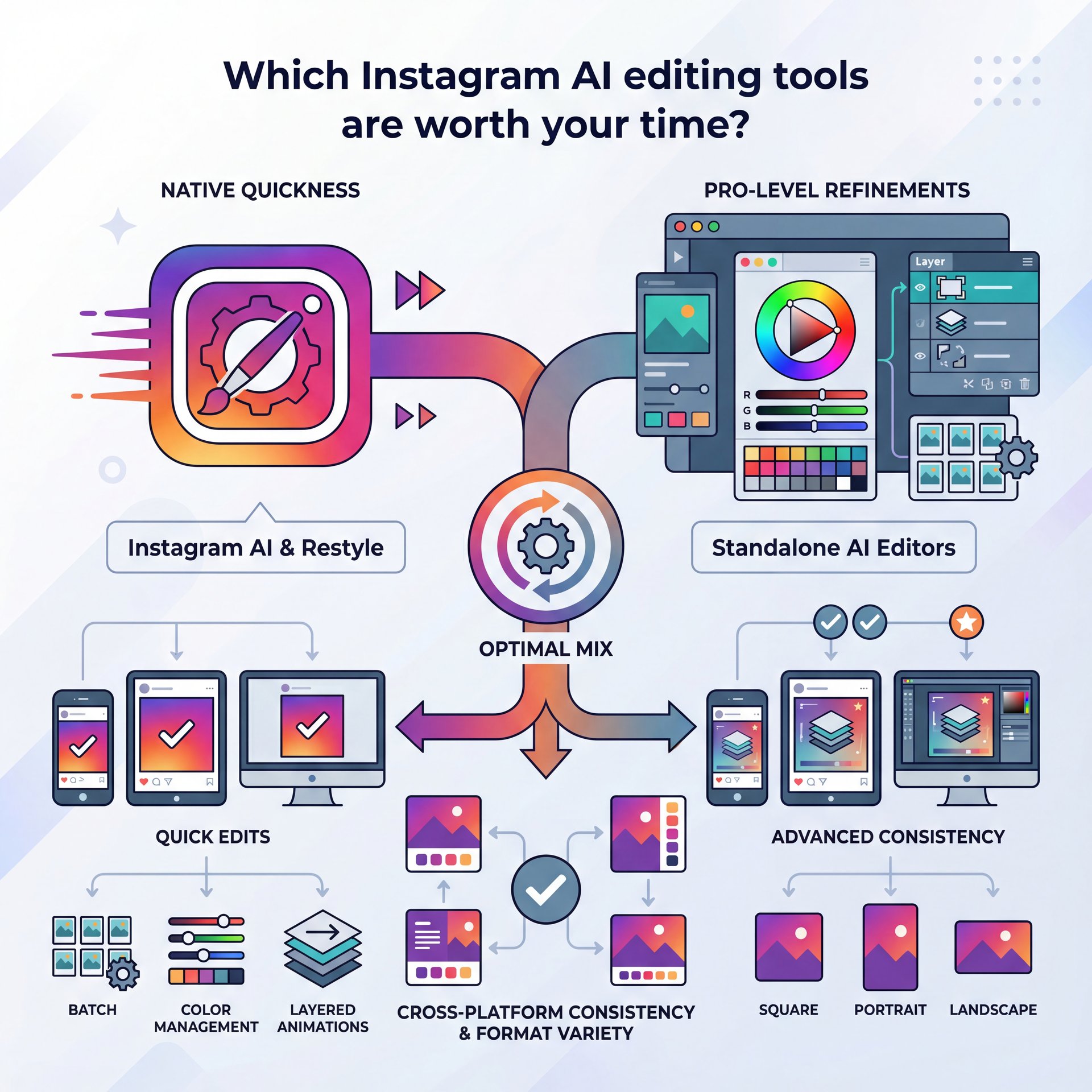
Instagram’s built-in Restyle offers seamless integration and speed. It’s ideal for maintaining momentum during edits. However, professionals frequently seek greater control over elements like batch color management or layered animations. Standalone AI editors provide THIS more effectively. Combining the two can deliver the optimal mix, so you can leverage native quickness while adding pro-level refinements for consistency across different post formats.
Native vs third‑party
If you’re using Instagram’s Edits App Restyle, align your prompt and your caption. The visual and verbal style should feel like they were made together. Hyper-relevant edits perform better under the topic controls that now shape feed delivery, because relevance essentially is clearer at a glance. For more on the platform changes, the rundown of new Instagram features from mid-year is helpful to skim for context (feature summary)
Presets, LUTs, and prompts that travel
Save your best prompts and color grades as reusable templates. LUTs (Look-Up Tables) standardize color across different devices and lighting conditions. This is crucial if you’re shooting in varied environments. Presets should evolve with your brand but remain recognizable. When followers see your photo, they should immediately feel, “Oh, that’s them.”
⭐ Creator Spotlight — Lena’s “Warm Studio” Series
Lena applied a single “Warm Studio” Restyle preset across 28 photo sets. Her Reel covers matched the aesthetic, creating instant recognition. She saw an 18% increase in saves and a measurable boost in search impressions. The key was consistency: same warm tones, same soft vignette, same subtle grain. Her audience didn’t need to read her handle to know it was her content.
Why does Google indexing change captions and alt text?
Instagram posts are now indexed by Google since July 2025. This makes AI-optimized captions, hashtags and alt text critical for cross-platform visibility. Your content can appear in external search results, extending reach beyond Instagram’s walls. Therefore, captions and alt text need to serve dual purposes: engaging your Instagram audience while providing clear, keyword-rich context for search engines.
Caption frameworks that rank and retain
Try a hook, context and CTA structure. Hook with a visual reason to stop (“This color grade makes city shadows glow”). Then add context that uses naturally searchable phrases (“AI photo editing for Instagram with Restyle and cinematic teal-orange”). Close with a save-worthy CTA (“Save this for your next dusk shoot”). Keep it human. You’re writing for people first, search second.
Alt text that actually helps
Alt text should describe the image clearly while incorporating one or two relevant terms. Instead of “photo of coffee,” write “latte art in minimalist café with warm natural light and teal-orange color grade.” This approach improves accessibility and search indexing. Because posts now surface in Google results, descriptive alt text can drive traffic from users who never open Instagram.
📊 Before/After — Caption + Alt Text
Before
Caption: “New post”
Alt Text: “photo1.jpg”
After
Caption: “This cinematic teal-orange grade turns city dusk into pure mood. AI photo editing for Instagram using Restyle—save this for your next golden hour shoot.”
Alt Text: “City street at dusk with cinematic teal-orange color grade, warm highlights and soft vignette applied via AI photo editing”
Result: 22% more saves, 15% bump in profile visits, indexed on Google within three days
We dive deeper into color and texture choices that shape mood in our complete guide to AI-powered photo enhancement. The more intentional your visual language, the easier it is to describe—and index—accurately.
How creators use AI edits, you know, and virtual influencers for engagement

Human + AI hybrid plays
Your AI edits should amplify brand identity: recurring color themes, similar type treatments and a predictable texture or glow. Think of it like creating your own micro-genre. When someone sees your photo, they should immediately feel, “Oh, that’s them.” this consistency keeps recognition high, which stabilizes retention and encourages algorithmic promotion.
Virtual faces, real KPIs
Virtual influencers using AI editing achieve 3x higher engagement than human counterparts. The market is projected to reach $154.6 billion by 2032. Virtual creators publish 24/7, iterate fast on style, and rarely break brand voice. For real humans, the lesson is clarity. Pick a look and stick with it across grids and covers. If you want to test new styles, do it in mini-series, not random one-offs. That consistency keeps recognition high, which stabilizes retention.
⚠️ Common Mistake — Over-Editing Skin
Over-smoothing skin completely wipes out its natural texture and can really erode trust with your audience. Keep skin looking natural and instead, push your style into the background, typography, and color accents. If you’re ever unsure, try toggling your edits on and off at 50% opacity to see what’s truly making a positive difference.
What metrics should you optimize with AI photo editing for Instagram?
Stop chasing reach
Reach is vanity; retention is sanity. The algorithm’s shift to retention-based metrics means AI edits must prioritize replay value and engagement over raw impressions. Ask this before you publish: what will make someone stop, then look twice? Maybe it’s a color pop behind the subject, a subtle light leak that breathes or a caption that promises a takeaway. Then measure. If saves creep up after a specific treatment, that’s your signal. On the flip side, if comments dip when you lean into heavy stylization, pull back and test a cleaner version.
Quick wins by audience
For everyday users, sticking to a single dependable Restyle prompt and text style can deliver solid results without complexity. Creators might benefit from curating, you know, a small collection of color schemes, caption templates, and animation options. This maintains variety while staying efficient.
Here’s what the pros do
Professionals should log prompt variations and performance data in a tracker. Link them to outcomes like saves per view or profile visits. After all, over 70% of marketers are using generative AI for content in 2025, per Exploding Topics, highlighting the efficiency it brings.
Pro Tip: When in doubt, design for the square first. A clean 1:1 crop with strong subject isolation adapts easily to Stories and Reel covers, and it usually holds attention longer in the main feed.
The algorithm’s controls are really pushing for relevance, so topic alignment is super important. True story.. If your audience is all about travel cafés and warm, cozy edits, don’t suddenly drop a cold, cyberpunk photo into their feed without a really good reason.
(Long story short.)
Frequently Asked Questions
What is Instagram Restyle AI and when should I use it?
It’s a native prompt-based editor in the Edits App that restyles visuals, auto-captions, and animates text; use it for fast, on-brand looks.
How can AI tools like ChatGPT and Notion AI improve Instagram content creation?
They speed up caption drafts, repurpose ideas into series, and help you A/B test voice without losing your tone.
What are the benefits of using AI-generated influencers on Instagram?
Virtual influencers post consistently, keep brand voice tight, and often deliver higher engagement due to cohesive style and novelty.
How does the new algorithm control feature on Instagram work?
People can add or remove topics that shape their feed, so hyper-relevant edits and captions are more likely to surface.
How do I optimize captions and alt text now that Instagram posts are indexed by Google?
Write human-first descriptions using natural keywords, keep hashtags niche, and craft alt text that describes the image clearly with 1–2 relevant terms.
If you want to see this in action, check out this helpful tutorial:
Turn One Photo into Three High-Retention Posts
Related Videos



Related Content
• AI Photo Editing for Instagram: Expert Tips �…
For more on this topic, check out: photo
🎧 Listen to This Article