
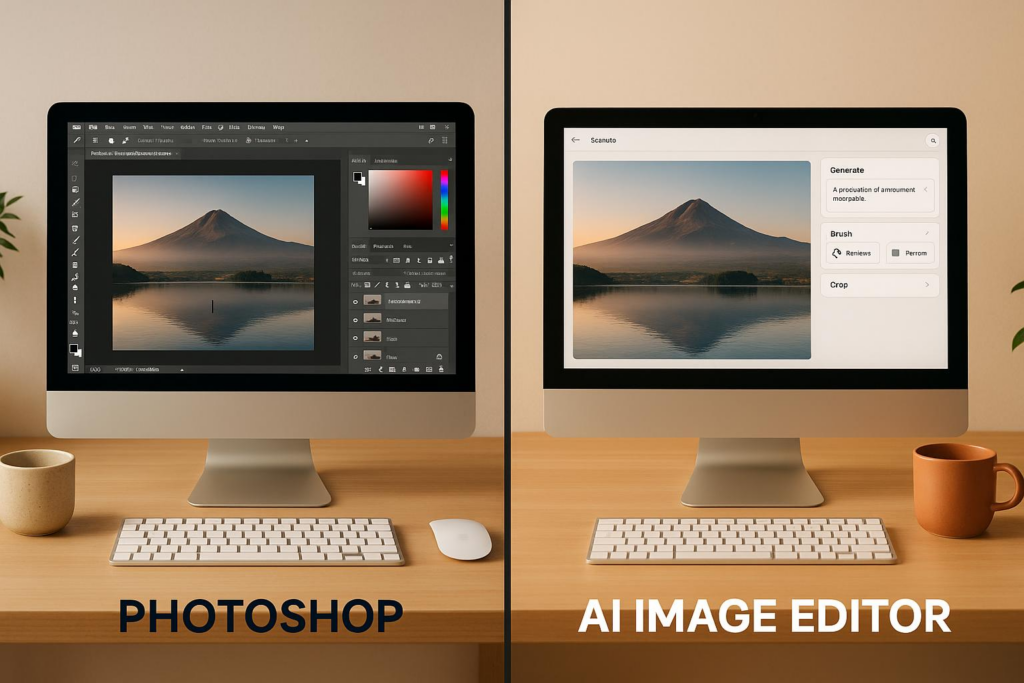
Choosing between Photoshop and AI image editors comes down to your needs, skills, and budget. Photoshop offers unmatched control for detailed projects but requires time and expertise. AI tools like Bananathumbnail.com are faster, easier to use, and budget-friendly, making them ideal for social media content creators or small businesses.
Key Differences:
- Photoshop: Ideal for professionals needing precision and customization. Great for high-end photography, ad campaigns, or complex designs. However, it has a steep learning curve and higher costs (monthly subscriptions: $20–$50).
- AI Editors (e.g., Bananathumbnail.com): Focus on speed and simplicity. Automates tasks like background removal, color tweaks, and platform-specific resizing. Affordable pay-per-use pricing ($0.10 per thumbnail) with no subscription required.
Quick Overview:
- Time: Photoshop takes hours for detailed edits; AI tools deliver results in seconds.
- Ease of Use: Photoshop demands training; AI tools are beginner-friendly.
- Cost: Photoshop is subscription-based; AI tools use token-based, pay-as-you-go pricing.
For fast, simple editing with minimal learning, AI tools are a game-changer. For intricate, professional designs, Photoshop remains unbeatable. Your choice depends on what you prioritize: speed or control.
7 Photoshop Tools Replaced by AI – Are They Obsolete?
Photoshop: What It Does and Its Limits
Since its debut in 1990, Adobe Photoshop has set the gold standard for image editing. Its extensive toolkit delivers the precision professionals need, but its complexity can be a stumbling block for everyday users who want quick and simple solutions.
Let’s take a closer look at what makes Photoshop a powerhouse – and where it falls short.
Main Features and Tools
Photoshop’s strength lies in its unmatched versatility. Its layer system is a cornerstone feature, allowing users to edit non-destructively by stacking elements, applying effects, and tweaking adjustments without altering the original image. This is a game-changer for anyone working on intricate projects.
The software also shines with its advanced selection tools, like the Magic Wand, Quick Selection, and Pen Tool, which give users precise control over isolating parts of an image. On top of that, its healing and cloning tools offer incredible accuracy for removing blemishes or unwanted objects.
Recent updates have brought AI-powered tools into the mix, making tasks easier than ever. Features like Generative Fill and Neural Filters allow users to perform tasks like skin smoothing or sky replacement with just a click, reducing the manual effort involved.
For professionals managing large-scale projects, Photoshop supports batch processing, automation through actions, and compatibility with a wide range of file formats. Its seamless integration with other Adobe Creative Suite apps makes it indispensable for design studios and marketing agencies juggling complex, multi-platform workflows.
These tools explain why Photoshop remains a favorite for those who need complete creative control.
Why Professionals Choose It
Photoshop is the go-to tool for professionals in industries where precision and creativity are non-negotiable. Whether it’s designing a magazine cover, crafting an ad campaign, or retouching fine art photography, Photoshop delivers the level of detail these projects demand.
Its ability to offer limitless customization is another reason for its popularity. Professionals can combine techniques, create personalized brushes, and develop one-of-a-kind effects, ensuring no creative vision feels out of reach. This flexibility, paired with its established reputation, also makes Photoshop a trusted choice for collaborative workflows, especially when working with teams or freelancers.
In high-end photography – like beauty, fashion, and product shoots – Photoshop’s advanced retouching tools stand out. These tools allow for meticulous enhancements that automated software simply can’t replicate, making it essential for projects where perfection is key.
Problems and Barriers
Despite its strengths, Photoshop isn’t without its drawbacks. One of the biggest hurdles is its steep learning curve. Even basic tasks like managing layers, using selection tools, or adjusting colors can take weeks – or even months – to master. For beginners or casual users, this can be overwhelming.
Time is another challenge. For small business owners or content creators who need quick edits, Photoshop’s complexity often turns simple tasks into hours-long endeavors. Navigating its dense interface, packed with tools and panels, can lead to frustration and decision fatigue.
For many casual users, the time spent learning Photoshop often outweighs the benefits, especially when their needs are limited to enhancing photos or creating graphics for social media. In these cases, simpler tools may feel like a better fit.
AI Image Editors: Simple Tools with Bananathumbnail.com
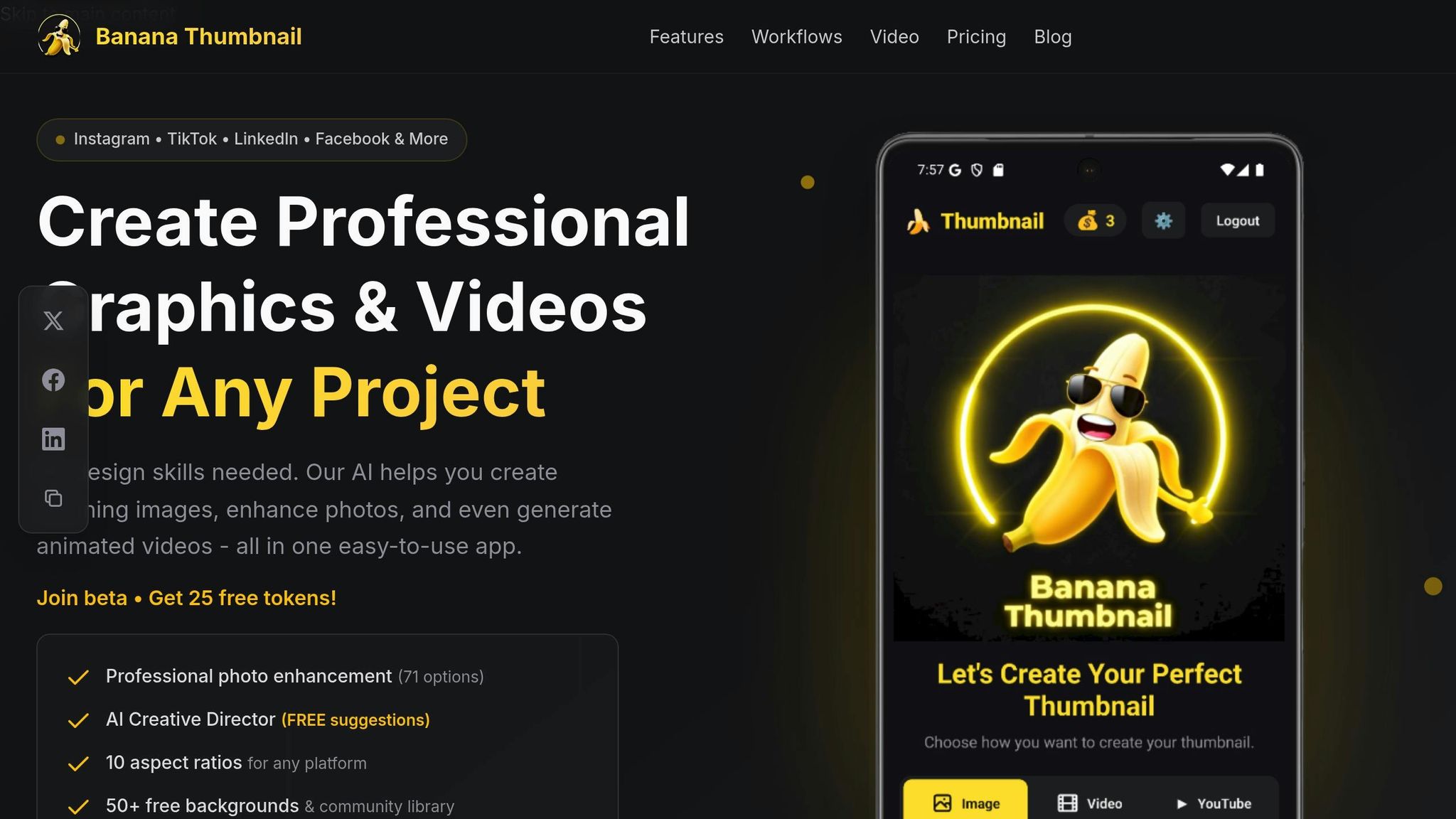
Mastering Photoshop can take months, but AI-powered tools like Bananathumbnail.com are all about making things quick and easy. These platforms use artificial intelligence to handle the tricky parts of editing, letting users focus more on creativity and less on technical know-how. It’s a major shift from the steep learning curves of traditional software.
Instead of demanding advanced skills, AI-based editors prioritize user-friendly workflows. Whether you’re a pro designer or someone with no experience at all, these tools are designed to help you create stunning visuals effortlessly. Let’s take a closer look at what makes Bananathumbnail.com stand out.
AI Features That Simplify Editing
Bananathumbnail.com removes the hassle of traditional editing with smart automation. For example, its background removal feature instantly isolates subjects from their backgrounds using machine learning – no manual effort required.
The platform also includes an AI Creative Director, which feels like having a personal designer on call. It analyzes your images and offers free suggestions for improvements, such as tweaking colors, enhancing compositions, or aligning with trending design styles. No design skills? No problem – this feature has you covered.
For creators looking to level up their visuals, the platform offers 71 enhancement options. These range from minor lighting fixes to bold style changes, all applied with a single click. Plus, with 10 aspect ratios available, you can easily optimize your images for platforms like Instagram, YouTube, or TikTok.
What’s more, the platform is stepping into video with its video generation Beta feature. This allows users to turn static images into dynamic content, perfect for social media posts or marketing campaigns – no video editing expertise needed.
Designed for Simplicity and Accessibility
Modern creators often work on the go, and Bananathumbnail.com gets that. Its mobile-first design works seamlessly on both iOS and Android, letting users edit directly from their phones. The process couldn’t be simpler: upload an image, pick a transformation, and let the AI do the rest – all in just three steps and 30 seconds.
Despite its ease of use, the platform doesn’t compromise on quality. The intuitive interface ensures that even beginners can produce professional-grade results. By taking care of the technical side, the platform frees up creators to focus on their vision and strategy.
Affordable and Flexible Pricing
To let users try before committing, Bananathumbnail.com offers 25 free tokens – no credit card required. This means you can explore its features without any upfront cost.
The platform is also incredibly budget-friendly. Gaming creator James Rodriguez, who boasts 890,000 subscribers, shared his experience:
"The ROI is insane. At $0.10 per thumbnail vs $50-200 from freelancers, I’ve saved thousands. Plus the viral themes actually work – my average views jumped 65%."
At just $0.10 per thumbnail, the savings are undeniable, especially for creators producing multiple graphics each week. And it gets even better: the platform provides 50+ free community backgrounds, which can reduce token usage by up to 90-95%, stretching your budget even further.
Another bonus? Tokens never expire, so you can use them whenever you like. No pressure from monthly subscriptions – just pay for what you need, whether that’s one image a month or dozens a week.
With its mobile-first approach and no need for software installations, Bananathumbnail.com makes professional-quality editing accessible from anywhere. All you need is a smartphone and an internet connection to create standout visuals on the fly.
sbb-itb-1e876b2
Real Examples: Photoshop vs AI Image Editors
Let’s dive into how Photoshop and Bananathumbnail.com perform in real-world scenarios, so you can decide which tool aligns with your needs. Below, we compare their approaches to common image editing tasks.
Professional Photo Editing
When it comes to detailed photo retouching, Photoshop stands out. Its tools allow for pixel-perfect precision, letting photographers make intricate edits like color adjustments, curve modifications, and skin retouching. These tasks often require a steady hand and a deep understanding of manual editing techniques.
On the other hand, Bananathumbnail.com simplifies the process with 71 AI-powered options. The platform automatically analyzes your image and applies enhancements like background removal or color corrections – no technical expertise needed.
The speed difference is striking. Tech YouTuber Michael Chen reported saving hours of work by switching from Photoshop to Bananathumbnail.com. He was able to create polished thumbnails in seconds while boosting his click-through rate by 40%.
While Photoshop can handle batch processing through actions and scripts, setting it up requires some technical know-how. Bananathumbnail.com, however, focuses on quick, one-at-a-time optimizations, making it more accessible for users who value speed.
Image Transformations
For creative transformations, Photoshop offers immense flexibility but requires effort. Tasks like changing outfits or adding dramatic effects involve advanced masking techniques, layered adjustments, and plenty of time.
Bananathumbnail.com, however, automates these tasks with ease. It provides 9 categories and 28 AI-driven editing prompts, enabling users to make outfit changes, swap backgrounds, or add creative effects without navigating Photoshop’s steep learning curve.
Marketing Images
When designing marketing visuals, the difference between the two tools becomes even more apparent. Photoshop requires starting from scratch – setting up canvas sizes, arranging text layouts, and managing multiple layers. This process is highly customizable but can be time-consuming.
Bananathumbnail.com, by contrast, makes the process effortless. It offers pre-designed templates tailored for major social media platforms, supporting 10 aspect ratios. The platform promises to take you "From Image to Professional Graphics in 30 Seconds", even incorporating YouTube metadata to create personalized visuals when needed.
For creators who need multiple graphics quickly, AI tools like Bananathumbnail.com offer a cost-effective, time-saving solution. While Photoshop provides unmatched control and customization, Bananathumbnail.com prioritizes speed and consistency, making it ideal for social media content creators working on tight deadlines.
These examples highlight the unique strengths of each tool, helping you choose the one that best fits your editing style and goals.
How to Choose the Right Tool
Selecting between Photoshop and AI image editors really boils down to your specific needs, skill level, and budget.
Your Skills and Learning Curve
Your experience with design plays a big role in picking the right tool. Photoshop is a powerful platform, but it comes with a steep learning curve. Mastering its technical features can take months of practice.
On the other hand, AI image editors like Bananathumbnail.com are designed to be user-friendly. They require no prior design knowledge and can be learned in just a few minutes. The platform automates complex editing tasks, allowing you to create professional-quality graphics quickly. This makes it an excellent choice for content creators, small business owners, or anyone looking for high-quality results without investing a lot of time in learning a new skill set.
Once you’ve assessed your skill level, it’s important to think about how you work and what you want to achieve.
Your Goals and Workflow
What’s more important to you: speed, creative control, or producing a large volume of content? If speed is your priority, AI image editors can be a game changer. For example, Bananathumbnail.com can generate polished graphics in as little as 30 seconds. This efficiency could save users up to 10 hours a week compared to using traditional tools like Photoshop.
For workflows that demand detailed creative control, Photoshop might still be the better option, even if it takes longer to use. But if your focus is on producing a high volume of graphics quickly, AI tools are hard to beat.
Finally, your budget will play a key role in making your decision.
Budget and Pricing Models
Cost is a major factor when choosing between Photoshop and AI tools. Photoshop operates on a subscription model, with monthly fees ranging from $20 to $50.
In contrast, AI platforms like Bananathumbnail.com use a token-based system. This model has some unique advantages – tokens don’t expire, and the platform offers 25 free tokens for beta access without requiring a credit card. Each token provides watermark-free graphics with commercial licensing, and using free community backgrounds can reduce token usage by up to 90–95%. For users who create dozens of designs weekly, this pay-per-use model can be far more affordable than a Photoshop subscription. Occasional users benefit as well since unused tokens remain available indefinitely.
This pricing flexibility can result in significant savings, especially for those who don’t need to use the tool daily.
Ultimately, the best choice depends on how your skills, workflow, creative needs, and budget align. AI tools are perfect for fast, high-volume projects, while Photoshop remains the go-to for those who need full creative control and customization options.
Conclusion: Pick What Works for You
The choice between Photoshop and AI image editors ultimately comes down to your creative goals, time availability, and budget. It’s not about finding the "best" tool overall – it’s about identifying what fits your particular needs.
If you’re after maximum creative control and the ability to make precise, manual adjustments, Photoshop remains the go-to option. On the other hand, AI image editors provide quick and accessible results, making them a great fit for content creators, small business owners, or anyone looking for quality visuals without spending hours learning complex software.
"Banana Thumbnail literally saved me 10+ hours per week. I used to spend forever in Photoshop, now I get perfect thumbnails in seconds." – Michael Chen, Tech YouTuber
Budget is another critical factor. Photoshop’s subscription model can be a recurring expense, whereas AI editors often offer more flexible, pay-as-you-go pricing, which can be easier on the wallet for many users.
Your workflow also plays a major role. If you’re churning out multiple social media graphics each week, AI tools can handle that volume with ease. But for intricate photo edits or detailed artistic projects, Photoshop’s advanced features might be essential.
At the end of the day, the "right" choice depends on your skill set, the demands of your projects, and how much you’re willing to invest. There’s no wrong answer – just the tool that helps you achieve your creative vision most effectively.
FAQs
How are AI image editors like Bananathumbnail.com easier to use than Photoshop?
AI image editors like Banana Thumbnail simplify the editing process by handling complex tasks automatically. All it takes is a few quick steps – upload your image, select a theme, and download the final product. This makes producing high-quality visuals fast and hassle-free.
On the other hand, Photoshop demands more time and expertise, as it relies on manual adjustments and requires users to navigate a steeper learning curve. For those who prioritize quick results and ease of use, AI tools are a perfect fit for their creative projects.
How do the costs of Photoshop and AI image editors compare, and what should content creators consider for long-term budgeting?
The price difference between Photoshop and AI image editors is quite noticeable, with AI tools often being the more wallet-friendly choice. For example, some AI image editors charge as little as $0.10 per thumbnail, making them an appealing option for creators who need to churn out visuals regularly.
On the other hand, Photoshop usually operates on a subscription model, requiring a monthly fee. These costs can add up, especially if you also need other design tools or professional services. For those working with limited budgets or handling high-volume projects, AI tools can deliver significant savings without sacrificing productivity or quality.
Can AI image editors match Photoshop’s precision and customization for professional projects?
AI image editors have come a long way, offering tools that are easy to use and great for tasks like quick photo touch-ups, removing backgrounds, or adding creative effects. They’re perfect for those looking for fast and straightforward solutions.
But when it comes to high-level precision and detailed customization – the kind needed for professional work – Photoshop still leads the pack. Its advanced layer management, control over intricate details, and powerful editing capabilities make it the go-to for complex designs and top-tier creative projects.
In the end, the right choice depends on what your project demands and how comfortable you are with advanced editing tools. For quick and simple edits, AI tools are a solid pick. For more demanding tasks, Photoshop remains unmatched.
Related Blog Posts
• image
• ultimate
• ultimate
• ultimate
One Response