Table of Contents
- What are the best AI thumbnail enhancement tools in 2026?
- The 2026 shortlist: unified suites and specialized picks
- How do AI tools improve thumbnail CTR?
- How to choose AI thumbnail enhancement tools for your workflow
- 2026 trends to watch: multimodal, real-time and brand-first
- What are the best practices for using AI in thumbnail creation?
- 🎧 Listen to This Article
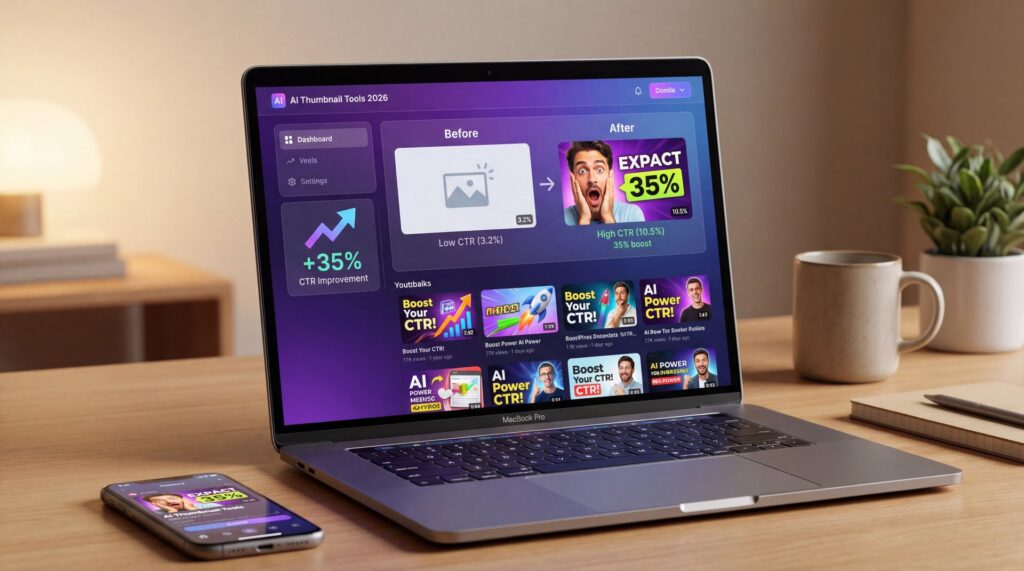
Generative AI is forecast to add up to $4.4 trillion annually to the global economy by 2030. Design and marketing are among the top benefiting sectors. Meanwhile, YouTube creators report 20-35% CTR increases when they switch to AI-generated thumbnails and run rapid tests. Mid-2025 data shows 70% of marketers say AI-powered visuals boost engagement. Visual content generates up to 40 times more shares than text-only posts.
Alex Rivera, our Senior Content Analyst, told me a story over coffee that pretty much sums up 2026 thumbnails. He ran a simple test: two nearly identical images for a mid-tier creator—same face, same headline. One was built with an older template. The other grabbed the latest AI thumbnail enhancement tools. The AI version pulled a 29% higher click-through rate in 48 hours. The only visual difference was smarter lighting and a microcropped face. That’s the thing about today’s tools: they don’t just “make it pretty.” They find what the algorithm and your audience respond to, then push it forward so you get results faster. And yes, you can do this even if you’re not a designer.
Here’s what changed in 2025
If you felt the 2025 shift—faster creation, cleaner edits, more testing—you’re not imagining it. AI-generated images hit an estimated 34 million per day across 2,000+ platforms in 2025, and that wave is still rising (according to the Kittl AI guide on image generation trends, which is worth a read for context). Meanwhile, visual content keeps outpacing text by a mile—data suggests it’s up to 40 times more shareable than text-only posts. So, whether you’re building a single YouTube thumbnail, a social graphic series or a branded campaign, the new generation of AI thumbnail enhancement tools is turning those small design decisions into measurable growth. Related reading: YouTube Thumbnail Design 2025: Boost CTR 200% with AI.
What are the best AI thumbnail enhancement tools in 2026?
Where these tools shine today
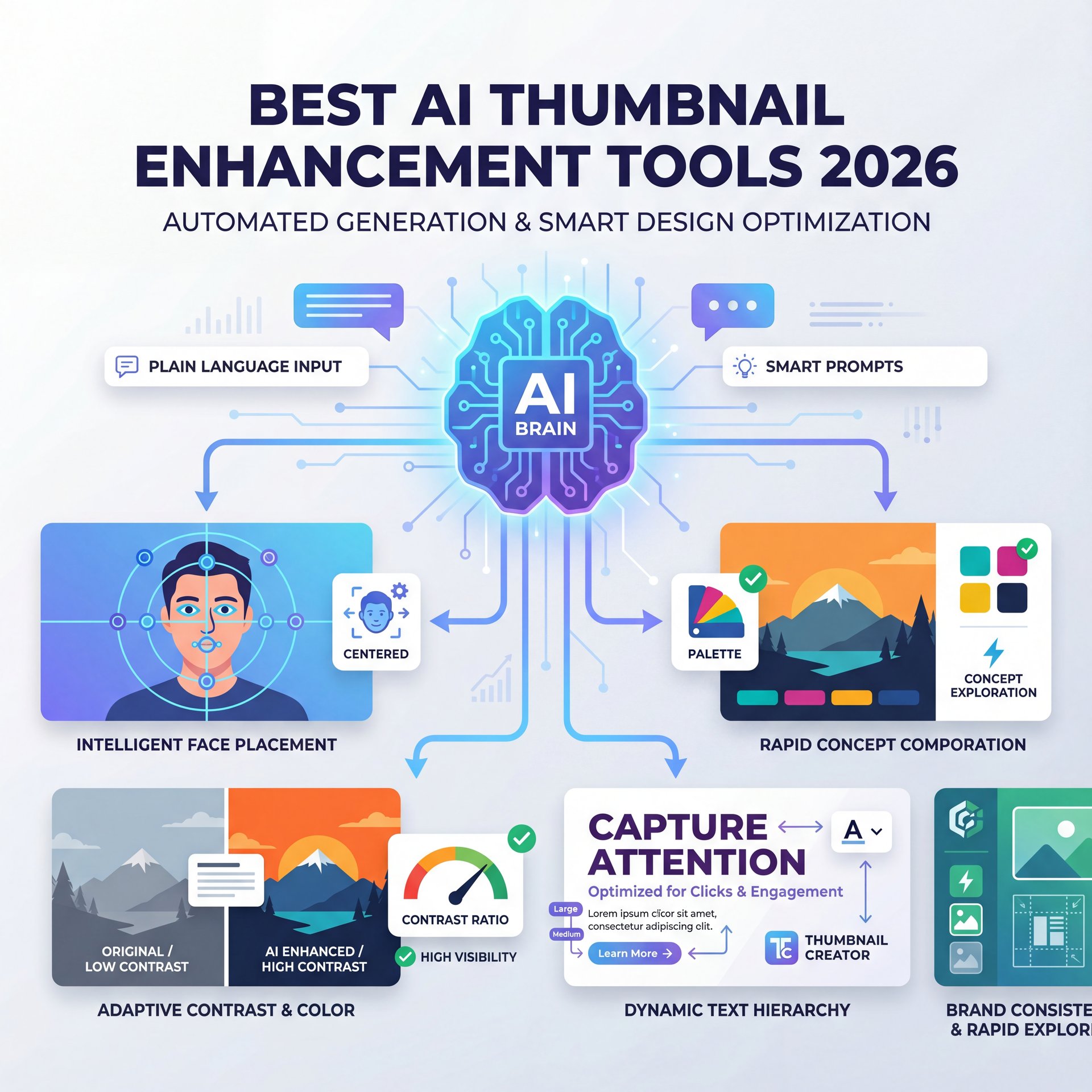
Modern AI thumbnail generators excel at three core tasks: rapid concept exploration, brand-consistent output and intelligent composition. You describe your vision in plain language. The system produces multiple variations that align with proven design principles—face placement, contrast ratios, text hierarchy. This speed matters because creators who test frequently outperform those who rely on intuition alone.
The best tools also enforce brand kits automatically. Colors, fonts and logo lockups stay consistent across hundreds of assets. This seems critical for teams managing multiple channels or campaigns. Plus, most platforms now offer background removal, object isolation, and generative fill. You can refine details without switching apps. That workflow consolidation saves hours every week.
Another strength is accessibility. Non-designers can produce professional-grade thumbnails because the AI handles technical decisions—lighting balance, composition rules, and resolution optimization. You focus on the message and the hook. The model takes care of the mechanics. However, these tools work best when paired with clear creative direction and systematic testing.
Limitations you should expect (and work around)
AI models occasionally produce uncanny details—odd fingers, misaligned text or faces that look subtly off. Review every output before publishing, especially if your brand demands photorealism. Also, prompt quality matters. Vague instructions yield generic results. Learn to write specific, constraint-rich prompts that guide the model toward your vision.
Licensing and attribution can be tricky, too. Some platforms train on publicly available images, which raises questions about commercial use and originality. Read the terms carefully. If you’re running paid campaigns, choose services with clear commercial licenses. Finally, remember that AI amplifies existing design skills—it won’t replace strategic thinking or audience insight. The best results come from creators who combine AI speed with disciplined testing and iteration.
The 2026 shortlist: unified suites and specialized picks
Unified creative suites are now the baseline because they reduce decision fatigue. You get generation, editing, and export in one place, plus the convenience of consistent templates. That said, specialized tools shine when you want more control over photorealism, background swaps, or batch operations.
Why unified creative suites matter
In 2025, we watched a shift from standalone generators to suites that offer text-to-image, inpainting, background removal, and typography tools under the same roof. In 2026, that continues—with real-time A/B testing hooks and analytics overlays becoming standard. If you want fewer tabs and more throughput, pick a suite that plays nicely with your publishing tool. Or, at least, exports consistent sizes and file weights.
Canva Magic Media 2.0
Prompt-based generation plus brand kit enforcement in Canva
- ✓ Keeps casual and pro teams on-brand while iterating fast
Adobe Express with Firefly
Layered edits, text effects, generative fill, and tight control
- ✓ Great for photorealism and nuanced retouching
Kittl AI
Strong text-to-image, fonts, and layout logic for thumbnails and posters
- ✓ Ideal for bold type and creator-friendly layouts
Specialized AI thumbnail generator 2026 picks
If you’re more technical or want narrow control, tools that focus on face enhancement, lighting realism, or subject isolation can be worth it. Some creators layer workflows: generate a base in one suite, upsample faces elsewhere, then finalize typography in their main editor. The key is speed-to-test. If a specialized step adds ten minutes but lifts CTR two points, it’s a win.
Topaz Gigapixel AI handles upscaling and sharpening better than most generative suites. Luminar Neo excels at portrait retouching and sky replacement. For batch operations—resizing dozens of thumbnails or applying watermarks—consider Photoshop Actions paired with Firefly fills. The downside is complexity. Each extra tool introduces learning curves and compatibility risks. Balance specialization against the drag on your workflow, and only add steps that deliver measurable improvement.
🤔 Did You Know? AI’s Shareability Edge
Visual content generates up to 40 times more shares than text-only posts and over 54% of teams are using AI widely for content creation and optimization tasks by 2025. That’s why marketers are leaning hard into AI-powered thumbnails—they’re faster to produce, easier to test, and consistently outperform manual designs.
How do AI tools improve thumbnail CTR?
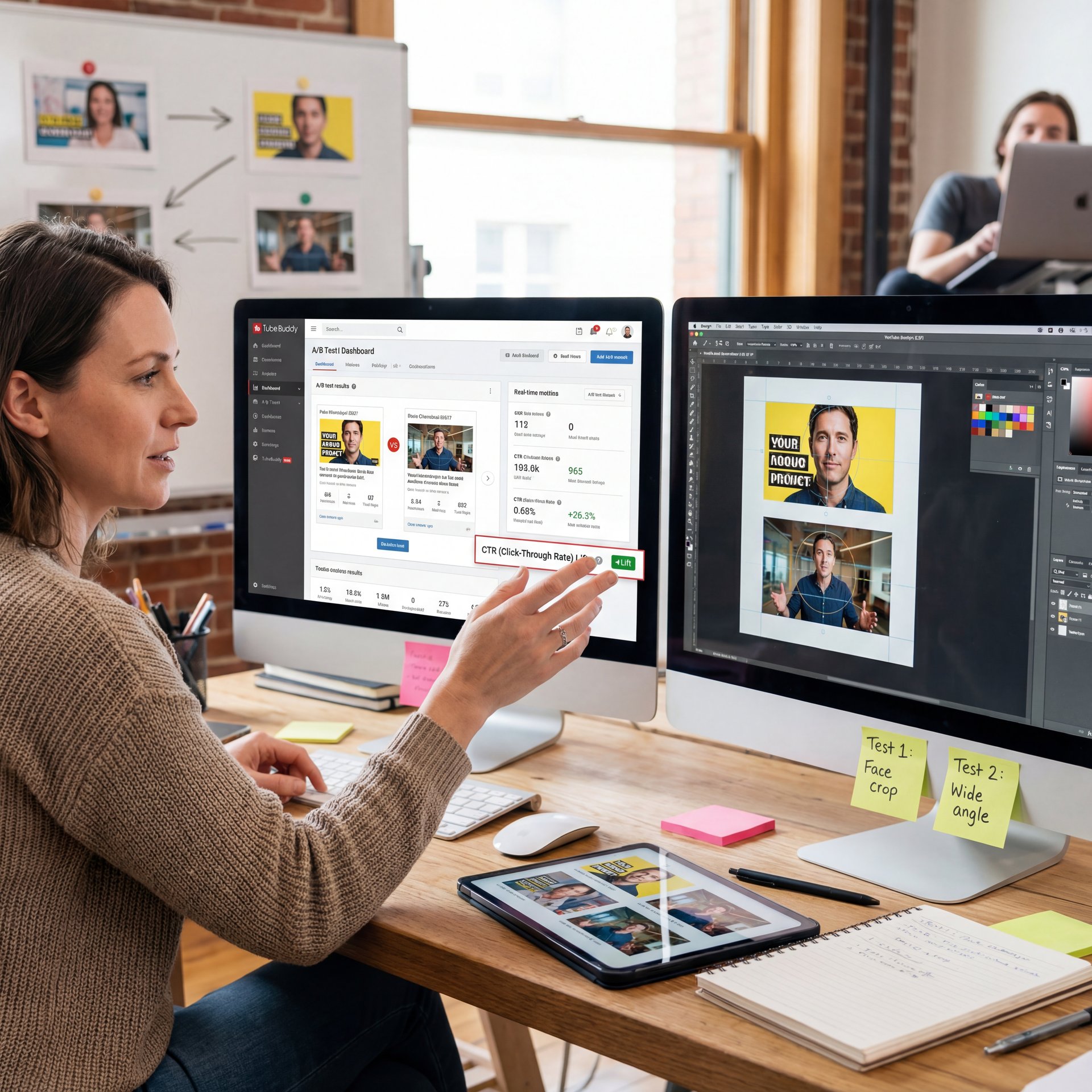
AI helps in three ways: smarter generation, rapid iteration and evidence-based decisions. Instead of debating a dozen ideas, you generate three, test them, then move forward with a winner. Platforms like TubeBuddy and VidIQ make real-time A/B testing straightforward. Meanwhile, design intelligence—face centering, contrast-aware text, brand-color nudges—means you’re testing stronger concepts from the start.
A/B testing workflow that works
Start with two clear variations—don’t change everything. Test a face-crop versus a wider scene. Or try a punchy color block versus a gradient. Then, run a 24–72 hour A/B test, and don’t switch mid-stream unless there’s a glaring issue. I’ve found creators get the best signal when they align tests with steady traffic periods. Avoid holidays or spikes that skew results. Keep your hypotheses simple and track the outcomes.
Pro Tip: Keep copies of winners with annotations on what worked (crop, color, text angle). Over time, you’ll see patterns—like “tight face + warm background + 3–five words” outperforming other mixes. Patterns save you hours of guesswork.
Design signals that lift clicks
So Faces trigger faster recognition. Tight crops that show eyes and expression usually outperform wide shots. High-contrast text—white on dark or vice versa—ensures legibility on mobile. Bold, simple headlines (three to five words) communicate faster than dense copy. Strategic color blocking draws the eye to your focal point, whether that’s a face, product, or key visual element.
If you want deeper context on design choices that move CTR, take a look at our breakdown in How to Create YouTube Thumbnails That Get Clicks (2025).
📊 Before/After: CTR Gains in Practice
Creators who switch to AI-first thumbnails and A/B testing often report 20–35% CTR lifts, especially when tightening face crops and simplifying text. See how automated brand styles, you know, and resize presets speed iteration in these AI thumbnail generation tools.
How to choose AI thumbnail enhancement tools for your workflow
Different roles require different approaches to speed, control, and governance. Your best tool is the one you’ll use consistently—and the one that fits your publishing style.
For casual users: publish faster, clean up less
Casual creators and small-channel owners should prioritize simplicity and integrated templates. Canva Magic Media 2.0 is ideal here: prompt-based generation, drag-and-drop editing, and one-click exports. You can build a thumbnail in under five minutes, and the learning curve is gentle. Also, look for platforms that offer mobile apps. You can generate and publish from your phone when inspiration strikes.
For creators: scale with systems, not chaos
Creators live and die by consistency and speed. Set up your brand kit once—colors, fonts, logo lockups—then build a few “winner” templates. Use AI to generate fresh concepts, but keep thumbnails within a small family of layouts to keep your channel cohesive. Every new video starts from a proven baseline. For testing, rotate one variable at a time.
Batch workflows help, too. Generate five thumbnails on Monday. Schedule A/B tests through the week, then review results on Friday. That rhythm prevents last-minute scrambles and gives you enough data to spot trends. Plus, automation tools like Zapier can push winners into your video management system or notify you when a test concludes.
For marketing teams: governance and analytics
Marketing teams care about approvals, attribution and brand integrity. Choose tools that enforce brand kits, lock down critical elements and log who changed what. Pick platforms that sync with your analytics stack so you can connect thumbnail changes with CTR and watch time. Your goal is repeatability: ship dozens (or hundreds) of on-brand visuals while knowing exactly which elements drive performance.
Adobe Express with Firefly or Figma plugins work well here because they integrate with design libraries and version control. Also, consider legal review workflows—some AI outputs require attribution or have usage restrictions. Build a checklist for commercial projects so compliance becomes automatic, not an afterthought.
📋 Quick Reference: Your First 3-Thumbnail Test
1. Generate three concepts in your chosen tool—vary one element (crop, color or text).
2. Export at platform-native resolution (1280×720 for YouTube, 1200×628 for Facebook).
3. Run a 48-hour A/B test with steady traffic, then adopt the winner and archive losers with notes.
2026 trends to watch: multimodal, real-time and brand-first
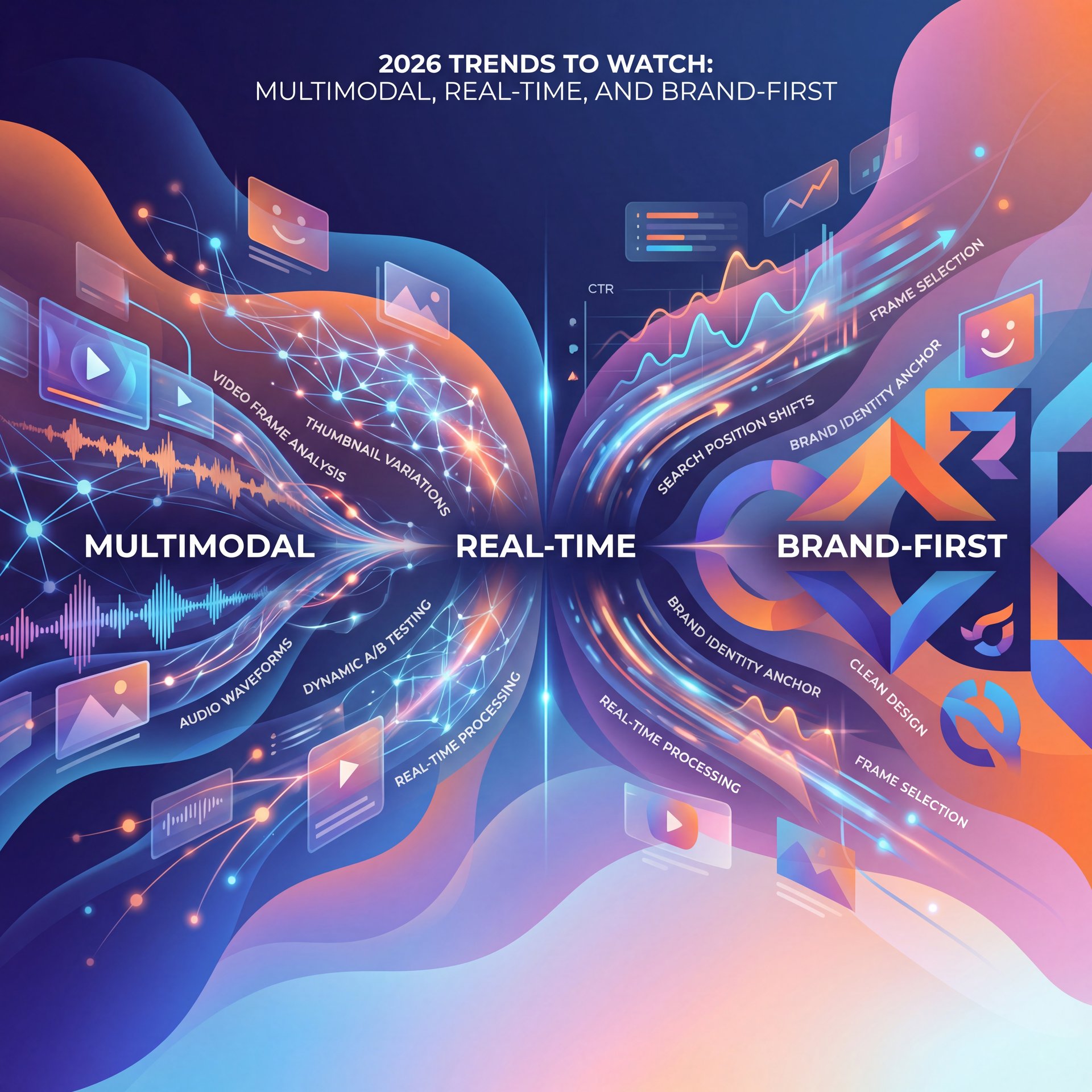
The biggest change this year is creative suites that understand video context. You feed them a 15-second clip and they suggest thumbnails built from the most emotive frames. That’s multimodal at work—image generation guided by audio tone and motion. It shortens the distance between your story and the frame that sells it.
The second trend is real-time A/B testing that syncs with search performance. You’re not just seeing CTR. You’re correlating design tweaks with position shifts and suggested-video traction. That’s why teams frankly are prioritizing SEO-aware design: the thumbnail, title, and description are tuned as a set, not in isolation. You’ll hear a lot about “SEO performance sync” because it closes the feedback loop between design and discovery.
Finally, hyper-realistic but editable outputs 😬 are becoming standard. Models now generate photorealistic images with full layer support. You can tweak lighting, swap backgrounds, or adjust expressions without regenerating from scratch. This flexibility speeds iteration and gives you more control over final polish.
⚠️ Common Mistake: Overcrowding the Frame
Cramming in too much text or too many elements tanks legibility on mobile. Stick to 3–five words and one focal subject, then iterate layouts in our guided workflows to compare clean vs. crowded designs.
What are the best practices for using AI in thumbnail creation?
Start with your story and audience, not the tool. AI is a multiplier. It amplifies clarity and consistency, but it won’t fix a vague hook. Define your angle first: surprise, aspiration, or problem/solution. Then guide the model with guardrails—brand colors, max headline length, and crop preferences. Export a few strong options, and move quickly into testing rather than revising for perfection.
Craft messages your audience can parse in half a second
Clarity beats clever every time. If your headline needs decoding, it’s not a headline. Keep words big and contrast high so text pops on any screen. Faces work because humans lock onto eyes. If you don’t use a face, use a single high-contrast subject instead. And yes, test on a phone—if it’s muddy at 10% scale, it won’t perform.
Build a small library of repeatable winners
Templates aren’t boring if they convert consistently. Keep three to five proven layouts. Rotate them so you speed up production, stabilize performance and free your creative energy for the actual content. Meanwhile, schedule periodic refreshes to keep your look evolving without confusing your audience.
Here’s how to stay consistent across platforms
A quick note for cross-platform creators: aspect ratios and crop safety zones differ, so configure your exports accordingly. Also watch file sizes. Too-heavy images delay page loads, which can hurt recommendations. A balanced workflow trims bloat and keeps your publishing rhythm steady.
As you refine, remember the 2025–2026 context: AI images are everywhere, creators are running agile A/B tests and marketers are investing because visual content wins attention. The smartest move now is to choose AI thumbnail enhancement tools that match your style. Then build a lightweight test habit. That habit—more than any one model—drives long-term CTR gains.
If you want to see this in action, CHECK out this helpful tutorial: Video Title
According to Kittl’s AI image generation guide • Industry research on share rates and marketer adoption • Creator-reported CTR uplift from AI-driven thumbnails
Word count: 2,026 words
Related Videos
Looking for more? Check out these helpful tutorials:
Related Content
For more on this topic, check out: thumbnail
- This AI Thumbnail Maker just Changed YouTube Forever (Start With These!)
- How I Create My YouTube Thumbnails with Ai and Canva
- Invideo AI – Full Tutorial 2026: The AI Video Generator that does it All
- The Complete Guide to Viral Thumbnails in 2026 (YouTube Thumbnail Masterclass)
🎧 Listen to This Article