Table of Contents
- What is an AI thumbnail generator for beginners in 2026?
- How do AI thumbnail generators improve CTR in 2025–2026?
- How to create your first thumbnail in under 30 seconds
- Best AI thumbnail generator for beginners in 2026: tool-by-tool look
- Data-driven optimization: batch A/B testing and performance analytics
- FAQ: AI thumbnail generator for beginners
- 🎧 Listen to This Article
Alex Rivera, our Senior Content Analyst, told me a story over coffee that you’ll probably relate to. A small creator he mentors—posting three Shorts a day—was stuck in the classic loop: filming in the morning, editing at lunch, then collapsing into Canva at midnight to wrestle with thumbnails. CTR hovered around 2%. One afternoon, Alex nudged them to try an AI thumbnail generator for beginners and set up a quick A/B test. Thirty minutes later, they had four variations, one won handily, CTR doubled, and their next upload crossed 20,000 views. Nothing else changed—same topic, same script, same title. The only difference was a thumbnail built with data instead of guesswork.
Perhaps if you’ve ever stared at a blank canvas thinking, “What font says ‘mild chaos but professional’?” I’ve been there. Here’s the thing: in 2025–2026, AI thumbnail makers aren’t just fast—they’re becoming predictive. They combine emotion recognition, real-time analytics, and batch A/B testing to remove 90% of the friction that used to keep great videos from getting clicked. And yes, they can be friendly to people with zero design experience. You bring the story; the AI handles the composition, contrast, and those bold faces that make people stop scrolling.
What is an AI thumbnail generator for beginners in 2026?
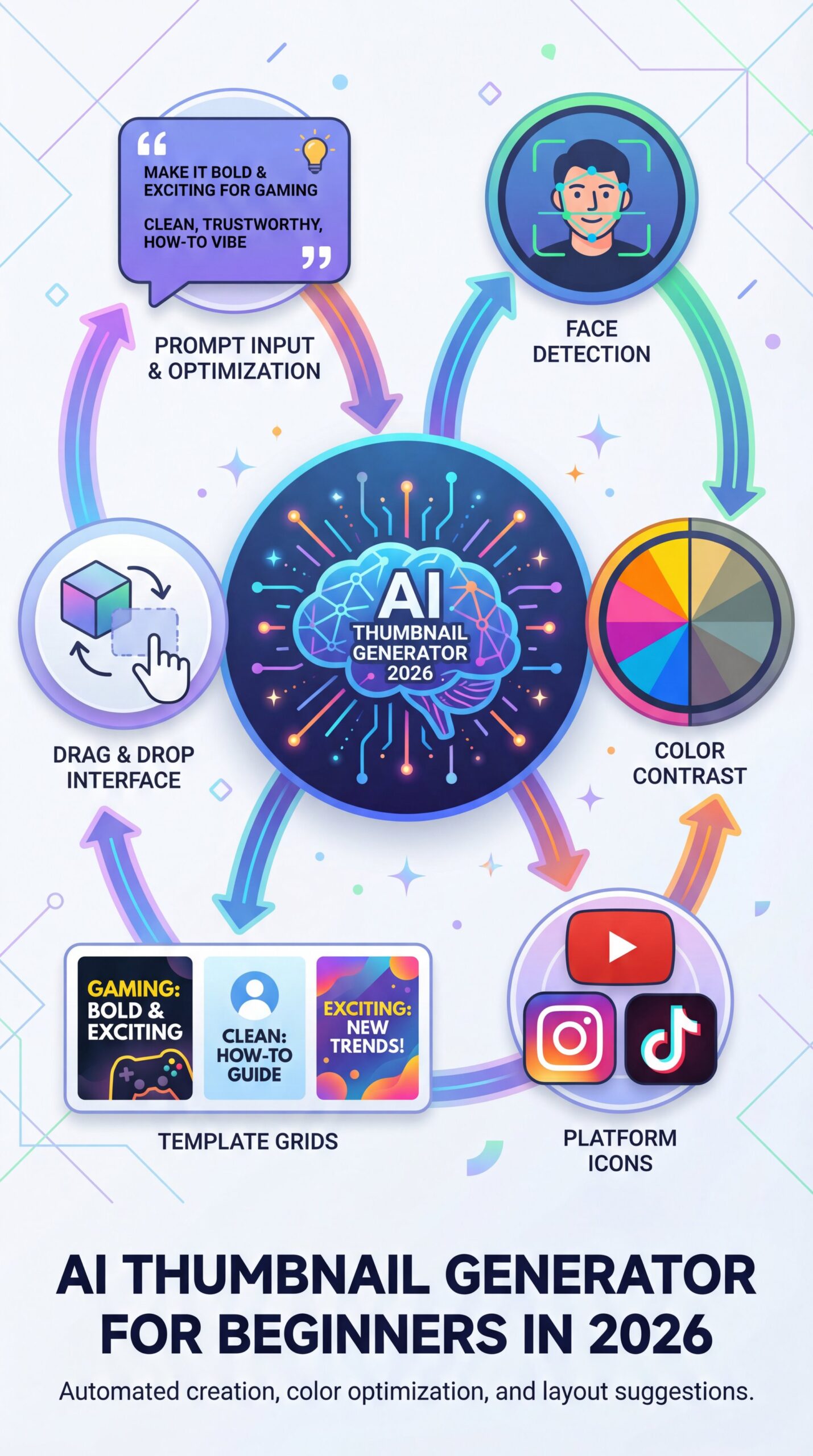
Essentially, think of it as a smart assistant that understands what gets clicked and builds that look for you—fast. Under the hood are trained models that analyze faces, color contrast, topic context and on-platform style trends (YouTube, Instagram, TikTok, even Shorts). On the surface, you see easy templates, drag-and-drop branding and prompts like “Make it bold and exciting for gaming” or “Clean, trustworthy, how-to vibe.” for casual users, this means the days of “I’m not a designer” are gone; the tool handles layout and legibility while you control tone. For creators, it means consistency and speed—crucial when you’re pushing daily uploads. For marketing pros, it means scalable workflows across multi-channel campaigns with analytics baked in, not bolted on.
How do AI thumbnail generators improve CTR in 2025–2026?
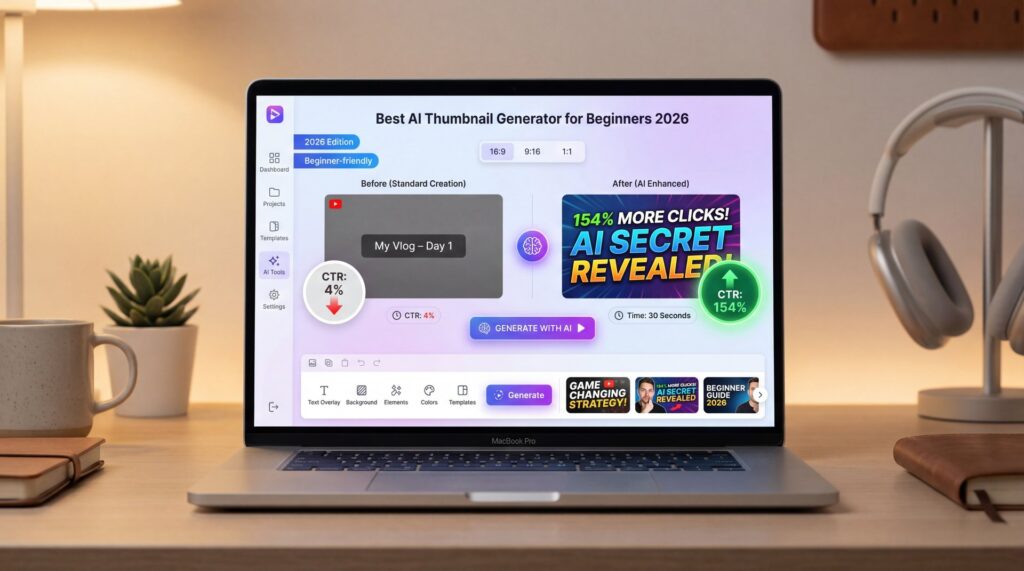
In practice, the best AI thumbnail generators in 2026 enforce proven design patterns: big faces, high contrast, and concise text. They analyze what works across millions of thumbnails and apply those lessons to your content. AI-generated thumbnails increase CTR by up to 154% compared to default alternatives, while manual thumbnail creation takes 15 minutes to several hours. AI tools reduce this to under 30 seconds.
Creators love this because A/B testing used to be painful. Now you can generate four looks in under 30 seconds, publish an experiment, and adapt the winner across platforms in minutes. Pros can push this further with audience segmentation: one thumbnail for Shorts, one for long-form, one for newsletter embeds. The point isn’t to win a design award; it’s to win the click without misleading the viewer.
Additionally, the other half of CTR is legibility, especially on mobile. The best AI thumbnail maker in 2026 will enforce strong contrast, simplify lines, and keep faces big. It’ll recommend 3–5 words max so your message doesn’t become a word salad. It’ll also catch small but costly issues—like duplicate colors between subject and background that flatten the image or micro-text that disappears at 120px tall.
If you want a deeper dive into layouts, contrast and color psychology, we unpack creative patterns top channels use in YouTube Thumbnail Design 2025: Boost CTR 200% with AI.
How to create your first thumbnail in under 30 seconds

Here’s the process I recommend to casual users and busy creators who don’t want to live inside a design app. You’ll get a decent result the first time—and a great one the third time.
Upload your hero image
Choose a clear face or product with good lighting; let the AI remove the background automatically.
Pick a high-contrast style
Use a bold template and a color combo with max legibility (e.g., yellow on black, white on deep blue).
Add 3–5 word hook
Keep the text short and emotional—”Fix Audio Fast,” “You’re Throwing Money Away,” or “5-Minute Skin Prep.”
Furthermore, for creators and pros, 2025 tools made batch generation standard. This means you can upload your hero image once and get 6–ten variants tuned to different vibes—clean, punchy, dramatic, minimalist. Try running at least four variants, then push a quick A/B test for the first six hours of the video’s life. If one wins decisively—think 20–30% lift—set it as default and archive the loser.
⚠️ Common Mistake — Crowding the frame with text
Beginners often cram 10+ words onto a tiny canvas. Aim for 3–five words, boost face size, and keep a clean background. If you’re unsure about safe zones, skim the mobile previews in our workflows.
If you need help with image cleanup, background removal, or facial retouching before you generate variants, we broke down the simplest tools in 7 Best AI Image Editors for Beginners in 2025.
Best AI thumbnail generator for beginners in 2026: tool-by-tool look
Navigating the options for AI thumbnail generators can feel overwhelming, but focusing on the current leaders helps you find a match without endless trials. The AI image tools market grew 240% YoY from 2024 to 2025, with consumer adoption rates among creators exceeding 60% for leading platforms (industry analysis). Most offer subscriptions ranging from $20 to $80 per month, along with free trials and core features such as batch generation, emotion recognition, and performance scoring.
First, Pikzels excels with its detailed performance insights and real-world case studies, including examples where creators boosted views from hundreds to over 20,000 per video through data-informed psychological tweaks, such as face-size adjustments and text-contrast enhancements that guide users away from common pitfalls.
Similarly, Thumbly prioritizes ease for newcomers, providing templates attuned to trends on platforms like Shorts, Instagram Reels, and TikTok, complete with safeguards for contrast, text placement, and facial emphasis. It also introduced a Title Generation option in late 2025 that drafts 3–five hook lines tuned to your niche so you don’t spend time brainstorming text snippets.
(Bear with me here.)
In addition, Vmake.ai appeals to those seeking seamless batch A/B testing and reliable templates, backed by widely discussed stats on CTR gains, all within an uncomplicated interface suited for daily workflows.
VisualKit caters more to collaborative environments with brand kits, shared templates and automation, including FaceSwap and pose adjustments for maintaining a uniform on-screen presence even if filming doesn’t go perfectly.
🔧 Tool Recommendation — Try a performance-first workflow
If you’re testing tools, prioritize AI that flags legibility issues, auto-suggests contrast fixes, and templatizes winners. Explore what modern AI thumbnail generation tools look like in practice before committing.
Data-driven optimization: batch A/B testing and performance analytics
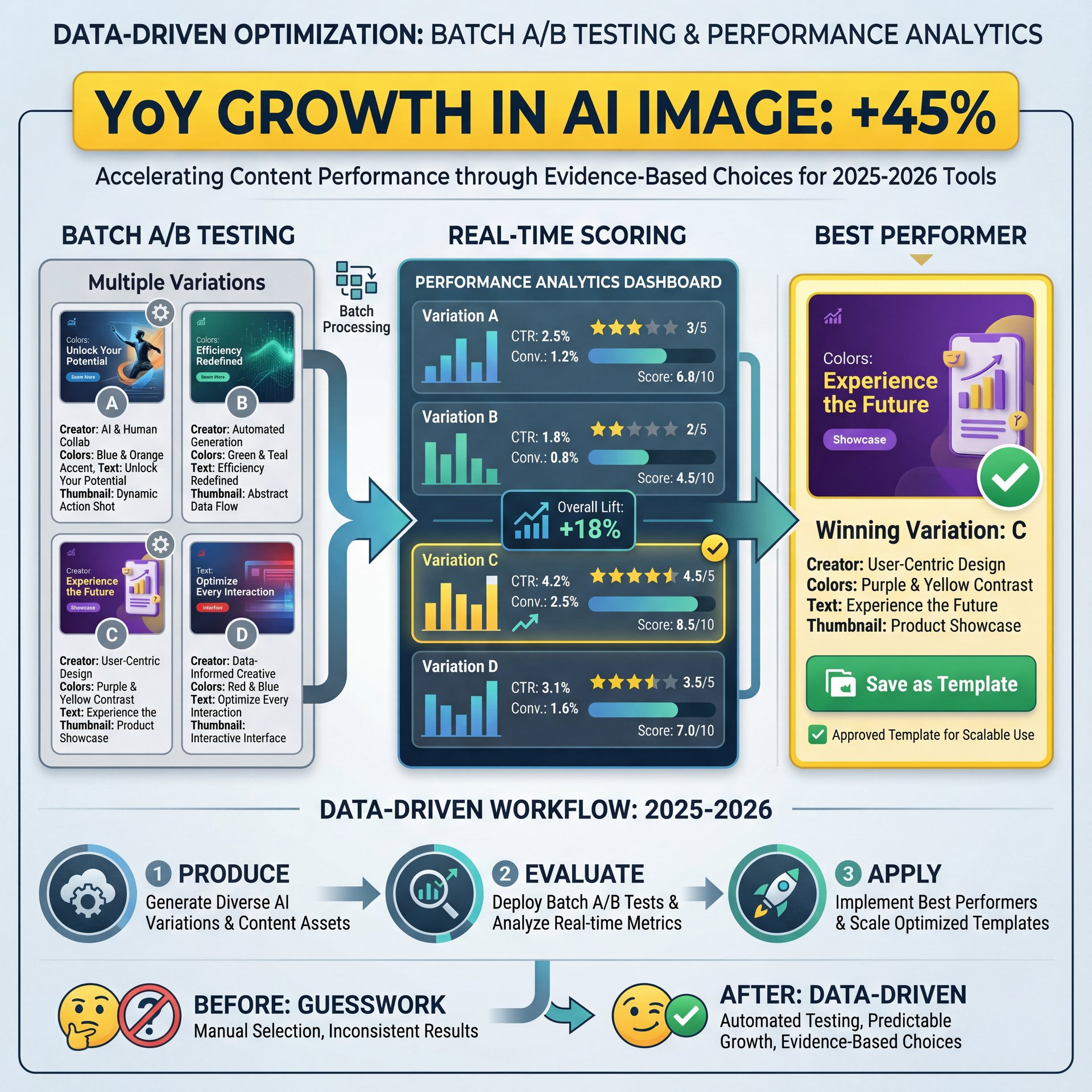
Transitioning from guesswork to evidence-based choices is what turns occasional successes into reliable results. With batch A/B testing now a core 🔥 feature in 2025 tools, creators can experiment quickly and scale up effectively into 2026. These systems allow you to produce multiple variations at once, evaluate them in real time with scoring that predicts performance, and then apply the strongest one while saving it as a template for future use.
For those new to this, it simplifies to running short tests on a handful of options and selecting the standout based on early metrics, which keeps things manageable without requiring advanced expertise. Creators handling regular uploads can expand this to differentiate between formats like Shorts and long-form videos, building a library of proven structures over time. Professionals integrate these insights into larger dashboards, linking visual elements to metrics like CTR and watch time to refine ongoing strategies.
A small but important trend in 2025 was the emergence of FaceSwap and Title Generation in mainstream tools. FaceSwap helps when your best reaction face is in the wrong clip; title generation offers 3–5 succinct hooks that match your niche. Both features keep the flow moving so you aren’t stuck hunting assets.
Avoid the temptation to “optimize to death.” The best workflows set guardrails—brand colors, text size ranges, face placement—and let you experiment within those boundaries. This helps you build a recognizable style while still adapting to what wins in the feed.
⭐ Creator Spotlight — From “meh” to magnetic
A tech educator Alex mentors saw views jump from 400 to 22,000 after switching from auto-generated frames to AI thumbnails with larger faces and warmer contrast. The lesson: small, data-backed tweaks outperform generic templates.
Also, if you publish on YouTube, remember to align with platform guidance on size, legibility and accuracy. The platform’s own documentation remains a helpful baseline for best practices you won’t outgrow (YouTube’s thumbnail guidelines).
If you want to see this in action, check out this helpful tutorial:
Related Videos
Looking for more? Check out these helpful tutorials:
- This NEW AI Thumbnail Maker Creates …
- How to Create YouTube Thumbnails Instantly with AI
- How to Make Emotional Thumbnails That Skyrocket Your …
- Best AI Thumbnail Generator (2026): Using Seedream 4.0 Free & CapCut AI Design Tool
FAQ: AI thumbnail generator for beginners
What are the most popular AI thumbnail generators for beginners in 2026?
Pikzels, Thumbly, Vmake.ai, and VisualKit are widely used because they combine ease of use with real-time scoring and batch A/B testing. 90% of top-performing YouTube videos use custom thumbnails, and AI-generated variants have been shown to boost CTR by up to 154% compared to default frames.
How do AI thumbnail generators improve click-through rates (CTR)?
They enforce proven design patterns (big faces, high contrast, concise text), run fast A/B tests and use emotion/context recognition to suggest higher-performing variations.
What are the key features to look for in an AI thumbnail generator?
Batch generation, A/B testing, emotion recognition, real-time performance scoring, brand kits and mobile legibility previews are the must-haves.
How do AI thumbnail generators compare to manually designed thumbnails?
They cut creation time from 15 minutes to hours to under 30 seconds and often deliver higher CTR via data-backed iterations; manual design allows full control but is slower and less testable.
Notes on data and context: AI-generated thumbnails have shown CTR improvements up to 154% and cut creation time from hours to under 30 seconds (Vmake.ai’s analysis). The broader AI image tools market grew 240% YoY from 2024 to 2025, with creator adoption exceeding 60% for top platforms (Air.io’s report). Whether you’re casual, creator, or pro, that market momentum is why an AI thumbnail generator for beginners isn’t optional anymore—it’s the new baseline for getting your story seen.
Related Content
For more on this topic, check out: generator
🎧 Listen to This Article