
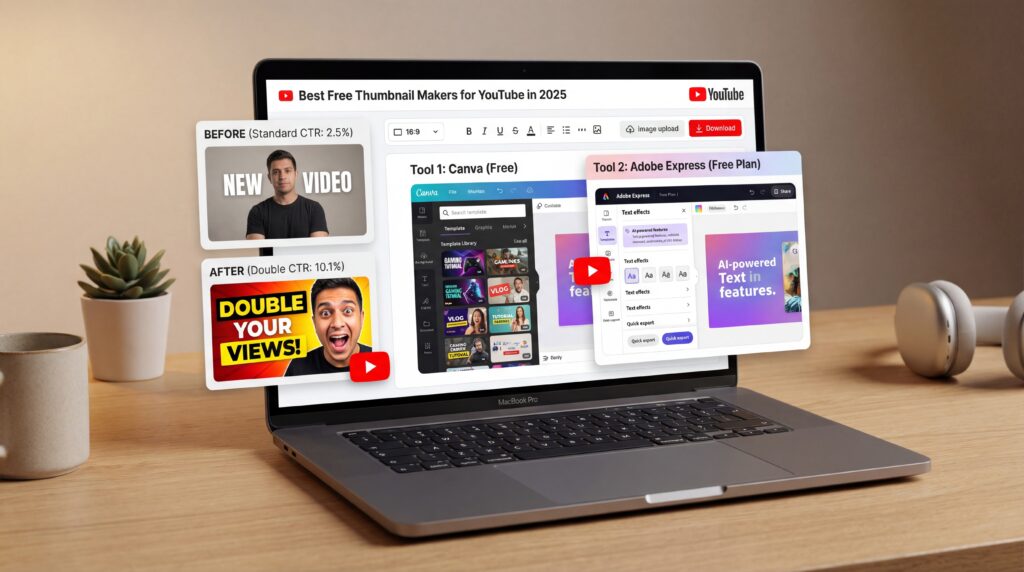
Table of Contents
- What Are the Best Free Thumbnail Makers in 2025?
- How do AI thumbnail makers compare to traditional tools?
- Free Thumbnail Makers for Every Level: Casual, Creator, Pro Can’t go wrong.
- Best Practices to Boost YouTube CTR with Thumbnails
- Which tools offer the best value for money in 2025?
- How do you test and optimize thumbnails before you publish?
Here’s the thing: your video could be brilliant, hilarious, life-changing—but if the thumbnail flops, viewers may never give it a chance. Strong thumbnails can literally double your click-through rate, so picking the right tool matters more than ever in 2025. And yes, I’m talking about the kind of free thumbnail makers that help you move fast without needing a design degree or another monthly subscription.
We’re at an exciting moment in 2025, with things shifting fast, especially with the rise of AI-powered options. Tools like Thumbly and MediaAI are seeing a 30-40% annual increase in usage among creators from 2023 to 2025, underscoring how automated design is becoming a go-to for streamlining workflows. At the same time, established players like Canva continue to lead the pack with over 135 million users globally, providing a massive library of templates and a mobile-friendly interface that’s perfect for on-the-go edits. All of this is happening against a backdrop in which 90% of video marketers use YouTube and 89% of businesses lean into video marketing, which naturally heightens the need for practical thumbnail tools. Surprisingly good. Easy win.
What Are the Best Free Thumbnail Makers in 2025?
Canva remains the undisputed champion for beginners and pros alike. With its drag-and-drop interface and YouTube-specific presets, you can create a sharp thumbnail in minutes. The free tier offers enough templates, fonts, and stock photos to keep your channel looking fresh without spending a dime. Fotor and FotoJet follow a similar template-heavy approach, perfect for creators who want quick results without the learning curve.
Then there’s the YouTube-native crew. VidIQ’s Thumbnail Generator and TubeBuddy’s Thumbnail Preview are handy because you’re already in the YouTube mindset when you use them. You can see how a thumbnail looks on desktop vs. mobile vs. TV without guessing. This “preview in context” step saves a ton of do-overs.
The AI-first crowd—Thumbly and MediaAI—lean into automated layout suggestions, style matching, and even CTR predictions before you publish. It’s no longer just “pick a template.” It’s “feed a few inputs, select a vibe and the system composes headline text, crops your face, boosts contrast and offers three variants in seconds.”
Best Free Thumbnail Maker for Beginners (2025 Guide)
How do AI thumbnail makers compare to traditional tools?
Think of it this way: AI gets you about 80% of the way there with way less effort, and that last 20%—the crucial, click-driving “why it matters” part—comes directly from your unique brand voice, your face and your storytelling. Traditional editors like Canva or Photoshop give you pixel-perfect control over every element, which is fantastic if you have time and a clear vision. AI tools trade some of that precision for speed and smart suggestions based on what’s actually working in your niche.
There’s also the analytics angle. AI tools increasingly claim they can predict CTR. I’m cautiously optimistic here. They can score legibility, detect contrast and mirror stylistic patterns from high-performing channels—but predicting human choice is messy. That said, when you pair AI-assisted creation with actual A/B testing, the results can be wild. The Creator Hero channel reported, you know, a 62% average CTR increase by running thumbnail variations through TubeBuddy’s testing feature, which is honestly impressive because it’s not just vibes—it’s data.
⭐ Creator Spotlight — 62% CTR Lift with Smart Testing
Creator Hero ran multiple thumbnail versions using TubeBuddy’s thumbnail testing and saw a 62% average CTR jump. If you want to replicate a “generate fast, test smarter” flow, start with AI variants, then refine in your editor before you test the winning two or three (you can also route assets through Banana Thumbnail’s video generation for consistent branding).
There’s a common worry that AI-generated thumbnails can start to look generic, but that’s more about how you leverage the tool than a limitation of the technology itself. By incorporating your own brand colors, featuring your face prominently and sticking to a few consistent elements across your thumbnails, you can maintain a distinctive look that stands out. Riley Santos, a creative storyteller with a travel channel, relies on this strategy: she starts with an AI draft for efficiency, spends 10 minutes adjusting the face cutout, and adds a short, punchy hook manually to keep things feeling authentic. This blend keeps your channel cohesive and engaging over time.
Free Thumbnail Makers for Every Level: Casual, Creator, Pro Can’t go wrong.
Let’s map this to you, not just the tools. If you’re a casual user—maybe you’re refreshing a gaming channel, a personal vlog or even your Etsy product videos—you probably want zero learning curve and lots of templates. Canva is built for you. Start with a YouTube Thumbnail preset, drop in your photo, pick a bold template, and change the colors to your brand (even if your brand is just “I like neon”). Fotor and FotoJet also shine here: you can get a clean, sharp thumbnail exported in under five minutes without a login maze.
Random memory: I once tried to explain aspect ratios to my mom. She asked if that was a type of pasta. We had spaghetti that night. Full circle moment.
Now, if you’re a growing creator who’s really chasing better CTR and more consistent branding, you should aim for tools that help you iterate and refine. VidIQ’s Thumbnail Generator works nicely when you’re already in there checking keyword opportunities. TubeBuddy’s Thumbnail Preview lets you sanity-check legibility across devices and search layouts. This is – well, it’s also where those AI-first tools like Thumbly and MediaAI come in handy; they’ll generate layouts based on trending design patterns specific to your niche. You can run three variants, push two of them to A/B testing, and let the stats tell you which one wins.
💡 Quick Tip — Fastest 10-Minute Thumbnail Workflow
Start with an AI draft to quickly pick your layout and color scheme, then switch to manual tweaks for your specific brand elements and that perfectly cut-out face. For a repeatable setup, clone a template and save it as a reusable workflow in your editor (you can see some sample flows in Banana Thumbnail workflows).
Best Practices to Boost YouTube CTR with Thumbnails
Thumbnails are billboards on a highway. You’ve got a second—maybe two—to tell a stranger, “This matters to you.” The basics haven’t changed, but 2025’s feed is noisier, so fundamentals matter more. Use the 3-second rule: if you can’t read the hook text or recognize the emotion on a face at arm’s length, it’s not ready. High-contrast colors (think yellow against deep blue, or neon green over charcoal) often pop on both light and dark YouTube themes. Keep text short: two to four words is the sweet spot for most niches. Strong thumbnails can double a video’s click-through rate, so getting these basics right is non-negotiable.
And faces? They’re still absolute CTR rocket fuel. Make them big, make them expressive and make sure they’re properly cropped. This isn’t magic; it’s just introductory human psychology. We naturally respond to eyes, to tension, to curiosity—it’s how we’re wired! For the technical stuff, stick to 1280×720 resolution and a 16:9 aspect ratio, and keep your file under 2MB. YouTube still compresses images, so always start with something crisp. And please leave some safe margins so your text isn’t accidentally chopped off by timestamps or other UI elements.
Pro Tip: Before you export, zoom out to 10–20% and step away for a minute. When you come back, ask: “If I saw this among five similar videos, would I click mine?” If not, fix contrast or the hook.
Another truth: consistency beats chaos. Use the same corner for your logo, the same color for urgency (yellow or red usually), and the same angle for subject framing. That way, your regular viewers find you faster among lookalike videos. Some creators argue for never using text, and sure, there are niches where stunning 😬 visuals alone do great (cinematography breakdowns, nature time-lapses). But in most cases, a short hook boosts clarity and CTR—especially when your topic is crowded.
⚠️ Common Mistake — Overwriting with Too Much Text
If your thumbnail repeats the video title word-for-word, you’re wasting space. Distill the emotion or twist into 2–4 words, then lock a surprisingly easy workflow to avoid bloat (see the clean setup ideas in Banana Thumbnail workflows).
Which tools offer the best value for money in 2025?
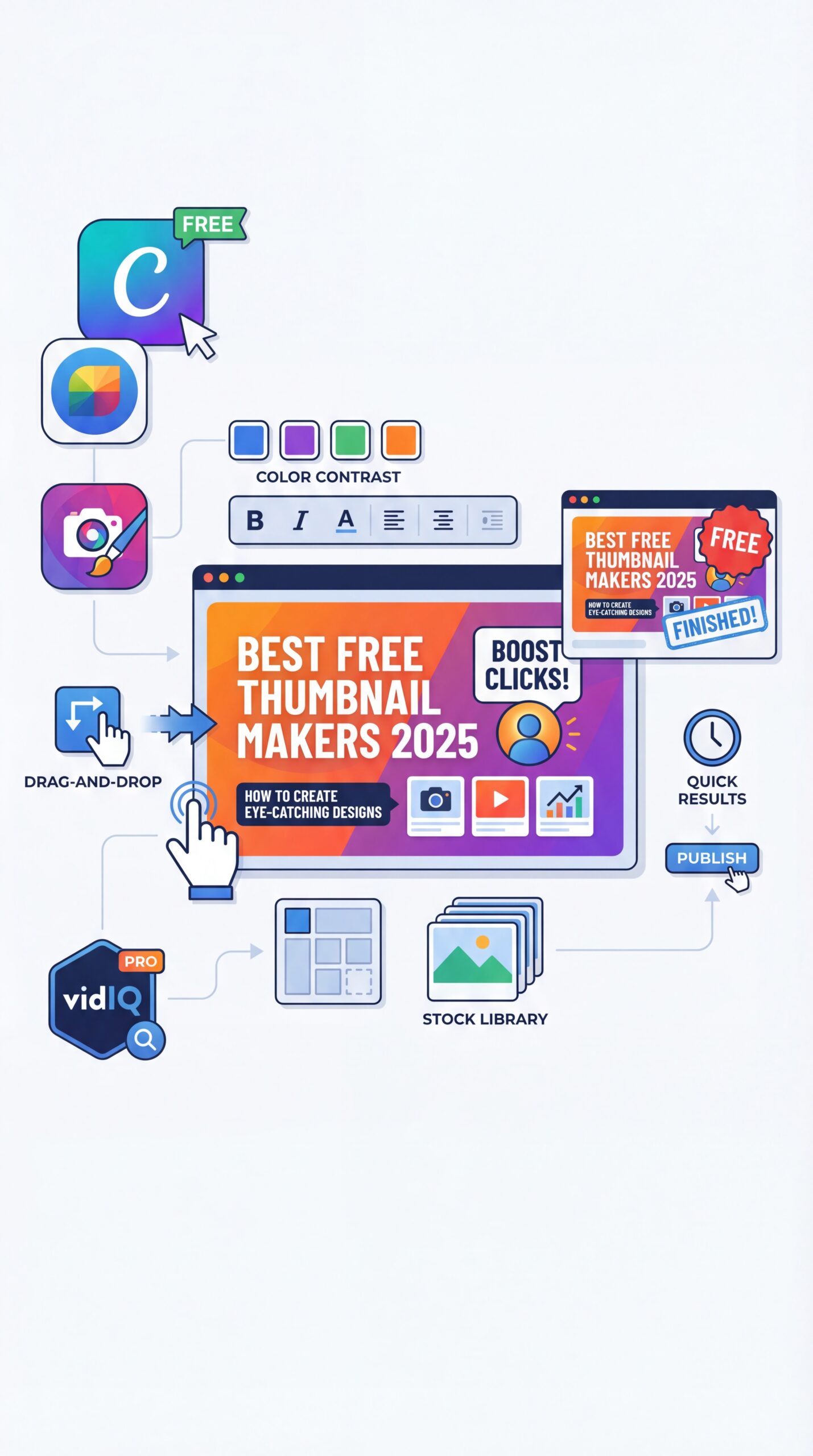
Here’s the truth: most creators can thrive on free plans. Canva’s free tier is generous enough for weekly uploads. Fotor, Snappa and FotoJet all offer enough monthly exports to keep a consistent channel running. VidIQ and TubeBuddy give you preview tools without paywalls, which is fantastic for quality control.
So where’s the inflection point where paying makes sense? When you’re iterating and testing regularly. TubeBuddy’s A/B testing (the feature that helped Creator Hero bump their CTR by 62%) lives on paid plans, and it’s worth it if you rely on data rather than hunches. Canva Pro’s brand kit and background remover are huge time savers if you want consistent looks or quick subject cutouts. No joke.. MediaAI’s bulk generation is a clear win for teams managing multiple channels. Total upgrade.
🔧 Tool Recommendation — A Hybrid Stack That Scales Works like magic.
Use an AI generator for first drafts, switch to your editor for branded tweaks, then test two versions. If you want to centralize brand elements and exports, try the templated flows in Banana Thumbnail features to keep variants consistent across videos.
How do you test and optimize thumbnails before you publish?
Testing thumbnails has come a long way from manually swapping them out and waiting for vague results. With TubeBuddy’s A/B testing, you can set up variations to rotate automatically, then review metrics like CTR and watch time to identify the clear winner. VidIQ’s preview features help catch potential issues early, ensuring your designs look strong across formats before committing to a test.
Some AI tools even provide preliminary hints about performance potential by analyzing factors such as legibility and alignment with successful patterns. While these predictions are based on solid data, they’re best used alongside actual audience feedback rather than as definitive answers. Guidelines from the YouTube Creator Academy emphasize timeless principles like clarity, contrast, and consistency, which pair well with modern testing to refine your approach.
If you prefer official playbooks, the YouTube Creator Academy still recommends clarity, contrast, and consistency as your North Star. And while predictive CTR claims are everywhere, remember: they’re signals, not guarantees. Your thumbnail, title and topic work together. A killer design can’t save a vague topic, but a clear topic with an okay thumbnail plus smart testing can outperform your last five uploads.
What are the top free thumbnail makers for YouTube creators in 2025?
Canva, Fotor, Snappa, FotoJet, VidIQ’s Thumbnail Generator, TubeBuddy’s Thumbnail Preview and AI tools like Thumbly and MediaAI are the standouts.
How do AI-powered thumbnail makers compare to traditional tools?
AI tools speed up layout and style choices and can predict likely winners, while traditional editors give you full creative control and detailed branding capabilities.
Which thumbnail maker tools offer the best value for money?
Start free with Canva or Fotor, then consider TubeBuddy’s paid A/B testing and Canva Pro or MediaAI if you publish often.
(Back to the main point.) Quick fix.
How do different thumbnail makers handle customization and templates?
Canva and Snappa excel at templates and font options, VidIQ and TubeBuddy are fantastic for in-context previews, and AI tools generate fast variants perfect for quick testing.
(More on that later.)
⭐ Creator Spotlight — Riley’s ten-Minute Turnaround
Riley Santos (Creative Storyteller) tested AI-first drafts for a travel upload, added a quick face cutout and a catchy 3-word hook, and saw that variant beat her original by about 28% CTR in TubeBuddy tests. Keeping a reusable base layout literally shaved 15–20 minutes off each video’s prep time!
Links and Citations:
- Strong thumbnails can double CTR (MediaAI) (https://www.mediaai.art/en/blog/youtube-thumbnail-maker/)
- AI thumbnail tools up 30–40% since 2023 (AIR) (https://air.io/en/ai-tools/making-them-click-top-5-ai-thumbnail-generation-tools)
- 90% of video marketers use YouTube (Gudsho 2025 stats) (https://www.gudsho.com/blog/video-marketing-statistics/)
- TubeBuddy thumbnail preview/testing (case example) (https://www.tubebuddy.com/thumbnail-preview)
- YouTube Creator Academy on thumbnails (guidelines and best practices) (https://creatoracademy.youtube.com/page/lesson/thumbnails)
Related Videos
Looking for more? Check out these helpful tutorials:
Related Content
• youtube
• youtube
For more on this topic, check out: youtube
- BEST YouTube Thumbnail Maker (Free & Easy) 2025
- Using Seedream 4.0 Free & CapCut AI Design Tool
- How To Make Better Thumbnails in 2025
- How To Make YouTube Thumbnails – Quick, Easy & Free!