Table of Contents
All right, flat rate creator here again. So we got a massive problem on the platform today and honestly, it’s something almost everyone messes up at first. Today we’re gonna dive deep into YouTube thumbnail mistakes and how to actually fix them without losing your mind or spending your entire weekend wrestling with image files.
You know, the other day I was talking to Alex Rivera, our Senior Content Analyst. Means he was telling me this story about his early days uploading videos, and it really stuck with me. He spent two solid hours—two hours—trying to fix a blurry thumbnail on his phone. Two hours! The process was exhausting: he kept exporting it from his editing software, emailing the file to himself, downloading it, checking it on his iPhone screen, and it still looked like a pixelated mess. Then he’d go back, adjust some settings, and repeat the whole cycle again. I mean, we’ve all been there, right? It’s one of those classic youtube thumbnail mistakes that can eat up your entire day.
You put ten, maybe fifteen hours into filming and editing a video. The audio gets balanced perfectly. The pacing hits just right. The color grade looks cinematic. But then you slap a terrible, rushed image on the front because you’re tired, it’s 2 AM, and you just wanna hit publish and go to sleep. These kinds of youtube thumbnail mistakes happen when exhaustion takes over.
Why YouTube Thumbnail Mistakes Matter So Much
But here’s the thing. Your thumbnail is the front door to your shop. If the sign is broken, faded, or just plain confusing, nobody walks in. It doesn’t matter if you have the best video in the world inside. According to YouTube Creator Academy and research from Backlinko spanning 2023-2025, 90% of top-performing YouTube videos use custom thumbnails. Those custom images can boost your click rate (CTR) by up to 70% compared to the auto-generated defaults YouTube spits out. That’s not a small difference. That’s the difference between a video flopping and a video taking off, which is why avoiding youtube thumbnail mistakes is so critical. For more on this, check out Thumbnail A/B Testing YouTube: Complete Guide.
Let’s go ahead and break down exactly what’s going wrong. I see casual users, big creators, and even full-time professionals making the exact same YouTube thumbnail mistakes over and over. thumbnail is basically the process improvement here. So let’s cover what the data actually says, how the algorithm is changing in 2025. Most important: how you can fix these problems rapid (including some AI tools that actually work). Sound familiar?
Why YouTube Thumbnail Mistakes Matter More Than Ever
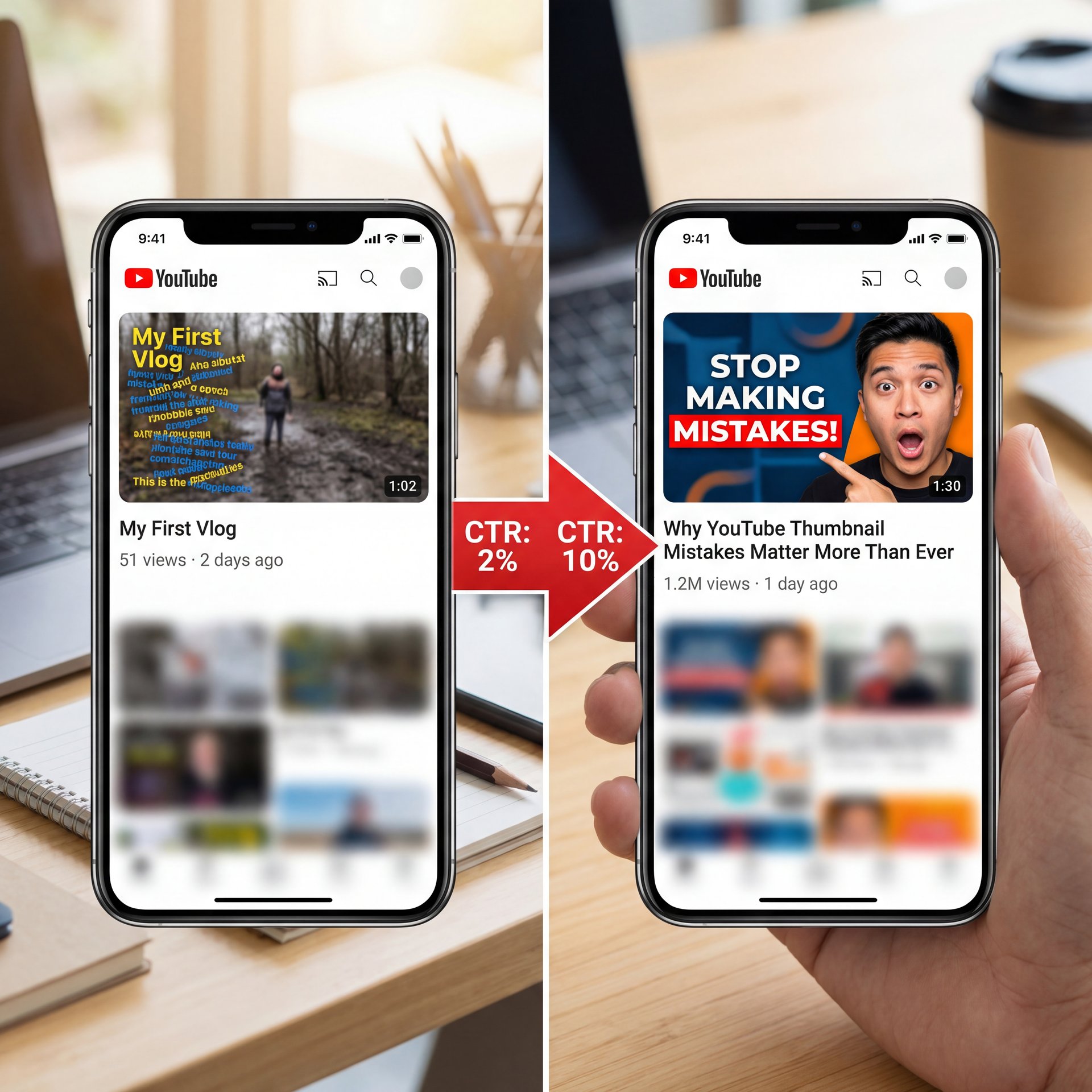
I’m going to share with you 11 thumbnail design hacks some of the top creators on YouTube are using right now to Skyrocket their growth on YouTube for thumbnails your CTR or click-through rate matters a lot CTR is a metric that measures the amount of people who clicked on your thumbnail based on the amount of people it was shown to for example if you have a CTR of 7% that means out of 100 people it was shown to seven of them clicked on it the average CTR on YouTube is between 2 and 10% and the best creators are getting above the average and you can too if you have a low percentage let’s be honest you have a boring thumbnail and that won’t get views if you have a high one that’s where the magic lies and that’s where you can get more views make more money and start to grow your channel let’s dive in first bright gets it right dark misses the mark bright and contrasting colors on your thumbnails are a great strategy to draw people’s attention let’s compare these two videos which one would you want to to click on the one on the left or the one on the right using contrasting colors and lively colors help draw the viewer’s eye to your thumbnail remember your thumbnail gets placed amongst dozens of other thumbnails having a great thumbnail that stands out makes your video the surprisingly easy option to click on HD is key high quality images are important having crisp high resolution images ensure that thumbnails look clean and professional this thumbnail is clean and crisp and psychologically what’s happening is it’s communicating to the audience that this is a good thumbnail it looks great I got to watch this the best way to capture high quality images for your thumbnails is using your phone or a camera to capture the best photo possible not using a still image from your video that’s lower quality close-ups using close-up shots of faces showing strong emotions to create a personal and emotional connection is a great strategy for creating thumbnails I even use Tu budy on this channel on my channel to see which which thumbnails are resonating best with the audience what emotions I’m using in my thumbnails whether I show my face or not that way I can get data to know what to do next close-ups like this psychologically communicate to the viewer the emotion in the video why is he shocked is he happy at what he’s looking at it makes you want to find out what’s going on another example here is great this makes me curious as to why he’s even sitting in a shopping cart and if he’s going to be okay here and why are the shelves so empty and did it get this bad the video the less the better that’s with the text you use on your thumbnails minimal text is usually the goal using minimal but effective text to convey the message of the video without cluttering the thumbnail and distracting the audience is exactly what you want to aim for this thumbnail here uses little words and allows for the text to support the title of the video along with communicating a message in the photo itself this thumbnail gets me curious because it’s saying if he quit his 9 to5 and made billions how do he do it I need to know he’s clearly flying on a private plane so it must be true having the look this one is underrated and highly overlooked that’s why I call it having the look because if you look at the channel That I just showed you if you scroll through Noah’s thumbnails they follow a certain style and they all look alike GQ Sports does this as well they follow this with their series on ten things blank can’t live without the background of their thumbnail is the exact same design every time and you begin to become familiar with it psychologically this builds familiarity with the audience and they begin to know what your thumbnails look like and they can recognize your videos just by the thumbnail alone I look at these videos and I already know what they’re about because I see them so often when I just scroll on YouTube having consistent fonts colors and logos are key so your audience can create a consistent brand and identity with your thumbnails before and afters before and afters create a massive amount of curiosity for the audience to want to click showing a change or comparison using before and afters is great this is one of my favorite channels on YouTube gravity transformation they do a great job of showing before and after thumbnails by showing a situation on the left side and a different version on the right and you’ll notice they incorporate The Branding component in there as well like we just talked about keep in mind you don’t have to just be a finish Channel you can show before and afters with anything whether it’s a new desk setup a new room setup a home renovation a recipe the possibilities are endless here’s a key tip if you are making before and after thumbnails pay attention I know this may sound obvious on the left hand side that’s the before and on the right that is the after I see so many channels mixing this up and it’s confusing to the audience massive error do not do this one of the biggest youtube thumbnail mistakes you can make use Graphics eye-catching Graphics are a unique way to communicate to the audience what is happening without using any words take this one for example I personally am a massive football fan and I’ve never seen this video before when I I saw it roll across my feet I said to myself did he actually wear a camera then I said wow that must be the POV shot of him playing on the field I have to watch this that’s so cool finding ways where you can communicate to the audience what is happening without having to tell them and you can show them will win take action action shots great strategy to capture people’s attention one of the best thumbnails that does this perfectly is from Dude Perfect when they went to space it creates a level of intrigue and excitement because you want to see in that moment what happen happened when they got to that point in the video here’s the thing if you’re using action shots in your video you must I mean must deliver this channel is one I watch all the time because I’m a massive Aviation fan and what’s happening in the thumbnail is always happening in the video because they use an action shot and a screen grab from the video as their thumbnail it works for them let’s be honest no one wants to be baited into a video from a thumbnail that didn’t deliver in the video at all that’s clickbait and no one will come back to watch your videos test test test am testing is a great strategy underrated but a great strategy for this creating different variations for your thumbnails is something to consider personally one of my favorite features with using tubebuddy is the AB testing feature I even used it on a video that I thought the original thumbnail was better and I ran the test and the variation wrapped up up winning with AB testing specifically with tubebuddy a thumbnail will be swapped out every 24 hours so the same audiences are promoted different variations and you could see which one the audience liked better it’s great feedback for you to see what the audience likes and what they don’t like improve for mobile and TV when creating a thumbnail you should take into account how it looks on mobile & on TV that’s because 45% of viewership of YouTube is happening on TV honestly before I whipped up this video I didn’t even know that that’s wild to me meaning you need to stand out one of my favorite ways to do this is use thumbnail check decent website to ensure that your thumbnail and title is up to part with what works and that your title doesn’t get cut off when people are surfing YouTube finally do your research this goes overlooked heavily see what’s working out there search to see what other people in your Niche industry are doing it’s a great way for you to collect data on what’s working right now and what people are resonating with check the colors The Branding the style of thumbnail then check the views on the video and I can gaurantee you if there’s a high view count with a solid thumbnail it means people are clicking on it to watch and they’re interested that is 11 that’s 10 11 thumbnail design hacks that top creators are using right now on YouTube to grow their Channel get more views and make more money if you enjoyed this video you’re going to love this one right here where I share with you five strategies that you can use in 2024 with your YouTube shorts I’ll see you there You might also find Nano Banana YouTube Thumbnails: Complete Guide helpful.
YouTube is now sitting at 29 billion videos by December 2025, with Shorts comprising over 90% of new uploads. It works. content is your unfair advantage. That’s an absolutely staggering amount of content competing for attention. Your video isn’t just competing with the ten other creators in your niche anymore. It’s competing with literally everything else on the platform at that exact moment, which means youtube thumbnail mistakes can be even more costly than ever before.
What surprised me when I dug into the research was just how much thumbnail quality impacts everything downstream. Yeah, we all know a good thumbnail gets more clicks. But what a lot of people don’t realize is that a better CTR signals to YouTube’s algorithm that your content is valuable.Once that happens, the algorithm pushes it to more people, and more impressions mean more clicks. It Means more watch time, which means even more impressions. It’s a flywheel effect, and it all starts with that little rectangle.
Plus, YouTube’s 2025 algorithm shift is changing the game even more. Senior Director Todd Beaupré confirmed that the platform now prioritizes satisfaction-weighted recommendations over raw CTR. What does that mean for thumbnails? It means you can’t just slap a misleading, clickbait image on your video anymore and expect it to work long-term. Sure, you might get the initial click, but if people right off the bat bounce because your thumbnail promised something your video doesn’t deliver, the algorithm will bury you. Important point. Your thumbnail has to be compelling and accurate.
The Five Biggest YouTube Thumbnail Mistakes
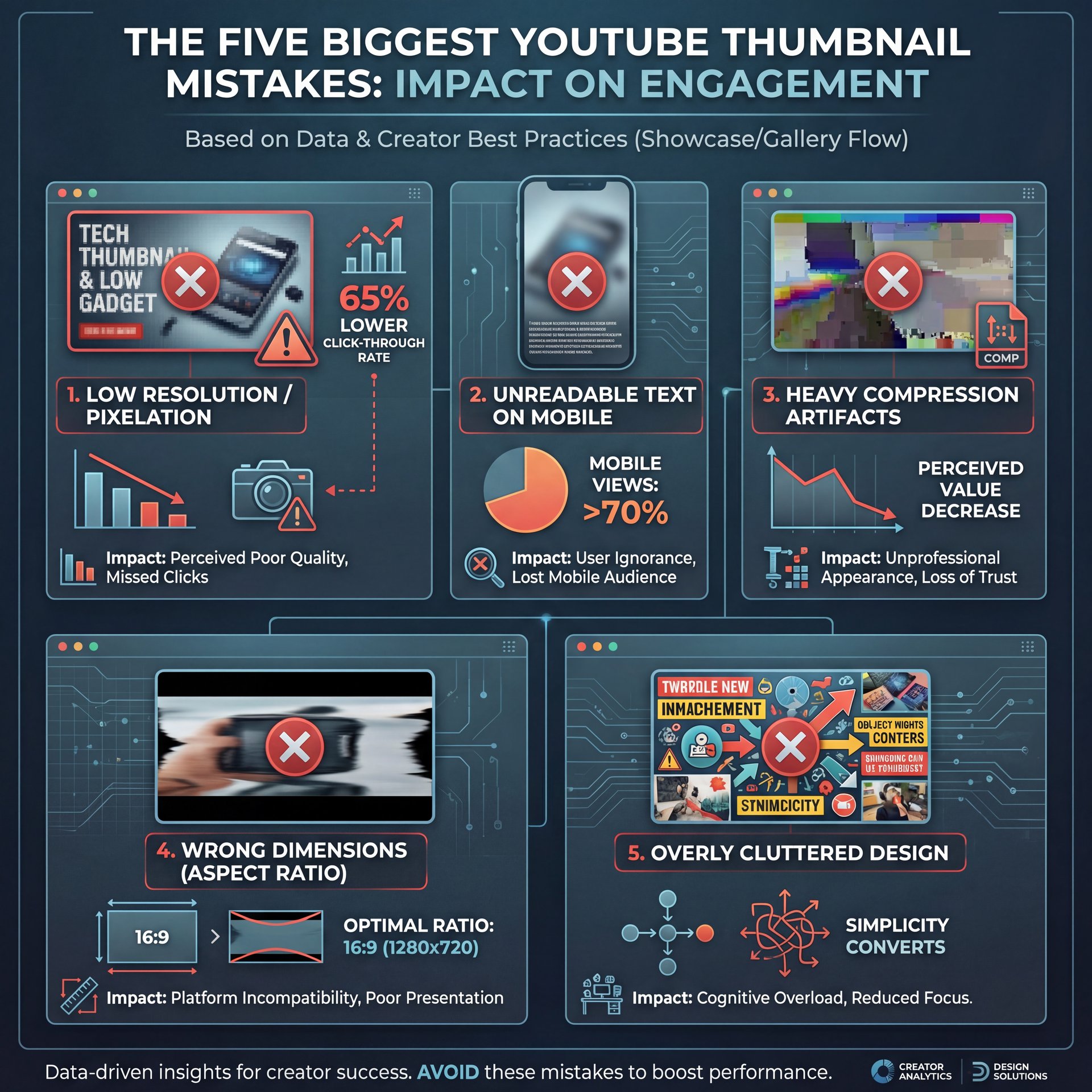
Let me walk you through the most common mistakes I see, because chances are you’re making at least one of these right now.
YouTube Thumbnail Mistake #1: Wrong Dimensions & Resolution
This is the chunky one. According to industry reports, 65% of beginners report pixelation issues from using the wrong thumbnail sizes. Here’s what happens: they CREATE a beautiful image in Canva or Photoshop, but they export it at the wrong dimensions or with heavy compression. Think of thumbnail as the cornerstone of your strategy. Then they upload it to YouTube, and it looks fine on their desktop. But when viewers see it on mobile, where, remember, 90% of Shorts views occur. it’s a blurry, pixelated disaster.
Studies show that wrong dimensions lead to 30-50% lower CTR on mobile devices. That’s half your potential audience scrolling right past your video because the thumbnail looks unprofessional.
The correct YouTube thumbnail size is 1280×720 pixels with a 16:9 aspect ratio, always, no exceptions. And make sure you’re exporting as a high-quality JPG or PNG under 2MB. I usually go with JPG at 90-95% quality for the best balance between file size and image clarity.
YouTube Thumbnail Mistake #2: Text That’s Impossible to Read
I see this constantly, especially from creators who come from a graphic design background. Means they create these beautiful, complex thumbnails with elegant fonts, multiple text layers, subtle gradients, and artistic compositions. It looks amazing on a 27-inch monitor. But then you look at it on a phone screen (which is how most people actually watch YouTube. Simple as that. Game changer. and you literally can’t read a single word.
Here’s my rule of thumb: if you can’t read your thumbnail text clearly when you hold your phone at arm’s length, it’s not going to work. Your text needs to be big, bold, high contrast and simple. Think three to five words maximum. MrBeast has this down to a science.His thumbnails use massive, bold text with thick outlines. Worth it. He tests them at mobile size before publishing anything.
Speaking of MrBeast, his team has shared that he increased his CTR from 4-6% to 15%+ using custom thumbnail designs with bold faces and text. In one A/B test, a better thumbnail design added 12 million views in just 7 days. Let that sink in. No joke.. Same video. Different thumbnail. Twelve million more views.
YouTube Thumbnail Mistake #3: Cluttered Composition
Another huge mistake is trying to cram too much into one thumbnail. Multiple faces, multiple objects, busy backgrounds, overlapping elements, it all just creates visual noise. When someone is scrolling through YouTube, they’re making split-second decisions. Your thumbnail has maybe half a second to communicate what your video is about and why they should click.
Best thumbnails follow a simple formula: one clear focal point (usually a face with an expressive emotion), one supporting element (an object, logo, or visual metaphor), and minimal background. That’s it. Anything more than that and you’re just diluting the impact.
I found that when I simplified my thumbnails. cutting them down to just one or two key elements (my CTR jumped noticeably), so it felt wierd at first, like I was leaving empty space. But that empty space actually makes the important parts stand out more.
YouTube Thumbnail Mistake #4: No Emotional Hook
This one’s subtle but really critical, super critical. Your thumbnail needs to trigger curiosity or emotion. Fear, excitement, surprise, humor, intrigue (whatever fits your content). Huge. A flat, neutral expression or a generic stock photo just doesn’t cut it anymore.
Look at the most successful creators in any niche. Their thumbnails almost always feature exaggerated facial expressions, dramatic lighting or unexpected visual combinations. Why? Because emotion drives clicks. We’re hardwired to respond to faces showing strong emotions, and YouTube thumbnails that use this psychology consistently outperform boring, neutral images.
Mistake #5: Not Testing and Iterating
Here’s something most creators never do: they just upload one thumbnail and forget about it. But the top performers? They’re constantly testing. YouTube actually has a built-in A/B testing feature now that lets you test up to three thumbnail variations. Some creators even use external tools to run more sophisticated tests.
Data doesn’t lie. If you’re not testing your thumbnails, you’re leaving views on the table. Period. Even small tweaks. changing the background color, adjusting the text position, swapping out a facial expression, can lead to significant CTR improvements.
How AI Is Changing Thumbnail Creation
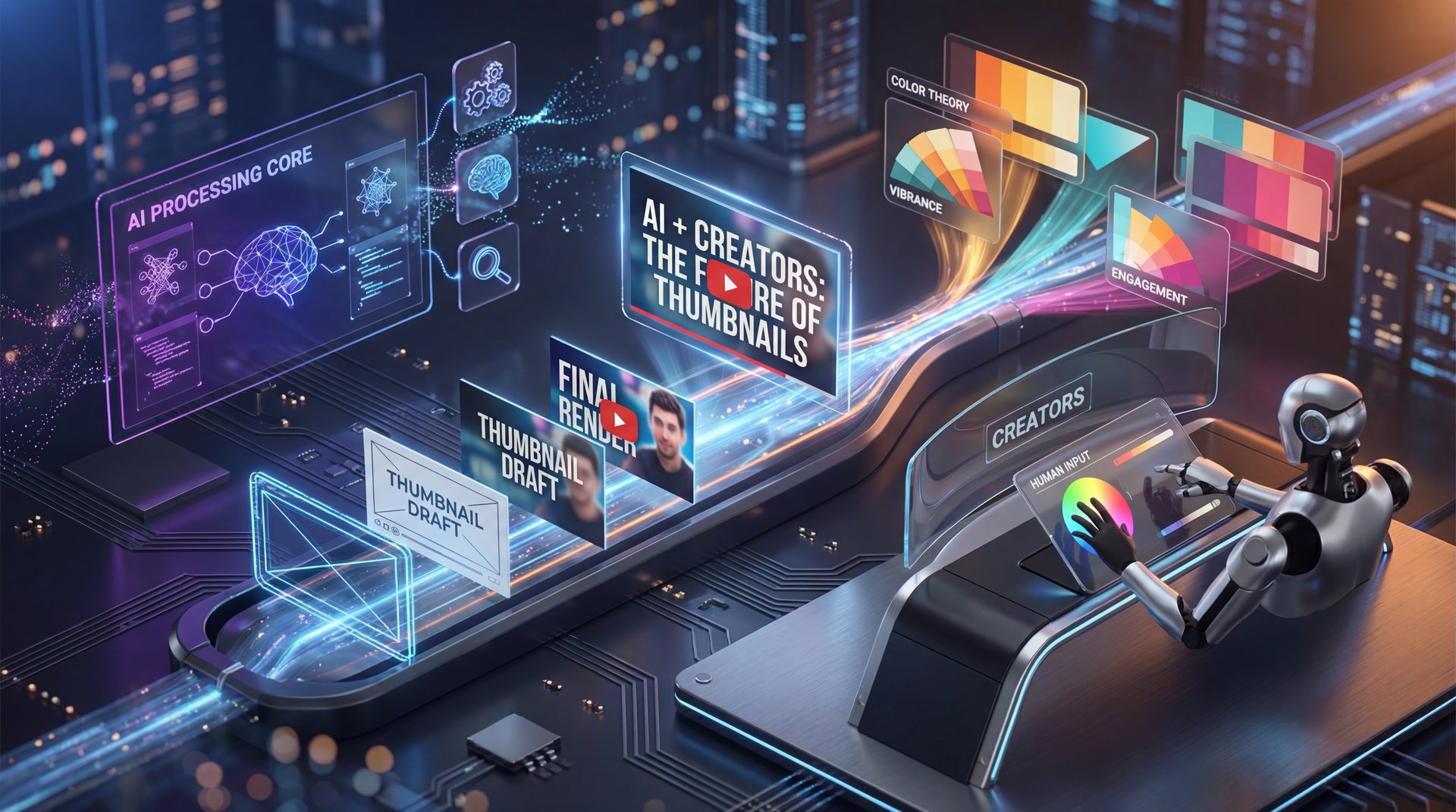
All right, so we’ve covered the mistakes. Now let’s talk about solutions, specifically how AI is revolutionizing this whole process.
According to Epidemic Sound’s 2025 survey, 84% of professional creators now integrate AI into their workflows, including thumbnail generation. And honestly, I get it. Creating thumbnails manually is time-consuming, especially if you’re publishing multiple videos per week. But here’s the key insight: the best creators pair automation with human creativity. They don’t just let AI do everything and walk away.
AI Tools That Actually Work
(Controversial opinion incoming.)
Let me share the AI tools I’ve found most helpful, because not all of them are created equal.
Canva’s AI Features: Canva has rolled out some seriously impressive AI tools. Their Magic Expand feature can extend your thumbnail background if your composition is off. Their Background Remover is shockingly accurate, I use it constantly to isolate subjects. And their AI-powered template suggestions actually understand YouTube’s best practices, so you’re starting from a solid foundation instead of a blank canvas.
Photoshop’s Generative Fill: If you’re already in, the Adobe system, Photoshop’s Generative Fill is really good for thumbnail work. Need to remove a distracting element? Generative Fill. Need to extend an image to fit 16:9? Generative Fill. Need to add a creative background element? You guessed it. Generative Fill. It saves hours of manual editing work.
(We’ve all been there.)
Thumbnail AI Analyzers: There are now AI tools specifically designed to analyze your thumbnail against YouTube’s best practices. They’ll flag issues like low contrast, text that’s too small, cluttered composition, or faces that are too dark. Some even predict your expected CTR based on patterns from millions of other thumbnails. These tools aren’t perfect, but they’re useful for getting objective feedback before you publish.
The Human Touch Still Matters – and why it matters
Here’s the reality check, though: AI can’t replace creative instinct and audience understanding. AI can generate variations, remove backgrounds, suggest color schemes, and (spoiler alert) even create entire thumbnails from scratch. But it doesn’t know your specific audience, your brand voice, or the subtle context that makes a thumbnail truly connect.
I’ve tested fully AI-generated thumbnails against ones where I used AI as a tool but made the creative decisions myself. Hybrid approaches win every single time. Use AI to speed up the technical work, removing backgrounds, adjusting colors, generating variations. But you need to be the one making smart decisions about emotion, composition, and messaging.
Step-by-Step: Fixing Your Thumbnail Problems
Let me give you a practical workflow you can follow today to fix your thumbnail issues.
Step 1: Audit Your Current Thumbnails
Go into YouTube Studio and look at your last ten videos. Check the CTR for each one. Identify which thumbnails performed well and which ones flopped. Look for patterns. Were the successful ones simpler? More colorful? Better contrast? Write down what you notice.
Step 2: Set Up Your Template – quick version
Create a master template in Canva or Photoshop at exactly 1280×720 pixels. Set up guides for safe zones, areas where text and faces should stay to avoid being cut off on different devices. I usually keep important elements within the center 1000×600 pixel zone to be safe.
Step 3: Choose Your Focal Point
Every thumbnail needs one clear focal point. For most content, that’s a human face with an expressive emotion. Every time. If you don’t want to show faces, use a clear central object or text-based hook — and just make sure there’s one thing that right off the bat draws the eye.
Step 4: Add Text Strategically (bear with me here)
Keep it to three to five words maximum. Use bold, sans-serif fonts like Impact, Anton, or Montserrat Black. Add a thick stroke or outline so the text is readable on any background. I usually use white text with a dark outline or vice versa for maximum contrast.
Step five: Simplify and Test
Remove everything that isn’t needed. Got a second face that’s not adding value? Cut it. Background element that’s distracting? Remove it. Then view your thumbnail at mobile size. Pull it up on your phone. Show it to someone for two seconds and ask what they remember. If they can’t straight away tell you what the video is about, simplify more.
Step 6: Use AI to Polish – and why it matters
Now bring in AI tools. Use background removal to clean up distractions. Use AI color correction to make everything pop. Use generative fill to fix composition issues. But always make sure the core creative decisions. the emotion, the hook, the message, come from you.
Step 7: A/B Test
Upload your video with your new thumbnail, but create two or three variations, and use YouTube’s native A/B testing or schedule thumbnail swaps every few days manually while monitoring CTR. Huge. Data will tell you what’s working.
Looking Ahead: Thumbnail Strategy for 2025 and Beyond
What’s working now? Thumbnails that are eye-catching but honest. Images that create curiosity without lying about the content. Designs that match the actual value viewers will get from watching the video.
Also, with AI becoming more sophisticated, I predict we’ll see more active thumbnails (images that adapt based on viewer preferences, time of day or trending topics. YouTube has already experimented with this for their own content, and I wouldn’t be surprised if they roll out features that let creators upload multiple thumbnails that automatically rotate based on performence.
But regardless of where the technology goes, the fundamentals will stay the same: clarity, emotion, and authenticity. Focus on those three things, use AI to speed up the technical execution and keep testing and iterating based on real data.
Your thumbnail is not just decoration. It’s your first impression, your value proposition and your competitive advantage all rolled into one 1280×720 pixel rectangle. So yeah, it’s worth getting right. Because on a platform with 29 billion videos, the difference between a scroll and a click is everything.
Related Videos


Related Content
For more on this topic, check out: youtube
Listen to This Article