Table of Contents
- What Is Midjourney V7 Doing Differently?
- How to Save Money with Midjourney V7 Draft Mode
- Best Midjourney V7 Prompts for Character Consistency
- Why Text is Still a Weak Spot (And What to Do)
- How to Structure Your V7 Prompts (The “Vibe” Shift)
- Personalization: The Feature You Didn’t Know You Needed
- Getting Started with Video Generation
- Final Thoughts on the Workflow
- Listen to This Article
Ever feel like you’re just burning through cash trying to get one usable image for your thumbnail, tweaking the same prompt twenty times while your subscription drains away?
All right, Dr. Morgan Taylor here again. Today we’re gonna go over something that’s been on a lot of creators’ minds lately: Midjourney V7. Simple as that. So, we got a new architecture under the hood here in 2025, and honestly, it changes how we need to drive this thing. If you’ve been using the same long, complex prompts you used in V6, you’re probably noticing the engine isn’t purring quite right.
Here’s the thing—Midjourney V7 isn’t just a polish; it’s a rebuild. It prioritizes “vibe” and aesthetic over literal instruction. This means we have to adjust our approach. I’ve spent the last few weeks super tearing this thing apart to see what makes it tick. I wanna show you guys how to get the best results without wasting your GPU hours.
Let’s go ahead and pop the hood on the best Midjourney V7 prompts and workflows.
What Is Midjourney V7 Doing Differently?
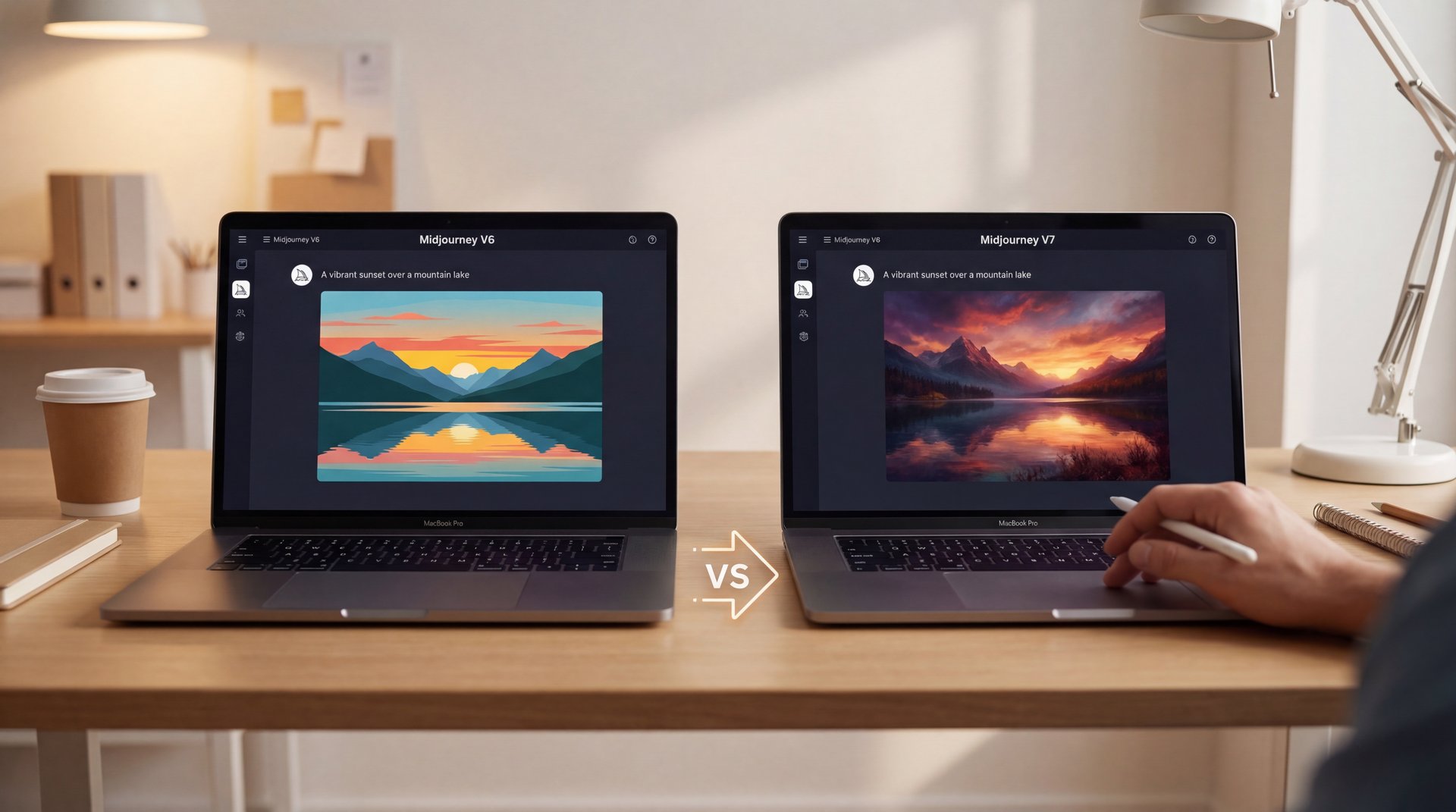
So, first thing you want to do is understand what we’re working with. Midjourney V7 commands a massive roughly 27% of the global AI image generation market and there’s a reason for that. It’s the visual fidelity. But if you’re coming from V6, you might feel a bit lost at first. You might also find Google Veo 3.1 Prompts Pros Use Complete Guide helpful.
In my experience, V7 is a lot less literal. It’s like a mechanic who knows what you mean even if you don’t know the name of the part. It interprets prompts loosely, focusing on composition and color harmony rather than putting every single noun exactly where you said it should be. Consider the foundation.
Now, that statistic is huge. It means we’re spending less time rerolling garbage and more time refining the good stuff. Still, this shift means you have to trust the tool a bit more.
I was surprised by how much better the anatomy is. We used to have to put “rough hands” or “extra fingers” in the negative prompts constantly. With V7, I rarely have to touch the negative prompts for anatomy because the new model just gets it. Plus, the web-first approach finally moving away from just Discord means, the barrier to entry is lower. But mastering Midjourney still takes about 2-3 hours of dedicated learning to really understand how the parameters interact.
How to Save Money with Midjourney V7 Draft Mode
Now here’s the thing that really caught my eye. If you know me, you know I hate waste. No joke. Whether it’s shop towels or GPU minutes, I don’t like throwing money away.
Midjourney V7 introduced “Draft Mode,” and honestly, this is, the most practical feature for creators who are iterating on ideas.
So, Draft Mode runs at roughly 10x the speed of the standard model and costs about half as much. We’re talking dropping the cost from around $0.03 per image down to $0.015. Think of thumbnail as the key ingredient here. If you’re trying to get the composition right for a YouTube thumbnail, do not—I repeat, do not—burn your fast hours on the full model.
Use Draft Mode to get the layout right. Once you have a seed or a composition you like, then you upscale or re-run it in standard mode. It’s like using a primer before you lay down the expensive paint.
Draft Mode
Low cost, high speed ($0.015/img)
- ✓ Best for rapid layout testing
Standard Mode
High fidelity, slower gen
- ✓ Best for final output
Personalization
Learns your style over time
- ✓ Best for brand consistency
I think a lot of people skip Draft Mode because they think “draft” means “bad quality.” It’s not. It’s just less detailed. For a thumbnail that’s going to be viewed on a phone screen? Sometimes Draft Mode is actually all you need.
Best Midjourney V7 Prompts for Character Consistency
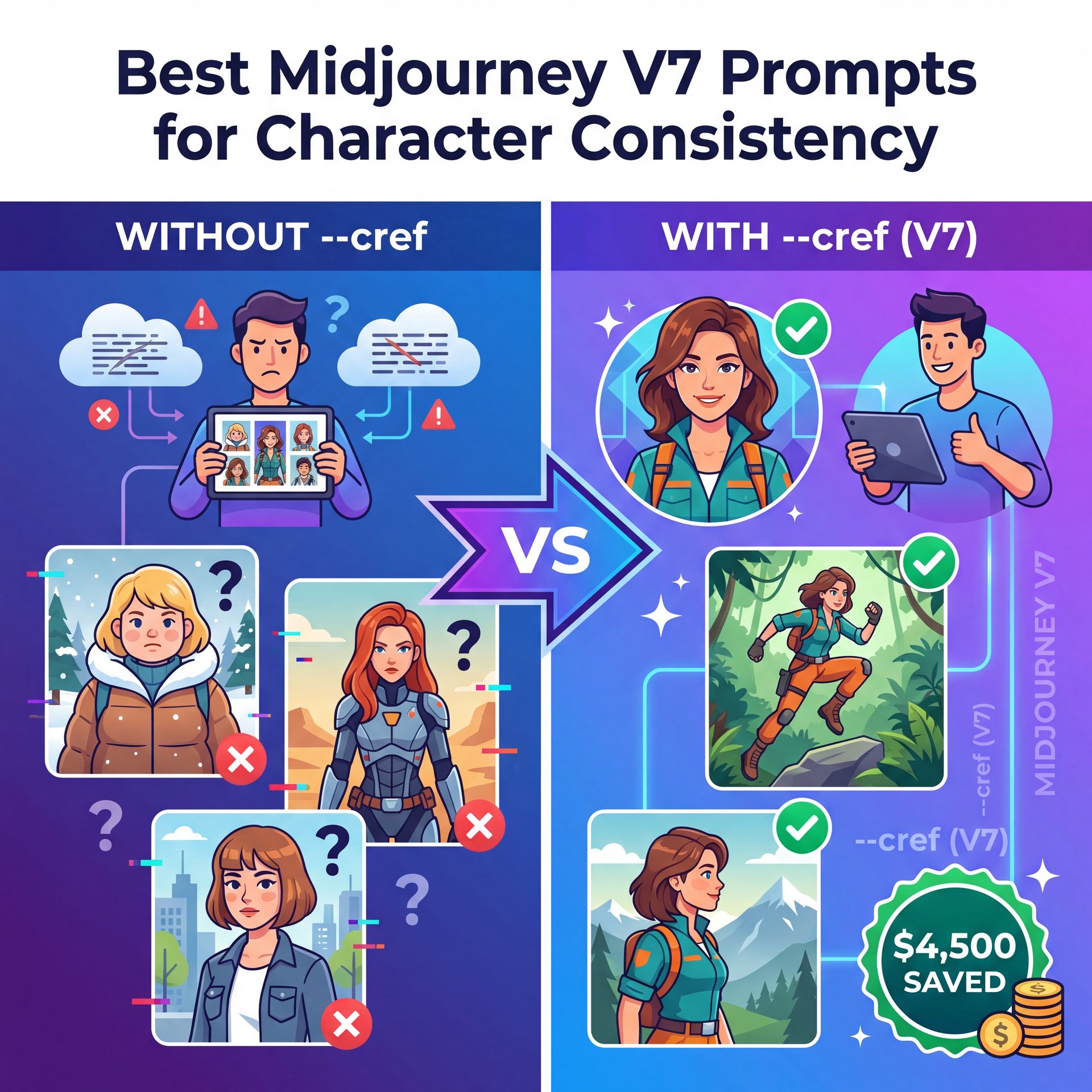
Now, if you run a channel or a brand, you know the struggle. You generate a cool character for one post and then you can’t get them to look the same again. It’s frustrating.
But V7 brought in the Omni Reference feature and let me tell you, this fixes a lot of headaches. I saw a case study recently where a creator saved $4,500 in production costs just by using character consistency tools effectively.
The “Anchor” Strategy for Midjourney v7
Instead of describing the character every time (which confuses the AI), you use the --cref (Character Reference) tag pointing to a URL of your character.
So your prompt looks like this:
[Action] [Setting] --cref [URL] --cw 100
The --cw is “character weight.” If you set it to 100, it copies the face, clothes and hair. If you drop it to roughly ten or 20, it keeps the face but lets you change the outfit.
:::creator_spotlight
⭐ Creator Spotlight: Sarah’s Brand Strategy
Sarah, a content creator, used V7’s Omni Reference to keep her avatar consistent across 200+ posts. The result? A 22% increase in engagement. People bond with consistent characters. If you want to try this for your own channel, check out our video generation tools to see how consistency applies to motion too.
:::
(Maybe I’m wrong, but…)
I’ve found that V7 is much stickier with these references than V6. In V6, the face would morph a lot if you changed the lighting, but V7 seems to understand the underlying 3D structure of the face better.
Pro Tip: When using Character Reference, try to use a source image where the character is looking straight at the camera with neutral lighting. It gives the AI the most data to work with when it needs to turn the head in future generations.
Why Text is Still a Weak Spot (And What to Do)
All right, I’m going to be real with you guys. I’m not going to sugarcoat this. If you need complex text inside your image, Midjourney V7 is probably not the right tool for that specific job.
(Don’t @ me.)
I know, I know. They said text rendering improved. And it did (about 15% over V6). But we are still looking at roughly 30% accuracy for complex sentences.
Compare that to Ideogram, which is sitting pretty at around 90% accuracy. Trust me on this. If you need a sign in the background that says “Open for Business,” Midjourney might give you “Open for Businss” or “Opne for Buisness.”
So, what do you do? You have two options:
- **Photoshop it:** Generate the clean art in Midjourney (because the art is better), and add the text in Photoshop or Canva.
- **Hybrid Workflow:** Generate the background in Midjourney, then bring it into a tool like Ideogram to inpaint the text.
Dr. Morgan Taylor, our technical lead here, usually says that relying on one AI model for everything is like trying to fix a transmission with just a hammer. You need the right tool for the right job. For pure visuals, lighting, and texture? Midjourney wins. For typography? It’s not there yet.
How to Structure Your V7 Prompts (The “Vibe” Shift)
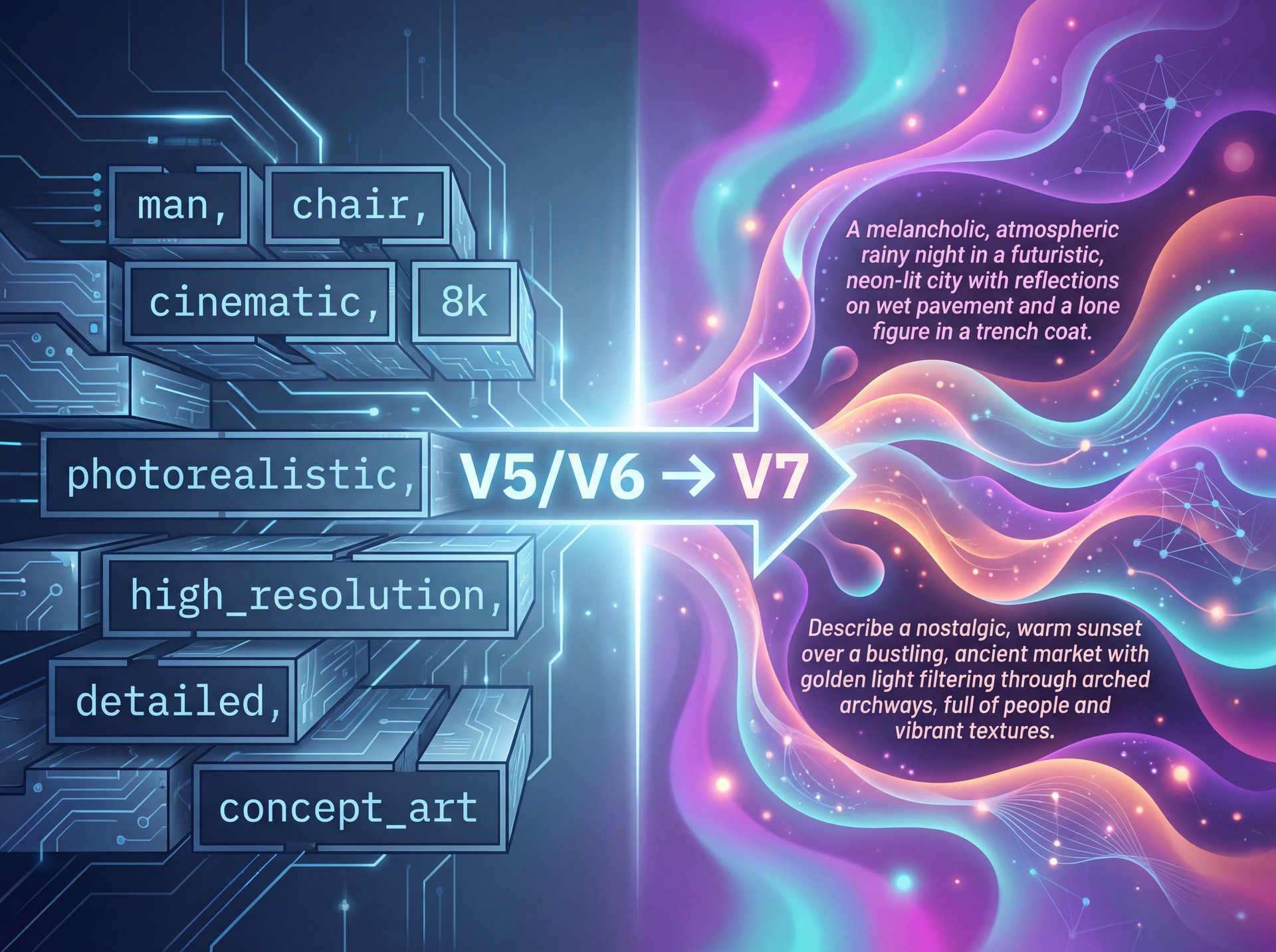
This is the part where most people get tripped up. In V5 and V6, we got used to writing comma-separated lists:
man sitting on chair, cinematic lighting, 8k, highly detailed, photorealistic
In V7, that stuff matters less. In fact, it can sometimes hurt the image because it confuses the “vibe” engine. V7 prefers natural language descriptions of the feeling of the image.
Instead of:
Cyberpunk city, neon lights, rain, wet street, 8k, octane render
Try this:
A melancholic rainy night in a futuristic city where neon lights reflect off the wet pavement, evoking a sense of loneliness and technological decay.
See the difference? We’re describing the mood, and V7 eats that up.
**Define the Subject**
Start with who or what is in the shot. Keep it simple. “A mechanic working on a vintage engine.”
**Set the Scene & Lighting**
Don’t just list lights. Describe how they interact. “Illuminated by the harsh glare of a drop light in a dim garage.”
**Add the Vibe/Medium**
This is important for V7. “Shot on 35mm film with a gritty, realistic texture.”
I’ve found that using specific camera references works incredibly well in V7. If you ask for “iPhone photo,” it looks terrifyingly real. Period. If you ask for “Kodak Portra 400,” you get that specific grain structure.
For a deeper dive into how newer models handle these tricky descriptors, check out Midjourney V7 Flux: Top Creators’ Secret Method. It explains the technical side of how the tokens are parsed.
⚠️ Common Mistake: Over-Prompting
Stop pasting those 500-word prompts you bought online. V7 ignores the tail end of super-long prompts. Keep it under 40 words for the best adherence to your idea. If you’re struggling to simplify, check out our workflow guides for templates.
(Before I forget…)
Personalization: The Feature You Didn’t Know You Needed
Here’s something a lot of folks miss. V7 has personalization enabled by default. That means the model learns what you like over time.
If you consistently upscale images that are dark, moody, and bold, the model starts to drift that way for your future generations. It’s like breaking in a new pair of boots. Eventually, they just fit your feet perfectly.
This is great, but it can also trap you. If you suddenly need to generate a bright, happy, pastel image for a client, the model might fight you a bit because it thinks you like “dark and moody.”
To bypass this, you can use the --style raw parameter to strip away some of that personalization and get back to the base model’s bias. Or, you can create different profiles if you’re on the web interface.
Pro Tip: Periodically rate images in the Midjourney web app. It trains your personal algorithm faster. I spend about 10 minutes a week just rating images while I drink my coffee. My output quality has gone up significantly because the bot knows what I’m looking for.
Getting Started with Video Generation
We can’t talk about V7 in 2025 without mentioning the video capabilities. Midjourney isn’t just for stills anymore because they introduced a V1 video model that integrates directly with your image workflow.
Now, is it as good as [Google Veo 3.1 Prompts Pros Use [Complete Guide]](https://blog.bananathumbnail.com/google-veo-31/)? No. Dedicated video models still have an edge on duration and temporal coherence.
But for quick social media clips? It’s pretty slick. You can take an image you just generated and extend it into a 4-second loop for “motion thumbnails” or channel previews. Simple as that. You generate the perfect still, then animate the background elements (like smoke, rain or passing cars) to create a GIF for your community tab or email newsletter.
📋 Quick Reference: Best V7 Parameters
-
--ar 16:9(YouTube standard) -
--s 250(Stylize: 0-1000. 250 is the sweet spot for realism) -
--c 5(Chaos: 0-100. Low chaos keeps it reliable) -
--v 7(Ensures you’re on the latest model)
Need more parameters? See our full list on the features page.
Related Content
You might also find this helpful: guide
Final Thoughts on the Workflow
So, let’s wrap this up. Midjourney V7 is a beast, but you have to respect the machinery. It’s not about fighting the AI to do exactly what you want pixel-for-pixel; it’s about guiding it to the right aesthetic.
(Full disclosure…)
Use Draft Mode to save your budget. Use Omni Reference to keep your characters looking like themselves. And for the love of everything mechanical, keep your prompts natural and focused on the vibe.
If you treat it right, this tool can save you thousands of dollars in production costs. I’ve seen it happen. Just remember, it’s a tool in your box, not the whole mechanic. You still need your creative eye to know what looks good.
Thanks for reading, guys. If you think this was helpful, be sure to check out the other guides on the site. Till next time.
Frequently Asked Questions
What are the most common user pain points with Midjourney V7?
Most users struggle with the new “vibe-based” prompting system compared to V6’s literal interpretation and the text rendering still lags behind competitors like Ideogram.
How does Midjourney V7 compare to other AI image generators for market share?
Midjourney dominates the space with a 26.8% global market share and over 21 million registered users as of early 2025.
What new features were introduced in Midjourney V7 that improved its performance?
The biggest updates are the Omni Reference for character consistency, a standalone web interface and a Draft Mode that generates images 10x faster.
Can you provide examples of successful case studies using Midjourney V7?
One content creator saved $4,500 in production costs and boosted engagement by 22% by using the Omni Reference feature to maintain a consistent visual brand identity.
What are the main challenges professionals face when using Midjourney V7?
The lack of a production API makes automated workflows difficult. The 15-30 second generation time (in standard mode) can slow down high-volume professional pipelines.
Related Videos
Listen to This Article