Table of Contents
- What Is a YouTube Thumbnail Template?
- Why Use a YouTube Thumbnail Template Over Scratch?
- Best YouTube Thumbnail Template Settings for High CTR
- YouTube Thumbnail Template Mistakes That Kill Views (I know, I know)
- How to Get Started with YouTube Thumbnail Templates
- Future Trends: YouTube Thumbnail Template Predictions
- Listen to This Article
All right, let’s get under the hood of your channel for a minute. You know, Riley Santos—our resident creative storyteller here—was telling me just the other day about a nightmare she had with a video upload. She spent maybe twelve hours editing the actual footage, getting the sound crisp, color grading, the works. But when it came to the thumbnail? She slapped something together in five minutes because she was just done, without even using a youtube thumbnail template.
The result? Crickets.
It’s like rebuilding an engine, getting the timing perfect and then painting the car with a rusty broom. Nobody’s gonna wanna take it for a test drive. So today we’re going to go over the “YouTube thumbnail template.” It’s the one part of your maintenance schedule you can’t skip if you want high performance.
I’ve seen channels stalling out at around 2% click-through rates just because they aren’t using the right parts for the job. Honestly, if you’re trying to build everything from scratch every single time instead of starting with a youtube thumbnail template, you’re working way too hard. Let’s look at how to fix that.
What Is a YouTube Thumbnail Template?

well it’s one of the most popular advice that you can hear from youtube gurus just look what other youtubers in your niche are doing and try to replicate but I completely disagree with that and I have evidence to support my opinion take my first video as an example trying youtube shorts is definitely not a unique video idea what about the thumbnail that style seems to work for many people well in that case you’re a smart guy just copy what works right the problem is you’re not the only one that is the worst thing to do if you see many similar thumbnails from different channels about the same topic hopping on that train is probably not a good idea if so many channels are already doing that it’s the cliche youtube thumbnail template now and your audiences are basically the same so there’s no reason for people to click on your zero view video instead of their 100k even worse people will probably notice they’re too similar and you might become just a copycat of your competitor so what should you do then you can’t reinvent the wheel for each new video right? well…
Here’s the thing. Viewers make a decision to click or scroll in about 0.3 seconds. that’s fast. that’s faster than a fuel injector firing. If your design is messy or you’re working without a solid youtube thumbnail template, they’re gone. Plus, I found some interesting data from Mindstudio that backs this up. They found that 90% of top-performing videos use custom thumbnails.
Why Default Frames Don’t Work
If you’re just letting YouTube pick a random frame from your video, you’re basically driving on a flat tire. You might move forward, but it’s going to be slow and painful. Videos with optimized thumbnails using a youtube thumbnail template achieve CTR improvements of 30-154% compared to default uploads. That’s not a minor difference (that’s the difference between a channel that grows & one that stalls out.
When you use a solid YouTube thumbnail template, you’re giving your viewer’s brain a shortcut. It’s the difference between a sketch and a finished painting — thumbnail makes it real. They see your colors, your font, your face, and they think, “Oh, I know this mechanic. Worth it. They know their stuff.”
💡 Keep It Simple
(Oh wait, actually…)
When picking a template, look for designs with one clear focal point. If it helps too much going on, it fails the “squint test.” Check out our workflow guides to see how pros simplify their layouts for mobile screens. Not even close. :::
## Why Use a YouTube Thumbnail Template Over Scratch?
I whipped up only 3 videos on this channel and all of them got over 100,000 views believe it or not it all comes down to these 4 steps I already explained how I use storytelling to get more retention now it’s time for step 2… you ready? if no one clicks on the video they don’t watch point of the thumbnail is to create a journey from the thumbnail to even the high quality images are important add some intrique and make people want to know what happens next doesn’t make any sense does it? we need to make better thumbnails… I don’t mean these guys are wrong but let’s be real you already know all these basics even if you don’t they’re just common sense do you really need to be told to keep your thumbnail simple five different times in 5 different videos from 5 different gurus? Not ideal. I guess not so here’s the full guide on how to actually make a thumbnail that gets clicks we will go from the design rules I use to thumbnail types getting inspiration branding word choice visual effects testing and, seriously, wild, right?..
And honestly, for a lot of beginners I talk to, spending that much time doesn’t even guarantee a win. I’ve seen people pour hours into a design only to have the CTR stuck at 2%. Meanwhile, small channels average 2-4% CTR, medium channels hit 4-6%, large channels get 6-10%, and mega channels pull 10-20%. So if you’re below those benchmarks, something needs to change.
The Consistency Factor
A good YouTube thumbnail template does the heavy lifting for you. It locks in your font size, your color palette, and your layout — and I was looking at a case study about the Golden Hoops NBA channel recently. They were struggling to grow past a certain point, so they switched to a specific “Facts and Stats” template style, basically big numbers overlaid on reaction faces.
well it’s one of the most popular advice that you can hear from youtube gurus just look what other youtubers in your niche are doing and try to replicate but I completely disagree with that and I have evidence to support my opinion take my first video as an example trying youtube shorts is definitely not a unique video idea what about the thumbnail that style seems to work for many people well in that case you’re a smart guy just copy what works right the problem is you’re not the only one that’s the worst thing to do if you see many similar thumbnails from different channels about the same topic hopping on that train is probably not a good idea if so many channels are already doing that it’s the cliche thumbnail now and your audiences are basically the same so there’s no reason for people to click on your zero view video instead of their 100k even worse people will probably notice they’re too similar and you might become just a copycat of your competitor so what should you do then you can’t reinvent the wheel for each new video right? well…
⭐ The Golden Hoops Strategy
Golden Hoops increased their CTR by 28% just by switching to a consistent template style with high-contrast elements. If you want to see similar growth, you need a reliable system — and see how our AI features can help you replicate this consistency. :::
Best YouTube Thumbnail Template Settings for High CTR
All right, let’s get into the nuts and bolts. You want to tune your template for maximum performance. Not all templates are created equal. Some are like putting regular gas in a high-performance engine, it’ll run, but it’s going to knock.
Color Psychology in 2026
So, color matters. A lot. In the gaming and entertainment niches, high-contrast colors like red and orange are yielding 67% higher click-through rates. That’s huge because it grabs the eye right away in a crowded feed.
But here’s what surprised me about the 2026 trends. We’re seeing a shift towards purple and yellow combinations for differentiation. Since everyone is using red, sometimes you want to zig when they zag. If you’re interested in how color theory applies specifically to getting clicks, our guide to viral thumbnail design breaks down the exact hex codes top creators are using right now.
Facial Expressions That Convert
Now, let’s talk about faces. You’ve seen the “YouTube face,” right? Mouth open, looking shocked? There’s a reason for that.I read a report from Mindstudio that said surprise expressions generate 35% more clicks. Happy faces boost engagement by 23%.
But, and this is a big but, you need to match the emotion to your content. If you’re doing a positive vlog, don’t look terrified in the thumbnail. It confuses the viewer and can actually hurt your retention when they realize the video doesn’t match the thumbnail’s promise.
(Before I forget…)
YouTube Thumbnail Template Mistakes That Kill Views (I know, I know)
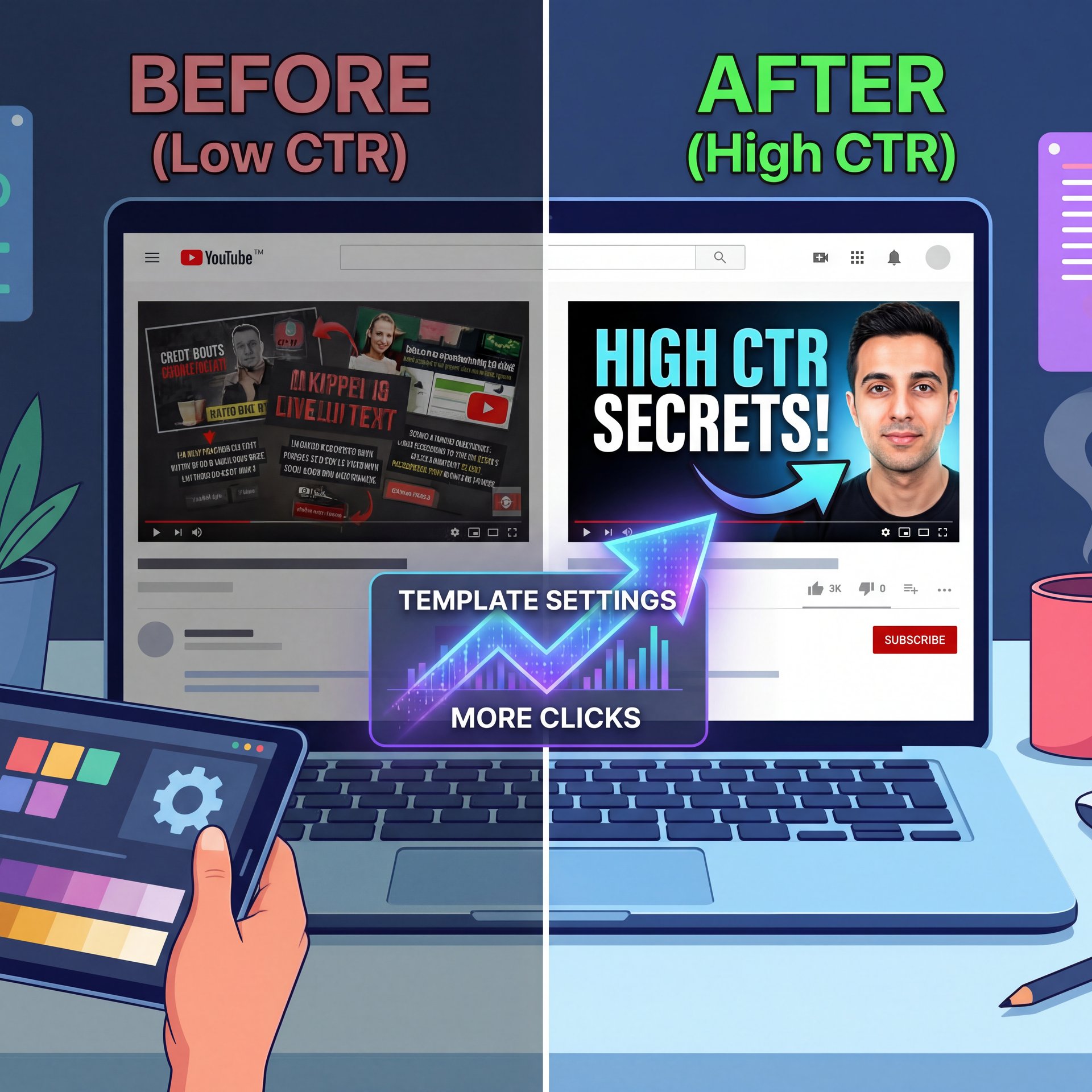
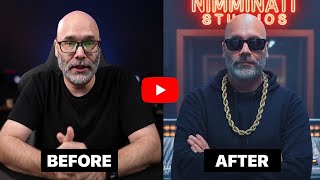
see that’s the target emotion of these thumbnails just shock the viewer while scrolling on the homepage and make them clip it’s easier to say but think about what you have in your video that would shock the viewers of course big things always get more attention don’t take this out of context people are curious to know what a $50 million house looks like or how this dude earns $900 just by listening to music until they realize he doesn’t among all those over edited and screaming thumbnails another way to stand out is keeping it really pretty simple just an interesting chat from discord a chair a red button or this thing whatever this is may get more attention it’s usually just a screenshot shot from the video and a simple question that makes you curious to know what’s going on channels like Dr Insanity or Zack are doing it so good that it makes it impossible to skip if you’re a small channel and a popular niche social hacking is probably the best way to gain the first traction basically take the face of a famous person in your Niche and slap it into your thumnail oh the video must be about that person though otherwise it’s called clickbait all the videos you see with Mrbeast’s face are using this strategy and it works pretty well even dream used in his first videos so don’t underestimate the power of a popular face all right let’s speed things up this is the style you see all over youtube just the creator next to something bigger yeah the one I use in this channel basically an interesting text at the top to give more context about the video it can be anything to compare to before and after something cheap versus expensive iPhone versus Android fin versus AI you got the point blurring the main character or the final result so people have to click to find out I don’t know if you realize but all of those viral thumbnails that I showed in this video and even all the ones that you saw on your homepage have one thing in common they’re not just using one of these formulas they’re combining them look at Mrwhosetheboss’ series where he buys every release of a tech like iPhone or Playstation I showed you this in big numbers but if you look closer you would see that he also uses header comparison and even social hacking formulas all at once or take a look at this chair which types could you spot it’s branded because of their logo right here it’s simple because well there’s nothing else than a chair and it’s using social hacking because everyone saw this chair at least once we can even include it as a weird object if you think chairs are weird?…
The “Clickbait” Trap
(Hmm, let me think about this.)
We used to think clickbait was king. But the algorithm in 2026 is smarter than that. If your thumbnail promises something your video doesn’t deliver, people leave. I found that AI-generated thumbnails can increase CTR by roughly 22.7%, which sounds great.
But here’s the catch: if they’re misleading, they reduce average view duration by 19.3%. YouTube sees people clicking and leaving right away, and they bury your video. So, make sure your YouTube thumbnail template matches the actual content. Otherwise, you’re just shooting yourself in the foot.
Text Overload
I made only 3 videos on this channel and all of them got over 100,000 views believe it or not it all comes down to these 4 steps I already explained how I use storytelling to get more retention now it’s time for step 2… you ready? if no one clicks on the video they don’t watch point of the thumbnail is to create a journey from the thumbnail to even the high quality images are important add some intrique and make people want to know what happens next doesn’t make any sense does it? we need to make better thumbnails. (honestly).. I don’t mean these guys are wrong, but let’s be real you already know all these basics even if you DON’T they’re just common sense do you really need to be told to keep your thumbnail pretty simple five different times in 5 different videos from 5 different gurus? I guess not so here is the full guide on how to actually make a thumbnail that gets clicks we will go from the design rules I use to thumbnail types getting inspiration branding word choice visual effects testing and…
📊 The Clarity Shift
(I think. Don’t quote me.)
Pikzels AI users reported their CTR rising from 3.5% to around 4% just by cleaning up their designs. That’s a 20% relative increase. It shows that pretty simple, optimized templates often beat complex ones, so check our pricing page to start optimizing your own channel. :::
(Classic, right?)
## How to Get Started with YouTube Thumbnail Templates
So, you want to fix this. Where do you start? You don’t need to be a professional designer to get this right. Actually, some of the best-performing thumbnails I’ve seen come from creators who just learned the fundamentals and stuck to them.
Use the Right Tools
There are tools out there now that make this dead simple. You’ve got platforms like Pikzels and VidIQ offering optimization, but you need to find what fits your workflow. Personally, I prefer starting with Canva because it’s straightforward and has a ton of templates already built in.
You want to set up a “master file.” This file should have your logo, your standard font, and your color grading effects already set. That way, you’re not starting from zero every time. If you’re looking into using AI to speed this up, Claude Cowork Secrets: Boost YouTube Clicks Fast has some great insights on how to integrate AI into your creative process without losing your personal touch.
A/B Testing is Mandatory
In 2026, if you aren’t A/B testing, you’re guessing. YouTube Studio has this built-in now. I recommend testing two different versions of your YouTube thumbnail template for every video. Maybe change the background color in one. Or change the facial expression.
Small changes can lead to 1-2% CTR lifts. That might sound small, but over a year, that’s massive growth. Not even close. It’s the difference between staying at 50,000 subscribers and hitting 100,000.
📋 Template Checklist (I know, I know)
- **Contrast:** Is the subject separated from the background?
- **Text:** Is it under 4 words and readable on mobile?
- **Emotion:** Does the face match the video vibe?
- **Branding:** Are your colors consistent?
For a complete toolkit, visit our features page.
:::
Future Trends: YouTube Thumbnail Template Predictions
Let’s look down the road a bit. What’s coming next? I’m seeing a lot of buzz about predictive AI. Imagine a tool that tells you your CTR before you even upload. Platforms are analyzing color data and historical performance to give you a forecast.
Also, niche-specific templates are becoming huge.A gaming channel needs a totally different layout than a finance channel — and gaming favors action shots. Education channels do better with stats and questions. The competition is (believe it or not)fierce. YouTube uploads 720,000 hours of video daily. To stand out, your thumbnail strategy needs to be sharp.
And one more thing about localization. If you have a global audience, you might need different templates for different regions. Cultural cues vary. What works in the US might flop in Japan. For real.. It’s something to keep in mind as you grow.
So, grab a good template, stick to it, and watch your metrics. It’s just like maintaining a car 🙃 (do the regular work and it’ll take you where you want to go.
Frequently Asked Questions
What are the latest trends in YouTube thumbnail design for 2026?
We are seeing a shift toward predictive AI tools that forecast CTR and a move to purple/yellow color schemes for differentiation. That really pops designs and emotion-specific facial expressions remain critical for stopping the scroll.
How do AI-generated thumbnails compare to traditional ones for CTR?
AI-generated thumbnails can boost CTR by around 23% on average due to optimized colors and composition. However, you must ensure they accurately represent the video to avoid a drop in viewer retention.
What are some common mistakes creators make with YouTube thumbnails?
The biggest mistakes are using too much text (keep it under 4 words) and creating cluttered designs that don’t scale down to mobile size. Misleading images that don’t match the video content also hurt long-term performance.
How can I effectively use color psychology in my YouTube thumbnails?
Use high-contrast colors like red and orange to grab attention, especially in gaming or entertainment. For 2026, consider contrasting pairs like purple and yellow to stand out against the sea of red thumbnails in the feed.
What are the latest trends in YouTube thumbnail design for 2026?
We are seeing a shift toward predictive AI tools that forecast CTR and a move to purple/yellow color schemes for differentiation. That really pops designs and emotion-specific facial expressions remain critical for stopping the scroll.
How do AI-generated thumbnails compare to traditional ones for CTR?
AI-generated thumbnails can boost CTR by around 23% on average due to optimized colors and composition. However, you must ensure they accurately represent the video to avoid a drop in viewer retention.
What are some common mistakes creators make with YouTube thumbnails?
The biggest mistakes are using too much text (keep it under 4 words) and creating cluttered designs that don’t scale down to mobile size. Misleading images that don’t match the video content also hurt long-term performance.
How can I effectively use color psychology in my YouTube thumbnails?
Use high-contrast colors like red and orange to grab attention, especially in gaming or entertainment. For 2026, consider contrasting pairs like purple and yellow to stand out against the sea of red thumbnails in the feed.
Related Videos

Related Content
• youtube
For more on this topic, check out: youtube
Listen to This Article