Table of Contents
- What Is thumbnail A/B testing?
- How Does thumbnail A/B testing Work in 2026? (yes, really)
- Why Use thumbnail A/B testing Over Guessing?
- Best thumbnail A/B testing Strategies for High CTR
- Common thumbnail A/B testing Mistakes That Hurt Views
- How to Get Started with thumbnail A/B testing
- Listen to This Article
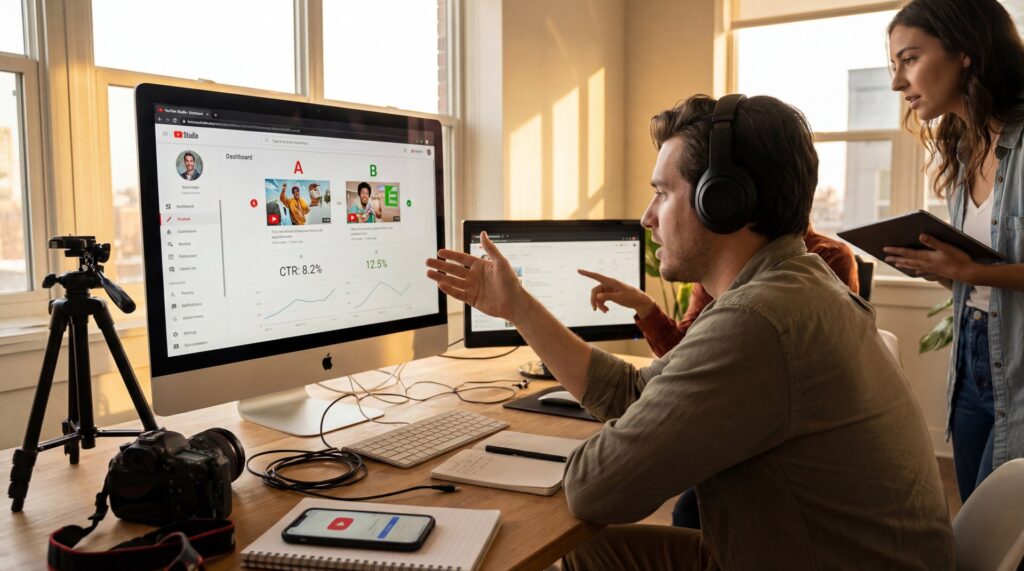
All right, let’s get into this. You’ve spent hours—maybe days—shooting and editing a video. The audio is crisp, the pacing is tight, and honestly, it’s some of your best work. You upload it, hit publish, and then… nothing. The views just aren’t coming in, even though thumbnail a/b testing could have prevented this.
I’ve been there, and I know how frustrating that’s. It feels like you’re shouting into a void. But here’s the thing: usually, the video isn’t the problem. It’s the packaging, which is exactly why thumbnail a/b testing exists. If people don’t click, they never see how good the content actually is.
That’s where thumbnail A/B testing comes in. Think of thumbnail as the backbone of the system. I like to think of it like diagnosing a car engine. You don’t just guess which part is broken; you test different components until you find the one that makes the engine purr. In 2026, with the sheer amount of content being uploaded every minute, guessing just doesn’t cut it anymore.
Riley Santos, our creative storyteller here, usually says that the story doesn’t start when the video plays (it starts when the viewer sees that image). If that image doesn’t grab them, the story is over before it began. So today, we’re going to go under the hood of thumbnail A/B testing, so i’m going to show you how to use data, not just your gut, to get more views.
What Is thumbnail A/B testing?
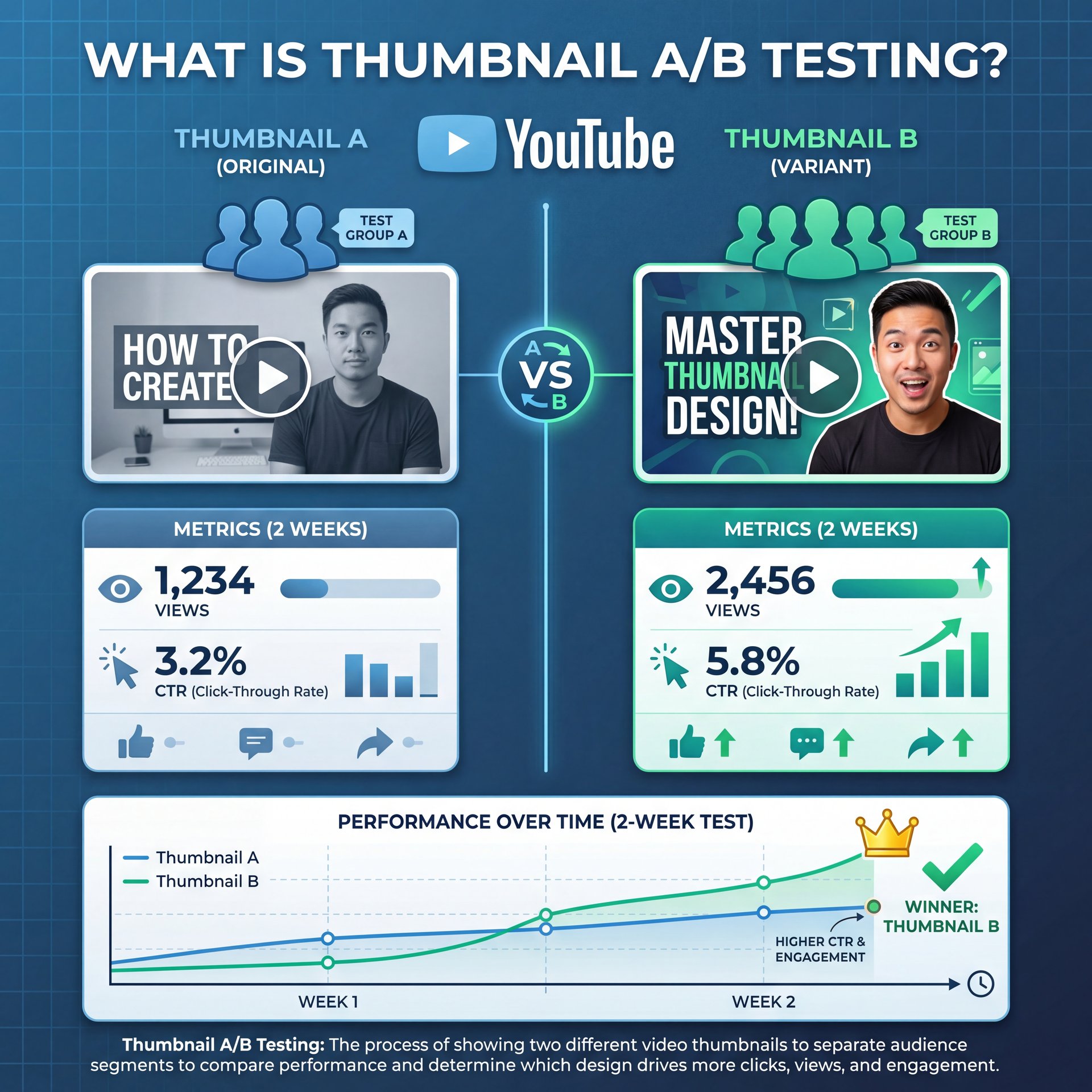
I always joke that A/B testing stands for “always be testing,” and I’m glad that YouTube has given us this feature for free. Here’s how A/B testing YouTube thumbnails works. You add the thumbnails that you want to – seriously want to test — and YouTube shows each option to different viewers and tracks which one performs best. Results can take up to 2 weeks, though I’ve seen them sooner, and when the test is done, YouTube should automatically update your video to the winning thumbnail. Of course, you can also manually verify that the winning thumbnail has been selected. YouTube also isn’t just tracking clicks here, they’re tracking watch time. Great YouTube thumbnails don’t just get people to click, they help viewers understand what the video is about so they don’t waste time clicking on the wrong video. So that’s why YouTube picks the winner based on watch time, not just clicks. So the winning thumbnail isn’t just the one that people click on, it’s the one that brings in viewers who actually watch our content. Heck, I’ve been recommending YouTube thumbnail A/B testing for years.
In the past, you had to upload a video, wait a few days, swap the thumbnail, and see if the click-through rate (CTR) went up. That was messy because YouTube’s traffic fluctuates wildly day-to-day. Now, we have thumbnail a/b testing tools that do this simultaneously, giving you clean data without the guesswork.
Thumbnail A/B Testing: Triggering The Subconscious Click
Here’s what surprised me when I first looked into the data from thumbnail a/b testing: 95% of click decisions happen subconsciously. Viewers aren’t sitting there analyzing your font choice. No joke. They’re scrolling, and their brain makes a snap decision in milliseconds.
When you click here, you’ll see 3 options, title only, thumbnail only and title and thumbnail. These are all worth exploring, and I plan on making dedicated videos for each one. You can subscribe to be notified when those drop. For now, we’re just gonna be picking thumbnail only. You only need 2 thumbnail options for this to work, but there is an option to add a third thumbnail. Important point. That’s sometimes called “A/B/C testing.” This is the same idea as thumbnail a/b testing, just with 3 options instead of 2. Now, I know what you might be thinking, “Andrew, it’s hard enough to make one good thumbnail, how am I supposed to make 2 or 3?” Here’s the thing, you and I, we can’t reliably predict what will work for our audience. 95% of click decisions happen before people even consciously think about it. That’s why we test. So, when you’re making your second or third thumbnail, make them noticeably different, different colors, different expressions, different angles. YouTube even says testing thumbnails that are too similar can cause the test to run longer because there’s not enough difference to pick a winner.
So when we talk about thumbnail A/B testing, we’re trying to figure out which image triggers that subconscious “I need to watch this” reaction. It’s not about what looks “prettiest” to you as an artist. It’s about what stops the scroll.
I found that sometimes the “ugly” thumbnail wins. Why? Because it’s high-contrast or sparks curiosity. You can’t know that until you test it.
How Does thumbnail A/B testing Work in 2026? (yes, really)
Click add thumbnail to upload your first option, then click add thumbnail again for your second.If you want to do an A/B/C test, add a third one, and once they’re uploaded, click set test. Make sure you actually save your changes on the video. I’ve seen people forget this step. Your A/B testing results can take up to 2 weeks, and sometimes YouTube won’t have enough data to pick a clear winner. If YouTube picks a winner, go with that. If YouTube says not enough impressions to declare a winner or the YouTube thumbnails perform the same, go to that video’s analytics and look under the reach tab for more data. Wild, right? You can also use YouTube’s own Ask Studio feature on desktop to help read the data. Do your best to pick the thumbnail that’s getting people to click and watch your content based on the data that you do have. If there wasn’t enough data on, an existing video you’re testing, consider switching to the new thumbnail and study the results in about a week, since there was a reason you wanted to test in the first place. Trust me. Either way, keep testing on future videos.
YouTube’s Native Tool vs. Third-Party Options
YouTube finally rolled out their “Test & Compare” feature widely. It allows you to upload up to three thumbnails (A, B, and C) for a single video. YouTube then shows these evenly to your audience and tracks which one performs best.
I always joke that A/B testing stands for “usually be testing,” and I’m glad that YouTube has given us this feature for free. Here’s how A/B testing YouTube thumbnails works. You add the thumbnails that you want to test. YouTube shows each option to different viewers and tracks which one performs best. Results can take up to 2 weeks, though I’ve seen them sooner and when the test is done, YouTube should automatically update your video to the winning thumbnail. Of course, you can also manually verify that the winning thumbnail has been selected. YouTube also isn’t just tracking clicks here, they’re tracking watch time. Great YouTube thumbnails don’t just get people to click, they help viewers understand what the video is about so they don’t waste time clicking on the wrong video. So that’s why YouTube picks the winner based on watch time, not just clicks. So the winning thumbnail isn’t just the one that people click on, it’s the one that brings in viewers who actually watch our content. Heck, I’ve been recommending YouTube thumbnail A/B testing for years.
The Speed of Results
Now, if you’re a smaller channel, here’s the thing you need to know. These tests take time. YouTube says a test can take anywhere from 2 to 14 days, depending on your traffic. If your video doesn’t get a lot of impressions quickly, you might get that annoying “not enough data” error.
YouTube thumbnails matter a lot about getting people to watch your videos. Adobe Express sponsored this video so I can show you what YouTube has finally released. Is their own free thumbnail testing tool, so that way we can see which thumbnails perform best. It works. Period. YouTube built this tool because thumbnails are one of the most important factors in whether someone clicks through to watch your video. YouTube even says 90% of the best performing videos on YouTube use custom thumbnails. The problem myself and other creators run into is that it’s really hard to reliably predict what thumbnail will work well for our specific audience. The best thumbnail isn’t usually the one you like, it’s the one your audience likes and the only way to know it’s to test it. What looks great for me might not work for you or my audience. even Mr. Beast has a team that creates up to 50 thumbnail options per video, and that’s why his tool, ViewStats.com, tracks when videos change their thumbnail. Mr. Beast doesn’t guess, he tests. You don’t need 50 thumbnails, but you might need more than one.
📋 Quick Reference: Thumbnail Specs
When preparing your variants for testing, stick to these 2026 standards to ensure fair results:
- **Resolution:** 1280×720 (minimum width 640 pixels). * **File Size:** Under 2MB limit. * **Format:** JPG, GIF, or PNG. * **Aspect Ratio:** 16:9 (standard player size). See our workflow guide for export settings. Trust me on this. :::
I’ve seen creators get frustrated because they want an answer in an hour. But unless you’re getting MrBeast-level traffic, you have to be patient. The algorithm needs time to find a statistically significant winner.
Why Use thumbnail A/B testing Over Guessing?
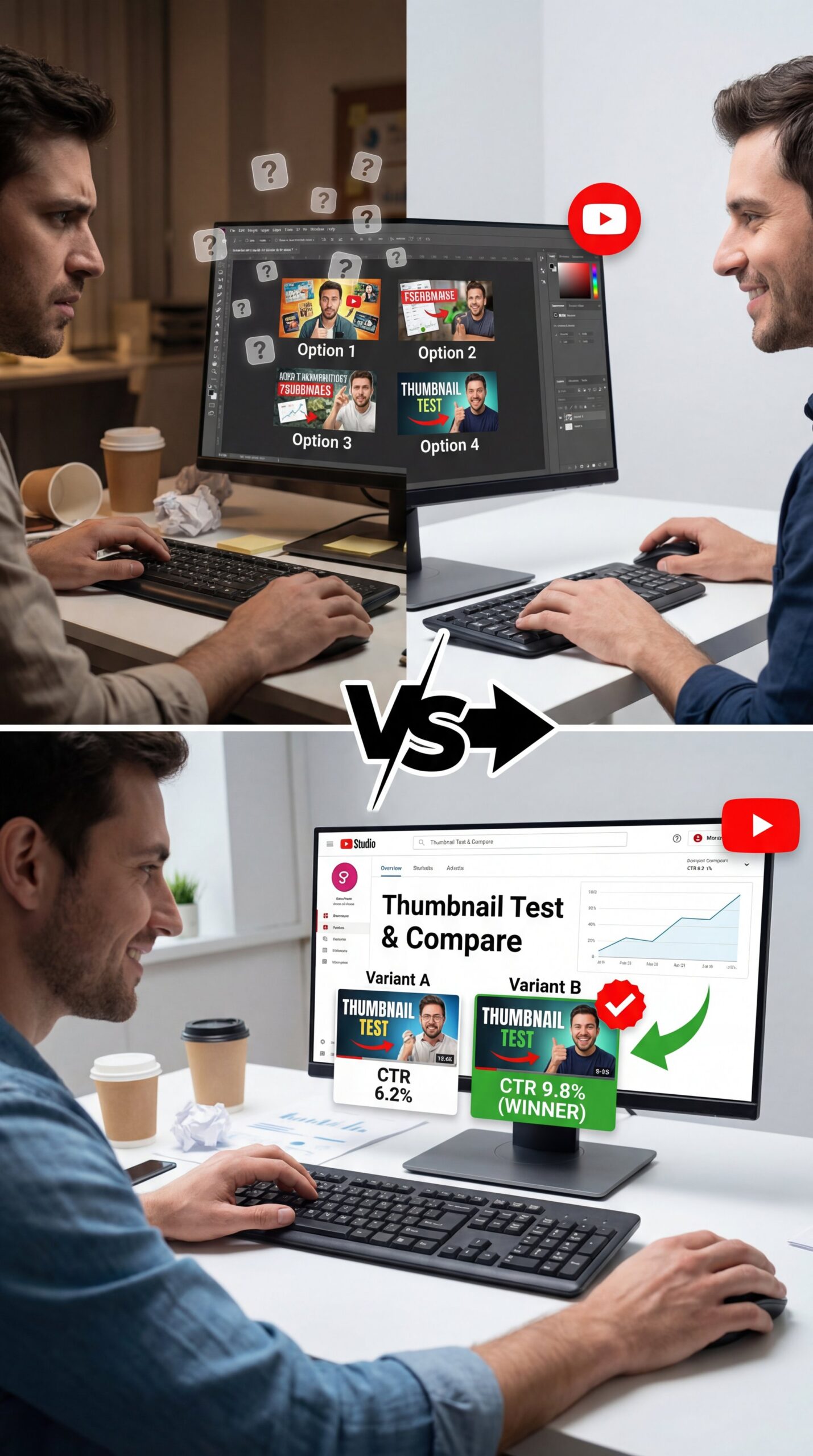
YouTube thumbnails matter a lot about getting people to watch your videos. Adobe Express sponsored this video so I can show you what YouTube has finally released. Is their own free thumbnail testing tool, so that way we can see which thumbnails perform best. Think about that. YouTube built this tool because thumbnails are one of the most important factors in whether someone clicks through to watch your video. YouTube even says 90% of the best performing videos on YouTube use custom thumbnails. The problem myself and other creators run into is that it’s really hard to reliably predict what thumbnail will work well for our specific audience. The best thumbnail isn’t always the one you like, it’s the one your audience likes and the only way to know it’s to test it. What looks great for me might not work for you or my audience. even Mr. Beast has a team that creates up to 50 thumbnail options per video and that’s why his tool, ViewStats.com, tracks when videos change their thumbnail. Mr. Beast doesn’t guess, he tests. You don’t need 50 thumbnails, but you might need more than one.
But let’s look at the numbers. YouTube’s own data shows that 90% of top-performing videos use custom thumbnails. But more importantly, thumbnail optimization contributes to 73% of the video recommendation weight in YouTube’s algorithm.
The Algorithm Follows the Audience
I always joke that A/B testing stands for “always be testing,” and I’m glad that YouTube has given us this feature for free. Here’s how A/B testing YouTube thumbnails works. You add the thumbnails that you want to test. YouTube shows each option to different viewers and tracks which one performs best. Results can take up to 2 weeks, though I’ve seen them sooner, and when the test is done, YouTube should automatically update your video to the winning thumbnail. Of course, you can also manually verify that the winning thumbnail has been selected. YouTube also isn’t just tracking clicks here, they’re tracking watch time. Great YouTube thumbnails don’t just get people to click, they help viewers understand what the video is about so they don’t waste time clicking on the wrong video. So that’s why YouTube picks the winner based on watch time, not just clicks. So the winning thumbnail isn’t just the one that people click on, it’s the one that brings in viewers who actually watch our content. Heck, I’ve been recommending YouTube thumbnail A/B testing for years.
The MrBeast Approach
I can’t talk about this without mentioning Jimmy (MrBeast), he’s famous for this, not even close. He doesn’t just make one thumbnail, his team tests 20 to 50 thumbnails per video, tracking performance through ViewStats.
When you click here, you’ll see 3 options, title only, thumbnail only and title and thumbnail. These are all worth exploring, and I plan on making dedicated videos for each one. You can subscribe to be notified when those drop. For now, we’re just gonna be picking thumbnail only. You only need 2 thumbnail options for this to work, but there is an option to add a third thumbnail. That’s sometimes called “A/B/C testing.” This seems the same idea as A/B testing, just with 3 options instead of 2. Now, I know what you might be thinking, “Andrew, it’s hard enough to make one good thumbnail, how am I supposed to make 2 or 3?” Here’s the thing, you and I, we can’t reliably predict what will work for our audience. 95% of click decisions happen before people even consciously think about it. That’s why we test. So, when you’re making your second or third thumbnail, make them noticeably different, different colors, different expressions, different angles. YouTube even says testing thumbnails that are too similar can cause the test to run longer because there’s not enough difference to pick a winner.
📊 Before/After: The Testing Impact (the boring but important bit)
Does testing really matter? Look at the gap in performance:
- **Industry Average CTR:** 4.2% (Standard Guessing)
- **MrBeast Average CTR:** 12.7% (Aggressive A/B Testing)
- **Result:** A massive difference in millions of views and revenue potential.
:::
Now, I’m not saying you need to make 50 versions. Who has time for that? But even testing just two or three variations can bump your CTR from 4% to 6%. That might sound small, but that’s a 50% increase in views. That’s massive.
Best thumbnail A/B testing Strategies for High CTR
When you click here, you’ll see 3 options, title only, thumbnail only and title and thumbnail. These are all worth exploring and I plan on making dedicated videos for each one. You can subscribe to be notified when those drop. For now, we’re just gonna be picking thumbnail only. You only need 2 thumbnail options for this to work, but there is an option to add a third thumbnail. That’s sometimes called “A/B/C testing.” This is the same idea as A/B testing, just with 3 options instead of 2. Now, I know what you might be thinking, “Andrew, it’s hard enough to make one good thumbnail, how am I supposed to make 2 or 3?” Here’s the thing, you and I, we can’t reliably predict what will work for our audience. 95% of click decisions happen before people even consciously think about it. That’s why we test. So, when you’re making your second or third thumbnail, make them noticeably different, different colors, different expressions, different angles. YouTube even says testing thumbnails that are too similar can cause the test to run longer because there’s not enough difference to pick a winner.
Make Them Noticeably Different – quick version
If you want real results, your variants need to be visually distinct. YouTube recommends at least 50% visual divergence between thumbnails.
(Can I be real with you?)
Click add thumbnail to upload your first option, then click add thumbnail again for your second. If you want to do an A/B/C test, add a third one. Once they’re uploaded, click set test and make sure you actually save your changes on the video. I’ve seen people forget this step. Your A/B testing results can take up to 2 weeks, and sometimes YouTube won’t have enough data to pick a clear winner. If YouTube picks a winner, go with that. If YouTube says not enough impressions to declare a winner or the YouTube thumbnails perform the same, go to that video’s analtyics and look under the reach tab for more data. You can also use YouTube’s own Ask Studio feature on desktop to help read the data. Do your best to pick the thumbnail that’s getting people to click and watch your content based on the data that you do have. If there wasn’t enough data on an existing video you’re testing, consider switching to the new thumbnail and study the results in about a week, since there was a reason you wanted to test in the first place. Either way, keep testing on future videos.
If the thumbnails look too similar, the data will be muddy. You won’t get a clear winner because the audience won’t really notice the difference.
Test Older Videos
YouTube thumbnails matter a lot for getting people to watch your videos. Adobe Express sponsored this video so I can show you what YouTube has finally released. Is their own free thumbnail testing tool, so that way we can see which thumbnails perform best. YouTube built this tool because thumbnails are one of the most important factors in whether someone clicks through to watch your video. YouTube even says 90% of the best performing videos on YouTube use custom thumbnails. The problem myself and other creators run into is that it’s really hard to reliably predict what thumbnail will work well for our specific audience. The best thumbnail isn’t usually the one you like, it’s the one your audience likes, and the only way to know it is to test it. What looks great for me might not work for you or my audience. even Mr. Beast has a team that creates up to 50 thumbnail options per video, and that’s why his tool, ViewStats.com, tracks when videos change their thumbnail. Mr. Beast doesn’t guess, he tests. You don’t need 50 thumbnails, but you might need more than one.
Run a thumbnail A/B test on that older video. I’ve seen dead videos suddenly wake up and start getting views again just because a new thumbnail re-ignited interest. It’s like putting a fresh coat of paint on a house, suddenly, people are interested again.
**YouTube Studio**
Native testing tool
- ✓ Free, integrated, but limits you to 3 variants.
**Clickly AI**
AI-driven predictions
- ✓ Predicts winners before you upload (roughly 85% accuracy).
**TubeBuddy**
Bulk processing
- ✓ Great for managing tests across hundreds of videos.
Common thumbnail A/B testing Mistakes That Hurt Views
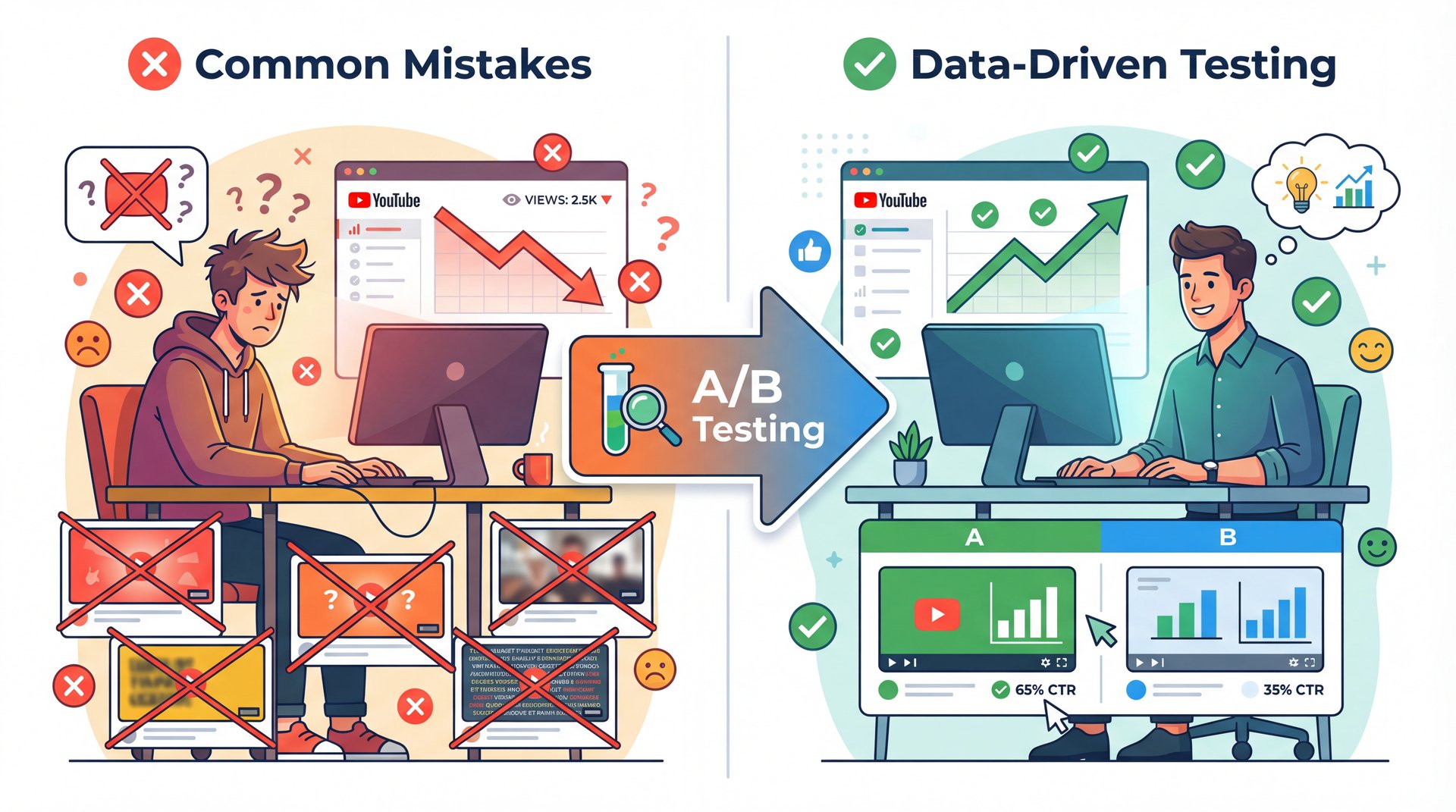
YouTube thumbnails matter a lot for getting people to watch your videos. Adobe Express sponsored this video so I can show you what YouTube has finally released. Is their own free thumbnail testing tool, so that way we can see which thumbnails perform best. YouTube built this tool because thumbnails are one of the most important factors in whether someone clicks through to watch your video. YouTube even says 90% of the best performing videos on YouTube use custom thumbnails. The problem myself and other creators run into is that it’s really hard to reliably predict what thumbnail might work well for our specific audience. The best thumbnail isn’t always, the one you like, it’s the one your audience likes, and the only way to know it’s to test it. What looks great for me might not work for you or my audience. even Mr. Beast has a team that creates up to 50 thumbnail options per video and that’s why his tool, ViewStats.com, tracks when videos change their thumbnail. Mr. Beast doesn’t guess, he tests. You don’t need 50 thumbnails, but you might need more than one.
The “Not Enough Data” Trap
I mentioned this earlier, but it’s the biggest pain point for smaller channels. If you have a video that only gets 50 views a day, an A/B test might take a month to finish.
Click add thumbnail to upload your first option, then click add thumbnail again for your second. If you want to do an A/B/C test, add a third one, and once they’re uploaded, click set test, and make sure you actually save your changes on the video. Real talk. I’ve seen people forget this step. Your A/B testing results can take up to 2 weeks and sometimes YouTube won’t have enough data to pick a clear winner. If YouTube picks a winner, go with that. If YouTube says not enough impressions to declare a winner or the YouTube thumbnails perform the same, go to that video’s analytics and look under the reach tab for more data. You can also use YouTube’s own Ask Studio feature on desktop to help read the data. Do your best to pick the thumbnail that’s getting people to click and watch your content based on the data that you do have. If there wasn’t enough data on an existing video you’re testing, consider switching to the new thumbnail and study the results in about a week, since there was a reason you wanted to test in the first place. No joke. Either way, keep testing on future videos.
Ignoring Watch Time
This seems really critical, super critical. A high CTR is great, but it’s not everything. You can have a thumbnail that gets a ton of clicks (clickbait), but if the video doesn’t deliver, people leave in 30 seconds. YouTube’s algorithm actually weighs watch time heavily, so if your “winning” thumbnail is misleading, it will actually hurt your channel in the long run.
Pro Tip: Always check your Average View Duration (AVD) alongside your CTR results. Huge. If a new thumbnail brings higher clicks but lower retention, it’s a false positive.
Changing Titles During a Test
I usually joke that A/B testing stands for “always be testing,” and I’m glad that YouTube has given us this feature for free. Here’s how A/B testing YouTube thumbnails works. You add the thumbnails that you want to test. YouTube shows each option to different viewers and tracks which one performs best. Results can take up to 2 weeks, though I’ve seen them sooner, and when the test is done, YouTube should automatically update your video to the winning thumbnail. Of course, you can also manually verify that the winning thumbnail has been selected. YouTube also isn’t just tracking clicks here, they’re tracking watch time. Great YouTube thumbnails don’t just get people to click, they help viewers understand what the video is about so they don’t waste time clicking on the wrong video. So that’s why YouTube picks the winner based on watch time, not just clicks. So the winning thumbnail isn’t just the one that people click on, it’s the one that brings in viewers who actually watch our content. That’s it. Heck, I’ve been recommending YouTube thumbnail A/B testing for years.
Keep the title locked while you test the image. Isolate the variable. It’s just like troubleshooting a car (you don’t replace the spark plugs and the fuel pump at the same time if you want to know what the actual fix was.
For a deeper dive on how these metrics connection, check out our guide to AI thumbnail generator CTR, where we break down the numbers further.
How to Get Started with thumbnail A/B testing
When you click here, you’ll see 3 options, title only, thumbnail only, and title and thumbnail. These are all worth exploring, 🙃 and I plan on making dedicated videos for each one. Key takeaway. You can subscribe to be notified when those drop. For now, we’re just gonna be picking thumbnail only. You only need 2 thumbnail options for this to work, but there is an option to add a third thumbnail. That’s sometimes called “A/B/C testing.” This is the same idea as A/B testing, just with 3 options instead of 2. Now, I know what you might be thinking, “Andrew, it’s hard enough to make one good thumbnail, how am I supposed to make 2 or 3?” Here’s the thing, you and I, we can’t reliably predict what will work for our audience. 95% of click decisions happen before people even consciously think about it. That’s why we test. So, when you’re making your second or third thumbnail, make them noticeably different, different colors, different expressions, different angles. YouTube even says testing thumbnails that are too similar can cause the test to run longer because there’s not enough difference to pick a winner.
Using AI to Speed Up the Process
This is where 2026 tech really helps us out. You don’t have to design everything from scratch manually anymore — and AI tools like Clickly can help you generate variations fast.
AI thumbnail tools reduce design time by 87%, from 2 hours to 14 minutes per thumbnail, enabling about like 4x more tests monthly. . Experiment.com Research [2026]
For example, you can take your main concept and ask an AI tool to change the background color, swap the facial expression or change the text layout. Clickly AI users report 2.3x average CTR uplift from data-driven thumbnails.
(People say.)
I personally use these tools to create my “B” and “C” variants. I put my heart into the “A” version, and then I let the AI generate the alternatives. Surprisingly, the AI version wins about half the time.
The Workflow
Here’s a simple workflow you can start using today:
- **Concept:** Come up with your main idea. 2. **Create Variant A:** This is your best guess. 3. **Generate Variant B:** Change the angle or the emotion. 4. **Generate Variant C:** Try something radically different (high contrast, different colors). five. **Upload:** Put all three into YouTube’s “Test & Compare.”
- **Wait:** Let it run for at least a week.
If you’re interested in how AI is changing video creation as well, take a look at our Sora 2 guide, which covers similar testing principles for video hooks.
🔧 Tool Recommendation: Banana Thumbnail (I know, I know)
Need to generate 3 distinct variants fast? Banana Thumbnail analyzes your video topic and generates high-CTR options instantly. Feature: One-click variant generation. Benefit: Saves hours of Photoshop time. * Action: Try the generator features
Analyzing Your Results
Once the test is done, don’t just accept the winner and move on. Look at why it won.
Did the bright yellow background win? Okay, maybe use more yellow in your future thumbnails. Did the surprised face beat the happy face? Note that down. You’re building a playbook for your specific audience.
For more insights on platform trends, I recommend checking out YouTube’s official creator blog, which often updates on these testing features. Also, keep an eye on industry reports from places like Tubular Labs for broader trends on what visual styles are popping right now.
Pro Tip: Don’t be afraid to re-test. Audience tastes change. What worked in 2024 might look dated in 2026. Big difference. If a video dips, run a new test.
In the end, thumbnail A/B testing is the most high-use activity you can do. You’ve already done the hard work of making the video. Don’t let it fail just because the wrapper wasn’t quite right. Give it the best chance to nail.
Frequently Asked Questions
What are the most common mistakes creators make when A/B testing thumbnails?
The biggest mistake is not making the variants different enough; if they look too similar, the data won’t show a clear winner. Also, stopping the test too early before you have statistically significant data leads to false conclusions.
How does YouTube’s A/B testing tool compare to third-party tools like Clickly?
YouTube’s native tool is free and integrated directly into Studio, making it easiest for basic 3-variant tests. However, tools like Clickly offer AI-driven predictions before you even upload, which can save time by filtering out bad ideas instantly.
Can A/B testing thumbnails improve engagement beyond just click-through rates?
Yes, because thumbnails set the expectation for the video; an accurate, high-quality thumbnail attracts the right viewers who are more likely to watch longer.This alignment improves Average View Duration (AVD). This Signals, the algorithm to promote the video further.
What are some real-world examples of successful thumbnail A/B tests?
MrBeast is the prime example, testing 20-50 variants to achieve a about 13% CTR compared to the industry average of about 4%. E-commerce brands on Shopify also use similar image testing principles to boost revenue by over 30%, proving visual testing works across industries. (Tell me I’m wrong.)
How often should I run thumbnail A/B tests to see consistent results?
You should aim to test every single long-form video you upload to improve its potential reach. For older content, but then again, try testing thumbnails on your top 10 performing videos every 3-6 months to refresh them and maintain traffic.
What are the most common mistakes creators make when A/B testing thumbnails?
The biggest mistake is not making the variants different enough; if they look too similar, the data won’t show a clear winner. Also, stopping the test too early before you have statistically significant data leads to false conclusions.
How does YouTube’s A/B testing tool compare to third-party tools like Clickly?
YouTube’s native tool is free and integrated directly into Studio, making it easiest for basic 3-variant tests. However, tools like Clickly offer AI-driven predictions before you even upload, which can save time by filtering out bad ideas instantly.
Can A/B testing thumbnails improve engagement beyond just click-through rates?
Yes, because thumbnails set the expectation for the video; an accurate, high-quality thumbnail attracts the right viewers who are more likely to watch longer.This alignment improves Average View Duration (AVD). This Signals, the algorithm to promote the video further.
What are some real-world examples of successful thumbnail A/B tests?
MrBeast is the prime example, testing 20-50 variants to achieve a about 13% CTR compared to the industry average of about 4%. E-commerce brands on Shopify also use similar image testing principles to boost revenue by over 30%, proving visual testing works across industries. (Tell me I’m wrong.)
How often should I run thumbnail A/B tests to see consistent results?
You should aim to test every single long-form video you upload to improve its potential reach. For older content, but then again, try testing thumbnails on your top 10 performing videos every 3-6 months to refresh them and maintain traffic.
Related Videos

Related Content
For more on this topic, check out: thumbnail
Listen to This Article