Table of Contents
- What Is an AI Thumbnail Generator Actually Doing?
- Why Do AI Thumbnail Generators Create Generic Stock Photos?
- How to Fix the Text and Brand Consistency Issues
- Why Your CTR Isn’t Budging (The MrBeast Lesson)
- The Hidden Cost of “Free” Generators in 2026
- Best AI Thumbnail Generator Workflow for Cross-Platform Success
- Frame Extraction: The Secret Weapon
- Listen to This Article
Here’s the thing about AI tools right now. You’ve probably heard that AI is this magic button where you type “cool YouTube thumbnail” and suddenly you’re the next MrBeast. I mean, I wish it were that simple. But if you’ve actually tried to use a basic AI thumbnail generator, you’ve probably stared at the screen wondering why the person in the picture has six fingers or why the text looks like alien hieroglyphics.
It’s frustrating, right? You see these solid visuals on your feed, but when you try to make one, it just looks… off. So, let’s go under the hood and figure out why this is happening. Honestly, it’s usually not that the AI is “bad”—it’s that the setup or the tool choice is slightly off.
What Is an AI Thumbnail Generator Actually Doing?
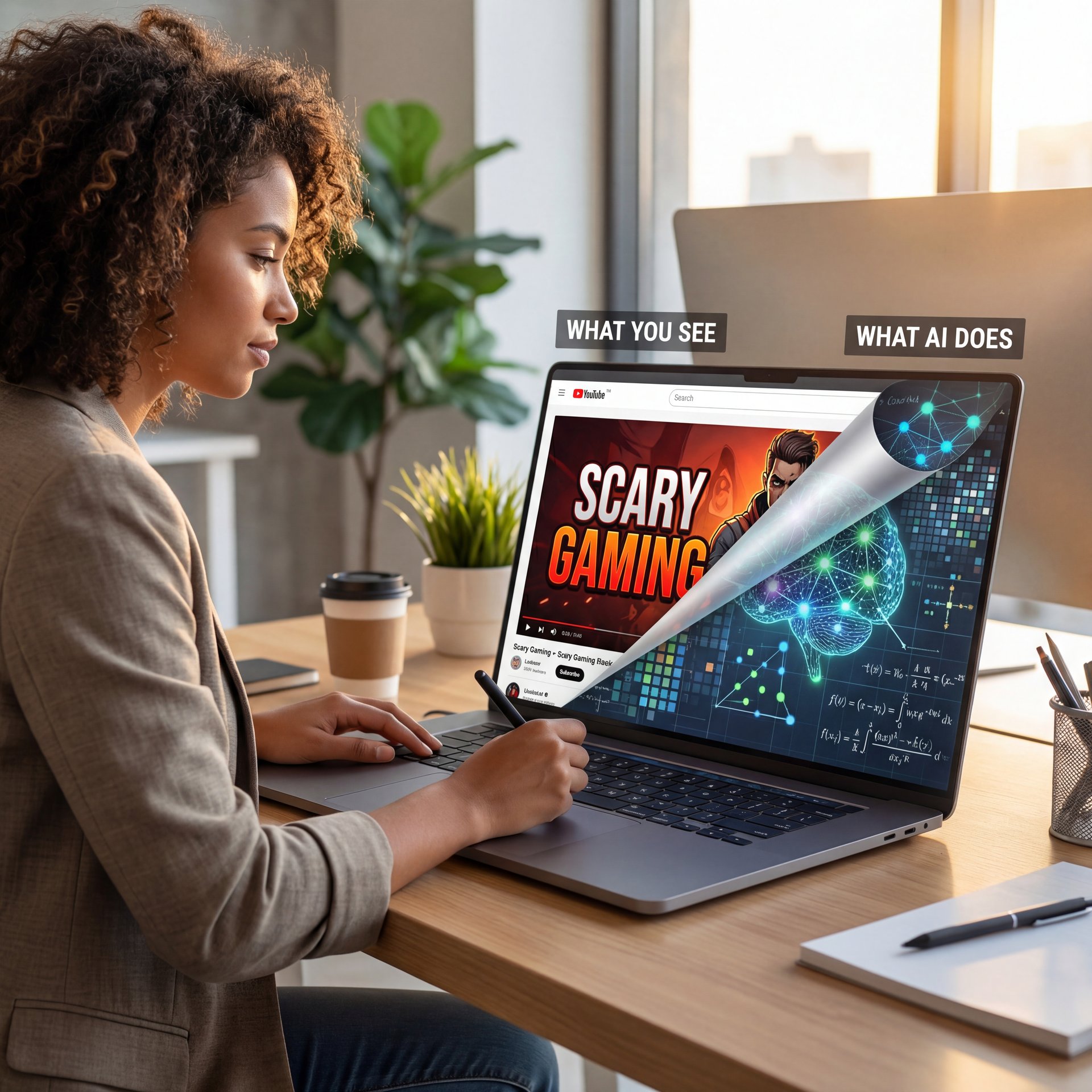
First off, we need to understand what we’re working with. When you type a prompt into something like Midjourney V7 or Flux 1.1 Pro, the software isn’t “drawing” like a human artist. It’s predicting noise. It’s basically looking at billions of images and guessing what pixels should go where based on your text.
Now, here’s where the trouble starts. Most people treat these tools like a Google search bar. They type “scary gaming thumbnail” and expect a polished, click-ready image, but the AI doesn’t know what “scary” means in the context of high click-through rates (CTR). It just knows what “scary” looks like in its database—which might be a dark, muddy mess that no one clicks on.
I found that the biggest issue for beginners is relying on the default settings of general-purpose image generators. These models are trained to make art, not marketing assets. A beautiful painting of a dragon is great, but if it doesn’t have high contrast, readable text space, and emotional impact, it fails as a thumbnail.
So, if you’re using a generic tool without tweaking it for YouTube or social media specifically, you’re basically trying to win a Formula 1 race with a stock sedan. It might move, but it’s not gonna win.
AI Thumbnail Generator “Uncanny Valley” Problem Explained
You know that feeling when you look at an AI face and it just feels creepy? That’s the uncanny valley. In 2025, we saw a huge jump in quality, but unoptimized prompts still produce that plastic, shiny look.
(Wild, isn’t it?)
When your thumbnails look like wax figures, viewers instantly scroll past. It signals “low effort” to the human brain. To fix this, you should probably stop using generic descriptors like “cinematic lighting” or “8k” for everything. Instead, I prefer using specific camera terms or style references.
Pro Tip: Instead of “high quality photo,” try prompting for specific aesthetics like “shot on Sony A7R IV, 35mm lens, hard rim lighting, YouTube thumbnail style.” It forces the AI to mimic a camera setup rather than a digital painting.
Why Do AI Thumbnail Generators Create Generic Stock Photos?
Let’s be real for a second. Every time I see a thumbnail with a guy making a shocked face on a blue background, I lose a little faith in creativity. The problem with a lot of AI thumbnail generator outputs is that they revert to the mean. They give you the “average” of what they’ve seen.
And the average is boring. Casual users often hit a wall here. You grabbed the free credits on a tool, get five images that all look the same, and give up. In fact, research shows a 73% failure rate in first attempts without guidance. The AI spits out the same smiling face because that’s what is most common in its training data.
(Can I be real with you?)
Breaking AI Thumbnail Generator “Same Face” Syndrome
To get around this, you have to get specific with your emotions and scenarios. Don’t just ask for “shocked.” Ask for “skeptical,” “terrified,” or “overjoyed.” That’s the secret sauce.
I’ve played around with Flux 1.1 Pro quite a bit, and what I’ve noticed is that it responds much better to complex emotional prompts than older models. When you tell it the context (like “man looking at a broken car engine in frustration”), you get a much more believable image than just “frustrated man.”
💡 Quick Tip: AI Thumbnail Generator Emotion Specificity
Don’t settle for generic “happy” or “sad” prompts. Use subtle emotional descriptors like “suspicious,” “triumphant,” or “exhausted.” This forces the AI to generate unique facial expressions that stand out in a sea of generic shocked faces. For more workflow ideas, check out our guide to thumbnail workflows.
Also, consider the background. A generic blur is fine, but a background that tells a story is better. For a tech video, the background should look like a tech studio, not a blue void.
How to Fix the Text and Brand Consistency Issues
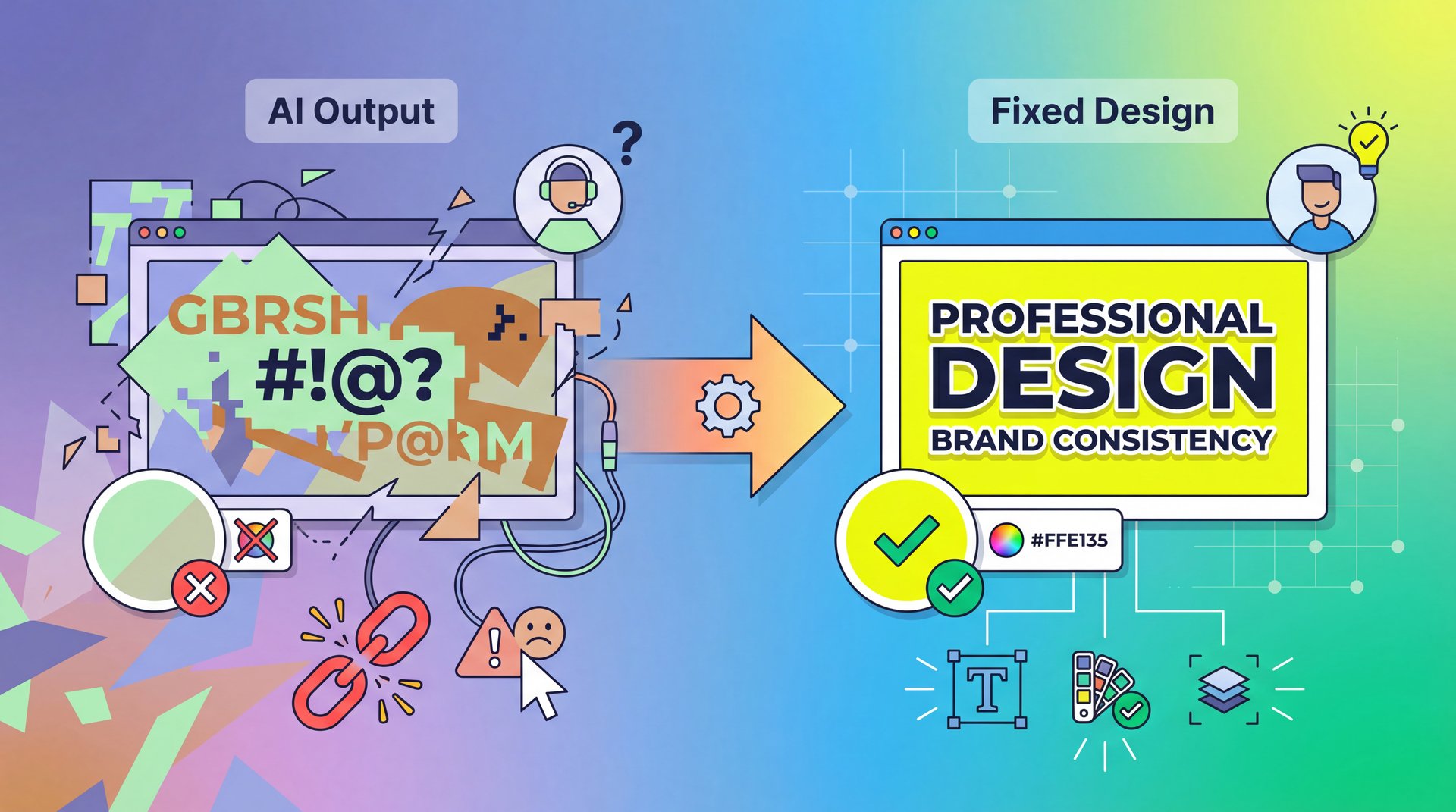
Now, if you’re a creator or a professional, this is probably your biggest headache. You generate a sick image, but the AI tries to write text and it comes out as “GIBBERISH.” Or, you have a specific brand color (let’s say, neon yellow), and the AI keeps giving you pastel green.
Here’s the thing: most image generators are still terrible at text. Even in 2026, with models like Midjourney V7 improving, I still wouldn’t trust them to render the final typography for a main title.
The Hybrid Approach
The fix here isn’t to force the AI to do everything. It’s to use the AI for the base image and handle the text yourself.
I think the best workflow is what we call the “hybrid sandwich.”
- **Bottom Layer:** Use AI to generate the background and the subject.
- **Middle Layer:** Use a tool to upscale or fix the hands/faces.
- **Top Layer:** Add your text and branding elements in Figma or your favorite editor.
This solves the brand consistency problem. You’re not relying on the AI to guess your font, so you’re just using it to make the expensive part (the photography) cheaper. Speaking of cost, did you know that manual design can cost over $50 per thumbnail? AI brings that down to around $0. That’s a 500x savings if you do it right.
Curtis, our founder here at Banana Thumbnail, always says that AI should be your junior designer, not your art director. You still need to make the final calls on branding.
Why Your CTR Isn’t Budging (The MrBeast Lesson)
So you’ve got a good looking image. Why isn’t anyone clicking? This is where the science comes in. A pretty image isn’t always a clickable image.
I was reading a case study about MrBeast, the king of YouTube, and how his team started using tools like Thumio to predict click-through rates. They found that by switching to AI-assisted predictive scoring, they boosted their CTR from close to 8% to around 11%. That’s a 37% increase. That’s massive in the YouTube world, especially when you consider they also cut production time from 4-6 hours to just 12 seconds per thumbnail.
The Predictive Scoring Trap
But here’s the catch, and it’s a big one. You can’t just blindly trust these scores. Some tools claim 87.3% accuracy on their predictive scoring, but in real-world tests, I’ve seen that drop to around 45% when the niche is too specific.
Picture this: you’re making a video about “repairing a 1998 Honda Civic transmission,” and a general predictive model might hate your thumbnail because it’s greasy and mechanical. But your audience, the mechanics, will love it.
Pro Tip: Use predictive scoring as a second opinion, not the law. If the AI says your thumbnail is a “3/10” but you know it perfectly targets your niche’s pain points, trust your gut.
For a deeper dive into how these metrics work, check out our guide to thumbnail A/B testing.
(Okay, so where were we?)
The Hidden Cost of “Free” Generators in 2026
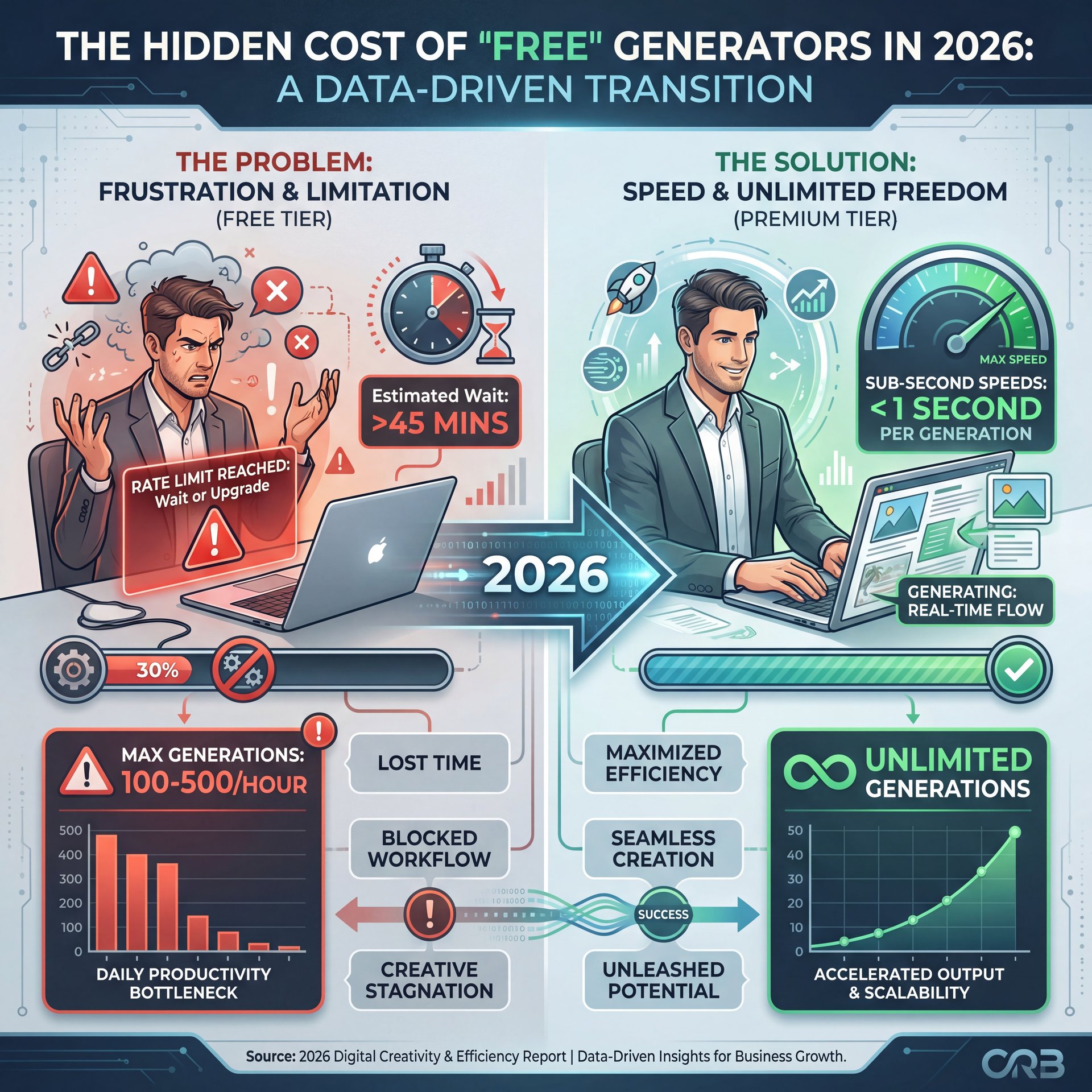
Let’s talk money for a second. Everyone wants free tools. I get it. But in the AI world, “free” usually means “slow” or “limited.”
When you’re trying to pump out content regularly, hitting a rate limit is a nightmare. I’ve seen so many pros get frustrated because they hit a wall of 100-500 generations per hour on a “Pro” plan. When you’re trying to iterate and get the perfect look, those limits come fast.
Speed is King
In 2026, speed is everything. We’re seeing sub-second generation speeds now. Tools using Stability SDXL Turbo on A100 GPUs can spit out an image in 200 milliseconds. No joke. Prodia API achieves similar 0.2-second speeds.
Why does this matter? Because of iteration. When it takes 60 seconds to generate one image, you’re going to settle for the first “okay” result you get. But if it takes 0.2 seconds, you can generate 50 variations, pick the best one, and tweak it.
⚠️ Common Mistake: Ignoring Rate Limits
Many “Pro” plans still throttle heavy users, capping you at 100-500 images per hour. If you’re A/B testing or running a campaign, this kills your workflow. Always check the fine print on “unlimited” plans. For high-volume options, check our pricing page.
When you’re serious about this, you need a tool that runs on the cloud with decent hardware. Around 97% of creators prefer cloud tools now because who wants to hear their laptop fan sound like a jet engine?
Best AI Thumbnail Generator Workflow for Cross-Platform Success
(If you’ll humor me…)
Here’s another thing that trips people up. You make a perfect thumbnail for YouTube. It’s 16:9, looks surprisingly good. Then you post a clip to TikTok or Instagram Reels, and the thumbnail gets cropped, cutting off half your text.
I see this happen constantly. You lose about 28% of your potential clicks on other platforms just because of bad cropping.
The Multi-Ratio Fix
The best AI thumbnail generator workflow involves creating a “master” image that has safe zones. You want your subject and text in the center, with enough “bleed” (extra space) on the sides.
Some of the newer tools in 2026 have “outpainting” features. This lets you take your 16:9 YouTube thumbnail and tell the AI to “draw the rest of the room” above and below it to make it a 9:16 vertical image for TikTok. It’s a lifesaver.
- **Generate** your core image in 16:9.
- **Use Outpainting** to expand it to 1:1 (Square) and 9:16 (Vertical).
- **Check text placement** to ensure it’s visible on all screens.
📊 Before/After: Platform Optimization
Before: A YouTube thumbnail simply cropped for TikTok loses context and cuts off text, resulting in a 28% CTR drop.
After: Using AI outpainting to expand the background for 9:16 vertical format keeps the subject centered and text readable, retaining engagement across platforms. See how to do this in our video generation features.
This builds on concepts from our previous article on color psychology, where we discussed how different colors pop on different platform backgrounds (white for YouTube vs black for TikTok).
Frame Extraction: The Secret Weapon
(I know, I know)
(…anyway.)
One last trick before we wrap this up. Sometimes the best thumbnail isn’t generated from scratch, it’s pulled from your video. But finding that one perfect frame where you aren’t blinking or making a weird face is tedious.
New AI tools are using frame extraction technology to scan your entire video file and pick out the “peak moments.” They look for high contrast, clear faces, and action. Research suggests this can improve viewer retention by 22.6% because the thumbnail perfectly matches the content.
Pro Tip: If you use frame extraction, run that frame through an image-to-image AI filter to boost the quality. It makes a blurry 1080p frame look like a 4k photo, while keeping the authenticity of the real video.
🤔 Did You Know?
AI tools can improve video retention by 22.6% simply by optimizing contrast and text placement in thumbnails. It’s not just about the picture; it’s about where the viewer’s eye is directed first. Learn more about our features here.
So, if your AI thumbnail generator is failing you, it’s probably not the tool’s fault—it’s how you’re driving it. You need to take control of the prompts, handle the text yourself, and think about the strategy behind the image, not just the pixels. Plus, Design.com has demonstrated this approach works at scale, achieving $33.5M ARR with 81% YoY growth by combining AI efficiency with smart workflows.
Frequently Asked Questions
What are the most common challenges users face with AI thumbnail generators?
Users often struggle with generic “stock photo” looks, garbled text that requires manual fixing, and maintaining consistent character faces across different thumbnails.
How do different AI thumbnail generators compare for speed & quality?
Tools like Midjourney V7 offer high artistic quality but are slower. Newer models using Stability SDXL Turbo can generate images in under 0.2 seconds for rapid iteration.
What are the latest trends in AI thumbnail creation for 2025?
The biggest trends include sketch-to-thumbnail pipelines, real-time predictive CTR scoring projected for mid-2026, and automated video frame extraction to find the perfect starting point.
How can I fix the uncanny valley effect in AI-generated thumbnails?
Use specific camera and lighting prompts like “shot on Sony A7R IV, 35mm lens, hard rim lighting” instead of generic terms. Add emotional context to your prompts such as “skeptical expression” rather than just “shocked face.”
Why do my AI thumbnails look different from my brand colors?
Most general AI tools can’t lock specific hex codes. Use a hybrid approach: generate the base image with AI, then add your brand colors and text manually in Figma or another editor.
What’s the best workflow for creating thumbnails for multiple platforms?
Create a master 16:9 image with safe zones for text and subjects in the center. Use AI outpainting features to expand the image to 1:1 for Instagram and 9:16 for TikTok without losing key elements.
Related Videos

Related Content
For more on this topic, check out: thumbnail
Listen to This Article