Table of Contents
- What Is ChatGPT 5.2 and Why Do Thumbnails Look Weird?
- Why Do ChatGPT 5.2 Images Fail at Ctr?
- How to Fix ChatGPT 5.2 Aspect Ratio Issues?
- What Are the Best ChatGPT five.2 Prompts for Thumbnails?
- ChatGPT 5.2 vs. Specialized Tools: Which is Better?
- How to improve Your Workflow with ChatGPT 5.2?
- How to Get Started with ChatGPT five.2 for Thumbnails?
- Listen to This Article
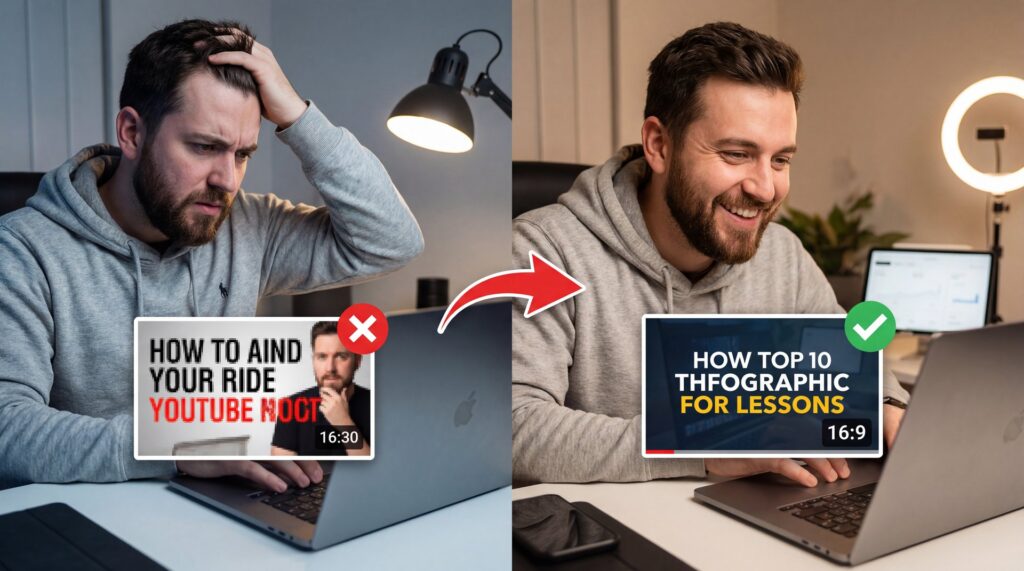
All right, so here’s a stat that actually blew my mind when I first saw it: 72% of businesses have adopted AI technologies as of 2024, according to recent adoption statistics. With tools like ChatGPT 5.2 now in everyone’s hands, that’s a massive number of people trying to automate their creative work. But here’s the thing—if everyone is using the same tools, why do some thumbnails get millions of clicks while others sit at zero views? Think of it as the fuel injection system — the thumbnail delivers the power.
I’ve been messing around with these tools since the early days and honestly, most people are using them wrong. You type in a prompt, you get a picture, and you slap it on YouTube. Then you wonder why nobody clicks. Today we’re gonna go over why your ChatGPT 5.2 thumbnails are failing and, more importantly, how to fix them so you actually get the traffic you deserve.
It’s not just about having a cool picture; it’s about understanding how the machine “thinks” versus what a human eye actually wants to see. So let’s go under the hood and figure this out.
What Is ChatGPT 5.2 and Why Do Thumbnails Look Weird?
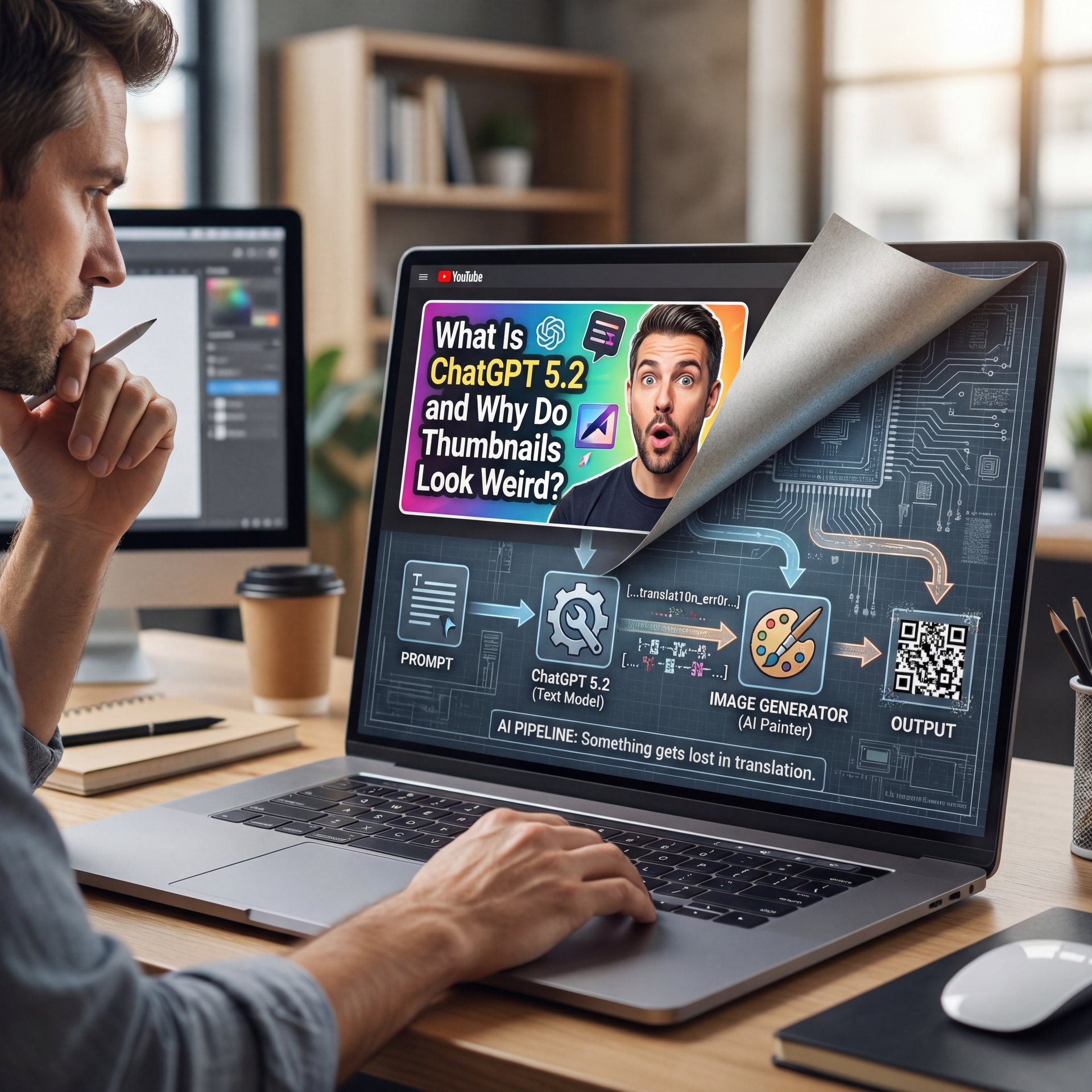
So let’s cover the basics first. You might be thinking, “It’s just an image generator, right?” Well, not exactly. ChatGPT five.2—and even its competitors like Gemini 3.1 (are primarily language models that talk to image generators. That’s it. When you ask for a thumbnail, there’s a translation layer happening.
I mean, think about it like this: you’re telling a mechanic (the text AI) to tell a painter (the image AI) how to fix a dent. Something gets lost in translation. In my experience, the biggest issue is that ChatGPT five.2 tries to be too literal. Period. If you say “a man shocked by a car engine,” it gives you exactly that, but it often misses the emotion or the “clickability” factor.
⚠️ Common ChatGPT 5.2 Mistake
Don’t ask ChatGPT 5.2 for “a YouTube thumbnail.” it often generates text inside the image that is spelled wrong or looks garbled. Instead, ask for the visual scene only, and add your text overlay later using a dedicated editor.
The 2026 AI space is wild. We’ve got GPT-five.2 and Gemini 3.1 Pro fighting it out, but they both struggle with the same thing: context.They don’t know your channel’s history or your specific branding unless you train them extensively. That Most folks just don’t do.
The “Generic AI” Look
You know what I’m talking about. That smooth, plastic look that screams “I made this in five seconds.” Viewers are getting smart because they can spot a low-effort AI image a mile away. Simple as that. If your thumbnail looks like generic stock art, they’re going to scroll right past it. I think the key here is blending AI generation with human design principles.
Why Do ChatGPT 5.2 Images Fail at Ctr?
Now here’s the thing about click-through rate (CTR). It’s the only metric that really matters at the start because if they don’t click, they don’t watch.
I was reading through some data on psychological triggers and what struck me was the importance of faces. We’re wired to look at eyes, but ChatGPT 5.2 often messes this up. It might give you a face, but is it the right face?
If you have a thumbnail with a high-emotion face making eye contact, you get a 38% higher CTR. Think about it. But here’s the problem: generic AI tools can’t analyze facial expressions alongside YouTube metadata simultaneously. They just generate a “surprised face” without understanding that for your specific niche, “angry” might work better than “surprised.”
The “Dead Eyes” Problem (I know, I know)
I’ve noticed that even with the advanced rendering of ChatGPT 5.2, the eyes can sometimes look… vacant. It lacks that spark because professional creators analyze 71+ photo options across lighting and composition before picking one. AI gives you four options, and usually, three of them have weird fingers or crossed eyes.
Pro Tip: Always generate your subject on a blank or green background if possible, then composite them into a seperate background. This gives you control over the “depth” and makes the face pop more.
How to Fix ChatGPT 5.2 Aspect Ratio Issues?
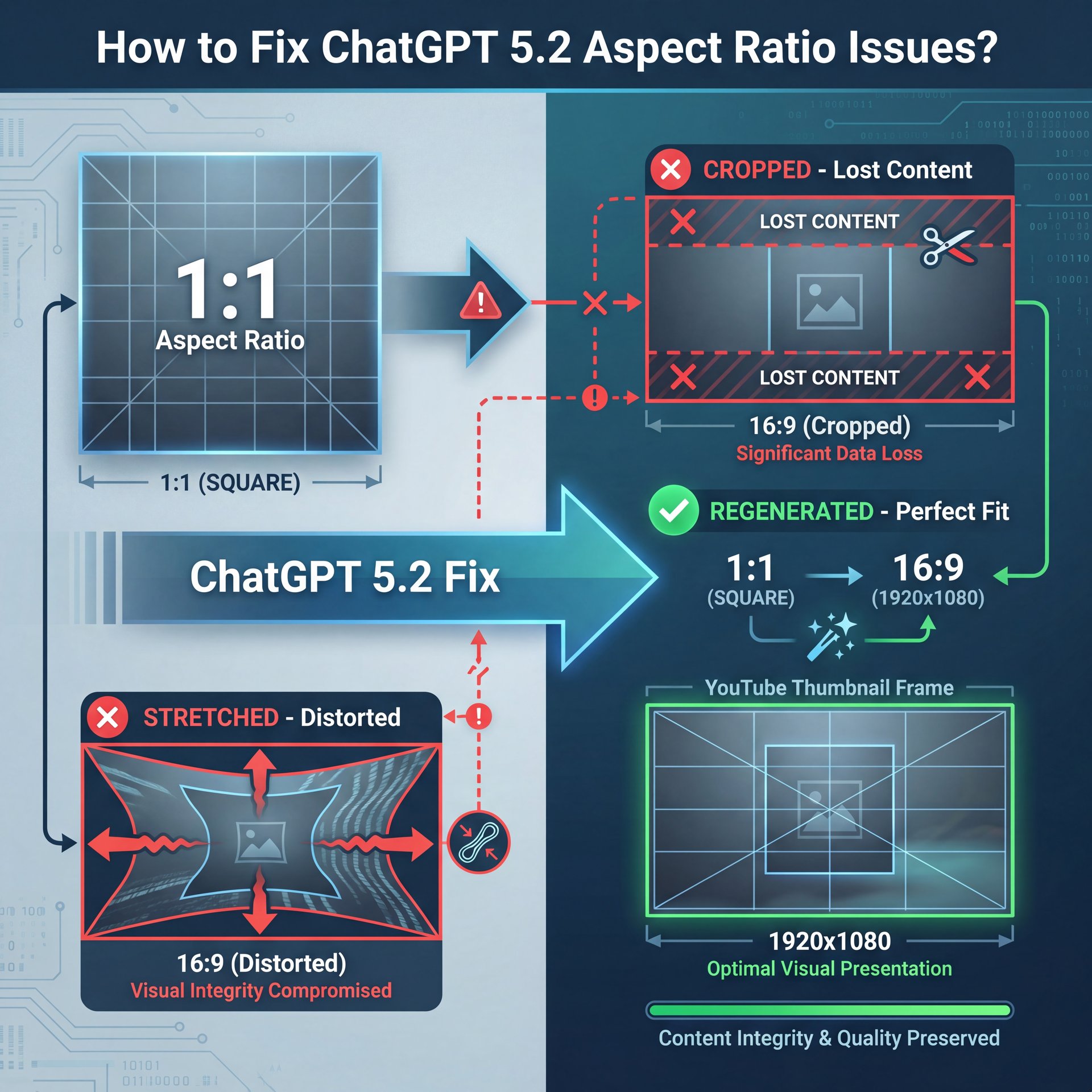
So from there, you need to know about framing. This seems a huge pain point for casual users because you ask ChatGPT for an image, and it gives you a square (1:1). YouTube thumbnails need to be 16:9 (1920×1080).
If you take a square image and crop it to 16:9, you lose the top and bottom. If you stretch it, it looks terrible. Generic text-to-image AI can’t reimagine images for different aspect ratios (they crop instead of regenerate, losing really critical, super critical visual elements.
💡 Quick Tip
Always specify “–ar 16:9” or “wide aspect ratio” in your initial prompt. If you forget, don’t just crop it. grabbed a tool with “outpainting” capabilities to expand the background naturally without losing your main subject.
Composition is Key
I see this all the time (the subject is dead center). In photography, we use the “rule of thirds” where you want your subject to the left or right, leaving negative space for your text overlay. ChatGPT 5.2 tends to center everything.
You have to directly tell it: “Place the subject on the right third of the frame, leaving empty space on the left for text.” Even then, it’s hit or miss, which is why I prefer using tools that allow for specific composition control.
What Are the Best ChatGPT five.2 Prompts for Thumbnails?
Let’s get into the nitty-gritty of prompting. If you’re just typing “cool car,” YOU’RE going to fail because you need to be specific.
I was listening to Riley Santos talk about creative storytelling the other day and it really clicked for me. You have to tell the AI a story, not just a list of items.
Here is a breakdown of what works versus what doesn’t:
**The Setup**
“A close-up wide-angle shot of…”
- ✓ Defines the camera lens and framing right away.
**The Subject**
“…a mechanic looking confused at a smoking engine…”
- ✓ Clear action and emotion.
**The Lighting**
“…dramatic rim lighting, high contrast, 8k resolution.”
- ✓ Sets the mood and quality level.
The “Style” Modifier
One thing I’ve found that helps is referencing specific art styles. Don’t just say “realistic” (say “hyper-realistic, unreal engine 5 render, cinematic lighting.” It pushes the model to work harder on the textures.
For a deeper dive into prompting strategies, check out 7 ChatGPT Image Prompt Secrets for Pro AI Art. It covers the specific vocabulary that wakes up the AI’s creative side.
ChatGPT 5.2 vs. Specialized Tools: Which is Better?
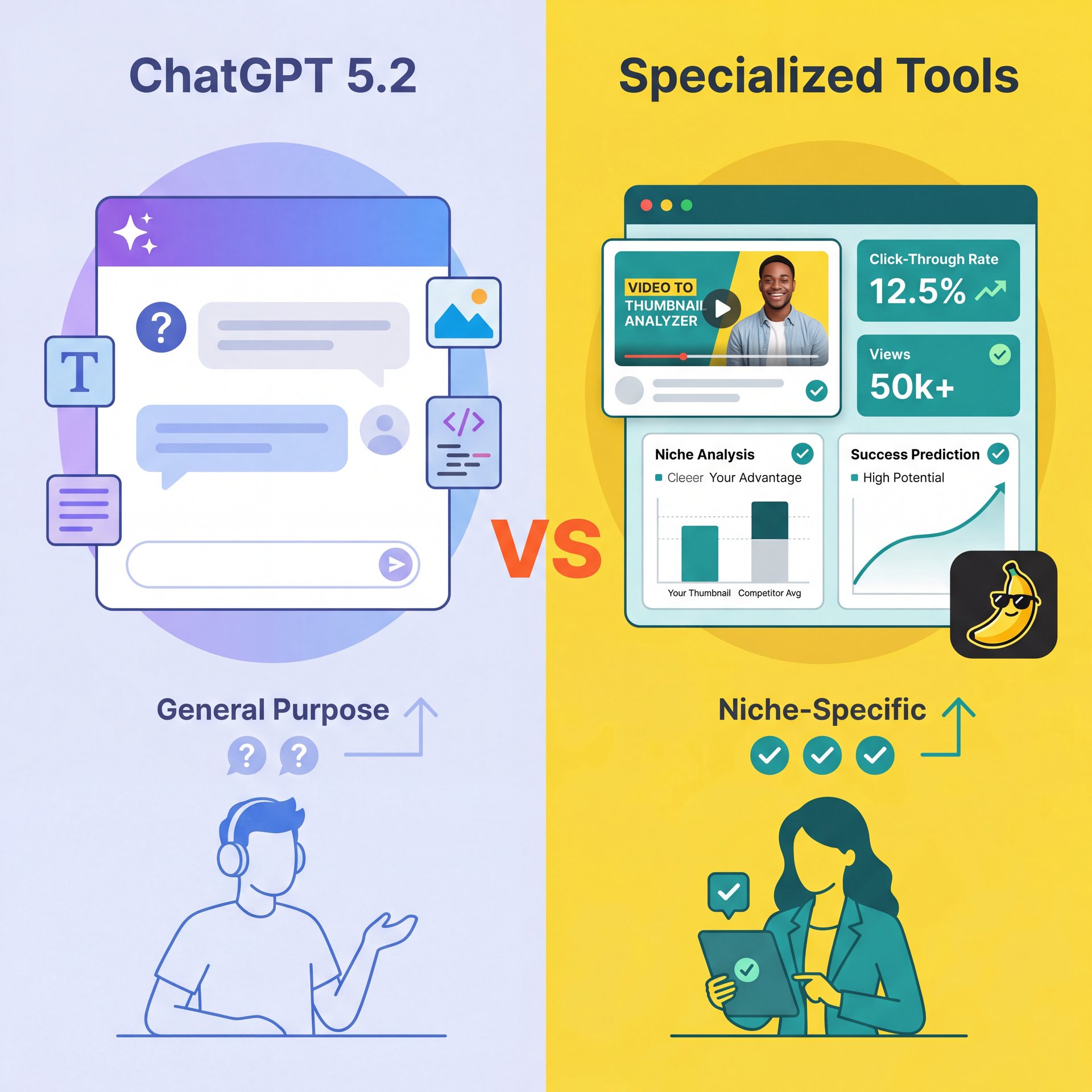
Now, is ChatGPT five.2 enough on its own? For a casual user, maybe. No joke. But if you’re trying to make money or grow a brand, probably not.
The issue is that ChatGPT is a generalist. It knows a little bit about everything, but it’s not a master of YouTube strategy. Specialized tools often have “YouTube Analysis mode” which can evaluate video metadata to generate optimized thumbnails, something ChatGPT cannot do directly.
🔧 Tool Recommendation (yes, really)
Instead of guessing, use a dedicated thumbnail analyzer. These tools compare your image against successful videos in your 🔥 niche to predict performance before you upload. Explore our video generation features :::
The Metadata Disconnect
I mean, think about it. ChatGPT doesn’t see you’re video title or you’re tags when it generates the image unless you paste them in. Seriously. And even then, it doesn’t really “understand” the algorithm because it just matches keywords.
Specialized tools look at what’s trending right now. They know that bright yellow borders are working in the gaming niche this week, or that high-contrast red text is killing it in the finance sector.
## How to improve Your Workflow with ChatGPT 5.2?
If you are going to use ChatGPT five.2, you need (tbh) a system. You can’t just wing it every time because consistency matters.
Here is the workflow I use when I’m in a pinch and need something fast:
1. Ideation: I ask ChatGPT for “ten viral thumbnail concepts for a video about [Topic].”
2. Selection: I pick the one that creates the biggest “information gap” (makes people curious). 3. Generation: I use a highly specific prompt for the background & subject. 4. Editing: I take that image into an external editor to add text and color correction.
📋 Quick
- **Brightness:** Boost exposure by ten-15% (AI images are often dark).
- **Saturation:** Increase vibrancy by 20% to pop on mobile screens.
- Worth it. **Sharpen:** Add a unsharp mask to make edges crisp.
See our full pricing for pro tools
:::
Don’t Ignore the Text
ChatGPT 5.2 is getting better at text, but it’s still risky, so I prefer to keep the image clean. If you wanna learn more about handling text failures, take a look at ChatGPT Images Fail? Fix Your Prompts Fast.
Pro Tip: Your thumbnail text should never repeat your title. It should complement it. If the title is “How to Fix Your Car,” the thumbnail text should say “Don’t Do This!” or show a price tag like “$500 vs $50.”
(Hmm, let me think about this.)
How to Get Started with ChatGPT five.2 for Thumbnails?
So, you want to give it a shot? The first thing you want to do is stop treating it like a magic button. Every time. Treat it like a junior designer who needs very specific instructions instead.
Start by analyzing your own best-performing videos. What did those thumbnails have in common? Feed that data into your prompt by saying “Generate an image in the style of a high-CTR YouTube thumbnail featuring…”
The Iteration Game
You’re rarely going to get it right on the first try. I usually run a prompt ten to 15 times, tweaking one word each time because it’s tedious, but that’s how you get the gold.
Also, keep an eye on the YouTube algorithm updates. They are constantly changing how they weigh thumbnail intensity and color usage.
📊 Before/After
Generic Prompt: “A computer on a desk.” -> Result: Boring, dark, no focal point.
Optimized Prompt: “Wide shot, glowing gaming PC setup, neon blue lighting, dramatic angle, 16:9.” -> Result: High energy, clickable, fits the gamer aesthetic.
(Quick detour here.)
In the end, ChatGPT five.2 is a solid tool, but it’s just a tool. It’s like a torque wrench (great if you know the specs, but if you just crank on it, you’re going to snap a bolt. You have to bring the strategy and understand what your audience wants to see before they’ll click.
Frequently Asked Questions
What are the most common user pain points with ChatGPT five.2 thumbnails?
Most users struggle with incorrect aspect ratios (getting squares instead of 16:9) and the AI failing to render legible text, requiring extra editing steps.
How do the performance metrics of ChatGPT 5.2 compare to its competitors?
While ChatGPT five.2 offers high creative versatility, specialized tools often outperform it in specific CTR metrics because they’re trained on YouTube-specific data rather than general imagery.
What are the latest trends in AI thumbnail generation for 2025?
The biggest trend is “Face Focus” optimization and multi-element analysis, where AI tools analyze the video content to suggest the most emotionally compelling visual hook.
Can you provide case studies where ChatGPT five.2 thumbnails way improved user engagement?
Creators who use ChatGPT 5.2 for brainstorming visual metaphors rather than final output often see engagement rise, as it helps break creative blocks and suggests unique angles.
What tools and resources are recommended for optimizing ChatGPT five.2 thumbnails?
Listen to This Article