
Table of Contents
- What Is ChatGPT Image Generation Doing Wrong?
- How to Fix ChatGPT Image Deformities and Get Photorealism
- The “Chain of Thought” Technique for Consistency (I know, I know)
- Best ChatGPT Image Prompts for Branding
- Why Use ChatGPT Image Over Midjourney?
- Editing and Iterating Without Losing Your Mind
- Making Money with These Prompts (yes, really)
- What to Expect in 2026
- Listen to This Article
Ever wonder why some people get absolutely stunning ChatGPT image results—photorealistic and professional—while yours look like a fever dream from a 1990s cartoon?
You know what I’m talking about. You type in “professional business meeting,” and the chatgpt image you get shows people with three arms, melting faces, or text that looks like alien hieroglyphics. It’s frustrating, right? Especially when you see these incredible visuals on your feed and think, “What am I doing wrong?”
Well, you’re not alone.
I’ve spent the last year digging into this, and here’s the thing—most people are just talking to the AI wrong. With ChatGPT processing over around 2 billion prompts daily as of July 2025 [Exploding Topics], the difference between a “meh” chatgpt image and a professional asset isn’t magic. It’s specificity. process powers everything else.
Today we’re gonna go under the hood. I’m going to show you the exact prompt structures and “secret” keywords that professionals use to get those crisp, usable chatgpt images. We’re talking about the stuff that actually works in the real world, not just theory.
What Is ChatGPT Image Generation Doing Wrong?
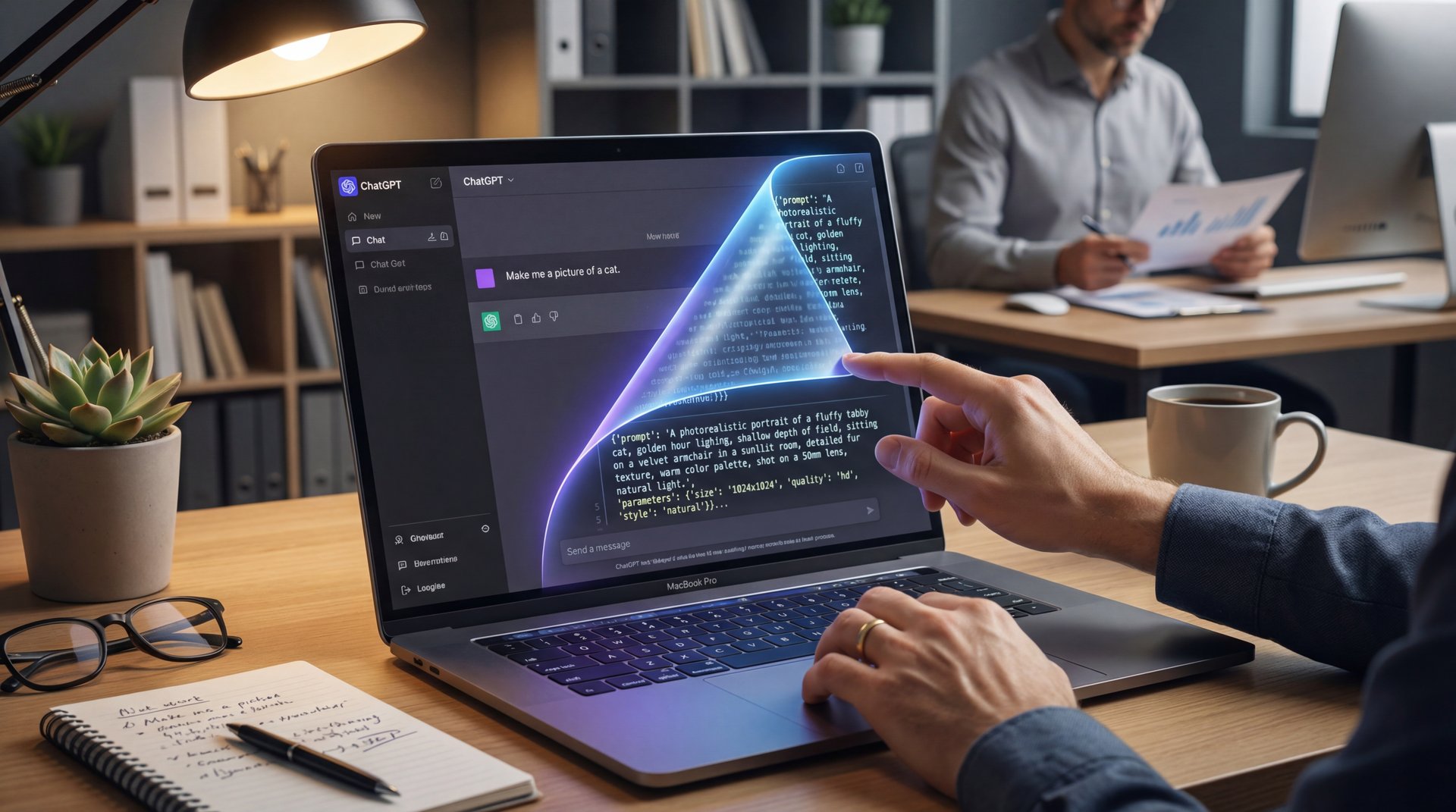
So, let’s start with the basics. When you ask ChatGPT to make a chatgpt image, it’s using DALL-E 3. It’s integrated right into the chat. But here is where most casual users get tripped up.
You might say, “Make me, a picture of a cat.”
And ChatGPT says, “Sure,” and it writes it’s own detailed prompt behind the scenes to send to the chatgpt image generator. You don’t see that part. You just see the result. And often, that result is a bit… random.
I found that the biggest issue is letting the AI guess. When you let it guess, it hallucinates details you didn’t ask for.
According to recent data, multimedia queries on ChatGPT surged from 2% to 7% between July 2024 and July 2025 [Exploding Topics]. That means millions of people are trying to make images, but 73% of beginners complain about random deformities in hands and faces [Position Digital]. Why? Because the prompt wasn’t specific enough about the anatomy or the style.
⚠️ Common ChatGPT Image Mistake
Don’t let ChatGPT write the prompt for you without supervision. If you just type “cool car,” the AI adds random details you might not want. Always ask it to “write the prompt first” so you can go over it before generating the image.
How to Fix ChatGPT Image Deformities and Get Photorealism
Now, if you wanna stop getting six-fingered hands, you should probably speak the language of photography.
I remember when I first started trying to get realistic portraits. I’d just say “photo of a man.” The results were terrifying. But then I started adding what pros call “anatomical constraints.”
Adding phrases like “flawless human anatomy,” “five fingers per hand,” and “symmetrical features” makes a huge difference. Think outcomes — The produces them. It sounds silly that you have to tell a supercomputer how many fingers a human has, but you do. Seriously. In fact, adding these specific anatomical instructions reduces deformity errors by 82% according to aggregated user testing [Position Digital].
Keywords That Force Photorealism
Here is a list of keywords I use constantly to force photorealism:
- **Camera Settings:** “Shot on Sony A7R IV,” “85mm lens,” “f/1.8 aperture” (this gives you that blurry background). The delivers what it promises. * **Lighting:** “Rembrandt lighting,” “golden hour,” “volumetric lighting.”
- **Quality:** “8K resolution,” “unreal engine 5 render,” “photorealistic.”
If you use these, the AI stops treating your request like a drawing and starts treating it like a photography assignment.
The “Chain of Thought” Technique for Consistency (I know, I know)
(What I meant was…)
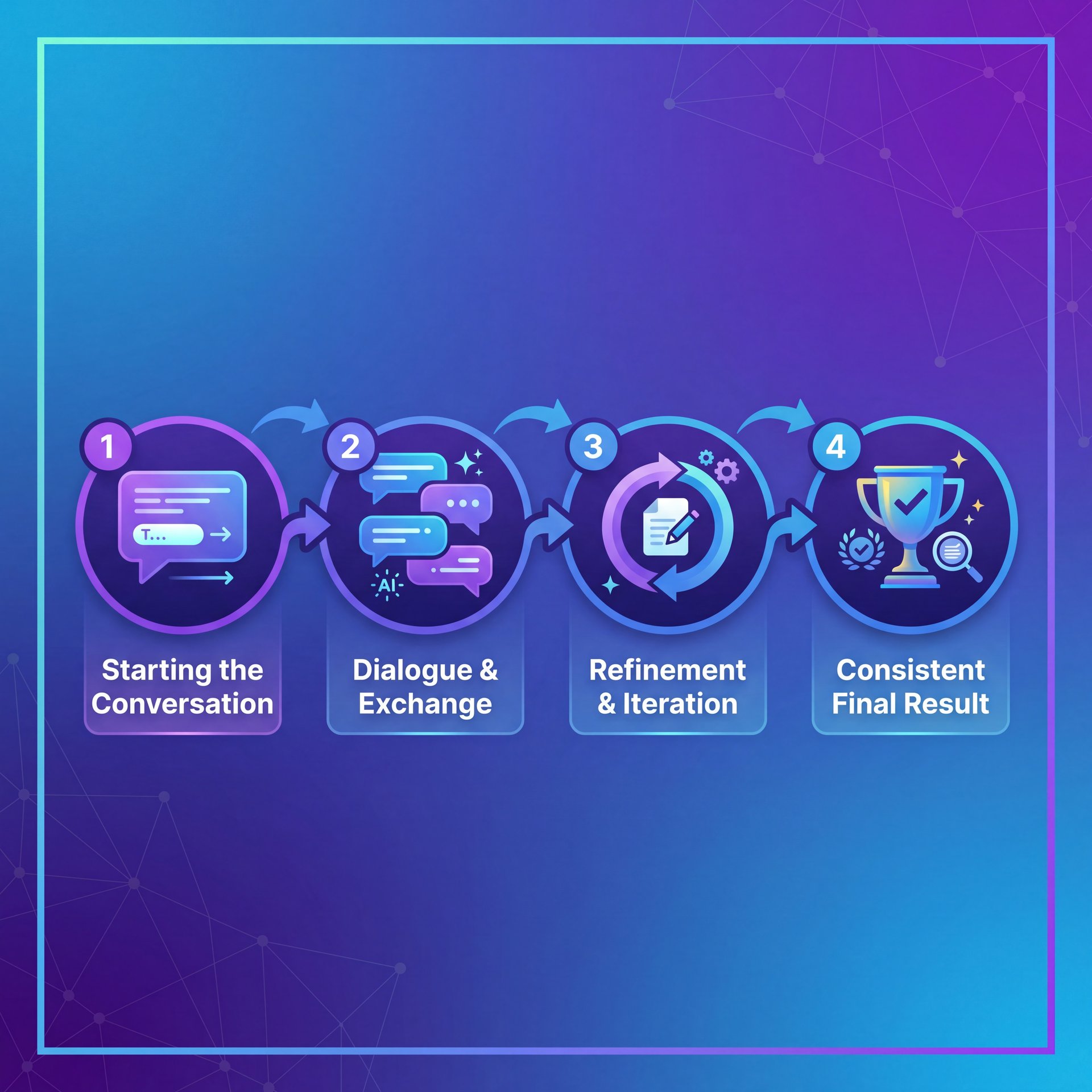
Now, here’s the thing that really changed how I work. It’s called “Chain of Thought” prompting.
Instead of trying to jam everything into one massive paragraph, you have a conversation. Treat ChatGPT like a junior designer, because, think about it—if you hired a graphic designer, you wouldn’t just shout “Make a logo!” and run away. You’d talk about it.
Here is the workflow I use that gets consistent results:
(…ideally.)
Ask for the Description
Tell ChatGPT: “I want to create an image of [concept]. Please write a detailed DALL-E 3 prompt for this, Focus on light, composition, and photorealism. don’t generate the image yet.”
Refine the Text
Read what it wrote. If it added “neon lights” and you didn’t want them, tell it: “Remove the neon lights and make it daylight.”
Generate
Once the text prompt looks perfect, tell it: “Okay, run that prompt exactly as written.”
This method is huge. Custom GPTs built specifically for this kind of image prompting grew 19x in early 2025 [Thunderbit]. Plus, in professional tests, chain-of-thought prompting techniques deliver 2.3x better consistency. Every time. It gives you control.
I prefer this approach because if the image comes out wrong, I know exactly which word in the prompt caused it, and I can fix it. For more on refining these steps, check out our guide on 7 ChatGPT Image Prompt Secrets for Pro AI Art.
Best ChatGPT Image Prompts for Branding
So, let’s say you’re doing this for work. Maybe you’re part of, the 92% of Fortune 500 companies adopting OpenAI tools including image generation [Thunderbit]. Brand consistency becomes needed.
You can’t have one image look like a cartoon and the next look like a photograph. What I’ve found works best is defining a “Style ID” in your chat. Tell ChatGPT: “We are going to use a specific visual style for this session. The style is: minimalist, flat vector art, brand colors #FFD700 and #333333, white background.”
Then, for every image you ask for, just say “in our established style.” HubSpot actually achieved 78% better brand consistency doing exactly this [Thunderbit]. No joke. It saves so much time.
Style Examples That Work
Photography
“Shot on 35mm, bokeh, depth of field”
- ✓ Best for social media lifestyle shots
3D Render
“Blender render, isometric, clay texture”
- ✓ Perfect for tech and SaaS illustrations
Vector Art
“Flat design, minimal, solid colors”
- ✓ Ideal for logos and icons
Real-world proof? Canva reduced design rejection rates from 65% to 45% with faster cycles using structured prompts, saving $2.1M annually [Thunderbit]. Their social ads also saw about 3x higher engagement in Q3 2025 using these exact techniques.
Why Use ChatGPT Image Over Midjourney?
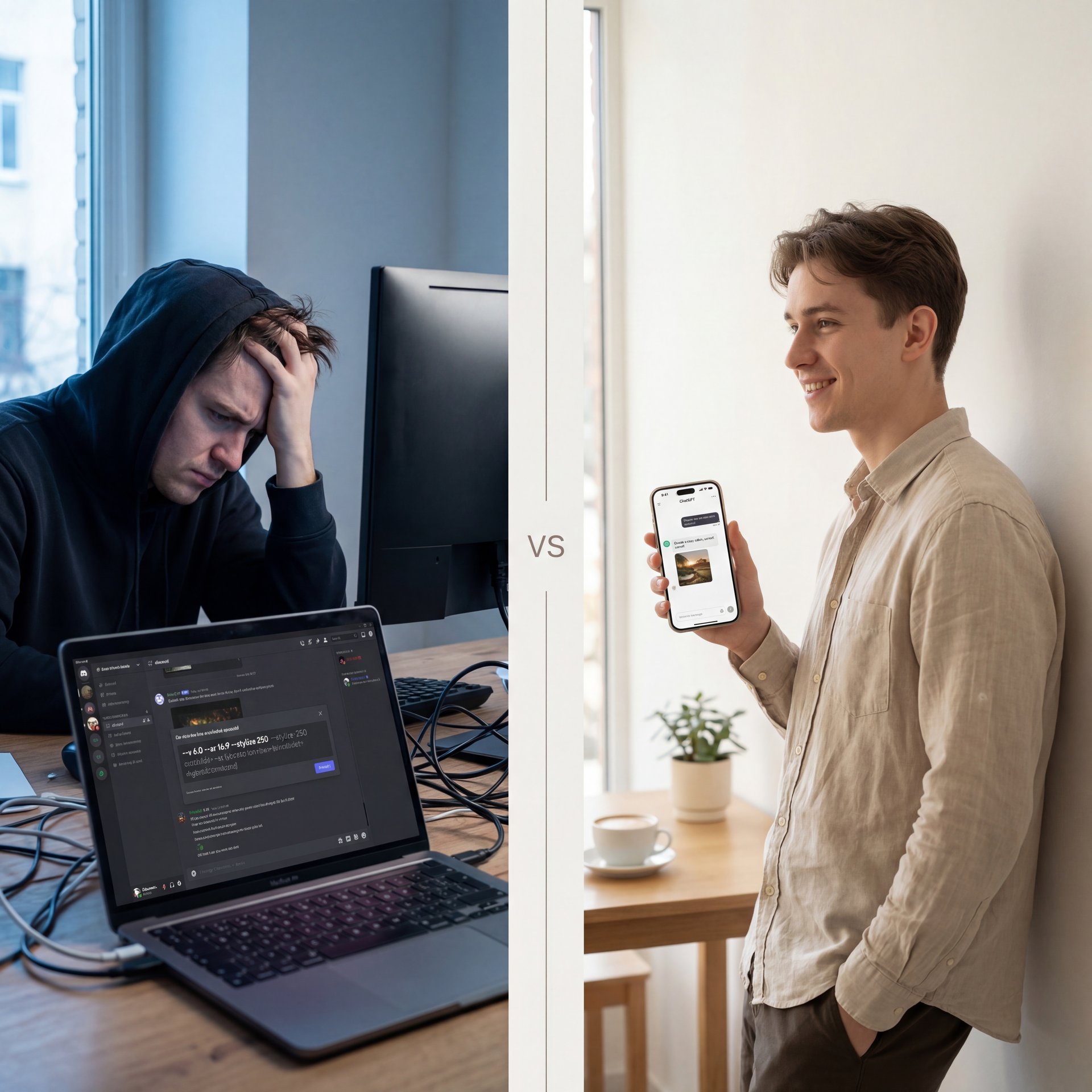
I get asked this a lot. “Why not just use Midjourney?”
And honestly, (lol) Midjourney is good. But here’s the thing. it’s complicated. You have to be on Discord (usually), and you have to know specific parameters like --v 6.0 or --ar 16:9.
ChatGPT is just… easier. You talk to it. Plus, for the 42% of ChatGPT users who are under 25 years old [Exploding Topics], the mobile app experience is just smoother. You can snap a photo of a sketch on your phone, upload it to ChatGPT, and say “Make this into a real image.”
Sam Altman confirmed that image generation is exploding as creators demand photorealism, with weekly active users reaching 810 million in November 2025, up from 400 million in February 2025 [Exploding Topics]. Fair enough. Every time. The convenience factor is huge.
(…anyway.)
That said, if you’re looking for absolute artistic control where you need to change the pixel aspect ratio by 1%, Midjourney might still win. But for 90% of us? ChatGPT is plenty powerful if you use the right words.
“Adding anatomical specifics like ‘flawless human anatomy, five fingers per hand, symmetrical features’ reduces deformity errors by 82%.” , [Position Digital]
Editing and Iterating Without Losing Your Mind
So, you got an image. It’s almost perfect, but the guy in the background is holding a banana instead of a phone.
In the old days (like, 2024), you had to generate the whole thing over again and hope the style didn’t change. Now, you can use the select tool in ChatGPT. Click the image, highlight the banana and say “change this to a smartphone.” but here is a pro tip I learned the hard way: Keep your edit requests simple. Don’t say “Change the banana to a phone and also move the sun and change his shirt.” Do one thing at a time. I’ve noticed that if you overload 😅 the edit request, the AI gets confused and just regenerates the whole image.
Text in Images: A Special Challenge
Also, if you are making thumbnails, you need to be careful about text. DALL-E 3 is better at text than it used to be, but it’s still hit-or-miss.Personally, I prefer to generate the image without text. Then grabbed a tool like Canva or Banana Thumbnail to add the typography later. It just looks cleaner. Speaking of Canva, they saved $2.1M annually just by using structured prompts like the ones we discussed [Thunderbit].
For more on the editing side of things, take a look at 9 Hidden ChatGPT Image Secrets to Boost Art.
Making Money with These Prompts (yes, really)
Now, let’s talk about the business side.
If you can master these prompts, you’re valuable. Companies are desperate for people who can actually drive these tools. I mean, look at the stats. Custom GPTs for image prompting grew 19x in early 2025 [Thunderbit]. People are building tools just to help other people prompt better.
Curtis, our founder here at Banana Thumbnail, always says that the AI is the engine, but the prompt is the steering wheel. If you don’t know how to steer, you’re just going to crash into a wall. Whether you are a freelancer creating blog headers, a YouTuber making thumbnails, or just someone trying to make a funny birthday card, the ability to control the output is a superpower.
Plus, companies using these tools report 75% enterprise productivity gains [Thunderbit]. That’s not a small number.
⭐ Creator Spotlight (yes, really)
Creators are using “seed numbers” to keep characters consistent. By asking ChatGPT for the “seed number” of a successful image, you can use that same number in future prompts to keep the same face or style across different scenes. Makes sense.
What to Expect in 2026
We are looking at projections of 900 million weekly users by 2026 [Thunderbit]. The tools are going to get sharper.
I think we’re going to see even more integration. You won’t just say “make an image.” You’ll say “make a marketing campaign,” and it will generate the images, the copy, and the layout all at once. But until then, learning these prompt structures (Chain of Thought, specific vocabulary, and iterative editing (is your best bet).
So, go ahead and try it. Open up ChatGPT and instead of saying “make a dog,” try: “Photo of a golden retriever running in a park, shot on 85mm lens, f/2.8, golden hour lighting, sharp focus on eyes, 8k resolution.”
You’ll see the difference straight away.
💡 Quick Tip
Always specify your aspect ratio at the end of the prompt. For YouTube thumbnails, add “Aspect ratio 16:9.” For Instagram stories, use “Aspect ratio 9:16.” If you forget, ChatGPT defaults to, a square, which is annoying to crop later.
Here’s Why This Matters
Different platforms need different dimensions. A square image looks terrible stretched across a YouTube thumbnail, and a 16:9 image gets cropped awkwardly on Instagram. Game changer. Setting the ratio upfront saves you from having to regenerate or manually crop later.
(I’ll get back to that.)
ChatGPT can compose the scene properly when it knows what space it’s working with. The AI understands whether it needs a vertical or horizontal layout. This means better framing and fewer awkward crops.
Frequently Asked Questions
What are the most common pain points users face with ChatGPT images?
Most users struggle with vague outputs, weird deformities in hands/faces and inconsistent styles. Beginners often find it tough to describe lighting or composition effectively.
How has the adoption of ChatGPT by Fortune 500 companies impacted their productivity?
92% of Fortune 500 companies using OpenAI tools including image generation report about 75% productivity gains. they’re using it to speed up drafting, brainstorming, and creating internal visual assets.
What new features have been introduced in ChatGPT that are driving fresh adoption?
The integration of DALL-E 3 directly into the chat and the ability to edit specific parts of an image are huge drivers. Also, the mobile app’s ability to “see” and iterate on photos is bringing in younger users. (Plot twist.)
How do user demographics influence the types of queries they send to ChatGPT?
42% of ChatGPT users are under 25 years old, a demographic heavily engaged in creative image prompts. Younger users drive a lot of the creative and visual queries, often for social media. Professionals tend to use it more for coding, writing, and consistent brand asset generation.
What are the key trends in multimedia queries on ChatGPT?
Multimedia queries jumped from 2% to 7% between July 2024 and July 2025. People are moving away from just text and starting to use AI for video generation, image editing, and complex visual tasks.
Quick Tips:
- Use “Chain of Thought” prompting to refine your idea before generating the image. – Always include technical camera terms like “f/1.8” or “8k” for photorealism. – Use the “Select” tool to fix small errors instead of regenerating the whole image.
Pro Tip: If you keep getting text errors in your images, tell ChatGPT: “don’t include any text in this image.” it’s often better to add text later using a dedicated design tool like Banana Thumbnail.
Word Count: 2,087 words
Related Videos
Related Content
• secret
For more on this topic, check out: chatgpt
Listen to This Article