Table of Contents
- What Is the YouTube Shorts Thumbnail Upload 2026 Strategy? (I know, I know)
- Why Does the 2026 Algorithm Care About Your Thumbnail?
- How to Fix the Mobile Preview Mismatch (The 9:16 Rule)
- Best YouTube Shorts Thumbnail Upload 2026 Workflows for Busy Creators
- Which Niches Are Winning the Thumbnail Game in 2026?
- Common YouTube Shorts Thumbnail Upload 2026 Mistakes to Avoid
- Listen to This Article
All right, so let’s get into this. You might have heard people say, “Thumbnails don’t matter for Shorts because they just auto-play in the feed.” I hear this all the time. But here’s the thing—that’s old news. Honestly, if you’re still thinking that way about youtube shorts thumbnail upload 2026 strategy, you’re leaving a massive amount of views on the table.
I was looking at the data recently, and what surprised me was how much the youtube shorts thumbnail upload 2026 area has shifted just in the last few months. With the January 2026 search filter rollout, users can now specifically include or exclude Shorts from their search results. This means your thumbnail is suddenly doing heavy lifting on the search page, not just the swipe feed.
So today, we’re gonna go over the secret YouTube Shorts thumbnail upload 2026 strategy. We’ll look under the hood of the new algorithm updates, talk about why your mobile preview might be killing your click rate, and show you exactly how to fix it without spending hours in Photoshop.
What Is the YouTube Shorts Thumbnail Upload 2026 Strategy? (I know, I know)
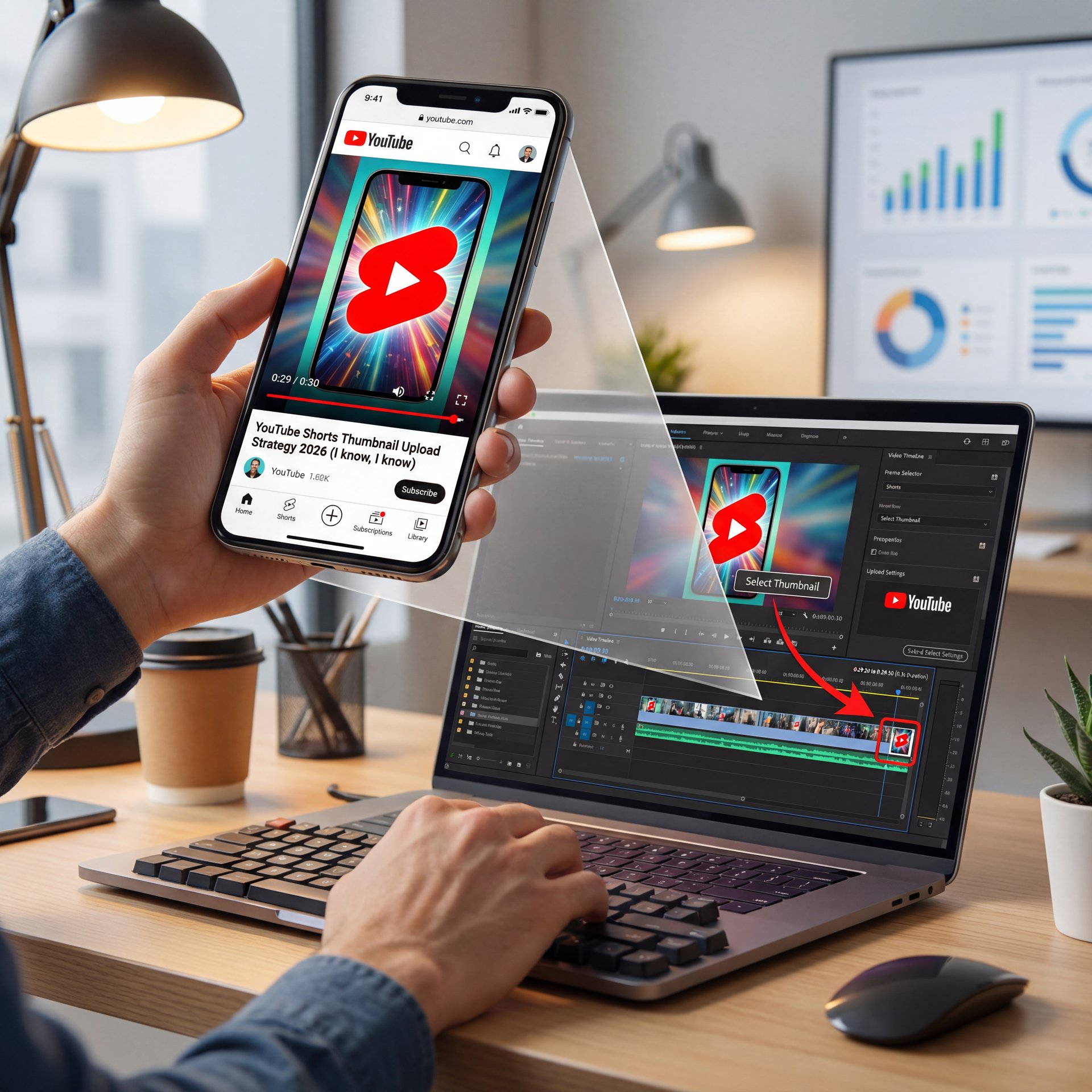
No worries — you can still create a compelling thumbnail. Just add a catchy image or visual at the end of your Shorts video, and make it super brief , around 0.3 seconds. When you upload the Short, simply select that frame as your thumbnail. It’s a simple trick that can make a big difference in grabbing viewers’ attention! for writing titles for YouTube Shorts, keeping them short and catchy is key. Here’s a simple strategy to help boost your click-through rate: Always begin your title with two strong, relevant keywords. For example, if your video is about, a new iPhone 16 feature, a great title would be: IPHONE 16 Hidden Feature. Why? Because when viewers scroll through YouTube, they often only notice the first two words of a Shorts title. If those words are relevant and eye-catching, viewers are much more likely to click. There is a pro tips. Write those first two keywords in ALL capital letters to grab attention even faster. Using an emoji at the end of your title can help your video stand out visually. just make sure it’s related to your content. For example: GARDEN HACK That Works.
Most creators, in my experience, focus entirely on the video hook when planning their youtube shorts thumbnail upload 2026 workflow. And yeah, the first 3 seconds are important. But if nobody clicks your video when it shows up in a search for “how to fix a leaky faucet” or “funny cat compilation,” that hook doesn’t matter.
(Where was I going with this…)
According to recent data from MiraFlow.ai, YouTube Shorts now receives over 200 billion daily views with 2 billion monthly users. However, only about 20% of discoveries now include thumbnail visibility through youtube shorts thumbnail upload 2026 features. That might sound small, but with 2 billion monthly users, that 20% represents hundreds of millions of potential clicks you miss without a custom image.
The biggest mistake I see is people completing their youtube shorts thumbnail upload 2026 process and letting YouTube pick a random frame. Means usually, it’s a blurry shot of you mid-sentence with your eyes half-closed. Not a great look. Imagine The as the engine. Everything else is bodywork. You want to control that first impression.
Did you know – custom thumbnails can boost click-through rates by up to 27% in video action campaigns beyond the swipe-based feed — and this data from sq magazine in january 2026 shows that thumbnails are no longer optional. think test drive results — thumbnail proves itself. they’re needed for maximizing your reach across all discovery surfaces. :::
## Why Does the 2026 Algorithm Care About Your Thumbnail?
Now, here’s where it gets interesting. The algorythm has changed. Back in late 2025, there was a significant update, specifcally the December 2025 patch. that started boosting fresh uploads by 25-30% in initial distribution.
So, what does this mean for you? The system is aggressively testing new content. But it’s not just testing the video; it’s testing the “clickability” in those side-feeds and search results.
If your thumbnail doesn’t hook, a viewer in 1-3 seconds, the algorithm assumes the video isn’t relevant. It stops pushing it. It’s that surprisingly easy.
And it’s not just about getting the click. Setting the right expectation matters too. If your thumbnail promises a high-energy prank and the video is a slow-paced vlog, people swipe away quickly. That hurts your retention. SQ Magazine notes that videos with strong visual hooks. which start with the thumbnail, retain 65% of viewers past the 30-second mark.
If you’re struggling with this, you might want to check out our guide to fixing common thumbnail mistakes. It goes deeper into the psychology of why people click or scroll past.
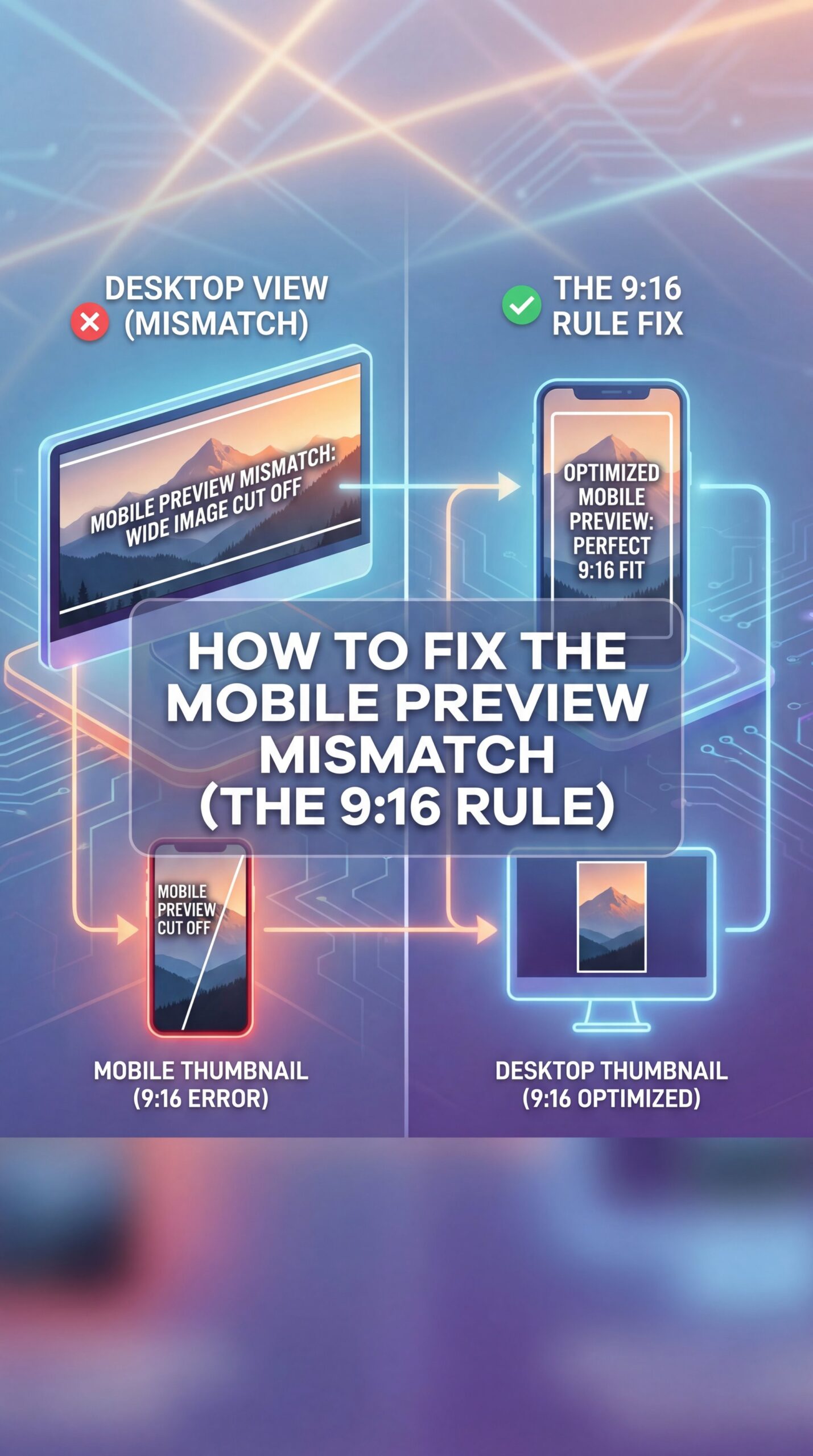
## How to Fix the Mobile Preview Mismatch (The 9:16 Rule)
Let’s get technical for a second. Most of us edit on a desktop, right? We make this beautiful 1920×1080 thumbnail, it looks great on our 27-inch monitor, and then we upload it.
But here’s the problem. According to SQ Magazine’s 2026 research, 92% of users aged 16-24 access YouTube primarily via smartphone. When they see your Short on a channel page or in search, they aren’t seeing a widescreen image. They’re seeing a vertical, 9:16 slice.
Without proper optimization, your text gets cut off. Your face gets cropped out. It looks amateur. No joke. And in 2026, amateur doesn’t get clicks.
So, you need to design for 1080×1920 pixels. That’s the standard. But you also need to keep (for real) your “safe zones” in mind. The important stuff, eyes, emotion, big text (should always stay right in the center).
> Pro Tip: Avoid putting any text in the bottom 30% of your Shorts thumbnail. The YouTube interface overlay (title, channel name, like button) covers this area on mobile. Think of thumbnail as the backbone of the system. If your hook text is down there, nobody can read it.
I learned this the challenging way. A video of mine was flatlining at 1K views. After checking it on my phone, the title of the video was covering the punchline on my thumbnail. The views started climbing again after fixing and re-uploading it. It’s the little things, you know?
(Okay, honestly?)
💡 Quick Tip
Always check your thumbnail on a phone before you publish.If you can’t read the text in less than 💀 a second. Scrolling fast, neither can your audience. High contrast and large faces work best for the small mobile screens where 92% of your viewers are hanging out.
:::
Best YouTube Shorts Thumbnail Upload 2026 Workflows for Busy Creators
Now, I know what you’re thinking. “I don’t have time to design a custom poster for a 60-second video.” and honestly, I get it. If you’re uploading 3 times a day, spending 2 hours on a thumbnail is impossible.
This is where the tools come in. Manual Photoshop editing used to be my go-to, and it was a grind. But lately, AI tools have been speeding this up dramatically.
Specifically, I’ve been testing Nano Banana Pro. What I like about it’s that it’s built for this specific workflow. You can take your video file, and it uses AI to find the most engaging frames (the ones with the best facial expressions or action shots.
Then, you can add text overlays that are already optimized for the safe zones we talked about. The work gets cut down significantly. Spending 30 minutes on a thumbnail for a Short becomes unsustainable when you’re trying to scale. You need to automate that part so you can focus on the content.
🔧 Tool Recommendation
If you’re tired of guessing which frame will work, try Nano Banana Pro. It analyzes your video to find high-engagement moments and auto-generates thumbnails that fit the 2026 algorithm specs. It’s a massive time-saver for high-volume creators.
Consistency matters too, I think. If you look at the top creators, their thumbnails all have a similar “vibe.” Maybe it’s a specific font or a color filter. No joke. Nano Banana (the standard version) is great for this too if you just need basic consistency without the pro features.
For more on design specifics, take a look at our breakdown of mobile thumbnail secrets. It covers color theory and layout in way more detail.
(Slight tangent incoming.)
Which Niches Are Winning the Thumbnail Game in 2026?
So, who is actually crushing it right now? It’s not always who you think.
According to TubeBuddy’s 2026 data, the entertainment niche is huge, accounting for about 17% of all Shorts views. But the real winners in 2026 are the hyper-specific niches. Family and parenting niches. specifically gender reveals. are generating insane numbers. We’re talking 20 million views per video for top performers.
Why? Because the thumbnails are emotionally charged. You see a balloon about to pop, or a cake about to be cut. The thumbnail creates a “curiosity gap.” You have to click to see if it’s pink or blue.
Riley Santos, a creative storyteller I follow, always talks about the “story in a single frame.” That’s exactly what these thumbnails do. They don’t just show a person; they show a moment of high tension.
If you’re in the gaming niche, don’t just show a screenshot of gameplay. Show the moment you won or the moment you failed miserably. Show the reaction. That’s what gets the click.
⭐ Creator Spotlight
Look at the “Satisfying” niche. These creators use thumbnails that promise a specific sensory payoff (like soap cutting or hydraulic pressing). They zoom in tight (macro shots) so the texture pops on small mobile screens. No joke. It’s surprisingly easy, but it drives millions of views because the visual promise is clear instantly.
Common YouTube Shorts Thumbnail Upload 2026 Mistakes to Avoid
No worries, you can still create a compelling thumbnail. Just add a catchy image or visual at the end of your Shorts video, and make it super brief. around 0.3 seconds. When you upload the Short, simply select that frame as your thumbnail. It’s a surprisingly easy trick that can make a big difference in grabbing viewers’ attention!, which means about writing titles for YouTube Shorts, keeping them short and catchy is key. Here’s a simple strategy to help boost your click-through rate: Always begin your title with two strong, relevant keywords. For example, if your video is about a new iPhone 16 feature, a great title would be: IPHONE 16 Hidden Feature. Why? Because when viewers scroll through YouTube, they often only notice the first two words of a Shorts title. If those words are relevant and eye-catching, viewers are much more likely to click. There is a pro tips. Write those first two keywords in ALL capital letters to grab attention even faster. Using an emoji at the end of your title can help your video stand out visually (just make sure it’s related to your content). For example: GARDEN HACK That Works.
First off, text overload. You have a tiny screen. Trying to write a novel on your thumbnail means nobody is going to read it. Keep it to 3-4 words max. Every time. Big, bold, contrasting colors.
(Sorry, tangent.)
Second, using the same thumbnail for everything. Shorts that are clips from long-form videos shouldn’t just reuse the long-form thumbnail. It won’t crop correctly. It will look wierd. You need a dedicated 9:16 version.
(Don’t @ me.)
Third, ignoring the “swipe-away” factor. Mobile preview mismatches. where the thumbnail looks different than the video start, cause viewers to leave straight away. If I click a thumbnail of a dog, and the video starts with a guy talking in a car, I’m gone.
Pro Tip: Use a “bridge frame.” Make sure the very first frame of your actual video file MATCHES your custom thumbnail. This creates a smooth transition when the video auto-plays or when someone clicks from search.
And finally, don’t ignore the data. If a Short flops, change the thumbnail. Yes, you can do that. Even on Shorts. Go into YouTube Studio, swap the image, and see if it gets a second wind. Reviving dead videos just by brightening the thumbnail and changing the text has worked multiple times.
📋 Quick Reference
When you get 0 views or a few hundred views, you think the problem is in my short video. But actually it’s not. Because you upload shorts the wrong way, Youtube doesn’t send your shorts to the shorts feed. So in this video, I will cover some important topic like, right way to upload shorts, where I will upload shorts- mobile, or PC. Hashtag I will use, should I write description, should I blank tag section, perfect time for uploading shorts. So let’s start. You can upload short from YouTube app, Chrome browser and Yt studio. But when you upload from Chrome browser in desktop mode, then you can’t choose custom thumbnail and can’t add trending song. So I won’t upload from any browser or from desktop, so I will use YouTube mobile app and Yt studio to upload shorts. What you do here, you just press the plus button and upload your shorts. But that’s the substantial mistake you are making. Please don’t do it. Before uploading any shorts, go to the Play Store and check the YouTube app and the Yt studio both.
So, that’s the strategy. It’s not magic, but it requires you to pay attention to the details that most people ignore. The algorithm in 2026 is smart, but you can be smarter.
What are the most effective strategies for creating YouTube Shorts thumbnails in 2026?
Focus on high-contrast visuals with 1-3 words of text, ensuring the main subject is centered within the 9:16 “safe zone” to avoid interface overlays. Utilizing tools like Nano Banana Pro can help automate the selection of high-engagement frames.
How has the YouTube algorithm changed specifically for Shorts in 2026?
The December 2025 update now prioritizes “newness,” giving fresh uploads a 25-30% initial distribution boost and places heavier weight on thumbnails that drive clicks from search results and channel pages.
What are the top-performing niches for YouTube Shorts in 2026?
Entertainment remains top with 17% of views, but family/parenting niches (especially gender reveals) and “satisfying” content are generating massive view counts due to high emotional or sensory engagement.
How do AI tools impact the creation and success of YouTube Shorts?
AI tools like Nano Banana Pro reduce thumbnail creation time way and help improve click-through rates by automatically identifying the most emotionally engaging frames from your video.
What are the most effective strategies for creating YouTube Shorts thumbnails in 2026?
Focus on high-contrast visuals with 1-3 words of text, ensuring the main subject is centered within the 9:16 “safe zone” to avoid interface overlays. Utilizing tools like Nano Banana Pro can help automate the selection of high-engagement frames.
How has the YouTube algorithm changed specifically for Shorts in 2026?
The December 2025 update now prioritizes “newness,” giving fresh uploads a 25-30% initial distribution boost and places heavier weight on thumbnails that drive clicks from search results and channel pages.
What are the top-performing niches for YouTube Shorts in 2026?
Entertainment remains top with 17% of views, but family/parenting niches (especially gender reveals) and “satisfying” content are generating massive view counts due to high emotional or sensory engagement.
How do AI tools impact the creation and success of YouTube Shorts?
AI tools like Nano Banana Pro reduce thumbnail creation time way and help improve click-through rates by automatically identifying the most emotionally engaging frames from your video.
:::
Related Videos

Related Content
For more on this topic, check out: thumbnail
Listen to This Article