Table of Contents
- What Is Thumbnail A/B Testing in 2026?
- Why Does Thumbnail A/B Testing Matter for Mobile?
- How to Use the “Shorts First” Thumbnail A/B Testing Method
- Best Thumbnail A/B Testing Settings for Results (yes, really)
- Common Thumbnail A/B Testing Mistakes That Kill Views
- How to Get Started with Thumbnail A/B Testing
- Listen to This Article
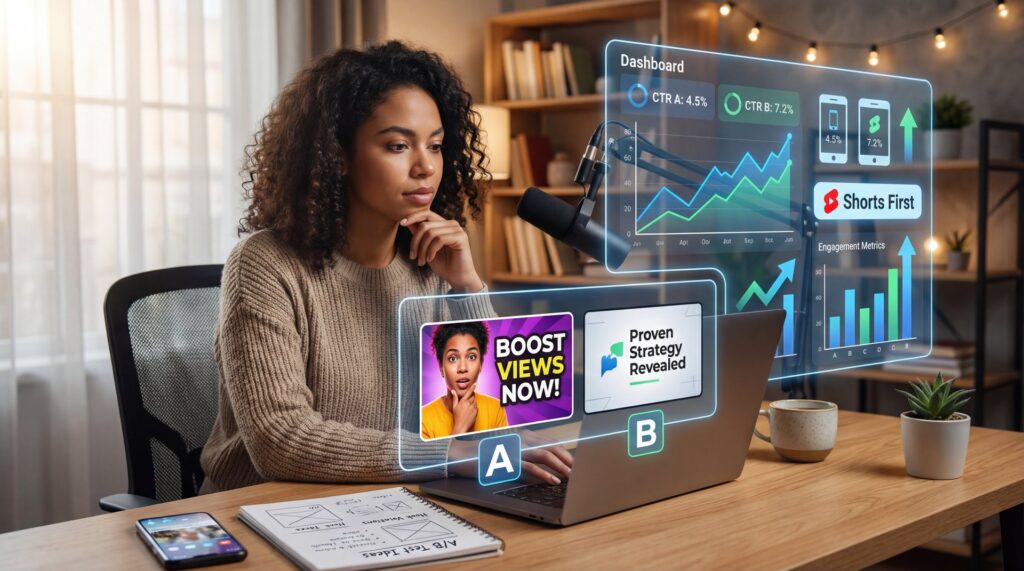
All right, so let’s talk about why your video might be flatlining even though the content is actually good. You spend hours—maybe days—editing the perfect video, you upload it, and… crickets. It’s frustrating, right? But here’s the thing: usually, it’s not the video itself that’s the problem. It’s the packaging—and that’s exactly where thumbnail A/B testing comes in.
Today we’re gonna go over the secret thumbnail A/B testing method that’s working right now in 2026. And I’m not talking about the old advice of just “making it pop.” I’m talking about a specific data-backed stratagy that uses the latest algorithm changes to your advantage.
See, back in the day, you could just slap a surprised face on a colorful background and call it a day. But now? The game has changed. With the 2025 Satisfaction-Weighted Discovery algorithm in full swing, YouTube isn’t just looking at clicks anymore. They’re looking at what happens after the click. If you get a high click-through rate (CTR) but people click off in ten seconds, the AI actually punishes you—which makes thumbnail A/B testing more critical than ever.
(You know what, scratch that.)
What Is Thumbnail A/B Testing in 2026?
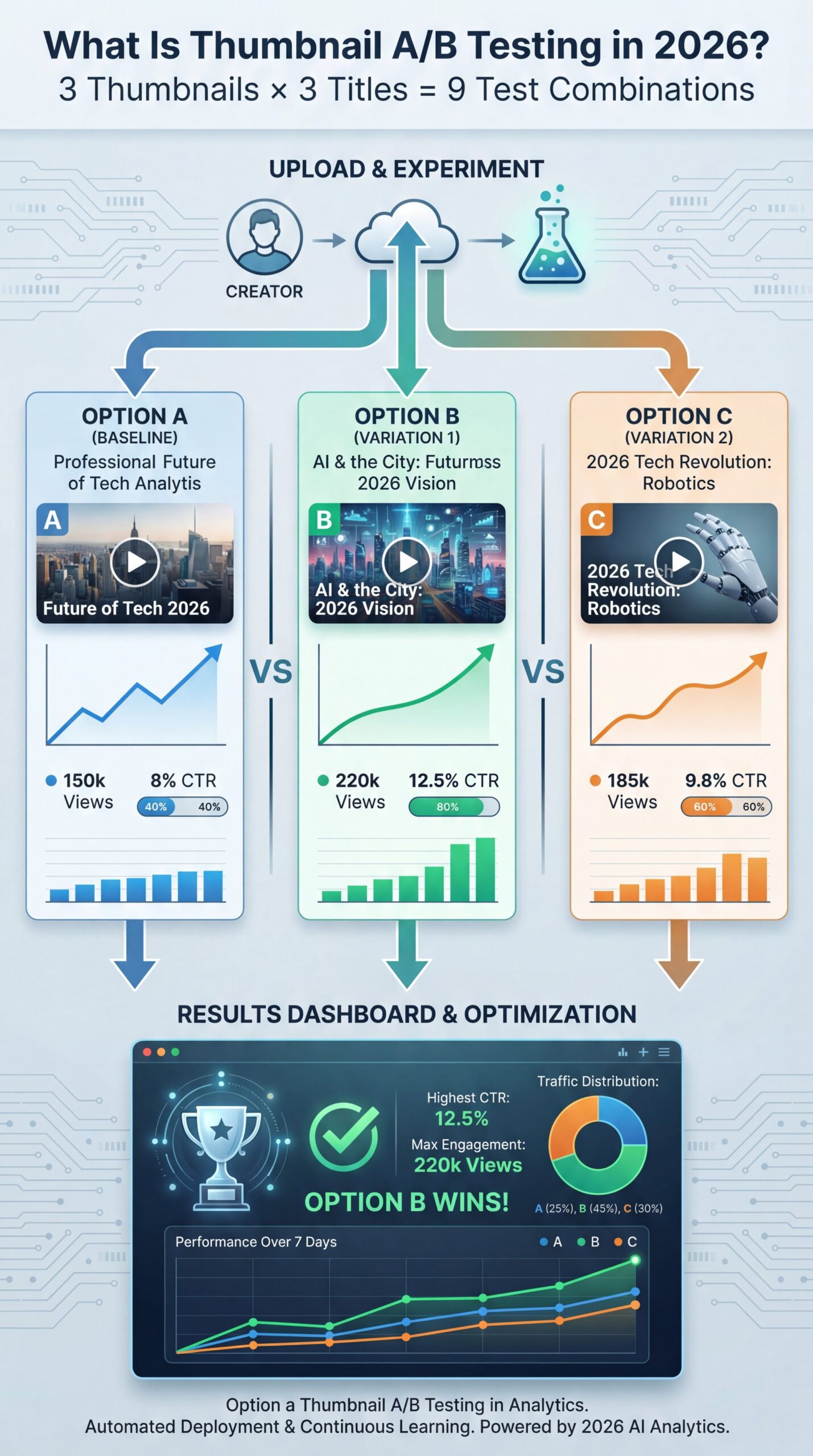
And that’s going to enable your thumbnail A/B testing of titles and thumbnails. Let me just walk through how good this tool is. It’s really going to give you an advantage over all the other channels that don’t have access to it because every video that you upload, you can add three different thumbnails and three different titles. Makes sense. Now, you don’t have to do three. You can just do two. So, it’s an A versus B test. And then now they’ve given us option to do three. So, it’s actually an A versus B versus C test, which is a really cool feature for you to use to test out what thumbnails your audience actually wants to click on. We can all create these ideas and think about what we think our audience is going to click on, but we’re never going to know until we actually test it with them and we get that real data back. Fair enough. That’s why I always say when you’re creating a new YouTube channel, it’s so so dead important to take more action than you think is reasonable. You might also find 3-Min AI YouTube Thumbnail Maker Secret Free helpful.
In 2026, YouTube’s native Test & Compare feature finally rolled out to more creators, allowing us to do proper thumbnail A/B testing with up to three thumbnails at once. But a lot of people are using it wrong. They throw up three random images and hope for the best.
What you actually wanna do with thumbnail A/B testing is test specific variables. I found that if you change too much at once (like the 🤷 background, the text. The facial expression, you won’t know what actually made the difference. It’s like trying to diagnose a wierd engine noise by replacing the spark plugs, the alternator, and the starter all at once.
How Algorithm Changes Impact Thumbnail A/B Testing
Here’s the deal with the 2026 algorithm. It processes about 80 billion signals every single day. And according to recent data from PostEverywhere.ai, 90% of top-performing videos use custom thumbnails. The impact of thumbnail is measurable. But the metric that matters now is “satisfaction.” You might also find YouTube Thumbnail A/B Testing Fails (Fix This Now) helpful.
YouTube is now predicting viewer surveys. If your thumbnail promises something the video doesn’t deliver, the AI frame-by-frame analysis picks up on that mismatch. I’ve seen channels get a 30% view count reduction even with a high CTR because the thumbnail was considered “misleading.”
Satisfaction Matters More Than Clicks
Did you know that the 2025 Satisfaction-Weighted Discovery algorithm can demote your video by 30% if viewers feel tricked? High CTR with low retention or bad survey feedback now hurts your channel long-term. Focus on honest, accurate packaging. Learn more about our features
So when we talk about A/B testing today, we aren’t just testing for clicks. No joke. We’re testing for the right clicks (the ones that lead to watch time).
Why Does Thumbnail A/B Testing Matter for Mobile?
Now, here’s a statistic that honestly blew my mind when I first saw it. 70% of YouTube views happen on mobile devices. That’s huge.
Think about it. Most of us design our thumbnails on a big 27-inch desktop monitor, so we’re zooming in, tweaking little shadows, making sure the hair looks perfect. But your viewer? They’re looking at a screen the size of a playing card.
(Trust me on this one.)
If your thumbnail doesn’t read clearly at that size, you’re losing 70% of your potential audience right out of the gate. That’s why I always check my thumbnails on my phone first. If I can’t read the text without squinting, I scrap it.
Mobile-First Design
Stick to 1280×720 pixels for your thumbnails. That’s the standard 16:9 ratio, and uploading a massive file just slows things down without helping on mobile screens. What you want to focus on is contrast and size.
I’ve noticed that thumbnails with human faces showing strong emotions boost CTR by 20-30% compared to neutral images. But on mobile, that face needs to be big, uncomfortably big when you’re editing it on your desktop. Bold, sans-serif fonts work best, and keep the text short. Three or four words max.
📊 The Mobile Impact (bear with me here)
Before: Detailed background, modest text, full-body shot. Result: 1.7% CTR on mobile devices.
After: Blurred background, 3-word bold text, zoomed-in emotive face. Result: 4% CTR on mobile.
Impact: A simple crop and text resize more than doubled the traffic from phone users.
How to Use the “Shorts First” Thumbnail A/B Testing Method
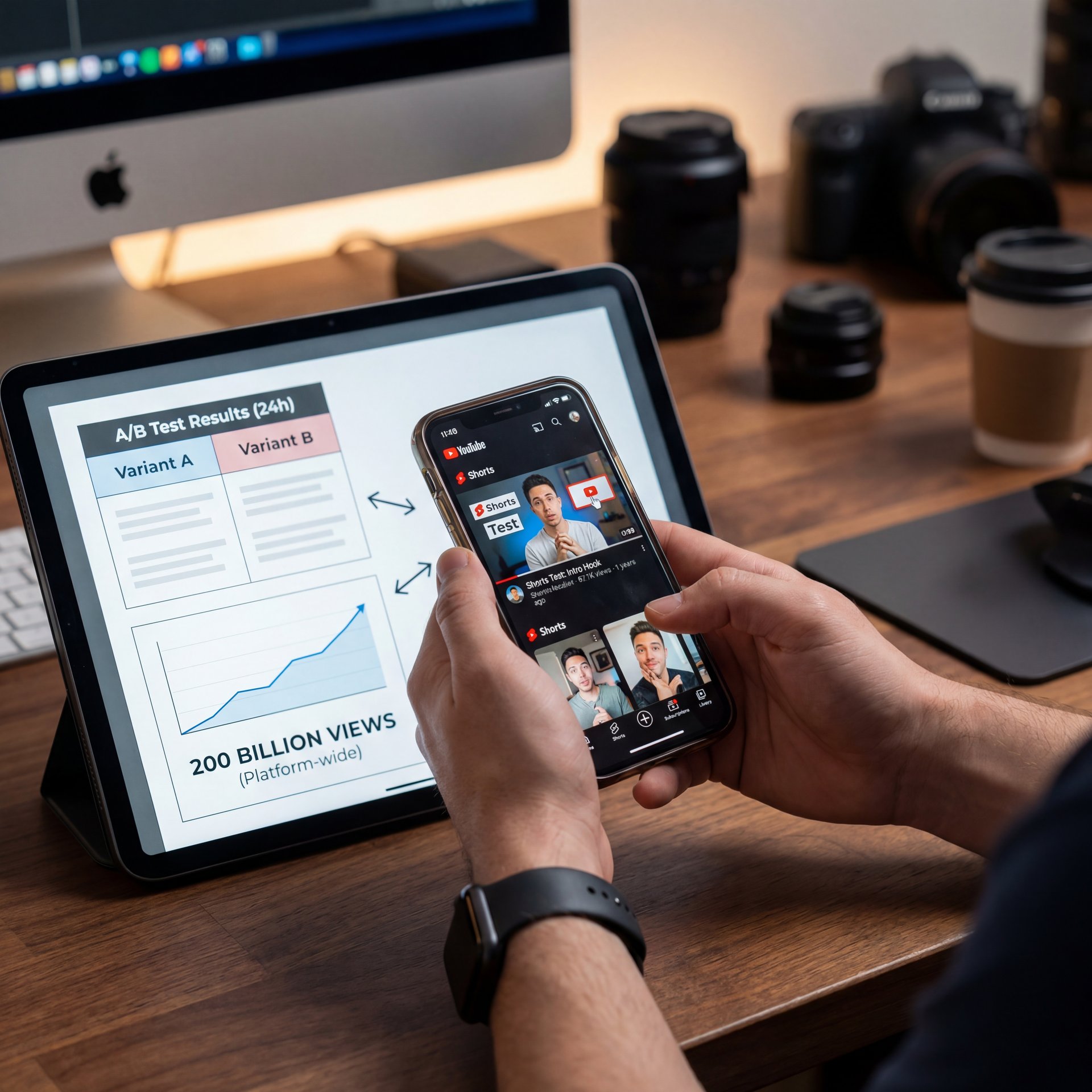
All right, so this is the “secret” part I mentioned earlier. Means this is the method that savvy creators are using in 2026 to garantee their long-form videos perform well. We call it the “Shorts First” testing ground.
Here’s the thing: YouTube Shorts are getting 200 billion views daily. that’s an insane amount of traffic. And the stakes are way lower. If a Short flops, it disappears from the feed in 24 hours and nobody cares, which means but if a long-form video flops, it hurts your channel’s momentum.
The Stratagy
So what you want to do is take your three best thumbnail concepts for your upcoming long-form video and turn them into Shorts covers. Worth it. Or even better, use the visual concept of the thumbnail as the “hook” (the first 3 seconds) of a Short.
Post three different Shorts, each featuring one of your thumbnail concepts or titles. See which one gets the most engagment (swipe-away rates and retention). The data from PostEverywhere.ai shows that successful thumbs on Shorts can feed into a 35-45% promotion uplift for your 30+ minute videos.
It’s like test-driving a car before you buy it. Why would you spend weeks on a video and then slap a random thumbnail on it? Use the 200 billion daily views on Shorts to prove your idea first.
💡 Use Shorts to Test Hooks
Don’t just guess which thumbnail concept works. Create 3 Shorts using your thumbnail imagery as the opening frame. The one with the highest retention and lowest swipe-away rate is your winner for the long-form video thumbnail.
Best Thumbnail A/B Testing Settings for Results (yes, really)
And that’s going to enable your AB testing of titles and thumbnails. Let me just spell out how amazing this tool is. It’s really going to give you an advantage over all the other channels that don’t have access to it because every video that you upload, you can add three different thumbnails and three different titles. Now, you don’t have to do three. You can just do two. So, it’s an A versus B test. And then now they’ve given us option to do three.So, it’s actually an A versus B versus C test. That Is a really cool feature for you to use to test out what thumbnails your audience actually wants to click on. We can all create these ideas and think about what we think our audience is going to click on, but we’re usually going to know until we actually test it with them and we get that real data back. Simple as that. That’s why I always say when you’re creating a new YouTube channel, it’s so so important to take more action than you think is reasonable.
I see a lot of people mess this up. They run a test for like two hours, see one thumbnail is ahead by 0.1%, and end the test. That is not how statistics work.
Duration and Data
You need a statistically significant sample size. According to PodcastVideos.com, you really need to let these tests run for 3 to 14 days, or at least until you hit 1,000 impressions. I remember reading a go over from a TubeBuddy user who said, “Tests ran 48 hours, but patterns flipped.” But honestly, that’s just how audiences work. Saturday viewers might like different things than Tuesday viewers.
The Setup Process
Here’s exactly how I set up a test to make sure the data is actually useful:
Create Variations
Design 3 distinct thumbnails. Make one “safe” (standard style), one “bold” (high contrast/emotion), and one “wild card” (different angle or concept).
Isolate Variables
Try to change only one major element at a time if possible. If you change the text, keep the image the same.
Set Duration
Set the test to run for at least 7 days or until 2,500 impressions. This accounts for weekday vs. weekend viewing habits.
Analyze Watch Time
Don’t just look at CTR. Look at Average View Duration (AVD). If Thumbnail B has a lower CTR but higher AVD, it’s actually the winner because the algorithm prefers it.
Common Thumbnail A/B Testing Mistakes That Kill Views
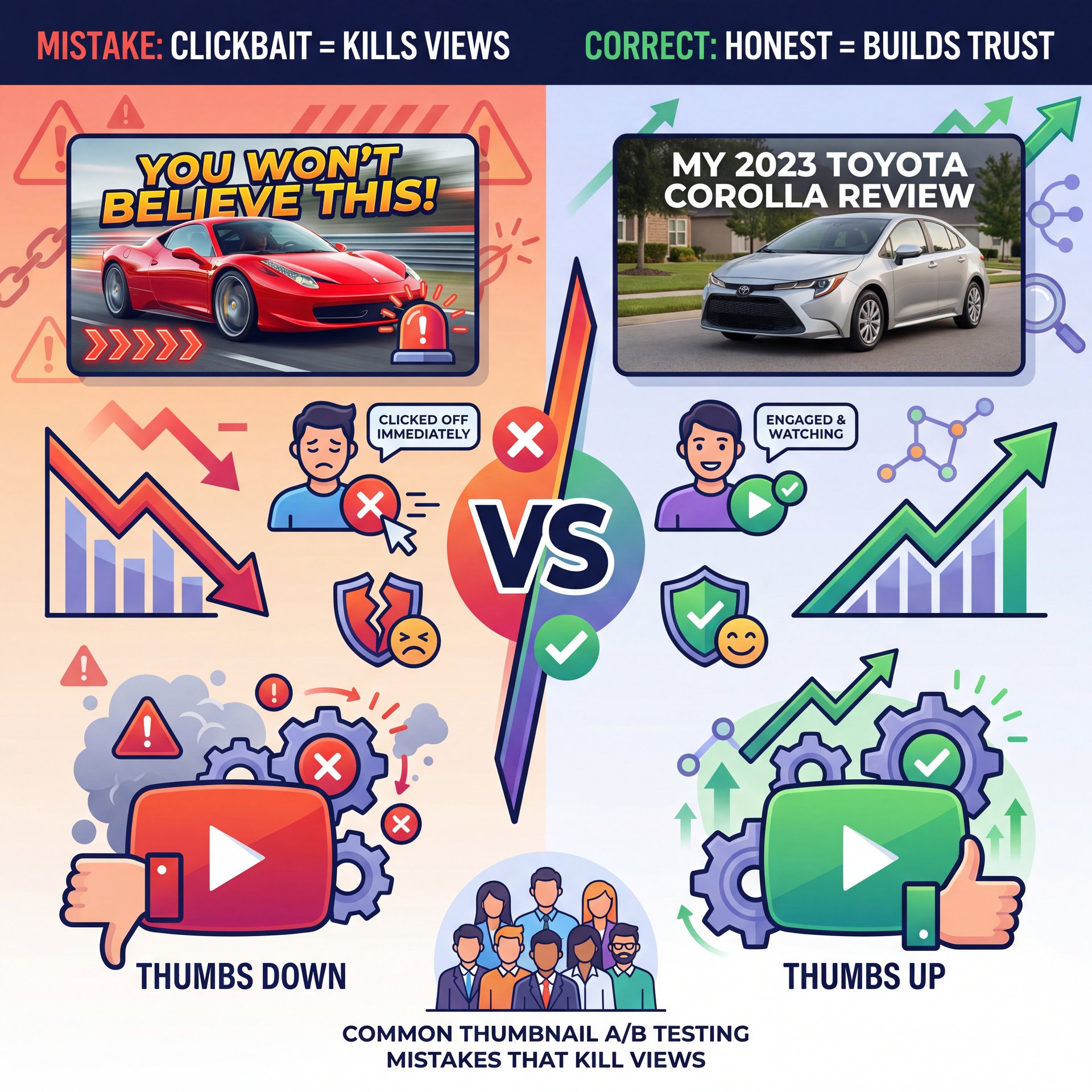
Now, let’s talk about where things go south. I’ve made plenty of mistakes myself, and I’ve seen clients do the same. The biggest one? Clickbait.
(Real talk for a second.)
I know, I know. “But clickbait gets clicks!” Sure, it does. But remember that Satisfaction-Weighted Discovery algorithm we talked about? If you put a picture of a Ferrari in the thumbnail but the video is about a Toyota Corolla, people are going to click off straight away. That tells YouTube, “Hey, this video is garbage.”
The “Bait and Switch” Trap
Misleading thumbnails trigger what’s called a “completion drop.” studies show a 42% drop in completion rates for videos with misleading thumbs. And once that happens, YouTube stops recommending your video. It’s better to have, a slightly lower CTR with a high retention rate than a massive CTR that crashes your retention.
Ignoring the “Gray Zone”
Another mistake is obsessing over tiny differences. If Thumbnail A has a 4.2% CTR and Thumbnail B has a close to 4% CTR, there is no winner. That’s statistical noise. Seriously. In my experience, unless you see a difference of at least 15-20%, it’s not worth stressing over.
Not Testing Titles
Here’s the thing: the thumbnail and the title work together. They’re a team. You can’t test a thumbnail in a vacuum. If your title is “How to Fix a Leaky Faucet” and your thumbnail is a picture of a cat, it doesn’t matter how cute the cat is. When you run your A/B tests, make sure your title supports the image.
How to Get Started with Thumbnail A/B Testing
So, where do you go from here? You want to start testing, but maybe you don’t have access to the advanced features yet or you’re just overwhelmed by the options.
For Beginners
If you’re just starting out. maybe you have less than 1,000 subscribers. Not kidding.. you might not have the Test & Compare feature yet. That’s okay. You can do manual testing. Upload a video with Thumbnail A, wait 48 hours, check the CTR, then swap it to Thumbnail B. It’s not perfect, but it gives you a baseline.
Also, focus on getting your designs right first. A bad design tested against another bad design just gives you a “best of the worst” result. You need good inputs to get good outputs.
For Creators and Pros
If you’re posting regularly. like 3 times a week. you should probablyols. Channels uploading that frequently grow 8 times faster, but only if they’re optimizing. You should be using YouTube’s built-in tools if you have them, and if not, third-party tools like TubeBuddy are worth it for the automation alone.
And for the actual creation? You don’t want to SPEND hours making three variations of every thumbnail. That’s where AI comes in handy.
🔧 Speed Up Your Workflow
Creating 3 variations for every video is exhausting if you do it manually. Banana Thumbnail generates multiple AI-optimized variations in seconds, giving you high-quality options to feed into your A/B tests straight away.
The Bottom Line
Look, the days of guessing are over. The data is there. The tools are there. And honestly, the competition is fierce. With 500 hours of video uploaded every minute, you can’t afford to leave your CTR to chance.
Start small. Test your next video. Use the Shorts method if you want to be safe. But just start testing. Because I promise you, that 2% lift in CTR could be the difference between 1,000 views and 100,000 views.
Frequently Asked Questions
What are the most effective thumbnail designs for YouTube in 2026?
The best designs in 2026 use high-contrast imagery, bold sans-serif text (3-4 words max). Human faces showing strong emotion, which can boost CTR by 20-30%. Mobile optimization (1280×720) is critical since 70% of views come from mobile devices.
How does YouTube’s Test & Compare feature work?
This native feature allows eligible creators to upload up to three thumbnail variations for a single video. YouTube shows these variations to different audience segments equally until a statistically significant winner emerges based on watch time share.
What are the best practices for A/B testing on YouTube?
Run your tests for at least 3 to 14 days or until you reach 1,000+ impressions to ensure the data is reliable. Test one major variable at a time (like the text or the main image) so you know exactly what caused the change in performance.
How do thumbnails impact click-through rates on YouTube?
Thumbnails are the primary driver of CTR; 90% of top-performing videos use custom thumbnails. A well-optimized thumbnail can increase CTR significantly (e.g., from 2% to five%), which signals the algorithm to recommend the video to a broader audience.
What tools are recommended for YouTube A/B testing?
Besides YouTube’s native Test & Compare tool, TubeBuddy and ThumbnailTest.com are popular for running automated A/B tests. For creating the actual thumbnail variations quickly, AI tools like Banana Thumbnail are highly effective.
What are the most effective thumbnail designs for YouTube in 2026?
The best designs in 2026 use high-contrast imagery, bold sans-serif text (3-4 words max). Human faces showing strong emotion, which can boost CTR by 20-30%. Mobile optimization (1280×720) is critical since 70% of views come from mobile devices.
How does YouTube’s Test & Compare feature work?
This native feature allows eligible creators to upload up to three thumbnail variations for a single video. YouTube shows these variations to different audience segments equally until a statistically significant winner emerges based on watch time share.
What are the best practices for A/B testing on YouTube?
Run your tests for at least 3 to 14 days or until you reach 1,000+ impressions to ensure the data is reliable. Test one major variable at a time (like the text or the main image) so you know exactly what caused the change in performance.
How do thumbnails impact click-through rates on YouTube?
Thumbnails are the primary driver of CTR; 90% of top-performing videos use custom thumbnails. A well-optimized thumbnail can increase CTR significantly (e.g., from 2% to five%), which signals the algorithm to recommend the video to a broader audience.
What tools are recommended for YouTube A/B testing?
Besides YouTube’s native Test & Compare tool, TubeBuddy and ThumbnailTest.com are popular for running automated A/B tests. For creating the actual thumbnail variations quickly, AI tools like Banana Thumbnail are highly effective.
Related Videos

Related Content
For more on this topic, check out: thumbnail
Listen to This Article