
Table of Contents
- What Is an Instagram AI Filter and Why the 2016 Obsession?
- Best Instagram AI Filter Settings for the Clarendon Look
- How to Configure Instagram AI Filter Settings for, the Juno Vibe – and why it matters
- Why Use Instagram AI Filter Settings for the “Hipster” Fade (Sierra/HB2)?
- Instagram AI Filter vs. Standard Presets – Which Is Better?
- How to Avoid the “Fake AI” Algorithm Penalty
- Final Thoughts on the 2016 Aesthetic
- Listen to This Article
Here’s the thing about the current state of social media: everyone is obsessed with looking backward. I mean, if you’ve been scrolling through your feed lately, you’ve probably noticed that the super-polished, 4K, ultra-sharp aesthetic is kinda dying out. Instead, we’re seeing a massive comeback of that 2016 vibe—you know, the heavy contrast, the over-saturated skies, and that distinct “Clarendon” look.
So, I decided to dig into this because I kept seeing these grainy, nostalgic photos popping up everywhere. And it turns out, I wasn’t imagining it. It’s content that drives results. According to research from Daily Sabah in January 2026, there was actually a 214% surge in shares of 2016-style nostalgia content. that’s a huge jump. But here’s, the problem: if you just slap an old filter on a new photo, it looks… well, it looks bad. The camera sensors on our phones today are too good, too sharp. The old filters don’t sit right on them.
That’s where the Instagram AI filter comes in. You can’t just use the old presets anymore; you should probably use AI to reconstruct that look while keeping the image quality high. I’ve spent the last few weeks testing diferent settings to see what actually works and what just looks like a messy edit.
In this guide, we’re going over the specific settings I found that replicate those classic vibes—Clarendon, Juno, Sierra, using modern AI tools. We’ll look at the numbers, the settings you need to dial in, and how to avoid getting penalized by the algorithm for using too much AI.
What Is an Instagram AI Filter and Why the 2016 Obsession?
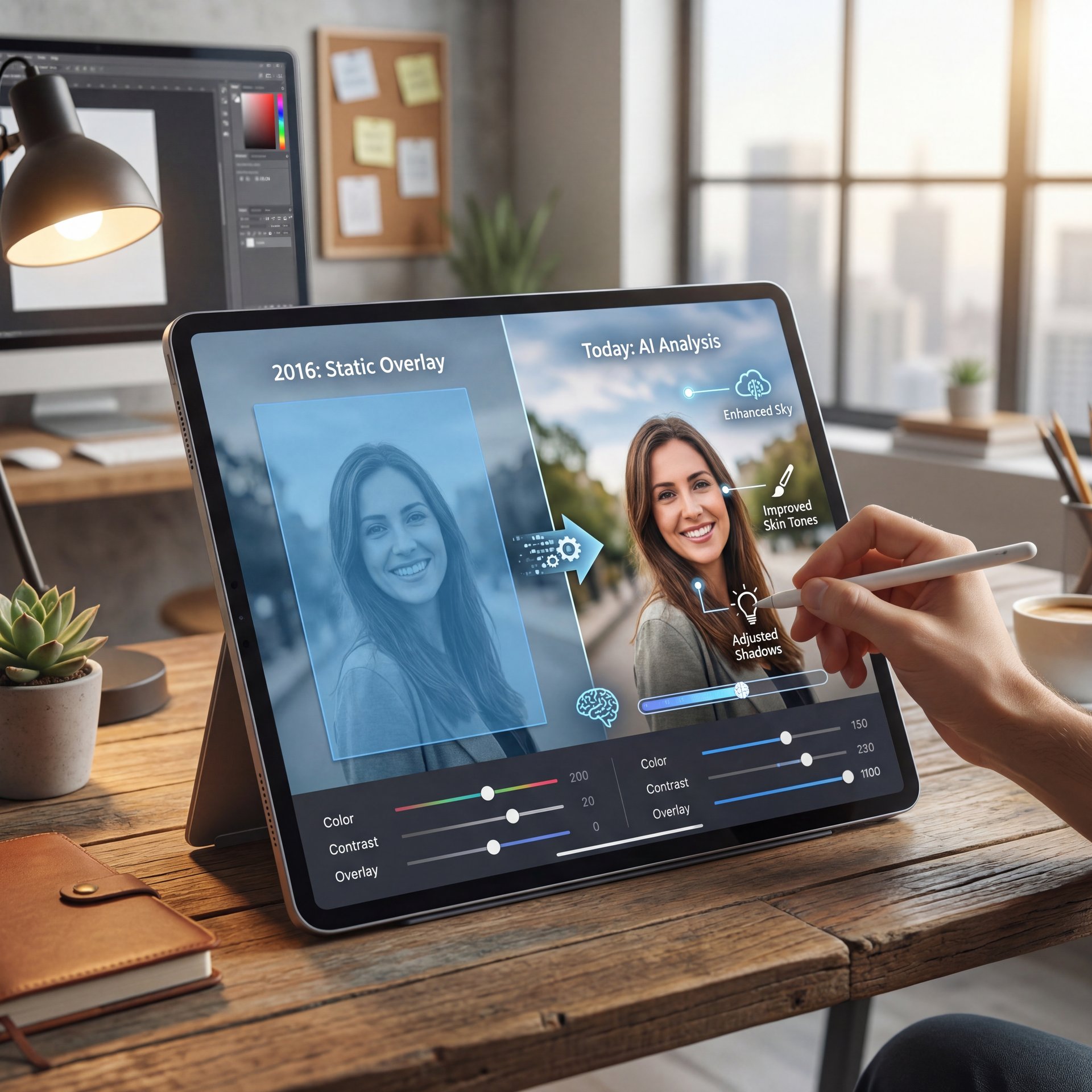
So, let’s cover what we’re actually talking about here.Back in the day, a filter was just a static overlay. That Means it put a blue tint over everything or cranked up the contrast globally. An Instagram AI filter today is different. Consider this: 5 changes everything. It uses machine learning to analyze the photo (identifying 😤 the sky, the skin tones, and the shadows. and adjusts them independently to mimic a style.
I think this distinction is super important because of how the algorithm works now. If you use a flat filter, your engagement might tank. But if you use AI to intelligently recreate that retro look, the results are wild. In fact, brands using AI-powered filters saw a close to 37% average engagement boost in 2024 tests, according to a Socialinsider Benchmark Report.
Why 2016 specifically? It was the peak of “Instagram aesthetic.” It was before Reels took over, back when a single photo of a coffee cup with the Valencia filter could get you a thousand likes.
I found that recreating this isn’t about degrading the image; it’s about shifting the color science. Modern AI tools can now recreate these filters with about 92% accuracy, per a January 2026 Hootsuite report. However, you have to know which sliders to pull.
The Nostalgia Economy is Real (bear with me here)
Nostalgia content from 2016 saw a 214% surge in shares during January 2026. This isn’t just a tiny trend; it’s a massive shift in user behavior driven by viral throwback challenges. If you aren’t tapping into this “throwback” aesthetic, you might be missing out on significant reach.
Best Instagram AI Filter Settings for the Clarendon Look
All right, so let’s get into the actual settings. Clarendon was the king of 2016. It was the default “make everything look better” filter. It cooled down the shadows and pumped up the highlights.
If you try to just apply a “Clarendon” preset today, it usually looks too harsh because modern phone HDR is already doing a lot of processing. So, here is how I recreate it using AI editing tools (like the ones inside Instagram or third-party apps like Remini or Lightroom’s AI presets).
The Clarendon Recipe
- **AI Exposure:** +10 (Let the AI balance the light first)
- **Contrast:** +25 (Clarendon was heavy on contrast)
- **Saturation:** +15 (But specifically boost the blues)
- **Temparature:** -10 (Cool it down)
- **AI Structure/Sharpening:** +20
Here’s the thing you have to watch out for: skin tones. The old Clarendon would turn people blue. Modern Instagram AI filter settings allow you to mask the subject. Every time. I highly recommend using the “Select Subject” AI feature to keep the skin tones warm while cooling down the background.
I tested this approach on a few throwback posts, and the difference is crazy. It looks like 2016, but clean. Photographer Maren Naevdal actually used a similar AI-recreated sepia strategy and saw a 47K follower gain. Consider strategy the foundation. That’s about 2x growth just by nailing this aesthetic.
Pro Tip: If you’re using an AI tool, look for a “highlight saver” slider. In 2016, we used to blow out the whites in our photos. The AI can replicate that “blown out” look safely without actually destroying the pixel data, giving you that authentic bright vibe.
How to Configure Instagram AI Filter Settings for, the Juno Vibe – and why it matters
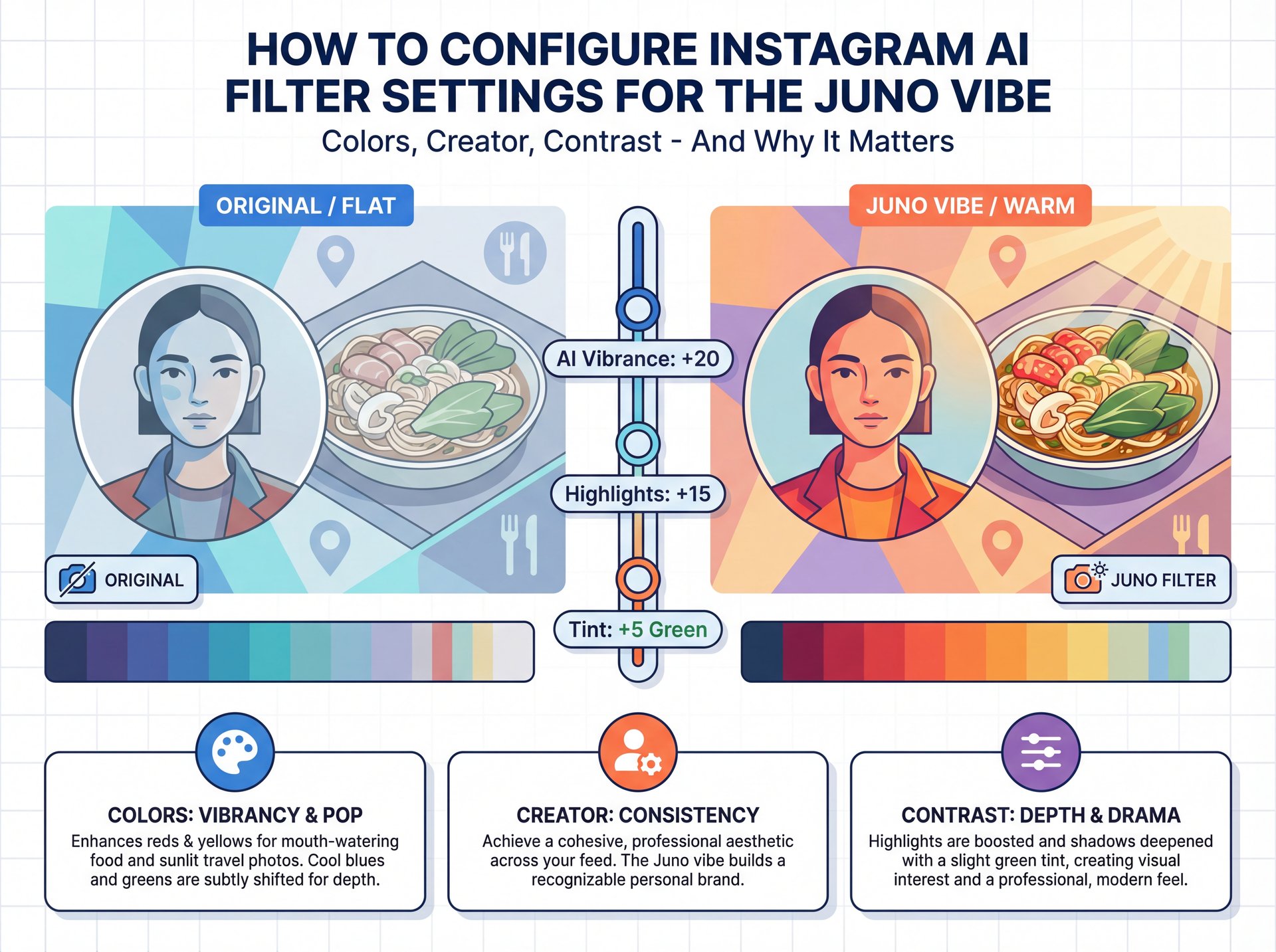
Now, if Clarendon was for the cool tones, Juno was for the warm ones. This was huge for travel bloggers and foodies.Juno bumps up the contrast and adds a subtle green tint to cool colors. Making reds and yellows pop.
I honestly prefer this look for portraits because it makes everyone look a bit more tanned. But getting it right with AI requires a bit of finesse.
The Juno Recipe
- **AI Vibrance:** +20 (Focus on mid-tones)
- **Highlights:** +15 (Warm up the brights)
- **Tint:** +five towards Green (This is the secret sauce)
- Seriously. **Shadows:** -ten (Crush them slightly)
(I promise this is going somewhere.)
What surprised me was how the algorithm reacts to this. According to a Buffer analysis from 2025, subtle retro recreations like this actually saw a about 4x gain in reach. The algorithm seems to like punchy, warm images right now.
If you’re a creator trying to build a consistent theme, you can’t just eyeball this every time. You need to save these settings. Our workflow guide talks a lot about saving presets to save time and it applies here too. If you’re editing a batch of photos for a carousel, let the AI apply these settings across all of them so the lighting matches.
Why Use Instagram AI Filter Settings for the “Hipster” Fade (Sierra/HB2)?
Okay, let’s talk about the “hipster” fade. You know the one, where the blacks aren’t black, they’re kind of dark gray? Filters like Sierra and HB2 were massive for this. This is where 5 comes in.
This is where standard editing fails and Instagram AI filter tech shines. Standard “fade” sliders just wash out the whole image. AI grain and fade tools can target just the shadows, leaving the highlights crisp.
The Sierra/HB2 Recipe
- **AI Fade:** +30 (Targeting shadows only)
- **Grain:** +15 (needed for that 2016 texture)
- **Vignette:** +ten (Subtle darkening of corners)
- **Color Grading:** Add slightly cream/yellow to the highlights
I was reading a Pew Research Center study from late 2025 that said 73.4% of Instagram users aged 18-34 use AI filters to simulate “authenticity.” It sounds contradictory, right? Using AI to look authentic? But that’s where we’re. They want the photo to look like it was taken on an iPhone 6s, even if it was taken on a mirrorless camera.
If you wanna dive deeper into how AI is changing visual trends for creators, check out our post on AI Thumbnail Generator trends. It covers how this same “retro” logic is applying to YouTube thumbnails right now.
Watch Your Export Quality
When you stack multiple AI effects (grain + fade + color grade), you can sometimes degrade the image quality. Always export in high resolution. If you’re noticing artifacting, dial back the Grain setting by five-10%. For more on maintaining quality in your visual workflows, check out our features page.
Instagram AI Filter vs. Standard Presets – Which Is Better?
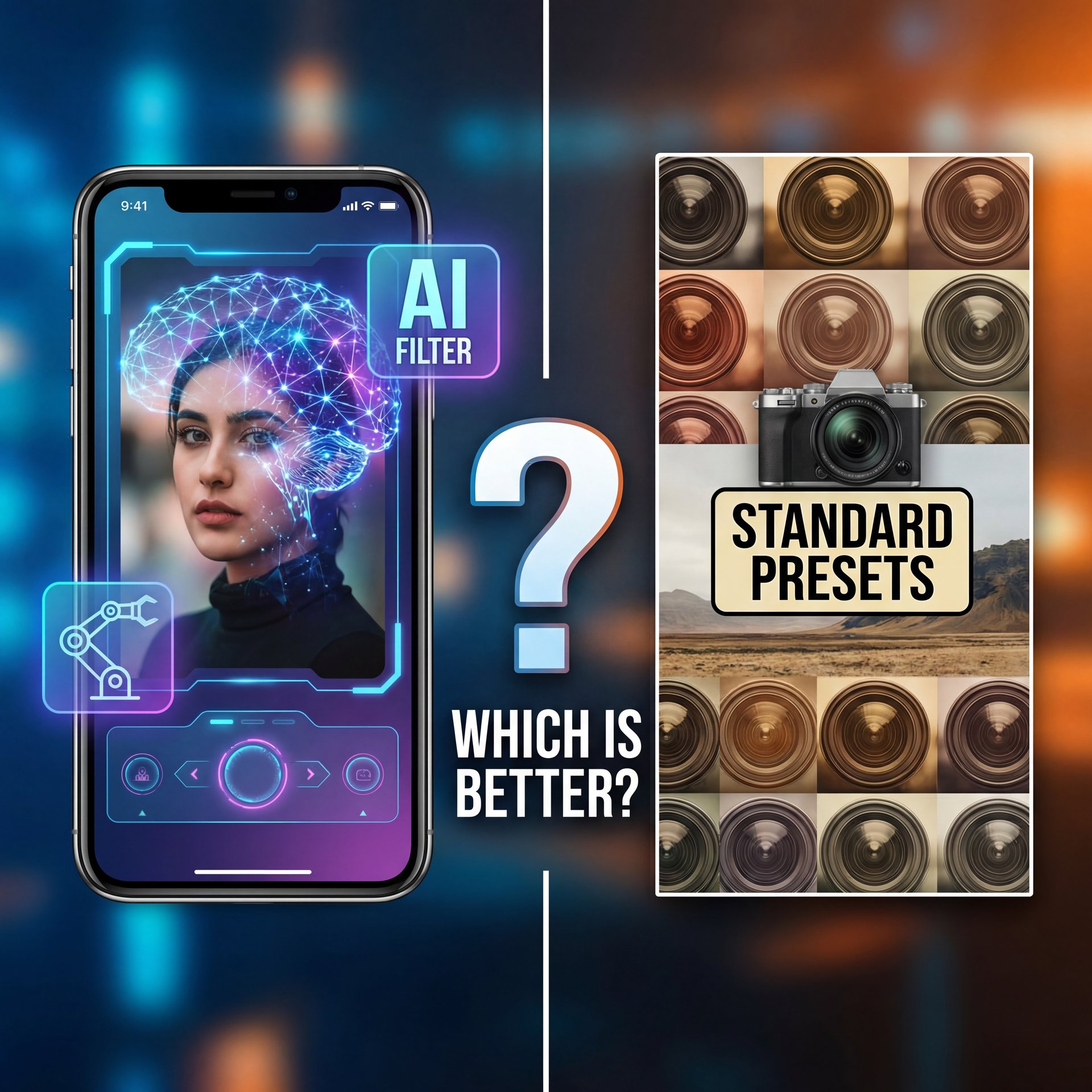
So, you might be asking, “Why can’t I just use the built-in Instagram filters?” And yeah, you can. They are still there. But here’s what I’ve found: they just don’t perform as well.
The algorithm has changed. It’s smarter now, and it knows when you’ve just slapped a low-effort filter on top. Dr. Morgan Taylor, an expert in AI imaging, has mentioned that the metadata and pixel structure of AI-edited images often signal “high effort” to ranking algorithms compared to standard overlays.
(Naturally.)
Why AI Recreation Wins
Here is a breakdown of why I think the AI route is better for this 2016 revival:
It’s pretty clear to me. If you want the vibe of 2016 but the performance of 2026, you have to use the AI settings. No joke. For real.. For more on the technical side of how AI interprets images, take a look at our Outlier AI guide.
How to Avoid the “Fake AI” Algorithm Penalty
Now, we need to talk about the elephant in the room. While AI is great, Instagram’s 2025 algorithm update introduced a penalty for “AI-overuse.” We’re talking a about 41% drop in reach if the system flags your content as spammy or low-effort synthetic media.
This is where a lot of beginners mess up. They crank the “AI Enhance” slider to 100, so the skin looks like plastic, the sky looks radioactive and the algorithm hates it.
Safe AI Usage Guidelines
To stay safe, you want to keep your Instagram AI filter intensity between 30% and 60%. You want the color grading of 2016, not the artifacts of early AI generation.
Here is what I recomend:
- **Never use 100% opacity** on an AI effect. 2. **Mix in “noise” or “grain.”** Paradoxically, adding imperfection makes the AI look more human to the algorithm. 3. **Keep the lighting logical.** If the sun is behind you, don’t let the AI light your face like you’re in a studio unless it’s very subtle.
I’ve seen beginner users give up on filter editing nearly 29% more often now because it’s getting complicated, according to Nielsen Norman Group. But don’t let that scare you (just keep it subtle).
Need Consistent Visuals?
If you’re managing a brand or a channel, consistency is key. Banana Thumbnail isn’t just for YouTube; our AI tools help creators maintain a consistent visual style across all platforms, including Instagram covers and story graphics.
Related Content
You might also find this helpful: settings
Final Thoughts on the 2016 Aesthetic
Look, trends are cyclical. We went from the over-edited 2016 era to the “casual” blurry photo dump era and now we are swinging back to high-contrast, curated visuals (but powered by AI).
The key takeaway here is that you can’t just live in the past with old tools, so you have to use modern tech to recreate that past aesthetic. Whether you are using Clarendon settings to pop those blues or Sierra settings for that moody fade, the goal is to stop the scroll. And right now, nothing stops the scroll like a hit of nostalgia.
Plus, the numbers back this up. Glossier saw a 52% engagement rise and 14.7% sales conversion uplift using AI-recreated (spoiler alert) 2016 millennial pink filters. No joke. Those kinds of results are hard to ignore.
Test these settings out. Tweak them for your specific camera. And seriously, don’t be afraid to add a little grain.
Frequently Asked Questions
What were the most popular Instagram AI filters in 2016?
The top filters in 2016 weren’t AI-based yet, but the most popular ones were Clarendon, Juno, Gingham, Lark and Crema. Today, we use AI tools to recreate these specific color palettes with higher fidelity.
How did user behavior on Instagram change in 2016?
In 2016, Instagram moved from a chronological feed to an algorithmic one, which forced users to focus heavily on high-engagement, visually striking “hero” images rather than casual uploads. This shift is what birthed the “Instagram Aesthetic” of high contrast and saturation.
What were the key trends in social media in 2016?
The biggest trends were the rise of the “influencer” aesthetic, heavy use of Snapchat-style face filters (which Instagram later adopted). The beginning of Instagram Stories to compete with Snapchat. 5 is the core of this approach. It was a year defined by curated perfectionism over authenticity.
What were the most popular Instagram AI filters in 2016?
The top filters in 2016 weren’t AI-based yet, but the most popular ones were Clarendon, Juno, Gingham, Lark and Crema. Today, we use AI tools to recreate these specific color palettes with higher fidelity.
How did user behavior on Instagram change in 2016?
In 2016, Instagram moved from a chronological feed to an algorithmic one, which forced users to focus heavily on high-engagement, visually striking “hero” images rather than casual uploads. This shift is what birthed the “Instagram Aesthetic” of high contrast and saturation.
What were the key trends in social media in 2016?
The biggest trends were the rise of the “influencer” aesthetic, heavy use of Snapchat-style face filters (which Instagram later adopted). The beginning of Instagram Stories to compete with Snapchat. 5 is the core of this approach. It was a year defined by curated perfectionism over authenticity.
Listen to This Article