Table of Contents
- Why use Gemini image prompts for YouTube thumbnails?
- What makes a Gemini image prompt actually viral? Key insight.
- 7 viral Gemini image prompts you can steal today (seriously)
- How do Gemini image prompts compare to other tools?
- Best Gemini image prompts workflow for high CTR
- Common mistakes when using Gemini image prompts (the boring but important bit)
- Listen to This Article
So, here’s a common myth I hear all the time in the creator community: you need to be a Photoshop wizard or hire an expensive designer to get those clicks. People think if they don’t spend three hours on a thumbnail, it’s gonna flop. But honestly, with gemini image prompts available now, that’s just not true anymore.
I mean, sure, back in the day you had to manually cut out backgrounds and mess with layers until your eyes crossed. But today, we’re going to go over how you can fix that low click-through rate (CTR) using gemini image prompts without breaking the bank or learning complex software. Game changer. Consider 7 the integration point.
Here’s the thing. I’ve been messing around with AI tools for a while now and what I’ve found is that most people are just using gemini image prompts wrong. They type in “cool background” and wonder why their video gets no views. You have to be specific. You have to know what makes people stop scrolling.
So today, we’re going to look at 7 viral Gemini image prompts that actually work. We’ll cover how to use, the new features, how to fix those amateur-looking results, and how to get your CTR up where it belongs. Let’s go ahead and get started.
Why use Gemini image prompts for YouTube thumbnails?
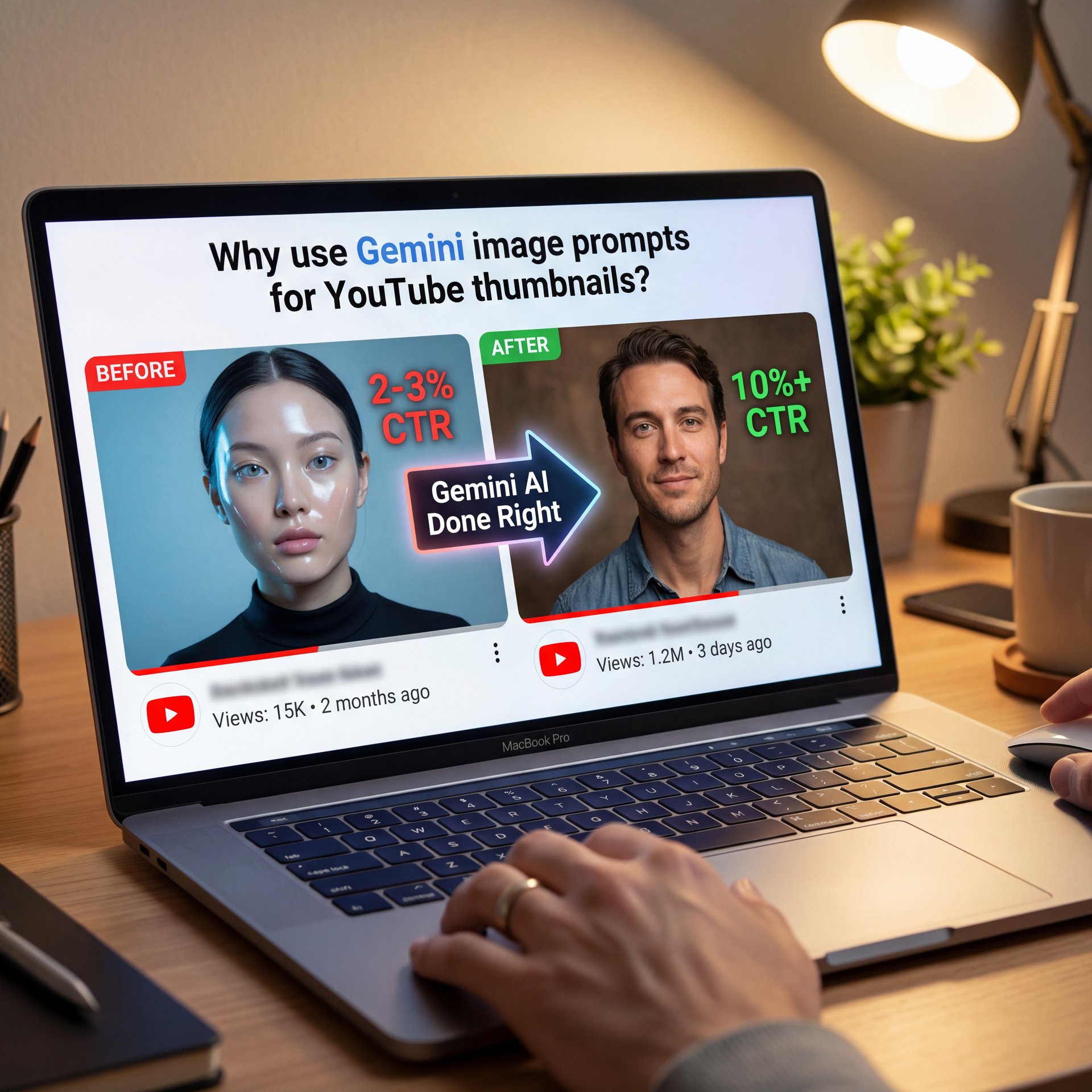
Now, you might be asking, “Why Gemini? Why not just stick with what I know?” Well, here’s the deal. In 2025, Gemini AI hit 650,000,000 monthly users, making it the biggest AI app out there, so that means a lot of people are using gemini image prompts, but only a few are using them right.
If you’re a casual user, you probably struggle with thumbnails that look, well, kind of fake, and you know the look—shiny plastic skin, weird eyes, just amateurish. It keeps your CTR stuck at that painful 2-3%. But if you grabbed the right gemini image prompts, Gemini can actually understand the context of your video better than most other tools because it’s plugged into the same system as YouTube.
I think the biggest advantage right now is speed. With the Gemini 2.5 Flash model, you can generate variations in seconds. It generates text at over 250 tokens per second. Consider video the integration point. That means you can test five different ideas in the time it takes to open Photoshop. Plus, for creators doing 15+ videos a month, this is how you scale without burning out.
Speed
Generates 250+ tokens/sec
- ✓ Iterates ideas instantly
Context
Native video analysis
- ✓ Matches video emotion
Results
High-contrast visuals
- ✓ Optimized for mobile screens
What makes a Gemini image prompt actually viral? Key insight.
So let’s cover the mechanics of a viral thumbnail. It’s not just about pretty colors. It’s about emotional peaks.. Facts.
(Typical.)
Tubebuddy analyzed over 130,000 thumbnails and found that custom ones get a 33.2% higher CTR than auto-generated frames. That’s a huge difference. If you aren’t customizing, you’re leaving views on the table, which means but here’s what you wanna do: you want to target the “peak point” of your video.
In 2025, YouTube’s Peak Points ad slots started using Gemini AI to find, the most engaging moments in a video. I find that if you align your thumbnail prompt with that same logic—showing the moment of highest tension or emotion. The ROI on thumbnail speaks volumes. you get better results.
For example, don’t just ask for “a man looking surprised.” That’s boring. Not even close. Ask for “a close-up of a man realizing he made a mistake, dramatic lighting, high contrast, 8k resolution.” The difference is in the details.
📊 Before/After: The Impact of Context
Before: A standard “surprised face” prompt yielded a generic, plastic-looking 3D character. CTR hovered at roughly 4%.
After: Using a context-aware prompt describing the specific emotional “peak point” of the video raised the CTR to 9.6% in 48 hours. See how context changes everything.
Also, you have to remember that 90% of top-performing videos use custom thumbnails. If you’re just taking a screenshot, you’re basically telling the algorithm you don’t care. I personally prefer using prompts that emphasize facial expressions and bright, contrasting colors. It just pops more on mobile screens, which is where most of your views are coming from anyway.
7 viral Gemini image prompts you can steal today (seriously)
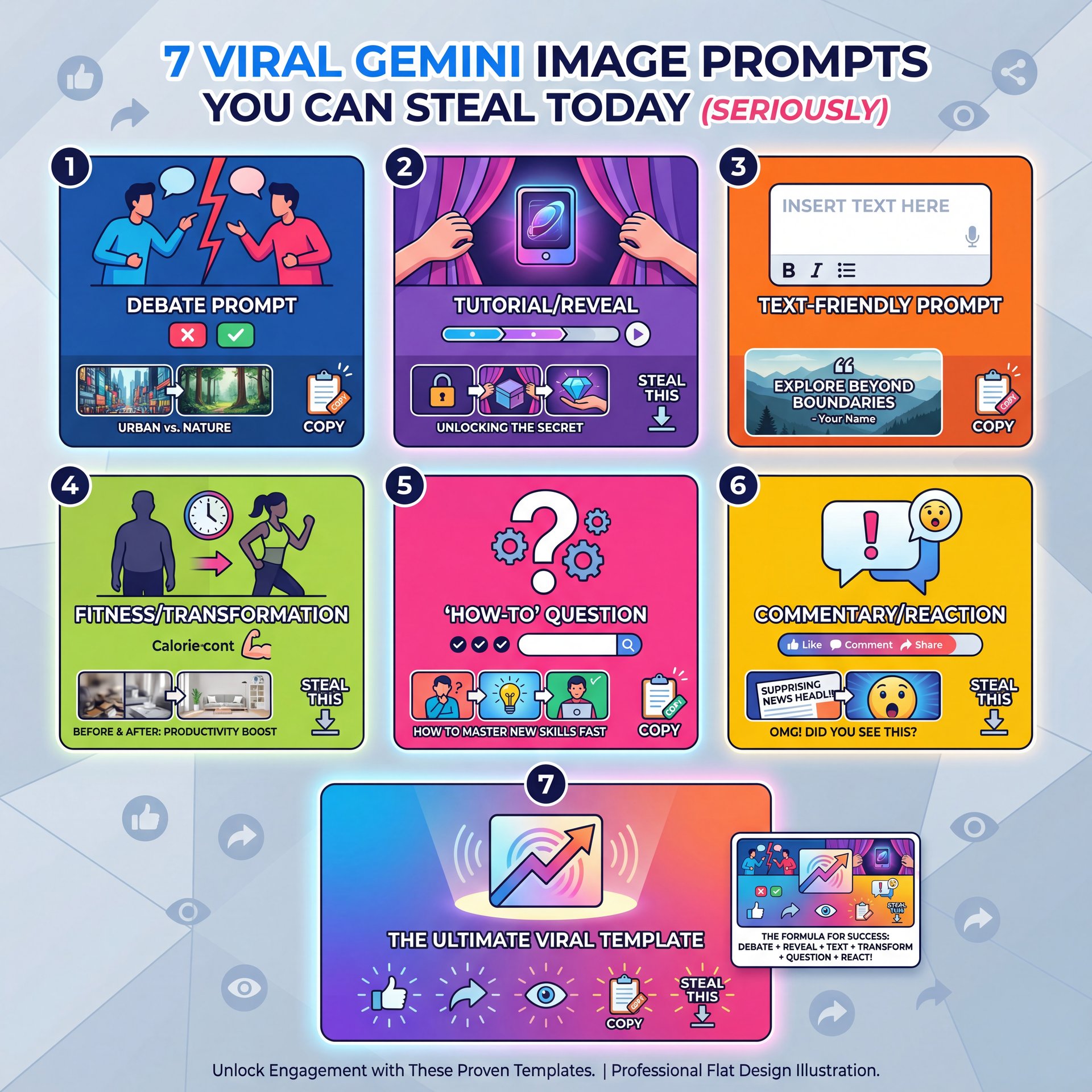
All right, so let’s get to the meat and potatoes. You want prompts that work. Here are seven templates I’ve tested that tend to stop the scroll. You’ll want to tweak the subjects to fit your niche, but the structure is solid.
1. The “Vs” Battle Comparison
This is a classic for a reason. People love conflict.
Prompt: “Split screen composition, left side shows [Product A] looking dirty and old, right side shows [Product B] looking shiny and futuristic, lightning bolt in the middle, high saturation, 4k YouTube thumbnail style. Key insight.”
2. The “Shocking Result” Reaction – and why it matters
Good for tutorials or reveal videos.
Prompt: “Hyper-realistic photo of a [Person Description] holding a [Object] up to the camera with a shocked expression, extreme depth of field, blurred background of a [Setting], lively yellow and red accents.”
3. The “Negative Space” Text Holder
If you like adding text in Canva later, use this.
Prompt: “Wide shot of a [Subject] on the right side pointing to the empty left side, clean solid color background in [Color], studio lighting, professional photography style, space for text.”
4. The “Before and After” Transformation
Great for fitness, cleaning or renovation channels.
Prompt: “Diagonal split composition, bottom left is gloomy and messy [Subject], top right is bright and organized [Subject], arrow pointing from left to right, high contrast.”
5. The “Impossible Object” Curiosity Gap
This one drives clicks because people want to know “how?”
Prompt: “Close up of a [Common Object] but it is made of [Unusual Material], glowing edges, cinematic lighting, mystery vibe, dark background with rim light.”
6. The “Expert Analysis” Overlay
Perfect for commentary or reaction channels.
Prompt: “A [Person] looking skeptical with a magnifying glass, analyzing a [Topic/Object], digital interface overlays, matrix style green and black elements, tech aesthetic.”
(This gets interesting.)
7. The “Storyteller” Scene
This works well for vlogs or history channels.
Prompt: “A dramatic scene showing [Event/Action] from a low angle, epic clouds in the background, hero lighting on the main character, action movie poster style.”
Now, if you want to understand the basics of lighting and composition better, you should check out Secret Gemini AI Prompts for Clean Photos.It breaks down how light affects the mood. That Is super important here.
Choose Your Concept
Pick one of the 7 prompt styles above that matches your video’s “Peak Point.”
Customize the Variables
Replace the [Bracketed Text] with your specific video details (e.g., “iPhone 16” instead of “Product A”).
Iterate with Gemini
Run the prompt 3-five times. If it looks weird, add “photorealistic” or “4k” to the prompt.
How do Gemini image prompts compare to other tools?
So, let’s talk about the elephant in the room. Everyone talks about tools like Midjourney and ChatGPT. And yeah, they’re good. But here’s the thing, they’re not always the best tool for the job if you’re in a hurry or on a budget.
I’ve found that while Midjourney might have slightly more artistic flair, Gemini is just faster and easier to use conversationally. You don’t need to mess with Discord servers. You just type and go. Plus, Gemini 3 scored 87.6% on the Video-MMMU benchmark, which basically means it understands video content really well. Important point. So when you’re trying to make a thumbnail that matches your video, Gemini gets it.
If you’re a professional trying to squeeze out that extra 1% CTR, maybe you stick with the complex tools. But for 90% of us? Gemini is more than enough. Plus, it integrates better with the Google system. If you want to see what happens when you use the wrong settings, check out 9 Gemini Prompts 2025 Mistakes Wasting Your Time. It’ll save you a lot of headache.
Best Gemini image prompts workflow for high CTR
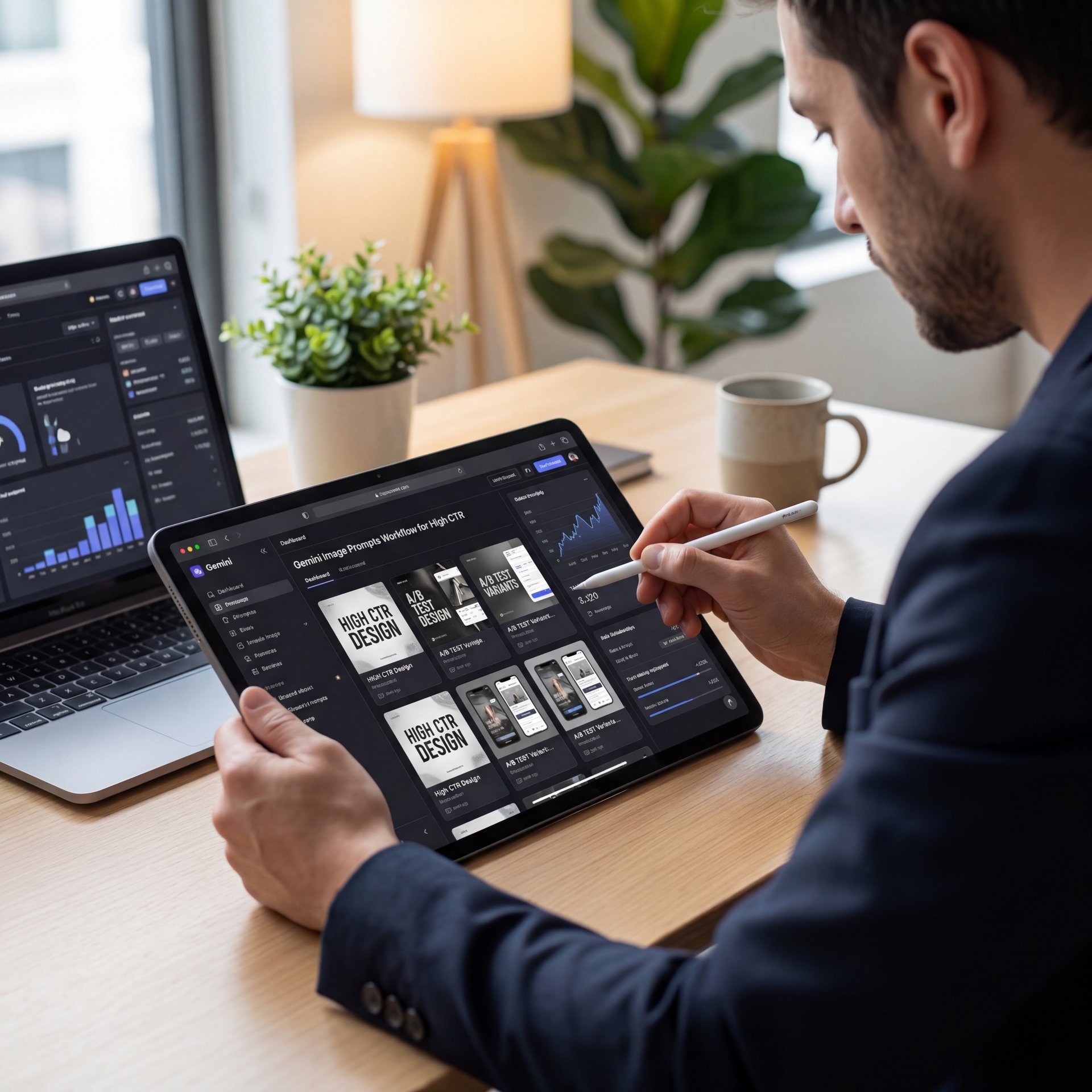
Now, having a prompt is one thing. Having a workflow is another. This is where the pros seperate themselves from the amateurs.
You don’t just generate one image and slap it on your video. That’s a rookie move. You need to use the “Test & Compare” feature on YouTube. This feature allows you to upload up to three thumbnails and see which one performs best.
The Three-Variant Method
Here’s a workflow I use that actually works. First, you generate three distinct variations using Gemini:
- The first should focus on the face (Reaction). 2. Another should focus on the action (Story). 3. The third should focus on the object (Curiosity).
(Or something.)
Then, you take those into a tool like Canva or Banana Thumbnail to add your text overlay. Keep the text short. three words max.
🔧 Tool Recommendation: Speed Up Your Workflow
Stop switching between five different apps. Our platform integrates AI generation directly into the thumbnail design process. You can generate, edit, and export in one place. Check out our streamlined workflows.
Once you have your three variants, you upload them to YouTube’s Test & Compare tool. YouTube says this can increase CTR by 5-20%. I’ve seen it happen. You might think the “Face” thumbnail is the winner, but the “Object” one might get 15% more clicks. You never know until you test.
Technical Specs That Matter
Also, a quick tip on resolution. I usually see people uploading massive 4k files. Honestly, 1280×720 is usually fine, but if you want that crisp look on retina displays, go for 1920×1080. Simple as that. Just keep it under the 2MB limit.
Common mistakes when using Gemini image prompts (the boring but important bit)
Let’s be real for a second (obviously). Sometimes AI messes up. We’ve all seen, the hands with seven fingers or the text that looks like alien hieroglyphics.
A substantial mistake is trying to get Gemini to do the text inside the image generation. It’s getting better, but it’s still hit or miss. My advice? Let Gemini handle the image and let a design tool handle the text. It looks cleaner and you have more control.
Another issue is inconsistency. If your channel has a specific vibe. say, dark and moody. don’t suddenly upload a neon pink thumbnail just because Gemini made it. It confuses your audience. You need a style guide first, then force the AI to stick to it.
⭐ Creator Spotlight: StudySprint’s Success
The channel StudySprint was stuck at 3.9% CTR. They started using Gemini to analyze their video’s “peak moments” and generate thumbnails based on those specific scenes. In 90 days, their CTR jumped to around 8% and views went up about 3x.
Here’s What Made the Difference – and why it matters
The key was testing multiple variants for every video. Instead of guessing what would work, they let the data decide. Each test revealed patterns about what their audience actually clicked on. Learn how to replicate this growth.
And finally, don’t overcomplicate the prompt. I see people writing novels into the prompt box. “A man standing in a forest with a blue SHIRT and a red hat and a dog and a bird and a…” Stop. Keep it simple. Subject, Action, Lighting, Style. Trust me on this. That’s it.
So, that’s the rundown. You got the prompts, you got the workflow and you know what to avoid. Seriously. Now it’s just about getting in there and doing the work.
Frequently Asked Questions
What are the most effective image prompts for boosting CTR on YouTube?
Prompts that focus on high contrast, emotional facial expressions, and “curiosity gaps” (like impossible objects) tend to perform best. Specificity regarding lighting (e.g., “rembrandt lighting”) also helps create a professional look that drives clicks.
How does Gemini AI compare to other AI models about engagment metrics?
Gemini’s native integration with YouTube’s system allows for better context awareness, often leading to more relevant visuals. While Midjourney may be more artistic, Gemini’s speed, and multimodal understanding make it highly effective for rapid thumbnail iteration.
What are, the key user pain points when using Gemini AI for YouTube content?
Users often struggle with inconsistent artistic styles and difficulty generating accurate text within images. And getting the AI to perfectly match a specific creator’s branding can require significant prompt engineering and trial and error.
How has the adoption of Gemini AI changed over the past year?
Adoption has skyrocketed, with Gemini reaching 650 million monthly users in 2025. Mobile usage specifically has grown 210%, showing that more creators are managing their channels and content workflows directly from their phones.
What are the most effective image prompts for boosting CTR on YouTube?
Prompts that focus on high contrast, emotional facial expressions, and “curiosity gaps” (like impossible objects) tend to perform best. Specificity regarding lighting (e.g., “rembrandt lighting”) also helps create a professional look that drives clicks.
How does Gemini AI compare to other AI models about engagment metrics?
Gemini’s native integration with YouTube’s system allows for better context awareness, often leading to more relevant visuals. While Midjourney may be more artistic, Gemini’s speed, and multimodal understanding make it highly effective for rapid thumbnail iteration.
What are, the key user pain points when using Gemini AI for YouTube content?
Users often struggle with inconsistent artistic styles and difficulty generating accurate text within images. And getting the AI to perfectly match a specific creator’s branding can require significant prompt engineering and trial and error.
How has the adoption of Gemini AI changed over the past year?
Adoption has skyrocketed, with Gemini reaching 650 million monthly users in 2025. Mobile usage specifically has grown 210%, showing that more creators are managing their channels and content workflows directly from their phones.
Related Videos

Related Content
• 7 Viral Gemini Image Prompts to Boost YouTube CTR
• image
For more on this topic, check out: gemini
Listen to This Article