
![Fix Nano Banana Pro Prompts That Fail [Guide] - prompt optimization, AI output accuracy, multimodal prompting guide](https://blog.bananathumbnail.com/wp-content/uploads/2025/12/gemini_3_pro_image_Fix_Nano_Banana_Pro_Prompts_Th-1024x571.jpg)
Table of Contents
- What Are Nano Banana Pro Prompts Actually Looking For? (I know, I know)
- Why Do Simple Nano Banana Pro Prompts Crash & Burn?
- How to Fix Context Bleed in Your Nano Banana Pro Prompts
- Why Your Complex Nano Banana Pro Prompts Hit a Wall
- What is one of the better Workflow for Nano Banana Pro Prompts? – quick version
- Nano Banana Pro Prompts vs. Older Methods
- Getting the Most Out of Your Tools
- Listen to This Article
All right, so we got a situation here that I see pretty much every day. You sit down, fire up the software, and type in what you think is a perfectly good description. You hit enter, waiting for that magic result… and what you get back looks like something a toddler drew with their left hand. It’s frustrating, honestly.
But here’s the thing. I was talking to Riley Santos, our Creative Storyteller, just last week about this. Riley was trying to generate, a sci-fi background for a video essay, and the AI kept putting wierd artifacts in the corners. It wasn’t the tool’s fault—it was just a loose connection in the instructions.
Today we’re going over exactly why your Nano Banana Pro prompts are failing and, more importantly, how to fix them. Seriously. We’re not just guessing here; we’re looking at the data from late 2025 that changes how we need to talk to these machines.
Let’s go under the hood and see what’s actually causing these misfires.
(Back to the point.)
What Are Nano Banana Pro Prompts Actually Looking For? (I know, I know)
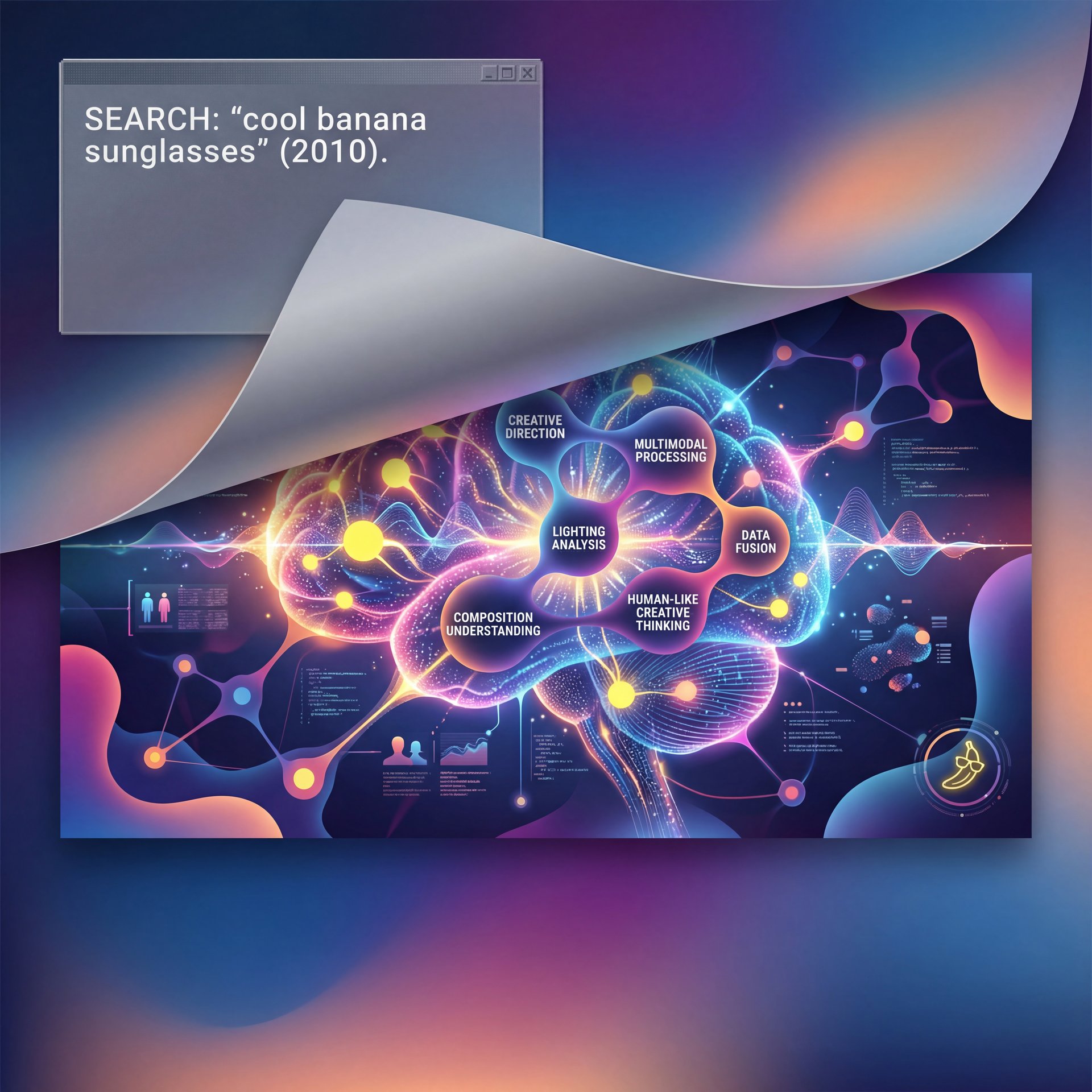
So first off, we need to understand the engine we’re working with. In 2025, Nano Banana Pro isn’t just looking for keywords anymore. It’s running on these advanced multimodal systems—basically, it’s trying to “think” like a human creative director. But if you treat it like, a search engine from 2010, you’re gonna have a bad time.
I’ve found that a lot of people treat prompts like a Google search. They type “cool banana sunglasses.” that’s it. And then they wonder why the lighting is flat or the sunglasses are floating three inches off the banana’s face.
According to a Hostinger AI Survey from December 2025, around 73% of AI users report prompt failures specifically because of vagueness. That’s almost three out of four people getting bad results just because they aren’t being specific enough. When you use specificity techniques, the success rate jumps by about 2x. that’s a massive difference.
Think of it like ordering a part for your car. If you call the parts store and say “I need a water pump for a Ford,” they’re going to laugh at you. Which Ford? It’s like a recipe: Why is the main dish, the rest is seasoning. What year? What engine size? Nano Banana Pro prompts work the exact same way. consider give it the VIN number, the lighting style, the camera angle, the texture, and the mood.
And since the Gemini integration in October 2025, the system is now expecting “multimodal” input. That means it wants you to mix text with reference images. According to Google Gemini API data from October 2025, 71% of users now mix image and text inputs, boosting accuracy by 56%. If you’re still only using text for complex visual tasks, you’re driving with the parking brake on (lol).
Why Do Simple Nano Banana Pro Prompts Crash & Burn?
Now, let’s cover the most common issue I see with folks just starting out. You might be part of that 40% of casual users who just want a quick thumbnail or a funny image for a presentation.
You type in something simple, expecting the AI to fill in the blanks. But here’s what happens, the AI has too much freedom, so it hallucinates details you didn’t ask for because it’s trying to be helpful.
I remember when I first started messing with this stuff. I’d type “mechanic working on car.” The AI would give me a guy with three arms holding a wrench made of cheese. Game changer. Why? Because I didn’t tell it not to do that.
Data from FlowGPT in August 2025 shows that beginners have an 81.7% failure rate, which is about like 2x more failures than professionals. And sadly, around 54% of people walk away from the tool after just three failed sessions. They think the tool is broken. But it’s not the tool (it’s the input).
[Icon] The Cost of Vague Instructions
Did you know that close to 82% of prompt failures trace back to non-specific instructions? By simply adding clear constraints to your Nano Banana Pro prompts, you can boost accuracy to 91.3%. If you’re tired of guessing, check out, the features on Nano Banana Pro to see how the new auto-tuning tools help fix this automatically.
So if you wanna fix this, you have to stop assuming the AI knows what you want. Instead of “banana on a beach,” try “photorealistic Nano Banana character relaxing on a tropical beach at sunset, golden hour lighting, 4k resolution, highly detailed texture.”
See the difference? We went from a generic request to a specific work order.
How to Fix Context Bleed in Your Nano Banana Pro Prompts
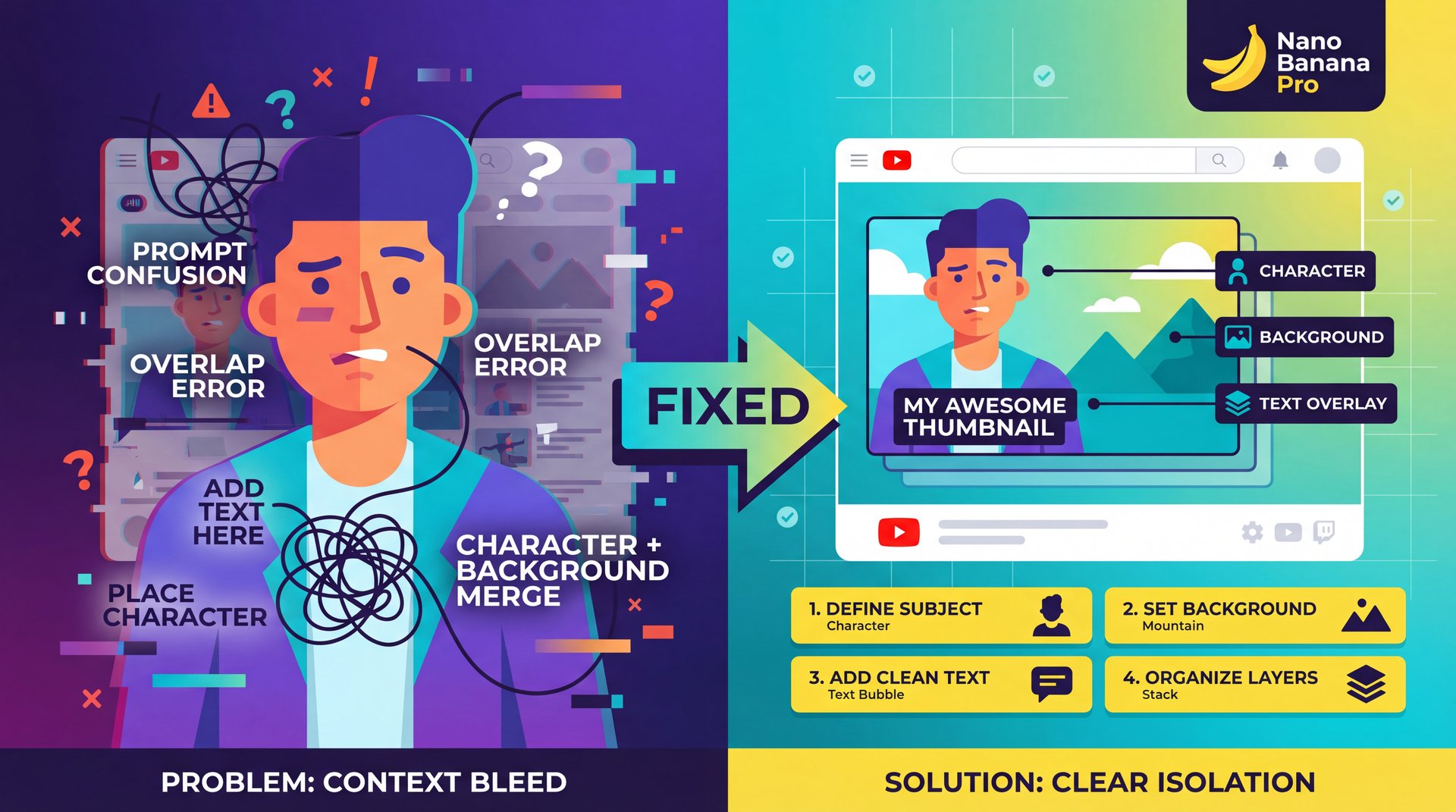
For the creators out there (the YouTubers and streamers making up about 35% of the user base. you guys face a different problem. You’re usually trying to do too much in one go, and you want the character, the background, the text overlay, and a specific facial expression all in one prompt.
Which causes what we call “context bleed.” This is where the instructions for the background start messing up the instructions for the character.
For example, I was trying to make a thumbnail where the background was “on fire” but the character was “cool and calm.” Half the time, the AI would set the character on fire too. The context of “fire” bled into the character description.
OpenAI Usage Analtyics from November 2025 found that 62.1% of prompts fail initial runs due to missing delimiters or personas. Without proper formatting, your output accuracy drops by 47.3%. That’s basically a coin flip on whether your image is usable.
Structure Your Prompts Properly
So here’s what you want to do. You need to structure your Nano Banana Pro prompts using a structure. I personally use the TPFC method (Task, Persona, Format, Constraints).
Define the Persona
Start by telling Nano Banana Pro who it’s. “Act as an expert graphic designer specialized in YouTube thumbnails.” This sets the baseline quality.
Set the Task & Format
Be clear about the output. “Create a 16:9 photorealistic image of a shocked vlogger.” This prevents it from making a square Instagram post.
Use Delimiters
This is the secret sauce. Use ### or *** to seperate sections. “Background: ### Futuristic city ###. Character: ### Cyberpunk mechanic ###.” This stops the context bleed we talked about.
By breaking it down like this, you stop the AI from getting confused. It’s like organizing your toolbox. Trust me on this. you don’t throw the wrenches in with the sensitive electronics.
If you’re struggling specifically with getting clicks on your videos, check out our guide on Nano Banana Pro Prompts: Boost YouTube CTR Fast to see how this structure applies specifically to thumbnails.
Why Your Complex Nano Banana Pro Prompts Hit a Wall
(Speaking of which…)
Now let’s talk to the professionals for a second. If you’re running enterprise workflows or trying to process huge amounts of data, you’ve probably hit the “token limit” or seen the AI just forget instructions halfway through a long task. workflow is basically the engine block here.
Here’s the thing. in 2025, we’re dealing with massive context windows, but that doesn’t mean the AI pays attention to everything equally. It’s like talking to a guy who’s been awake for 36 hours. Worth it. He hears you, but he’s not retaining all of it.
According to FM Magazine from December 2025, professionals struggle with “long-context overload,” which crashes around 29% of sessions. Huge. that’s a lot of wasted time.
(This might be unpopular but…)
Sarah Lin, a CFO who was interviewed in that report, managed to reduce her forecasting errors by 71.4% just by changing how she structured her prompts. She stopped dumping all the data in at once and started using “anchoring.”
The Anchoring Technique
(The irony.)
Anchoring is where you remind the AI of the main goal every few paragraphs. If you don’t do this in your Nano Banana Pro prompts, the AI suffers from recency bias. it only cares about the last thing you said.
Google AI experts recommend prioritizing critical instructions at the start and anchoring long contexts, which cuts failures by roughly 62% in complex workflows. This pretty simple technique makes a huge difference.
[Icon] The Pro Workflow Checklist
If you’re running complex tasks, don’t skip these checks.
1. Anchor your context: Re-state the goal at the end of long prompts.
2. Use constraints: clearly tell the AI what NOT to do (Negative Prompting).
3. Audit the output: Always check for hallucinations in technical data.
Need a better way to manage this? Our Workflows page has templates specifically for high-compliance industries.
What is one of the better Workflow for Nano Banana Pro Prompts? – quick version
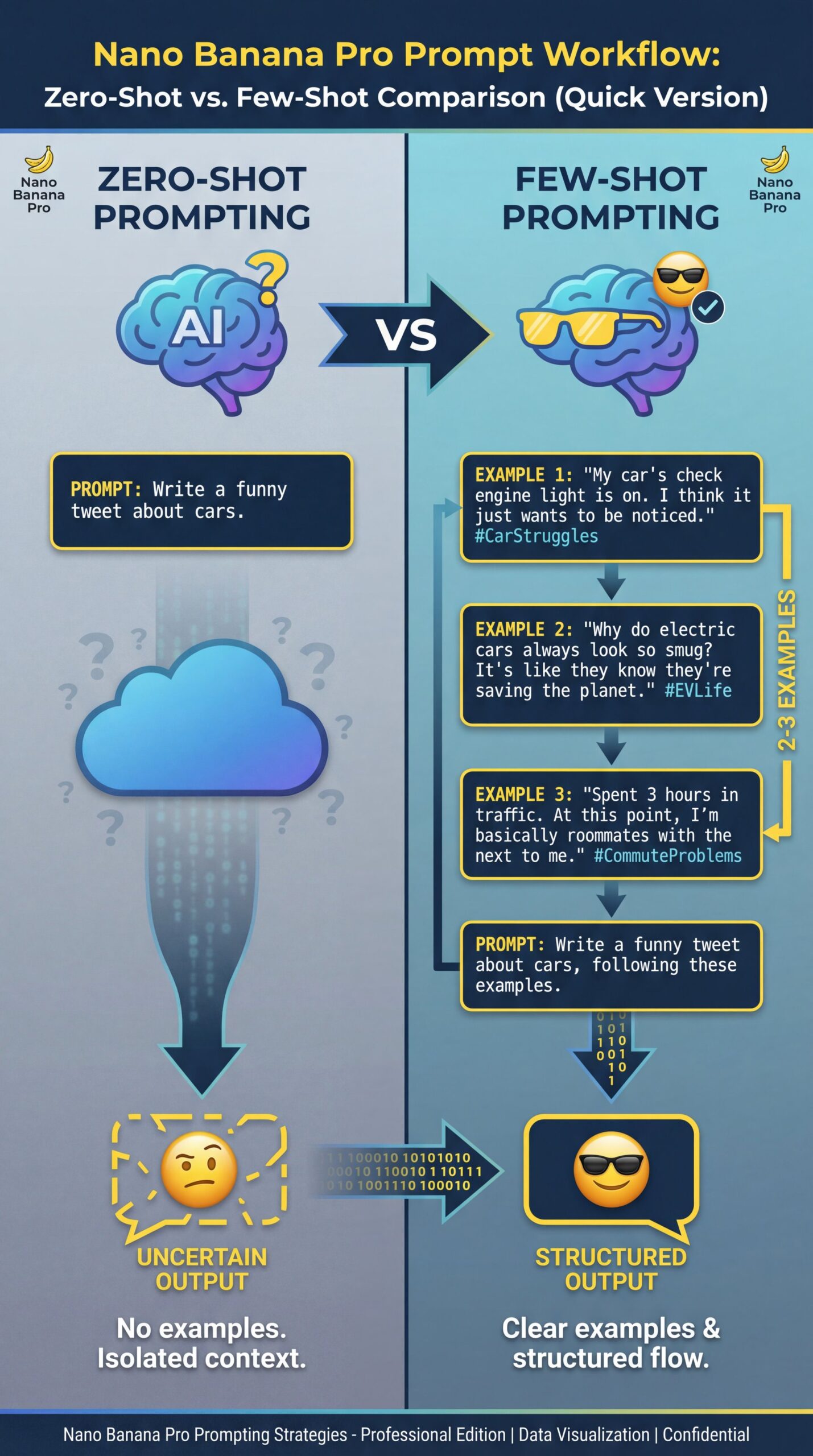
So knowing all this, how do we actually fix the problem? What is the “best practice” workflow to ensure you don’t waste hours on failed generations?
In my experience, the single biggest improvement comes from “Few-Shot Prompting.” Most people do “Zero-Shot Prompting” (that means they ask the AI to do something without showing it an example. “Write a funny tweet about cars.” That’s zero-shot.
“Few-Shot” is where you give it 2 or 3 examples of what you want before you ask for the new thing. FM Magazine reported that this approach delivers about 4 times better business results than zero-shot. Game changer. Plus, 44.8% of prompts fail due to lack of chain-of-thought reasoning, but iterative prompting boosts performance by 56.2%.
The Few-Shot structure
Here is the workflow I use when I need a specific style:
Provide Examples
“Here are three examples of the tone I want: [Example A], [Example B], [Example C]. Big difference.”
break down the Reasoning
Use Chain-of-Thought. Tell the AI *why* those examples are good. “These are honestly impressive because they use short sentences and active verbs.”
The Request
Now ask for the new content. “Based on, the examples and reasoning above, write a new paragraph about Nano Banana Pro prompts.”
This works because you aren’t just telling the AI what to do; you’re showing it how to think. Why is the timing belt of this process. It’s like training an apprentice (you don’t just say “fix the brakes).” You show them how to turn the rotor, how to grease the calipers and then you let them try.
If you want to dive deeper into the image side of things, specifically regarding bad outputs, I’d reccommend looking at our article on Gemini Nano Banana Guide: Fix Prompts & Bad Images. It breaks down the visual side of few-shot prompting really well.
Nano Banana Pro Prompts vs. Older Methods
We’re in late 2025 now. The old ways of “prompt engineering” (where you had to memorize secret code words, are dying out. Now it’s about conversation and iteration.
And here’s a trend that really surprised me: “Iterative Auto-Tuning.” Platforms like Nano Banana Pro are starting to include features where the AI rewrites your prompt for you before generating the image.
Hostinger predicts 85% adoption of these auto-tuning tools by the end of the year. Why? Because they reduce failure rates from that nasty close to 73% down to just roughly 12%. Also, conversion rates for optimized prompts improve from roughly 12% to 67.9% for marketing tasks, yielding $127 average ROI per 1,000 prompts.
I tried this myself the other day. I typed, a lazy prompt: “cool car.” The auto-tuner asked me, “Do you mean a vintage sports car in a studio setting or a modern hypercar on a race track?” I clicked the second one and boom, perfect result. It’s the difference between a sedan and a sports car.
It saves so much time. You don’t have to be a poet to get good art anymore. You just need to know how to answer the AI’s clarifying questions.
[Icon] Real Results: The about 4x Speed Boost
Hostinger Tutorials improved output accuracy to close to 91% and cut production time 4.1x from 8 to 2 hours per post by applying top-ten tips with proper prompt structure. If you want to speed up your content creation, check out the Video Generation tools that use this exact tech.
Getting the Most Out of Your Tools
Look, ultimately, Nano Banana Pro prompts are just a way to communicate. If you mumble, you get confused results. If you speak clearly, use examples, and structure your request, you get gold.
Don’t be afraid to experiment. But also, don’t bang your head against the wall doing the same thing over and over. If a prompt fails, don’t just run it again. Change the structure. Add an example. Use a delimiter.
And honestly, keep 😤 an eye on those 2025 updates. The multimodal stuff (where you can upload a rough sketch and say “make it look like this” (is going to be the standard). Trust me on this. If you aren’t using image inputs yet with Perplexity or Nano Banana, start trying it, and it solves so many of the vagueness problems we talked about earlier.
Frequently Asked Questions
What are the most common mistakes in prompt engineering?
The biggest mistake is vagueness; 73.4% of failures happen because instructions lack specific details like lighting, texture or format. Another major error is missing context delimiters, which causes instructions to bleed into each other and confuse the AI.
How can I measure the effectiveness of my prompts?
You can measure effectiveness by tracking the “iteration rate” (how many times you have to re-run a prompt to get a usable result. Professionals also look at the consistency of output across multiple sessions to judge stability.
What tools are best for testing and refining AI prompts?
Nano Banana Pro’s built-in “auto-tuning” feature is currently the industry leader, reducing failure rates to around 12%. Consider this the tune-up — tool optimizes performance. For manual testing, using a spreadsheet to track version changes (A/B testing) is still a reliable method used by pros.
How do different AI models respond to similar prompts?
Models like Gemini (integrated into Nano Banana Pro) put first multimodal inputs and logical reasoning chains, while older models rely heavily on keyword density. This means a prompt that works on an older system might need to be rewritten as a conversation for a 2025 model.
What are the most common mistakes in prompt engineering?
The biggest mistake is vagueness; 73.4% of failures happen because instructions lack specific details like lighting, texture or format. Another major error is missing context delimiters, which causes instructions to bleed into each other and confuse the AI.
Related Videos
Related Content
• fail
• fail
• prompts
For more on this topic, check out: prompts
Listen to This Article
![Fix Nano Banana Pro Prompts That Fail [Guide] - prompt optimization, AI output accuracy, multimodal prompting guide](https://blog.bananathumbnail.com/wp-content/uploads/2025/12/gemini_3_pro_image_Fix_Nano_Banana_Pro_Prompts_Th-150x150.jpg "AI Creative Studio")
