Table of Contents
- What Are the Most Common Gemini Prompts 2025 Mistakes?
- Why Are Your Gemini Prompts 2025 Failing on Images?
- How to Fix Hallucinations in Gemini Prompts 2025
- Best Gemini Prompts 2025 Context Strategies
- Gemini Prompts 2025 vs Old School Searching
- How to Measure Success with Gemini Prompts 2025
- The “One-Shot” Fallacy in 2025
- Ignoring the 2025 Updates (the boring but important bit)
- Getting, the Most Out of Your Tools (yes, really)
- Listen to This Article
Ever feel like you’re talking to a brick wall instead of a supercomputer when trying to get work done with AI? You type something in, hit enter, and the result makes you wanna throw your laptop across the room. I’ve been there. Honestly, we all have. But here’s the thing: now that we’re well into 2025, the game has changed in how we approach Gemini prompts.
Google Gemini reached 650 million monthly active users by October 2025—a 44% increase in under 12 months. The ROI on the tool is basically free money. But simply having the tool doesn’t mean we’re using it right with Gemini prompts 2025. It’s like having a high-end torque wrench and using it as a hammer—you’re just gonna break stuff.
I’ve spent a lot of time under the hood with these models, and I’ve noticed a pattern with Gemini prompts 2025. Most of the frustration, people feel isn’t because the AI is “dumb.” It’s because we’re falling into specific traps that kill performance before we even get started. Whether you’re a creator making thumbnails or a pro debugging code, these mistakes are costing you time.
So let’s break down the biggest Gemini prompts 2025 blunders you need to stop making right now.
What Are the Most Common Gemini Prompts 2025 Mistakes?
The first thing you want to look at is how you’re actually talking to the machine with Gemini prompts 2025. I see this constantly (people treat Gemini like it’s a mind reader). It’s not. It’s a pattern matcher.
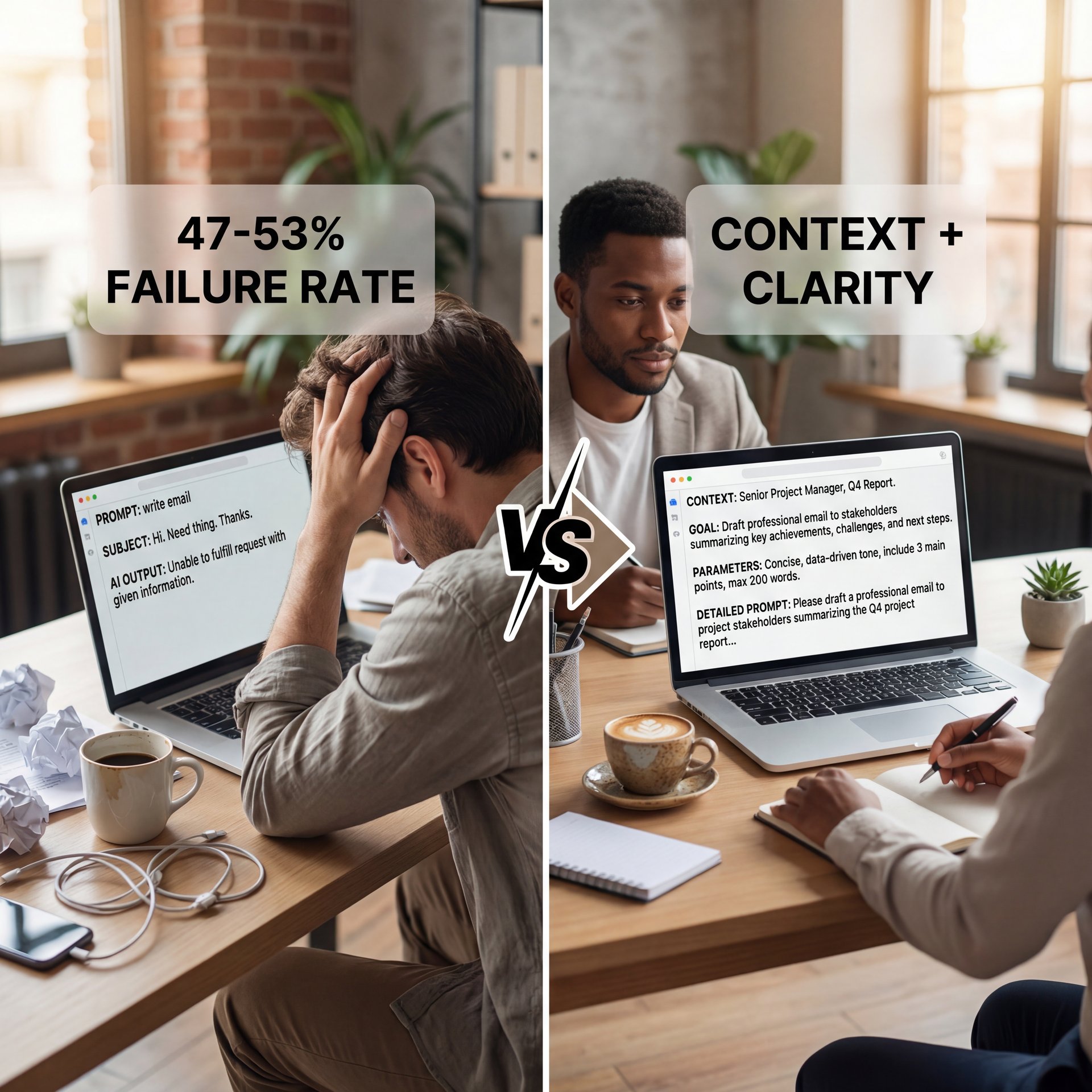
The biggest blunder I see is the “lazy prompt” when crafting Gemini prompts 2025. You know the type: “write a marketing email” or “fix this code” and expect magic. According to Google Workspace studies, vague, context-free prompts account for 47-53% of negative feedback tickets. That’s nearly half the complaints.
(Spoiler alert.)
⚠️ Context Vacuum
Typing short, keyword-style queries like “marketing plan” instead of detailed instructions is the #1 reason for generic output. Always include your role, the goal, and the format you want.
You have to treat it like a new apprentice, If I tell an apprentice “fix the car,” they’re going to look at me like I’m crazy. Game changer. Which car? What’s wrong with it? Do you want an oil change or a transmission swap?
Gemini defaults to the most generic, safe answer possible without context. Tell it who it’s, what the task is, and what the constraints are. Users who followed prompt-engineering, what works, saw 33-46% higher task completion quality scores versus basic one-line prompts. If you’re struggling with visual tasks, check out Gemini Nano Banana Guide: Fix Prompts & Bad Images for deeper guidance.
Why Are Your Gemini Prompts 2025 Failing on Images?
So I have given this prompt, create three thumbnail design concepts for the Gemini 3 tutorial video for each, describing background color, main element graphic, text overlay, and emotional vibe. Think of it as the fuel injection system — thumbnail delivers the power. Keep it exciting and clickable. Now just run it. So I have described what I want in a thumbnail and Gemini 3 gives me the idea for Nano Banana or other image tools. Key takeaway. You get actual descriptions you can hand to a designer or use it in Nano Banana to generate visuals. So this is the prompt that has been written. Let’s use this to generate the image with Nano Banana. Let’s copy this first prompt, the concept number one, and I’m going to just try out this website. Just click on tools, click on create images, and from here, click on the plus button to upload the image of yourself. For example, I’m uploading the image of mine and just paste your prompt and after pasting your prompt, just click on submit. So wait for some time and it will start creating your thumbnail as per the instruction, and so in this way, you can generate the thumbnail using the concept. Trust me on this. Now let’s check out the use case number three, SEO title and description generator.
Here’s the thing, when you give it an image, it actually speeds things up. Benchmarks show multimodal inputs have 20ms lower latency and 15% faster processing for vision-language tasks compared to text-only.
**Upload a Reference**
Don’t just describe the style. Upload a screenshot or image with the vibe you want (lighting, composition, color palette).
**Ask for Analysis**
Ask Gemini to “analyze the lighting and composition of this image” first. This grounds the model in visual data.
**Iterate the Prompt**
Use that analysis to build your generation prompt. Say, “Create a new image with similar eye-catching lighting but featuring [your subject].”
When I started doing this, my consistency went through the roof. It stops, the AI from guessing what “cinematic lighting” means and shows it exactly what you want. It’s like bringing a broken part to the parts store to match it up, rather than describing it over the phone.
How to Fix Hallucinations in Gemini Prompts 2025
All right, let’s cover the scary part, hallucinations. Seriously, This is when the AI just makes stuff up, and it happens more than we’d like to admit.
Stack Overflow’s 2024 survey really stuck with me: 31.7% of developers shipped bugs from blindly trusting LLM-generated code. That is wild. Imagine if I let my car leave the shop with loose lug nuts because “the manual said it should be fine.”
The blunder isn’t that the AI hallucinates; it’s that we trust it without verifying. We see a confident answer and assume it’s right.
📋 Smart Context Loading (bear with me here)
Instead of dumping a whole book use a “Table of Contents” approach. Ask Gemini to create an index of your document first, then ask specific questions about those sections. It saves processing tokens and improves accuracy.
:::
What I prefer is “chunking.” Break information down, feed relevant background first, verify it understands, then ask the question. It’s like building a house — thumbnail forms the foundation. For structuring creative prompts, especially for storytelling or visual flow, check out 5 Gemini Cinematic Prompts: Hollywood Secrets.
Gemini Prompts 2025 vs Old School Searching
This is a mental block I see constantly. We grew up Googling things, you type keywords, you get links. But gemini isn’t a search engine. It’s a generator.
(Or whatever.)
The blunder is treating it like Google Search. If you ask, “What is the capital of France?” that’s a waste. google Search does that better and faster.
(Quick aside here.)
Gemini shines when you need synthesis. Instead of “best tires for a truck,” try “compare the top three all-terrain tires for a 2020 F-150 based on snow performance and road noise, and create a comparison table. Got it?”
Once you make this mental shift, the tool becomes ten times more valuable. You stop using it as a dictionary and start using it as a research assistant.
How to Measure Success with Gemini Prompts 2025
Let’s get real about results. How do you know if your prompts are actually good? Most people just vibe it out: “Eh, that looks okay.” but in a shop, we measure everything (tolerances, pressure, torque). You can’t manage what you don’t measure. Teams without quality metrics are about 3 times more likely to say AI didn’t meet expectations.
I look for “revisions.” If I have to ask Gemini to rewrite the answer three times, that prompt failed. I track which prompts get it right on the first try.
📊 The Iteration Trap (I know, I know)
Before: Spending 20 minutes going back and forth with Gemini to fix a tone issue.
After: Using a saved “Persona Prompt” template that defines tone upfront, cutting the task to 2 minutes.
Enterprise users save an average of 105 minutes per week with Gemini, and 75% report polished work quality. But that’s only the ones using it efficiently. If you’re spending 105 minutes arguing with the chatbot, you aren’t saving anything. Check our workflow guides to see how pros structure their processes.
The “One-Shot” Fallacy in 2025
(The irony.)
There’s a specific version of the lazy prompt called the “Zero-Shot” attempt (asking for complex output without examples). Google’s research shows “Few-Shot” prompting a lot improves quality.
For example, if I want gemini to write a YouTube title,—wait, no— I don’t just say “write a title.” I say:
“Here are three titles I like:
- ‘How to Fix a Leaky Gasket (Fast)’
- ‘Stop Wasting Money on Cheap Oil’
- Not even close. ‘The Truth About Synthetic Fluids’
Now, write a title about brake pads in this style.”
The difference is night and day. It picks up on the punchy, parenthetical style quickly.
Ignoring the 2025 Updates (the boring but important bit)
The last blunder is living in the past. These models update fast. What worked in 2023 might be obsolete now. For instance, context windows are huge now. You used to have in short everything.
If you’re still chopping text, into tiny chunks because you’re used to old limits, you’re wasting time — and enterprises spent $37.0 billion on generative AI in 2025, up from $around 11 billion in 2024. a 3.2x year-over-year increase. Seriously. The adoption is skyrocketing because the tools are stable enough for real work now.
🤔 Enterprise Scale
Did you know over 70% of Google Cloud customers are already using Gemini-powered tools as of 2025? The adoption rate is skyrocketing because the tools are finally stable enough for real work.
Stay updated. Reading the patch notes. or at least a summary (can save you hours). To keep up with the latest tools and apply these updates, check our features page.
Getting the Most Out of Your Tools (yes, really)
In the end, these tools are only as good as the hands holding them. If you avoid these blunders, vague prompts, ignoring images, blind trust, and a lack of context. you’re going to see a massive jump in productivity.
It’s not about being a computer genius. It’s about being practical, understanding that garbage in equals garbage out. So next time you open up Gemini, take a breath. Think about what you really want, set the stage, give examples, and verify the work. You’ll find it’s a heck of a lot more useful than you thought.
Frequently Asked Questions
What are the key challenges Gemini faces despite its growth?
The biggest challenges are user trust regarding hallucinations and the “blank page” problem where users don’t know how to prompt effectively, leading to poor results.
How does Gemini compare to ChatGPT and Copilot?
Gemini has rapidly gained market share by taking advantage of the Google system, while ChatGPT maintains higher brand familiarity. Copilot integrates deeply into Microsoft products, making each tool stronger in different contexts.
What specific features contributed to Gemini’s success?
Lower latency, lower cost and multimodal capabilities whipped up it incredibly attractive for high-volume tasks, allowing developers to build faster apps without breaking the bank.
What are the key challenges Gemini faces despite its growth?
The biggest challenges are user trust regarding hallucinations and the “blank page” problem where users don’t know how to prompt effectively, leading to poor results.
How does Gemini compare to ChatGPT and Copilot?
Gemini has rapidly gained market share by taking advantage of the Google system, while ChatGPT maintains higher brand familiarity. Copilot integrates deeply into Microsoft products, making each tool stronger in different contexts.
What specific features contributed to Gemini’s success?
Lower latency, lower cost and multimodal capabilities whipped up it incredibly attractive for high-volume tasks, allowing developers to build faster apps without breaking the bank.
Related Videos

Related Content
• mistakes
• mistakes
• prompts
For more on this topic, check out: prompts
Listen to This Article