
Table of Contents
All right, flat rate mechanic here again. So we got a situation where the AI video editing market is absolutely exploding—we’re talking about an industry valued at $11.20 billion right now in 2025. That’s a lot of money flying around. But here’s the thing: just because everyone is buying these tools doesn’t mean they know how to use them without looking like a robot.
I see this all the time. A creator thinks they can just push a button, walk away, and come back to a perfect video. But when you look under the hood, you see the cracks. The mismatched cuts, weird pacing, and subtitles that make zero sense all become obvious. Honestly, it screams “I used a bot” louder than a loose fan belt.
Today we’re going to go over the five biggest mistakes I see people making with AI editing tools. Breaking down why they happen, how to fix them, and how to keep your content looking like a human actually touched it comes next. Because if you want to – seriously want to keep your viewers, you can’t just set it and forget it.
What Are The Most Common AI Editing Mistakes?
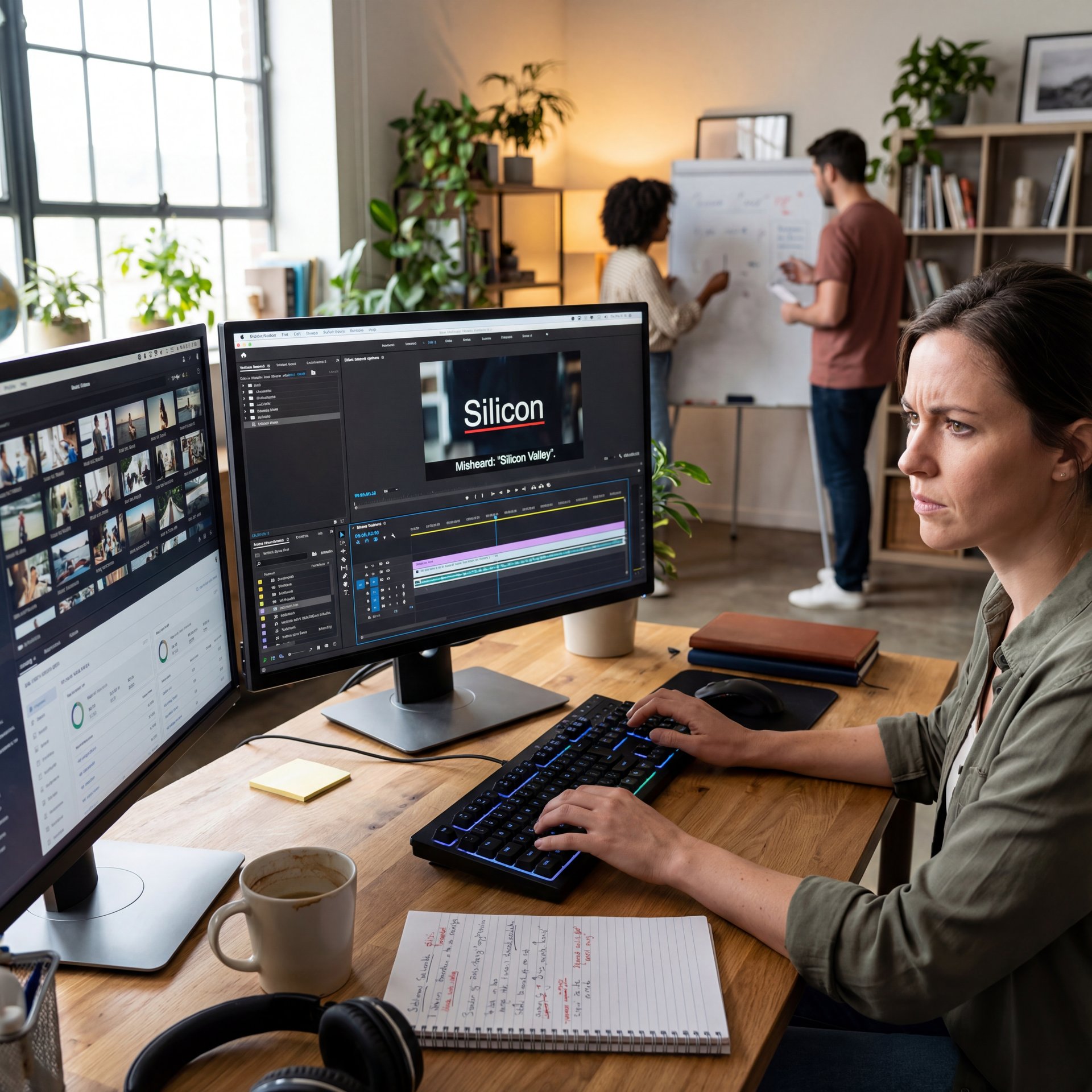
So let’s cover the basics first. The biggest issue isn’t the tool itself—it’s how people rely on it 100% without doing a quality check. I mean, would you let a car drive itself out of the shop without checking the brakes? No way. Related reading: AI Photo Editing Tips That Transform Images Fast.
The Auto-Subtitle Disaster
The number one thing I see, and honestly, it drives me nuts. is unreviewed auto-generated subtitles. You know the ones. A video about “silicon chips” appears, and the subtitles say “silly corn chips.” It’s embarrassing. You might also find How to Create YouTube Thumbnails That Get Clicks (2025) helpful.
Now, tools like VEED are great. They support over 100 languages. But here’s what you want to do: review every single line. I’ve found that AI struggles hard with technical terms. If you’re in a niche industry, the bot is going to guess and it’s going to guess wrong.
I was looking at some data recently, and it turns out that subtitles are the first thing viewers notice. If they see a typo in the first 10 seconds, they click off. It signals that you didn’t care enough to watch your own video.
⚠️ Common Mistake: Blind Trust
Never publish auto-generated captions without a human review. AI frequently mishears industry jargon, which kills credibility instantly. Always do a final pass yourself or use our manual review workflows to catch these slip-ups.
The Robot Voice Problem
The pacing issue arises when AI narration sounds monotonous, like a constant, unchanging stream of speech. Human speakers naturally vary their rhythm—pausing to breathe, speeding up with excitement, and slowing down for emphasis. AI lacks this natural rhythm and simply reads the script, which viewers can subconsciously notice within 3 to 5 seconds. To improve this, a good strategy is to layer a human voice over the AI narration or manually add pauses. For example, insert a half-second pause after key points to allow the audience to process the information and feel more engaged.
Humans have rhythm. We pause to breathe. We speed up when we’re excited. Slowing down when explaining something heavy comes naturally to us. Bots don’t do that naturally. They just read the script. Viewers can tell something is off within 3 to 5 seconds. It’s subconscious, but it’s there.
I think the best way to handle this is to layer a human voice over the AI script, or if you must use AI, manually insert pauses. Add a 0.five-second gap after a big point. Let the audience breathe.
Why Context Matters
Another thing is cultural context. If you’re using translation features, don’t just trust the literal translation. I’ve seen videos where a joke in English gets translated into something offensive or just plain confusing in Spanish because the AI went word-for-word. A native speaker needs to give it a once-over.
Why Do Inconsistent Transitions Ruin Your Video?
(Hear me out.)
So let’s go under the hood and talk about the actual cuts. This is where the “flat rate” mindset comes in, time is money, right?
The “One Size Fits All” Trap
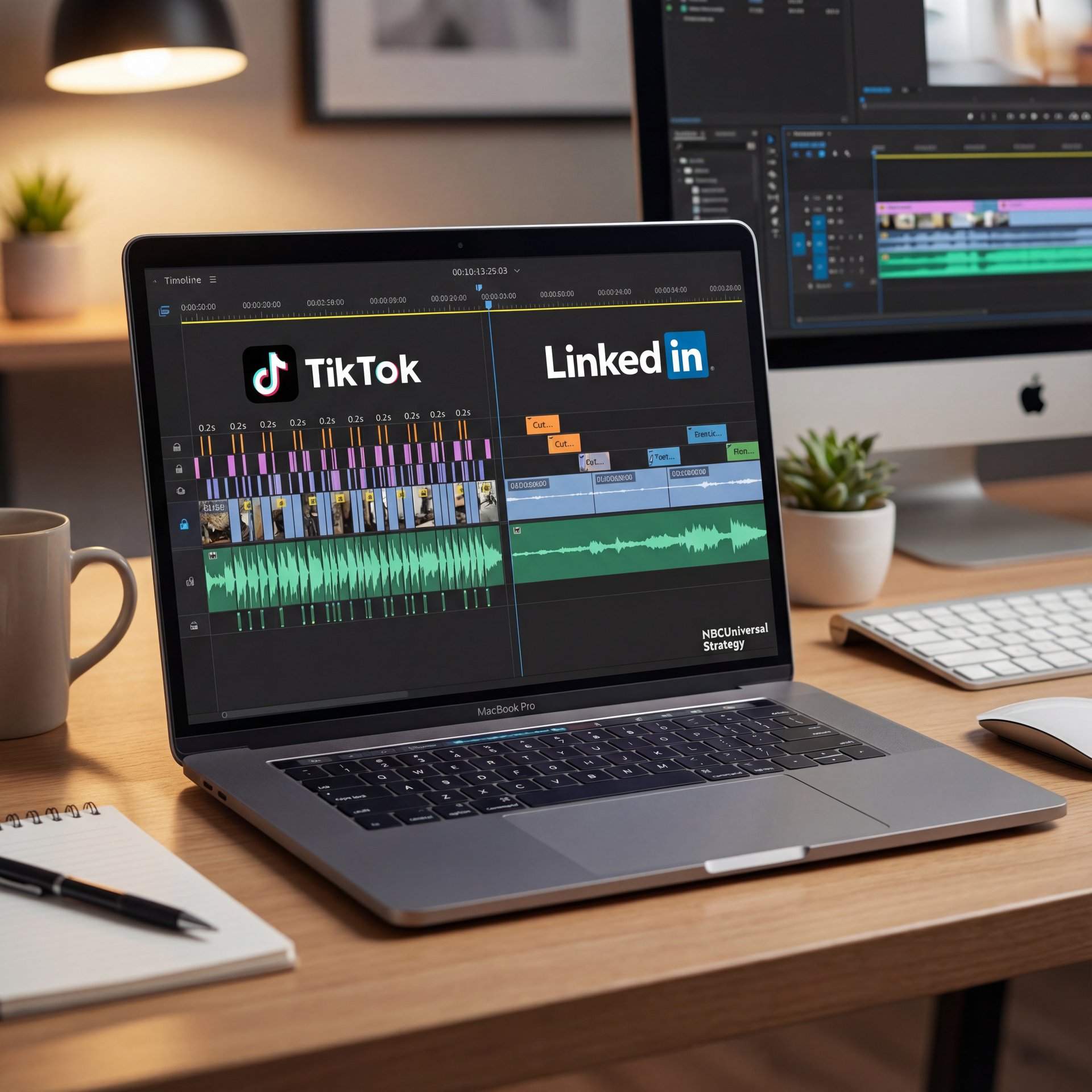
A lot of people think they can edit one video and slap it on every platform. But here’s the thing: TikTok is not LinkedIn.
I was reading about NBCUniversal’s strategy recently. They don’t just cut one video. Changing the timing of the cuts based on where it’s going is their secret. On TikTok, the cuts are fast (like 0.2 to 0.3 seconds). For LinkedIn? They slow it down to 0.8 to 1.2 seconds. YouTube sits in the middle at 0.4 to 0.8 seconds. And you know what? They saw engagement go up by 42%.
If you use an AI tool to just “chop up” a long video into shorts without telling it the specific pacing for the platform, you’re going to get a mess. It’ll feel too slow for TikTok and too jittery for YouTube.
📊 Before/After: Brand Templates
TheCareerCEO faced backlash for messy AI edits untill they implemented a strict brand template system. The result? A massive 34% increase in engagement. See how structured features can save your brand image.
The Visual Whiplash
What surprised me was how bad some AI tools are at transitions. They’ll just cut from, you know, a wide shot to a close-up without any logic, or they’ll use a flashy “star wipe” style transition that looks cheap.
I prefer to set my AI tools to use only simple cuts or cross-dissolves. Don’t let the bot get creative with the transitions unless you want your video to look like a PowerPoint from 1998. The “jump cut” phenomenon also needs attention. AI is great at removing silence, but sometimes it removes too much silence, and the speaker’s head snaps back and forth like a bobblehead. It’s distracting. Smoothing those out or covering them with B-roll fixes the problem.
How Does Visual Consistency Impact Viewer Trust?
Now, let’s talk about the paint job. You can have a great engine, but if the paint is peeling, nobody wants to buy the car.. For real.
The “Default Template” Look
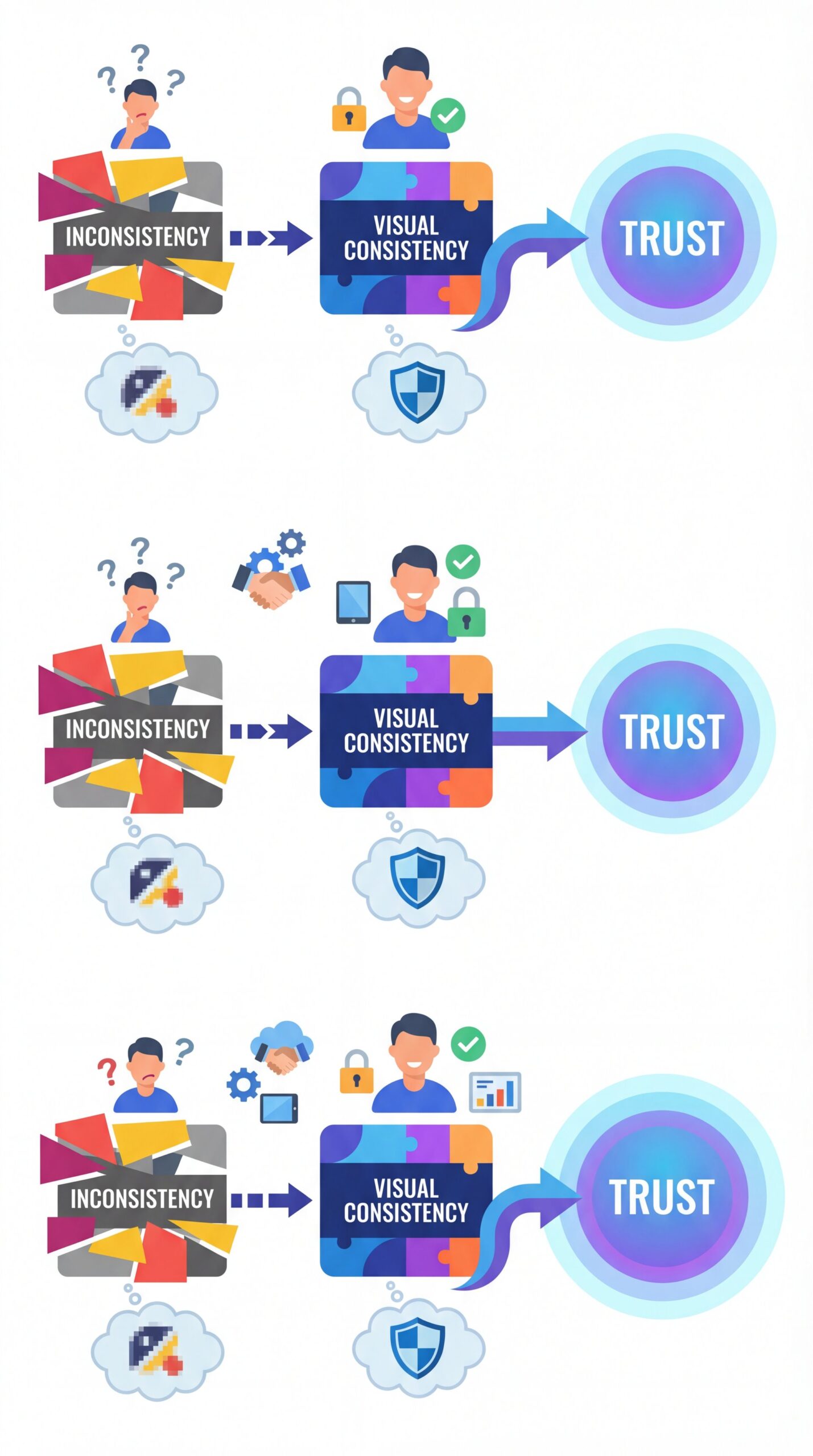
Here’s a major tell: using the default color palettes that come with the AI tool. If I see one more video using that specific shade of “AI generator blue” and “default font Arial,” I’m going to scream. It screams cheap. Visual consistency is the primary indicator of a professional production. If your opening graphic is neon green and your lower-thirds are pastel pink because the AI picked them randomly, you look amateur.
Branding is Key
I found that the best approach is to force the AI to use your hex codes. Most tools allow this now. Input your brand colors. Upload your fonts. Don’t let the AI choose for you.
There was a case with TheCareerCEO, they reduced their editing time by 60% using AI, which is awesome. But at first, their audience hated it because the branding was all over the place. Once they locked in their templates and forced the AI to stick to them, engagement shot up by 34%.
🤔 Did You Know?
The AI video market is projected to hit $71.50 billion by 2030, growing at 36.20% annually according to Market.us data. But simply buying the tools isn’t enough (mastering the video generation workflow is where the real value lies.
Graphics That Don’t Match
Another issue is AI-generated B-roll or images that don’t match the lighting or style of your main footage. If you’re filming in a dark room and the AI throws in a bright, sunny stock photo, it’s jarring. I always tell people to treat AI graphics like aftermarket parts. They need to fit the make and model of the car. If they don’t fit, don’t use them.
Best AI Editing Mistakes Avoidance Strategies for 2025
So, we know the problems. What’s the fix? It’s not throwing the tools away. I mean, 92% of Fortune 500 companies are using ChatGPT and similar tools now. Ignoring the tech isn’t an option. Plus, with 378 million people worldwide now using AI tools in 2025, the technology isn’t going anywhere.
The Hybrid Workflow
The secret sauce is the “Hybrid Workflow.” This is what we’re seeing become the standard in 2025. Let the AI do the heavy lifting (the “grunt work”, and then come in and add the finishing touches.
Alex Rivera, a Senior Content Analyst I follow, always says that “intelligent assistance beats full automation every time.” And he’s right. Here’s my favorite approach: First, let the AI cut the raw footage. It’s great at finding the best takes. SECOND, let the AI generate the subtitles. It saves hours of typing. Then, YOU watch it. Fix the pacing. Correct the typos. Swap out the bad transitions.
Saving Time vs. Saving Face
Sure, VEED users slashed editing time by 60%. Marketers are saving 8 to 12 hours per campaign. That’s real time you can spend with your family or working on the next project. But if you don’t spend 30 minutes of that saved time reviewing the work, you’re just shipping junk faster.
Pro Tip: Treat your AI editor like a junior intern. They’re fast and eager, but they don’t know your brand, and they make rookie mistakes. Publishing an intern’s work without checking it would be foolish, so don’t do it with AI either.
Using Tools for What They’re Good At
I use ChatGPT to help script my intros sometimes. But I don’t just copy-paste it. I read it out loud. If I stumble over a sentence, I rewrite it. If it uses a word like “look” or “mix,” I delete it immediately. These tools should get you 80% of the way there. The last 20% is all you.
⭐ Creator Spotlight
Successful creators in 2025 aren’t replacing themselves; they’re augmenting their skills. By using AI for rough cuts and spending their saved time on creative storytelling, they maintain the “human touch” while doubling output. Check out our features page to see how to build this workflow.
AI Editing Mistakes vs Human Touch: Finding the Balance
So from there you need to know that the audience is getting smarter. With the rapid growth we’re seeing (64 million new users added just since 2024. viewers are starting to recognize the “AI smell.”
The Uncanny Valley of Editing
When everything is too perfect, it feels fake. AI tends to clean up audio too much, removing all background noise untill it sounds sterile. It stabilizes the video until it looks unnatural. Sometimes, a little grit is welcome. A little background noise makes it feel real.
(You might be thinking…)
Authenticity Wins
I think, you know, the biggest mistake is trying to hide that you’re using AI, but doing a bad job of it. If you use an AI avatar, just admit it’s an AI avatar. Don’t try to pass it off as a human. People respect honesty. But better yet, use AI to enhance your real content. Fix the color, mix the sound, and generate the captions with AI. But keep your face and your voice front and center.
The Financial Upside
Look, if you do this right, the payoff is huge. Companies are seeing engagement increase by 30-40% when they get this right. It’s not just about saving money on editors; it’s about making better content faster. But you have to be the mechanic (for real) holding the wrench. The AI is just the power tool. It doesn’t know how to fix the engine; it just spins the bolt.
So, don’t be the guy who releases a video with “silly corn chips” in the subtitles. Take the time. Do the work. And grabbed the tools to make you better, not lazier. Thanks for reading, guys. That should fix your workflow if you have these symptoms.
Frequently Asked Questions
What are the most common AI editing mistakes users make?
The most frequent errors are unreviewed auto-subtitles with typos, robotic pacing in narration, and inconsistent visual branding that uses default templates. These mistakes immediately signal low effort to viewers.
How can I ensure my AI-generated content is trustworthy?
Adopt a hybrid workflow where you personally review all AI outputs, specifically checking technical terminology in captions and adding natural pauses to voiceovers. Human oversight is the key to maintaining credibility. (Let me back up.)
What are the latest trends in AI editing for 2025?
The industry is moving toward platform-specific customization, where AI tools automatically adjust cut pacing for TikTok versus LinkedIn. Plus, hybrid human-AI workflows are becoming the standard to avoid the “uncanny valley” of pure automation.
If you think this was helpful and want to see how to fix these issues in real-time, check out this tutorial:
Related Videos

Related Content
• mistakes
• mistakes
For more on this topic, check out: mistakes
Listen to This Article