Table of Contents
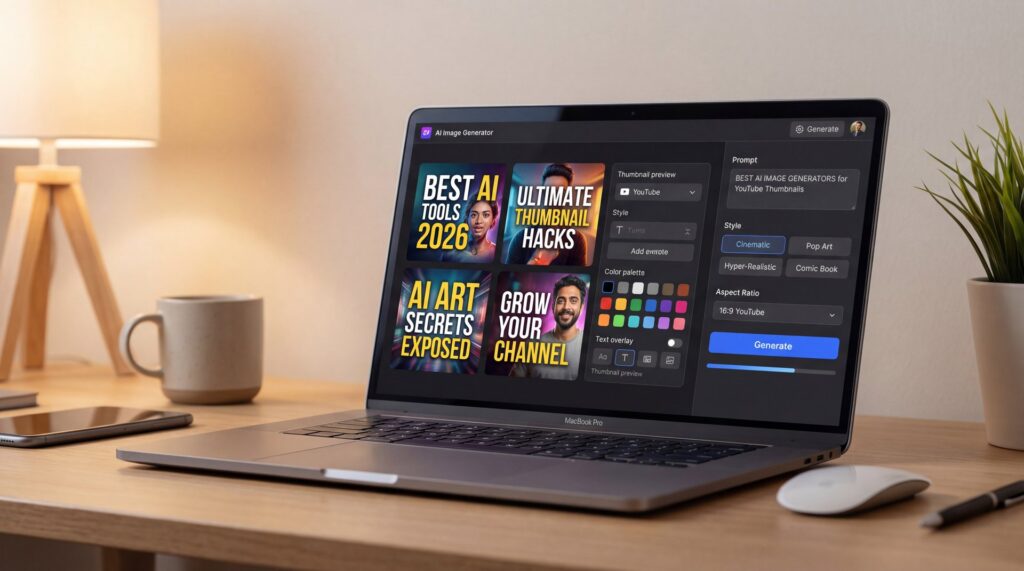
- What are the best AI image generators for thumbnails in 2026?
- Why use the best AI image generators instead of manual design?
- Best AI image generators settings that boost CTR
- How to get started with the best AI image generators today
- Best AI image generators tips, mistakes, and consistency fixes
- Best AI image generators vs free alternatives—what’s worth it?
- Listen to This Article
The AI image generation market reached $88.7 billion in 2025 with a staggering 441% year-over-year growth in the editing and generation category, according to PhotoRoom’s industry data Photoroom stats. This isn’t hype—it’s production reality. By 2025, 88% of organizations incorporated AI into at least one business function, marking an increase from 78% the year before McKinsey’s State of AI.
The myth I hear constantly is “AI images look cool, but they can’t do good YouTube thumbnails.” That was true in 2022. But in 2025 we watched the best AI image generators jump a gear. Text accuracy got way better, photorealism got sharp, and multi-reference editing finally nailed character consistency across a whole series. If you’re building thumbnails that actually drive clicks, you need the right toolchain and a simple workflow.
Here’s the key point: when searching for the best AI image generators tailored for thumbnails, you’re after real click-through rates, stopping power that grabs attention in a crowded feed and consistency that makes your channel feel unified. The industry has caught on, with 62% of marketers now relying on generative AI for creating image assets, and 40% turning to these tools every single day Photoroom stats.
(Quick tangent.)
What are the best AI image generators for thumbnails in 2026?
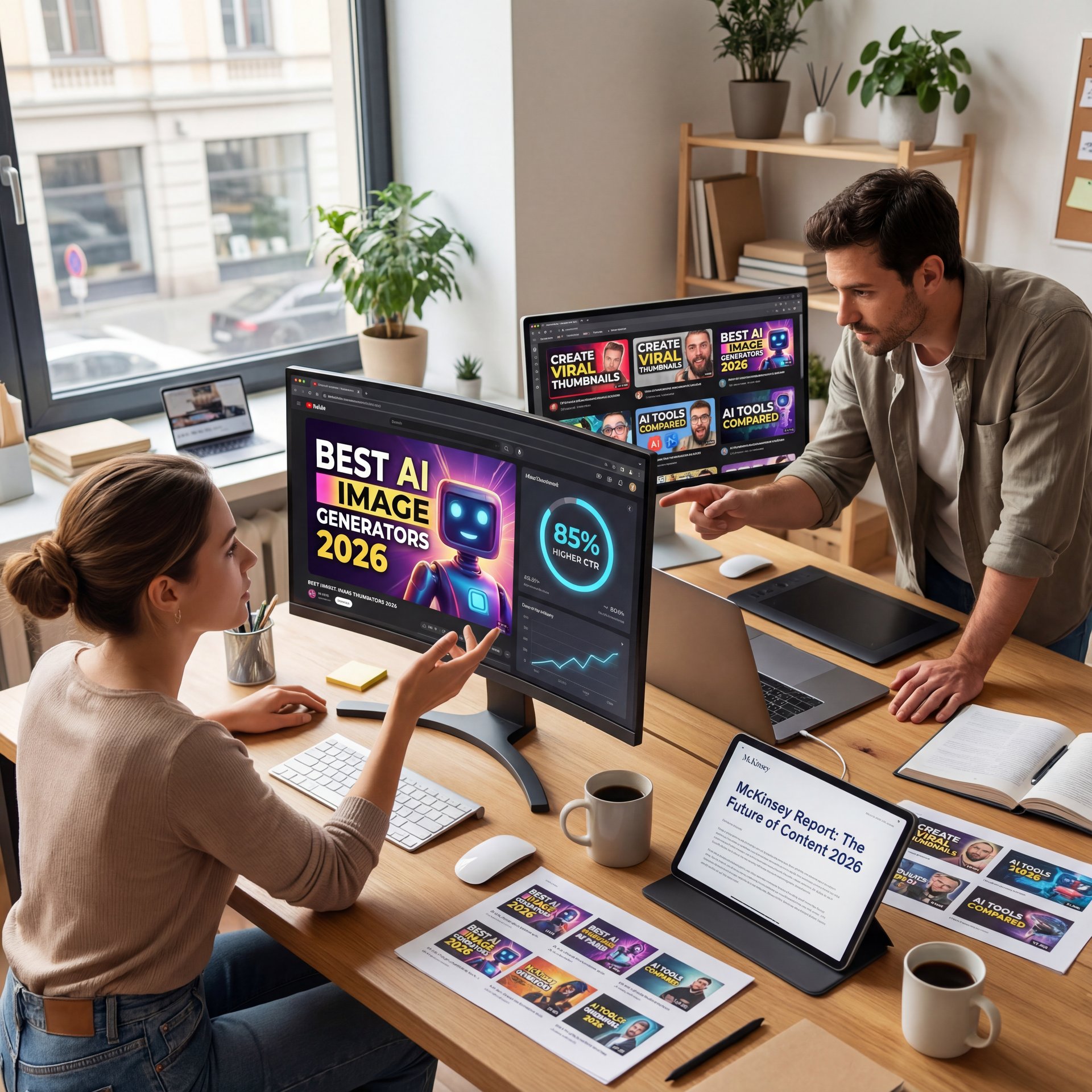
If text accuracy is your priority—think bold words with precise spacing that stay readable even at 120 pixels—DALL-E 3 stands out as the go-to choice. It has proven reliable for embedding text directly into images. For instance, Bayer achieved an 85% higher click-through rate with AI-generated ad copy and imagery, according to McKinsey’s State of AI report McKinsey’s State of AI. That’s what makes it ideal for designs where titles or key phrases are front and center, plus you can access it free through Bing Image Creator. We covered this in more detail in Best AI Thumbnail Tools 2026: Boost Your CTR.
Character consistency breakthrough
Now if you’ve been burned by “my face looks different every thumbnail,” here’s the breakthrough: FLUX 2 Dev. No, really.. This late-2025 model brought 4MP class output and a Rectified Flow Transformer architecture that’s exceptionally good at multi-reference conditioning. You can feed up to ten reference images to lock down your persona and style pack and it holds that look across 50+ thumbnails without weird stochastic drift. That’s a big deal for weekly series.
(I know, I know.)
Free tier options
You can start without spending anything, thanks to options like Bing Image Creator, which provides 15 DALL-E 3 generations daily. Playground AI goes even further with 50 free images each day, giving you plenty of room to experiment with prompts. Once you’ve got a sense of the results, that’s the time to consider stepping up to a paid subscription.
(Bear with me here.)
DALL‑E 3
Best for inline text accuracy on thumbnails
- ✓ Boosts readability and CTR on tiny mobile screens
Midjourney
Best for stylized, cinematic looks
- ✓ Artistic control and dramatic visuals creators love
FLUX 2 Dev
Best for character consistency
- ✓ 4MP output and ten-image multi-reference for series branding
Why use the best AI image generators instead of manual design?
YouTube thumbnails live and die at small sizes. The best AI image generators give you photoreal faces, clean focal points, and big, legible text without spending three hours on masking and compositing. And they do it at production scale. If you’re still depending on manual edits and stock searches, you’re likely spending time that others are using to experiment with more variations and refine their strategies.
Text accuracy and CTR
DALL-E 3 isn’t just cool at art—it’s been linked to higher campaign performance. Bayer’s 85% CTR lift with AI creative shows how clean text makes a difference. Want better results? Try “big block text, center aligned” variants in your prompt, because readable text at thumbnail size directly impacts click decisions.
The style and speed combination
Midjourney holds its ground as the top pick for distinctive looks, particularily when you want intense expressions, anime-inspired elements, or artistic lighting effects. On the other hand, FLUX 2 Dev’s multi-reference capabilities address the common issue of inconsistent faces. This means you can produce a cohesive set for a full series without constant manual fixes, combining creative flair with practical efficiency.
Best AI image generators settings that boost CTR
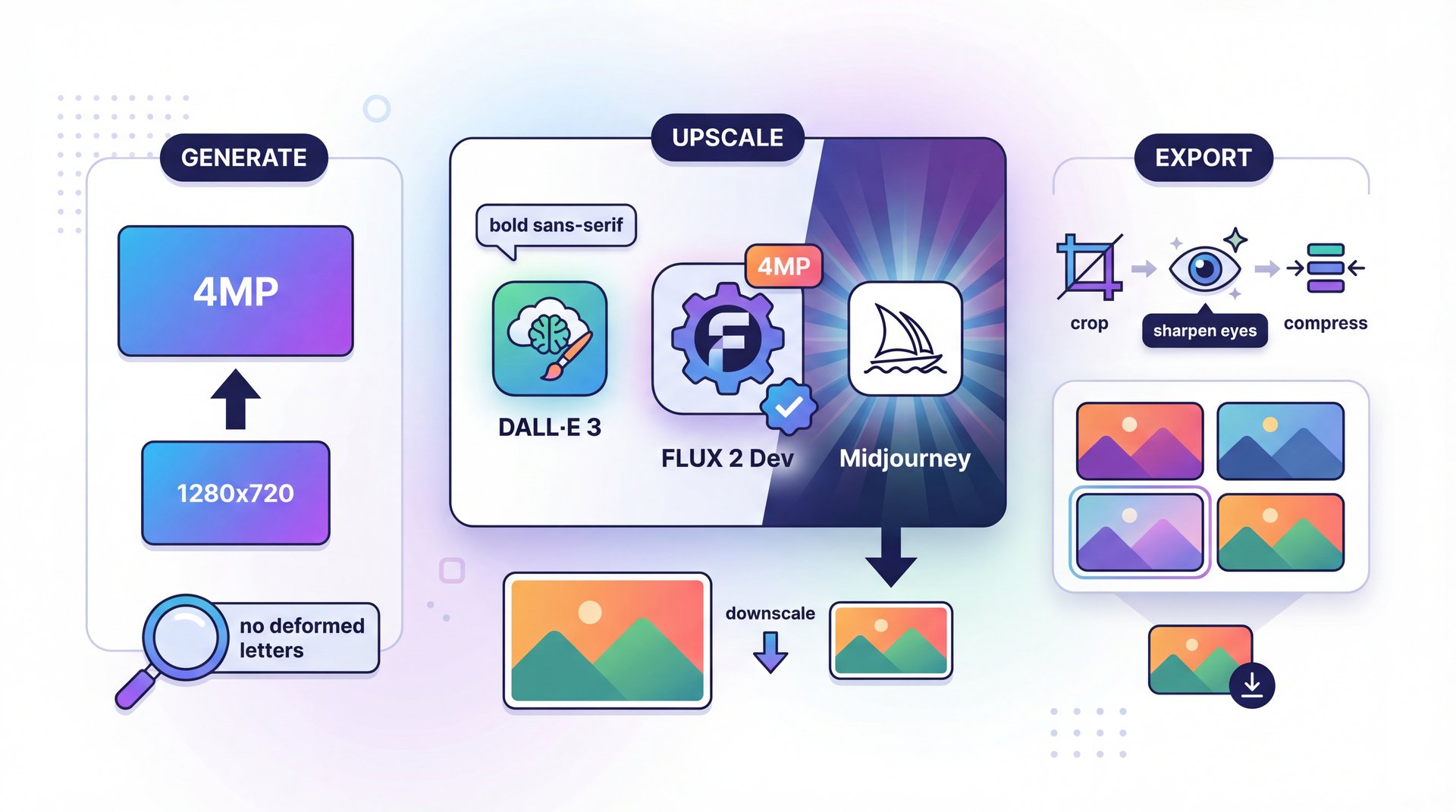
YouTube displays thumbnails at 1280×720 max, but newer models like FLUX 2 Dev output up to 4MP. That extra resolution lets you crop tight, sharpen eyes and compress cleaner. I usually generate at the higher resolution and downscale to 1280×720 for final export.
Core quality settings by model
With DALL-E 3, include phrases like “bold sans-serif” in your prompts and add “no deformed letters” to prevent distortions, then generate three to five options and upscale the best one. For Midjourney, emphasize dramatic lighting techniques such as rim or hard key lights to highlight faces, and apply a “–stylize 150” parameter to balance overly extreme artistic effects. In FLUX 2 Dev, upload five to ten reference images of your face and logo, and use tags like “lock subject identity” if the interface allows.
Delivery tips
Always test on mobile at 25% zoom. If you can’t read the word at a glance, it won’t convert. YouTube has clear guidelines on size and clarity YouTube’s official thumbnail guide.
Lock your subject
In FLUX 2 Dev or comparable tools, load 5–10 face references, one logo reference, and a color swatch. This stabilizes identity and branding.
Generate high, export low
Create at 4MP or the tool’s max, then downscale to 1280×720. You’ll preserve micro-contrast and edge sharpness.
Validate at phone size
Drop your comp on, you know, a phone and view at 25% zoom. If the eyes and headline don’t read instantly, re-run with higher contrast.
💡 Quick Tip
For a quick editing refresher that pairs perfectly with this, we covered fast, practical tweaks in AI photo editing tips that transform images fast.
How to get started with the best AI image generators today
If you’re just dipping in and feeling a bit daunted by all the options, start with the free tiers to build confidence without any upfront cost. Experiment with daily credits to try out concepts, and only move to paid versions once you’ve seen promising results.
A pretty simple starting stack
For casual creators producing two to three thumbnails weekly, Bing Image Creator plus Playground AI covers most needs. If you’re publishing daily and need a consistent look, Midjourney’s $ten plan paired with FLUX 2 Dev’s multi-reference capability becomes worthwhile. Meanwhile, enterprise teams benefit from API access for batch workflows and approval routing.
Document your prompts
Here’s what you want to do if you’re working with clients: treat prompt docs as a strategic asset. Keep a playbook with model version, seed, aspect ratio, and brand rules. Teams that do this routinely report a 0.99 approval rate from bulk generation—near zero reworks and faster sign-offs. That doc is your production memory.
Pro Tip: Save any rejected variants in a swipe file. When a thumbnail doesn’t perform well, you’ll already have alternates ready to swap in, leading to faster tests and less creative fatigue.
(Where was I?)
📋 Quick Reference
Free trial path: Bing (15/day DALL‑E 3), Playground (50/day), then step into Midjourney or FLUX 2 DEV. When you’re ready to systemize, see Banana Thumbnail workflows for batch generation and approval routing. :::
54.6%
Adults adopted gen‑AI by Aug 2025
According to the St. Louis Fed
:::
Best AI image generators tips, mistakes, and consistency fixes
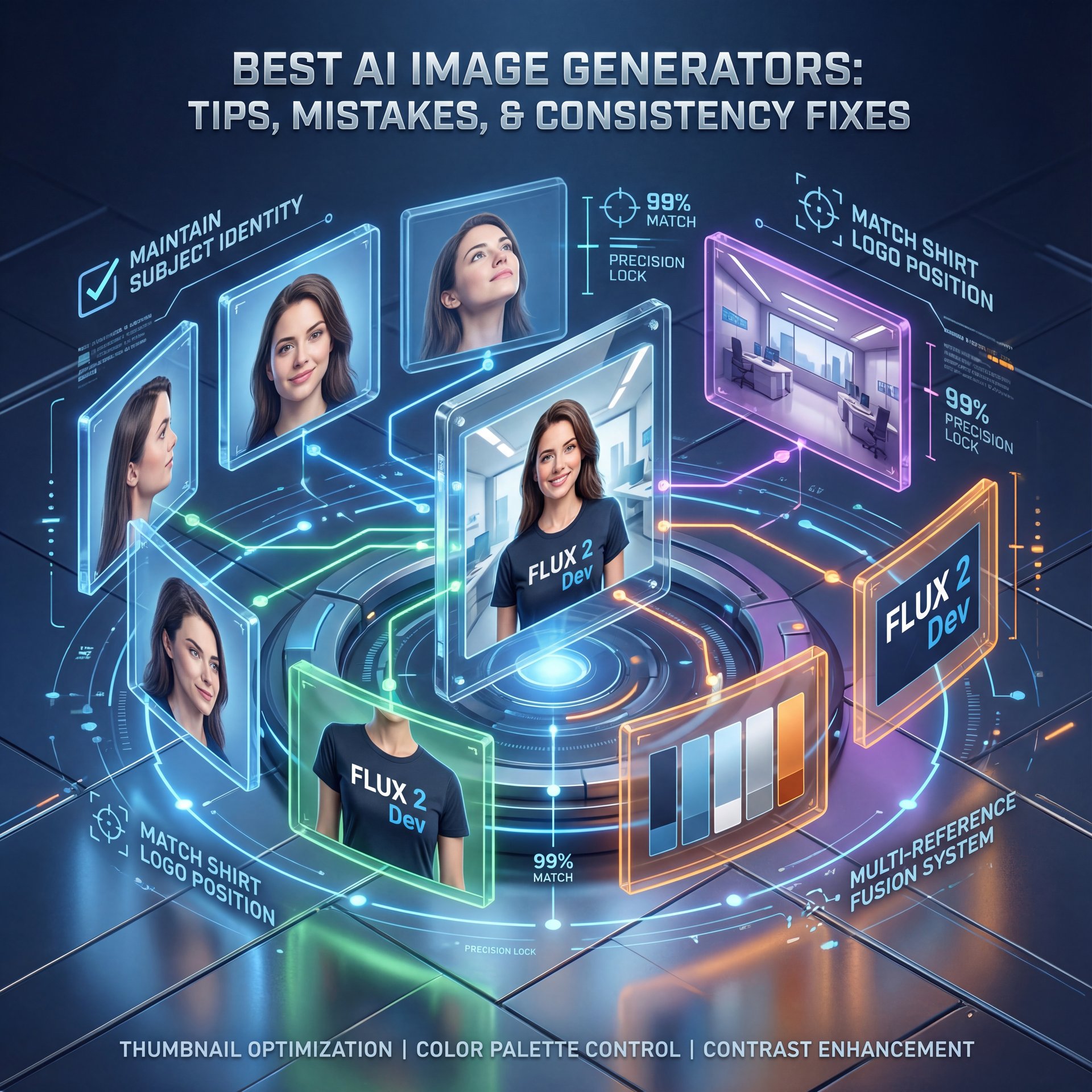
If you’ve dealt with thumbnails where elements like eyes or hair seem to shift unpredictably, the multi-reference editing advancements from (I wish) 2025 offer a solid fix. FLUX 2 Dev’s ability to handle up to ten reference images allows you to define precise details for faces, outfits, and props, keeping everything aligned.
Consistency and multi-reference editing
Feed 8–10 images: 5 face angles, 1 torso with branded merch, 1 background reference, 1 logo, 1 color swatch. Prompt with “maintain subject identity; match shirt logo position; retain hair part” and lock your camera language: “35mm, chest-high, neutral expression” 💯 or “24mm, close-up, exaggerated reaction.” With those constraints, you can ship 50+ thumbnails that look related but not repetitive.
Mistakes that cost CTR
One frequent error is overcrowding with text—stick to two to four words at most, and let facial elements carry the emotional weight. Without a clear focal point, even the best AI outputs can turn into visual noise, so guide the model toward a single hero subject by including cues for shallow depth of field. Also, overlooking brand contrast can make colors blend together; always pair your signature hues with cooler, you know, or darker backgrounds.
⚠️ Common Mistake
Relying on a single reference selfie. That’s how you get drift. Use multi-reference conditioning and lock identity. If your tool supports brand kits, import your colors and fonts—see the identity tools inside Banana Thumbnail features.
Best AI image generators vs free alternatives—what’s worth it?
The smart move is to begin with no-cost tools to confirm your concepts, then invest in paid ones for greater precision and reliability. Free resources like Bing, Playground AI, and Google Gemini Nano Banana work well for initial brainstorming and testing.
Midjourney, at $ten to $60 monthly, remains strong for artistic styles, while DALL-E 3 excels in text clarity. For ongoing series with brand elements, FLUX 2 Dev is the professional choice, especially with broader improvements in multi-reference editing seen in 2025. The market is projected to reach $229.6 billion by 2035 PhotoRoom industry data. You don’t have to commit to just one; match the tool to the task at hand.
💡 Quick Tip
When you’re ready to scale ideas into videos, stitch your thumbnail look into intros using Banana video generation. Keeping face, palette and type consistent across static and motion boosts brand recall.
Now here’s the thing—if you want a one-page cheat sheet: use DALL-E 3 when text on the thumbnail is critical; use Midjourney for style; use FLUX 2 Dev when series consistency matters. Use free tiers to test hooks, lock your brand kit, and always check the thumbnail at phone size before you ship.
Frequently Asked Questions
Is DALL‑E 3 better than Midjourney for thumbnail text?
Yes—DALL‑E 3 tends to render cleaner, more legible text, which correlates with higher CTR in campaigns like Bayer’s.
Are there free AI thumbnail generators to try first?
Yes—Bing Image Creator gives 15 DALL‑E 3 gens daily and Playground AI offers 50 images free, perfect for risk‑free testing.
If you want to see all of this in action, check out this helpful tutorial:
Related Videos


Related Content
• youtube
For more on this topic, check out: thumbnails
Listen to This Article