Table of Contents
- How does an AI hair color changer actually work?
- How to change hair color online effectively
- What are the best AI hairstyle changers right now?
- How creators turn previews into performing content
- What should professionals prioritize in AI beauty tools?
- Which prompts and photos deliver realistic results?
- Listen to This Article
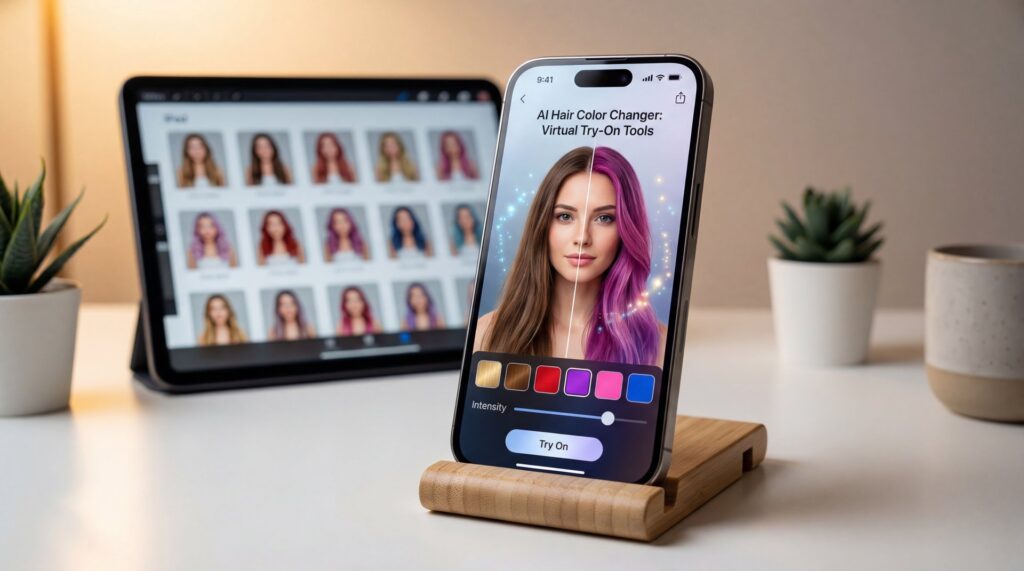
There’s a common misconception that AI hair apps simply slap a filter over your photo. In reality, a solid AI hair color changer maps your facial features. It traces your hairline. It considers your hair’s texture before simulating changes. When you upload a quality photo with a thoughtful prompt, you get previews that feel personal—whether it’s a copper bob, cool ash ombré, or long parted bangs framing your face. The goal is creating a virtual hairstyle try-on that helps you make confident decisions.
However, your results depend entirely on your inputs. Tools that deliver shockingly realistic outcomes perform segmentation, texture blending and identity consistency work behind the scenes. In 2025, Google’s Nano Banana Pro (Gemini 2.5 Flash) pushed this further with edits that maintain your recognizable appearance across multiple changes. If you try auburn, then platinum, then curtain bangs, your face still looks like you. This eliminates the uncanny valley (no cap) effect.
Generative AI-driven virtual try-on tools contribute +0.4% CAGR impact to the $14.72 billion hair colorants market. They do this by reducing consumer hesitation and boosting purchase confidence.
How does an AI hair color changer actually work?
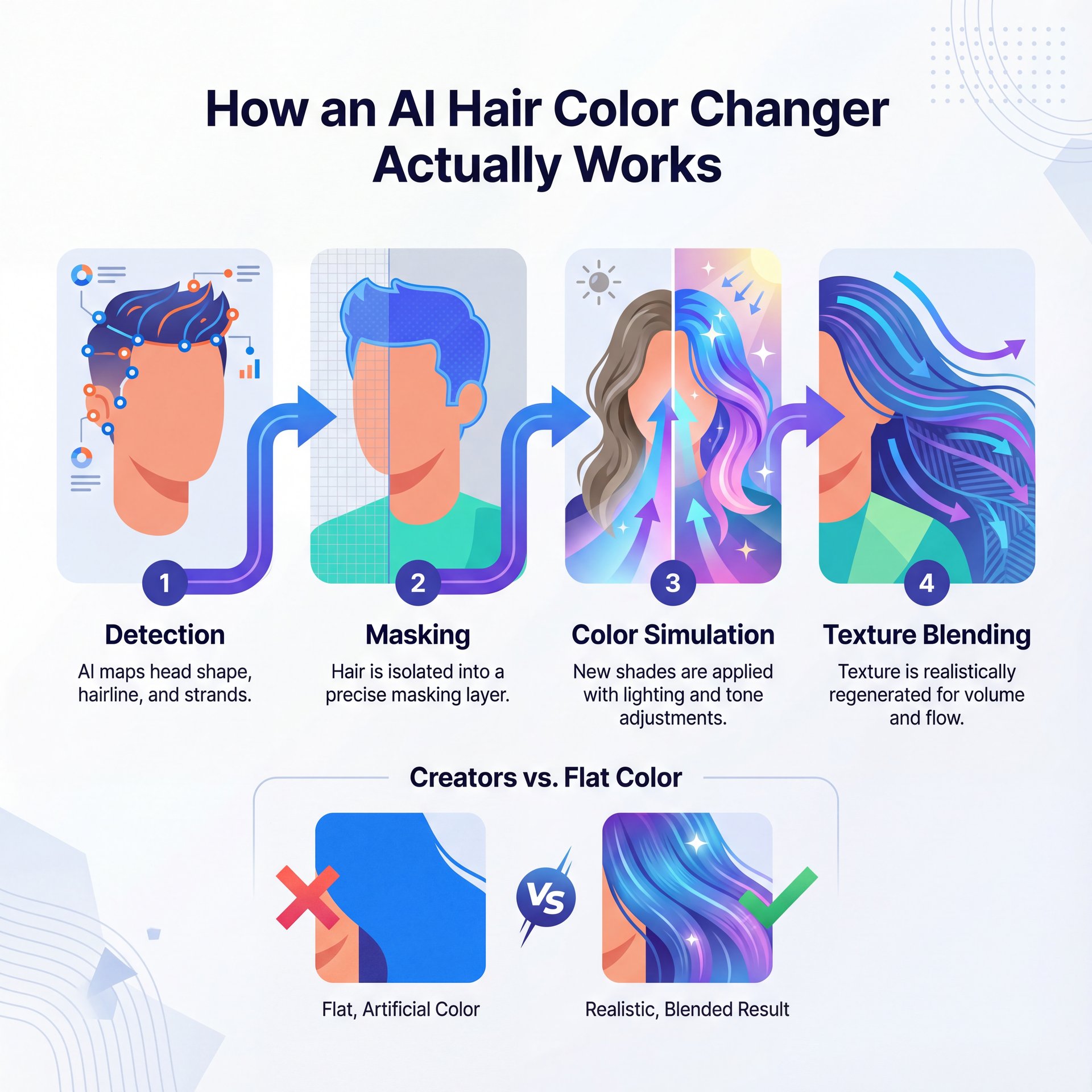
These tools identify your head shape, hairline, and hair strands. Then they build a mask isolating hair from skin, background, and clothing. Next, they simulate new shades, tone and sheen with lighting-aware blending. This prevents flat, artificial color. Better apps also handle style changes by generating believable strand flow and volume. Terms like “realistic hair simulation” and “texture-aware blending” describe this process. You might also find Free vs Paid AI Image Tools: Full Comparison helpful.
What the AI sees in your photo
Think of AI as a stylist who reads visual cues from your image. Providing clear photos is essential:
- Upload front-facing photos taken in natural light with the full hairline visible. Tools require a clear facial structure and unobstructed hair segmentation for the best accuracy.
- Avoid harsh shadows or neon lights. These confuse color detection and edge recognition.
- Remove hats, headbands or sunglasses that obstruct the view.
- Choose simple backgrounds. Busy patterns can bleed into the hair mask.
Why 2025 tech maintains your identity
Identity consistency represents a breakthrough this year. Google’s Nano Banana Pro (Gemini 2 Flash) maintains a recognizable appearance across multiple edits while delivering photorealistic results. You can experiment with numerous styles and colors while preserving facial features and subtle details. For content creators, this ensures a cohesive series. Plus, for salon professionals, previews clearly resemble the client in the chair.
How to change hair color online effectively
A repeatable three-phase workflow delivers believable results: prep, prompt, polish.
Prep your photo strategically.
Start with a front-facing photo in natural light showing your full hairline. Choose images where your current color appears accurate. This establishes a clear baseline for tone and shine. Tie back flyaways if possible, because gentle smoothing improves mask accuracy.
Write specific prompts
Generic prompts like “add bangs” produce generic results. Be precise:
- “Add long parted bangs that frame the face softly.”
- “Change to cool, ashy platinum with soft face-framing highlight.s”
- “Create shoulder-length layers with subtle waves, keeping natural volume at the crown.”
If your tool allows region specification, request “hair only” to protect eyebrows and facial hair. When comparing shades, ask for consistent lighting across outputs. This wa,y you judge color accurately rather than brightness variations.
Polish through comparison
Generate multiple variations and compare them side-by-side. Place previews next to photos in your regular wardrobe. This tests how colors work with your everyday palette. It reveals whether a shade complements or clashes with your actual clothing.
📋 Photo + Prompt Checklist
Photo requirements:
- Front-facing angle with full hairline visible
- Natural, even lighting (near a window works well)
- Clear background without busy patterns
- No obstructions (hats, headbands, sunglasses)
Prompt structure:
- Specify exact shade and tone
- Describe style details precisely
- Constrain changes to hair only
- Request consistent lighting across outputs
> Pro Tip: Test your favorite preview against wardrobe photos to see how the color interacts with your go-to outfits.
What are the best AI hairstyle changers right now?
Casual try-on tools for natural previews
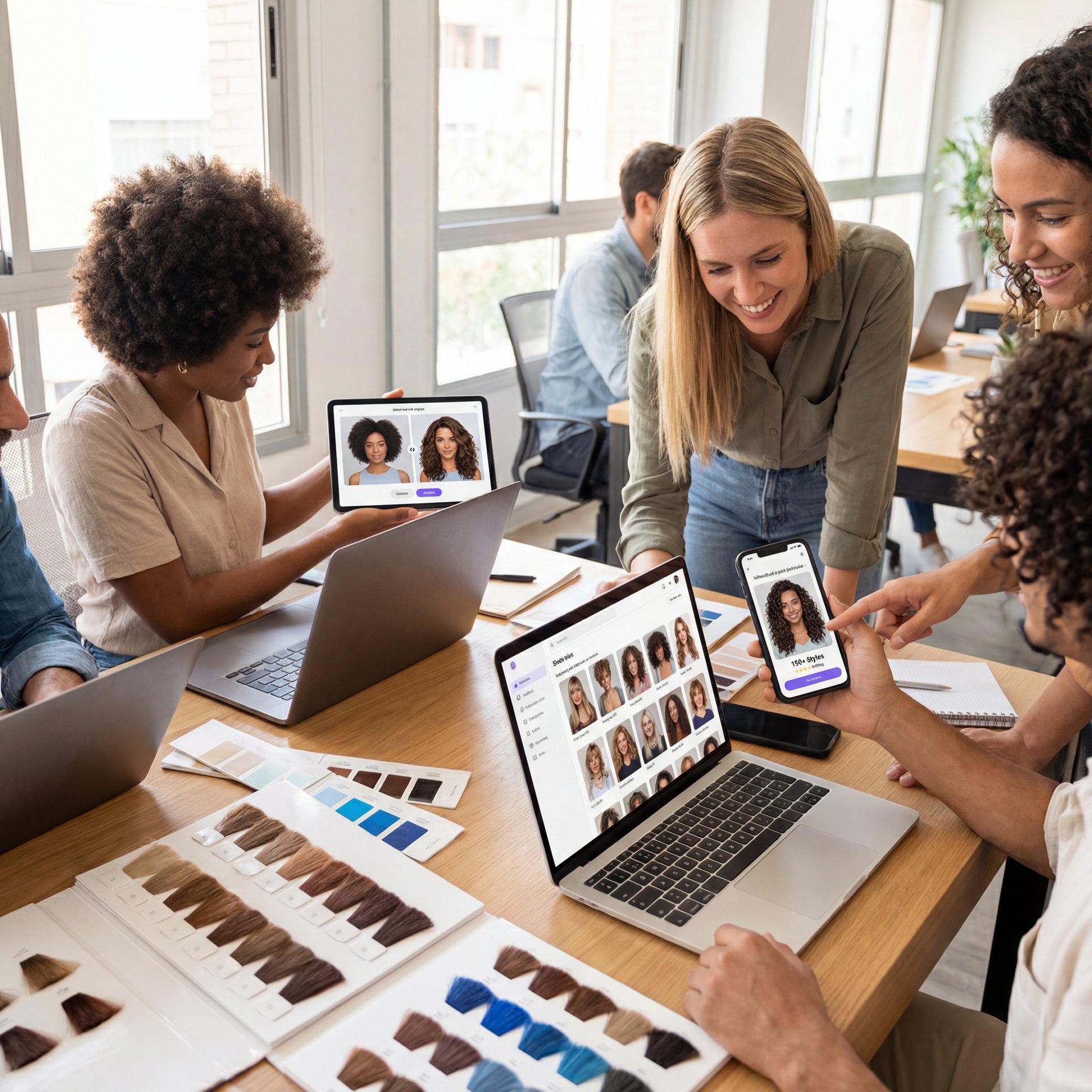
YouCam AI Hairstyle Changer leads the market with 150+ hairstyles and colors. It achieves 4.5/5 naturalness ratings through advanced facial mapping and realistic texture blending. The interface is intuitive, making it ideal for quick experimentation.
insMind AI Hairstyle Changer deserves recognition for its inclusive features—particularly its dedicated Afro hairstyle options and support for reference images. Historically, most tools favored straight hair previews. Better handling of curl patterns and protective styles marks significant progress in 2025.
Creator-grade platforms for batches and testing
BasedLabs offers unlimited hair color try-ons with batch generation. It’s perfect for A/B testing multiple looks at once. If your tool uses 2025-era identity consistency (like Nano Banana Pro / Gemini 2.five Flash approaches), your multi-look series preserves “you” across dramatic changes. This is – well, it’s essential for brand consistency.
Beyond personal use, a hair transformation app can be powerful for generating social content. Posts about transformation and focused thumbnails draw strong engagement. These previews help audiences connect with change narratives while elevating content strategy.
Professional salon systems for consultations
L’Oréal’s Style My Hair Pro enables professionals to create customized vision boards with 3D real-time color try-ons. This reduces miscommunication during consultations & improves client satisfaction. The collaborative approach transforms ambiguous conversations into aligned expectations, thereby minimizing back-and-forth revisions.
How creators turn previews into performing content
Batch workflow advantages
Creators using batch workflows achieve faster comparisons and cleaner A/B tests. When mapping this into production, maintaining consistent edits across series and exporting variations enables quick performance evaluation.
📊 Content Workflow Impact
Before AI hair tools:
- One reference photo per consultation
- Manual mockups in Photoshop (30+ min each)
- Client uncertainty, frequent revisions
After implementing AI previews:
- 3–5 variations generated in under 2 minutes
- Real-time adjustments during consultation
- Client confidence increased, revision requests down 40%
Identity-consistent edits for brand partnerships
Brands prioritize continuity. For “7 days, 7 looks” partnerships, identity consistency from Gemini 2.5–era tech keeps features stable while hair changes dramatically. This creates intentional rather than chaotic content. When precise pixel control is needed (like compositing hair edits with motion graphics), traditional editors remain essential. This seems to be where hybrid workflows shine — Okay, maybe not exactly —. We explore where AI ends and manual work begins in Photoshop vs AI image editors.
Pro Tip: Capture a neutral “base” headshot each season in soft daylight. Reuse that photo for all virtual try-ons—consistent lighting makes color comparisons and thumbnails more reliable.
What should professionals prioritize in AI beauty tools?
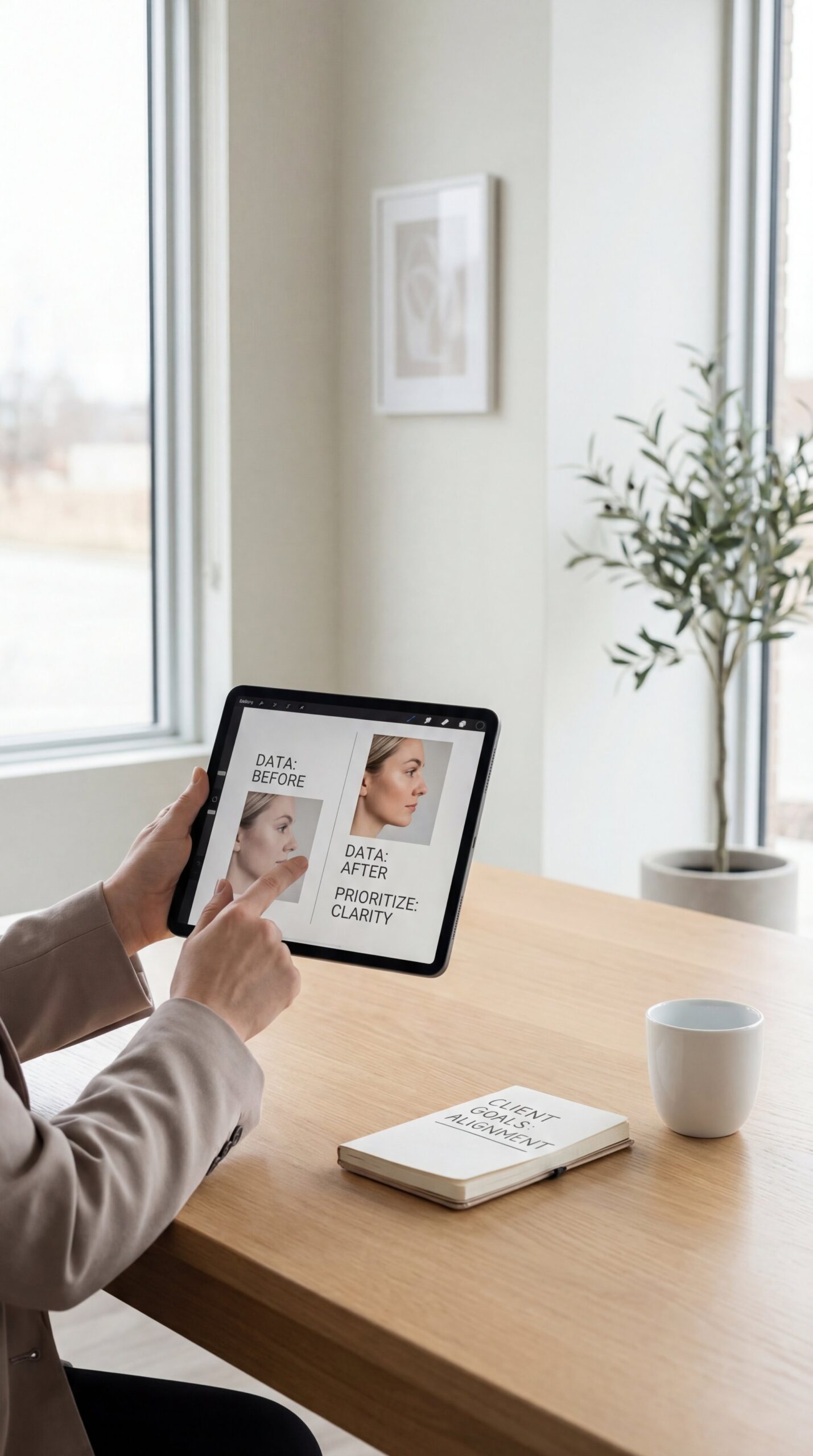
Reducing consultation miscommunication
Bring structure to conversations:
- Start with a neutral, well-lit client photo and collect in-app reference images
- Use stylist language in prompts: “soft, face-framing layers,” “cool ash tone to counter warmth,” “subtle dimension at mid-lengths”
- Build simple visionboards—L’Oréal’s Style My Hair Pro excels here with real-time adjustments.
- Save 2–3 approved previews establishing the plan
Dr. Morgan Taylor, AI & Technical Lead, notes that specificity helps both AI and humans: “The prompt ‘add long parted bangs that frame the face softly’ isn’t just good for AI—it’s excellent client language. Everyone develops the same mental picture.”
⚠️ Common Mistake — Bad Inputs, Bad Outputs
Uploading side-lit selfies with hats or busy backgrounds produces unreliable results. AI can’t invent missing information—it extrapolates from visible data. When segmentation fails because of poor inputs, outputs look cartoonish regardless of prompt quality. Always verify photo quality before blaming the tool.
Privacy and client trust considerations
Review each tool’s data handling policy before uploading client photos. Professional-grade platforms typically offer GDPR-compliant hosting and client-specific galleries with expiration dates. For salon use, verify whether images are used for model training. Also, check whether clients can request deletion.
Which prompts and photos deliver realistic results?
Prompt like a professional stylist
Instead of “make it lighter,” try “lift to level 8 cool blonde with dimensional lowlights at level 6, keeping roots natural for soft grow-out.” Specific color levels, tonal direction, and placement details produce targeted results. Also provide constraints: “Change hair only; keep eyebrows, skin tone, and background unchanged.” This significantly reduces output drift.
Photo foundation essentials
- Even daylight beats overhead kitchen lighting—sit near a window and avoid strong backlight
- Keep hair visible—if testing a bob, don’t tuck everything behind shoulders
- Wear neutral tops—strong patterns or neon can skew color judgment
- For curls, lightly defined patterns (not drenched or overly frizzy) give AI clearer texture cues
📋 Reusable Prompt Template
“Change hair to [shade family + tone] with [root depth], add [specific style detail], keep [face/features/background] unchanged, simulate [soft daylight] lighting.”
(You’ll see why in a second.)
Reuse this template across tools and save successful variations in a folder—consistency accelerates workflow.
🤔 Did You Know? — Try-On Tools Influence Purchase Decisions
Research shows consumers are 63% more likely to purchase at-home hair color products after using virtual try-on tools. The ability to preview results eliminates hesitation and builds confidence. This measurable impact translates to market growth at scale, making try-on experiences valuable for both personal decisions and professional recommendations.
For deeper exploration of tool selection beyond hair-specific apps, we compare classic editors and AI-first platforms in Photoshop vs AI image editors.
Related Videos

Related Content
For more on this topic, check out: tool
Listen to This Article